Many merchants struggle to present product details in a way that truly captures attention and encourages customers to buy. The key is choosing the right product details page layout, one that matches your product type and makes information easy to explore.
By customizing the Product Details Page using the default template, you can create a smooth, intuitive experience that builds confidence and increases purchase intent.
Design the product details page using the default template
1. Access the App Maker
From the main menu, click Store & Channels, then select Mobile App.
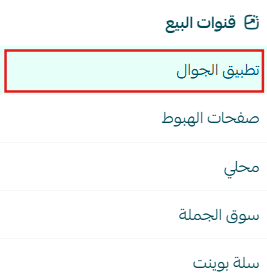
2. Open Product Details Settings
From the app design section, select the (Product Details) tab.
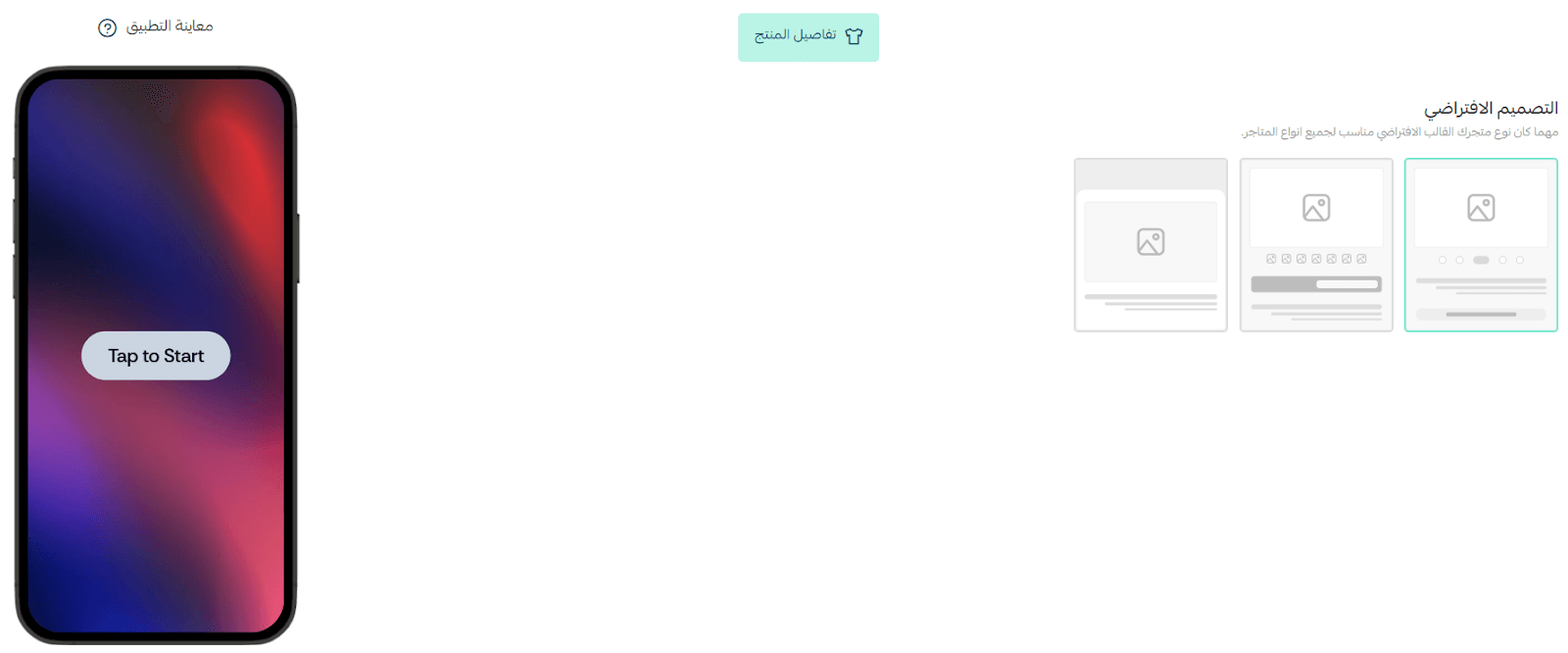
Available Product Details Layouts
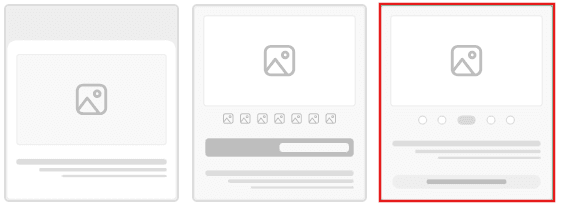
Below is a breakdown of the three available layout options, with guidance on when to use each one.
1. Professional Layout
Best for complex products or items with detailed specifications
Layout structure:
- Main product image displayed at the top
- Tabs or buttons below the image (such as Specifications, Reviews, Additional Details)
- Price and product description displayed further down
✨ Why choose this layout?
This layout is highly structured and ideal for products that require detailed explanations or multiple information sections. It delivers a polished, professional experience and helps customers navigate complex details with ease.
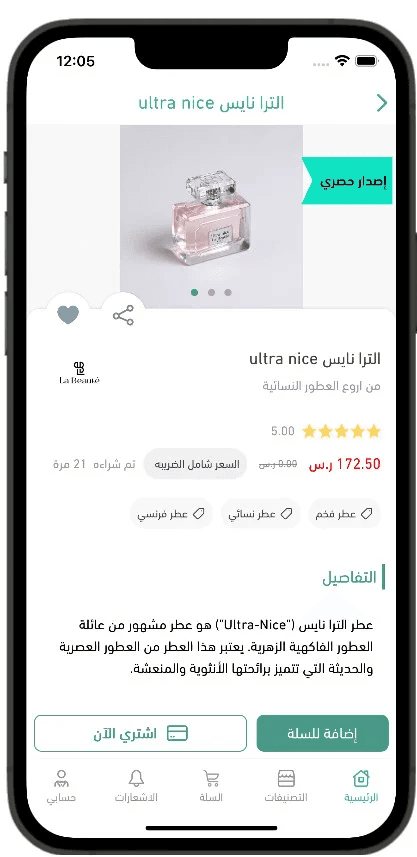
This is how it will appear in your app:
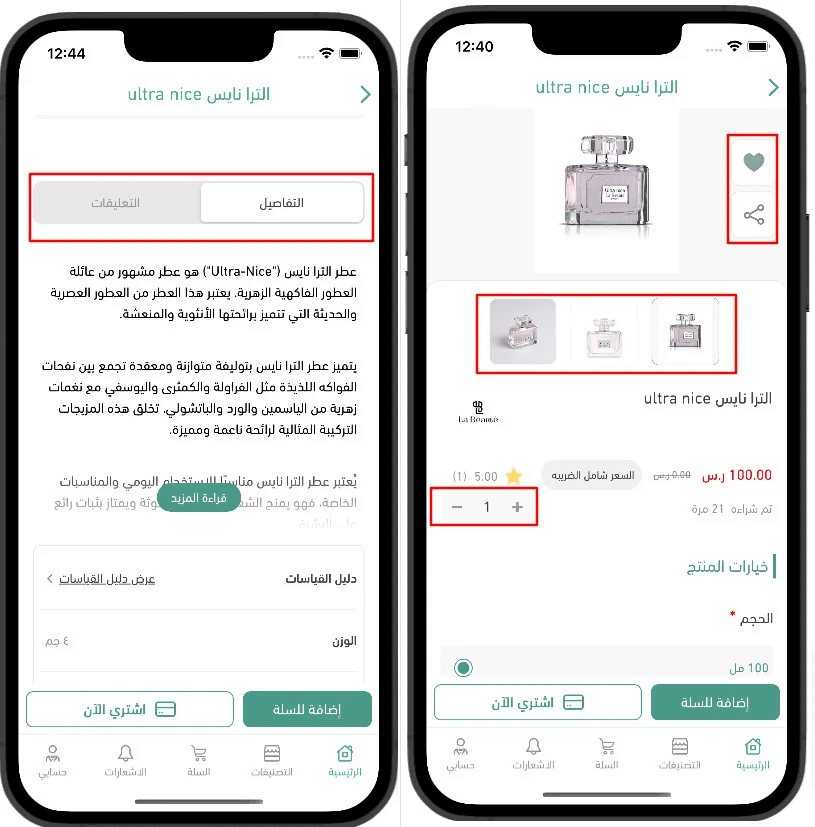
2. Multi-Image Layout
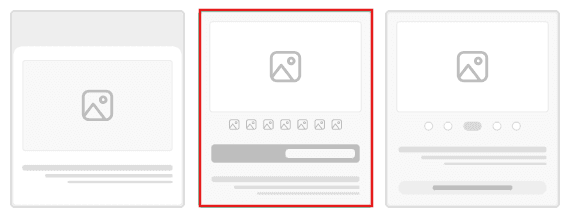
Best for products that rely on visual presentation
Layout structure:
- Main product image at the top
- Thumbnail image gallery below for easy image browsing
- Space for ratings or feature icons, followed by price and description
✨ Why choose this layout?
Perfect for products with multiple images, such as electronics, furniture, or décor—this layout allows customers to explore visuals quickly, improving confidence before purchase.
This is how it will appear in your app:
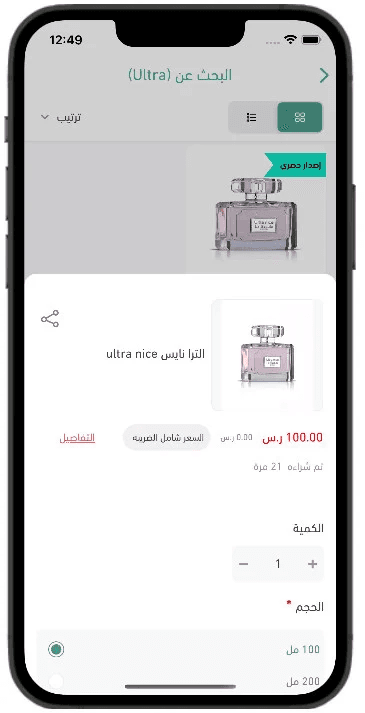
3. Simple Layout
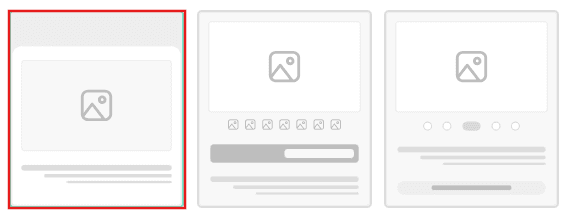
Best for digital products or visually straightforward items
Layout structure:
- Large main product image at the top
- Product name, description, and price displayed directly underneath
✨ Why choose this layout?
This clean and minimal design keeps the focus on the product image and key information. It works especially well for fashion items, digital products, or products where visual appeal is the primary selling point.
Final Tip
Choosing the right product details layout directly impacts:
- Time spent on the product page
- Customer confidence
- Conversion rate
Match the layout to your product type for the best results.