Staring at an empty product form and not sure where to start?
Ready-made product templates take the effort and the long list of details out of adding products to your store. They cover every product type with the details already filled in, so you can get a product live without wrestling with the form. In this guide, you'll learn how to add a product from a ready-made template and what those template products are useful for.
Ready-made product templates let you add a product to your Salla store without filling in every detail yourself. From the products page, click new product, choose to use a ready-made template, pick the product type and the template you want, then save it.
📌 Article overview
- How to add a product from a ready-made template
- What template products are useful for
- Frequently asked questions
👣 How to add a ready-made product template
1. From the dashboard side menu, click (Products).
2. On the products page, click (New product).

3. Set the product type to use a ready-made template.
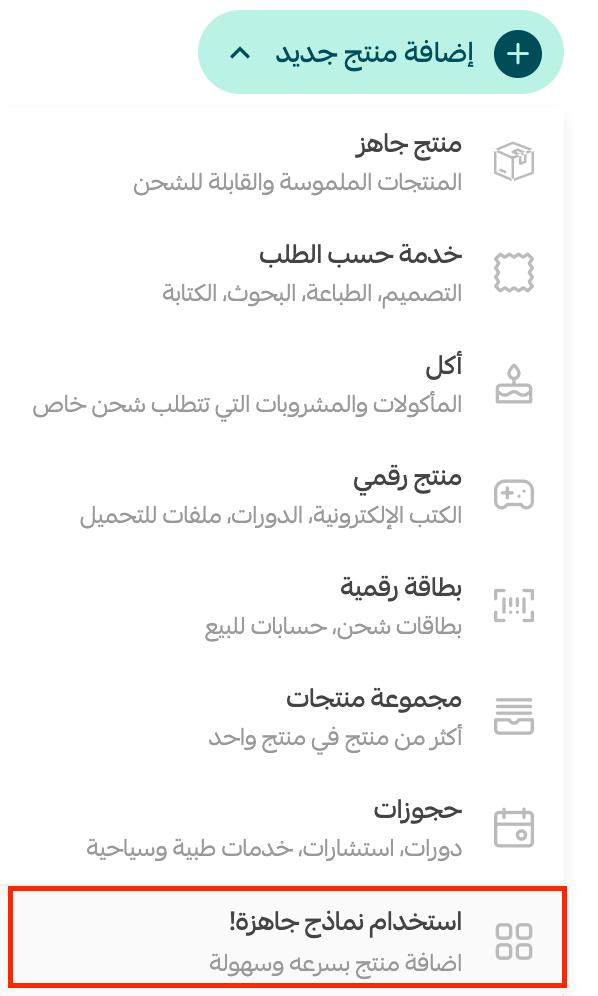
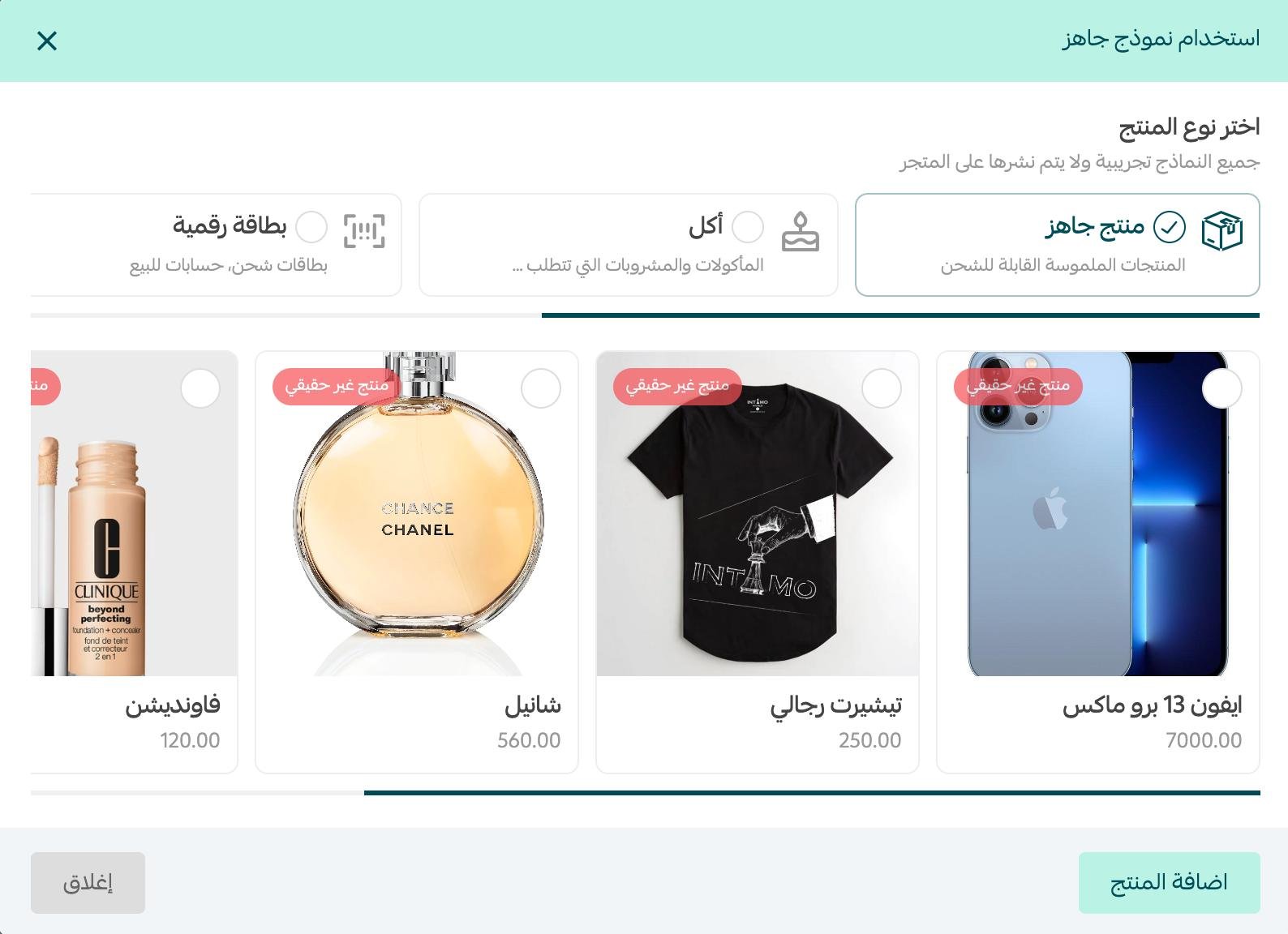
4. Choose the product type, pick the product you want, then click (Add product).
5. The product is added and carries a (Not a real product) label.
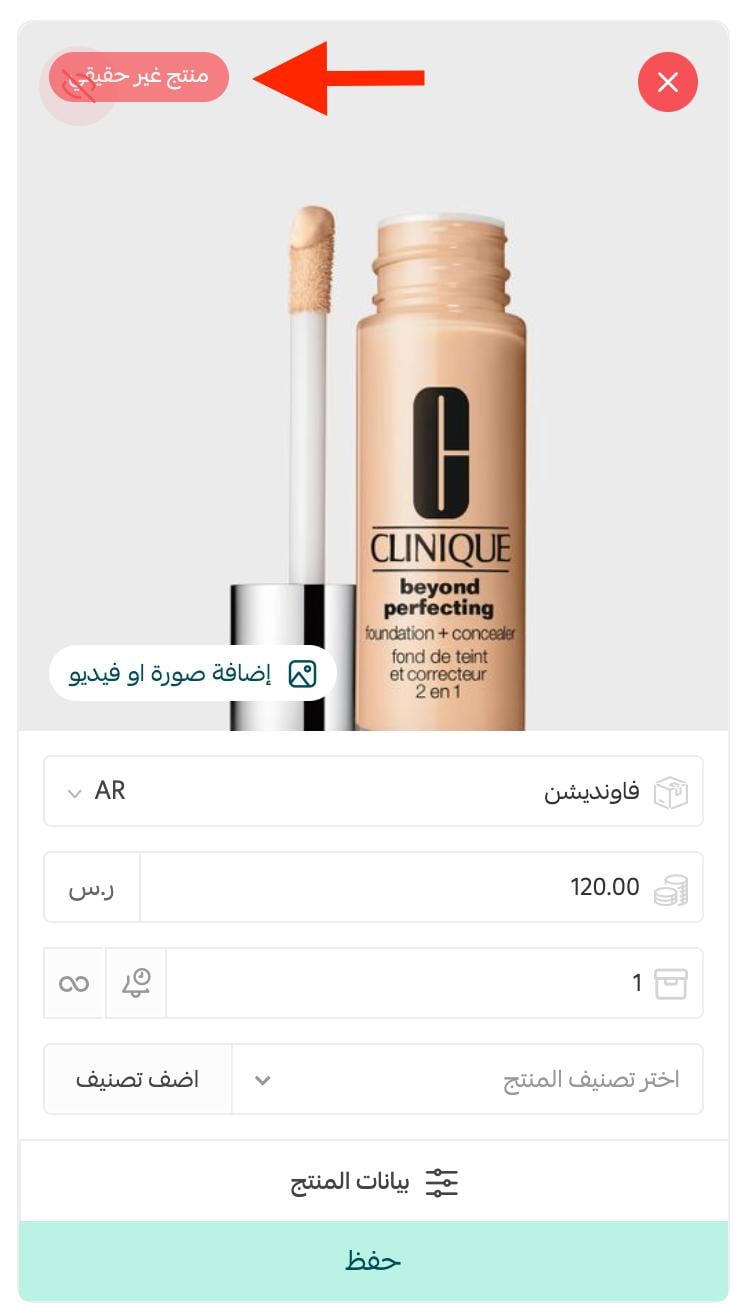
6. Click (Save) and the product appears in your online store.

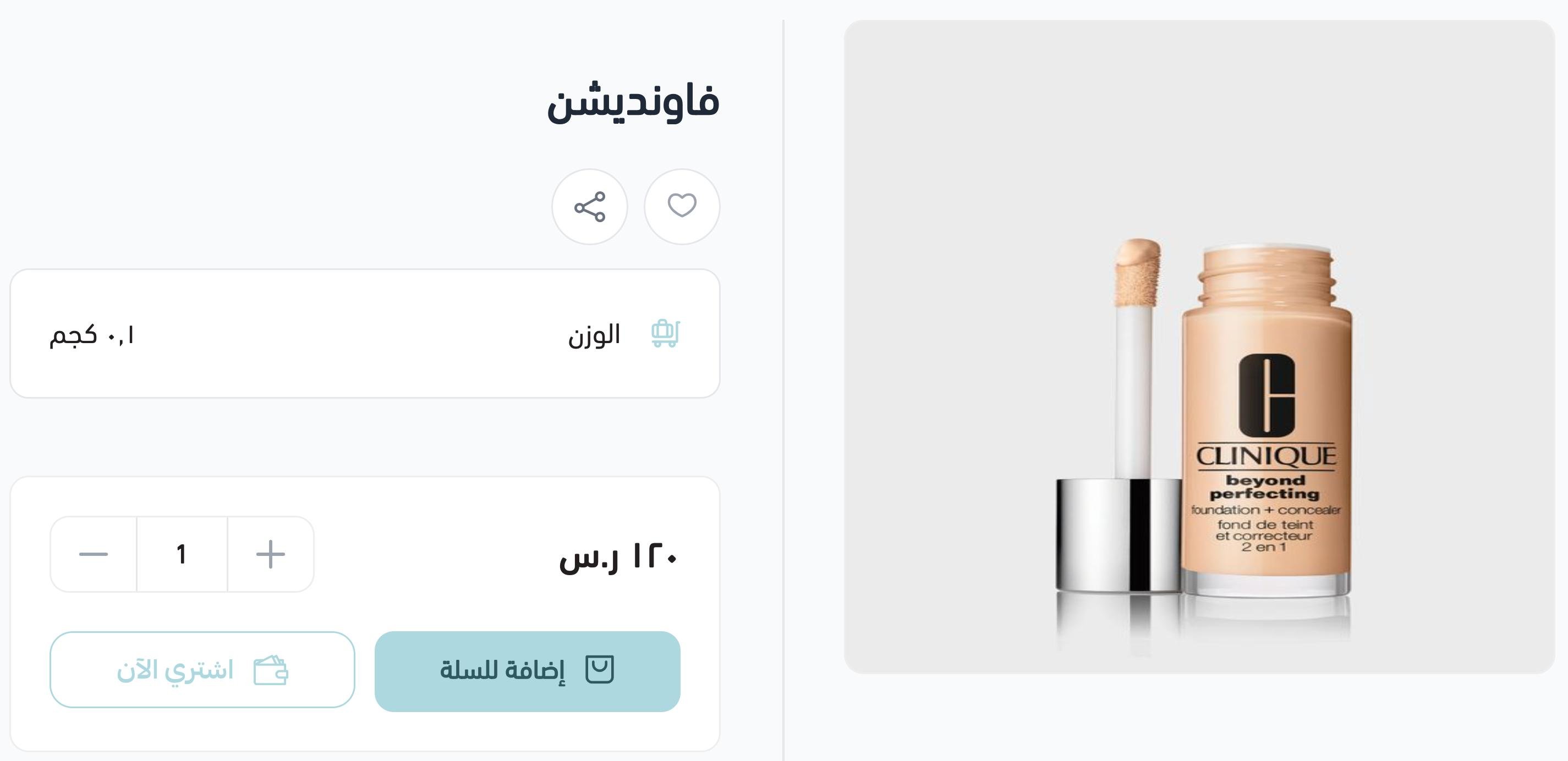
This is how it looks in your store:
❓ Frequently asked questions
What are product templates useful for?
They make verifying your store easier, because one of the conditions for setting a store up is having at least one product in it. Adding a sample product gets you past that.
What product templates give you:
1. A new merchant can add their first product easily and finish verification.
2. A new merchant can see the different product types and how they differ.
3. An existing merchant can add a product faster.
Will template products show up in the store for customers?
By default they will not. But if you edit one and save your changes, it appears in the store like any other product.
What does the (Not a real product) label mean?
It marks a product that came from a template rather than from your own catalogue, so you can tell your sample products apart from your real ones at a glance.
Are templates only for new stores?
No. They help a new merchant add a first product and complete verification, and they also save time for an established store that wants to add a product quickly.
📝 Important notes
A template product is a sample, not a real listing. Edit it into a genuine product or remove it before you start selling.
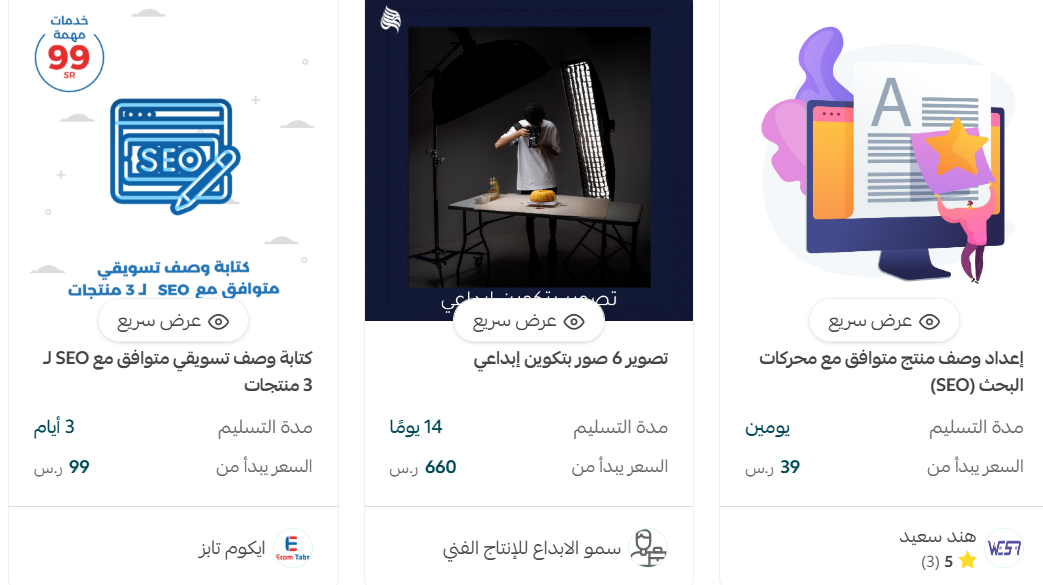
Dear merchant, if you need help adding products, there are services available that support writing and photographing your products professionally. Do make use of them.
Templates are there to get you moving. Add one, see how a product is put together, then replace it with the real thing.