Are shoppers walking away because paying the full amount up front feels like too much at once?
Flexible payment options keep hesitant buyers in the cart and keep cash moving through your store. Tamara is a buy now, pay later service that lets your customers split a purchase into installments or pay in one go, with no interest and no hidden fees. In this guide, you'll learn what Tamara is, how to request a new business account, and how to link an account you already have.
To activate Tamara on Salla, open (Store settings) from your dashboard's side menu, click (Payment methods), then click (Activate) under Tamara in the buy now, pay later section. Request a new business account, or enter the Merchant Key and Public Key from an existing Tamara account, then save.
📌 Article overview
- What is Tamara?
- How to create and activate a new Tamara business account
- How to activate an existing Tamara account on your store
- Frequently asked questions
What is Tamara?
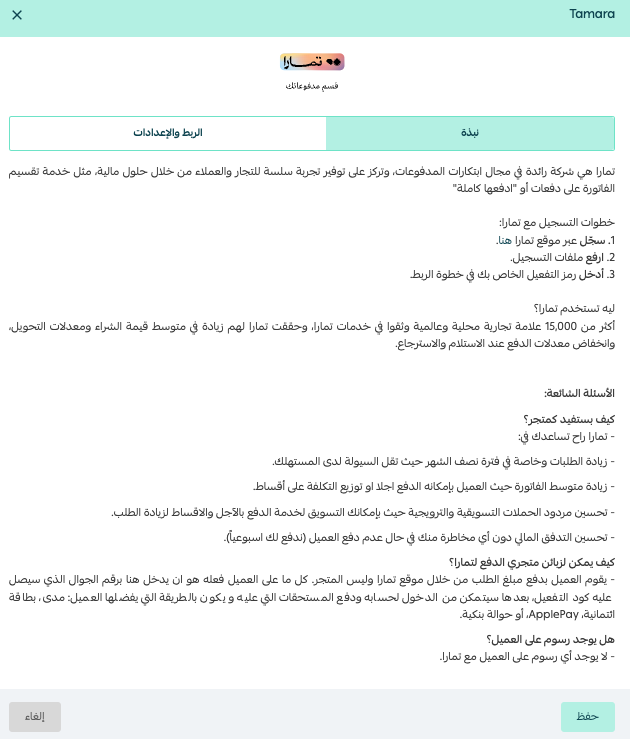
Tamara is a fee-free deferred payment service that lets customers buy any product from your store and pay for it over four installments.
📝 Important notes
Additional installment plans, such as 6 or 12 payments, may be available depending on your contract with Tamara and the customer's eligibility. These options appear on the Tamara page during checkout.
🚀 How to create and activate a new Tamara business account
1. From the side menu of your dashboard, click (Store settings).

2. From the store settings page, click (Payment methods).
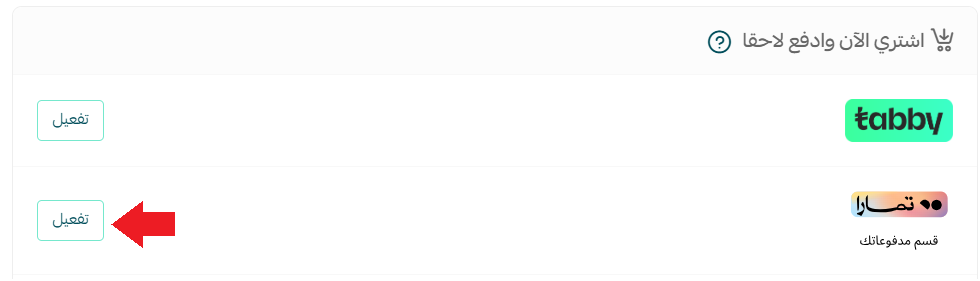
3. In the buy now, pay later section, under the Tamara deferred payment method, click (Activate).
The Tamara connection page opens.
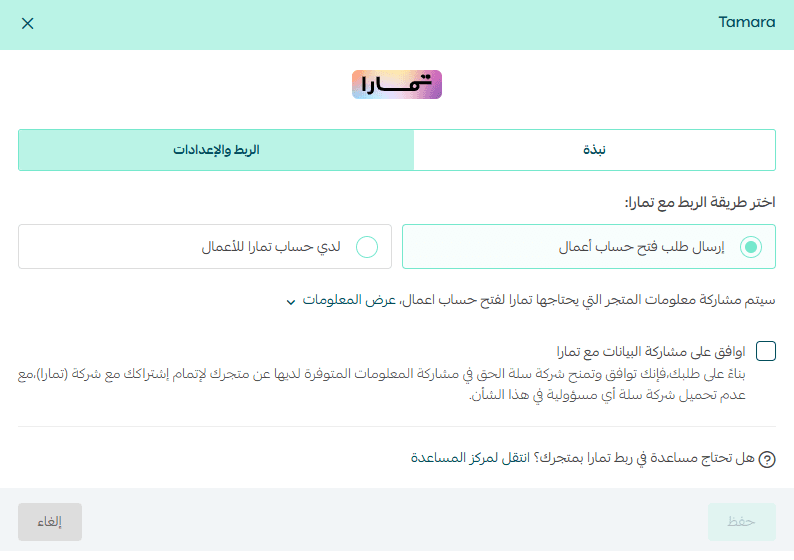
4. Open the (Settings and connection) tab, then:
First - choose (Send a business account request).
📝 Important notes
The (Send a business account request) option is currently available to stores in Saudi Arabia only.
Second - review the information your store will share with Tamara by clicking (View information).
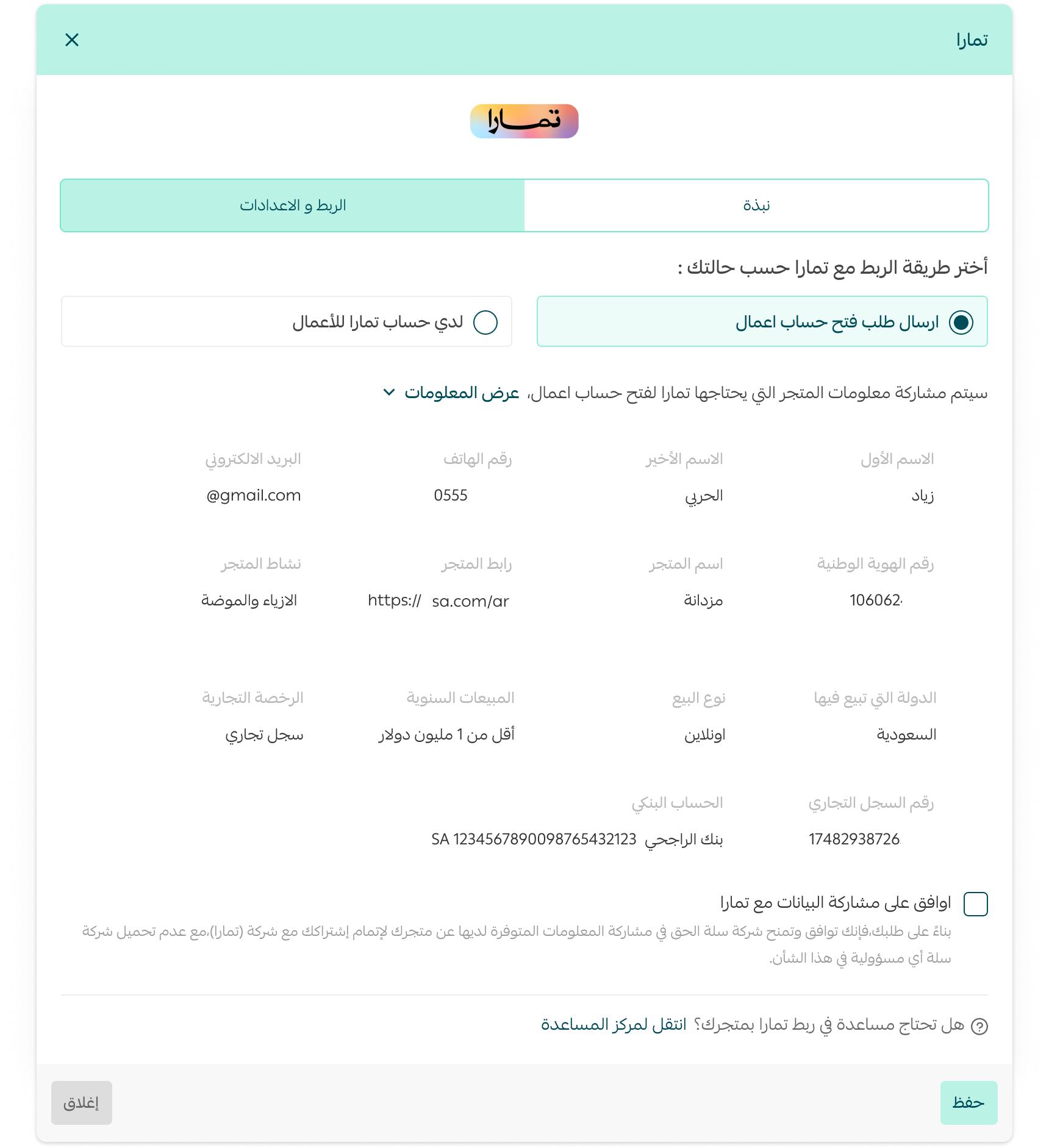
Third - click (I agree to share data with Tamara), then click (Save).
Your request form is then sent to the Tamara team.
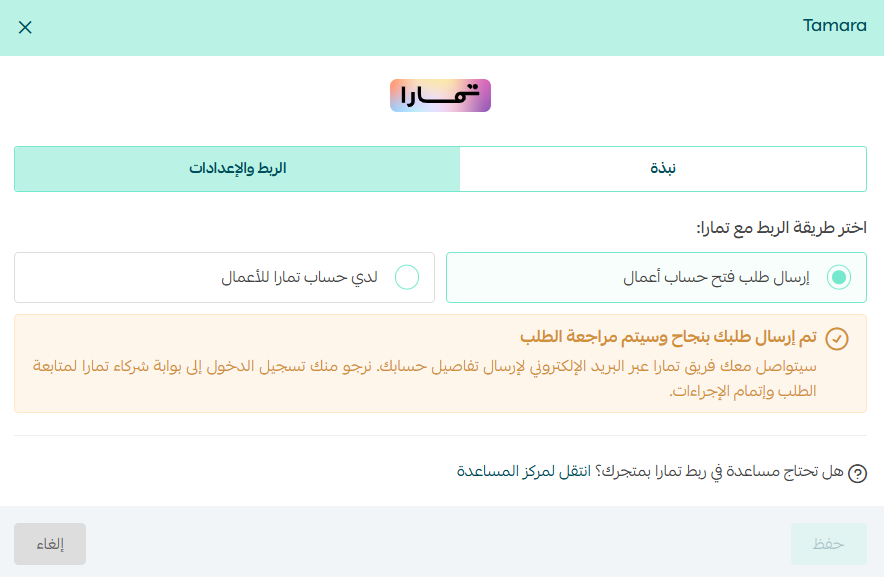
5. Once your request is approved, the Tamara team emails you your account details, and a confirmation message appears on the Tamara settings page.
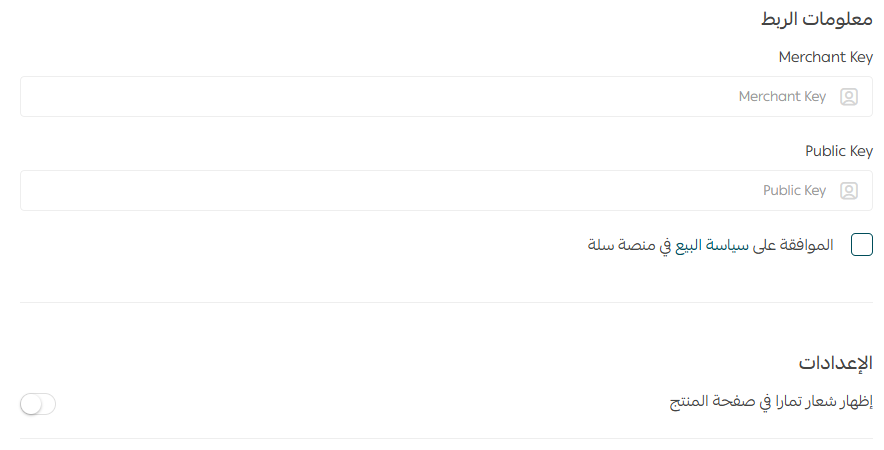
Enter the Merchant Key and Public Key from your Tamara account, click (I agree to the Salla platform selling policy), then click (Save).
🚀 How to activate an existing Tamara account on your store
📝 Important notes
Merchants with stores outside Saudi Arabia need to contact Tamara directly to complete the account opening process.
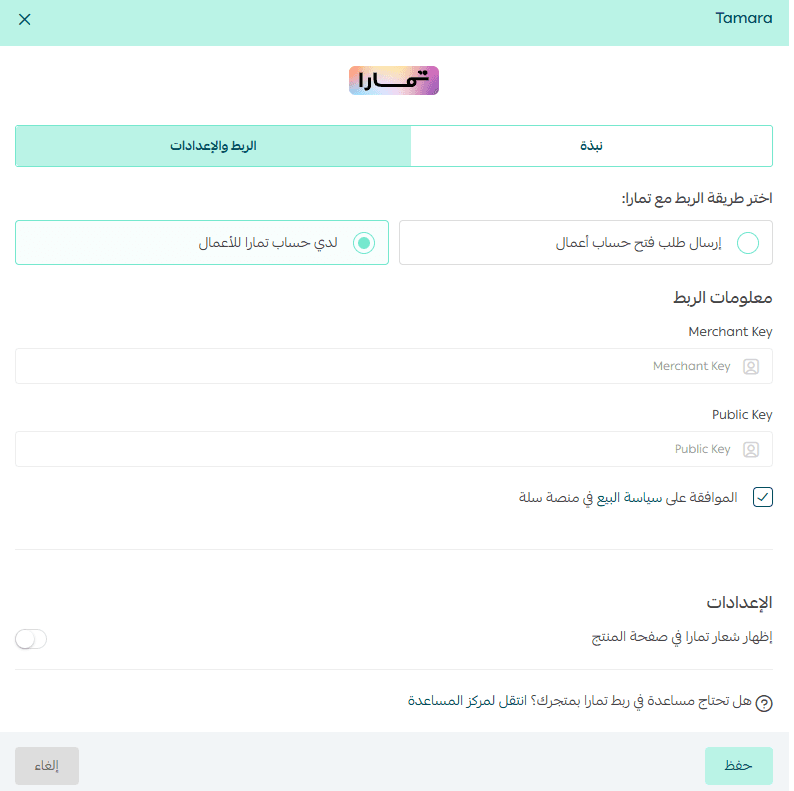
If you already have a Tamara account and want to activate it on your store, open the (Settings and connection) tab.
Enter the Merchant Key and Public Key from your Tamara account, click (I agree to the Salla platform selling policy), then click (Save).
The payment method then appears in your store like this:

❓ Frequently asked questions
Why does checkout show only 4 installments when my Tamara contract supports more?
The number of installments shown at checkout follows a single standard across Salla, and it currently displays the 4-installment option by default for every store. That does not limit the real installment options available to the customer under your contract with Tamara. When the customer is redirected to Tamara to complete payment, Tamara shows every installment plan available based on your contract and the customer's eligibility, including 6 or 12 payments when those are enabled.
What does my store gain from Tamara?
- More buying power for customers, since they can pay later (30 days after shipping).
- A practical alternative to cash on delivery.
- Protection for your store if the customer does not pay.
- A higher rate of completed purchases after items are added to the cart.
- Steadier cash flow, since amounts are transferred to your store weekly.
- Marketing collaboration opportunities through cross-promotion on social media.
Are there any hidden interest charges or fees for the customer?
No. Tamara is free for the customer, because its revenue comes from stores.
Does Tamara support currencies other than the Saudi riyal?
Yes. Tamara supports the Kuwaiti dinar and the UAE dirham in addition to the Saudi riyal, and no other currencies. To enable a currency, go to your account dashboard on Tamara and turn it on. For any question about currencies, contact Tamara directly.
What are the merchant subscription fees for Tamara?
Every merchant has their own contract agreed directly with Tamara. Fees are set according to the type of products, their value, and a range of other considerations.
What happens if a customer has a problem with an order or never receives it?
Your store is responsible for order quality and on-time delivery, and the customer should contact the store to ask about their order status. In the meantime, Tamara continues collecting payment and settling it unless a refund is requested and approved by the store.
Which cards does Tamara accept?
Tamara accepts most cards, including Mastercard, Visa, mada cards, and Apple Pay, and it also accepts bank transfers.
How does the customer pay?
After receiving their order, the customer signs in to their Tamara account and pays by adding a payment method. Tamara reminds them by SMS and email as each due date approaches.
When are amounts settled to merchants?
Amounts become due once the order is shipped to the customer, and Tamara settles all payments on the schedule agreed with your store.
How many installments can a purchase be split into?
The order amount can be split into up to 4 payments.
Who is responsible for transferring the value of orders paid through Tamara?
Tamara is responsible for transferring the value of orders paid with the Tamara deferred payment method to the merchant.
What is the policy for returned products?
Tamara follows your own refund policy. Refunding through Tamara works out better than refunding through other payment methods, because it avoids transfer fees.
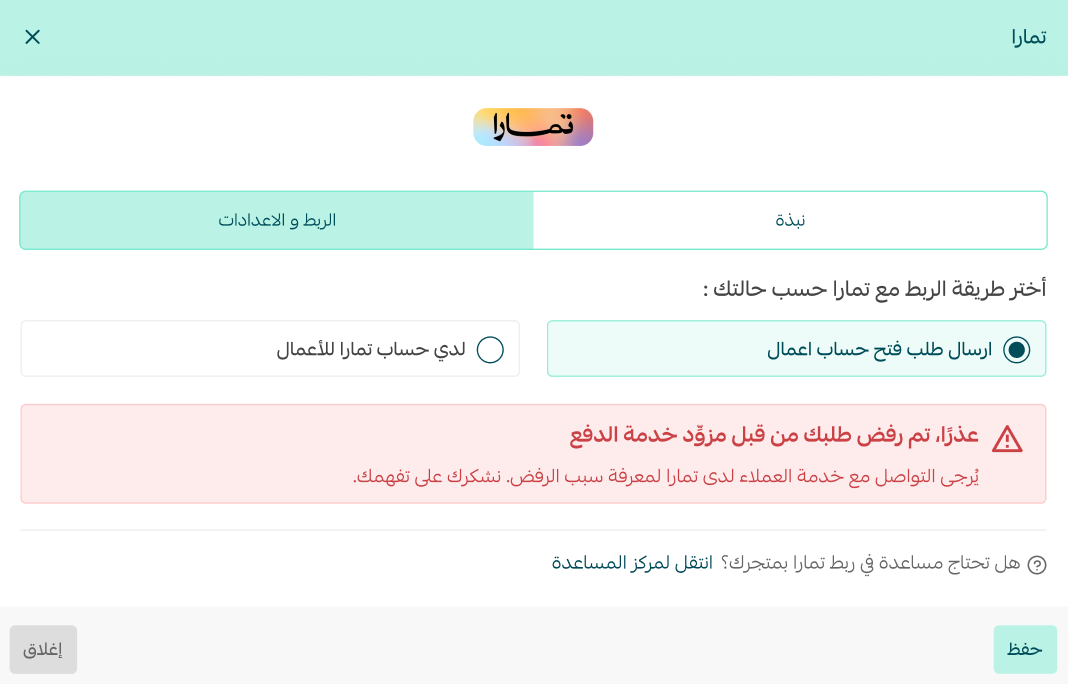
Can my request to join Tamara be rejected?
Your request can be rejected by the service provider itself. If that happens, contact Tamara customer service to find out why.
Does store verification affect connecting with Tamara?
Yes. Your store must be verified before you can connect it with Tamara.

Which plans include this feature?
The Plus and Pro plans.
With Tamara switched on, hesitant shoppers get a payment plan they can commit to, and your store keeps the sale along with a weekly settlement schedule.