How many carts do you lose because the total feels like too much to pay all at once?
With Tabby, you turn shopping in your store into a flexible, comfortable experience by letting customers pay later or split the total into installments. In this guide, you'll learn how to connect Tabby in a few simple steps, how the service can lift your sales, and the answers to the questions merchants ask most about it.
Tabby is a buy now, pay later method your customers can use to split an order into installments. Open Store settings, then Payment methods, find Tabby under buy now, pay later, and click Activate. Request a business account, or enter the Merchant Key from an existing one.
📌 Article overview
- What is Tabby?
- Create and activate a new Tabby business account
- Activate an existing Tabby account on your store
- Frequently asked questions
What is Tabby?
Tabby is a buy now, pay later method that sets your store apart and puts you alongside some of the largest retailers in the region — 6th Street, Golden Scent, and Abdul Samad Al Qurashi among them — all offering their customers an easy, flexible way to pay. Adding Tabby as a payment method improves your chances of selling more, because it encourages customers to buy without worrying about the size of the total.
🚀 Create and activate a new Tabby business account
1. From the dashboard side menu, click (Store settings).

2. From the store settings page, click (Payment methods).
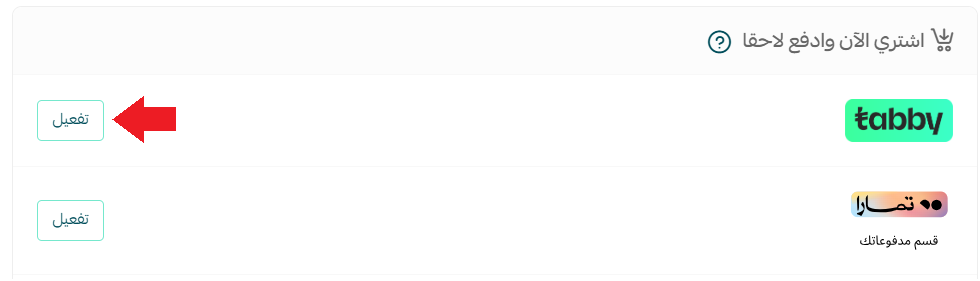
3. In the buy now, pay later section, find Tabby and click (Activate).
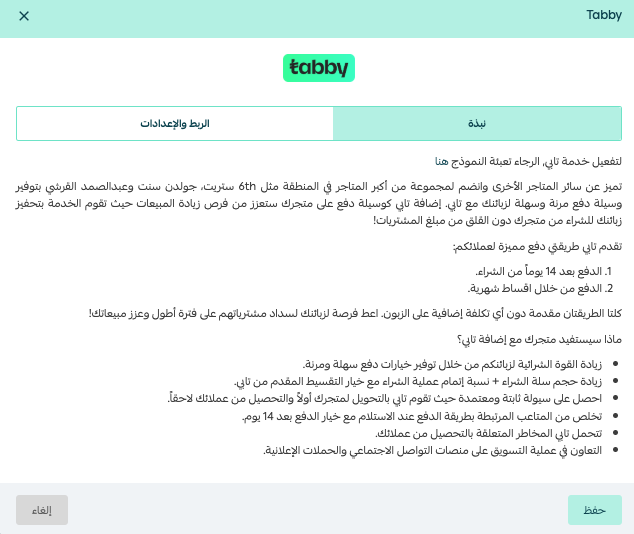
The Tabby connection page opens.
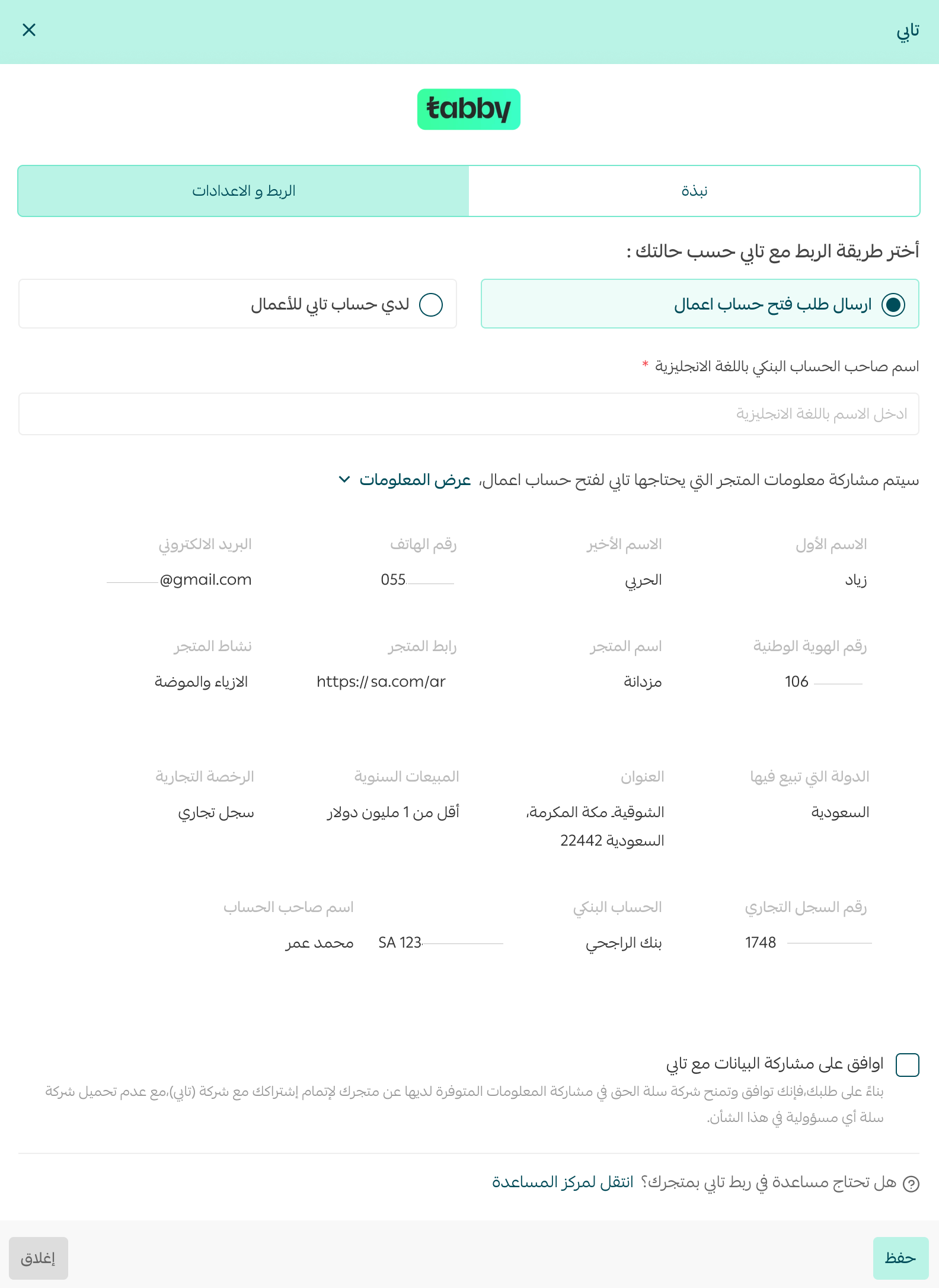
4. From the (Settings and connection) tab:
- Choose (Send a business account request).
- Review what your store will share with Tabby by clicking (View information).
- Add the bank account holder's name in English.
- Click (I agree to share data with Tabby), then click (Save).
Your request form has been sent to the Tabby team.
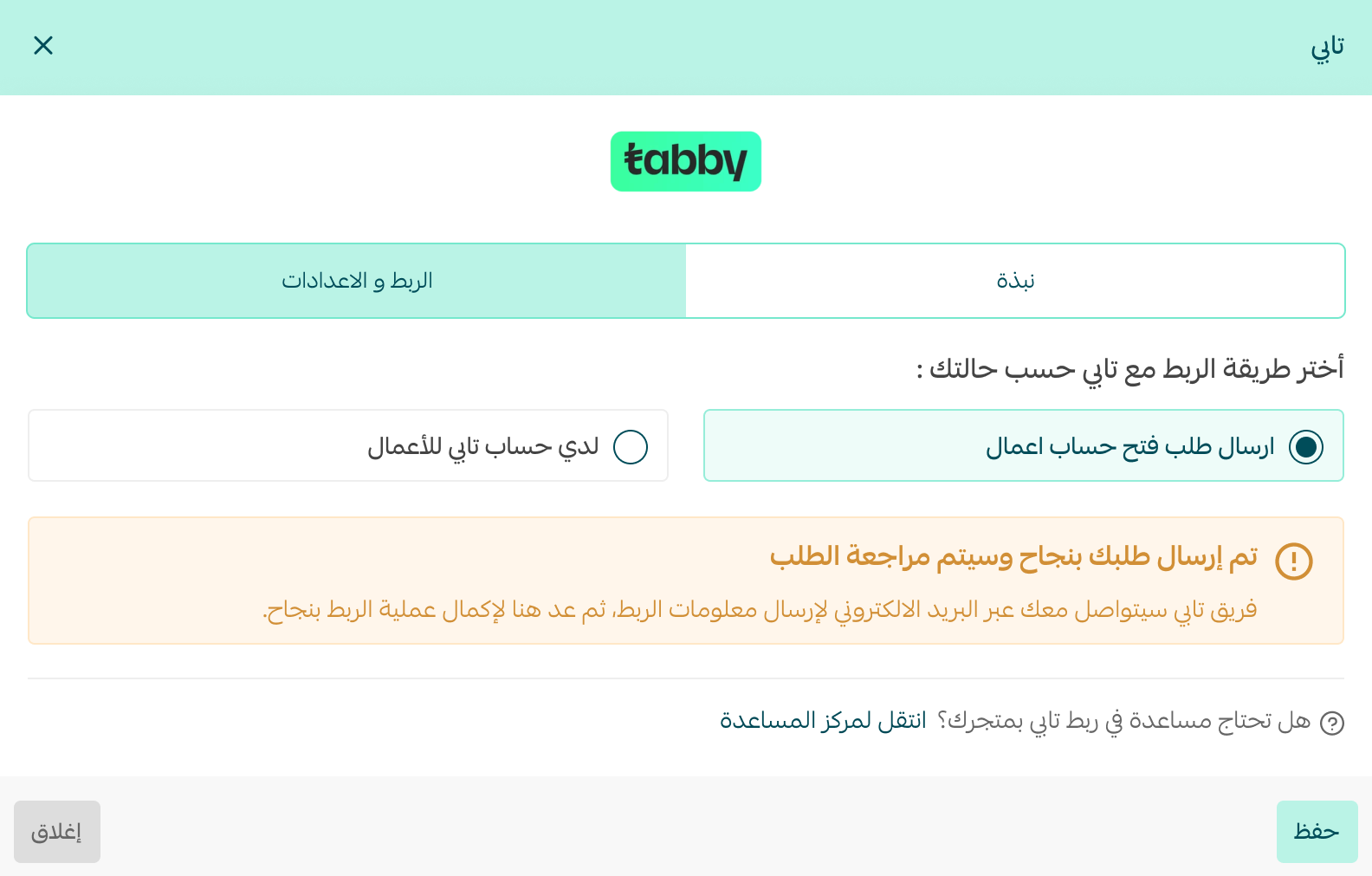
5. Once your request is approved, the Tabby team emails you your account details, and a message on the Tabby settings page confirms it. Enter the Merchant Key for your Tabby account, click (I agree to the Salla sales policy), then click (Save).
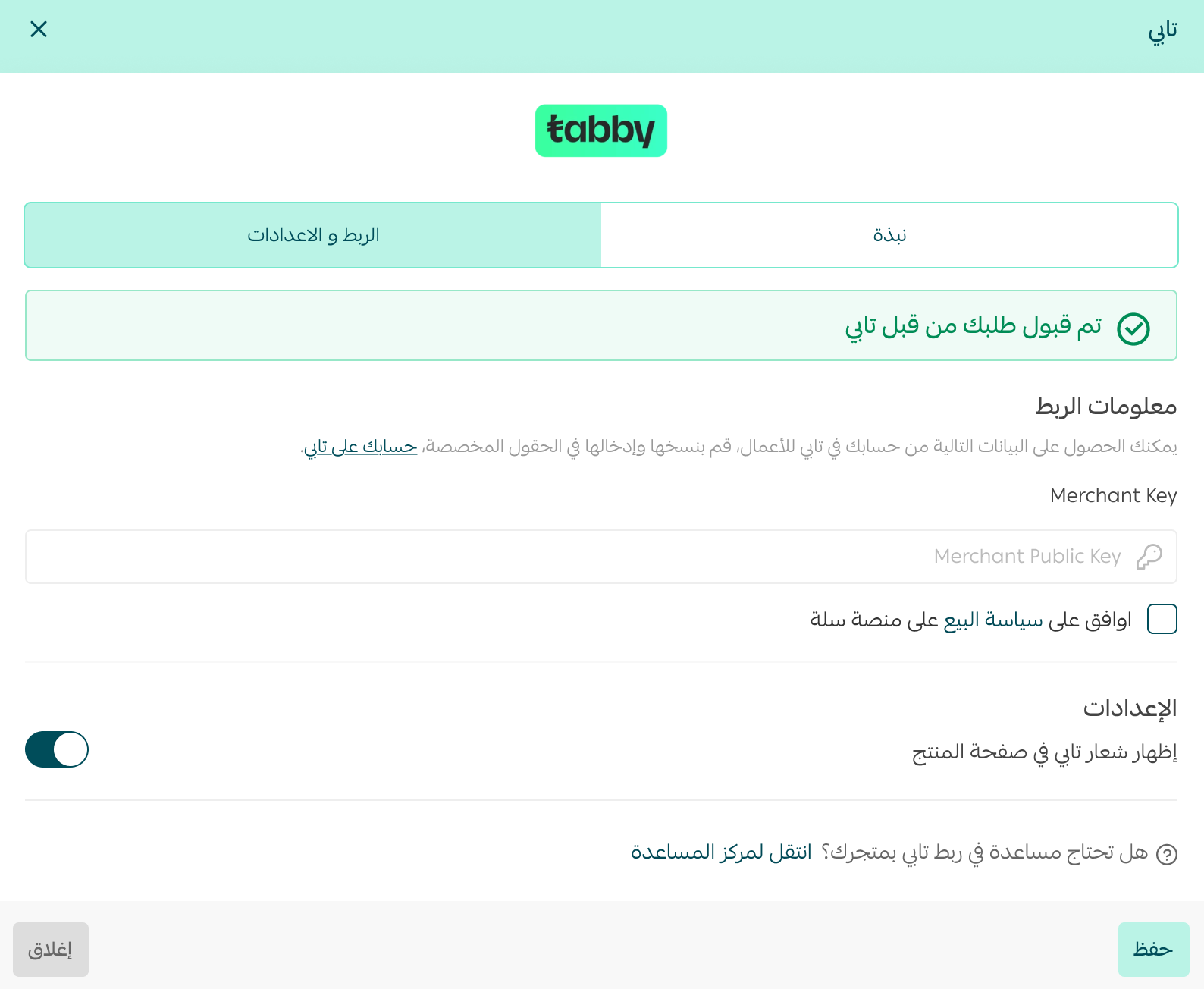
Activate an existing Tabby account on your store
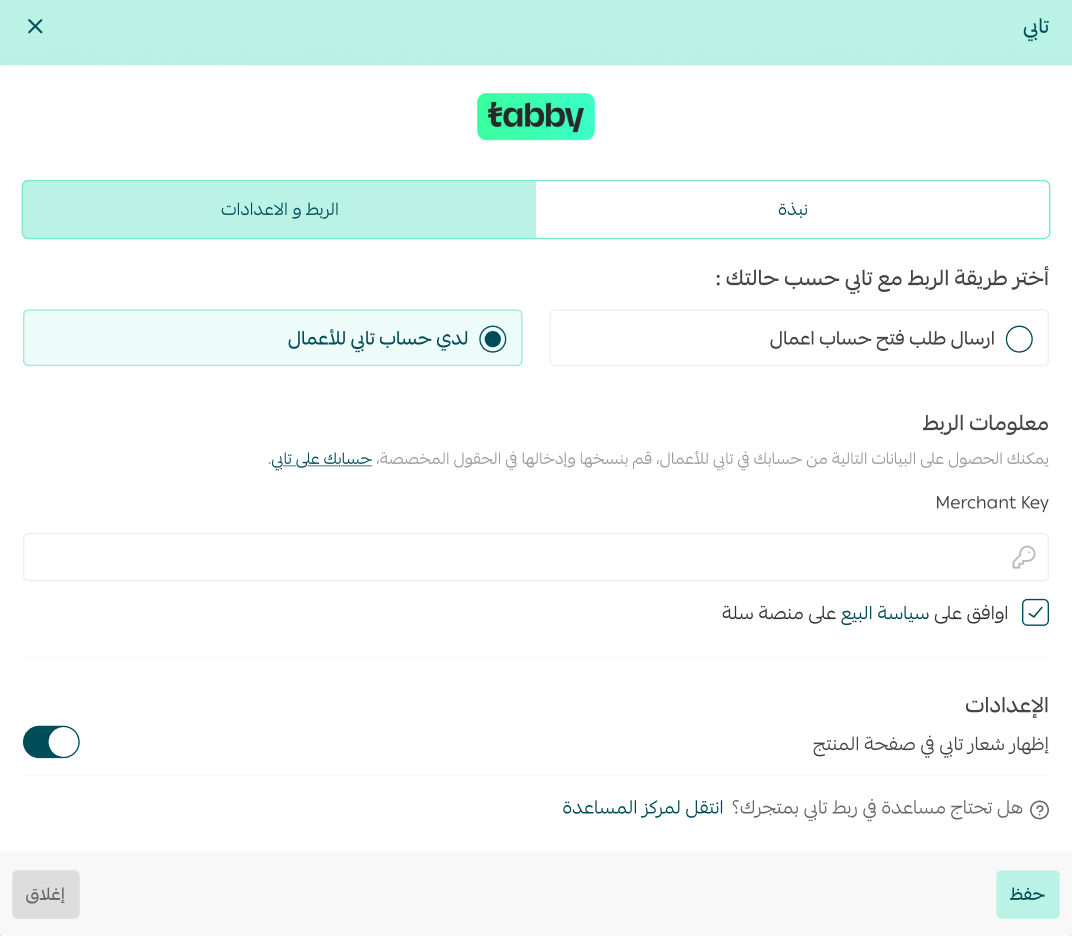
If you already have a Tabby account and want to use it on your store, open the (Settings and connection) tab, enter the Merchant Key for your Tabby account, click (I agree to the Salla sales policy), then click (Save).
The payment method then appears in your store like this:

❓ Frequently asked questions
What does my store gain by adding Tabby?
- More buying power for your customers, through easy and flexible payment options.
- A bigger average cart and a higher completion rate, thanks to Tabby's installment option.
- Steady, dependable cash flow — Tabby pays your store first and collects from your customers afterwards.
- An end to the hassle of cash on delivery, with the pay-after-14-days option.
- Tabby carries the collection risk with your customers.
- Joint marketing on social platforms and in ad campaigns.
How does Tabby work?
1. Buy it — your customer fills in a few personal details, with no credit card needed.
2. Spread it — your customer decides when and how to complete the payment.
3. Ship it — send the order, and Tabby pays you right away.
Are there hidden fees or interest for the customer with Tabby?
Tabby charges the customer nothing, because its revenue comes from the stores. There are late fees, which are explained here.
What does Tabby cost me as a merchant?
Every merchant has their own contract with Tabby. The fees are set according to your product types, their value, and a range of other considerations.
How many installments does a purchase get split into?
The order total is split into 4 payments.
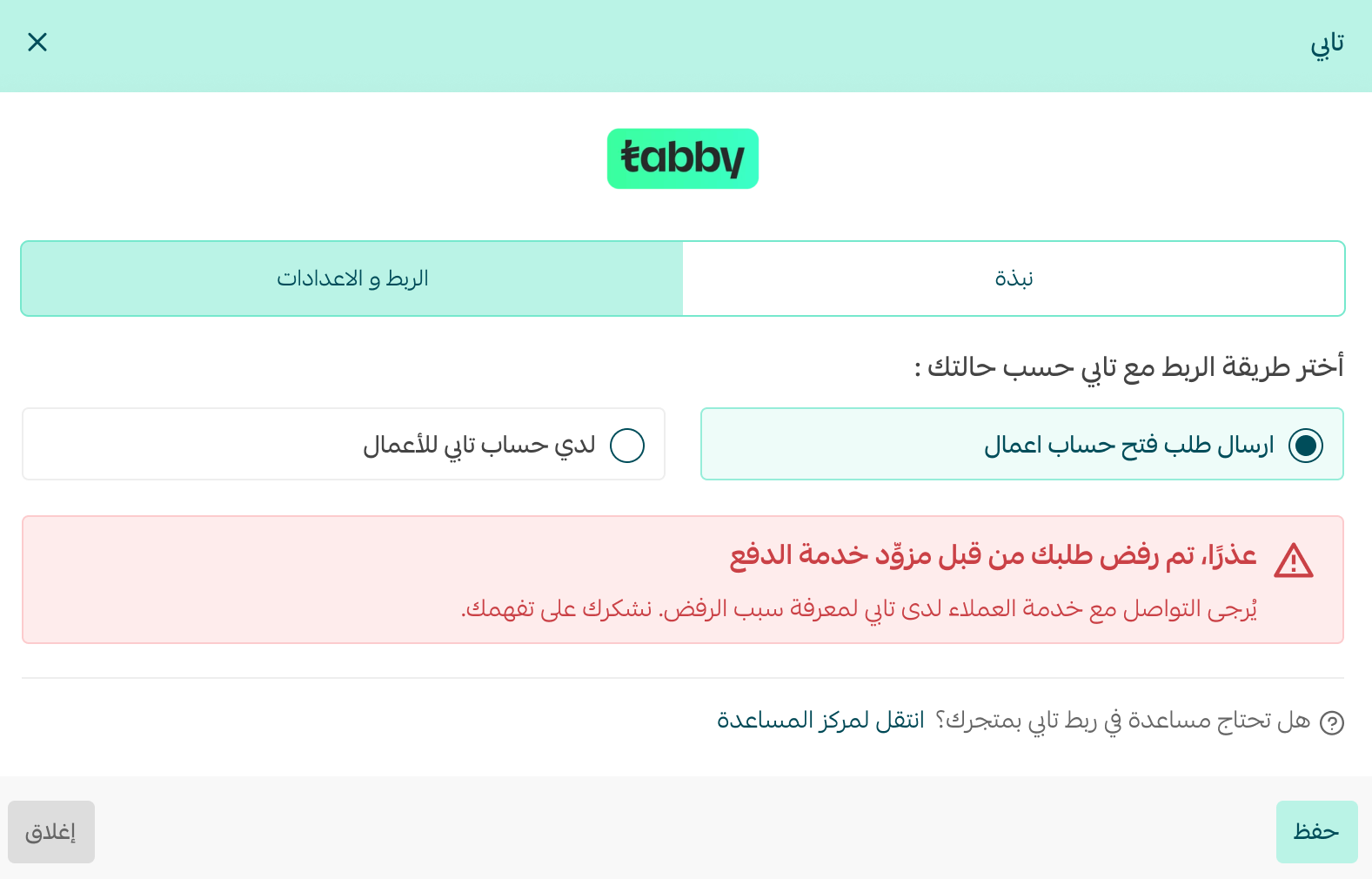
Can my request to join Tabby be rejected?
Yes, Tabby itself may reject your request. Contact Tabby customer support to find out why.
Does store verification affect connecting to Tabby?
Yes. Your store has to be verified before you can connect to Tabby.

Which plans include this feature?
The Plus and Pro plans.
Letting customers spread the cost is often the difference between a full cart and an abandoned one — and with Tabby, you get paid up front either way.