How many sales do you lose between the product page and the cart?
Fast checkout is a free feature that gives your store a speed advantage and gives your customers a one-step way to buy. It takes them straight from the product page to the payment page, with no trip through the shopping cart to complete the order. In this guide, you'll learn how to turn fast checkout on, what your customers see on different devices, and how to switch it off again.
Fast checkout is a free Salla feature that takes customers straight from the product page to payment, skipping the cart. Turn it on from Store settings, then Payment methods, then Fast checkout. Customers see a Buy now button on every product page, plus Apple Pay on Apple devices.
📌 Article overview
- How to activate fast checkout
- What the fast checkout experience looks like for your customer
- Frequently asked questions
🚀 How to activate fast checkout
1. From the dashboard side menu, click (Store settings).

2. From the store settings page, click (Payment methods).

3. From the payment methods page, click (Fast checkout).
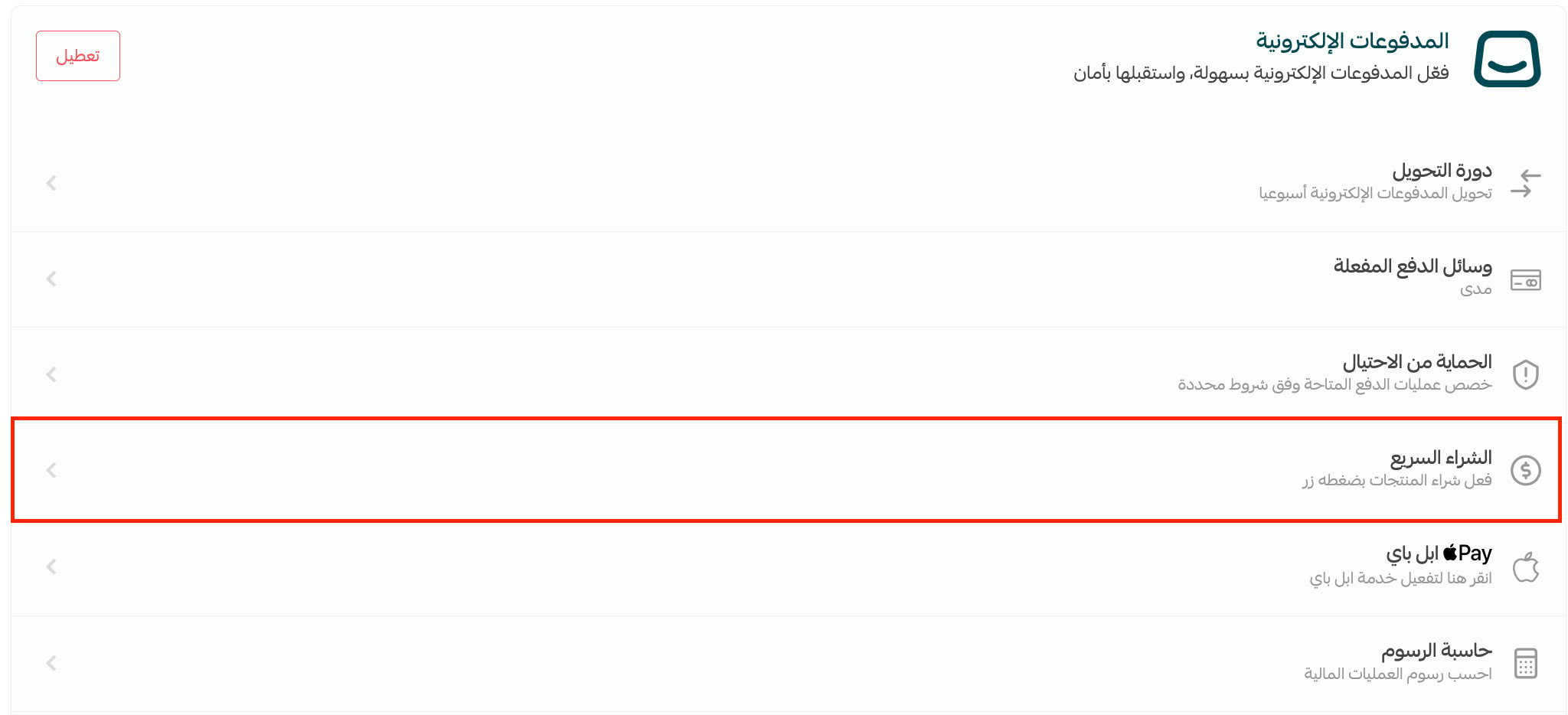
4. Turn the fast checkout option on, then click (Save).

The customer experience
Customers can use fast checkout from the product page, and what they see depends on their device.
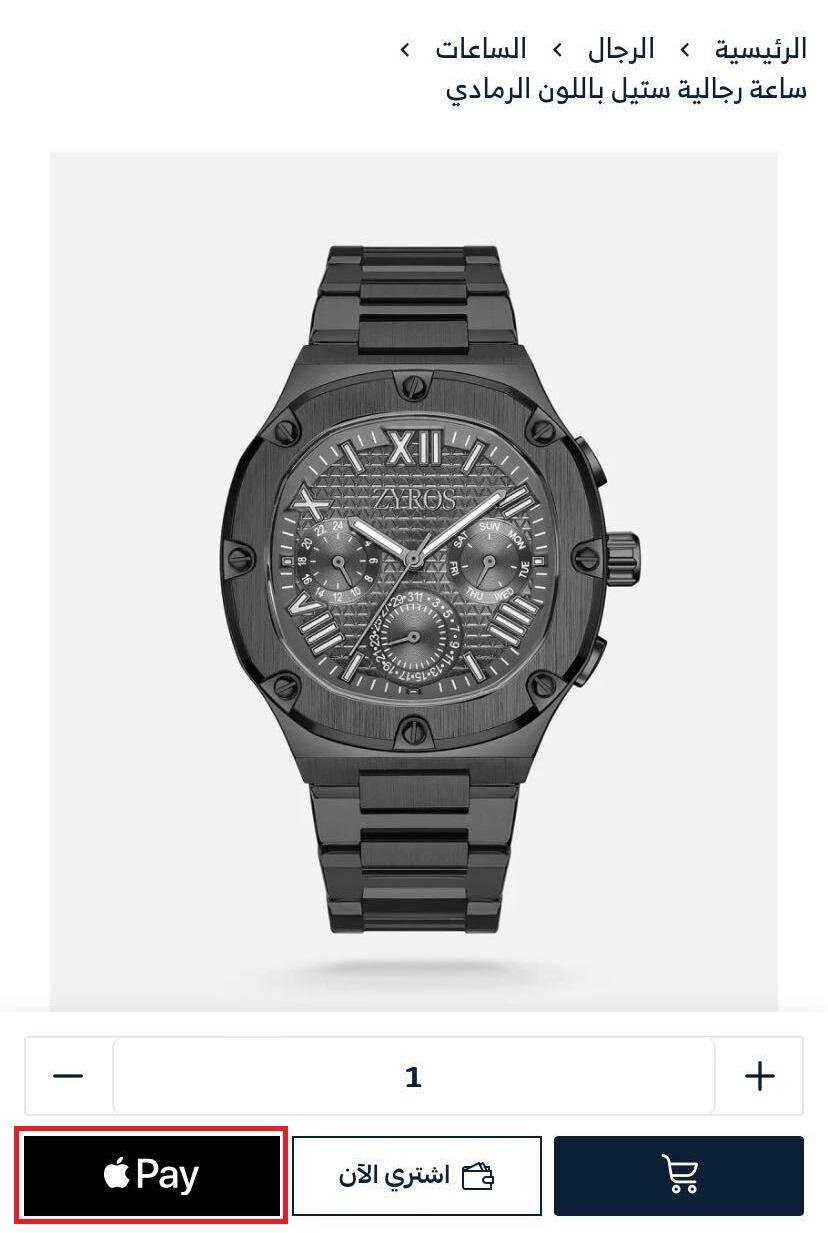
On an Apple device (iPhone, iPad, Mac)
The product page shows three buttons: Add to cart, Buy now, and Buy with Apple Pay.
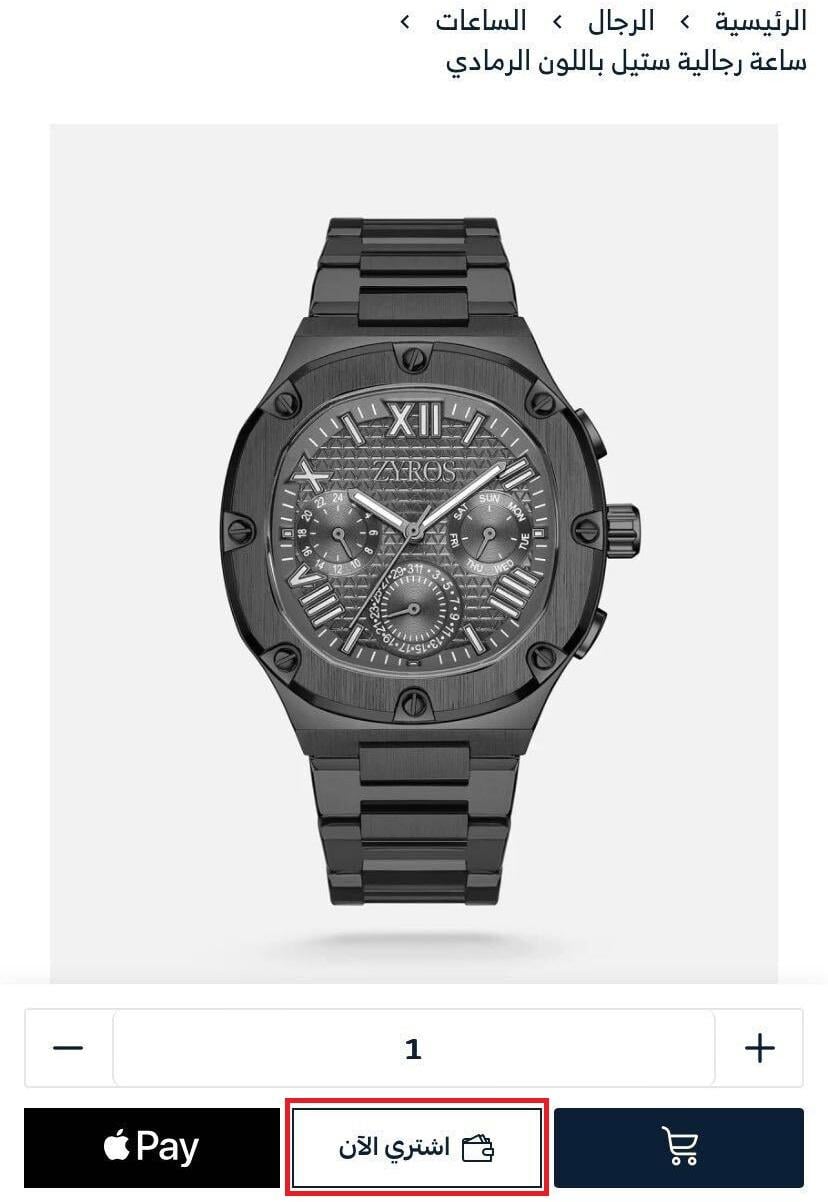
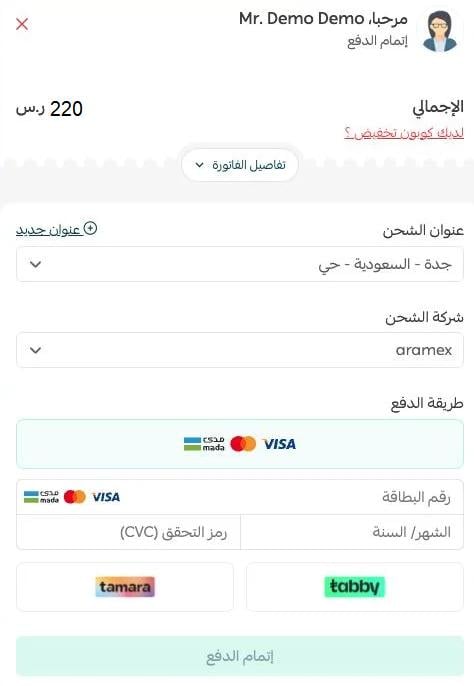
When the customer clicks (Buy now), the Fast Checkout window opens.
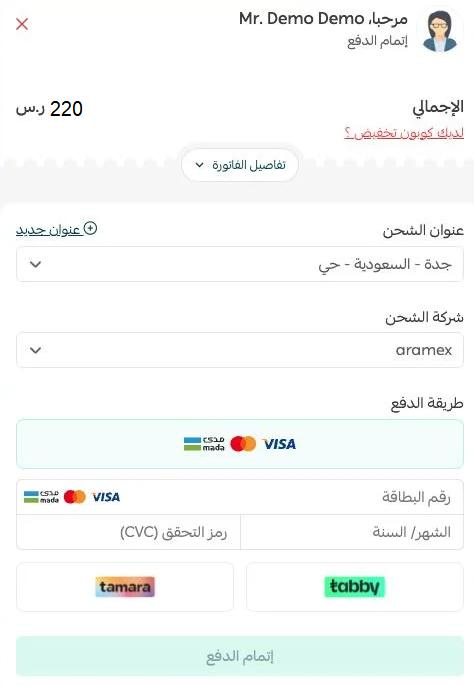
On a Windows computer or Android phone
The product page shows two buttons only: Add to cart and Buy now.
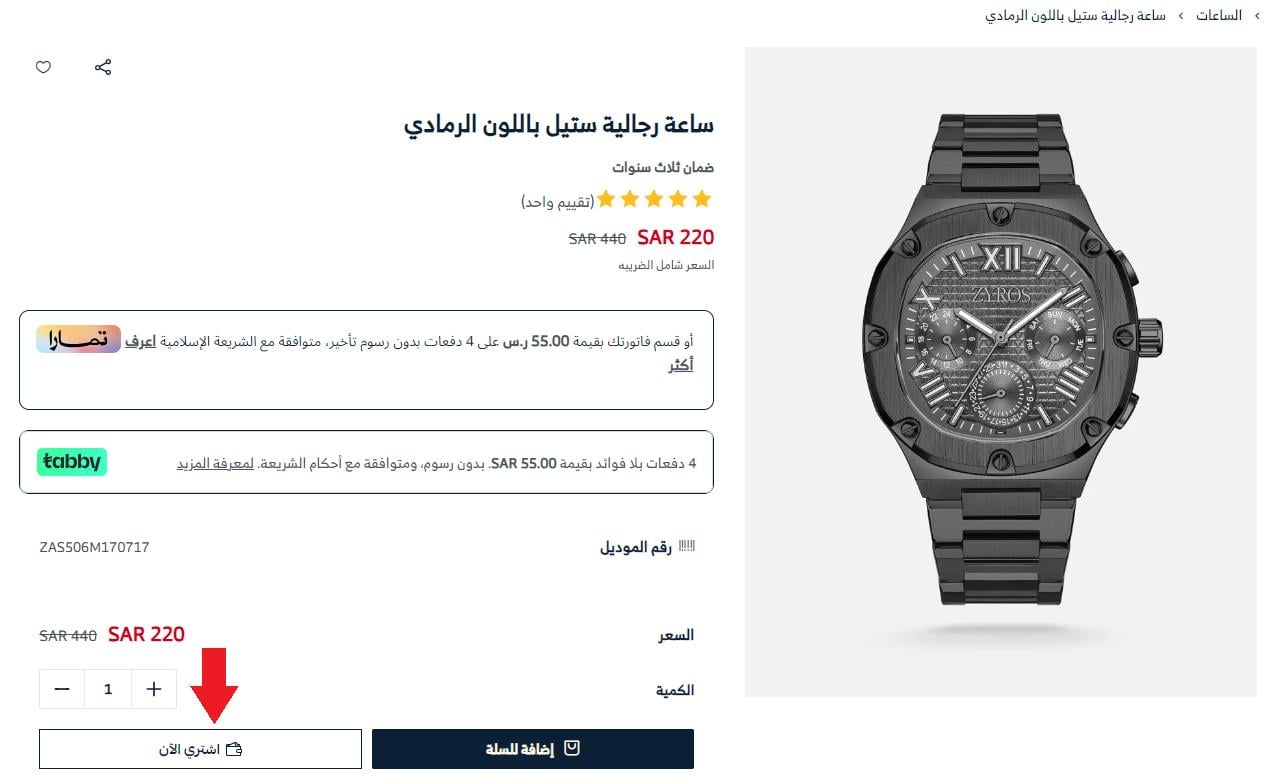
When the customer clicks (Buy now), the Fast Checkout window opens and they finish the order without ever going through the cart.
❓ Frequently asked questions
Does fast checkout support saved cards?
No. Saving a card isn't supported in fast checkout at the moment.
What are the requirements for fast checkout with Apple Pay?
For a customer to use fast checkout with Apple Pay:
- You need to have Apple Pay activated as a payment method in your store.
- The customer needs to be browsing and buying in Safari.
Is fast checkout supported in the new themes?
Yes. Fast checkout works in Salla's new themes.
How does a customer buy with fast checkout when Apple Pay is active?
From the product page, clicking Buy with Apple Pay takes them straight to payment, without going through the checkout page.
Is fast checkout supported in the app?
Yes. Fast checkout works in the app.
Can customers use fast checkout on every product type?
Yes, on every product type except booking products.
Can I turn fast checkout off?
Yes. Here's how:
1. From the payment methods page, click (Fast checkout).
2. Turn the fast checkout option off, then click (Save).

Fewer steps between wanting a product and paying for it means fewer chances to change your mind — which is exactly why fast checkout is worth switching on.