Has a service asked you to prove you own your domain before it will send you anything?
That request is normal, and it takes a few minutes to satisfy. To verify domain ownership on Salla, you get a TXT record from Google Search Console and add it to your store's DNS settings, which live right inside your dashboard. Once the record is saved, Salla runs the check on your behalf and the service can start sending mail to your address. In this guide, you'll learn what ownership verification is, how to get the TXT record, and how to add it through your store's DNS settings.
Verify your domain from Google Search Console, then add the TXT record it gives you in Salla. Open Store settings, click Domain settings, open DNS settings, click Add new record, set the type to TXT, enter @ as the name, paste the record, and save.
📌 Article overview
- What account ownership verification is
- How to verify domain ownership and add the DNS record
- Frequently asked questions
🎯 What account ownership verification is
Some services — G Suite, G Suite Essentials, and other paid subscriptions — ask you for an email address they can send confidential information to. Before anything about your account goes to that address, they need proof that the address is really yours.
👣 How to verify domain ownership for a service
1. Go to Google Search Console.
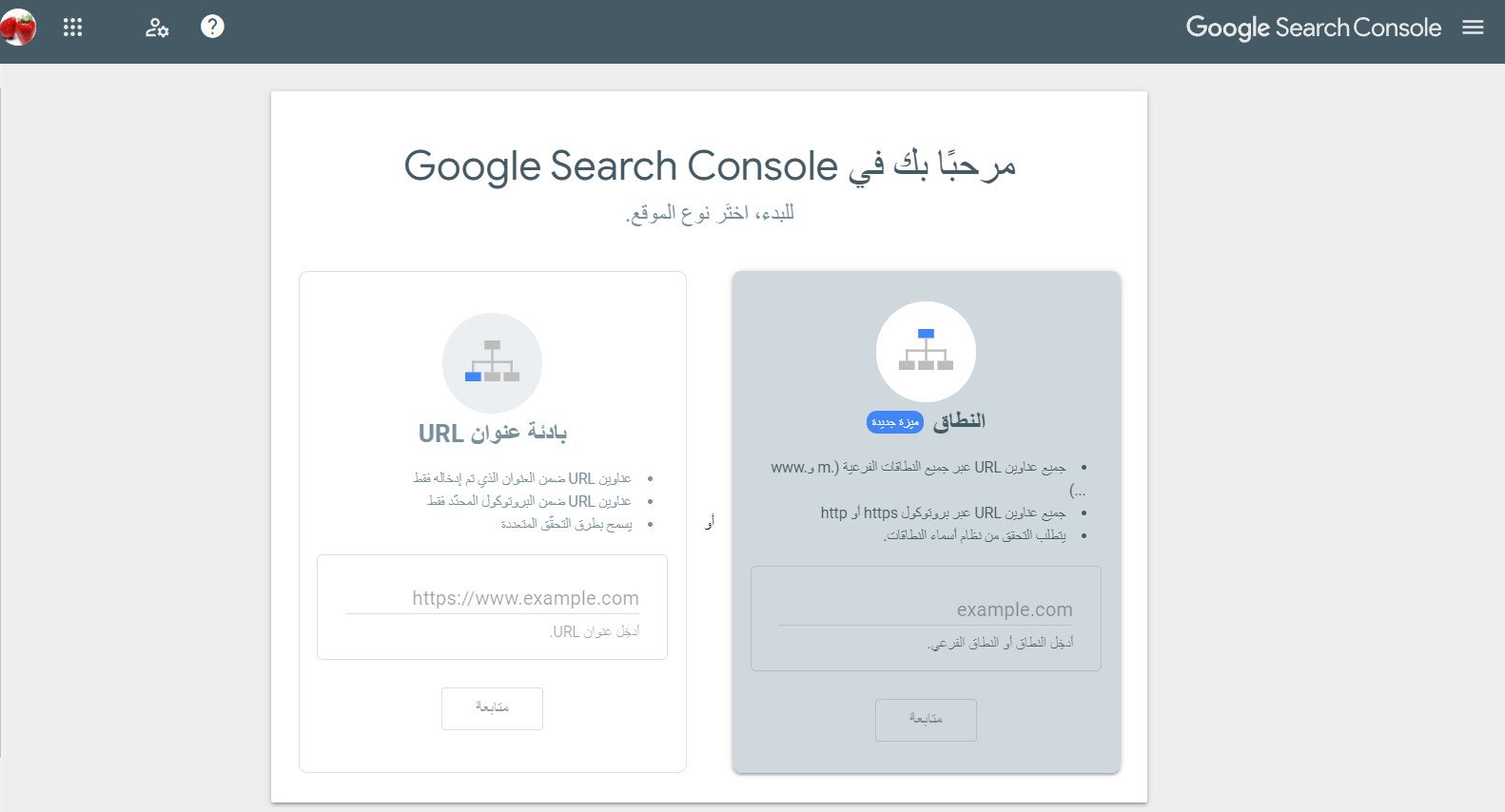
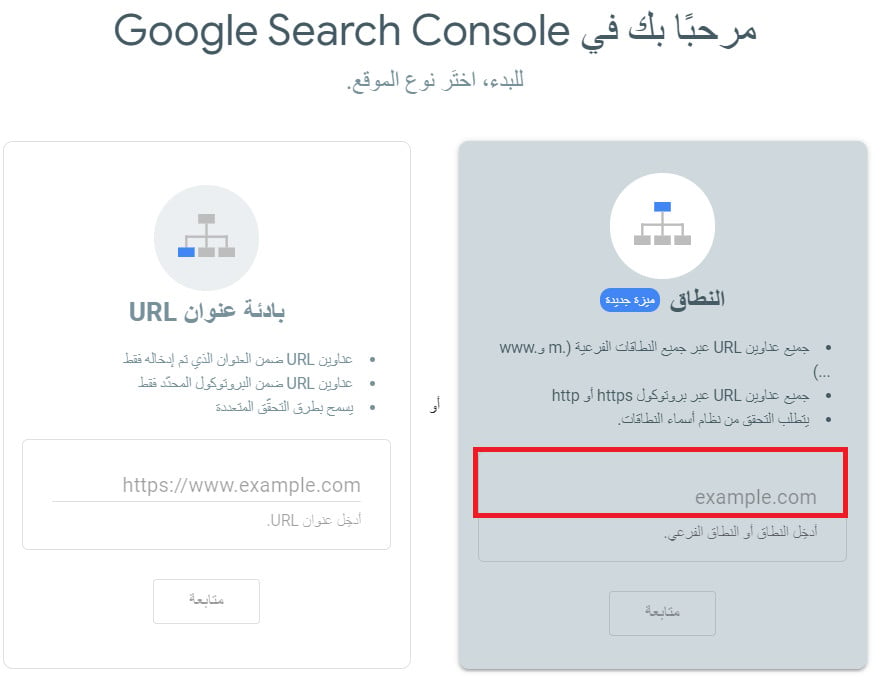
2. Type your domain into the field, then click (Continue).
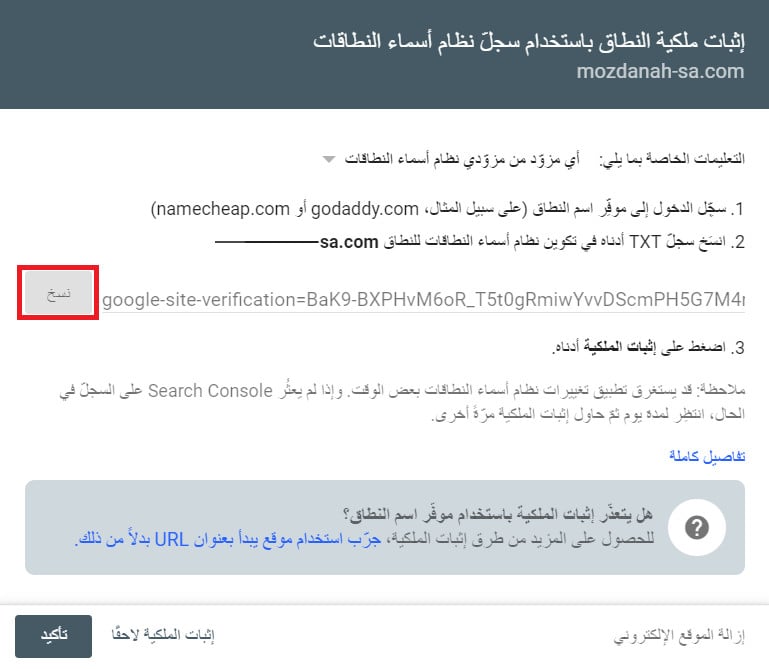
3. On the verification page, click (Copy).
4. From the side menu in your dashboard, click (Store settings).

5. On the Store settings page, click (Domain settings).

6. On the store domain page, click (DNS settings).

7. Click (+ Add new record).

8. Then enter the following details:
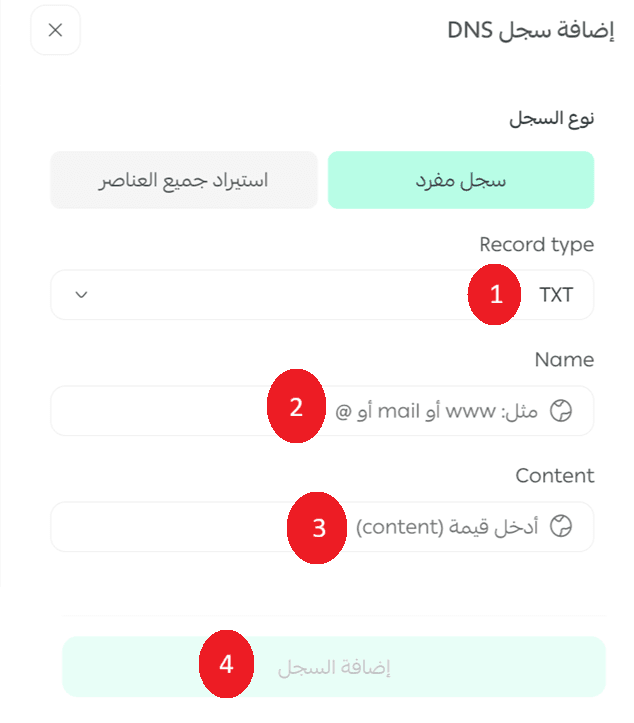
1. Type: choose TXT as the record type.
2. Name: enter the name, which is just (@).
3. Content: paste the TXT record you copied in step 3.
4. Click (Add record), and Salla runs the ownership check on your behalf.
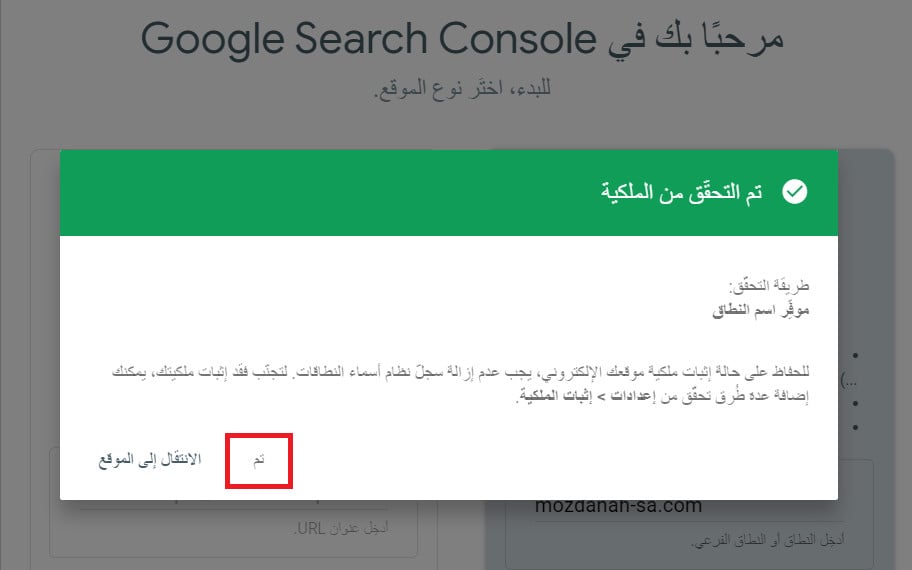
9. Go back to the verification page and click (Confirm).
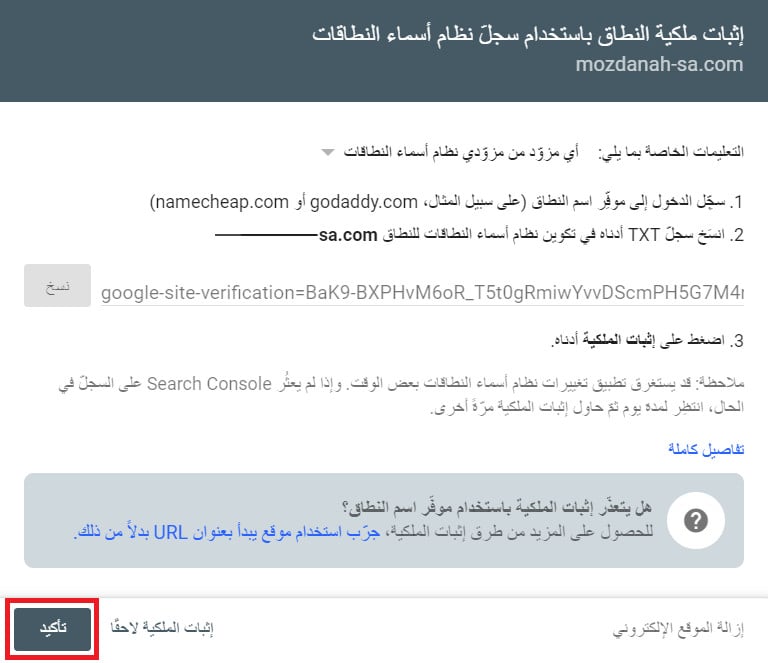
That's it — your domain ownership is verified.
❓ Frequently asked questions
Why do services ask me to verify my domain?
Because they need to send confidential account information to an address, and they have to know the address belongs to you before they send anything to it.
Which record type do I add?
A TXT record. Choose TXT as the type, enter (@) as the name, and paste the value Google Search Console gave you into the content field.
Where do I manage DNS for my store domain?
In your dashboard. Open (Store settings), click (Domain settings), then click (DNS settings) on the store domain page.
Do I run the verification check myself?
No. Once you click (Add record), Salla runs the ownership check for you. You then go back to the verification page and click (Confirm).
Verification is a one-time job, but it unlocks everything that comes after it — business email, paid Google subscriptions, and any service that needs to trust your domain. Get the TXT record in place once and it keeps working.