As part of our goals to facilitate your journey towards e-commerce, we have contributed an article explaining the steps to create a business bank account in several Saudi banks. This contribution is an essential part of documenting your store on several government platforms.
For more details on documenting stores on the business platform.
A tool that helps you find the best documentation method for you in Salla step by step: here
Key reasons to create a business bank account for your store:
1. Easily track deposits and payments.
2. Receive an ATM card for withdrawals or deposits.
3. Ability to make bank transfers.
4. Transfer employee salaries and issue payroll cards.
5. Benefit from payment solutions offered by banks.
6. Benefit from business and corporate credit cards.
7. Benefit from banking services for institutions such as point of sale devices.
8. Ability to review banking transaction details anytime, from your phone.
9. Benefit from payment solutions offered by banks.
Main requirements for creating a business bank account:
1. Valid commercial registration number.
2. Active freelance work license.
3. National address of the establishment.
4. Owner verification through Absher.
This article will help you understand the steps to create a business bank account for the most commonly used banks by Salla merchants, which are:
- Al Rajhi Bank
- Al Ahli Bank
- Alinma Bank
- Bank Albilad
- SABB
- Riyad Bank
1- Creating a personal business account with Al Rajhi Bank:
1. Through the Al Rajhi Bank website for individual establishments, complete the bank account opening questionnaire and agree to the terms and conditions.
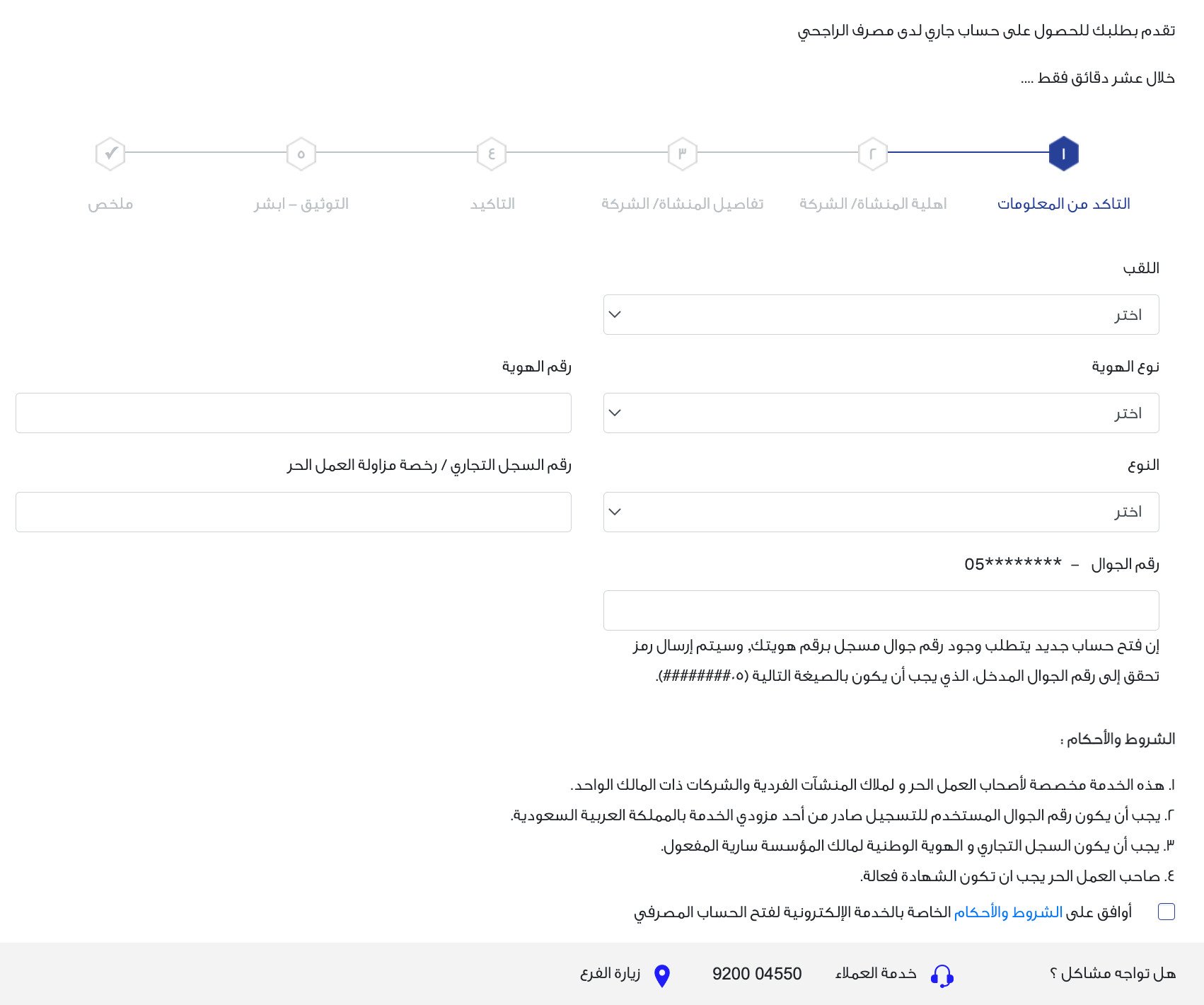
2. Verify with Absher.
3. Your card will be sent to the registered national address of the establishment or you can obtain your card through self-service machines.
2- Creating a personal business account with Al Ahli Bank:
1. Through the Al Ahli Bank website for individual establishments, complete the bank account opening questionnaire and agree to the terms and conditions.
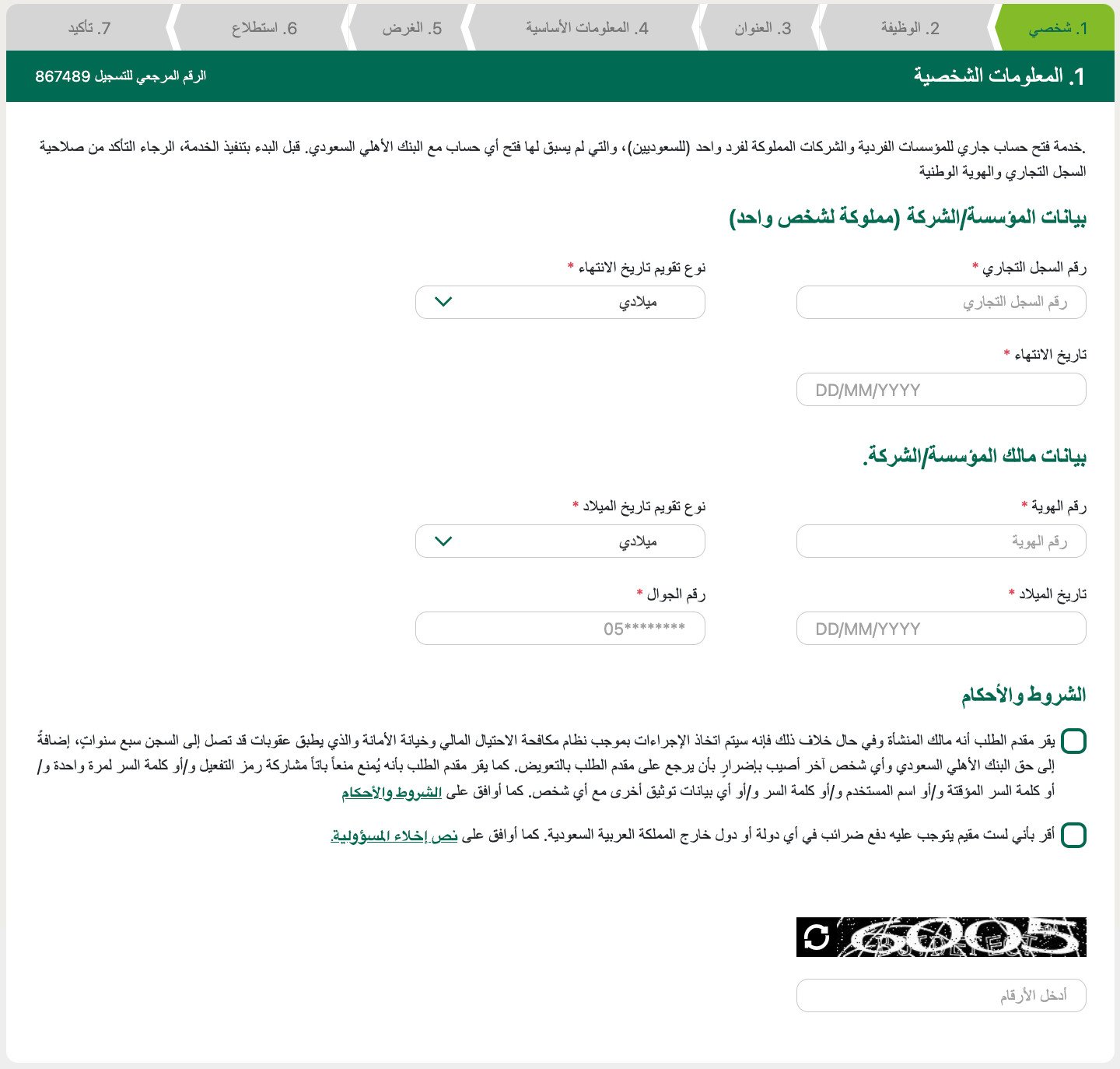
2. Enter the activation code sent to the entered mobile number.
3. Verify your identity through the National Unified Access Platform (login to the Absher system).
4. A message will appear saying "Your digital current account has been successfully opened".
5. Choose your institution/company code owned by one person and the user code to register for the Al Ahli eCorp service.
6. Choose the password for your phone banking.
7. Choose the ATM card PIN.
8. Your card will be sent to the registered national address of the establishment or you can obtain your card through self-service machines.
3- Creating a personal business account with Alinma Bank:
1. Through the Alinma Bank website for individual establishments, enter your ID number and commercial registration number, and accept the terms and conditions.
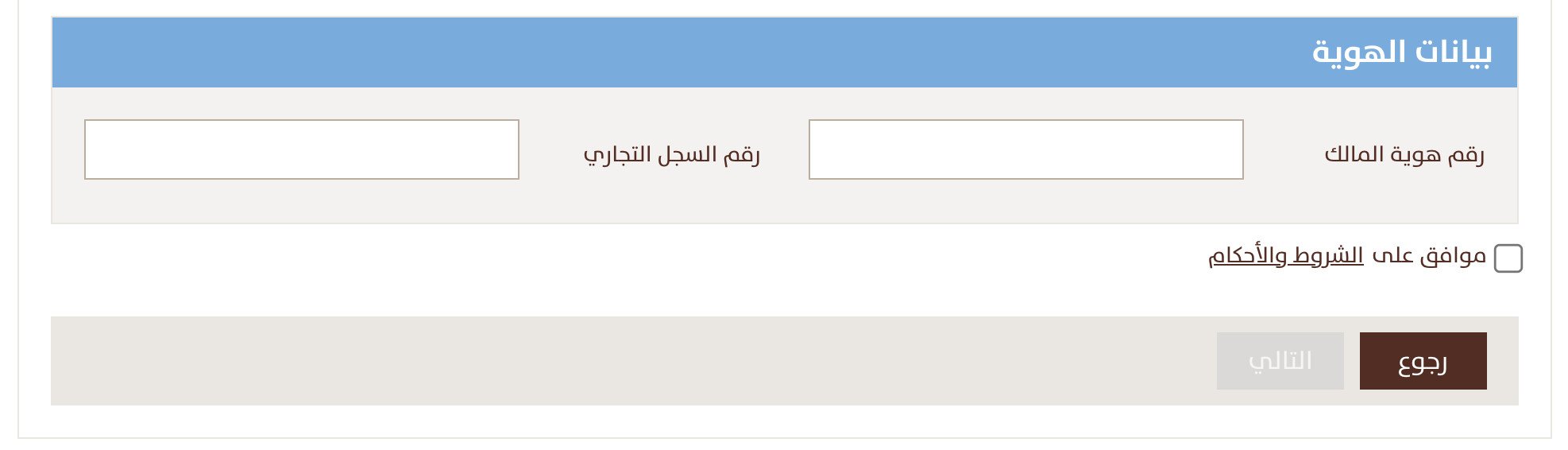
2. By clicking "Next", you will be directed to the National Unified Access Platform to log in with your username and password in Absher, and a temporary password will be sent to your registered mobile in Absher.
3. After logging into the National Unified Access Platform, you will be redirected to the corporate account opening site at Alinma Bank.
4. For added security, a pop-up screen will appear to confirm exit from the National Unified Access Platform.
5. Then you need to complete the required data entry to open the account on the corporate account opening site at Alinma Bank, the account will be opened immediately and you can start benefiting from the bank's services directly.
You can print your Alinma Mada card via ATMs or have it sent to the company's address in any region of the Kingdom.
4- Creating a personal business account with Bank Albilad:
1. Through the Bank Albilad website for individual establishments, enter your ID number, commercial registration number, and phone number, and click (send).
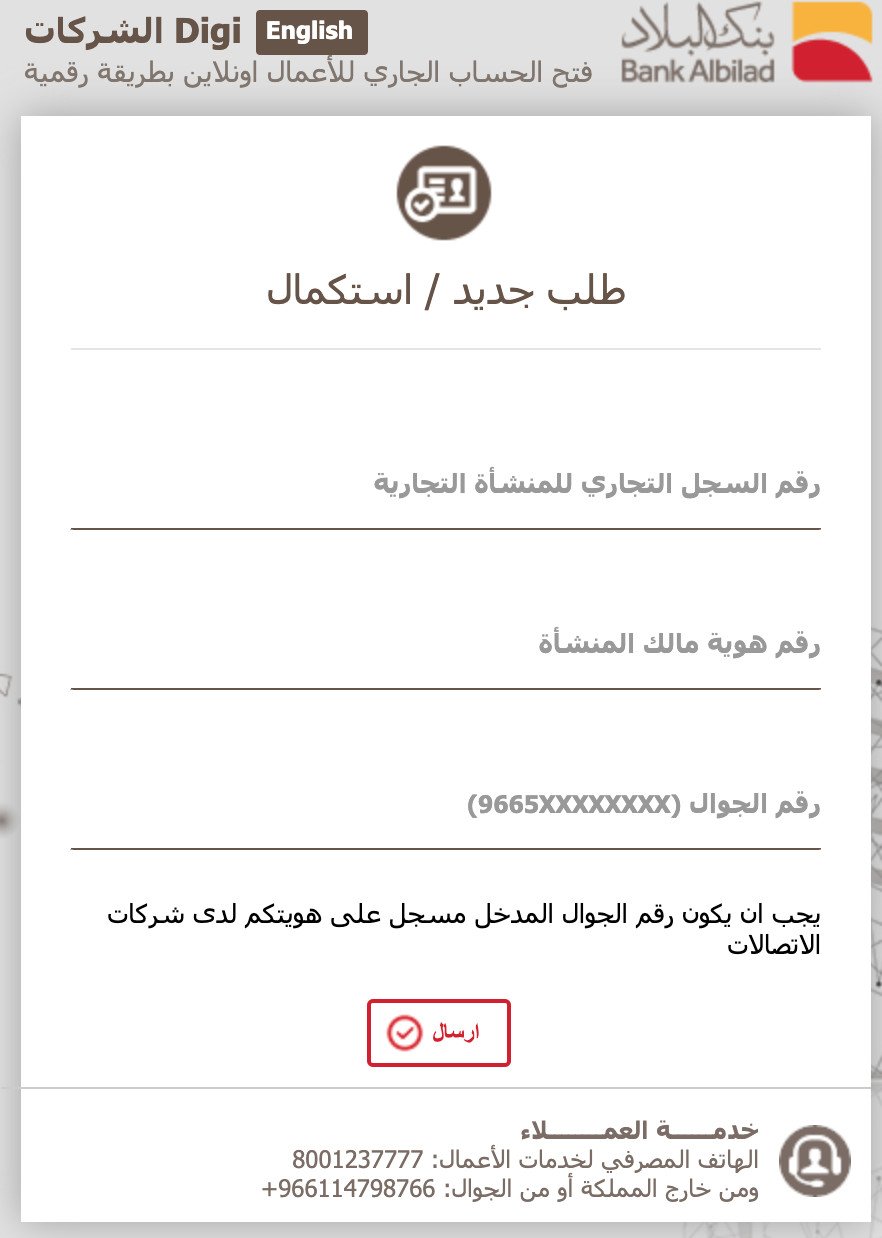
2. Enter the activation message sent to your phone number.
3. Complete your data and accept the terms and conditions.
4. The card will be sent to the entered address.
5- Creating a personal business account with SABB:
1. Through the SABB website for individual establishments, enter the owner's name, phone number, commercial registration number, your ID number, and a valid email. Accept the terms and conditions.
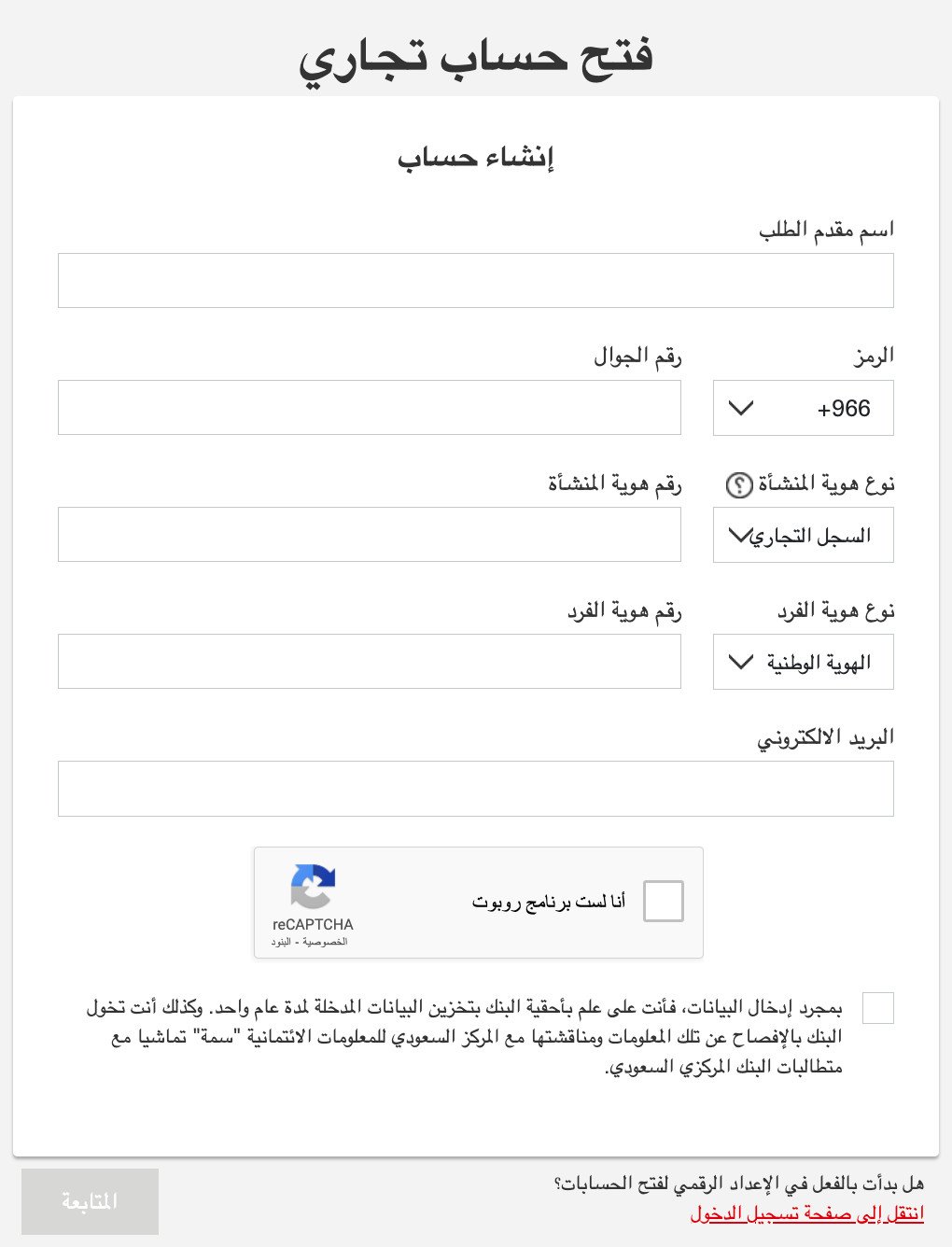
2. Choose the account type, currency, and other banking services.
3. Describe the basic information about your business.
4. Add the basic financial information and details of expected transactions.
5. Add details of members, beneficial owners, management members, and authorized signatories.
6. Disclose the tax residency status for the Foreign Account Tax Compliance Act and Common Reporting Standards.
7. Upload identity proof and business documents.
8. Review and submit the application.
6- Creating a personal business account with Riyad Bank:
1. Through the Riyad Bank website for individual establishments, enter your ID number and accept the terms and conditions.
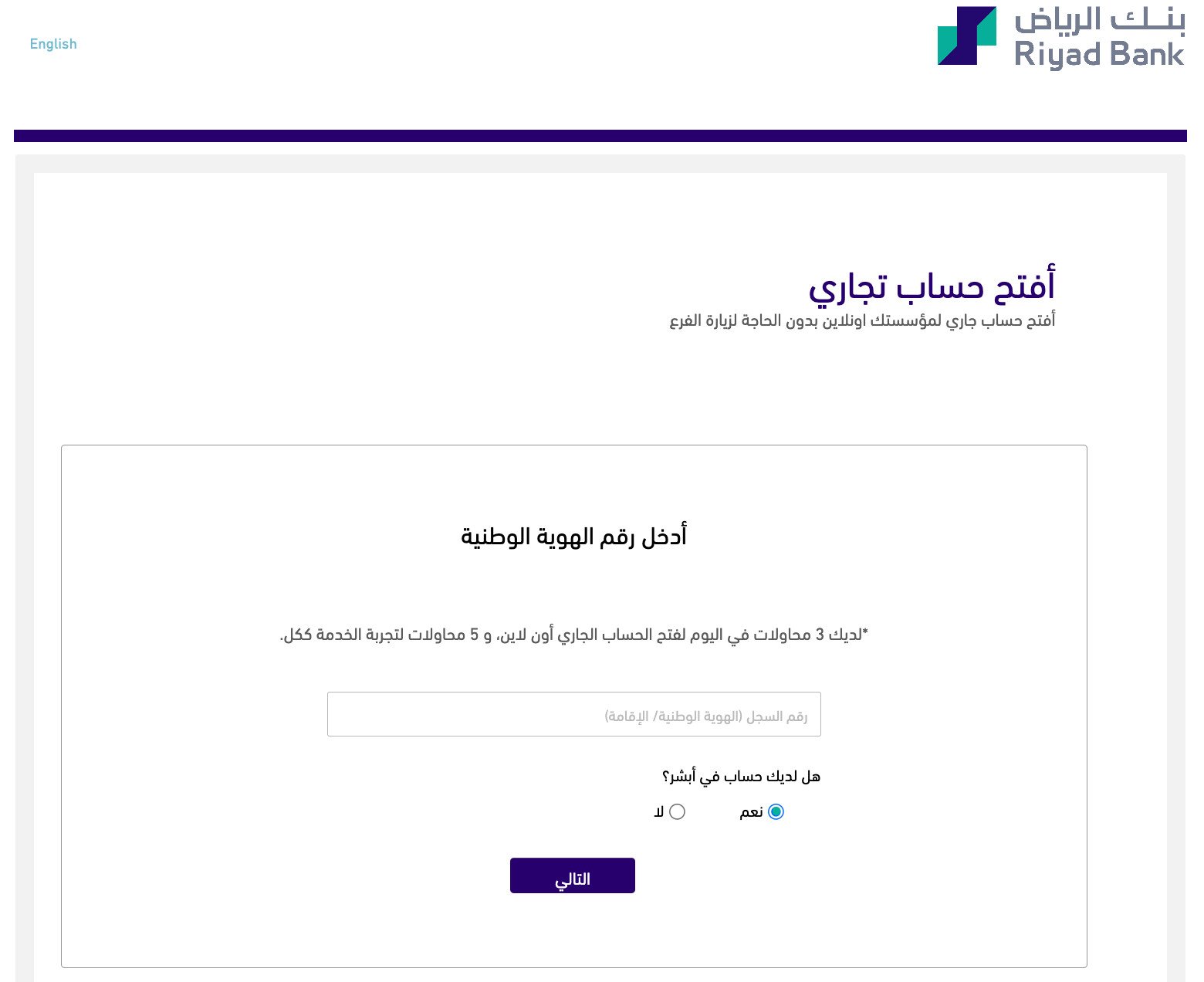
2. Accept the request from Nafath platform.
3. Complete the required steps.
4. Review and submit the application.
Frequently Asked Questions
If I create a business bank account, do I have to pay tax?
Opening a business bank account is not related to tax. Only if you are registered for tax, which is mandatory if sales are SAR 375,000 annually, you must pay tax.
Are there fees for creating a business bank account?
No, you only need to provide the required data and procedures.
What is the difference between a personal current account and a business bank account?
A business bank account is a requirement of the Ministry of Commerce for commercial registration owners or those with a freelance work certificate. It is not a requirement to create a store on Salla.
Do I need to have a business bank account when creating a store on Salla?
No, a business bank account is required for documentation on the business platform, not for creating a store on Salla.