Need to group a handful of products for a weekend offer without building a whole new category?
Categories are the permanent structure of your store. Product tags are the flexible layer on top of them. A tag lets you pull any group of products together under one label, for as long as you need it, and then drop the label when the reason for it is gone. In this guide, you'll learn what product tags are useful for, how to add a tag to a product in your Salla dashboard, how to remove one, and which plans include the feature.
Product tags are short labels you attach to products in your Salla dashboard to group them without creating a permanent category. Add a tag from the product page, and every product carrying that tag is collected under one page you can link to from a homepage banner or a menu.
📌 Article overview
- Why use product tags
- How to add a tag to a product
- Frequently asked questions
✅ Why use product tags
Product tags earn their place whenever you need a grouping that is temporary or promotional rather than structural.
- Collect the products in a limited-time offer under a single tag, then link to that tag page from a banner on your homepage.
- Group products by theme, season or occasion without adding a category your customers will still see months later.
- Reuse the same grouping in your marketing without touching how your catalog is organized.
🚀 How to add a tag to a product
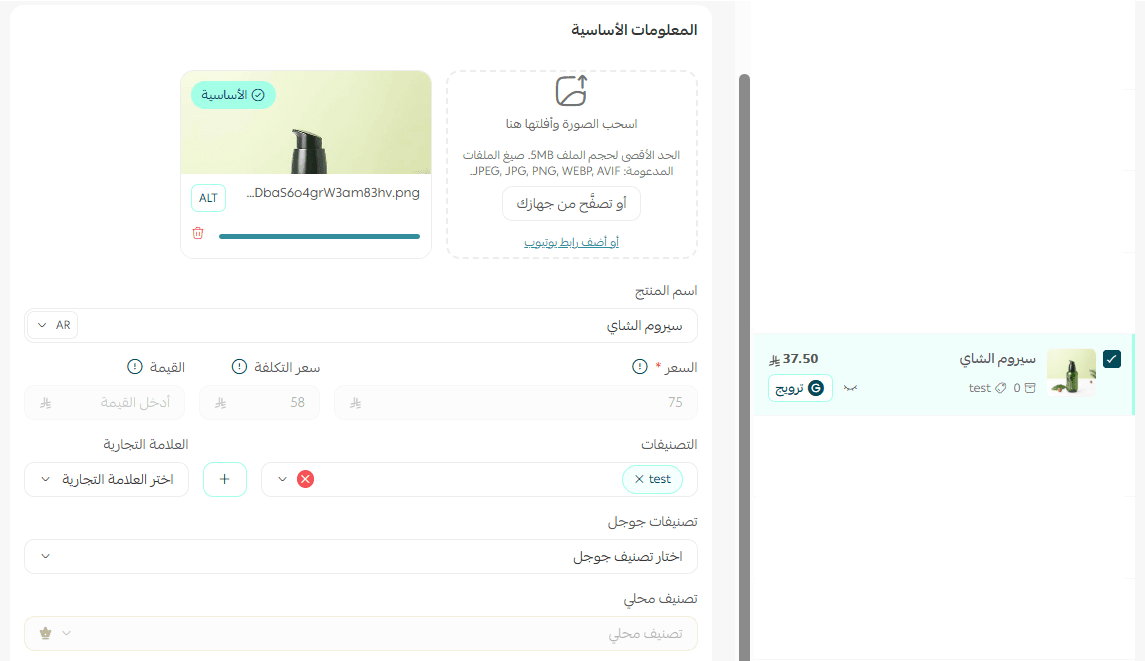
1. From the top bar of your dashboard, click (Products).

2. Open the product you want to tag.
3. In the tags field, type the tag, then click (Add) or press (Enter) on your keyboard.
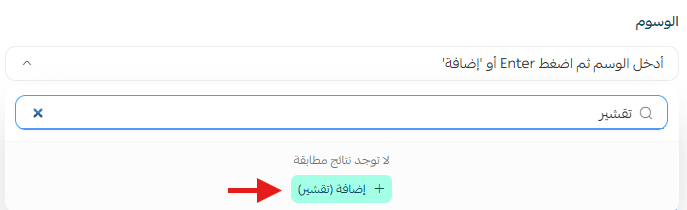
The tag is now attached to the product.

4. Click (Save).

📝 Important notes
Product tags are available on the Plus and Pro plans.
A tag is not a category. Removing a tag changes only the grouping, never the product's place in your catalog.
❓ Frequently asked questions
❓ Can I add more than one tag to the same product?
Yes. A product can carry several tags at once, as shown below.

❓ Can I delete a tag whenever I want?
Yes. You can remove a tag at any time by clicking the delete button on the tag inside the product details.

❓ Which plans include product tags?
Product tags are available on the Plus and Pro plans.
❓ What is the difference between a tag and a category?
A category is part of the permanent structure of your store. A tag is a flexible label you add and remove as you need it, which makes it the better choice for temporary offers and campaign groupings.
Use categories for the shape of your catalog and tags for everything that changes week to week. It keeps your store easy for customers to browse while giving your promotions somewhere to live.