Organizing the order of products in your store plays a key role in delivering a smooth and enjoyable shopping experience. Proper product sorting helps customers discover items faster, highlights priority products, and supports higher conversion rates.
In this guide, you will learn how to easily arrange products within categories using the control panel.
How to sort products
Step 1: Access categories and options
From the Products section, click Manage Categories and Options.

This area allows you to control how products appear to customers inside your store.
Step 2: Select the category
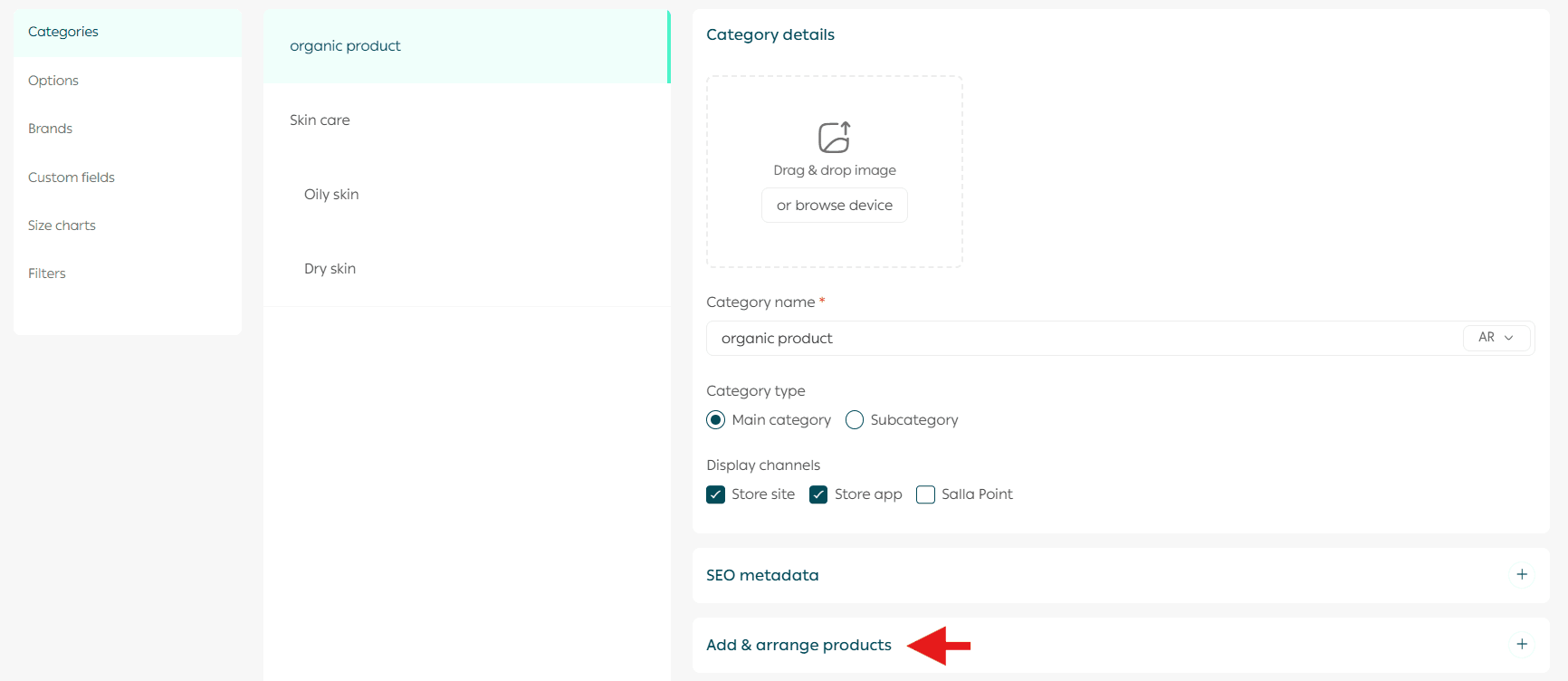
Click Categories, then choose the category whose products you want to arrange.
After selecting the category, click Add & arrange products.
Important note: Salla Point is currently available only for stores operating in Saudi Arabia.
Step 3: Arrange products
Reorder products using the drag and drop feature.
Once you finish arranging the products in the desired order, click Save Changes.
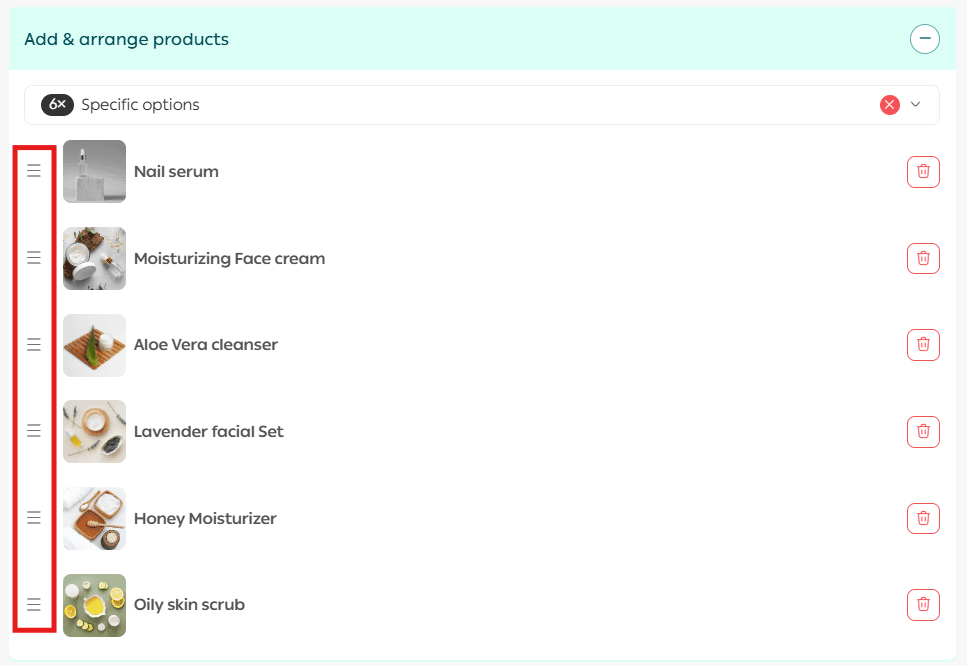
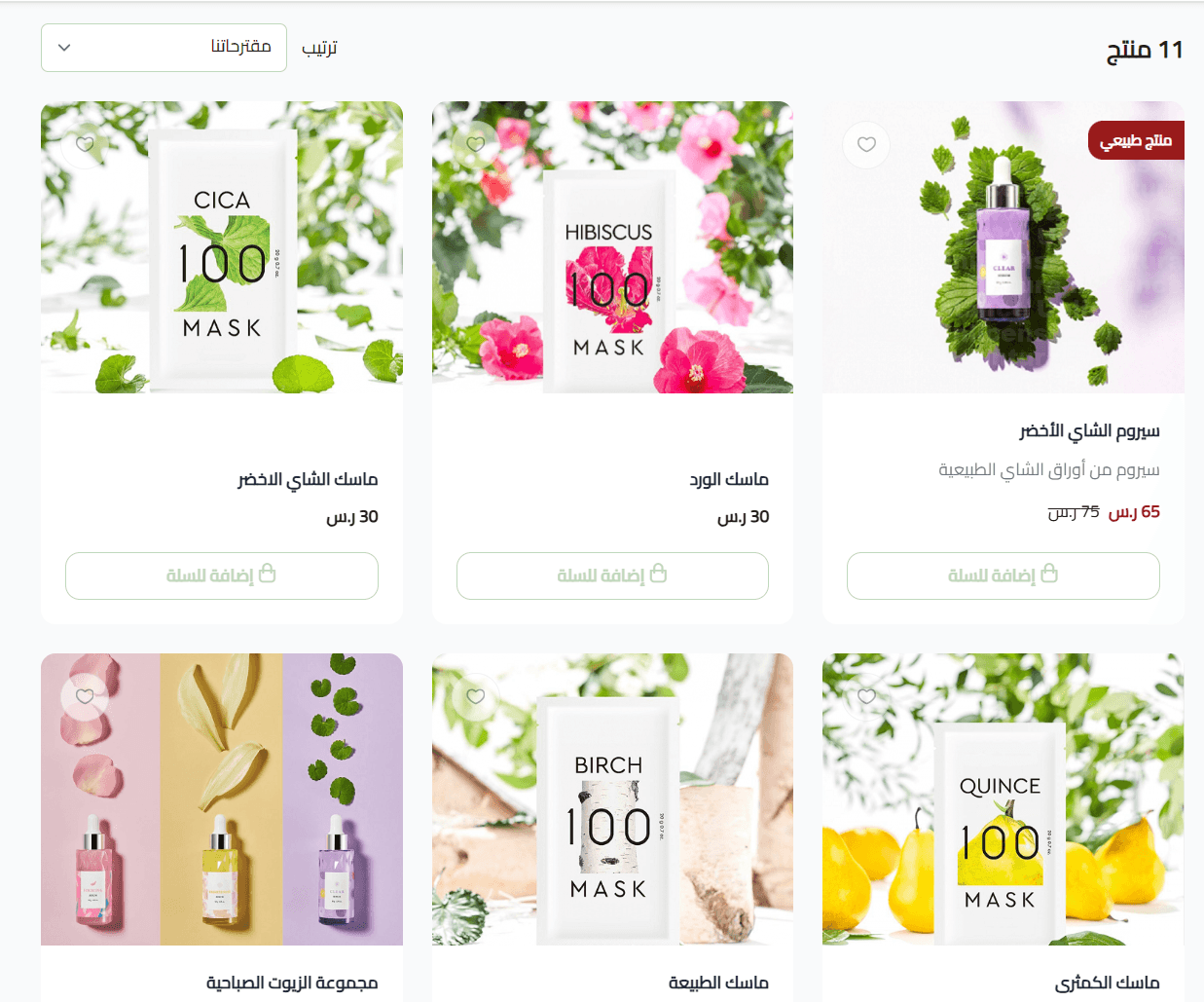
The products will now appear in your store exactly in the order you saved.
Why product sorting matters
- Improves product discoverability
- Highlights best-selling or featured items
- Creates a more organized shopping experience
- Helps guide customers toward purchasing decisions
By keeping your product order intentional and updated, you ensure your store remains easy to browse and optimized for both customers and conversions.