Do you know which products in your store are missing the details that convince a customer to buy?
The product quality score reviews every product in your store and gives it a score from 0 to 100 based on how complete and how good its data is. It points straight at the products that need work: the ones with a thin description, too few images, no category, or missing details that shoppers rely on. Alongside the score you get practical recommendations you can act on in minutes. In this guide, you'll learn how the product quality score is calculated and how to read it for any product.
The product quality score rates each product from 0 to 100 across five areas: basic information, catalog appearance, SEO, pricing and inventory, and product details. It measures the quality of what you entered, not just whether a field is filled. Fix the recommendations it gives you and the score updates as soon as you save.
📌 Article overview
- About the product quality score
- How the quality score is calculated
- Rating levels and colors
- How to view the quality details for a product
- How the recommendations help you improve a product
- Frequently asked questions
🔍 About the product quality score
The feature gives you:
- A clear rating of how complete and how good each product's data is.
- A fast way to spot the products that need improvement.
- Practical guidance on what to fix to raise a product's quality.
- A better customer experience and more confidence at the point of purchase.
- Stronger visibility for your products in search engines (SEO).
- More selling opportunities and a higher conversion rate.
🧮 How the quality score is calculated
Every product is assessed across five main areas, and each area earns a score based on how complete and how good the data you entered is.
📊 The five scoring areas
1. Basic information
The product name, the description, and the category.
2. Catalog appearance
The product images and how the product looks to customers in your store.
3. Search engine optimization (SEO)
The page title, the meta description, and the URL.
4. Pricing and inventory
The price, the quantity, and the inventory settings.
5. Product details
The specifications and any additional product attributes.
📝 Important notes
The score does not only check whether a field exists. It also judges how well that field is written.
💡 Example: the score looks at how well the product description is written and how relevant it is, not simply whether a description was added.
🎨 Rating levels and colors
Quality scores are grouped into color-coded levels so you can read a product's state at a glance:
🟢 Excellent: the product is complete and meets the highest quality standards.
🔵 Good: the product is in good shape and needs a few improvements.
🟡 Needs improvement: important elements are still missing.
🔴 Poor: the product needs significant work.
🚀 How to view the quality details for a product
1. From the main menu, open the (Products) tab and click (Manage products).

2. Choose the product you want to review. Its quality percentage appears on the product.
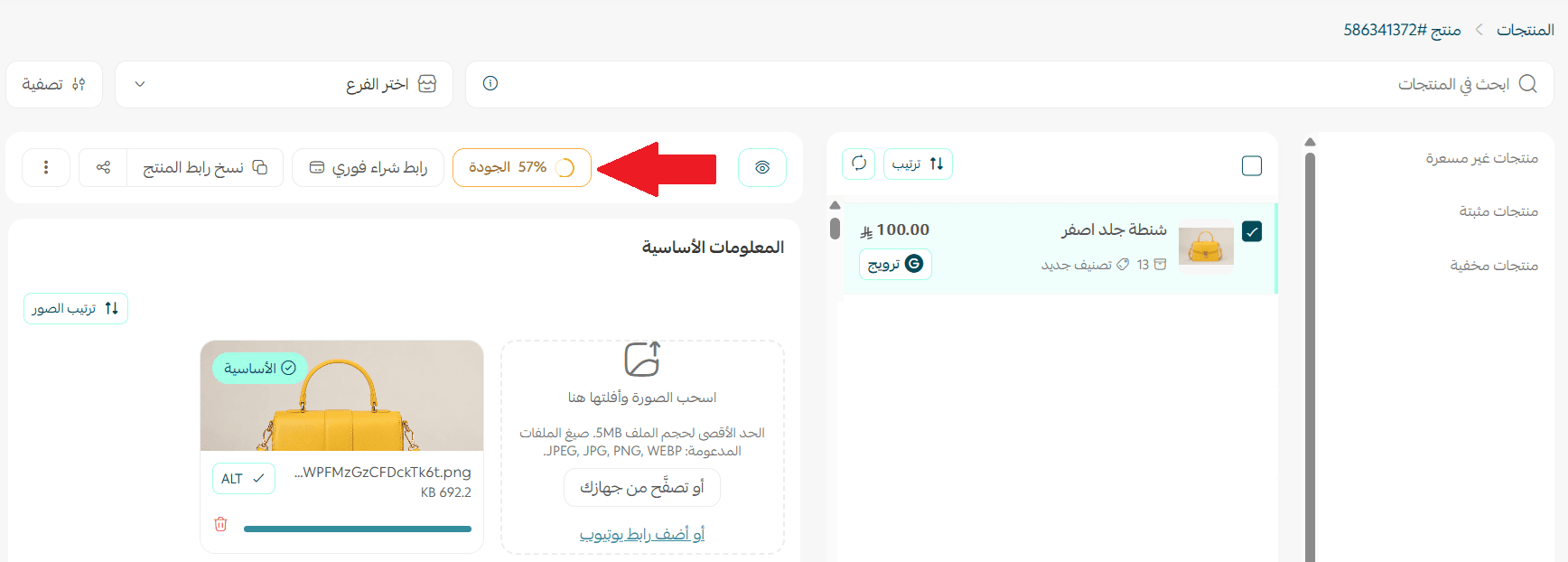
3. Review the window that opens. It shows the overall score, the rating level, and the top recommendations for improving the product.
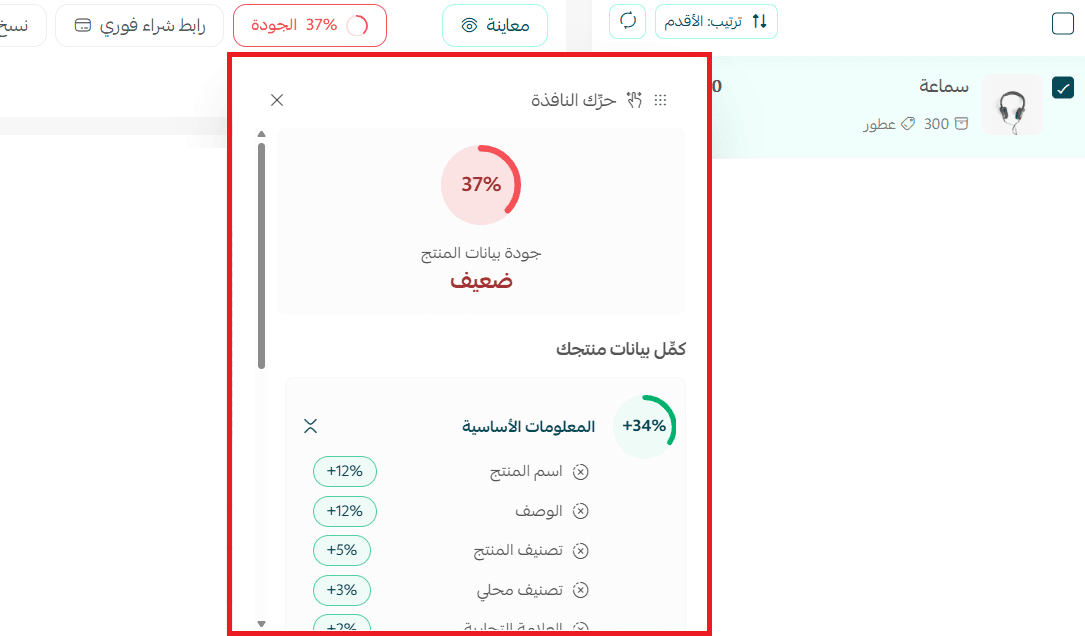
💡 How the recommendations help you improve a product
The system gives you clear, direct recommendations that raise the product's quality, such as:
- Add a more detailed description.
- Upload additional product images.
- Complete the SEO data.
- Add specifications and attributes.
- Update the price and inventory data.
As soon as you apply a recommendation and save your changes, the quality score updates immediately.
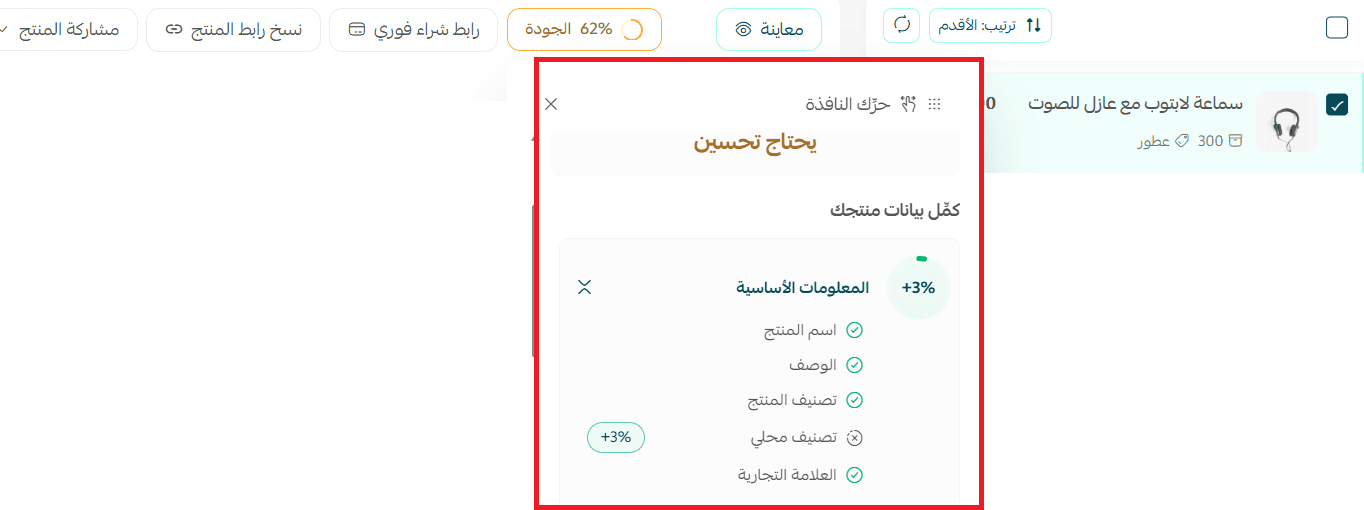
📝 Worked example: in the image below, the quality score for the product "Laptop headset with noise isolation" rose to 62% after a few recommendations were applied, such as completing the basic information and filling in the missing data. The rating improved right away.
❓ Frequently asked questions
❓ Does the quality score affect whether a product appears in my store?
No. It exists to help you improve your product data and increase your chances of making the sale.
❓ Is the score updated automatically?
Yes. It updates as soon as you save any change to the product.
❓ Do I need to reach a score of 100?
Not necessarily. The higher the score, the more complete and professional the product listing is.
❓ Do the criteria differ by product type?
Yes. Some criteria can differ depending on the product type and what it requires.
❓ Which plans support this feature?
The feature is available to stores on paid plans only.
Work through your lowest-scoring products first. They are the listings costing you the most sales, and the recommendations tell you exactly which field to fix.