Want a clearer way to manage cash-on-delivery collections for shipments created with Salla waybills?
Cash on delivery with Salla waybills lets eligible customers pay when an order arrives while you track the collected balance and transactions in your store. In this guide, you'll learn how to activate and customize the option, understand the customer flow, view balances, and export transaction records.
To activate cash on delivery with Salla waybills, enable a supported carrier under Shipping and delivery options, configure its city rates, turn on cash on delivery, and set the customer fee. You can then define eligibility conditions and exclusions, monitor collected balances, filter transactions, and export records from Wallet and billing.
📌 Article overview
- Carriers that support cash on delivery with Salla waybills
- How to activate and customize cash on delivery
- How customers use cash on delivery
- How to view the current balance and transaction details
- How to filter and export cash-on-delivery records
- Frequently asked questions
🚚 Which Salla waybill carriers support cash on delivery?
The source lists these carriers:
1. Aramex
2. J&T Express
3. AyMakan
4. SMSA
5. RedBox
6. Shipa
[Verify: confirm the current supported-carrier list before publication.]
🚀 How to activate cash on delivery with Salla waybills
The following example uses AyMakan, but the source states that the same setup applies to the other supported carriers.
1. From the dashboard side menu, click (Store settings).

2. From the Store settings page, click (Shipping and delivery options).

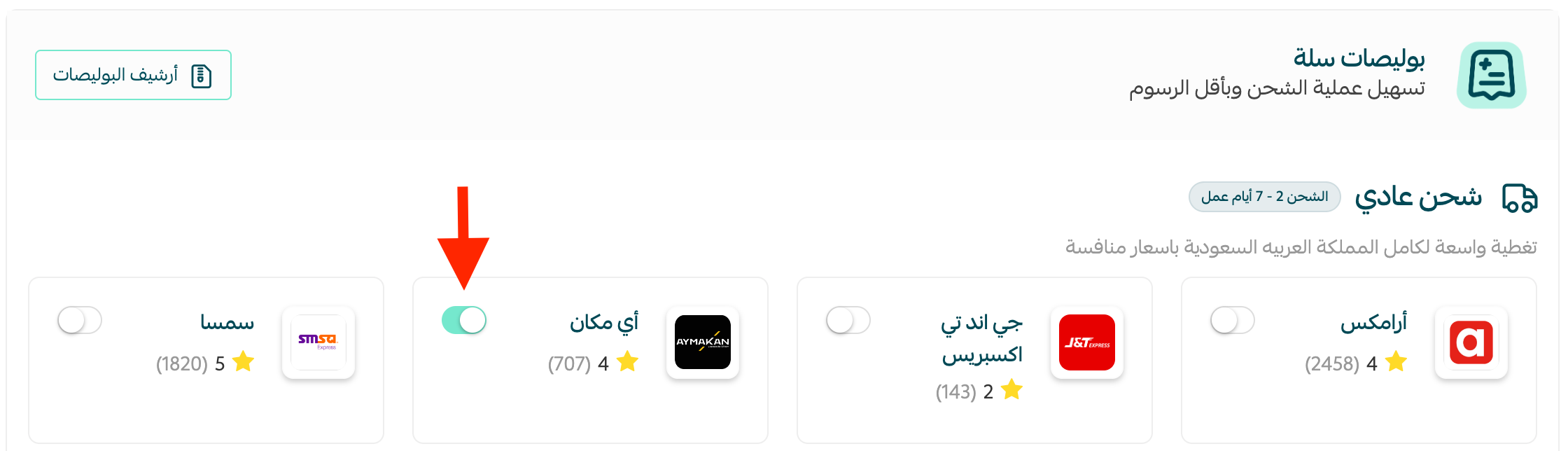
3. From the Shipping and delivery options page, enable (AyMakan).
4. On the (Shipping rates) tab, enter the shipping rates for the required cities and regions.
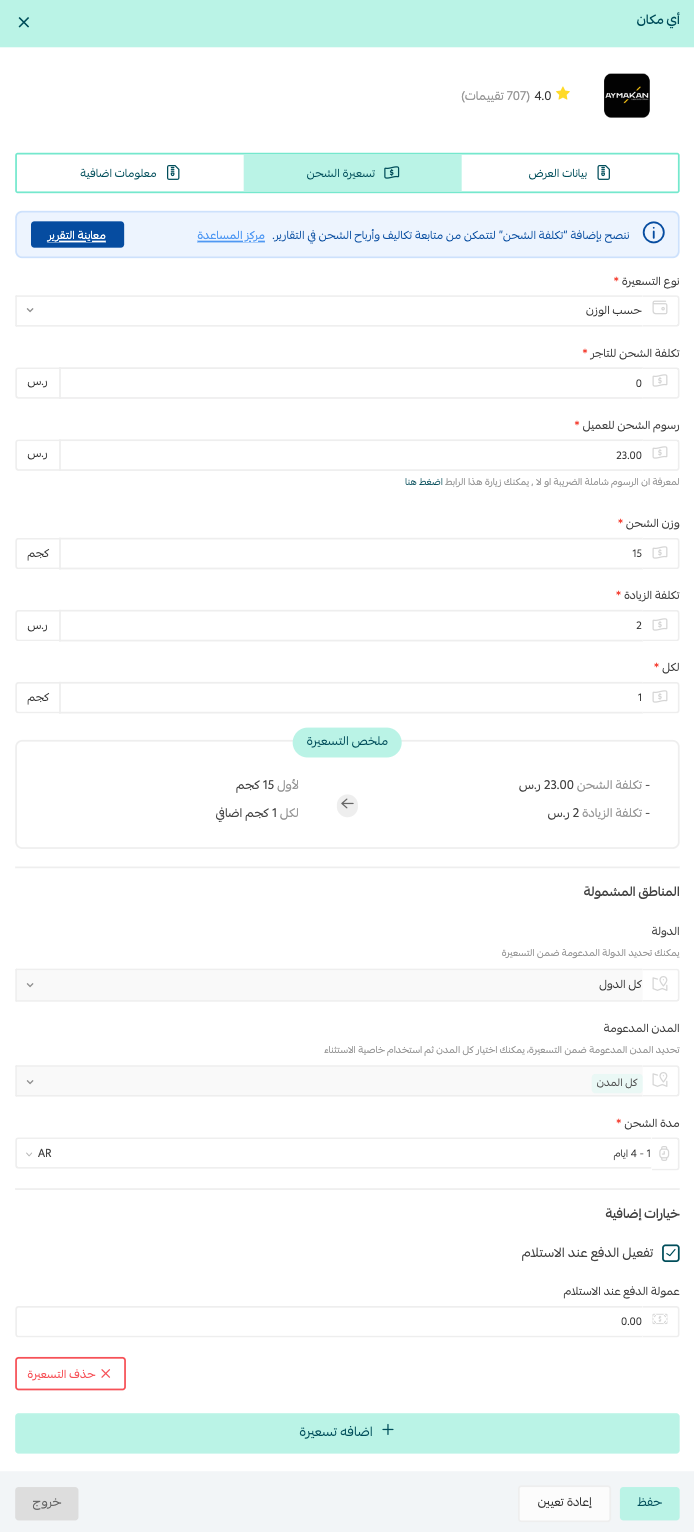
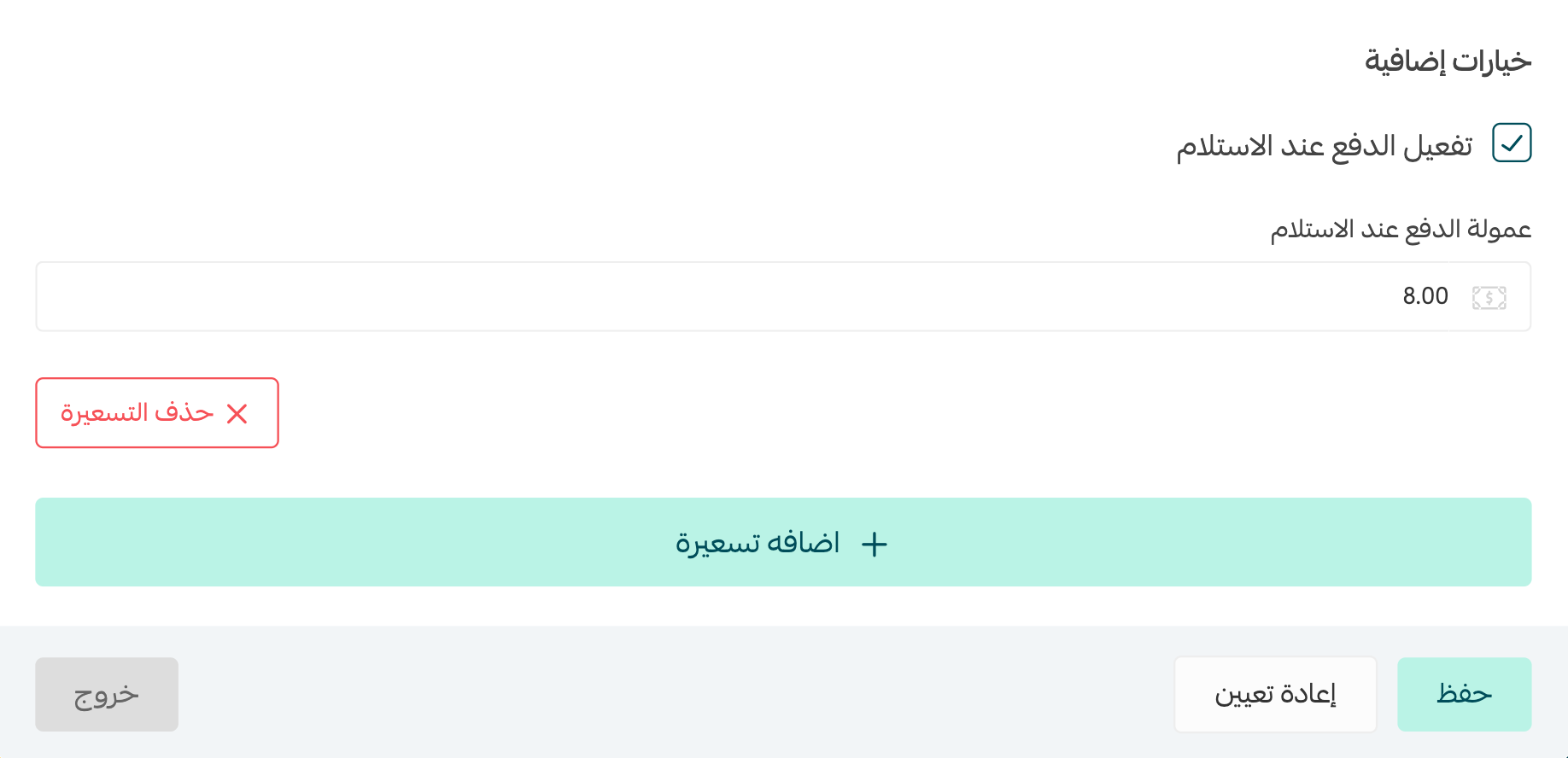
5. Enable cash on delivery, then set the cash-on-delivery fee the customer must pay.
⚙️ How to customize cash-on-delivery settings
1. At the bottom of the Shipping and delivery options page, click (Cash on delivery).
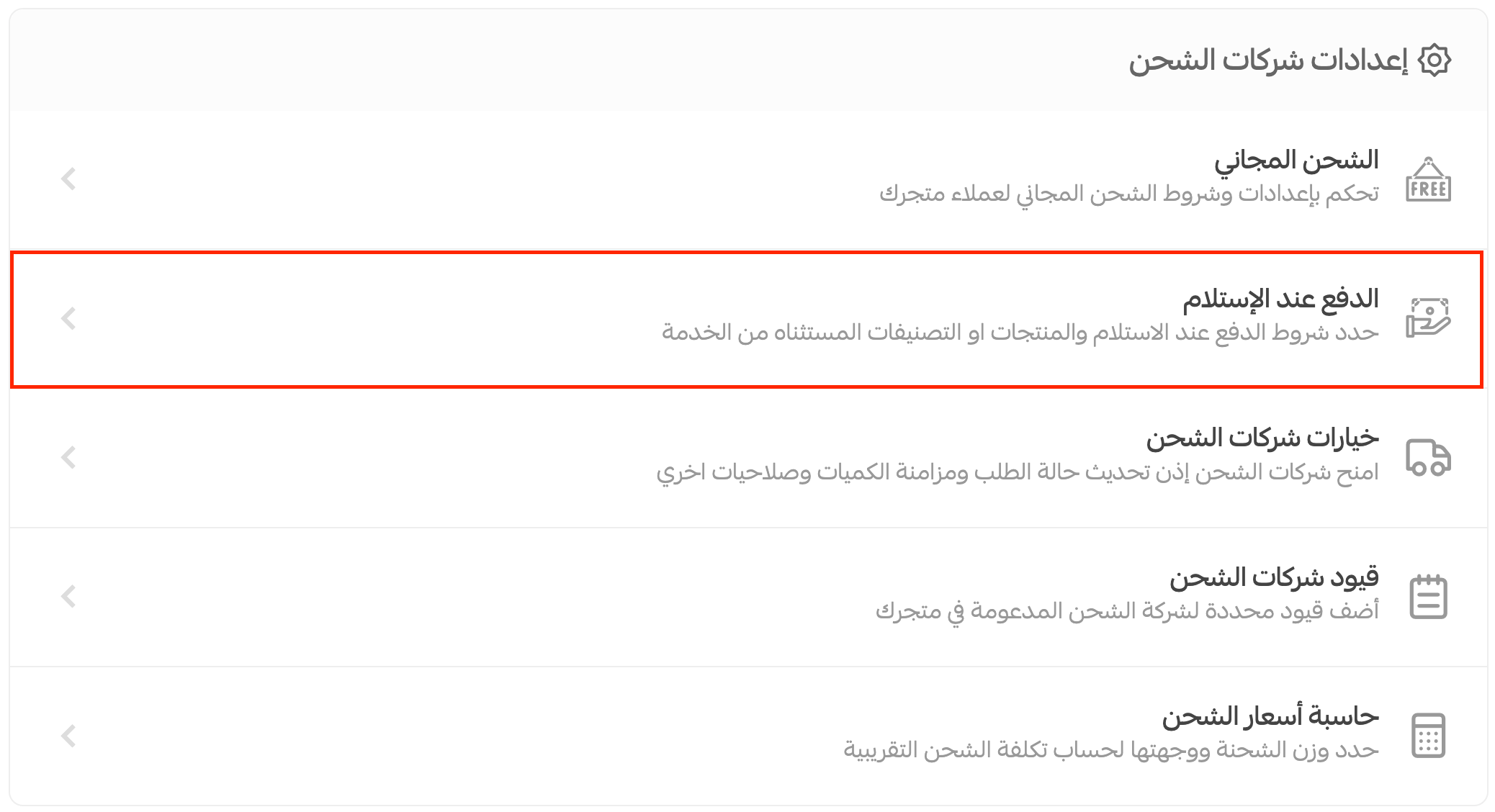
2. Customize the available settings:
Cash-on-delivery conditions tab
Minimum and maximum purchase values: Choose the optional order-value range that qualifies for cash on delivery.
Maximum product weight: Set the optional maximum weight for qualifying orders.
Hide cash on delivery from blocked customers: Prevent customers blocked by other Salla stores from using this option.
Excluded from cash on delivery tab
Exclude specific products or categories: Choose the products or categories for which cash on delivery should not be available.
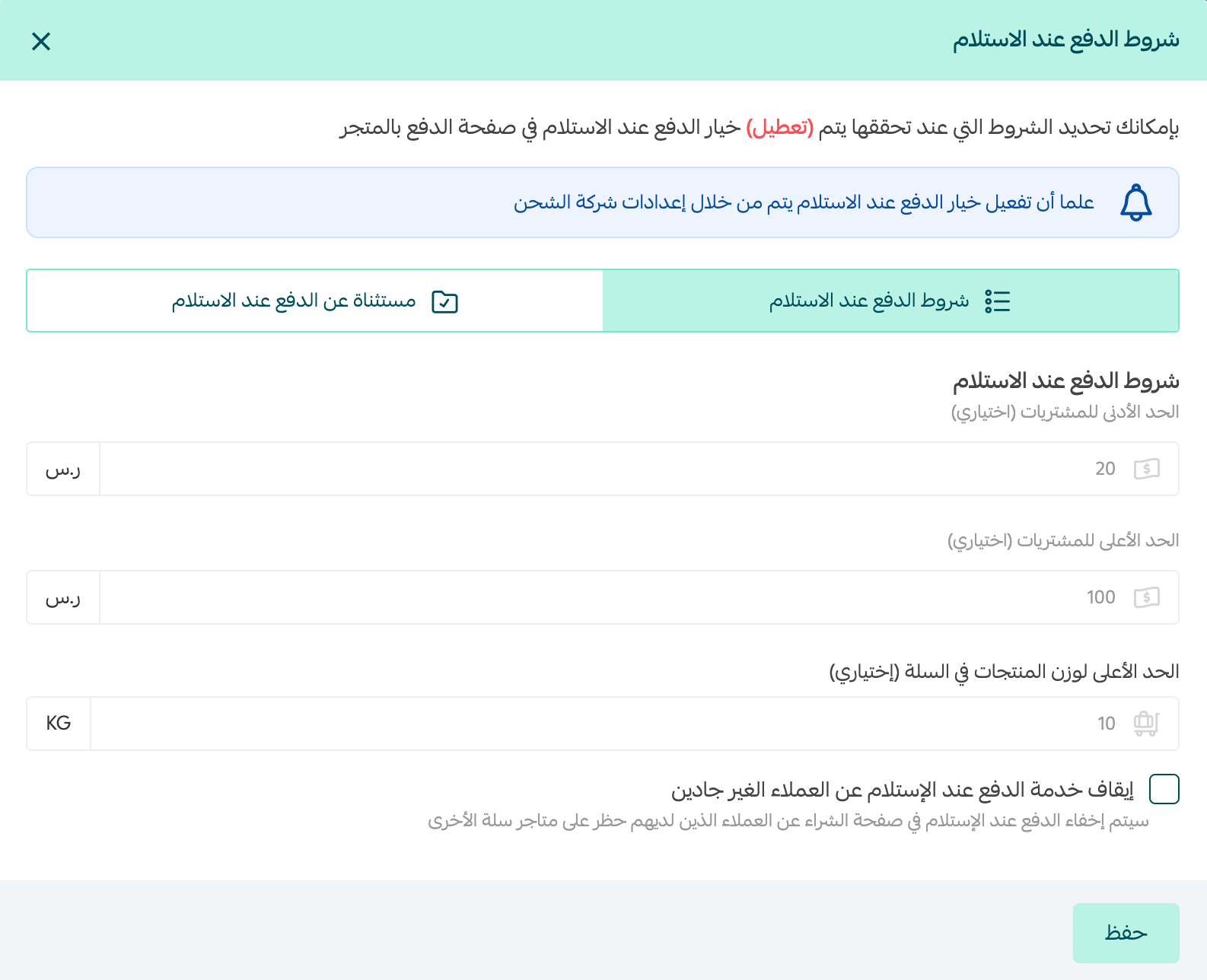
📝 Important note: The source states that when the selected carrier uses Salla waybills, the maximum purchase value is SAR 1,000. [Verify: confirm the current limit and whether it applies to all supported carriers and plans.]
For more details, see reducing cash-on-delivery orders.
💰 When is the cash-on-delivery balance transferred?
The source states that every Salla waybill carrier that supports cash on delivery transfers merchant balances on Sundays and Wednesdays. [Verify: confirm the current transfer schedule, eligibility, cutoff times, holidays, and deductions.]
An invoice includes orders received by the customer with a status of (Delivered) or (Shipped), covering orders completed during the previous week. [Verify: clarify why orders marked Shipped qualify for invoicing and confirm the current status rules.]
The deposit may take additional time to reach your bank account, depending on your bank's processing policy.
🛒 How customers use cash on delivery
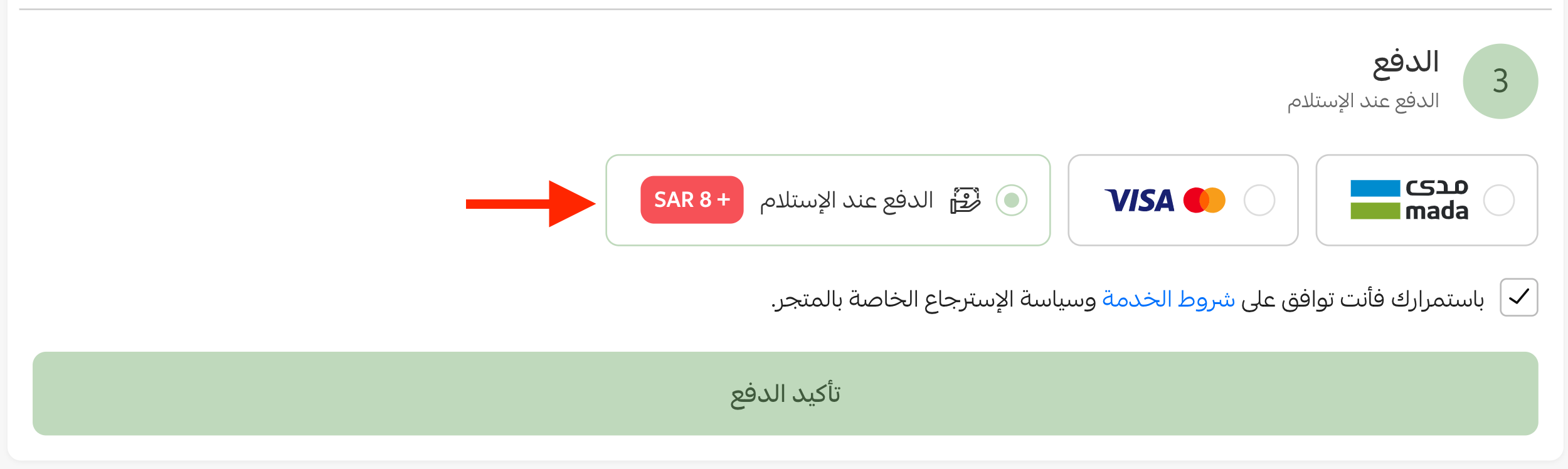
1. When a customer reaches checkout and selects an eligible Salla waybill carrier that supports cash on delivery, the payment option appears on the payment page.
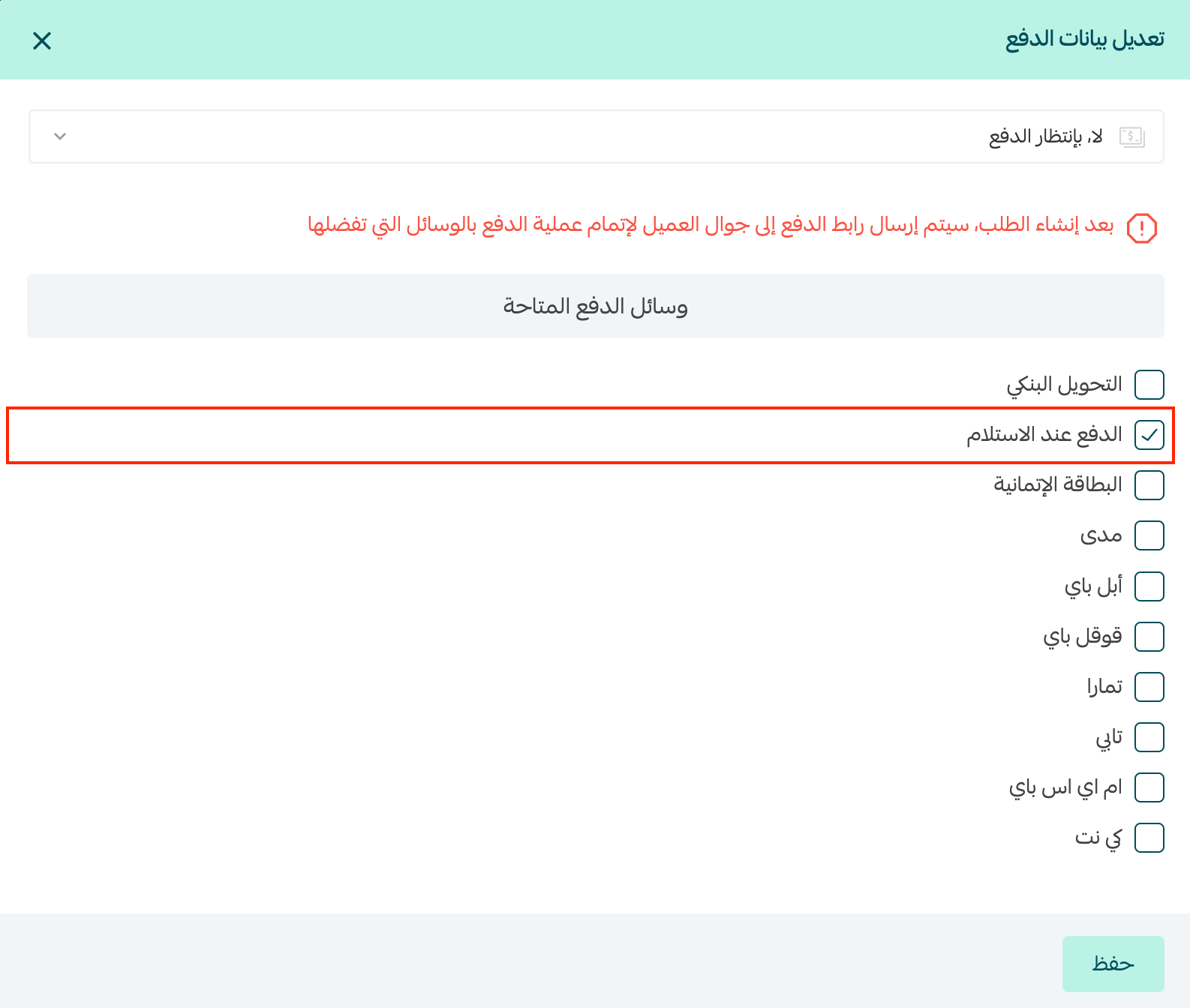
2. When creating a manual order, you can select (Cash on delivery) as the payment method.
🔍 How to view your current cash-on-delivery balance
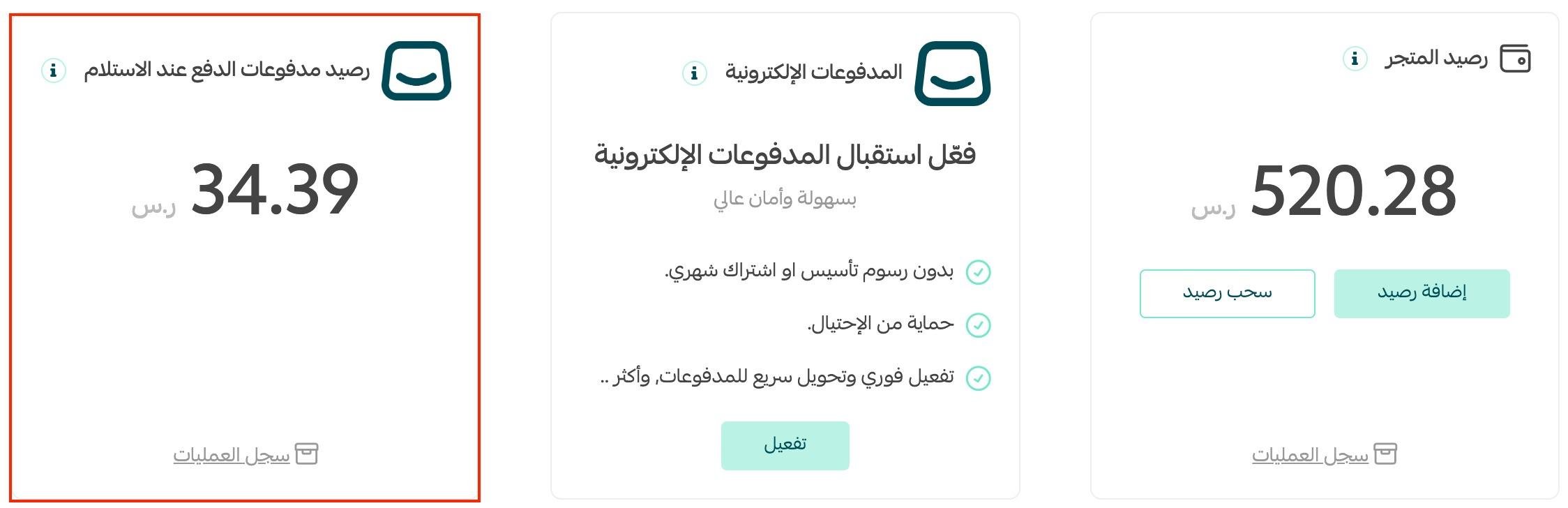
1. From the dashboard side menu, click (Wallet and billing).

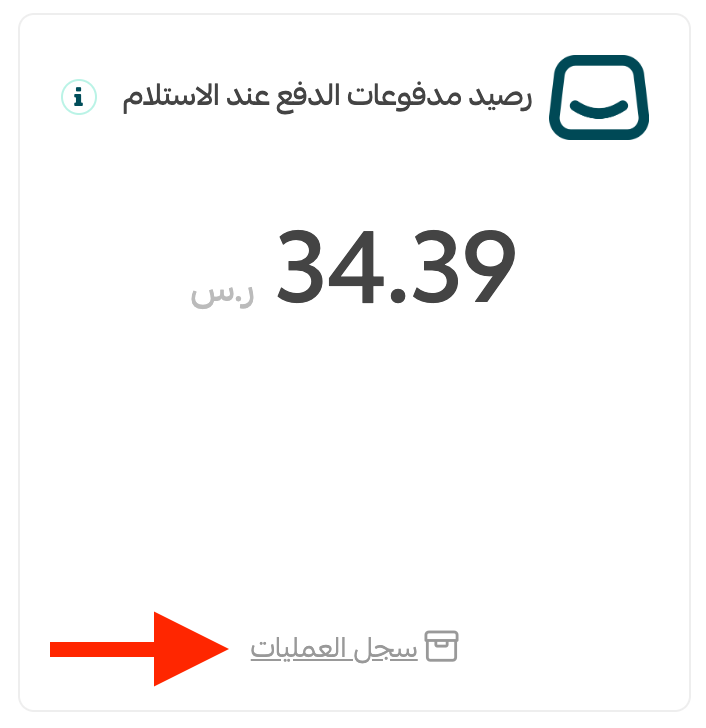
2. In the (Cash-on-delivery payment balance) section, review the current balance from cash-on-delivery sales.
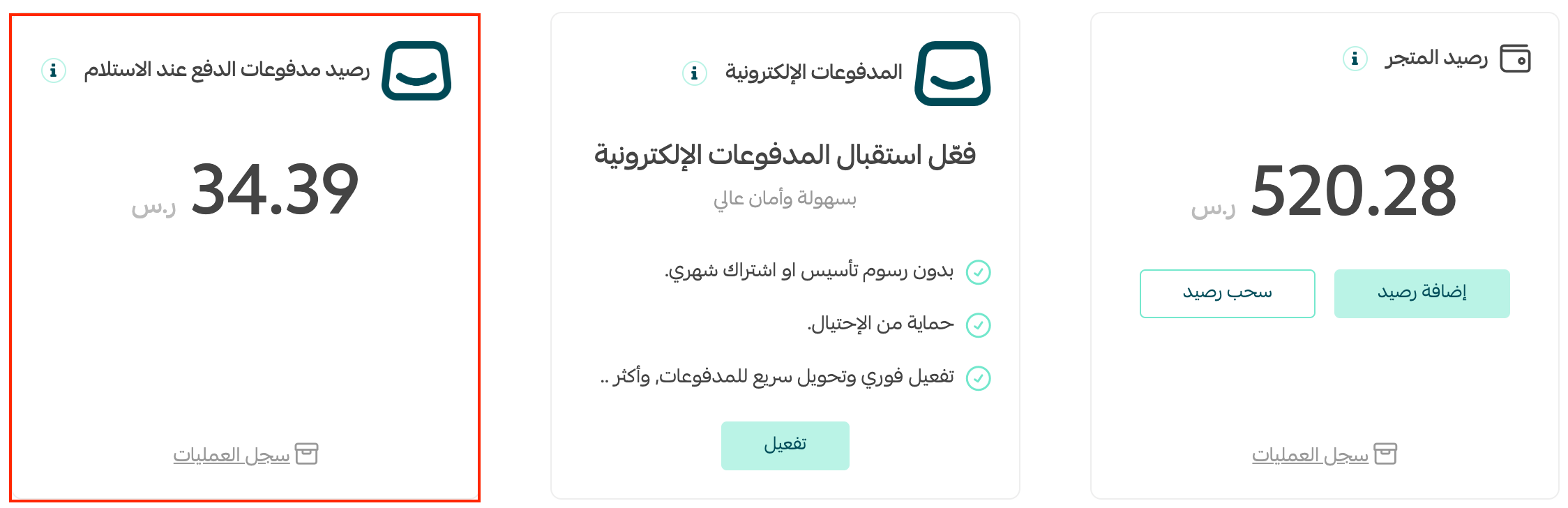
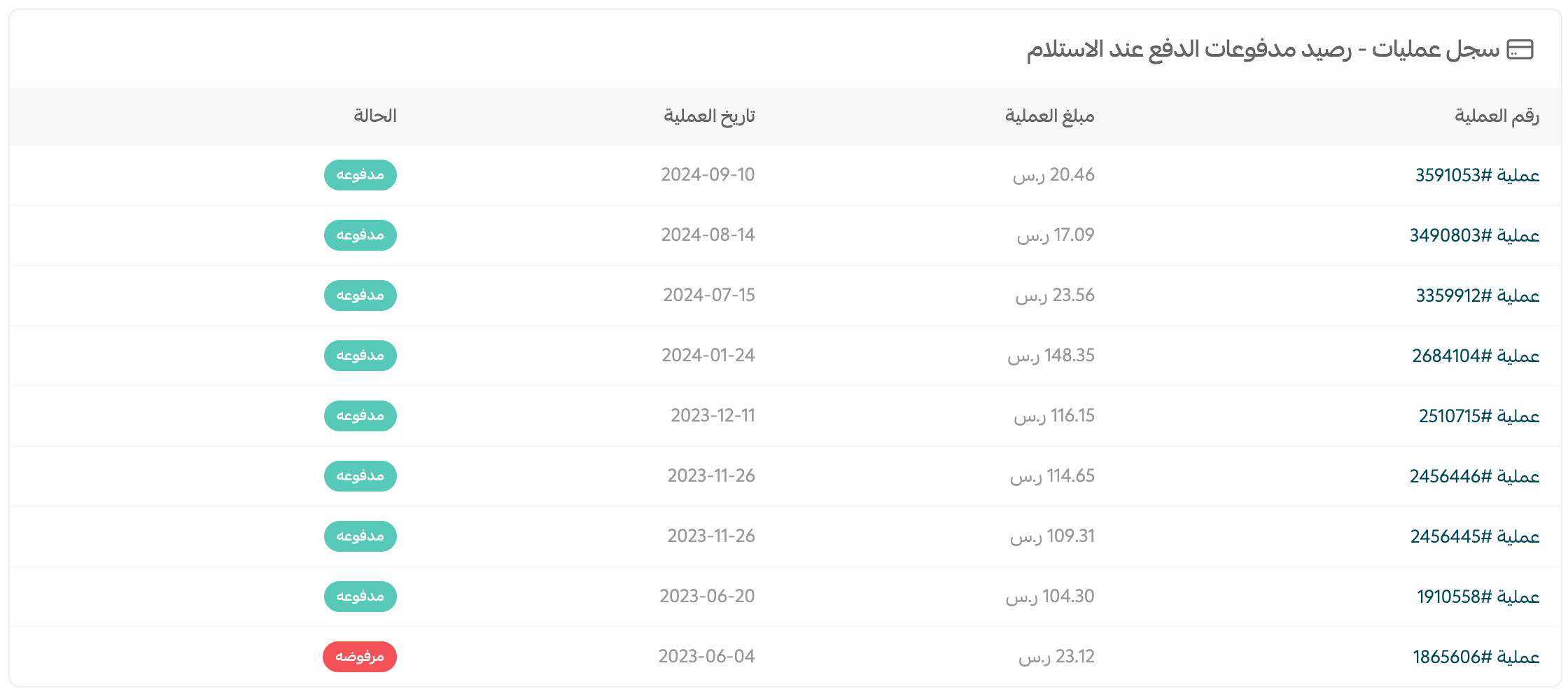
3. To view the cash-on-delivery transaction history, click (Transaction history).
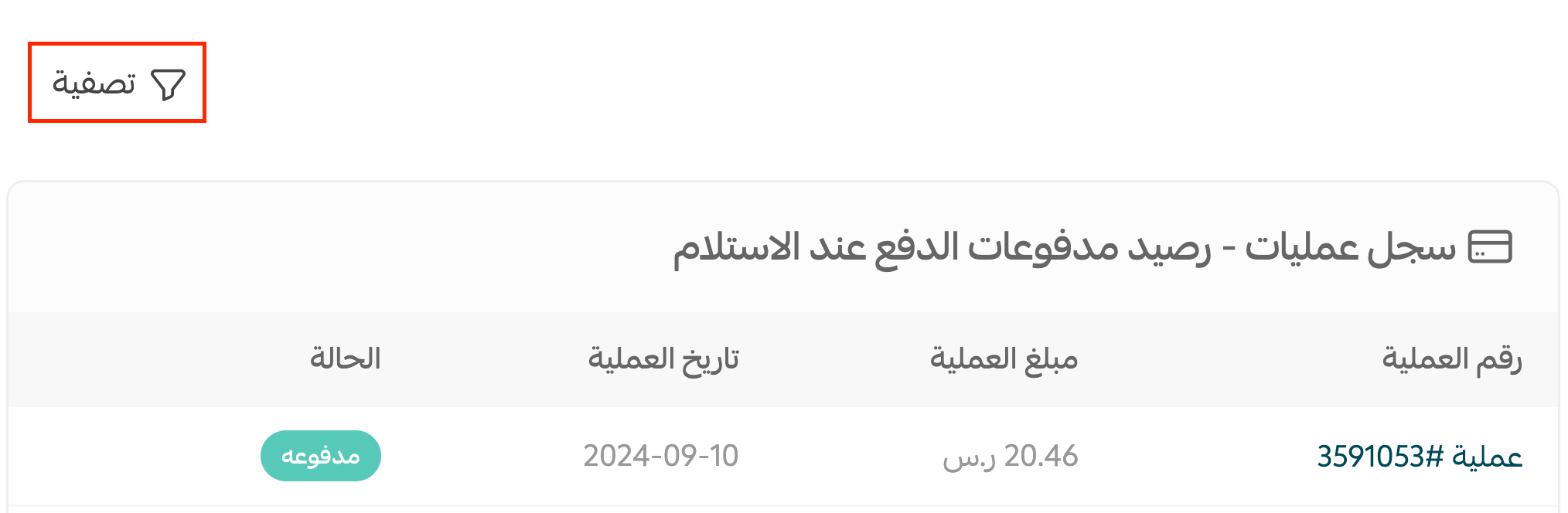
The history shows each transaction number, amount, date, and status.
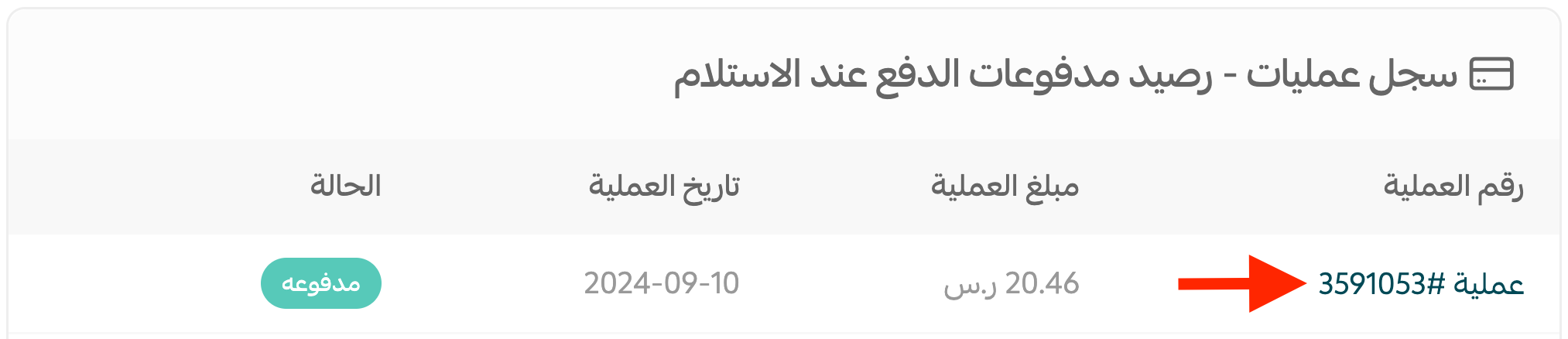
4. Click a transaction number to view its details.
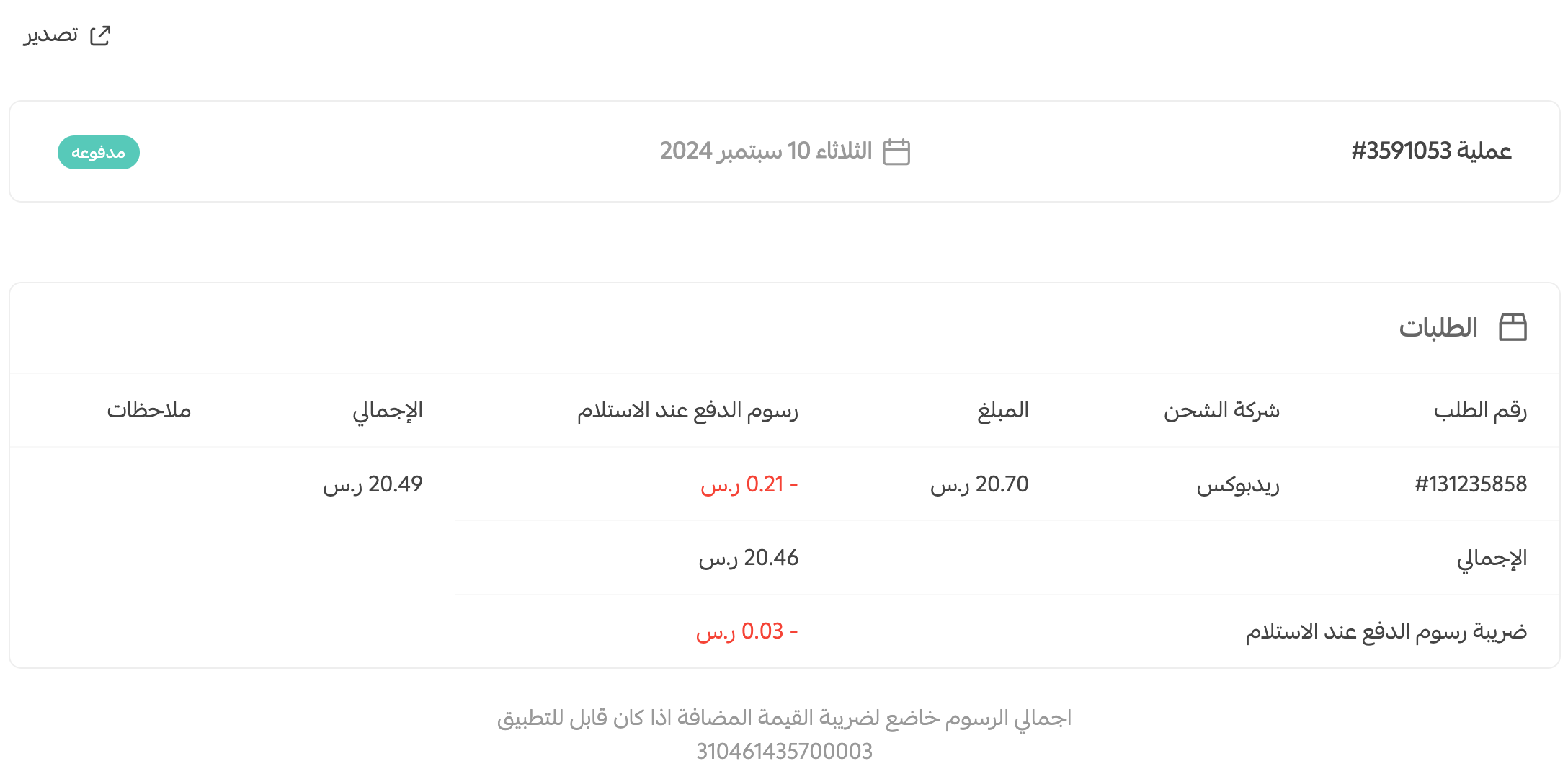
The transaction details include the order number, carrier, amount, cash-on-delivery fee, and total.
📊 How to filter and export cash-on-delivery transactions
Filter the transaction history
1. From the dashboard side menu, click (Wallet), go to (Cash-on-delivery payment balance), then click (Transaction history).
2. Click (Filter).
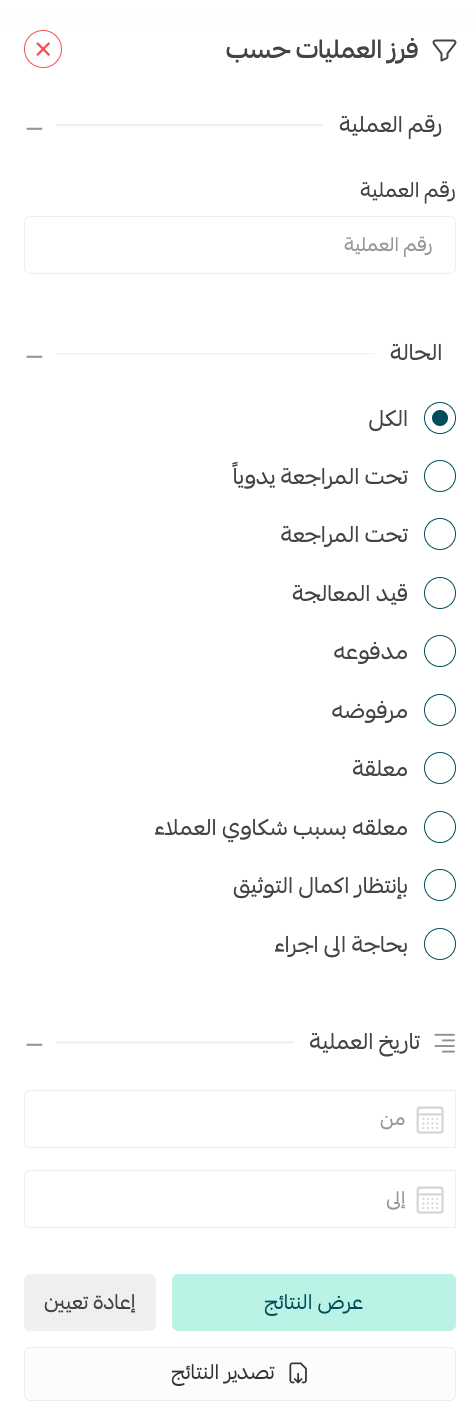
3. Select the filters you need: transaction number, transaction status, or date.
4. To export the filtered records, click (Export results).
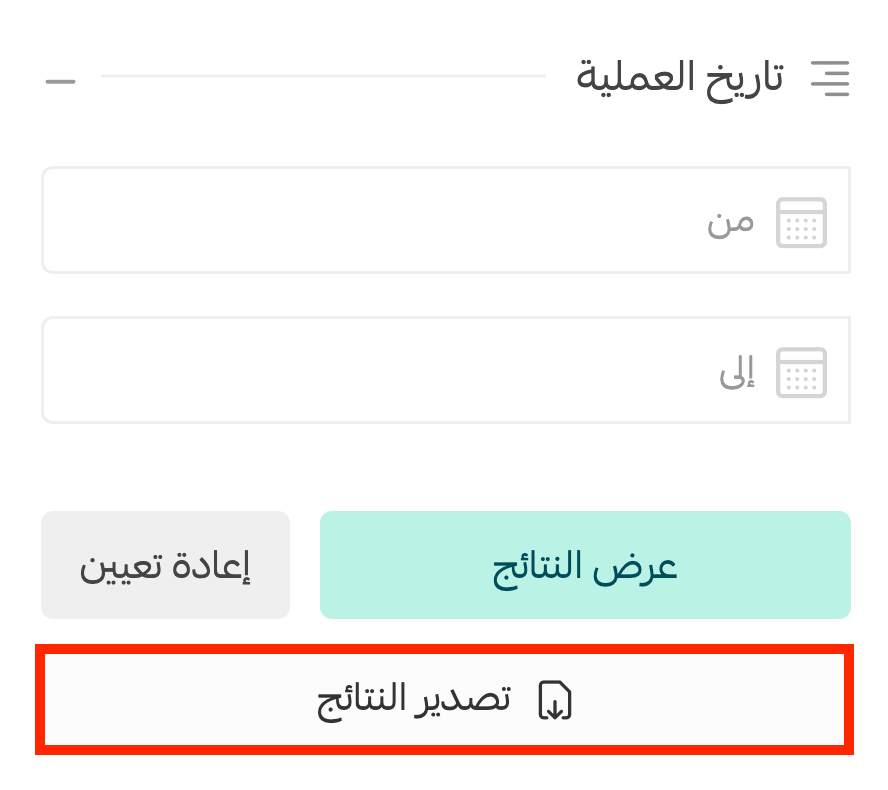
The filtered results are exported to an Excel file.
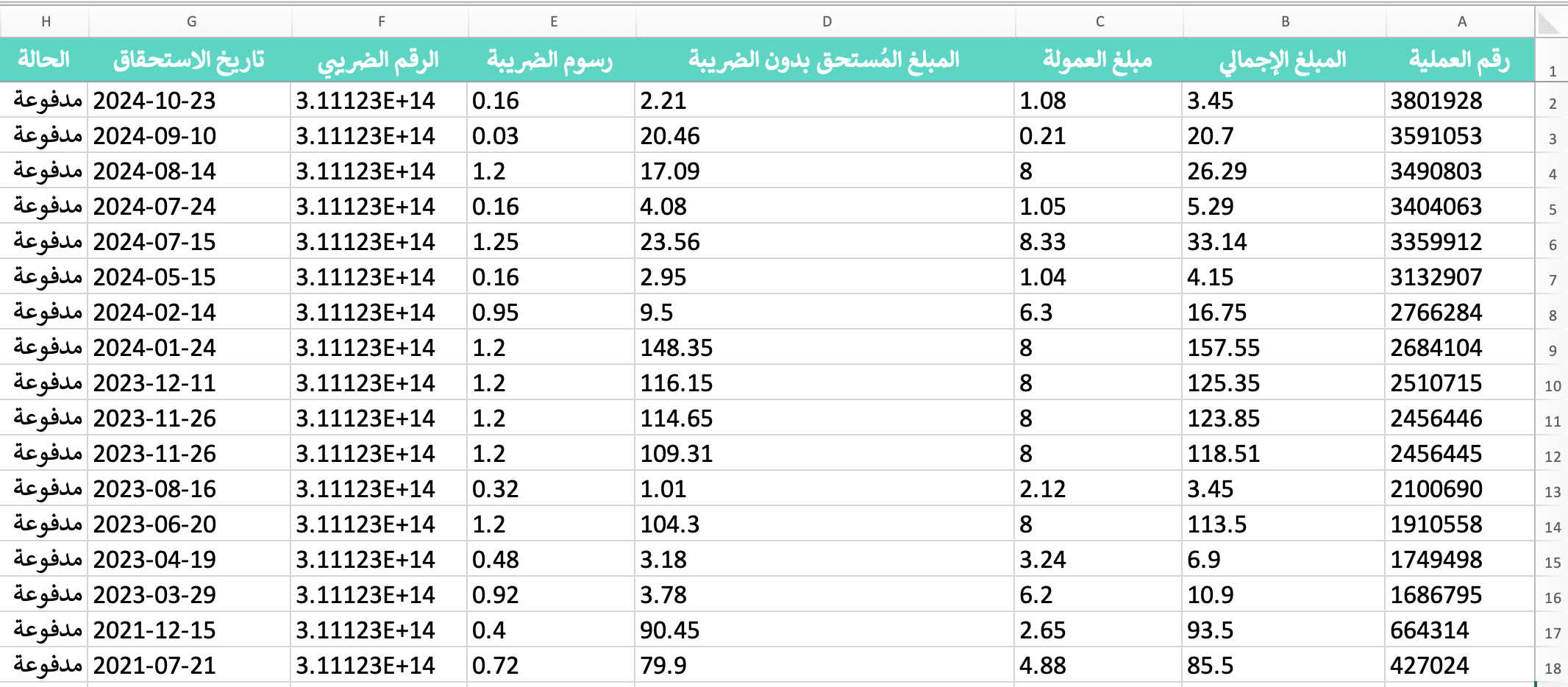
Export one transaction
1. Open the transaction you want to export, then click (Export).
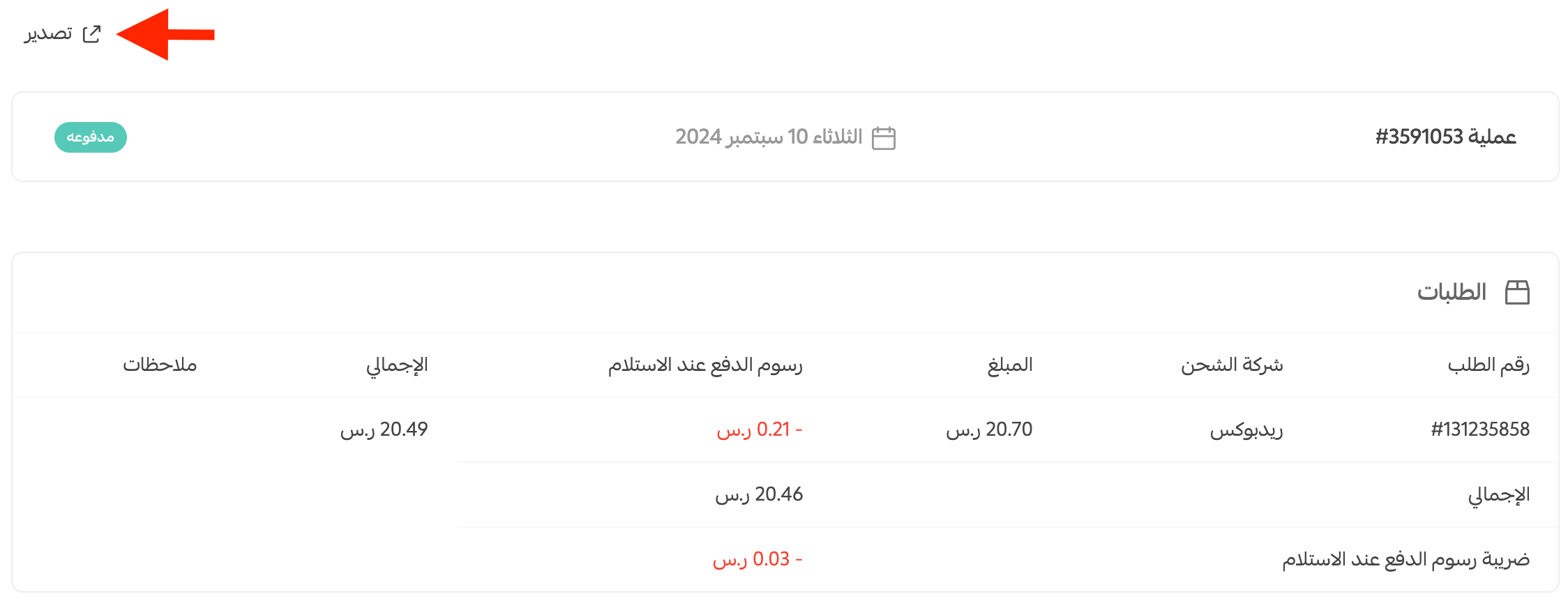
The transaction data is exported to an Excel file.

❓ Frequently asked questions about cash on delivery
Is cash on delivery available for every cart value?
No. The source states that cash on delivery does not appear at checkout when the cart value is below SAR 20, even if the payment method is enabled. [Verify: confirm the current minimum and how discounts, taxes, shipping fees, and currencies affect it.]
Can I change the cash-on-delivery fee charged by the carrier?
Yes. The source says you can increase or decrease the fee charged to customers.
💡 Example: The source states that SMSA charges SAR 8 plus 2% of the transaction value, excluding tax, for cash on delivery. You can change the customer-facing fee and click (Save). [Verify: confirm SMSA's current fee and tax treatment.]
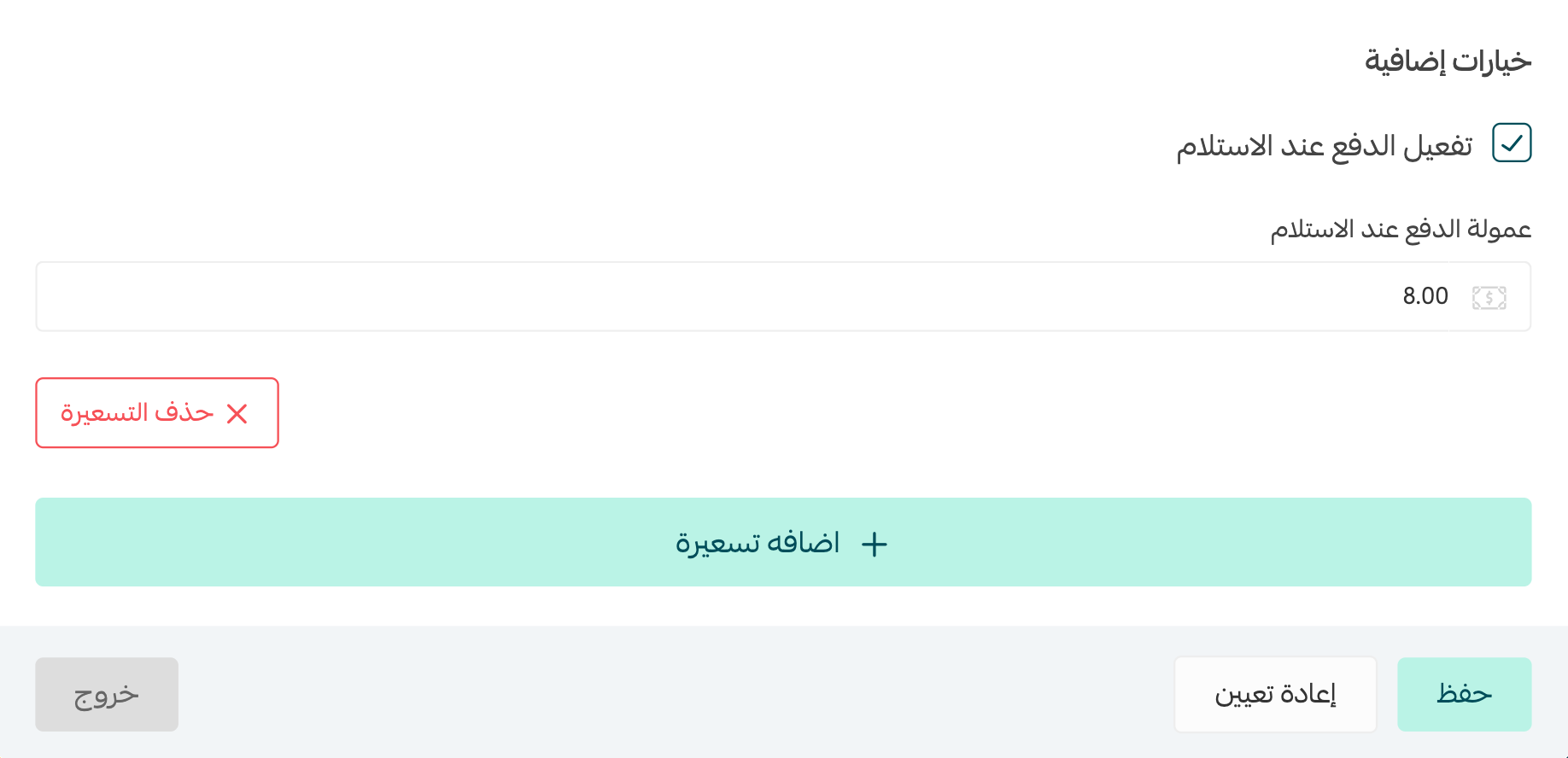
- If the customer-facing fee is higher than the carrier fee, the source says the difference is added to your wallet as earnings.
- If the customer-facing fee is lower than the carrier fee, the difference is deducted from your balance.
[Verify: confirm current fee-adjustment permissions, wallet accounting, tax treatment, consumer disclosures, and any maximum or minimum fee rules.]
Where can I track cash-on-delivery collections?
Open (Wallet and billing), then review (Cash-on-delivery payment balance). Use (Transaction history) to view, filter, and export individual or grouped records.
Which order statuses are included in a cash-on-delivery invoice?
The source says invoices cover orders marked (Delivered) or (Shipped) from the previous week. [Verify: confirm the current eligible statuses and invoice period before relying on the balance.]
📝 Important notes
Carrier availability, cart limits, transfer days, invoice statuses, fees, tax treatment, and wallet accounting are time-sensitive. Confirm the current Salla and carrier terms before publication.
Test the customer checkout flow after changing eligibility conditions, exclusions, carrier rates, or cash-on-delivery fees.