Planning to sell online as a productive family, but not sure which official document you actually need first?
Before a home-based business can trade legally in Saudi Arabia, it needs proof that it is registered. The Productive Families document (وثيقة الأسر المنتجة) is that proof, and it is issued through the National Portal for Productive Families (المنصة الوطنية للأسر المنتجة) run by the Social Development Bank. It is also the basis for the Freelance certificate you will need to verify your store. In this guide, you'll learn what the document is, how to issue it step by step, and what it does and does not cover.
The Productive Families document is issued through the National Portal for Productive Families. Sign in with Nafath, update your data, choose the Productive Families certificate, complete the activity address and project data tabs, then submit. The certificate appears at the bottom of the same page, ready to view and print.
📌 Article overview
- What the Productive Families document is
- How to issue the Productive Families document
- Whether the document alone is enough for e-commerce
- Frequently asked questions
🎯 What is the Productive Families document?
Supporting productive families is one of the goals of Saudi Vision 2030. To put it into practice, Council of Ministers Decision No. 92, dated 7/2/1440 AH, approved the regulation governing the work of productive families. The regulation organizes how productive families operate and sets out the specific role of every relevant authority.
The Productive Families certificate is granted to applicants who meet the conditions set out in that regulation. [Verify: the Arabic source states that the certificate is granted to those who meet the specified conditions, but does not list them. Confirm the current eligibility conditions with the National Portal for Productive Families before publishing.]
📝 Note on naming: the portal calls it a productive family registration certificate (شهادة تسجيل أسرة منتجة), and the Arabic source refers to it as both a certificate and a document. They are the same document.
Not sure which verification route fits your case? Salla has a tool that walks you through it step by step: (KYC advisor).
👣 How to issue the Productive Families document
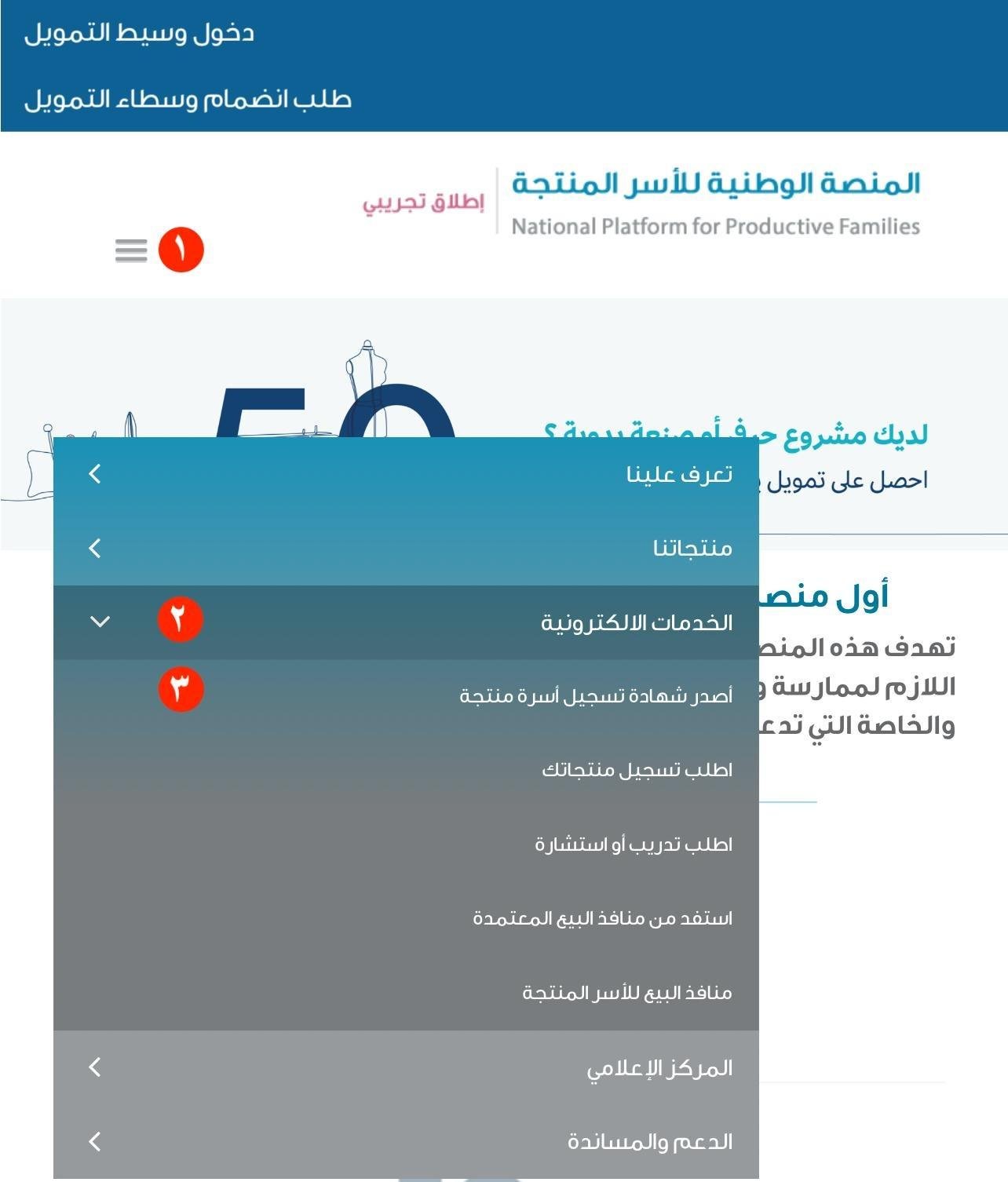
1. Go to the (National Portal for Productive Families), then from the side menu click (Electronic services) and choose (Issue a productive family registration certificate).
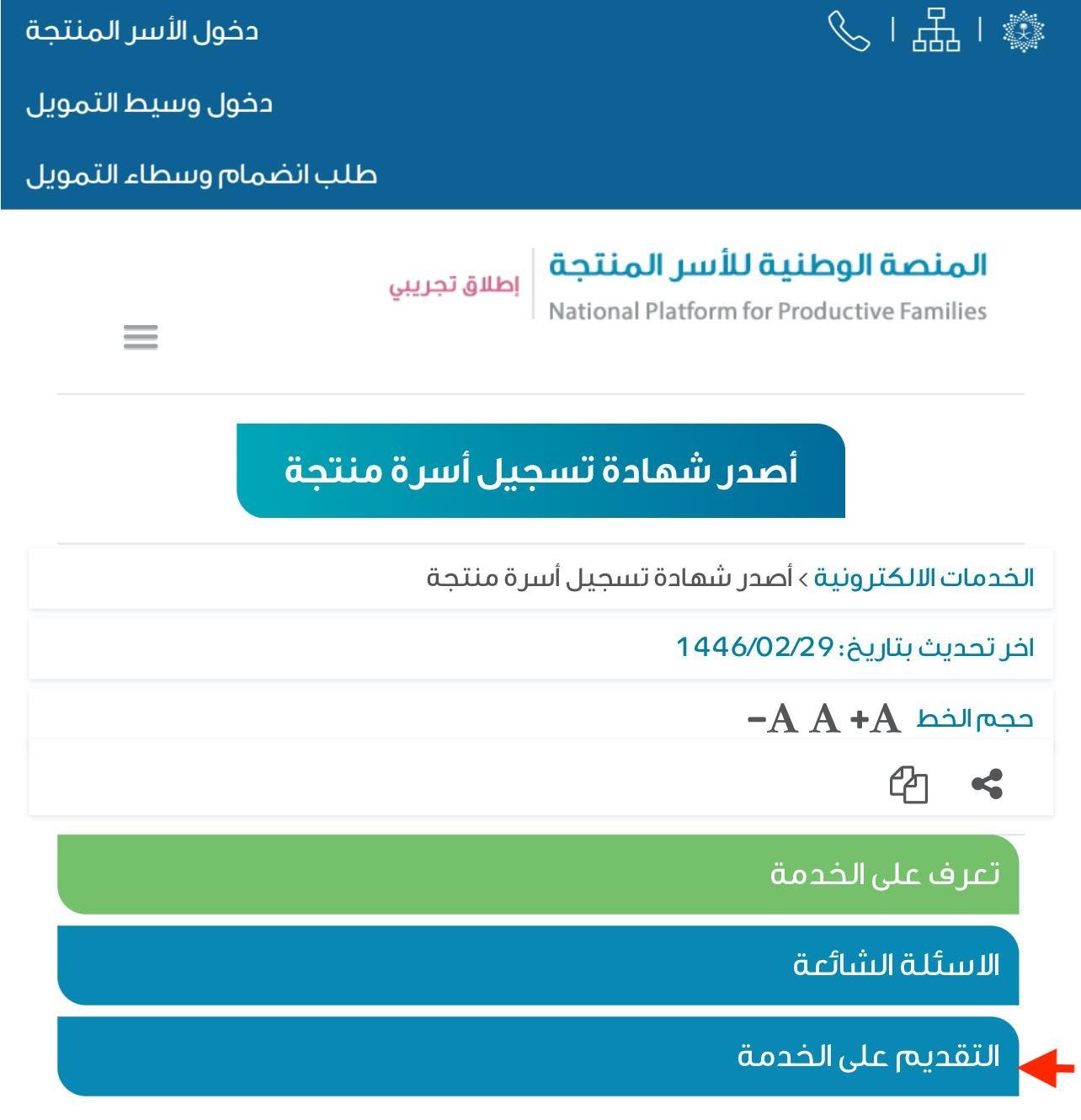
2. Click (Apply for the service).
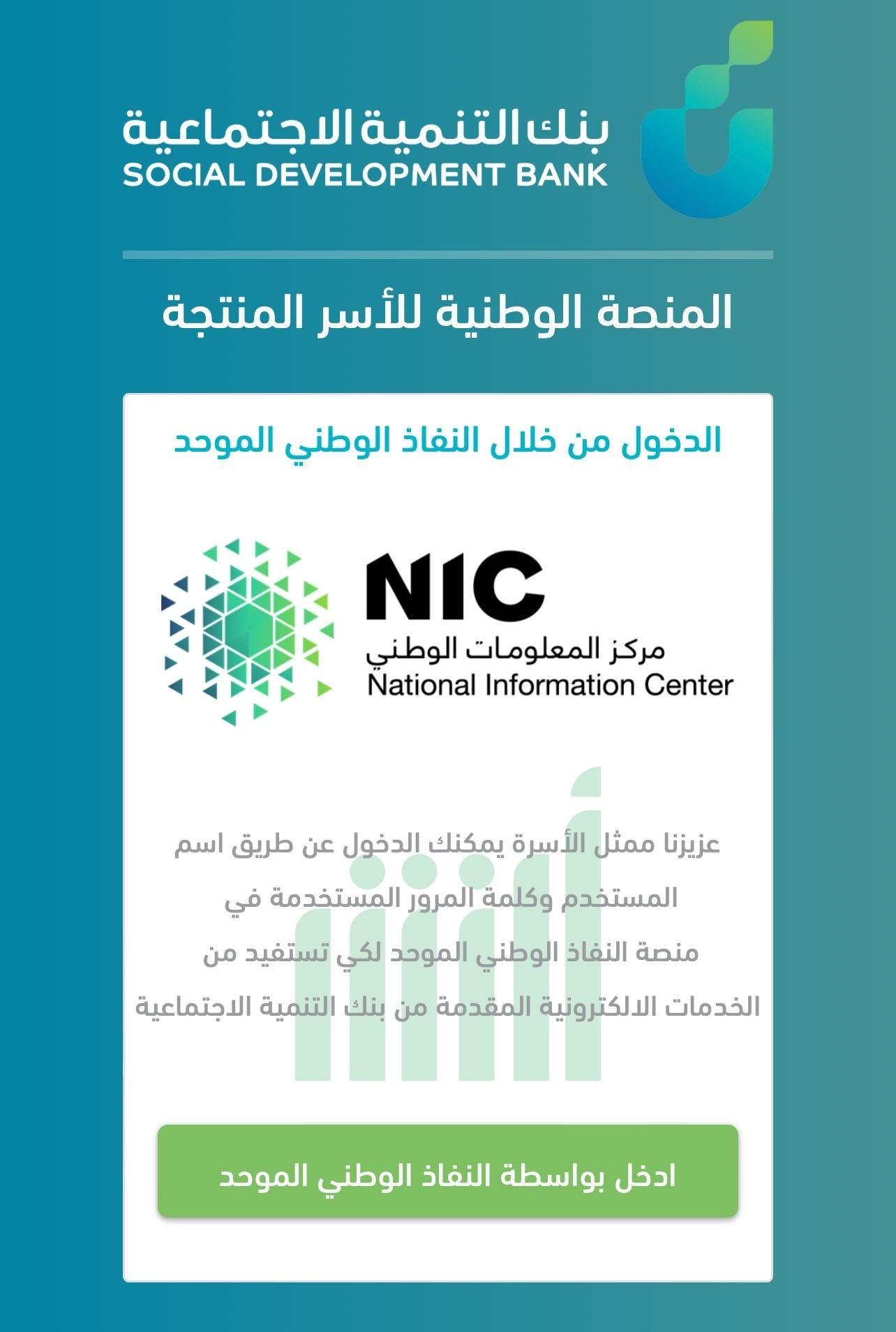
3. Sign in with your Nafath (نفاذ) account. The portal redirects you to Nafath automatically.
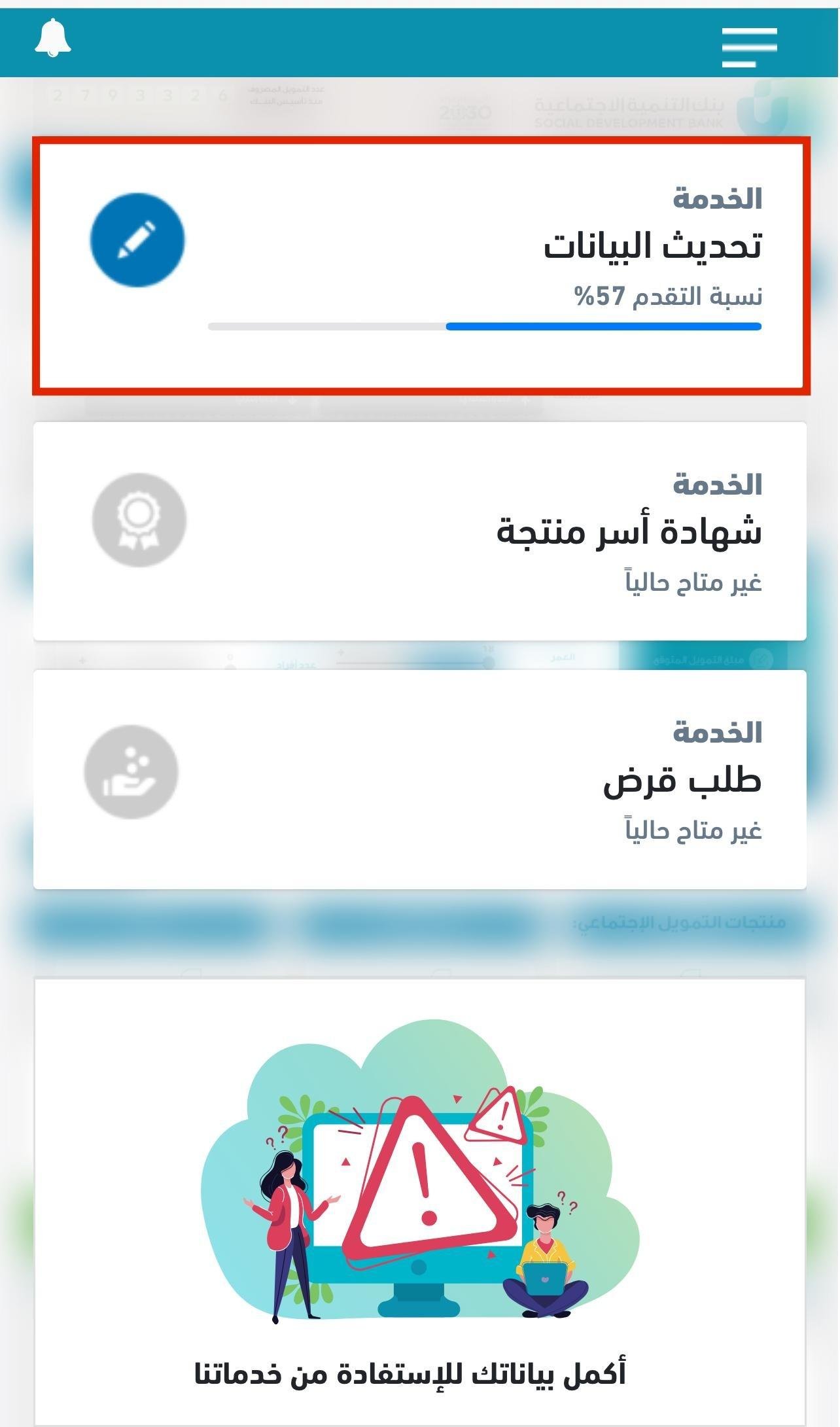
4. Once you are signed in through Nafath, click (Update data) and bring your details up to date.
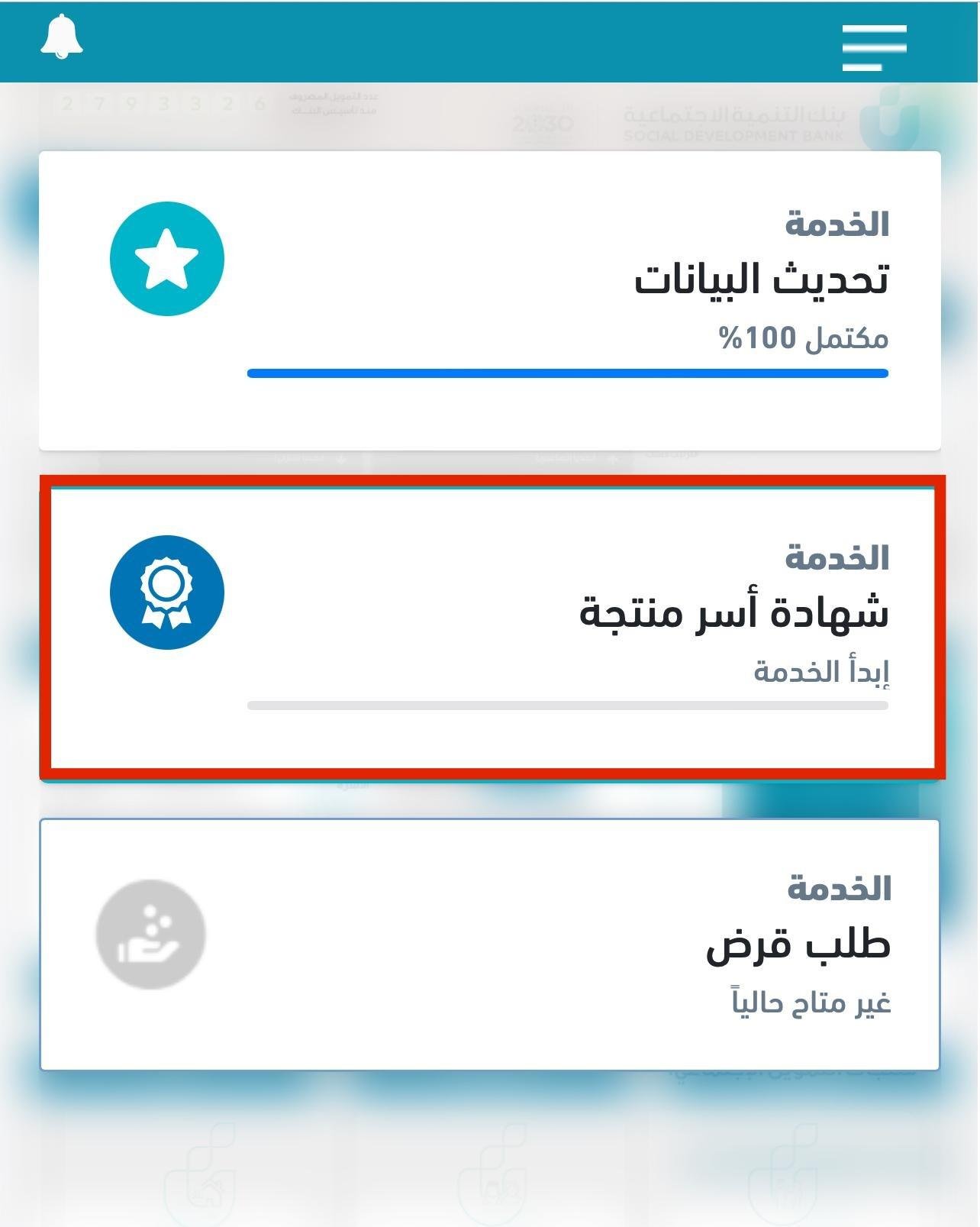
5. Select the productive families certificate.
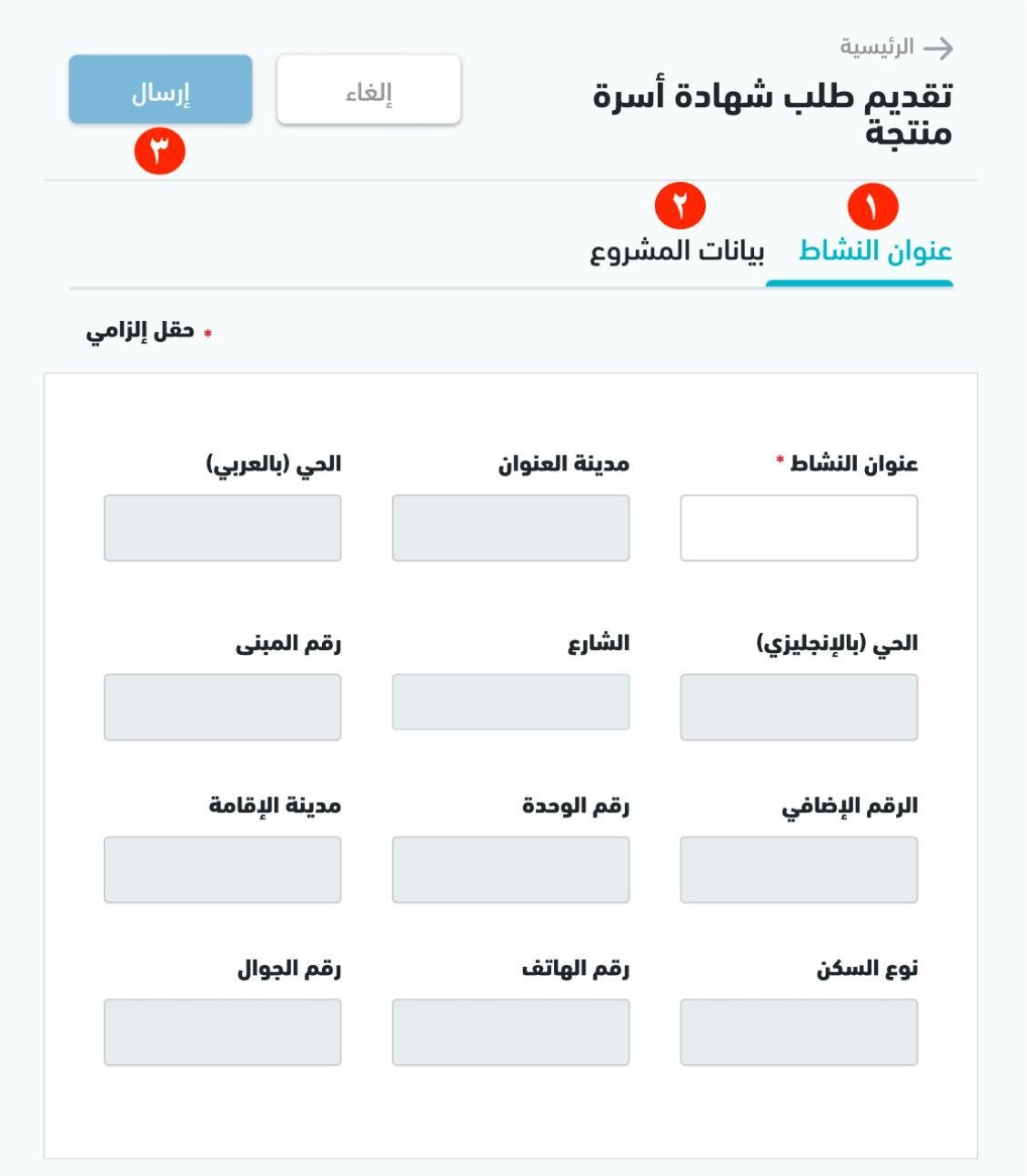
6. Complete the required information: first the (Activity address) tab, then the (Project data) tab. Check every field carefully, then click (Submit).
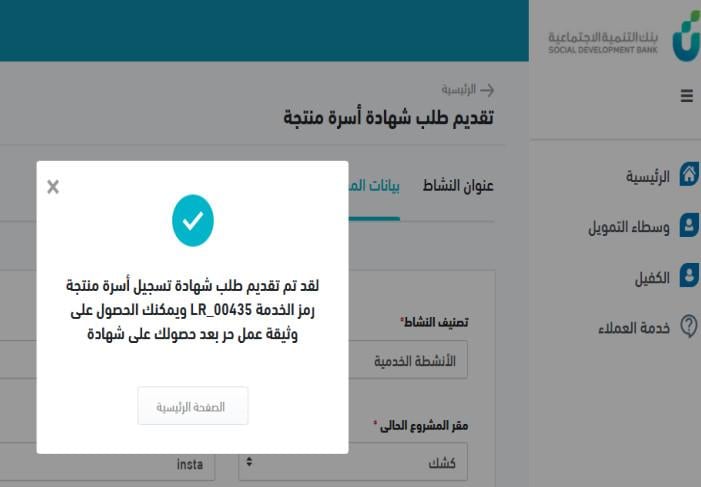
7. A confirmation message appears with your service code once the application goes through.
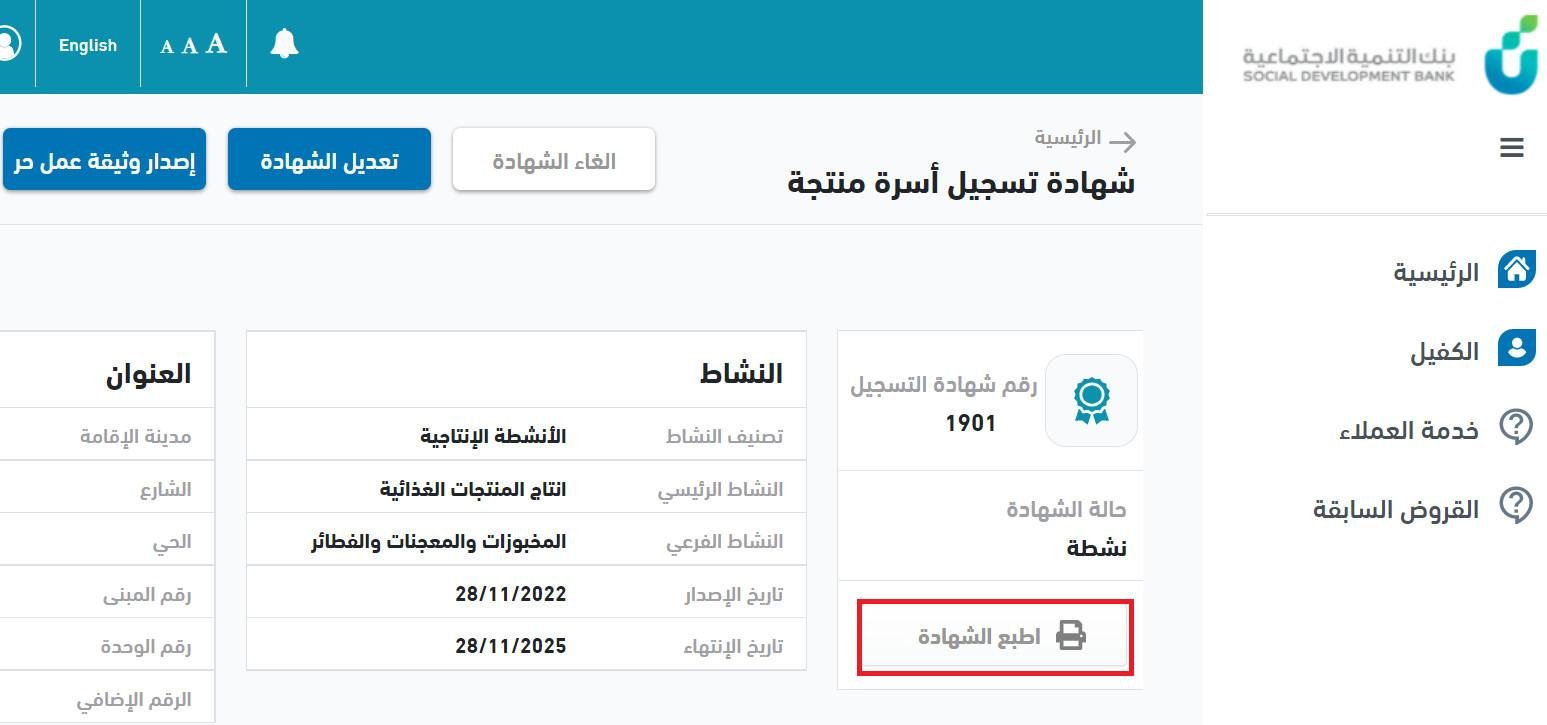
8. The Productive Families certificate is issued straight away at the bottom of the page. Click (View certificate).
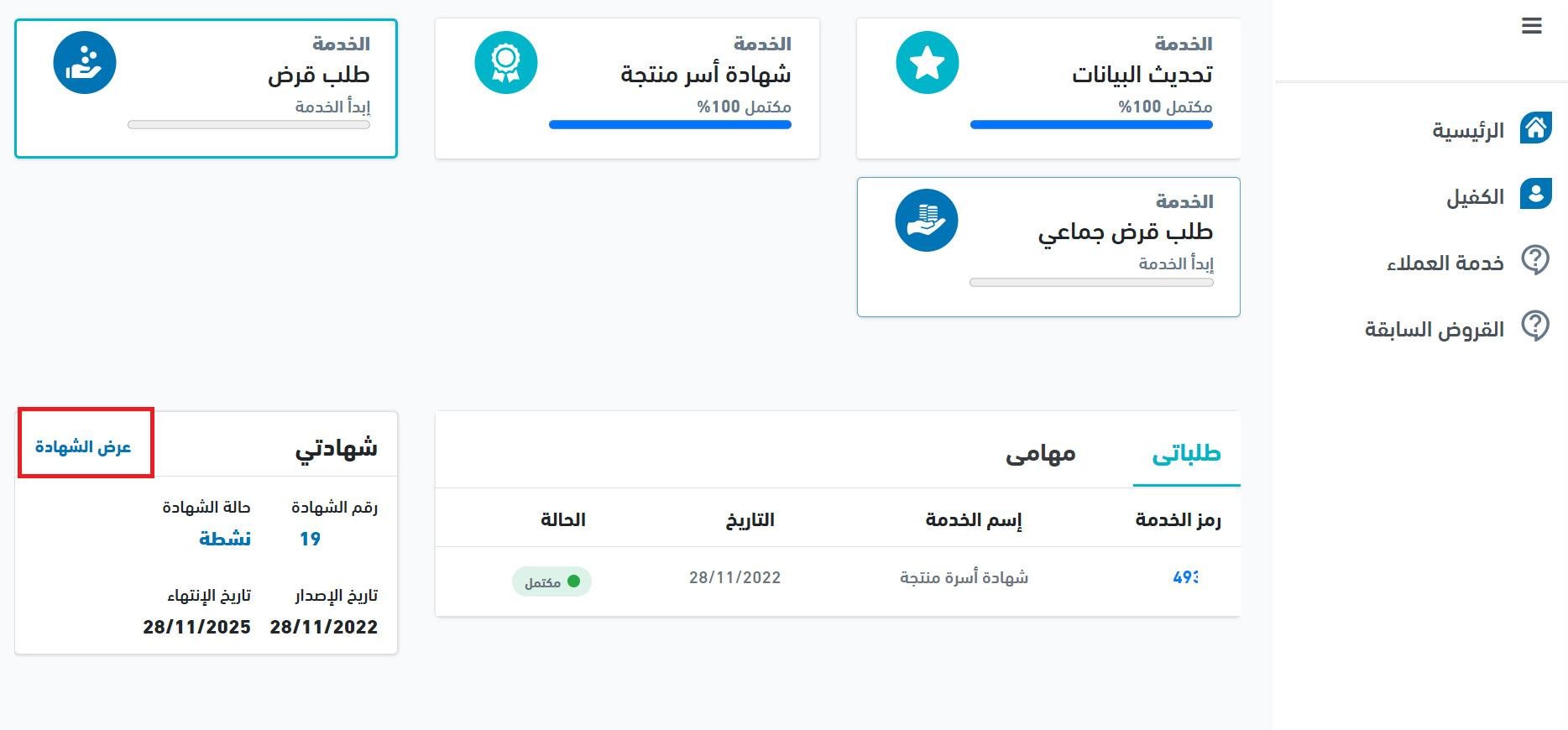
9. Click (Print certificate) to download a copy.
Is the Productive Families document enough to sell online?
No. The Productive Families document on its own is not enough to practice e-commerce. You must also issue the Freelance certificate (شهادة العمل الحر) on the basis of your Productive Families document, which takes only a few minutes.
For the full walkthrough, see issuing the Freelance document using the Productive Families document.
❓ Frequently asked questions
Is the Productive Families document alone enough to run an online store?
No. It is the basis for your registration, but you also need the Freelance certificate before you can trade in e-commerce.
Do I need a Nafath account to apply?
Yes. The National Portal for Productive Families sends you to Nafath to sign in before you can submit the application.
How long does issuance take?
The certificate is issued immediately. It appears at the bottom of the page as soon as your application is submitted.
How do I download or print the certificate?
Click (View certificate) at the bottom of the page, then click (Print certificate) to save a copy.
Who can apply for the Productive Families certificate?
It is granted to applicants who meet the conditions of the productive families regulation approved by Council of Ministers Decision No. 92, dated 7/2/1440 AH. [Verify: the eligibility conditions are not listed in the Arabic source.]
📝 Important notes
- Enter your activity and project details exactly as they should appear on the certificate. The certificate is generated from what you submit.
- Keep the service code from the confirmation message. It identifies your application.
Issuing the Productive Families document is the first step, not the last one. Pair it with the Freelance certificate and your store verification, and your business is set up to trade legally from day one.
Related articles:
- Verifying your store on Salla.
- Key provisions of the E-commerce Law
- FAQ on issuing the Freelance certificate and the Productive Families document