The reason most abaya stores never launch is not the setup. It's the belief that the setup is complicated.
Building a professional abaya store on Salla takes about 30 minutes. Not a weekend, not a developer, not a design agency — half an hour of focused work. What makes the difference between a store that looks credible on launch day and one that looks unfinished is not effort, it's order. Do the eight things below in sequence and the store comes out complete, because each step sets up the one after it. In this guide, you'll learn how to create an abaya store on Salla, from the moment you register to the moment your first abaya is live and buyable.
To create an abaya store on Salla, register for an account, choose your store name and domain, pick a fashion theme, add your logo and brand colors, publish your first product with photos and size and color options, switch on your payment methods, connect a shipping carrier, then publish the store. The core setup takes around 30 minutes.
📌 Article overview
- Why the order of the steps matters
- The eight steps to a live abaya store
- What to do before you press publish
- Frequently asked questions
- Further reading
🧭 Why the order matters more than the speed
Most people build a store the way they'd tidy a room: a bit of everything, in whatever order things come to hand. That's why so many first stores look half-finished — the logo is up but the payment methods aren't, or there are twelve products and no shipping carrier. Each of those gaps is invisible to you and obvious to a customer.
The sequence below is built the other way round. Identity first, because the theme and the logo determine how every product afterwards will look. Products next, because they tell you what your payment and shipping needs actually are. Payments and shipping last, because they are the two things that must be true before an order can exist at all. Follow it and there is no moment where the store is publicly live and quietly broken.
🚀 How to create your abaya store on Salla, step by step
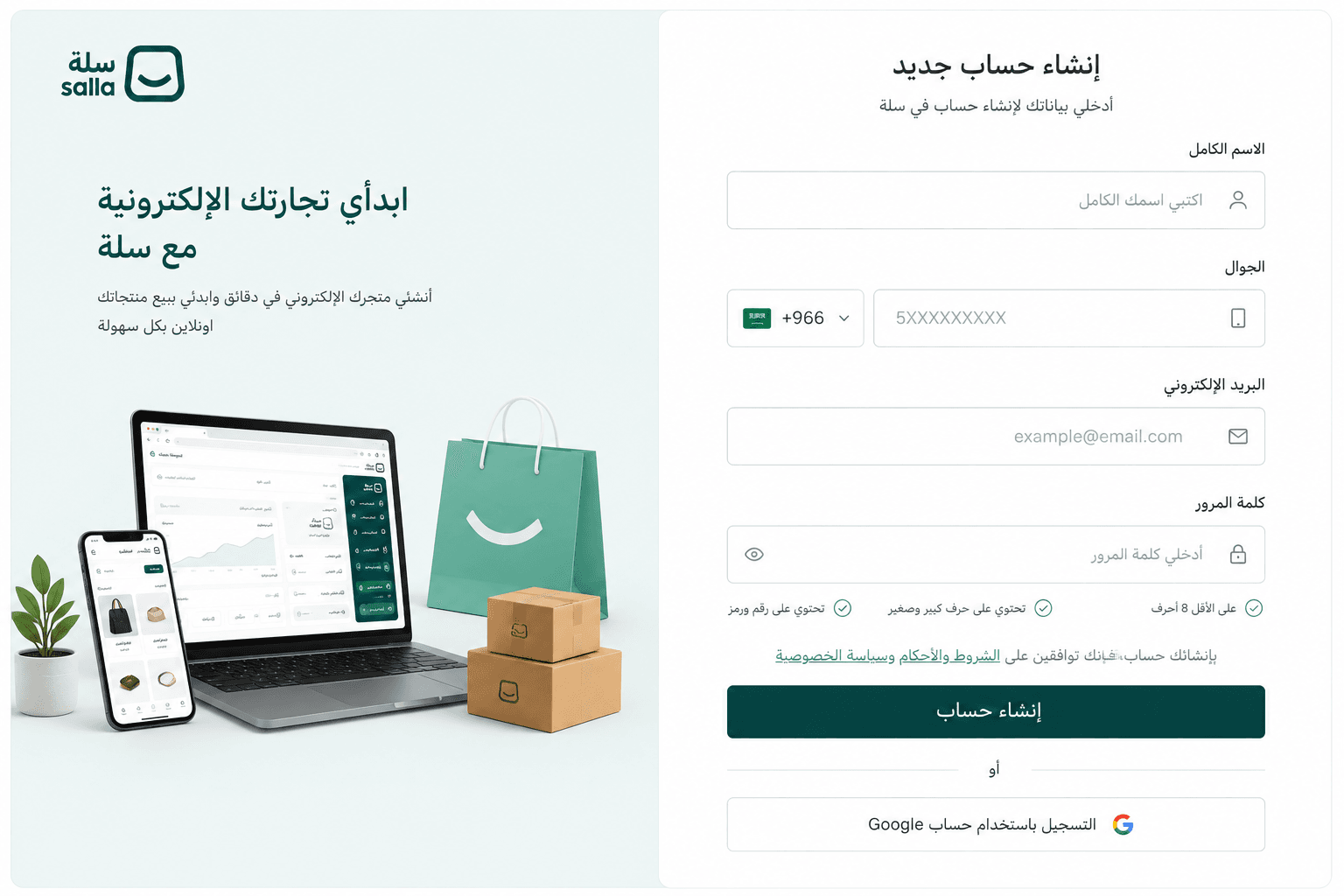
1. Go to the Salla registration page, enter your basic details (name, mobile number, email address), then click (Create account).
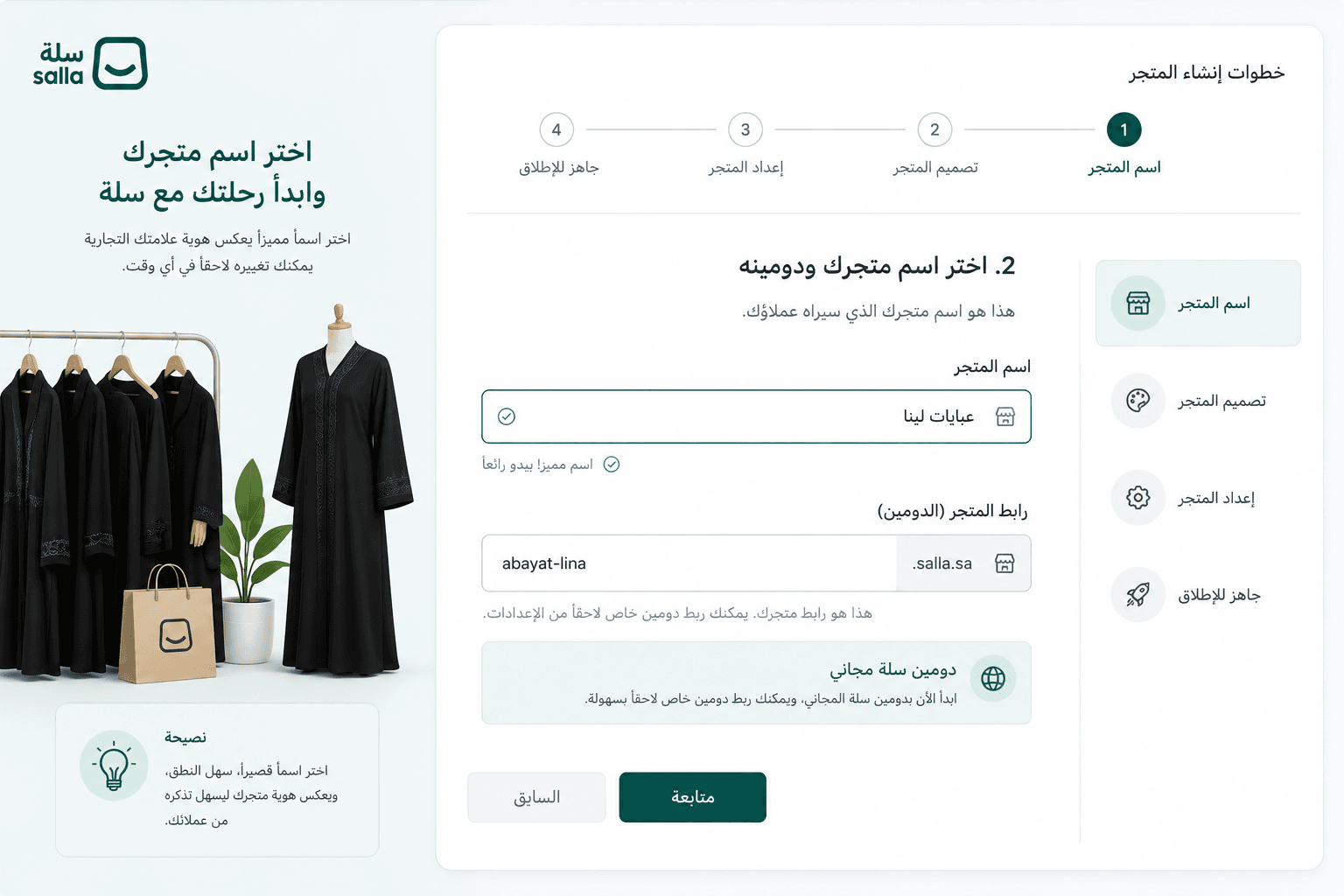
2. Choose your store name and domain. Pick something short, easy to say out loud and true to the brand you want to build — this is the name customers will type, screenshot and recommend. You can start on Salla's free domain (yourstore.salla.sa) and connect a custom domain later, so a domain you haven't bought yet is not a reason to delay launching.
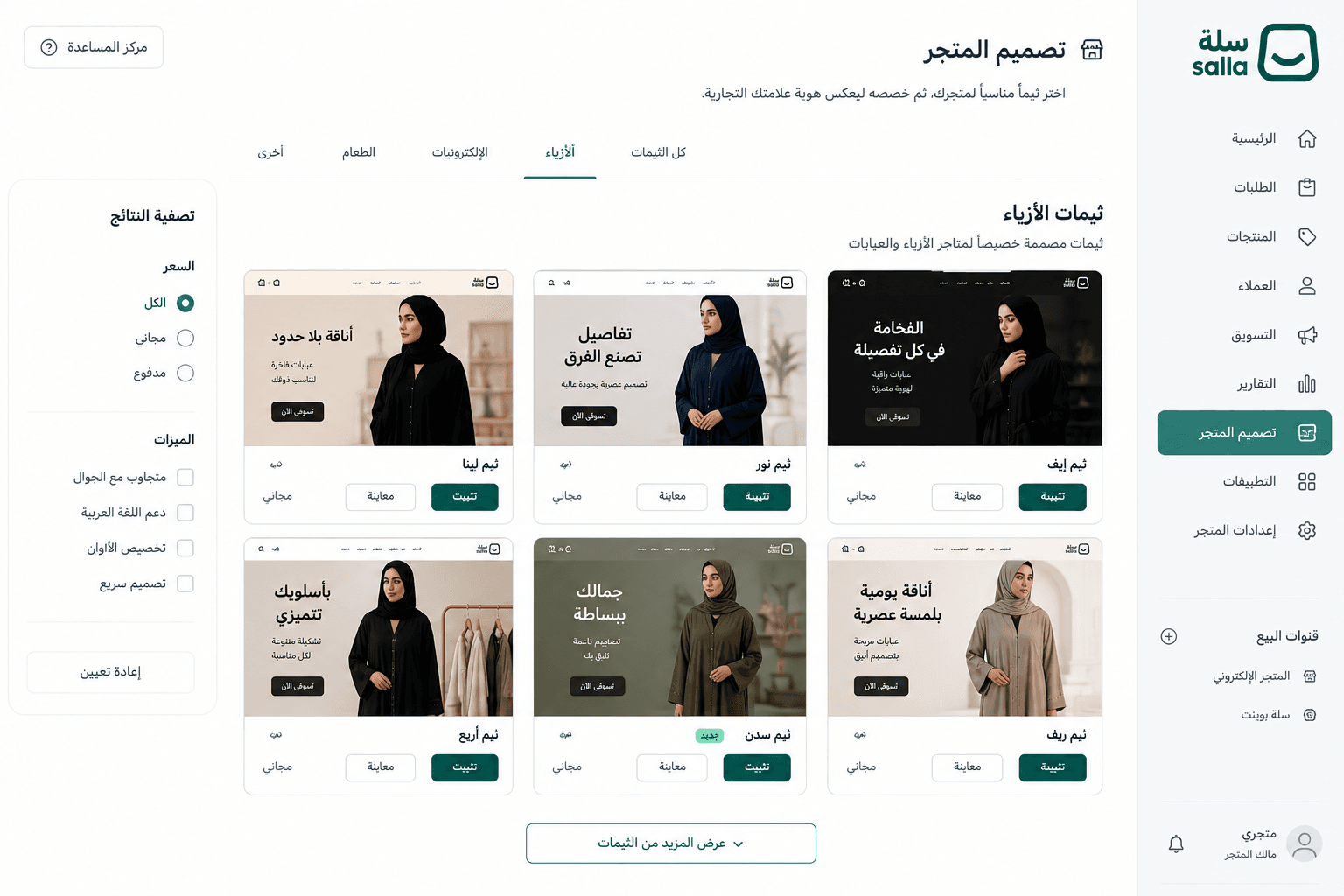
3. From the main menu, go to (Store design) and choose a theme built for the fashion sector. Salla provides themes designed specifically for abaya stores, with layouts that lead on imagery and visual detail rather than on text. This is the single decision with the widest effect on how the store reads, which is why it comes before you add anything to it.
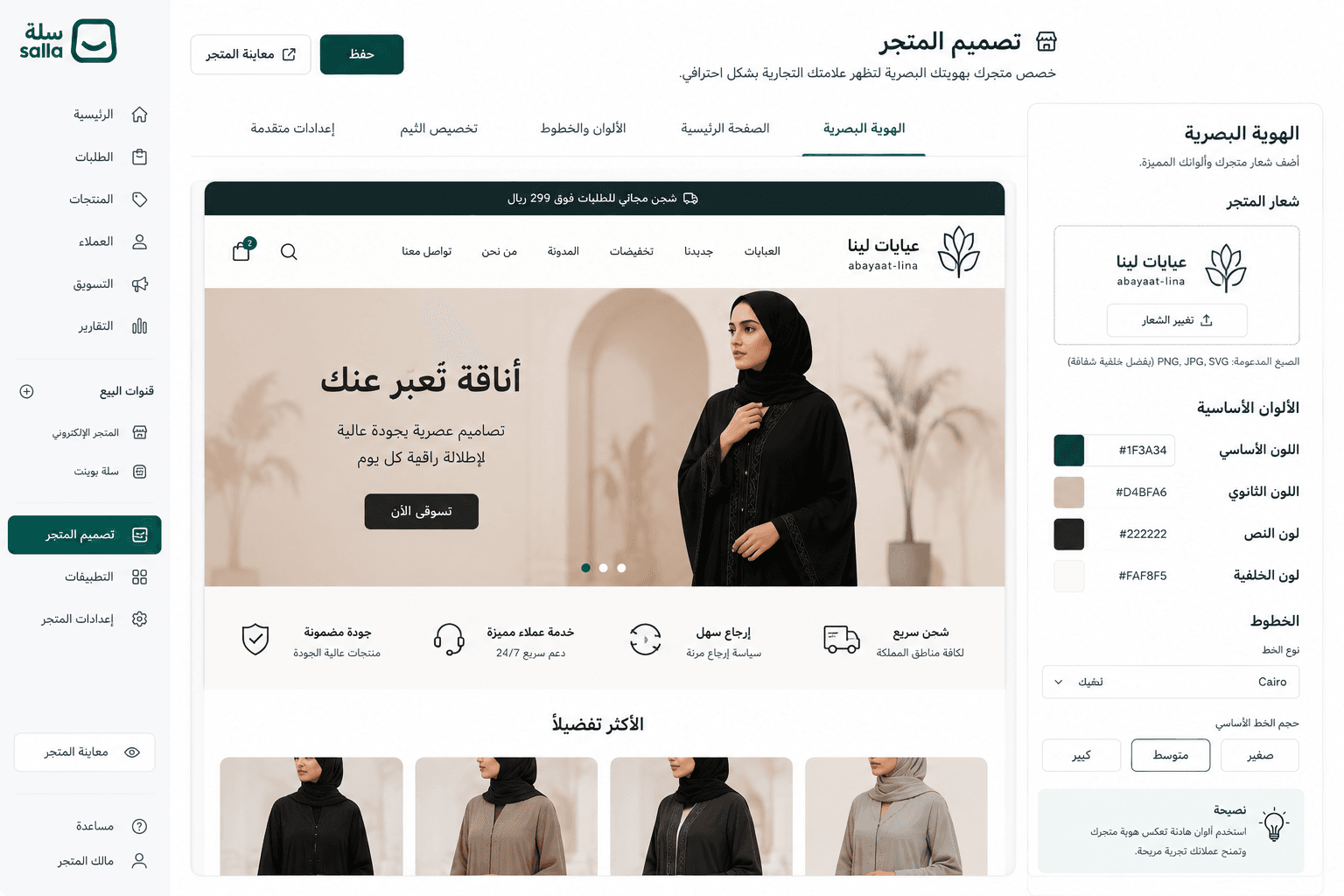
4. Add your visual identity: store logo, primary brand colors, and your storefront images. Salla lets you customize all of it without a designer. Keep the palette narrow — two or three colors is plenty — because in a fashion store the products supply the color and the interface should stay out of their way.
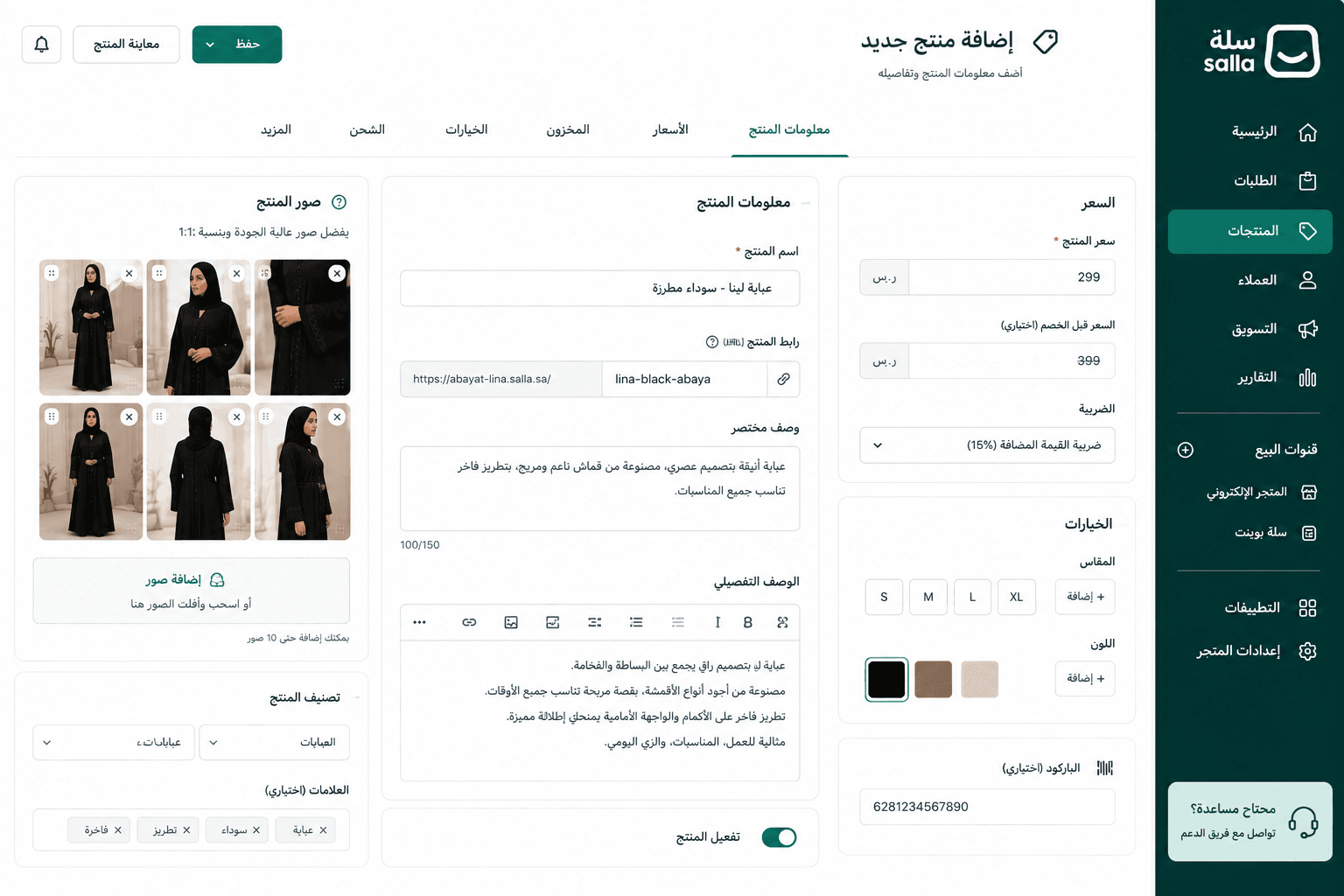
5. Add your first product. From the main menu, click (Products), then (Add new product). Enter the abaya's name, a detailed description, the photographs (4 to 6 images is the right range), size and color options, and the price. The description is where you answer the questions a customer would otherwise ask you on Instagram: fabric, cut, length, how it moves, how it fits.
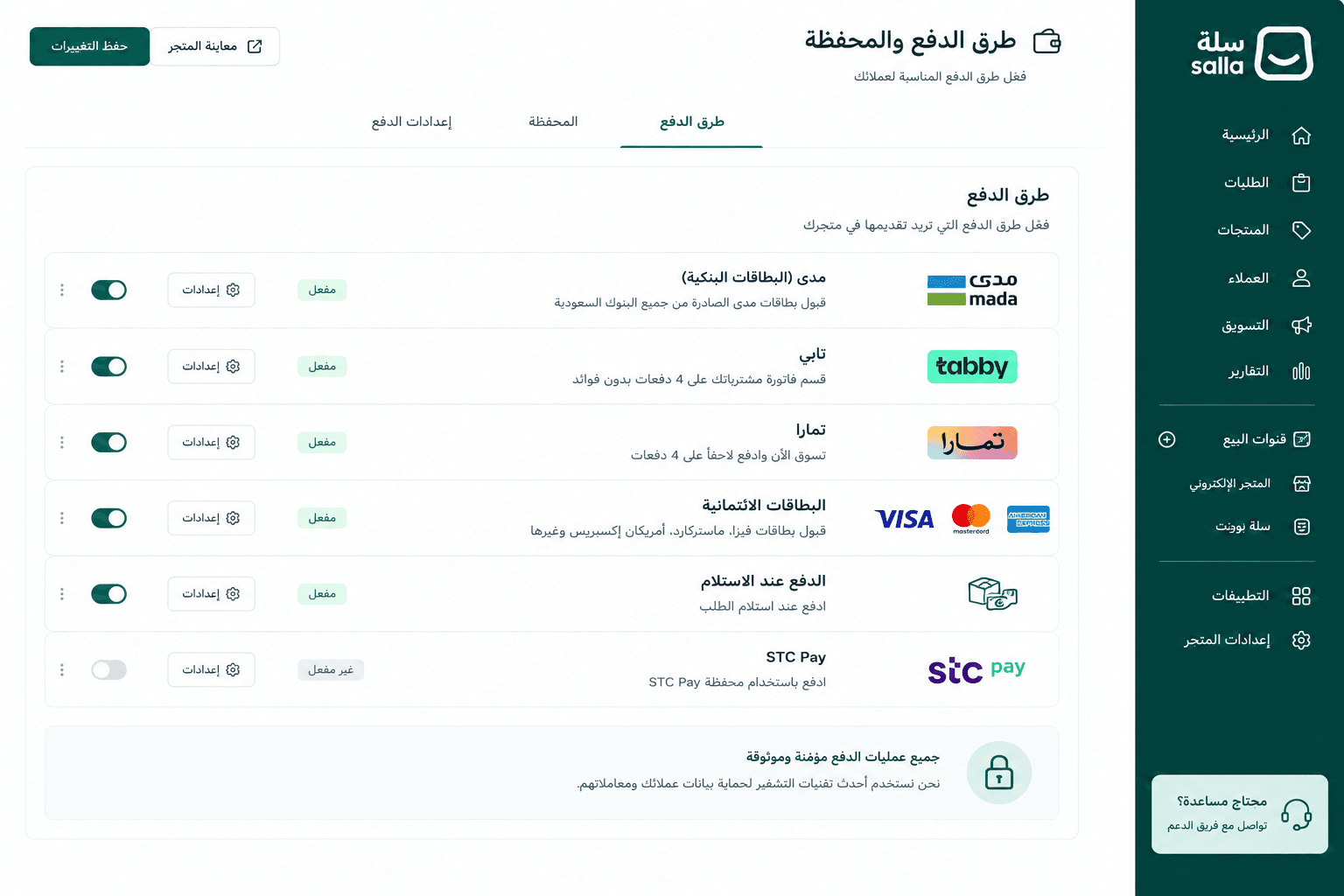
6. Turn on the payment methods your Saudi customers expect: mada, Tabby, Tamara, credit cards, and cash on delivery. All of it lives under (Payment methods and wallet). Enable more than one — a customer who reaches checkout and doesn't recognize a single option does not go looking for an alternative, she leaves.
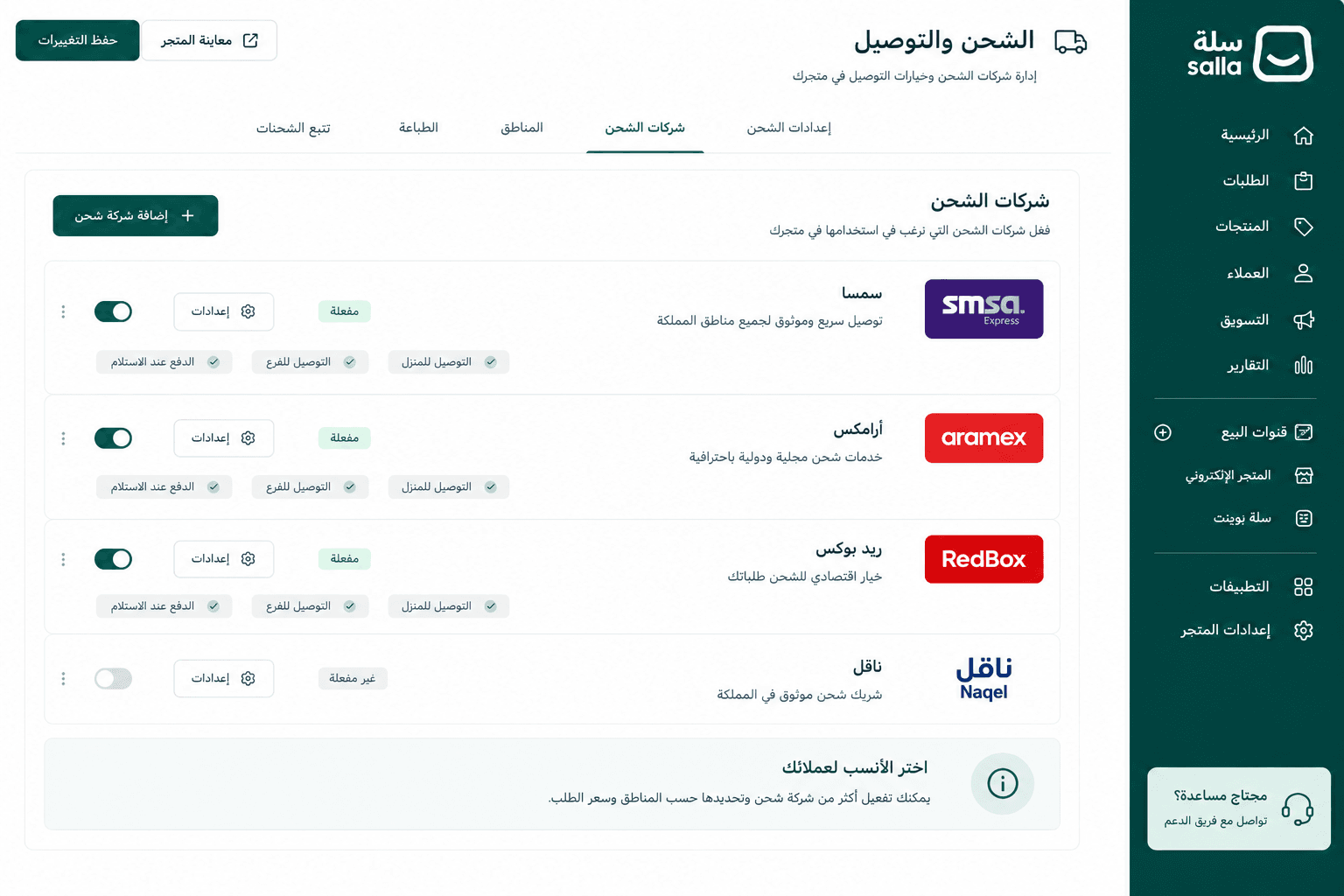
7. Connect your shipping carriers from the (Shipping and delivery) menu. Choose SMSA, Aramex, or RedBox depending on your customers and the delivery areas you're targeting. If you don't yet know where your customers are, start with broad national coverage and narrow it once real orders tell you the answer.
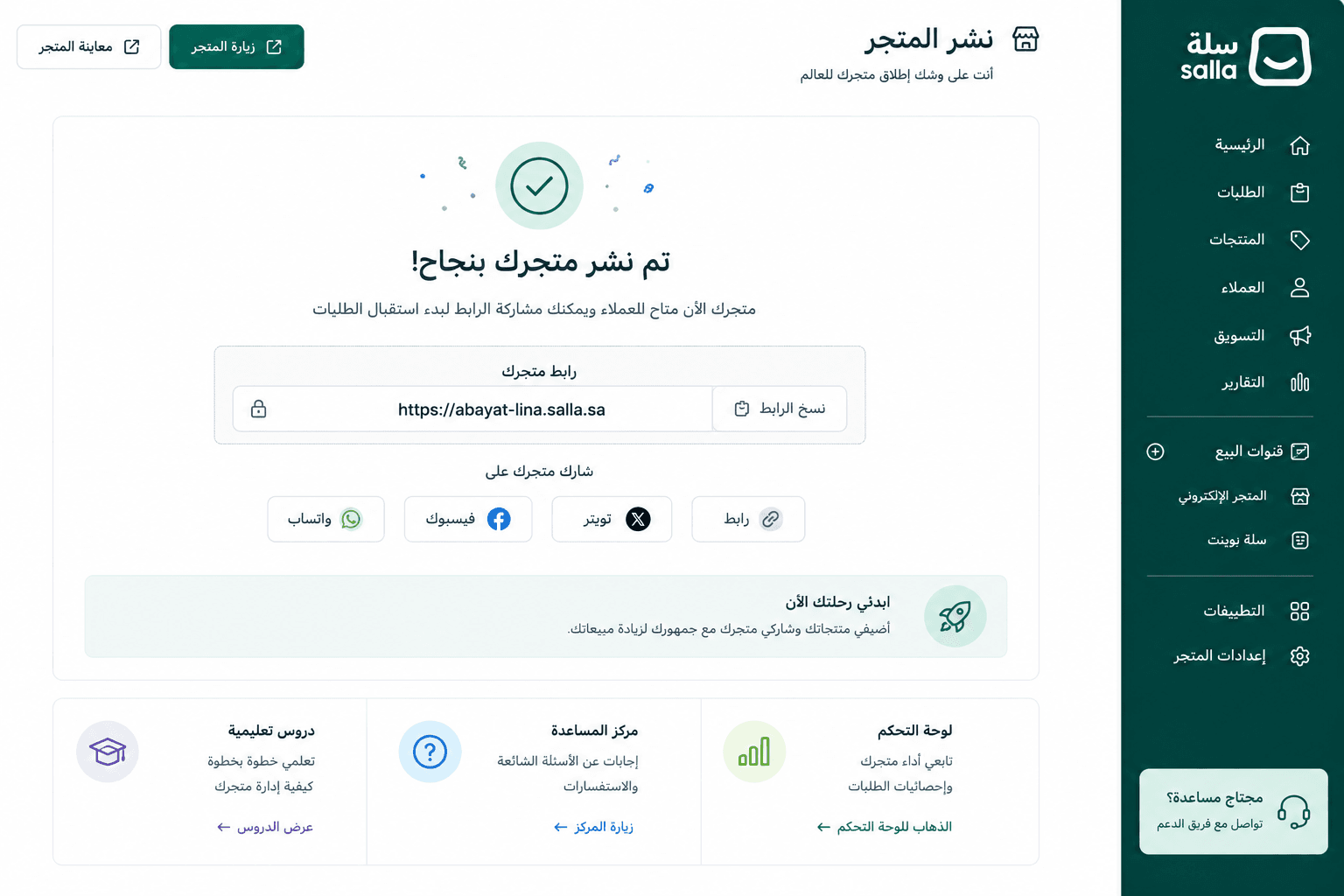
8. Launch. From the welcome screen, click (Publish store). You'll get your official store link, ready to share.
📝 Important notes
Before you publish, ask a friend to go through the store as if she were a customer. An outside run-through catches things you can no longer see as the person who built it — a confusing size label, a missing shipping option, a product photo that looked fine in the editor and doesn't on a phone.
Salla also gives you a store setup wizard that walks you through the process step by step the first time you register.
✅ What 30 minutes actually gets you
Thirty minutes gets you a store that works: it has an identity, a live product, a way to take money and a way to ship. That is a real store, and it can take a real order the same day.
It is not the same thing as a finished store. Photographing a full collection, writing every product description, refining the theme and building out your categories is a different scale of work — realistically 2 to 3 days to reach a genuinely polished, complete result. The point of the 30-minute setup is that you don't need those 2 to 3 days before you start selling. You can open, take your first orders, and finish the polish while the store is already earning.
❓ Frequently asked questions
Do I need technical experience to create the store?
No. Salla's interface is straightforward and in Arabic, and no coding knowledge is required. Every step is laid out visually, and you can start straight away.
How long does it actually take?
The core setup takes 30 minutes. The full build — identity, all your products, photography, theme refinement — takes 2 to 3 days to reach a properly professional standard.
Can I change the theme after I've launched?
Yes. You can change your theme at any time without losing your products or your orders. All customizations stay editable.
When is my store ready to take its first order?
As soon as it's published with at least one payment method and one shipping carrier enabled. In practice, you can take orders the same day you create the store.
How many photos should each abaya have?
4 to 6 images. Fewer than that and the customer can't judge the piece; more than that and she stops looking before she reaches the end.
📖 Further reading
- The best platform to sell abayas online
- The best Salla themes for abaya stores
- How to choose the right abaya supplier
The abaya store you've been planning is 30 minutes away. There is no ideal moment to start, and waiting for one costs more than launching before you feel ready.
Create your store for free and have your abaya store live today.