Selling chilled or frozen products and struggling to find a courier that can handle them?
Not every logistics partner can move temperature-sensitive parcels safely across the country. The Jones integration connects your Salla store to a Saudi logistics company that ships both chilled and dry parcels and offers full warehousing services. In this guide, you'll learn what Jones offers, whether you need an account first, and how to install the app and set your shipping rates.
To connect Jones with Salla, open (Installed apps) from your dashboard's side menu, click (Browse Salla App Store), open the Jones app page, click (Install), then review the permissions and click (Grant permission). A Jones account is created for you automatically.
📌 Article overview
- What is Jones?
- Do you need a Jones account before connecting?
- How to connect your store with Jones
- Frequently asked questions
What is Jones?
Jones is a Saudi company that provides logistics solutions and services, specializing in moving postal parcels. It delivers both chilled and dry parcels to every city in the Kingdom, and it also offers complete warehousing services built around what its customers need.
Do you need a Jones account before connecting?
No. When you install the Jones app from the Salla App Store, a new Jones account is created for you automatically. If you already have a Jones account, contact Jones technical support to activate that account on your Salla store.
🚀 How to connect your store with Jones
1. From the side menu of your dashboard, click (Installed apps).

2. From the Salla App Store banner, click (Browse Salla App Store).

3. On the Jones app page, click (Install).
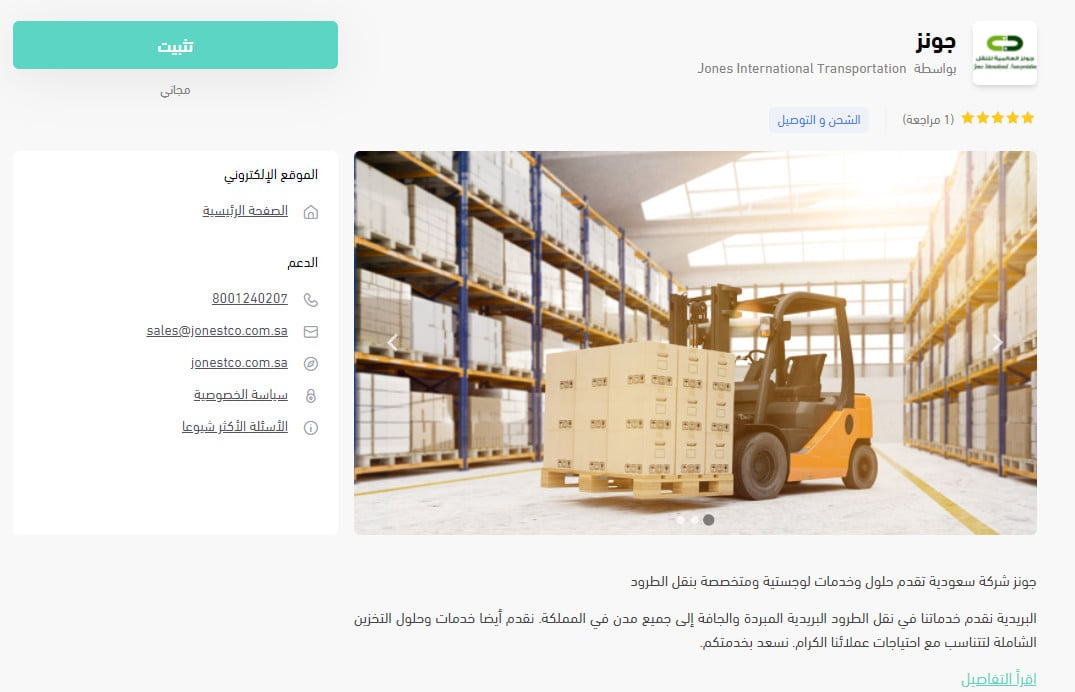
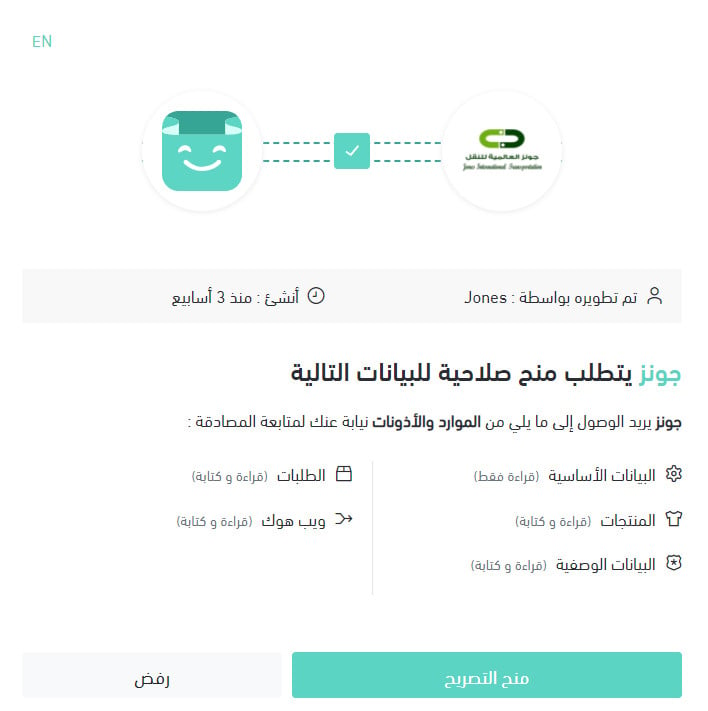
4. Review the permissions the app requests, then click (Grant permission).
Your Salla store is now connected to your Jones account.
For more details, see managing your store's apps.
❓ Frequently asked questions
This section answers the following questions:
- How do I set up shipping rates for Jones?
- How do I temporarily disable the app in my store?
- How do I remove the Jones app from my store?
How do I set up shipping rates for Jones?
1. From the side menu of your dashboard, click (Installed apps).

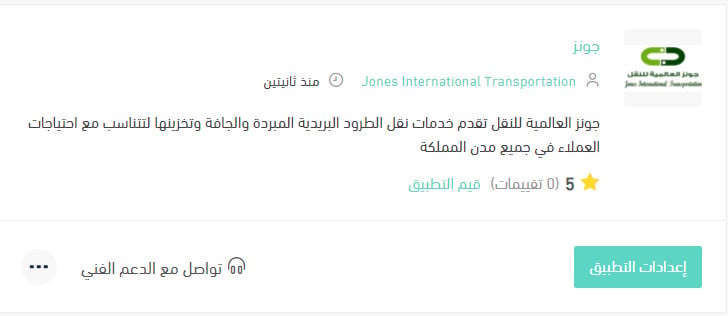
2. On the all apps page, under the Jones app, click (App settings).
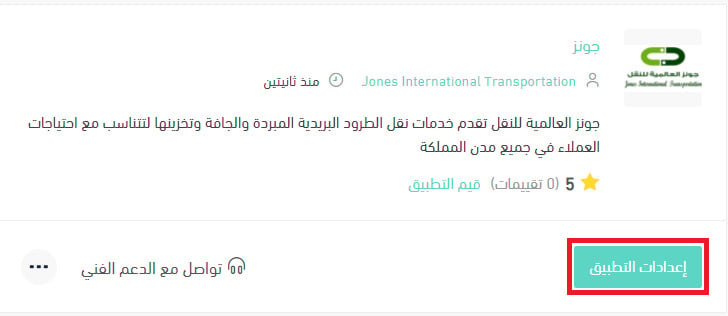
3. From the (Shipping rates) tab, enter the shipping rates for the cities and regions you need. 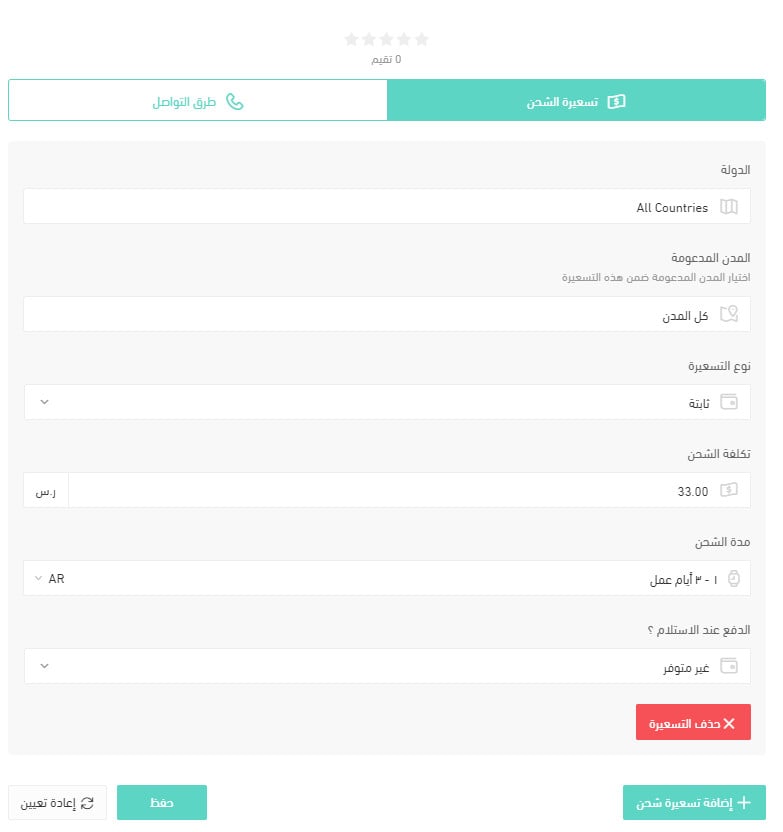
For more details, see shipping and delivery option settings.
How do I temporarily disable the Jones app in my store?
1. From the side menu of your dashboard, click (Installed apps).
2. On the all apps page, under the Jones app, click (App settings).
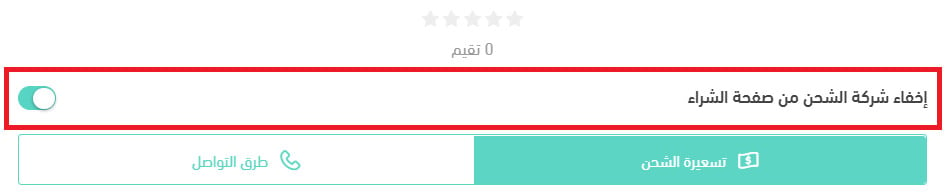
3. Turn the (Hide the shipping company from the checkout page) option on or off.
How do I remove the Jones app from my store?
1. From the side menu of your dashboard, click (Installed apps).
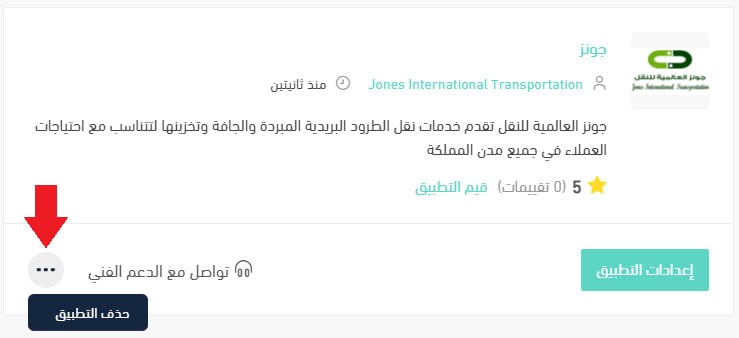
2. On the all apps page, under the Jones app, click the (...) icon, then click (Delete app), as shown in the image.
With Jones connected, chilled and dry parcels reach customers across the Kingdom, and you control rates and checkout visibility from your Salla dashboard.