Would you rather pay for warehouse space, or have your courier store and pack your products for free?
The right shipping partner does more than move boxes. The Awfar Express integration connects your Salla store to a courier offering cash on delivery, 24-hour express delivery, door-to-door handover, free storage and packing, and free returns on undelivered orders. In this guide, you'll learn what Awfar Express offers, whether you need an account first, and how to connect it to your store.
To connect Awfar Express with Salla, open (Installed apps) from your dashboard's side menu, click (Browse Salla App Store), install the Awfar Express app, grant its permissions, then choose the plan that fits your business and click (Upgrade plan) to finish the connection.
📌 Article overview
- What services does Awfar Express offer?
- Do you need an Awfar Express account before connecting?
- How to connect your store with Awfar Express
- Frequently asked questions
What services does Awfar Express offer?
[Verify: the courier's name appears only in Arabic script in the source, and is spelled two different ways there. It is transliterated here as Awfar Express — confirm the official English spelling.]
1. Cash on delivery: collects the shipment value from the customer and transfers it to merchants on a regular schedule.
2. Express delivery: delivers your customers' shipments within 24 hours, inside the customer's own city.
3. Door to door: hands the shipment over at the customer's door on your behalf.
4. Storage and packing: stores your products in Express warehouses free of charge, and prepares, packs, and ships them to your customers.
5. Returns, refunds, and exchanges: lets you take back or exchange delivered shipments, and return undelivered or cancelled products free of charge.
📝 Important notes
Terms and conditions apply according to the Awfar Express company policy.
To install the Awfar Express app, go to its page in the Salla App Store.
Do you need an Awfar Express account before connecting?
No. When you install the Awfar Express app from the Salla App Store, your Awfar Express account is created automatically. If you already have an Awfar Express account, contact Awfar Express technical support to activate that account on your Salla store.
🚀 How to connect your store with Awfar Express
1. From the side menu of your dashboard, click (Installed apps).

2. From the Salla App Store banner, click (Browse Salla App Store).

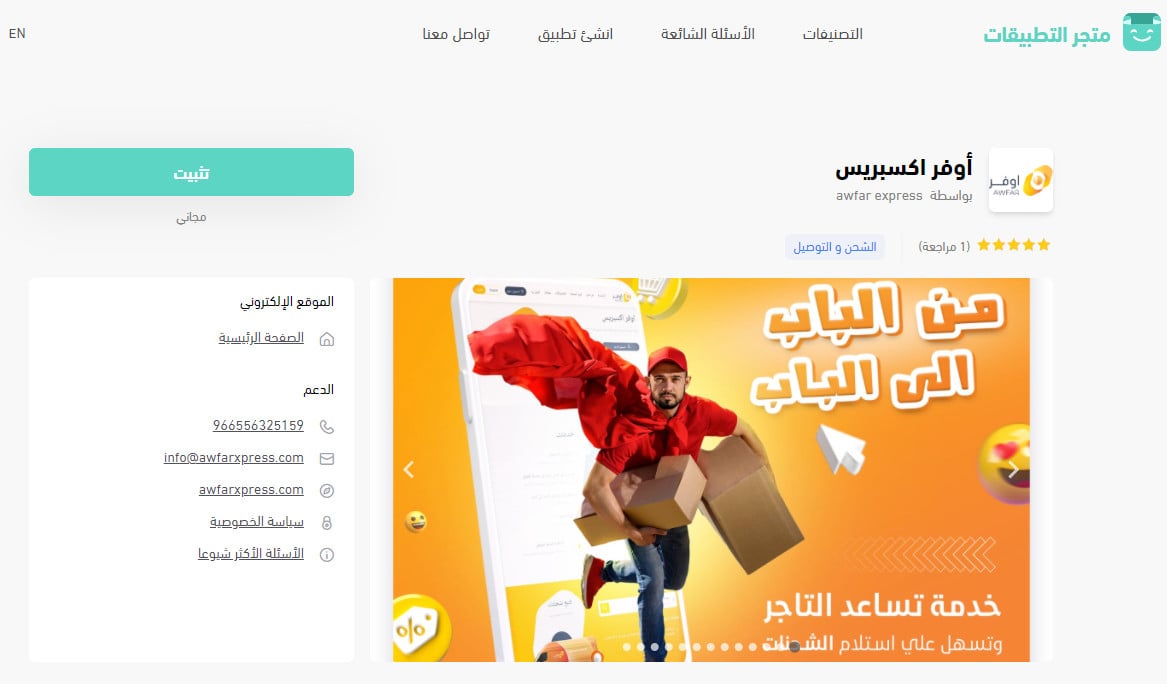
3. On the Awfar Express app page, click (Install).
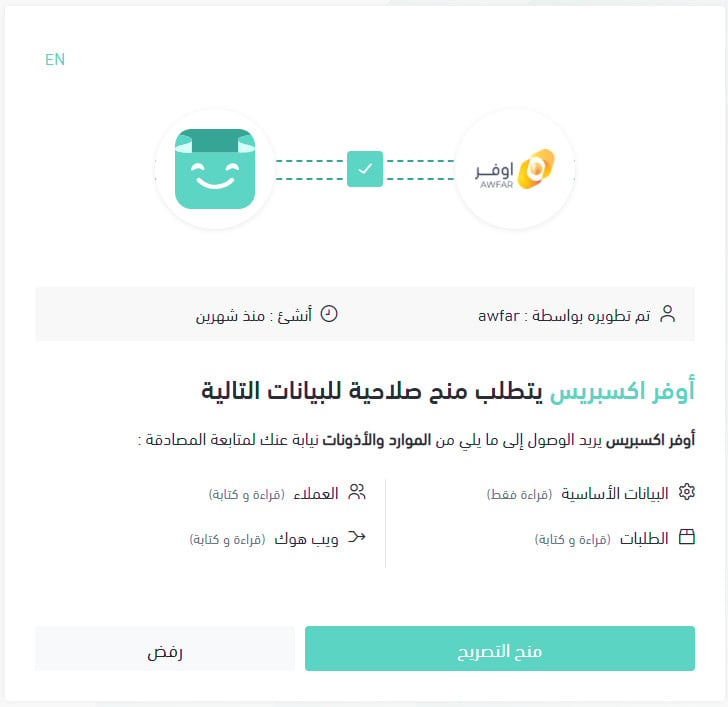
4. Review the permissions the app requests, then click (Grant permission).
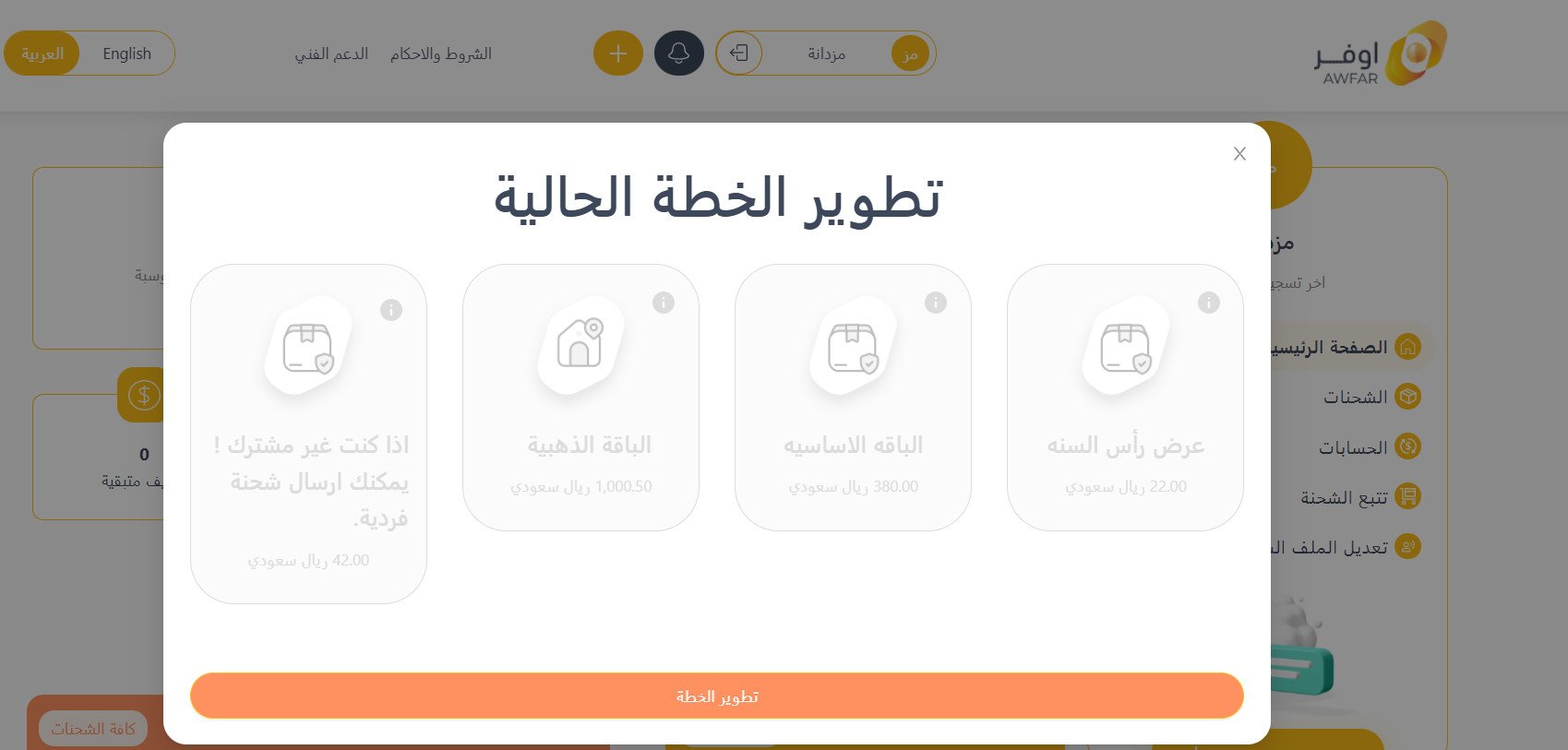
5. Choose the plan that suits your business, then click (Upgrade plan).
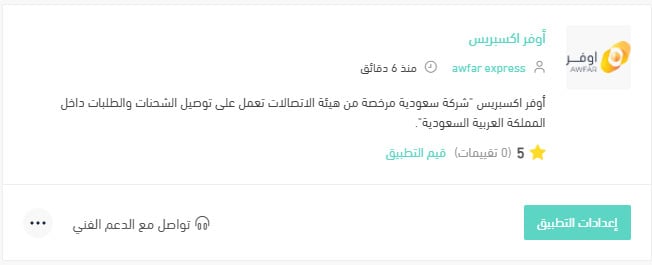
Your Salla store is now connected to your Awfar Express account.
For more details, see managing your store's apps.
❓ Frequently asked questions
This section answers the following questions:
- How do I set up shipping rates for Awfar Express?
- How do I temporarily disable the app in my store?
- How do I remove the Awfar Express app from my store?
How do I set up shipping rates for Awfar Express?
1. From the side menu of your dashboard, click (Installed apps).

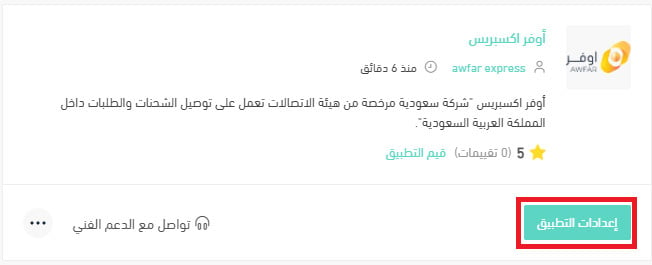
2. On the all apps page, under the Awfar Express app, click (App settings).
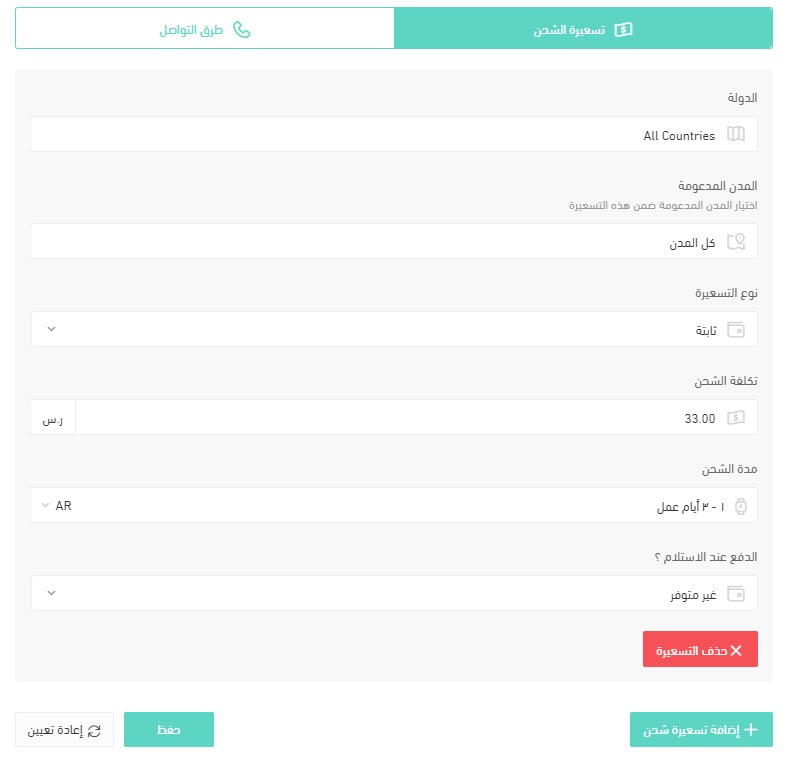
3. From the (Shipping rates) tab, enter the shipping rates for the cities and regions you need.
For more details, see shipping and delivery option settings.
How do I temporarily disable the Awfar Express app in my store?
1. From the side menu of your dashboard, click (Installed apps).
2. On the all apps page, under the Awfar Express app, click (App settings).
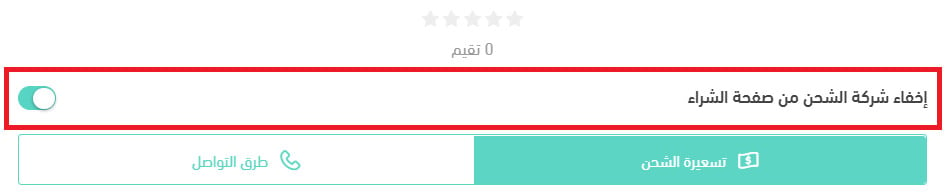
3. Turn the (Hide the shipping company from the checkout page) option on or off.
How do I remove the Awfar Express app from my store?
1. From the side menu of your dashboard, click (Installed apps).
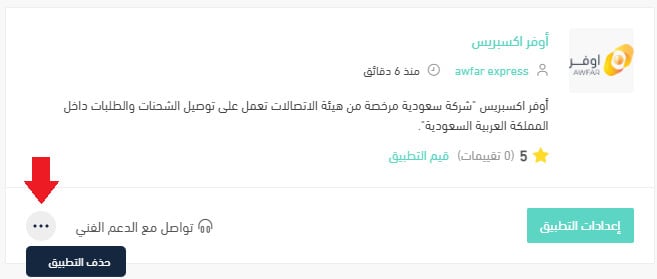
2. On the all apps page, under the Awfar Express app, click the (...) icon, then click (Delete app).
With Awfar Express connected, you get same-city express delivery, cash on delivery, and free storage and packing, all managed from your Salla dashboard.