What if your courier stored your products, packed every order, and shipped it for you?
Fulfillment is where most growing stores lose time. Arabexsa supports the logistics side of online stores with transport and warehousing, receiving your orders the moment they come in, then preparing, packing, and shipping them to the end customer. In this guide, you'll learn what Arabexsa does, whether you need an account first, and how to connect it to your Salla store.
To connect Arabexsa with Salla, open (Installed apps) from your dashboard's side menu, click (Browse Salla App Store), open the Arabexsa app page, click (Install), then review the permissions and click (Grant permission). An Arabexsa account is created for you automatically.
📌 Article overview
- What is Arabexsa?
- Do you need an Arabexsa account before connecting?
- How to connect your store with Arabexsa
- Frequently asked questions
What is Arabexsa?
Arabexsa focuses on supporting the logistics side of online stores. It provides transport services and stores your products in Arabexsa warehouses, and the electronic connection means customer orders arrive in real time. The Arabexsa team then prepares, packs, and ships each order to the end customer. You also get your own page in the Arabexsa system, where you can monitor stock movement and automatic physical counts for every product, track shipments, and read reports on how your products are moving operationally.
Do you need an Arabexsa account before connecting?
No. When you install the Arabexsa app from the Salla App Store, your Arabexsa account is created automatically. If you already have an Arabexsa account, contact Arabexsa technical support to activate that account on your Salla store.
🚀 How to connect your store with Arabexsa
1. From the side menu of your dashboard, click (Installed apps).

2. From the Salla App Store banner, click (Browse Salla App Store).

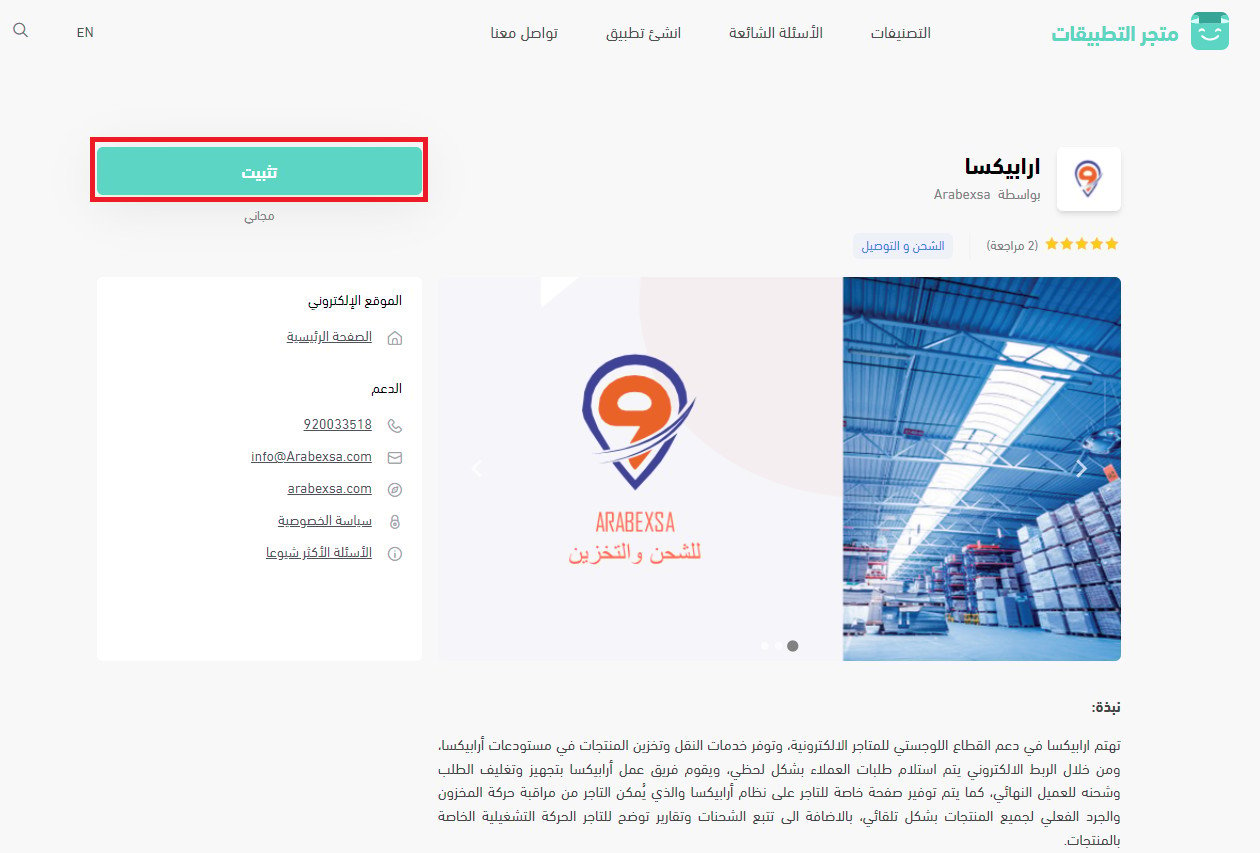
3. On the Arabexsa app page, click (Install).
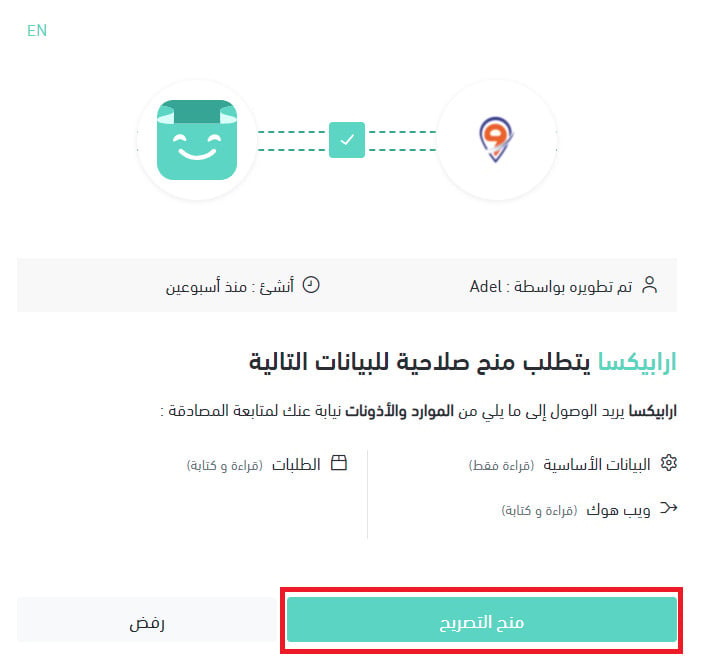
4. Review the permissions the app requests, then click (Grant permission).
Your Salla store is now connected to your Arabexsa account. 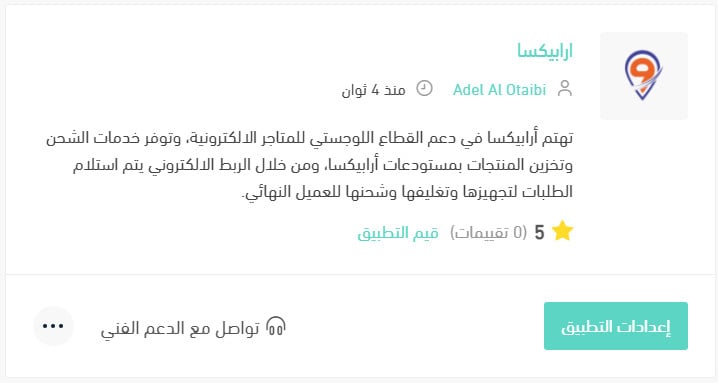
For more details, see managing your store's apps.
❓ Frequently asked questions
How do I set up shipping rates for Arabexsa?
1. From the side menu of your dashboard, click (Installed apps).

2. On the all apps page, under the Arabexsa app, click (App settings). 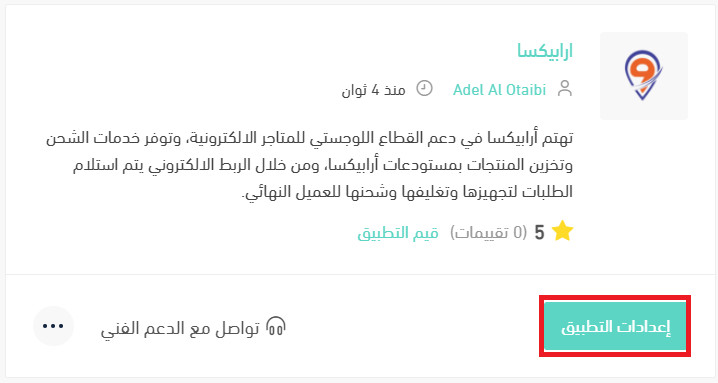
3. From the (Shipping rates) tab, enter the shipping rates for the cities and regions you need.
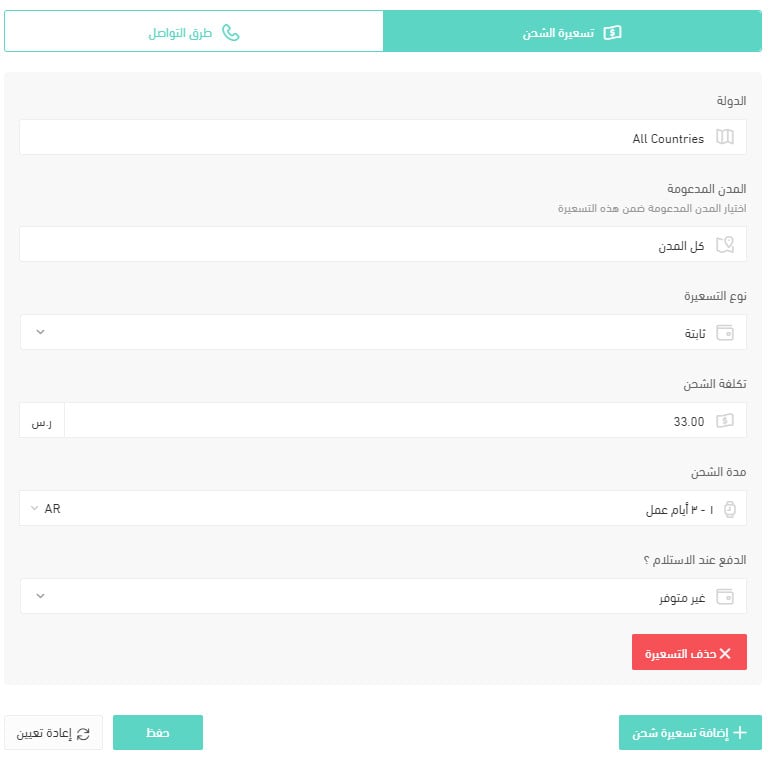
For more details, see shipping and delivery option settings.
How do I temporarily disable the Arabexsa app in my store?
1. From the side menu of your dashboard, click (Installed apps).
2. On the all apps page, under the Arabexsa app, click (App settings).
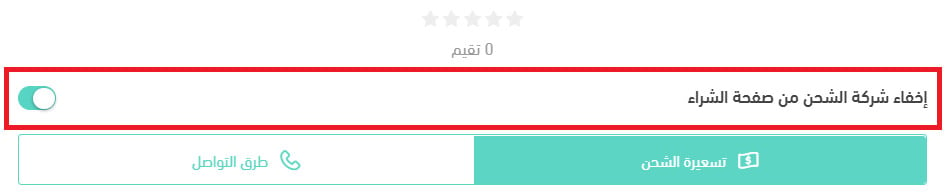
3. Turn the (Hide the shipping company from the checkout page) option on or off.
How do I remove the Arabexsa app from my store?
1. From the side menu of your dashboard, click (Installed apps).
2. On the all apps page, under the Arabexsa app, click the (...) icon, then click (Delete app).

Which cities are supported for the merchant?
Products for storage are collected from all main regions of the Kingdom.
Which cities are supported for customer shipping and delivery?
All regions of the Kingdom, plus the Gulf countries.
How does contracting and connecting work?
You connect by installing the Arabexsa app on Salla, and the Arabexsa team then contacts you to complete the contract.
How are amounts settled?
Every 14 days when the collected amounts are below SAR 10,000, and every 7 days for amounts above SAR 10,000.
When is the best time to contact the company's customer service?
Working hours are 8 am to 6 pm, and questions are answered around the clock by email.
Does the merchant get a report on amounts or stock when one is available?
A detailed report on collected amounts is sent to you, and stock is monitored through your merchant page in the Arabexsa system.
How is an order sent to the company?
Your store and the Arabexsa system are connected electronically, so your orders are received automatically.
Is there a shipment tracking system?
Yes. Every shipment is tracked, and you can monitor shipment statuses from your own page in the Arabexsa system.
How do waybills work?
Waybills are created by the Arabexsa team.
If a shipment contains more than one carton, does each carton get its own waybill, or do they all go in one box on a single waybill?
The Arabexsa team decides the most suitable packing method based on the size and type of the product.
How do I change a customer's address after the waybill has been issued?
You can edit the order details from your merchant page in the Arabexsa system.
Do you offer shipping within the same city, and shipping between cities?
Yes.
Is there a door-to-door pickup and delivery service?
No.
Does the company support international shipping, and which countries do you ship to?
The Gulf countries: the UAE, Kuwait, Oman, and Bahrain.
If there is a problem with a shipment, how do I get in touch?
From your merchant page, submit a request using the waybill number and it will be handled.
Can liquid products be shipped?
Yes.
What is the maximum number of cartons that can be shipped at one time?
There is no limit.
Can valuable products be shipped? Are they insured, and what is the maximum insurance coverage?
Yes, provided you notify Arabexsa before the order is shipped. [Verify: the source does not state a maximum insurance coverage amount.]
Is there a two-hour delivery service?
No.
What are the delivery limits inside and outside the city?
All regions of the Kingdom.
Do you offer refrigerated shipping, and what temperature do your vehicles run at?
Refrigerated shipping is available within the city of Riyadh. [Verify: the source does not state the vehicle temperature.]
Are storage, preparation, and packing services available?
Yes. Arabexsa provides the full range of logistics support services.
What are the minimum and maximum shipping weights?
32 kg maximum. [Verify: the source does not state a minimum weight.]
Is cash on delivery available, what does it cost, and is card payment supported?
Arabexsa offers cash on delivery in cash or by card, charged at SAR 8 per order.
How is the shipping or delivery price calculated?
SAR 24 per shipment up to 10 kg, plus SAR 2 for each additional kilogram.
If a courier is available for home pickup, when is the courier sent?
This service is not available.
Is there a return service, and what does it cost, if the customer does not receive the goods?
There is a return-to-warehouse service, and it costs SAR 8.
If a shipment or its products are delayed or damaged, what happens and who covers the cost?
Arabexsa contacts the shipping companies to find out the cause, and compensation follows the shipping company's policy.
How long does delivery take inside the merchant's city, and how long does shipping take?
Within the city of Riyadh, 24 hours. Outside Riyadh, 2 to 5 working days.
With Arabexsa connected, your stock sits in its warehouses, orders flow in automatically, and its team handles packing, waybills, and delivery while you watch it all from one merchant page.