Customer loyalty program in Salla
It is a paid application provided by Salla that allows you to build a complete loyalty system for your store. This program rewards your customers with points that they can redeem for rewards you define, based on actions such as purchases, store reviews, completing their profile, or sharing your store link with others.
Customers can exchange their points for products, discount coupons, or free shipping. You have full control over how many points are required for each reward, how customers earn them, and how long they remain valid.
The program also includes detailed reports showing how customers use their loyalty points, who earns the most points, and more.
📌Article overview
- Install the customer loyalty program app
- Set up and customize the customer loyalty program
Installing the customer loyalty program app
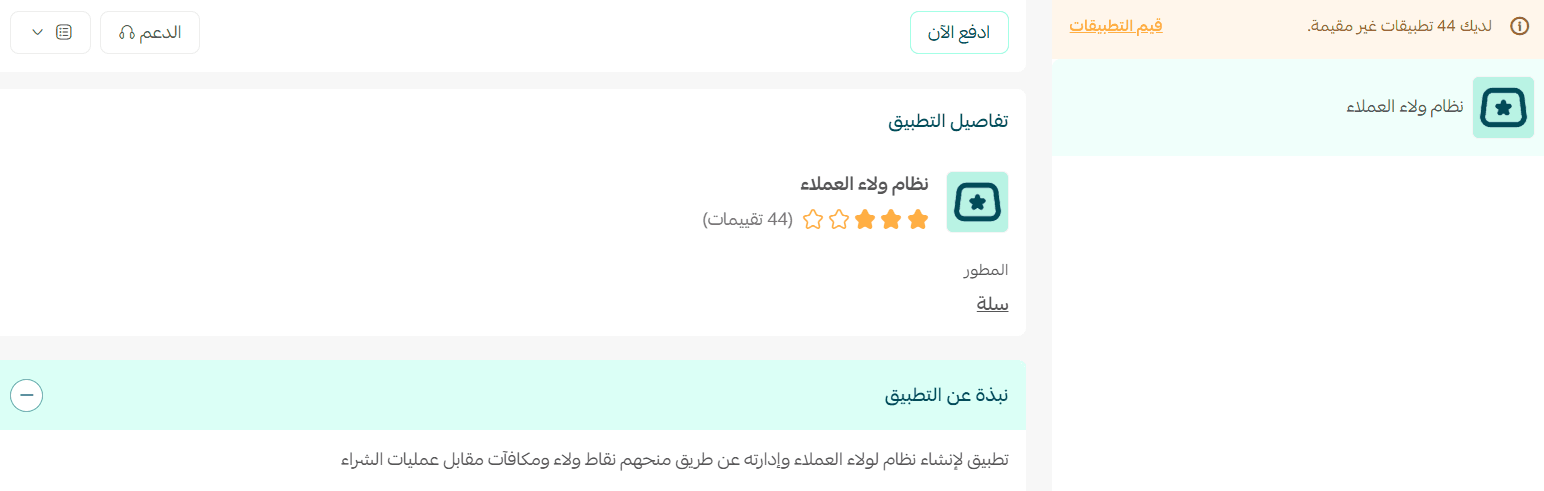
- From the main menu, click (All), then under Support Tools, click (App Store).
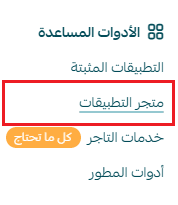
- Search for the app using the search field.

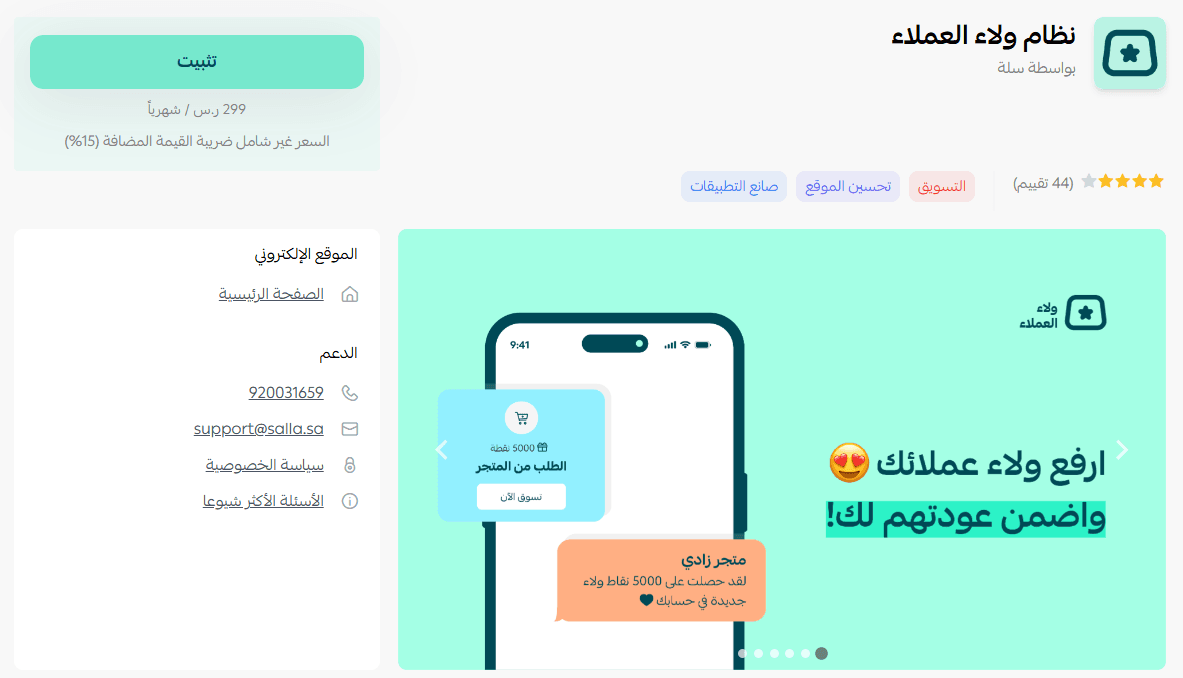
- From the Customer Loyalty Program app page, click (Install).
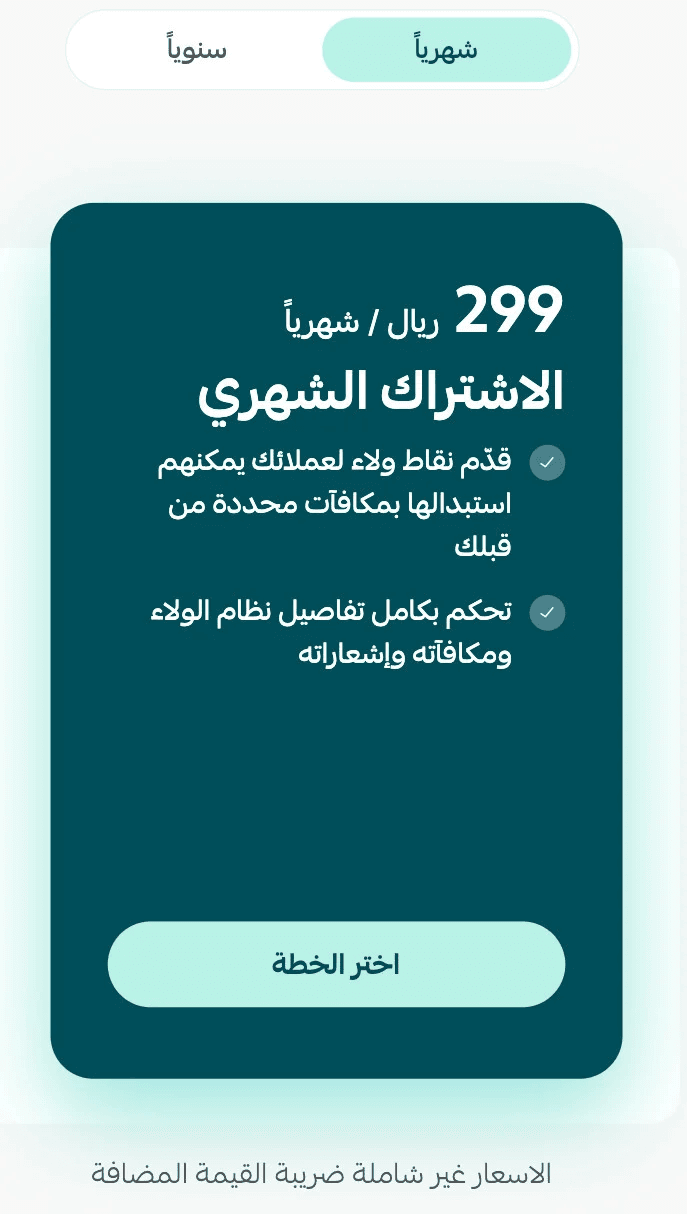
- Choose the plan that best fits your business.
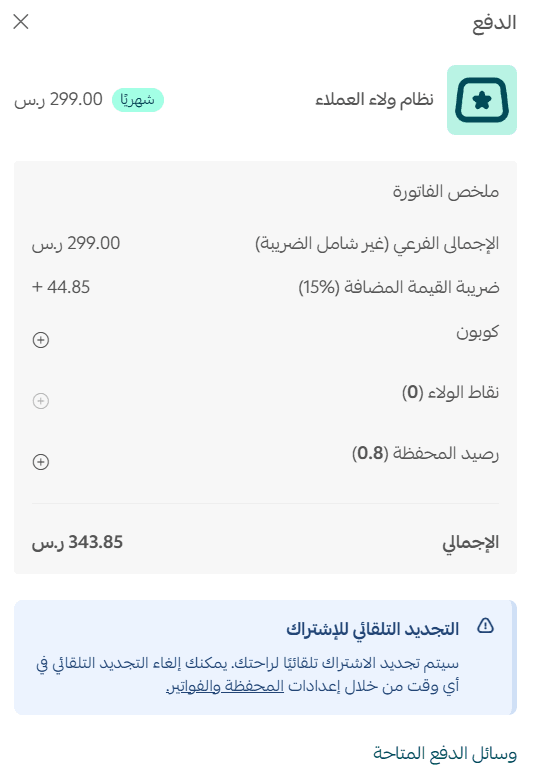
- Complete the payment details and click (Confirm Payment).
- The Customer Loyalty Program has now been successfully installed in your store.
Setting up and customizing the customer loyalty program
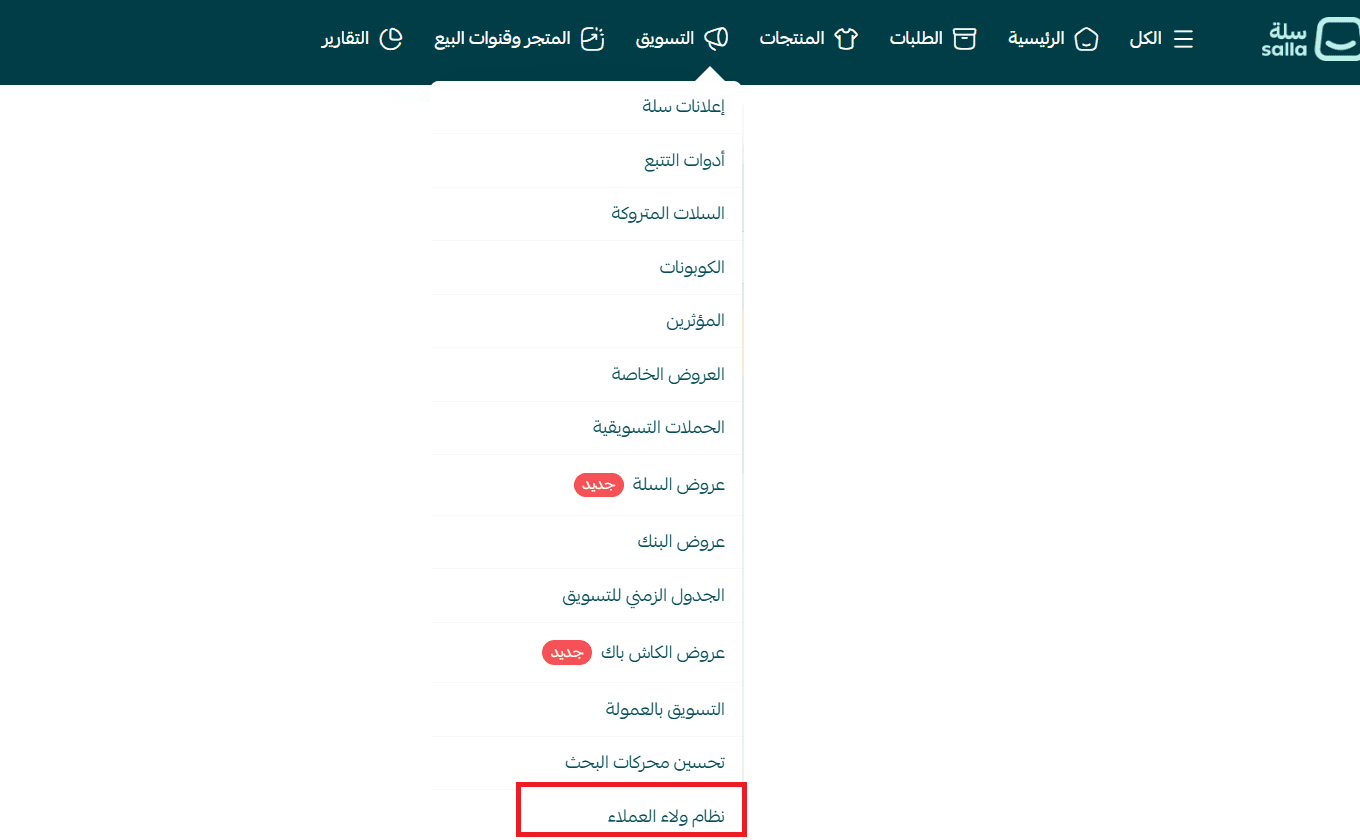
- Go to the Marketing section, then click (Customer Loyalty Program).
- From the system settings page, select (Customize).

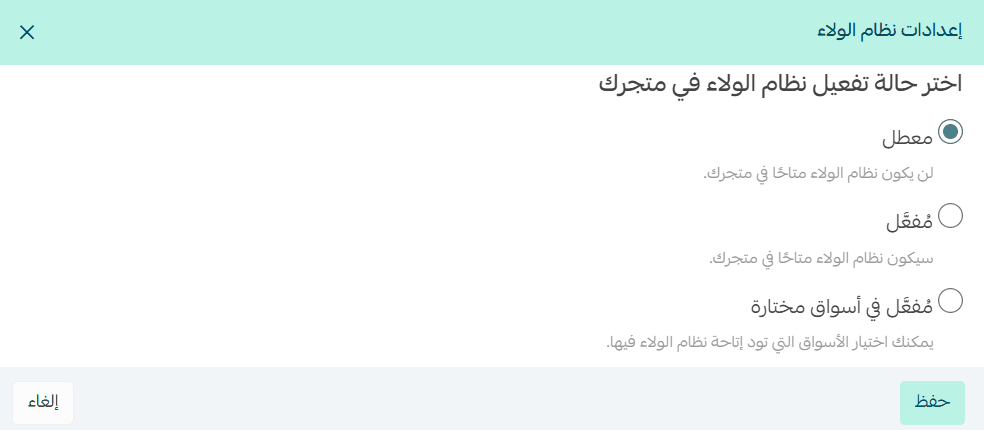
- You will see options to control how the gifting feature appears in your store:
- Disabled: The Customer Loyalty Program will not be active for your store visitors.
- Enabled: The Customer Loyalty Program will be active for all customers across all markets.
- Enabled in selected markets: You can choose specific markets where the program will be available, such as the default market in your store.
- After selecting the appropriate status, click Save to apply the changes.
🔎 Note:
- If your store supports multiple markets, you will see market selection options.
- If your store does not support multiple markets, you will only see the enable/disable option.
- Fill in the details, then click (Save).
Enter the basic customer loyalty program information under general options
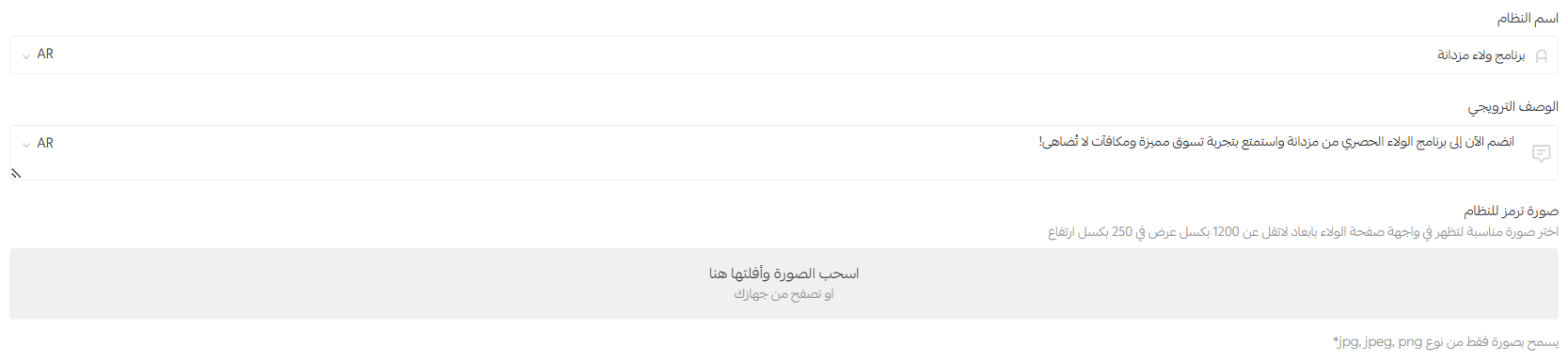
- Enter the name of the loyalty program you want to launch.
- Enter the promotional description that will appear to customers.
- Add an image to display on the loyalty page interface for your customers.
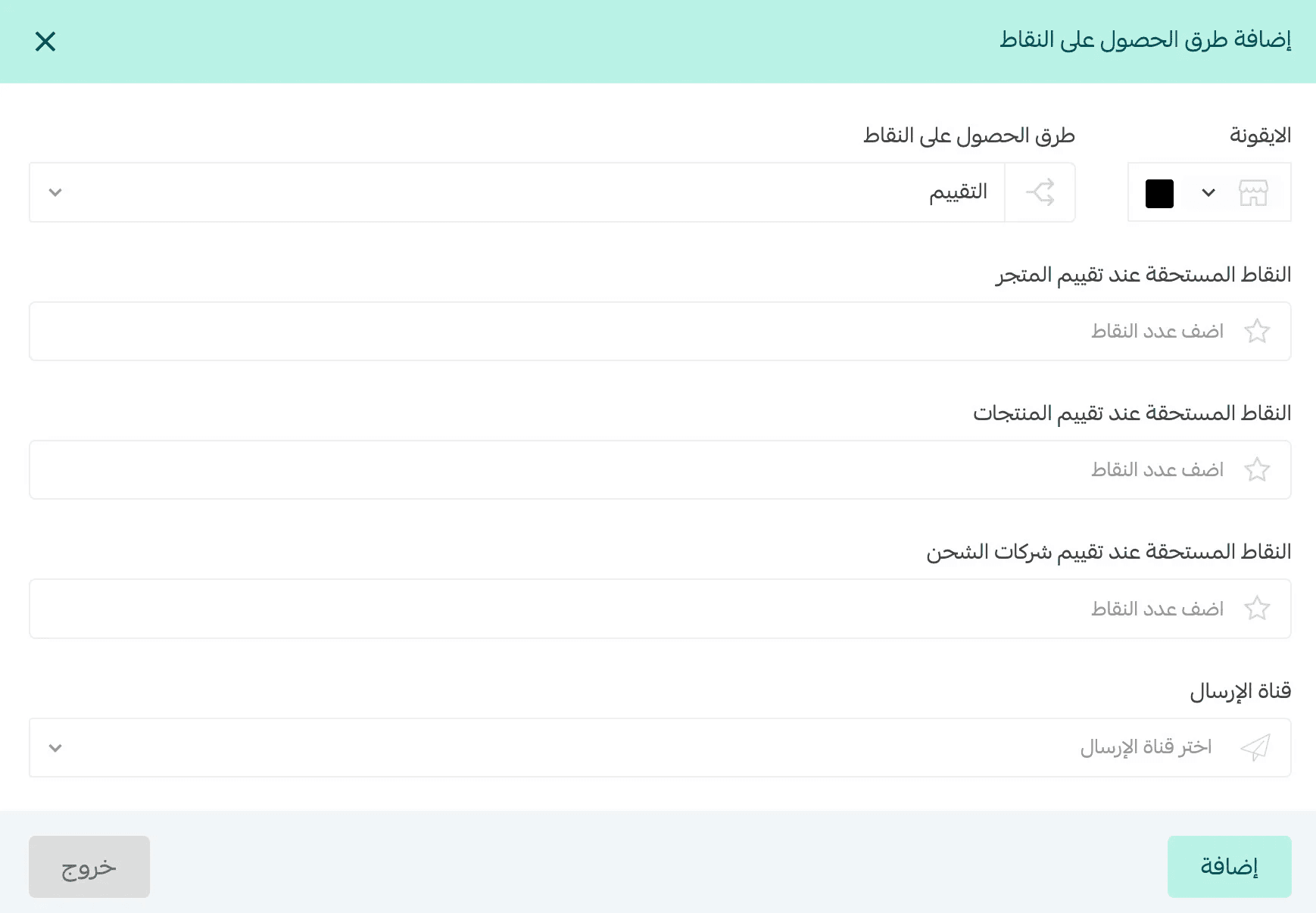
Under the points section, add ways for customers to earn points by clicking (Add New Method)

Then choose from the available options how customers can earn points in your store.
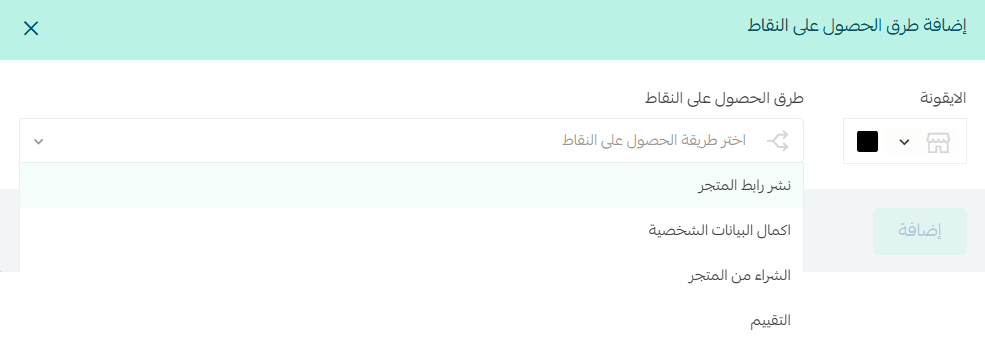
1. Sharing the store link
- Add the number of points a customer earns when sharing your store link.
- Choose the notification channel you want to alert your customer through (you may select more than one).
- Then click (Add).
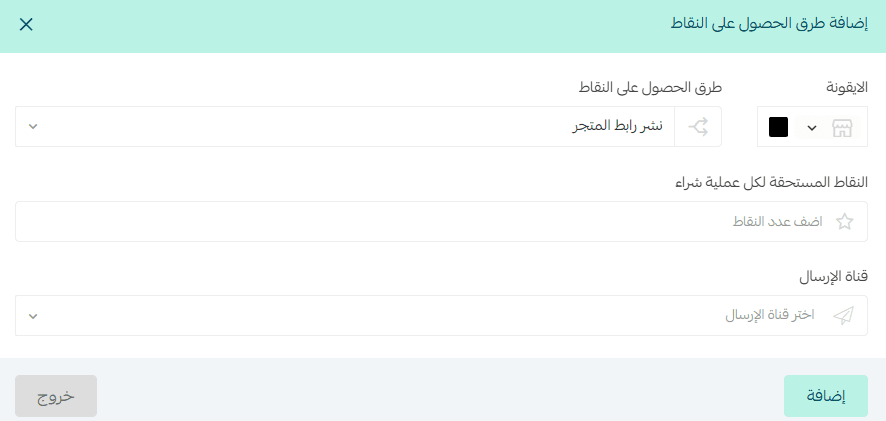
2. Completing personal information
- Add the number of points a customer earns when:
- Adding their birthdate
- Entering their mobile number
- Registering their email
- Selecting their gender
- Choose the notification channel you want to alert your customer through (you may select more than one).
- Then click (Add).
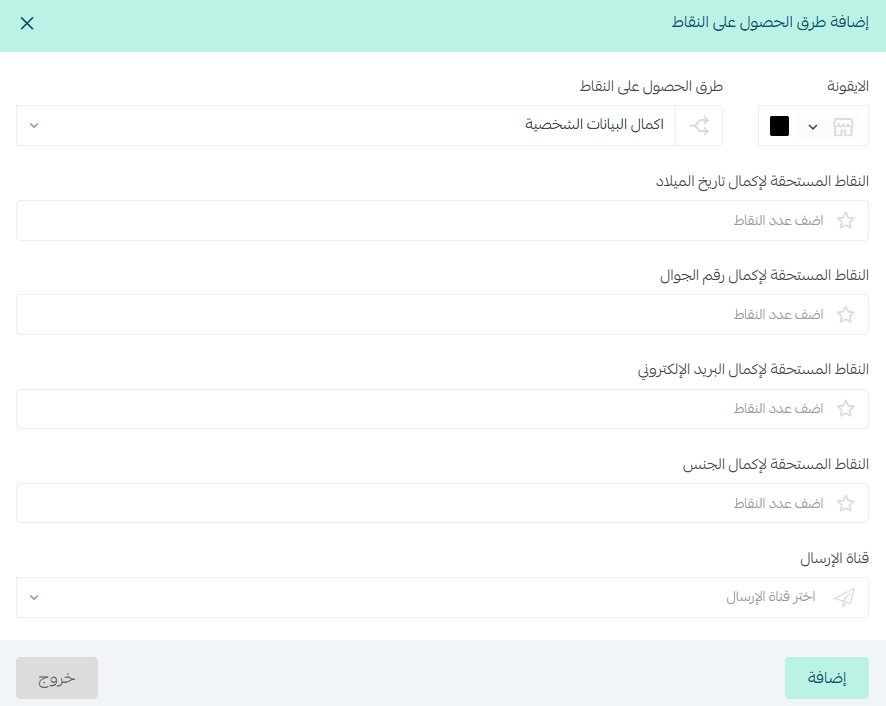
3. Purchasing from the store
- Specify how a customer earns points after completing a purchase.
- Add the number of points the customer earns upon completing the purchase.
- Choose the notification channel you want to alert your customer through (you may select more than one).
- Then click (Add).
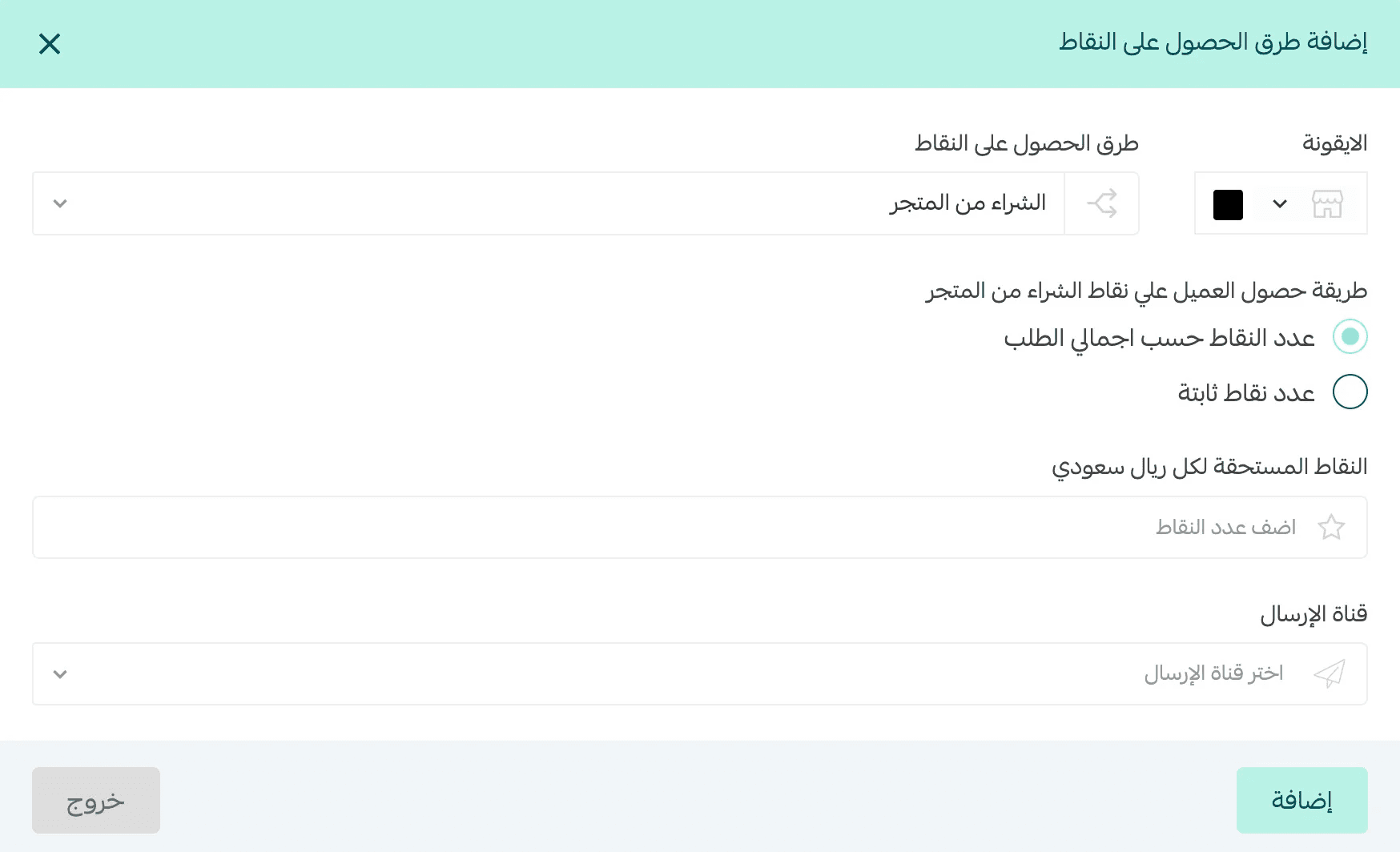
4. Reviews
- Add the number of points a customer earns when reviewing:
- The store
- Products
- Shipping companies
- Choose the notification channel you want to alert your customer through (you may select more than one).
- Then click (Add).
Define when customers become eligible to receive loyalty points
Select the order statuses where loyalty points will be added to the customer account, and how long after the order status changes to a completed status (Shipped, Delivered, Out for Delivery, Completed). By default.

Then add the points expiration duration by entering the number of days and months.

Enable or disable earning point options using the toggle switch

Add rewards customers can redeem their points for, then click (Add New Reward)

Then choose the reward type from the available options.
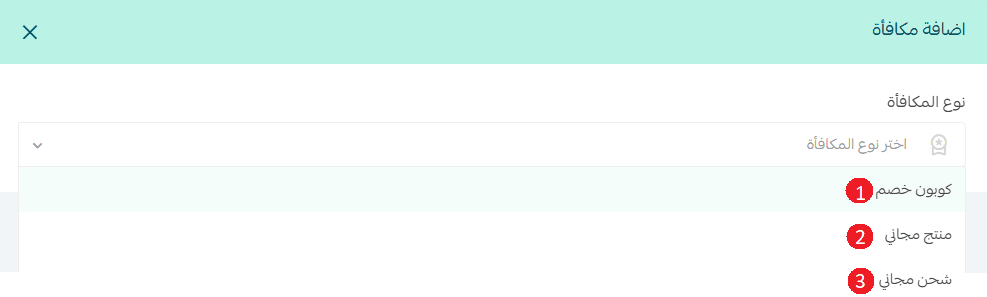
1. Discount coupon
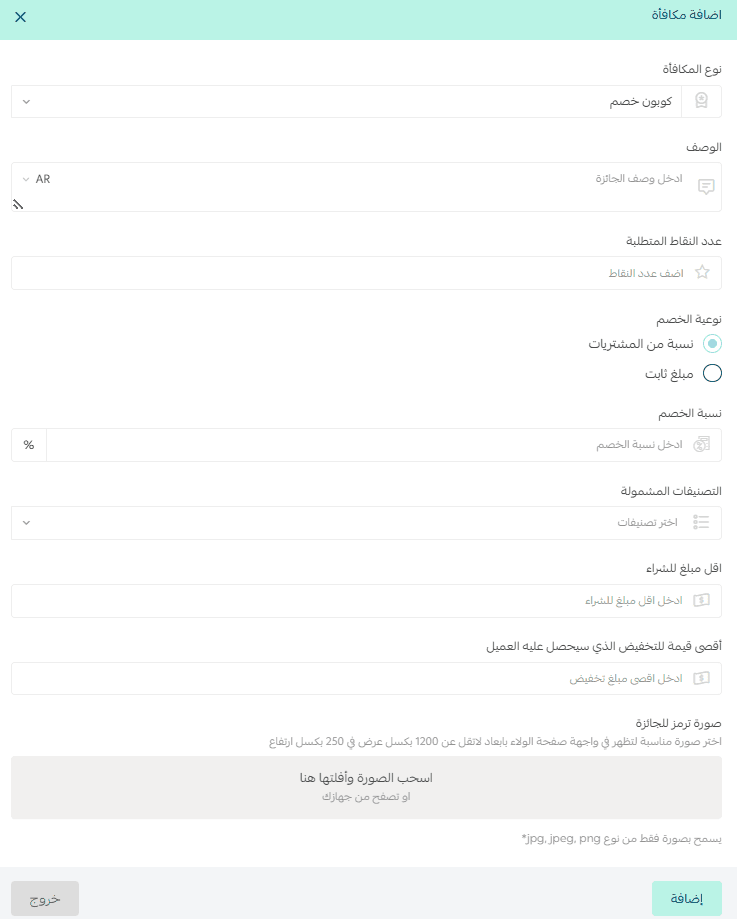
Add the reward description that will appear to customers
- Set the number of points required to receive the coupon
- Choose the coupon type the customer will earn
- Enter the discount percentage
- Select the categories included in the discount (you may select more than one)
- Add the minimum purchase amount
- Add the maximum amount the customer can receive
- Add an image representing the reward
- Then click (Add).
2. Free product
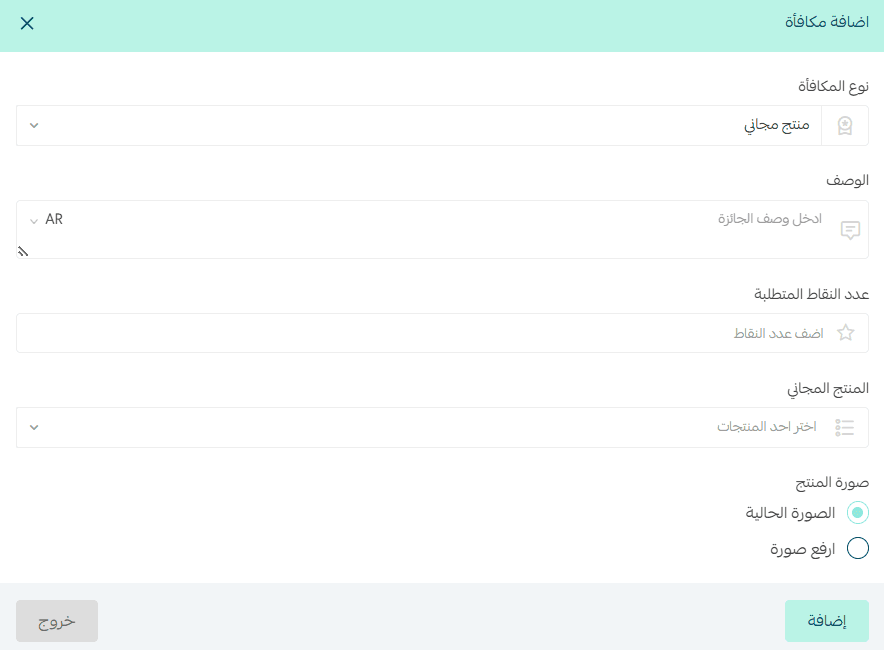
Add the reward description that will appear to customers
- Set the number of points required to receive the free product
- Select the product the customer will receive for free by searching its name
- Choose the product image that will appear to customers
- Then click (Add).
3. Free shipping
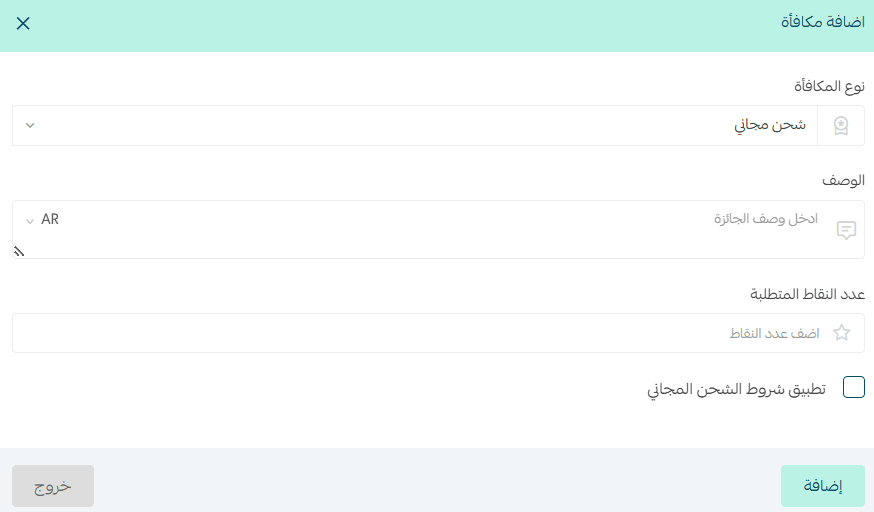
Add the reward description that will appear to customers
- Set the number of points required to receive free shipping
- Enable the option to apply free shipping conditions if you want to use the free shipping rules already configured in shipping settings
- Then click (Add).
Enable or disable reward options using the toggle switch

Add a reminder to notify customers when points are about to expire by clicking (Add New Reminder)

Enter the reminder details:
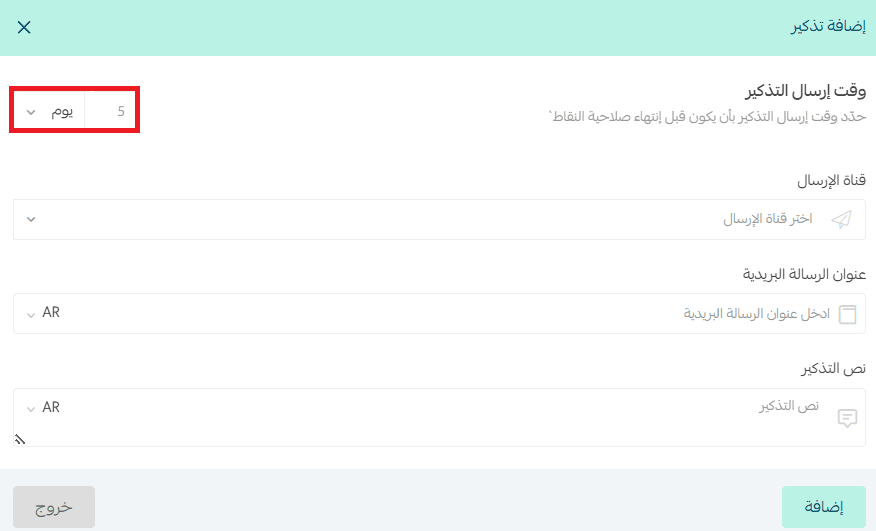
- Set the reminder sending time by clicking the arrow and entering the number
- Choose the notification channel(s) you want to alert customers through
- Add the reminder notification title
- Add the reminder message text
- Then click (Add).
Enable or disable reminders using the toggle switch

After completing all Customer Loyalty Program settings, click (Save).

Turn every customer interaction into ongoing sales opportunities!
Discover in these articles how you can manage the Customer Loyalty Program in Salla, from reviewing reports to redeeming points for rewards. Get inspired by successful global and local examples to build true customer loyalty.
- Managing the customer loyalty program
- Frequently asked questions about the customer loyalty program