Do you know where your Salla subscription payments, invoices, and payout details actually live?
Your billing settings bring every subscription and financial detail together in one place, so you're not hunting through separate pages to find them. Everything sits in a single section: the card that renews your plan, the bank account that receives your money, the email that gets your invoices, and the company address printed on your tax invoice. In this guide, you'll learn how to reach your billing settings and set each one up.
Billing settings live under Wallet and invoices in your Salla dashboard. From there you set the default payment method used for automatic plan renewal, save a credit card, confirm the bank account that receives your funds, add an email for invoices, and record your company address for tax invoices.
📌 Article overview
- How to reach your billing settings
- Set your default payment method
- Add a credit card
- The bank account that receives your funds
- Add a billing email
- Add your company address
- Frequently asked questions
👣 How to reach your billing settings
1. From the dashboard side menu, click (Wallet and invoices).
2. A dedicated billing settings section appears, where you control all of the options below.
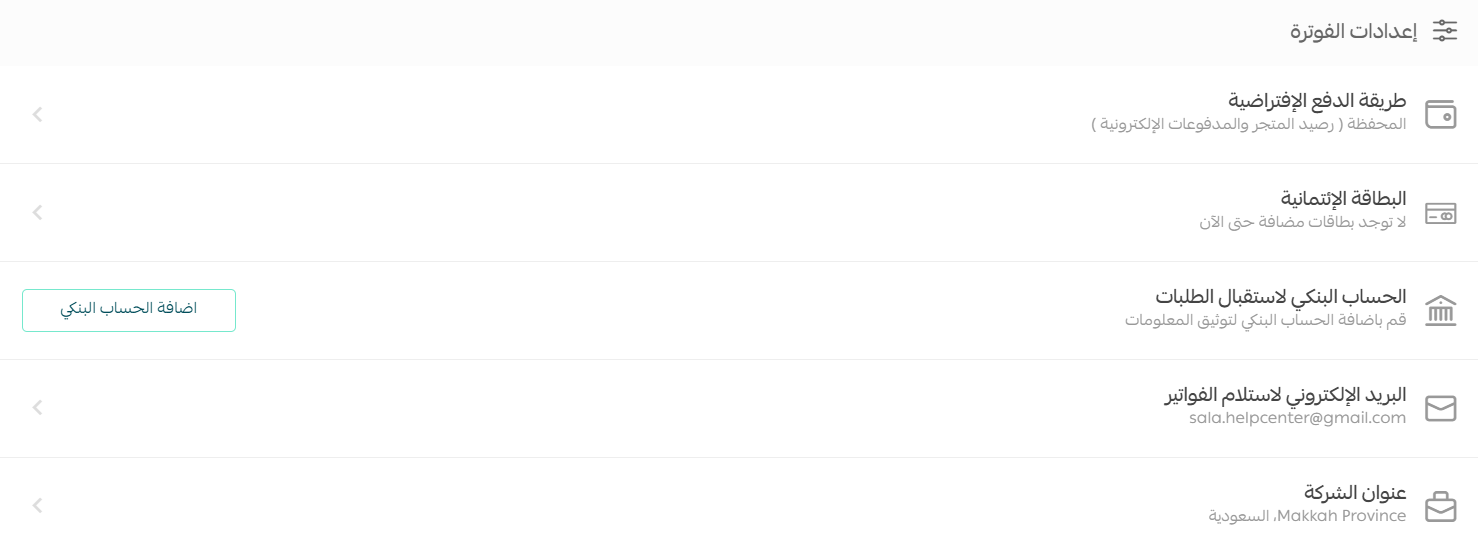
Set your default payment method
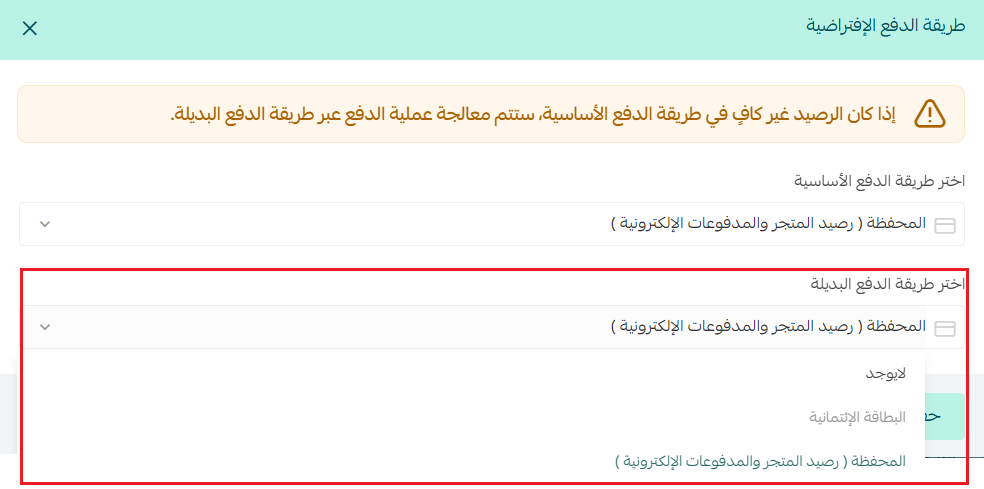
The default payment method is what Salla charges for automatic plan renewal and similar charges.
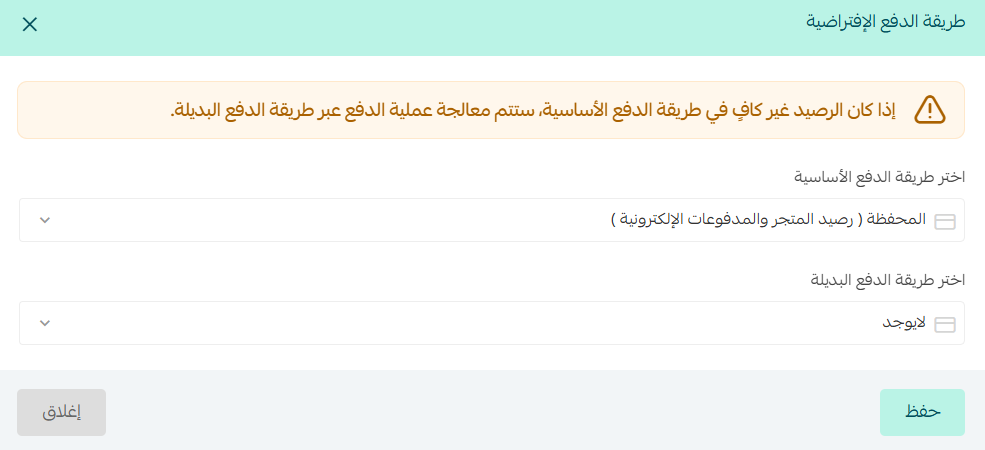
1. Choose the primary payment method for renewing your plan automatically.
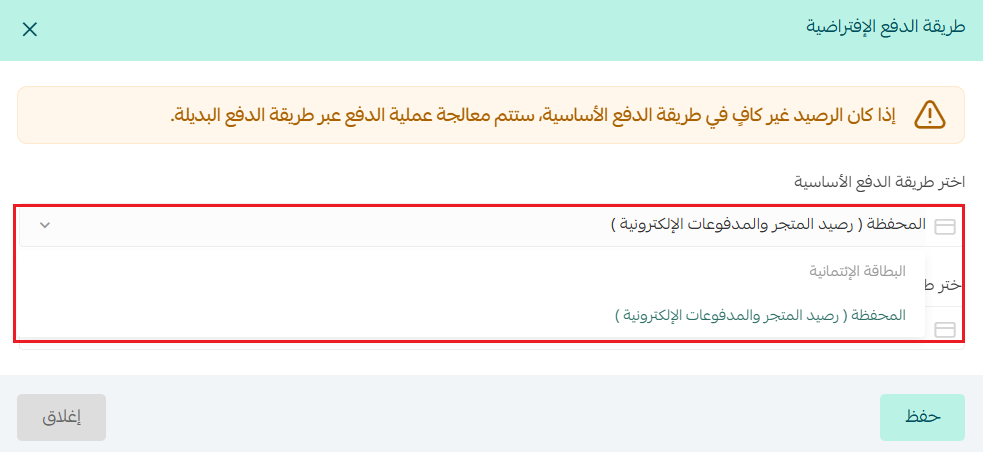
2. Then choose the backup payment method.
Add a credit card
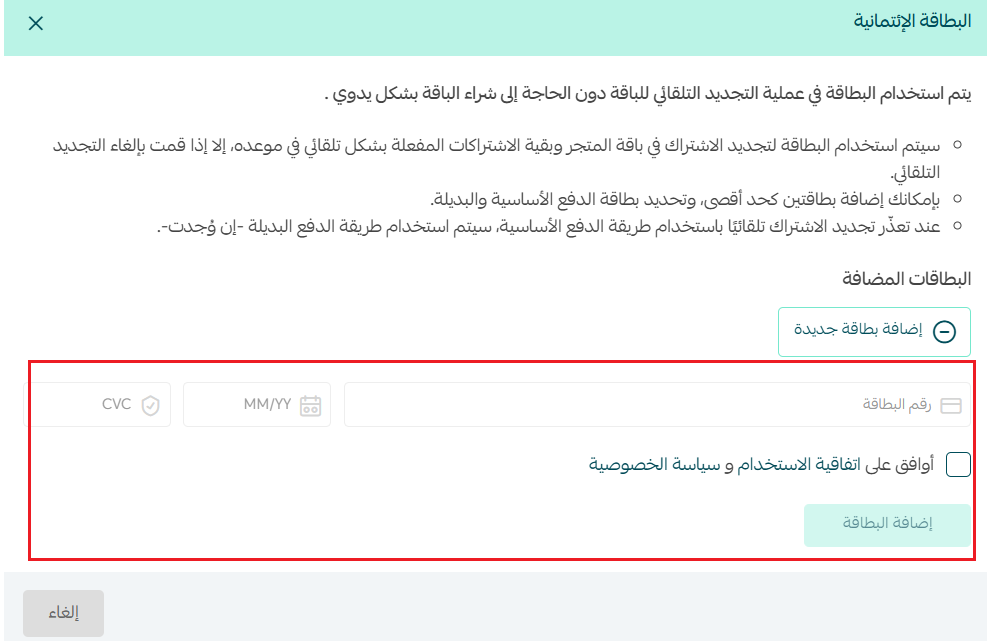
Save a credit card so your subscription renews automatically without extra steps.
📝 Important notes
- You can save one credit card at a time. Adding a new card replaces the one already saved.
- On your first subscription:
- If the card is saved, it becomes your primary payment method and your store balance becomes the backup.
- If the card is not saved, your store balance becomes the primary payment method and there is no backup.
To delete the card, click the three dots, then choose Delete.
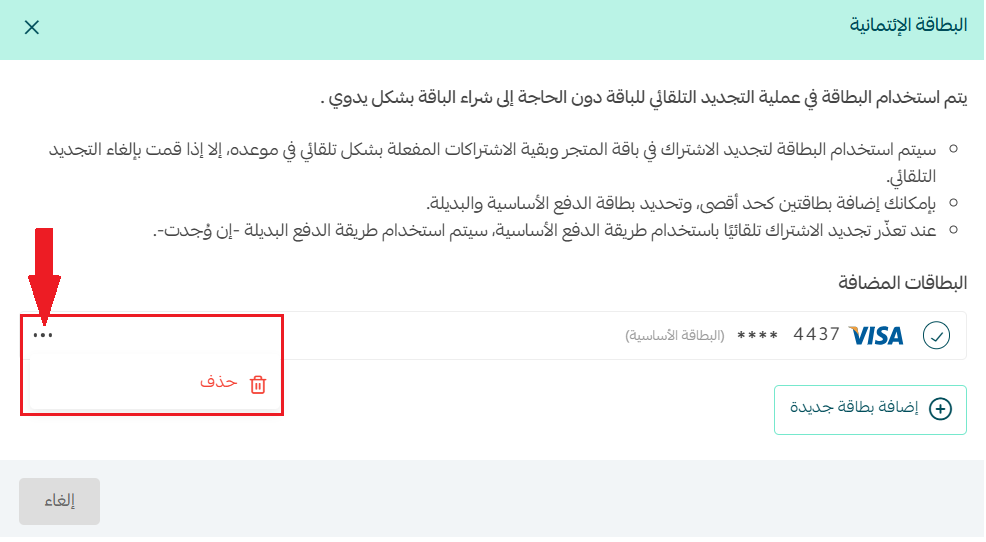
⚠️ Warning: If you delete every saved credit card while automatic renewal is on for a subscription, your store balance becomes the default payment method and no backup method remains until you set one manually.
The bank account that receives your funds
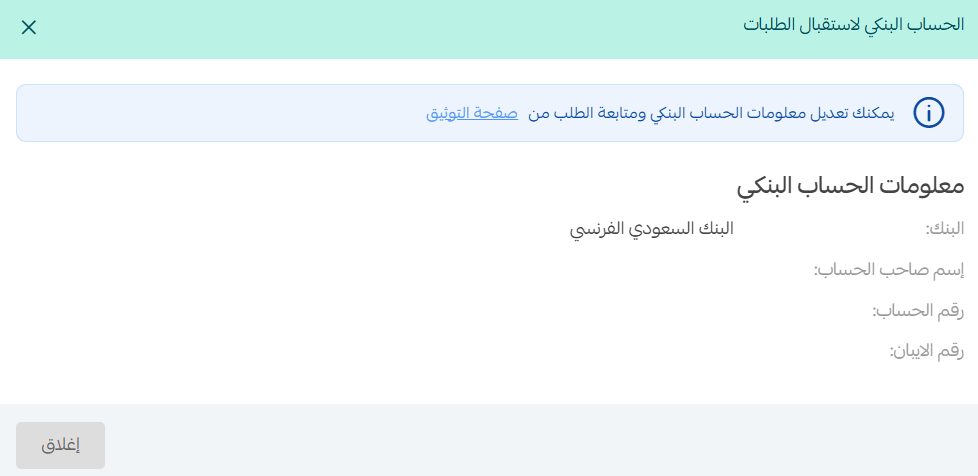
The bank details you added when your store was verified are carried into this field, and they're used to receive money from your store balance and your electronic payments balance.
📝 Important notes
Any change to your bank details is reviewed by the Salla team first, and you'll be notified once store verification approves it.
Add a billing email
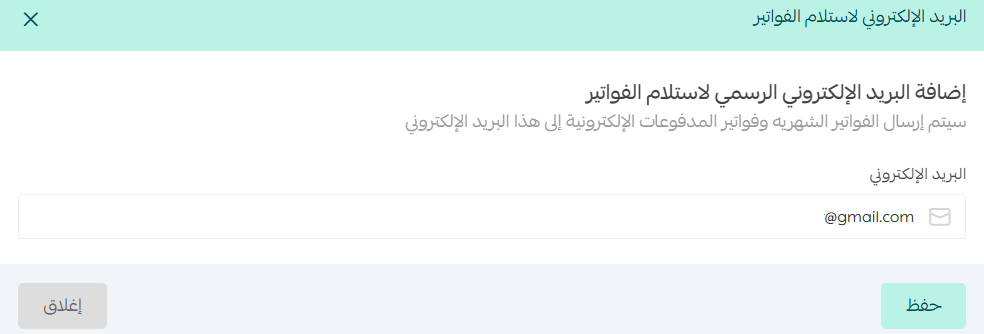
Add an official email address to receive all of your store's invoices.
📝 Important notes
If you don't add a billing email, Salla sends invoices to the email address registered on your account.
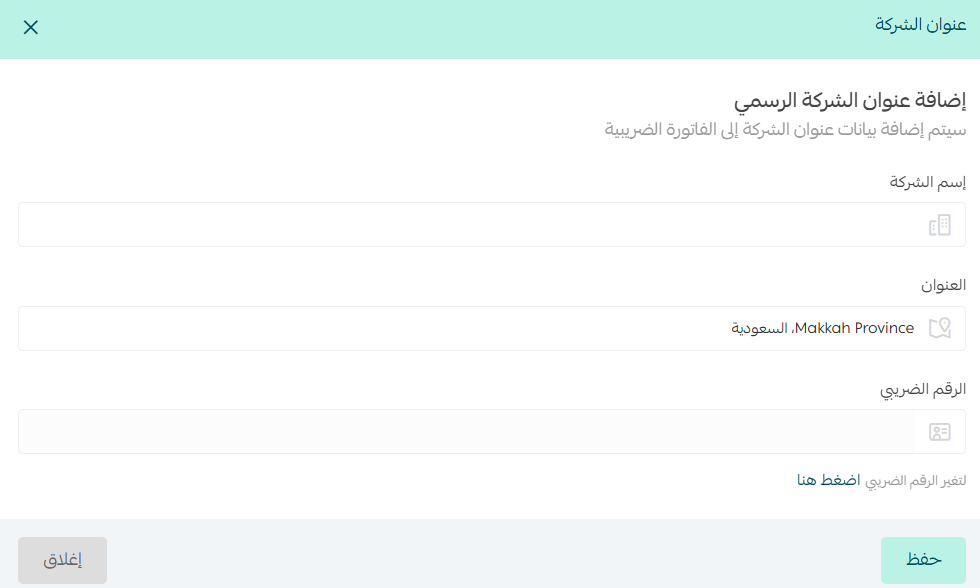
Add your company address
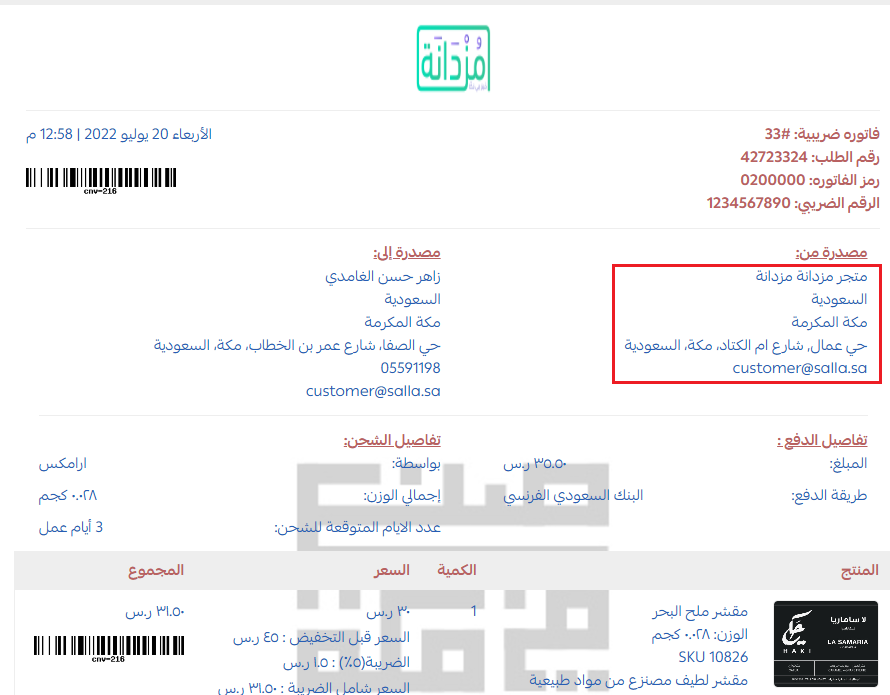
Add your company address so it appears on your tax invoice.
Here's how the address is shown on the tax invoice:
❓ Frequently asked questions
How does the payout process for merchants work now?
The payout process has changed: amounts under SAR 100 are no longer transferred straight to your account. They stay in your merchant account until the total reaches the minimum required for a transfer.
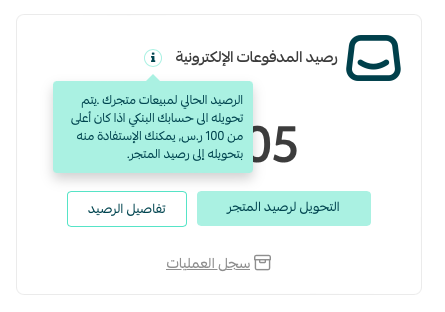
What is the minimum amount that can be transferred to a merchant?
SAR 100.
What happens if the total is less than SAR 100?
It isn't transferred to you right away. The amount stays in your merchant account until the total reaches the minimum required for a transfer.
Can I still move small amounts into my wallet?
Yes. You can still move small amounts into your wallet to use them or withdraw them whenever you want.
Can I withdraw the money in my wallet?
Yes. You can withdraw what's in your wallet at any time, and use it however you need.
Does this change affect other ways of transferring money?
No. It affects the daily payout process only. You can still use the traditional transfer methods or work through the electronic wallet as needed.
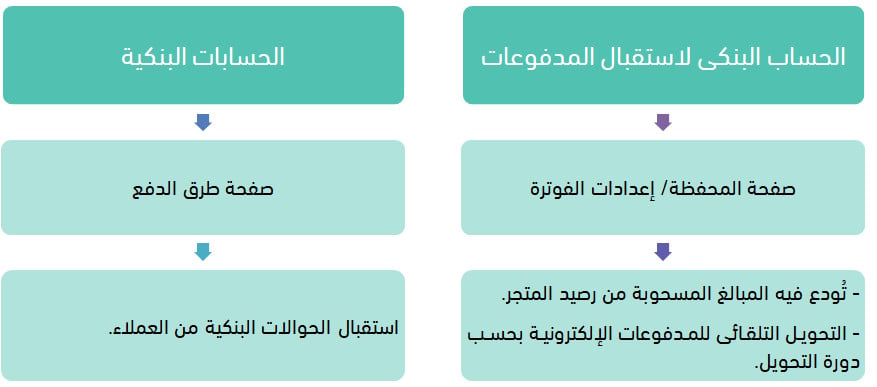
What's the difference between the bank account for receiving funds and the bank accounts defined on the payments page?
See the comparison below. [Verify: the Arabic answers this question with an image only and carries no text explanation, so the difference could not be written out.]
When is my purchases invoice issued?
Monthly, covering everything you bought from the Salla store that month.
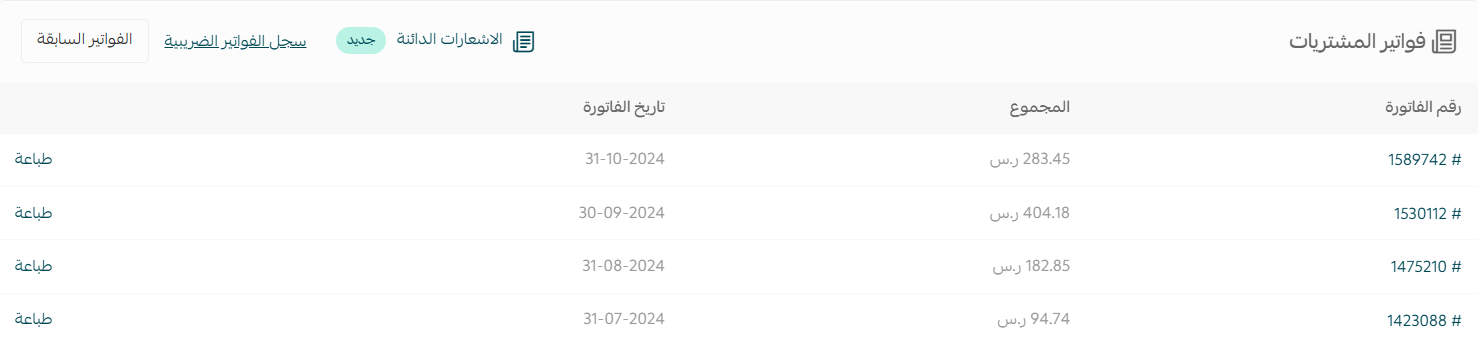
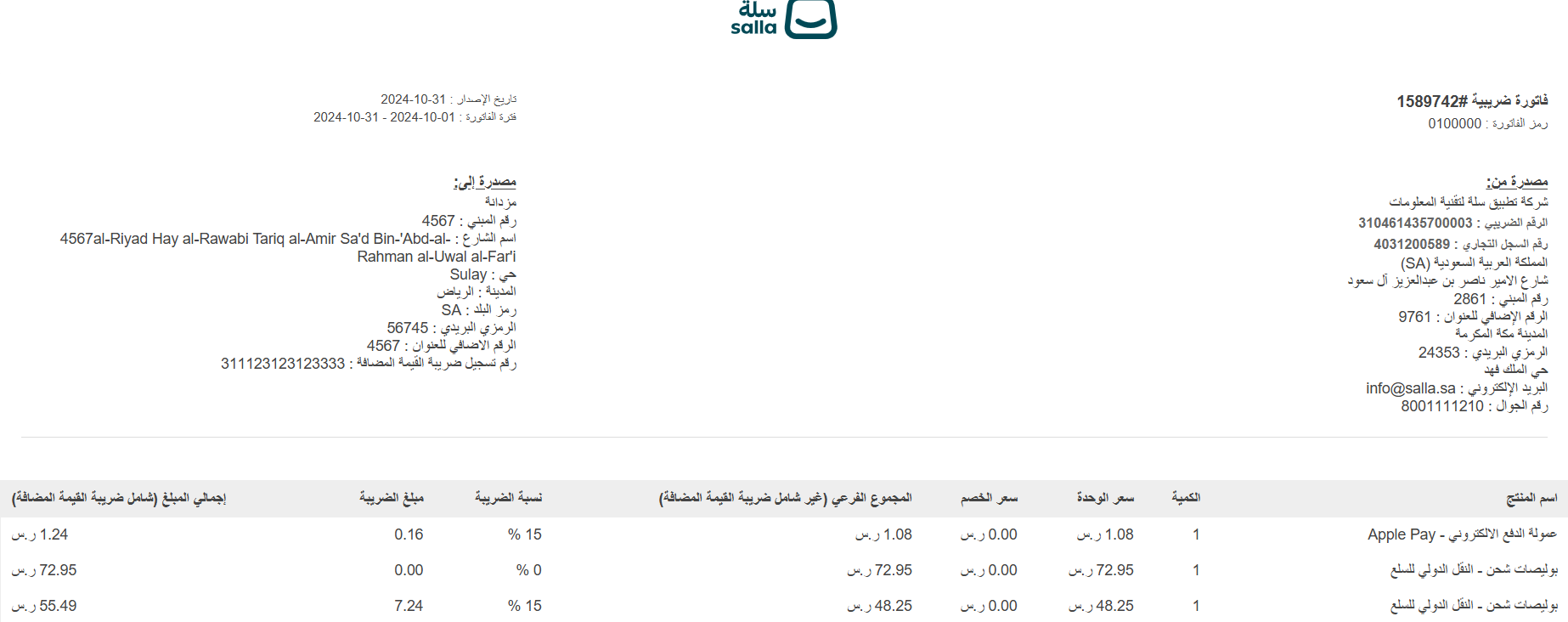
To see the details of an invoice, click its invoice number. It looks like this:
📝 Important notes
Tax on payment fees appears on your monthly purchases invoice from Salla.
With your card, bank account, billing email, and company address set once, renewals and invoices take care of themselves — and you always know where the money is going.