How much of what happens in your store never reaches the ad platforms you're paying?
Smart Observer is a conversion tracking tool built on the Conversions API. It sends your store's events and your customers' behaviour straight to the ad networks behind the social platforms, so you can see how your ads are really performing and build strong audiences to retarget. In this guide, you'll learn how to install Smart Observer, connect it to Snapchat, Facebook, and TikTok, and choose the events it tracks.
Install Smart Observer from the Salla App Store, choose a plan, grant the permissions it asks for, then click (Activate app). Enter your account identifiers and access tokens for the social platforms you advertise on, pick the events you want tracked, and click (Save).
📌 Article overview
- What Smart Observer conversion tracking is
- What you need before you turn it on
- How to install and connect Smart Observer
- Frequently asked questions
🎯 What Smart Observer conversion tracking is
It's a tool for tracking conversions accurately and sharing your store's events and customer behaviour with the ad networks behind the social platforms, giving you a deeper read on how your ads perform and letting you build strong retargeting audiences.
📝 What you need before you turn it on
1. The Smart Observer app installed on your store.
2. Advertising accounts on the social platforms you want to track.
3. At least one campaign already set up.
4. The app's settings configured from your dashboard.
🚀 How to connect your store to Smart Observer
1. From the side menu of your dashboard, click (Installed apps).

2. On the Salla App Store banner, click (Browse the Salla App Store).

3. On the Smart Observer app page, click (Install).
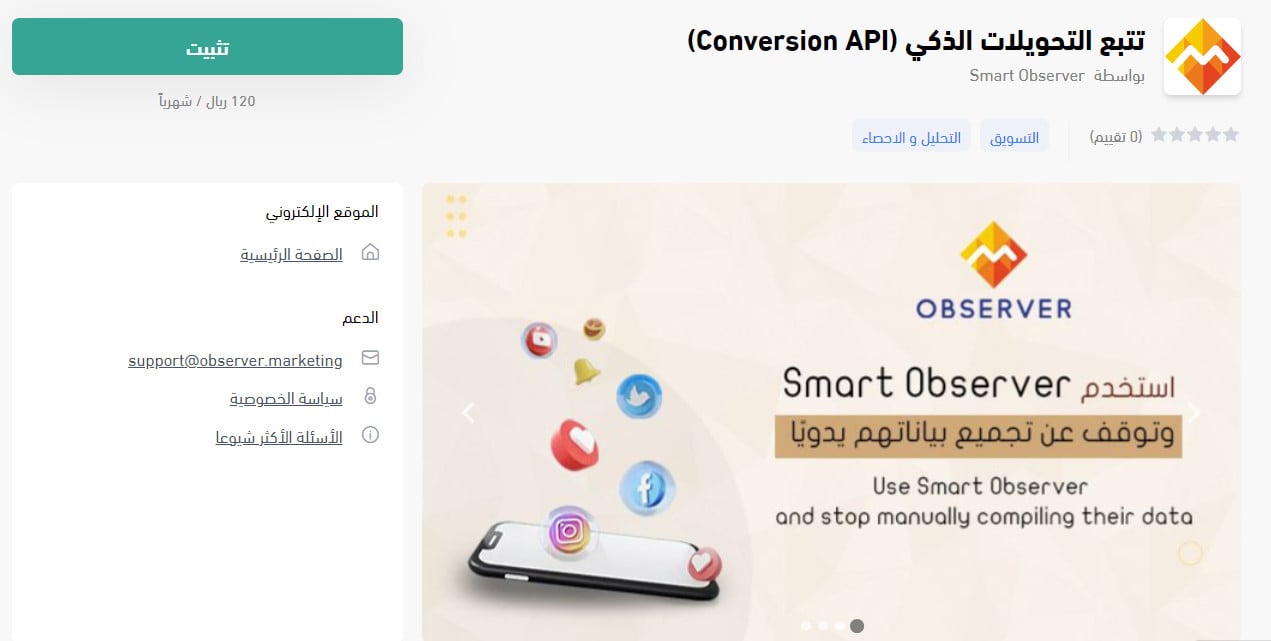
Then pick the plan that suits the kind of business you run and its size, and click (Choose plan).
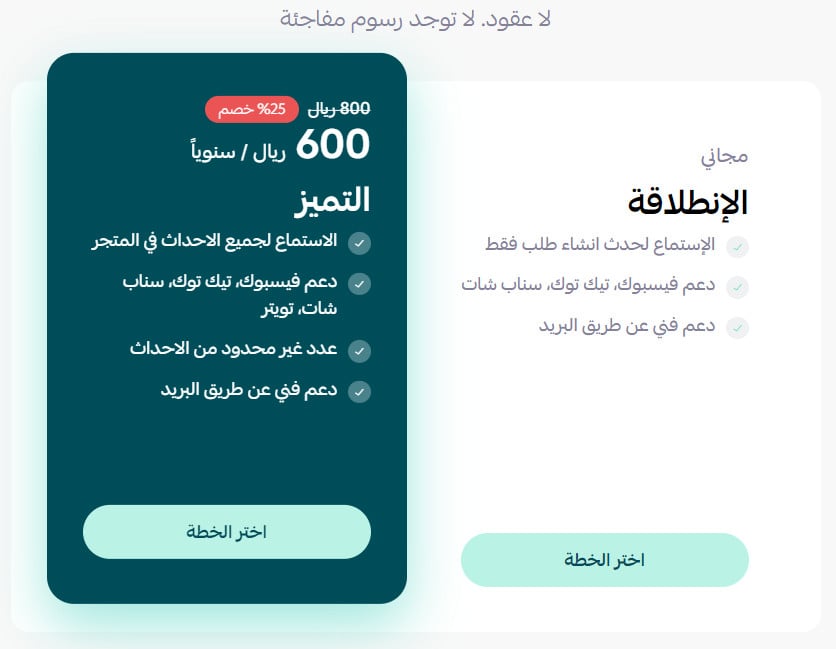
4. Review the permissions the app requests, then click (Grant permission).
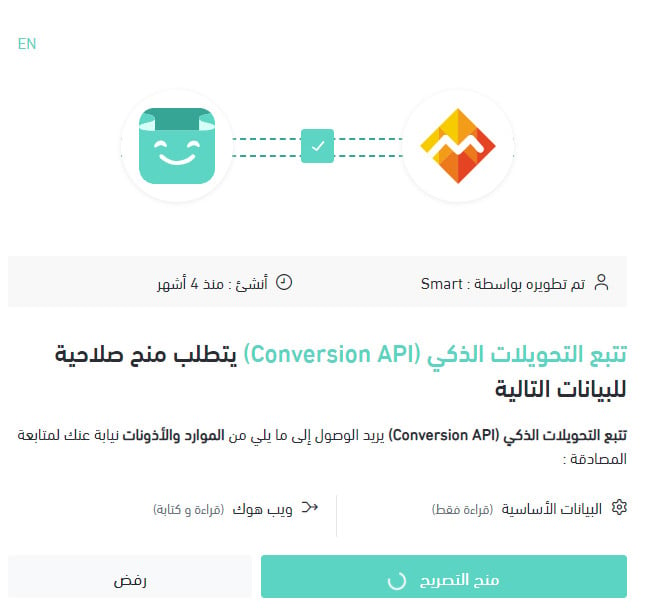
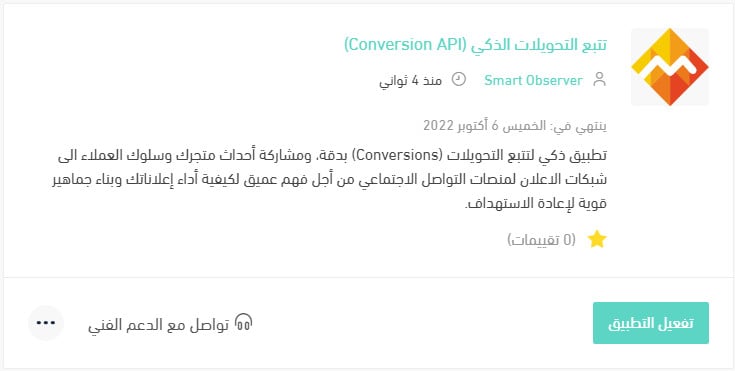
Smart Observer is now installed and appears in your installed apps like this.
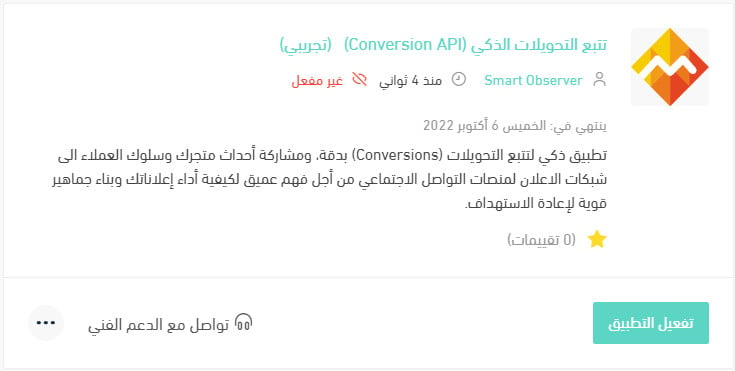
5. On the app's page, click (Activate app).

Enter your account identifiers for the social platforms, choose the events you want to track, then click (Save).
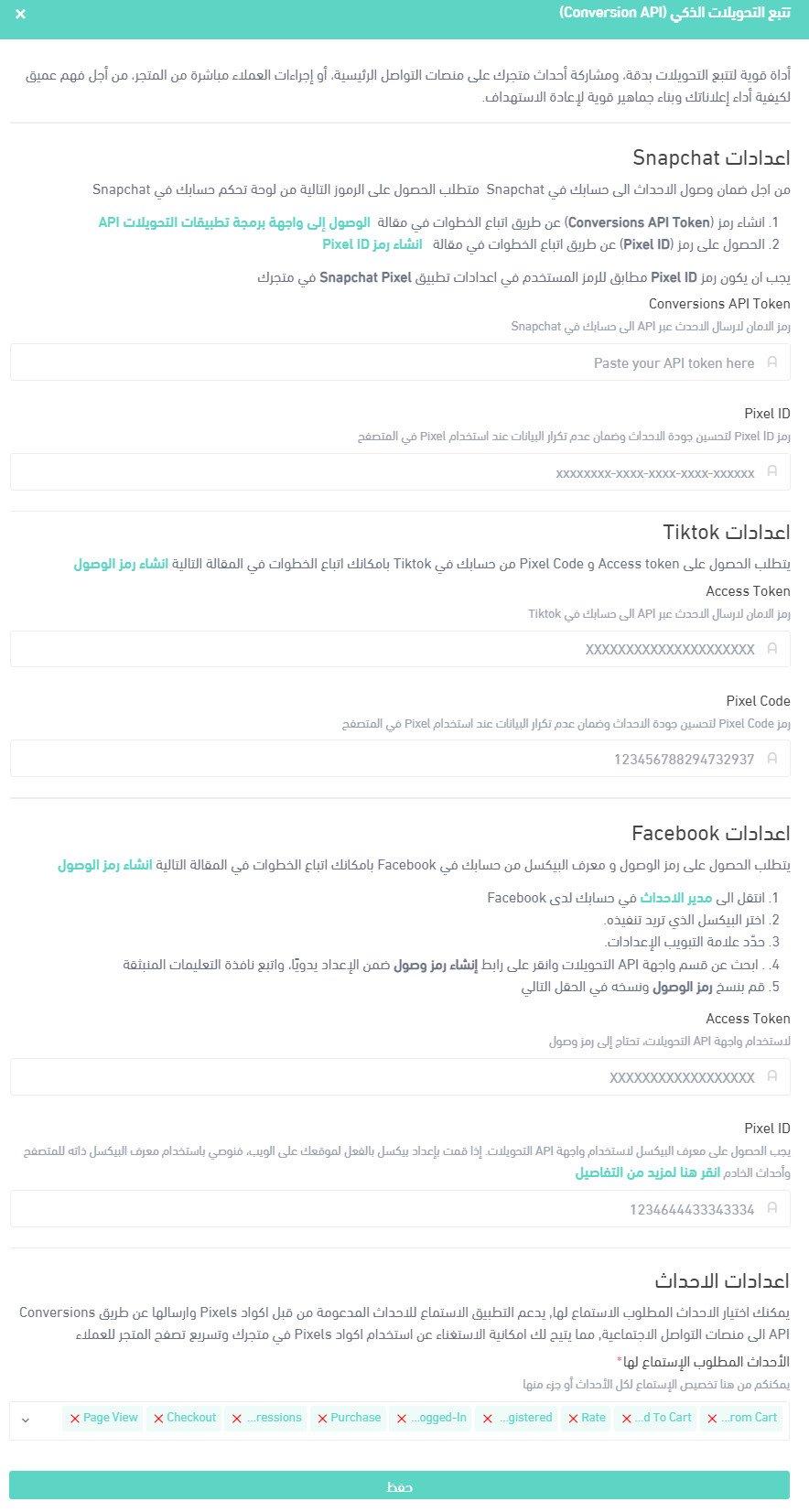
That's it — Smart Observer is now active on your store.
For more details, see managing your store's apps.
❓ Frequently asked questions
Here are the questions this article answers:
1. What does the app do well?
2. Which social networks are supported?
3. How do I set the connection up?
4. What sets the app apart from other analytics tools?
5. Does Smart Observer replace the Pixel?
6. How is Smart Observer similar to and different from the Pixel?
7. How do I track campaign performance and view event and tracking reports?
8. How do I finish the Snapchat setup in Smart Observer?
9. How do I get my access token and Pixel code from TikTok?
10. How do I get my access token and Pixel ID from Facebook?
11. Which events does Smart Observer listen for?
12. Does Smart Observer store any information about store customers?
13. How do I delete the Smart Observer app from my store?
What does the app do well?
Distinctive measurement: it measures events across your store, search engines, and social platforms.
Easy connection: it connects to all the social platforms without difficulty.
Budget savings: you allocate budget and make improvements based on accurate figures.
Which social networks are supported?
Snapchat, Facebook, and TikTok are supported today, with Twitter and Google coming soon.
How do I set the connection up?
Walkthrough videos cover the steps for each social platform:
- Facebook: https://youtu.be/4zPZXYBjK_s
- Snapchat: https://youtu.be/trBx0RyYavo
- TikTok: https://youtu.be/wviM2Lf7dKE
What sets the app apart from other analytics tools?
1. You see the whole picture
The app collects information the Pixel can't reach, because ad blockers and cookie restrictions get in its way. That includes your store's events and how your customers behave during your ad campaigns — on top of the behavioural data the Pixel already gathers from your store.
2. Pricing that flexes as you grow
Every plan comes with a 7-day free trial, and each one carries features matched to the size of the store.
Al Intilaqa: serves stores with up to 5 million events a month.
Al Tamayuz: serves stores with an unlimited number of events a month.
Does Smart Observer replace the Pixel?
Yes. Smart Observer is an alternative to the Pixel, though you're free to run both together. It sends the ad platforms the distinct events stored in your store's own system, and helps those platforms filter out duplicate events arriving at the same moment from both Smart Observer and the Pixel.
How is Smart Observer similar to and different from the Pixel?
Both track customer behaviour and send it to the ad platforms. Smart Observer's advantage is accuracy: it draws on the information held in your store's own system — purchase orders, sign-ins, new account registrations, and so on.
How do I track campaign performance and view event and tracking reports?
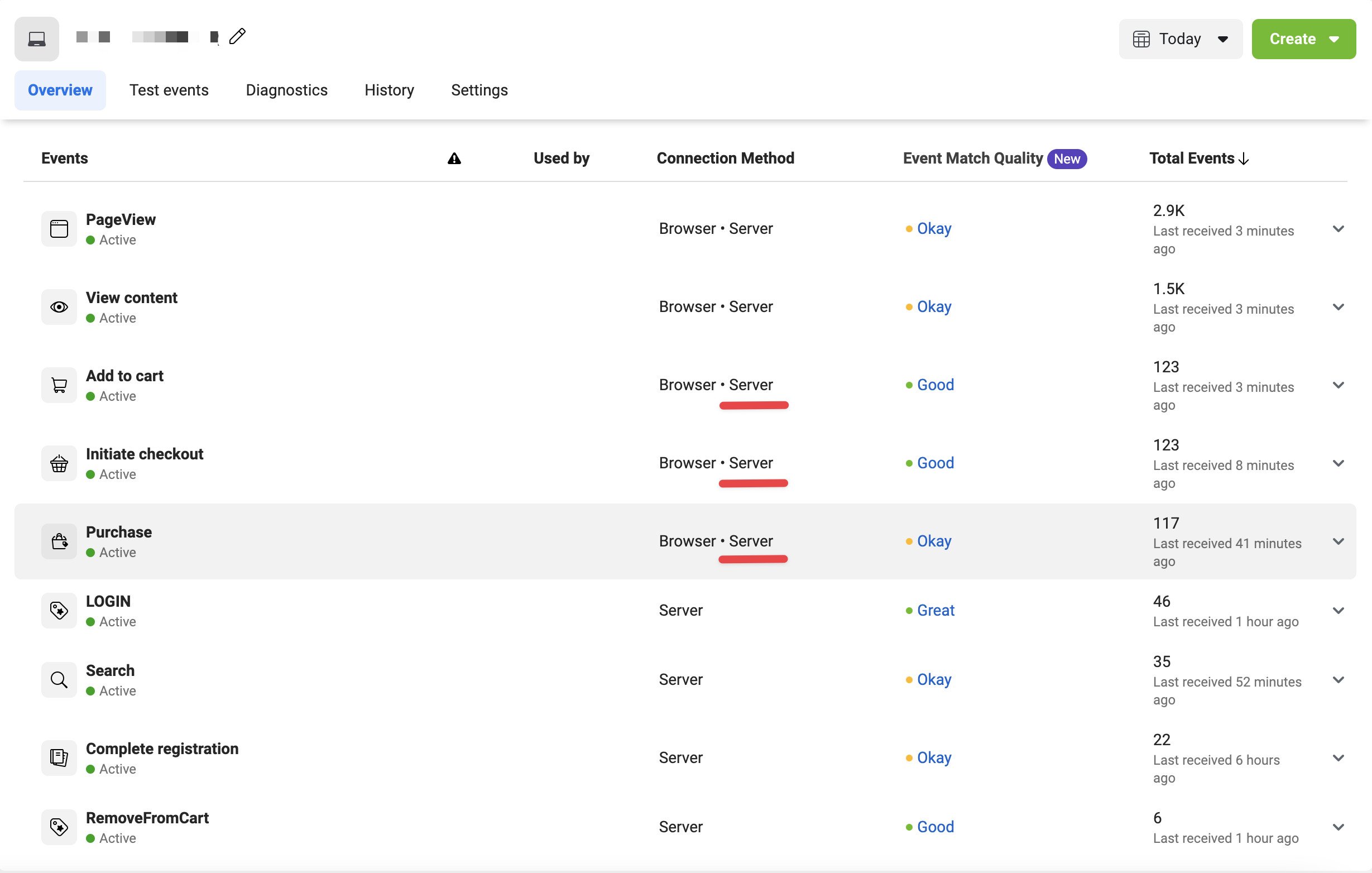
You review campaign performance and customer behaviour from your dashboard on each ad platform. On Facebook, for example, the word "Server" starts appearing next to the events the app sends, and new events show up that the Pixel didn't support before, such as Login and Complete registrations.
How do I finish the Snapchat setup in Smart Observer?
1. From the Snapchat events manager, copy the Pixel code you need.

Paste it into the (Pixel ID) field.
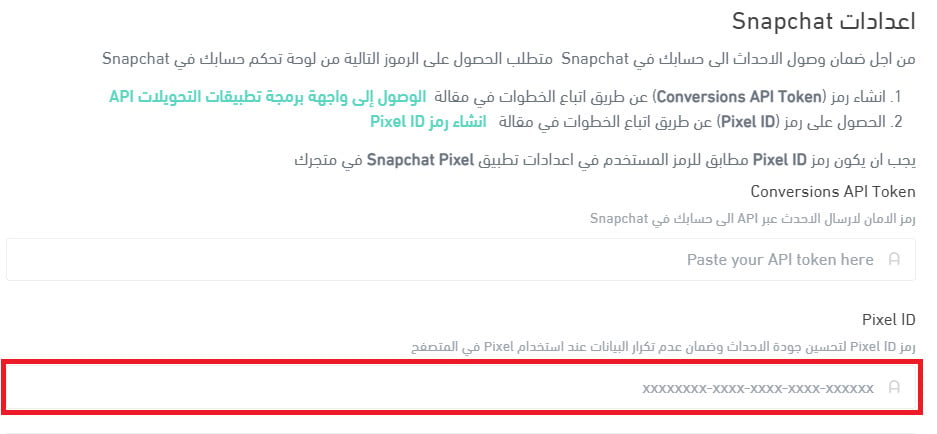
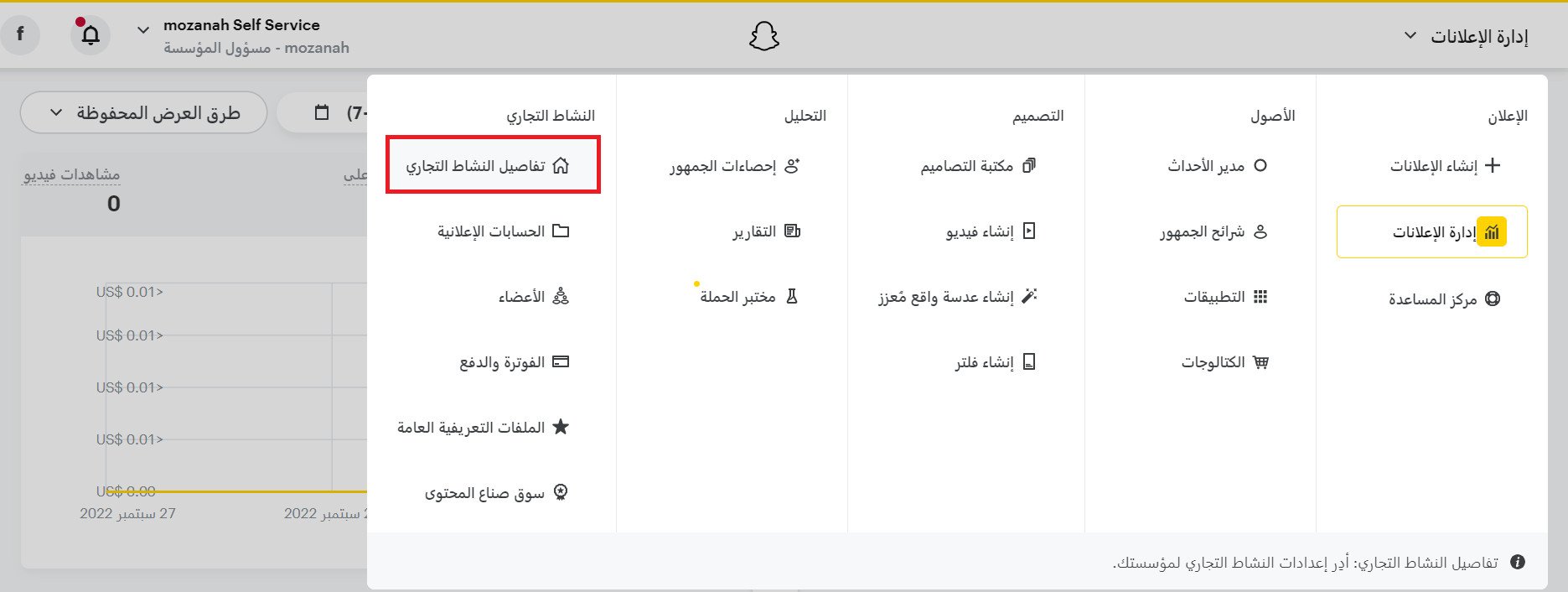
2. Next, create a Conversions API token. In the ads manager, open the menu at the top of the page and click (Business details).
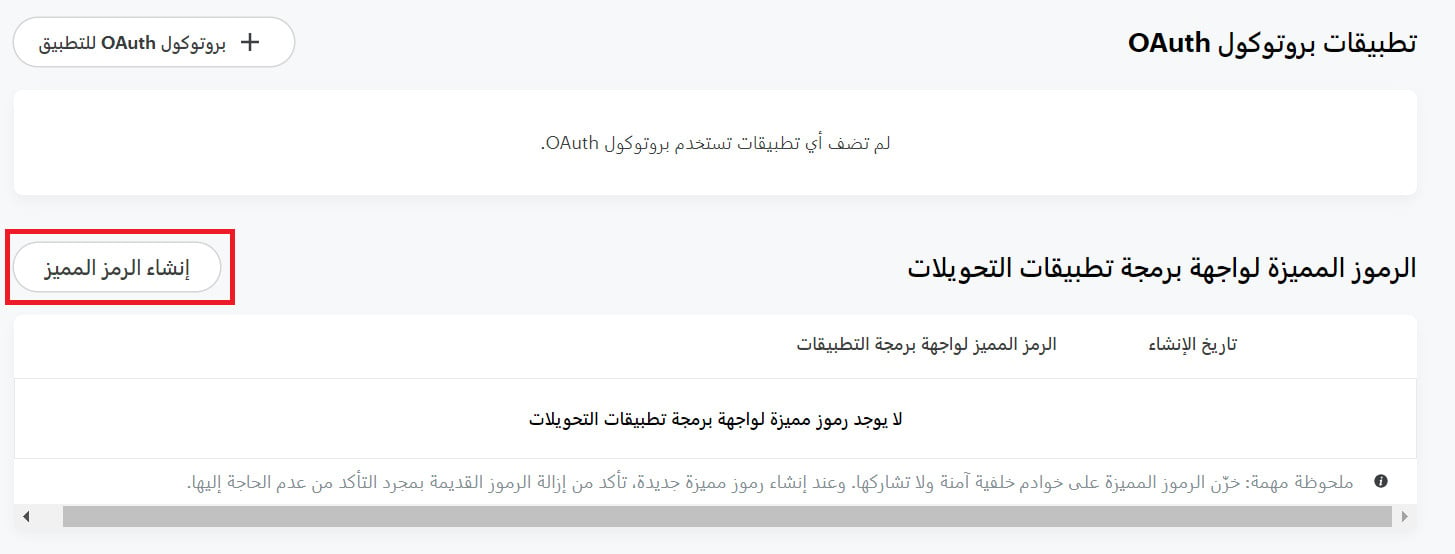
On that page, under the OAuth app section, you'll now see a new section called Conversions API tokens. Click (Generate token) to create one.
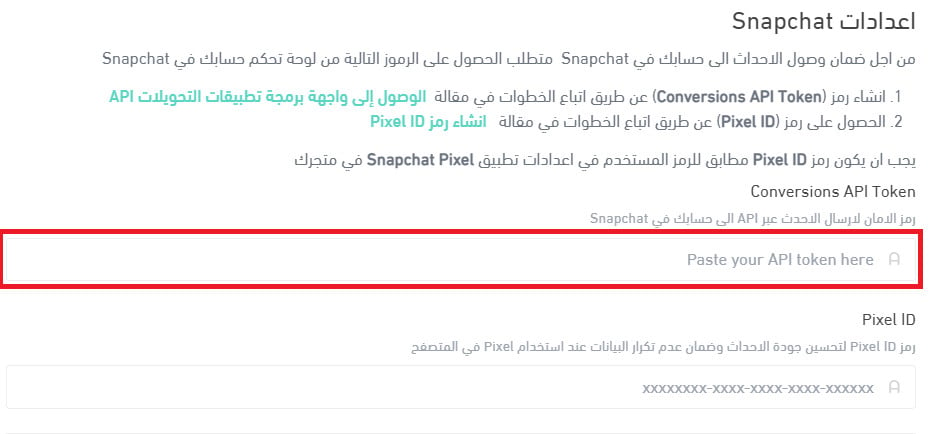
You can then copy the token.

Paste it into its field in your Smart Observer settings.
How do I get my access token and Pixel code from TikTok?
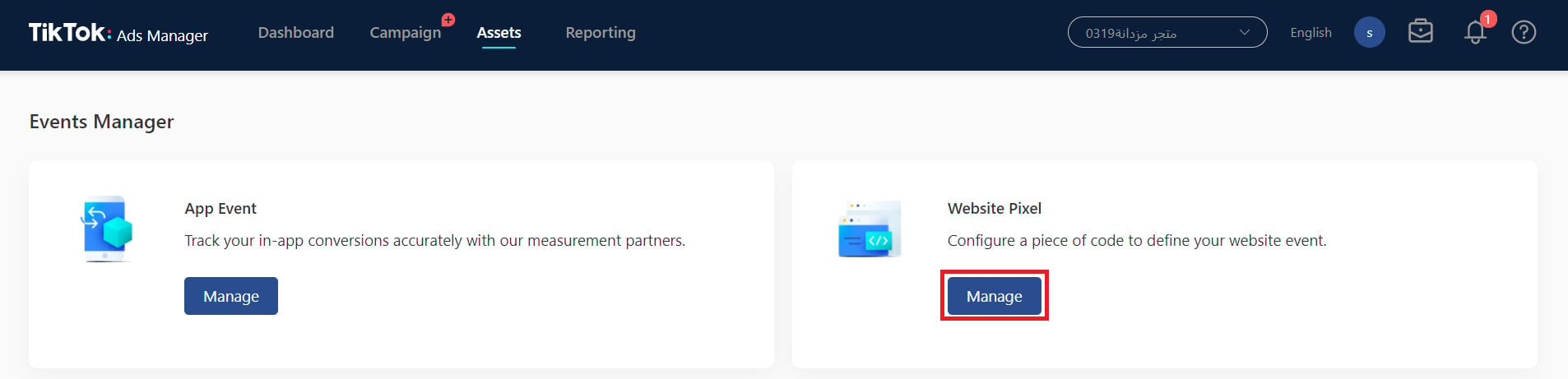
1. Sign in to TikTok Ads Manager, open the (Assets) menu, and click (Event).

2. On the Events Manager page, in the (Website Pixel) section, click (Manage).
3. On the Pixel page, select the ID and copy it.
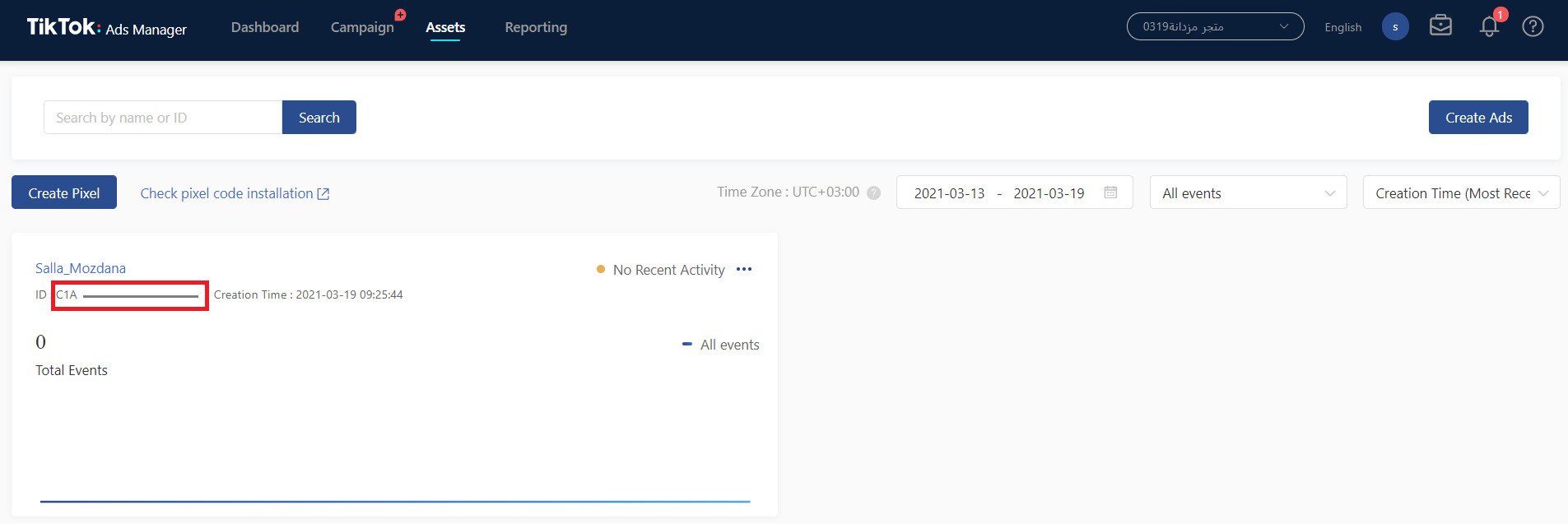
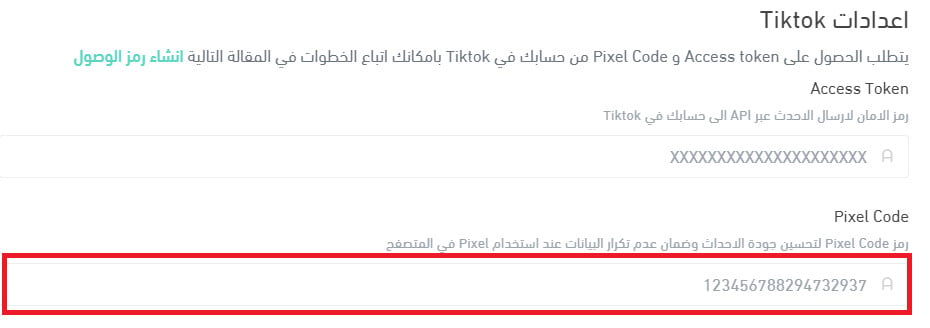
Paste it into its field in your Smart Observer settings.
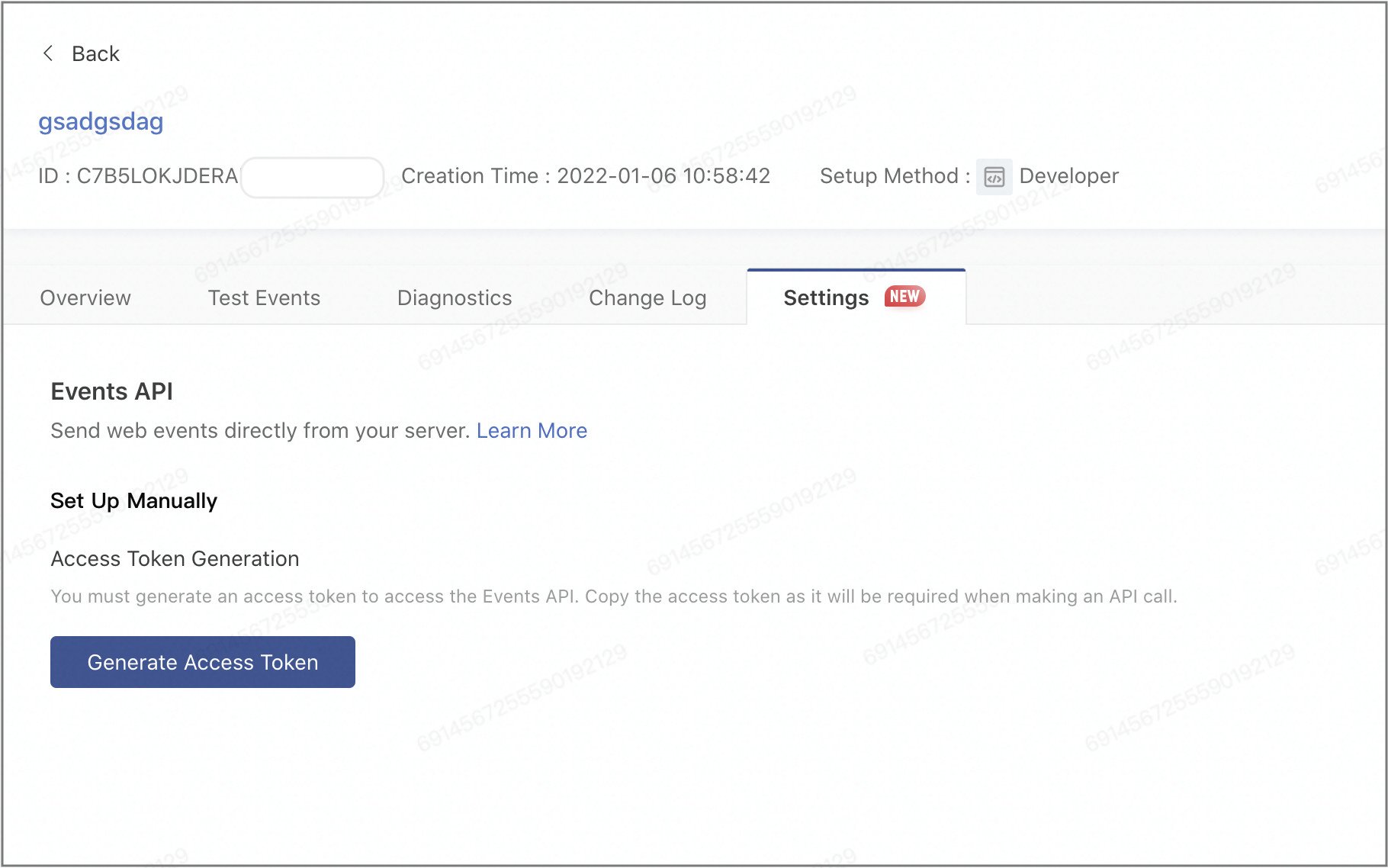
4. Find the Pixel you want to report events with and click its name to open its settings. If you need to create a new one, remember to choose manual Pixel code installation and developer mode.
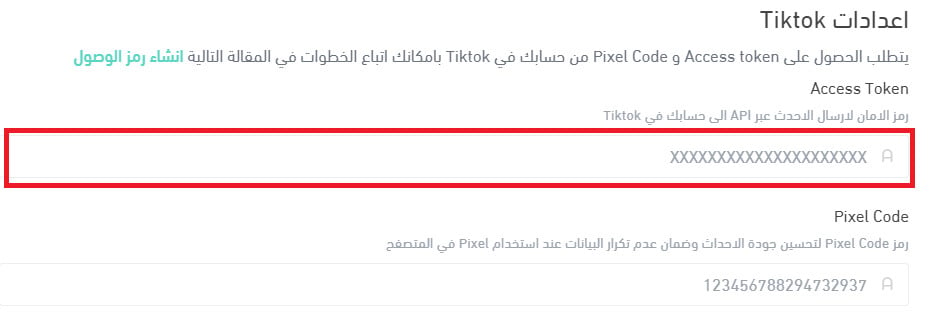
On the (Settings) tab, click (Generate access token). The token is created immediately, and you can then copy the access token that authorizes sending events to your TikTok account through the API.
Paste it into its field in your Smart Observer settings.
How do I get my access token and Pixel ID from Facebook?
Start by adding the Meta Pixel base code to your store. For more details, see connecting Facebook Pixel to your store.
1. From the Facebook Events Manager home page, open the Pixel you need and click (Settings).

2. On the Pixel settings page, copy the Pixel ID.
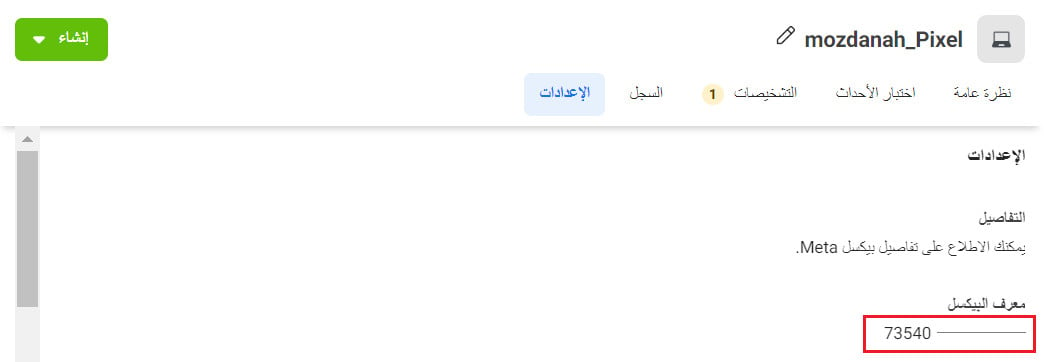
Paste it into the (Pixel ID) field in your Smart Observer settings.

3. Still on the Pixel settings page, find the Conversions API section and click the (Generate access token) link under "Set up manually", then follow the instructions in the pop-up.
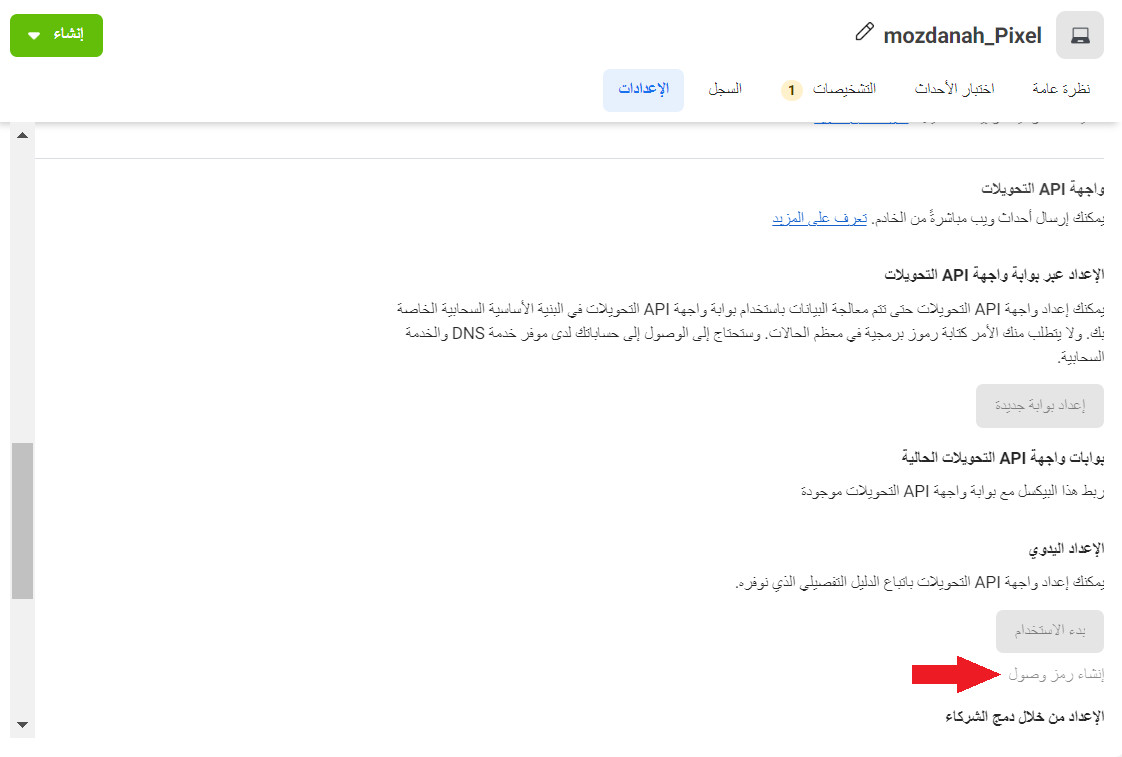
📝 Important notes
The "Generate access token" link is only visible to users with developer privileges for the business. It's hidden from everyone else.
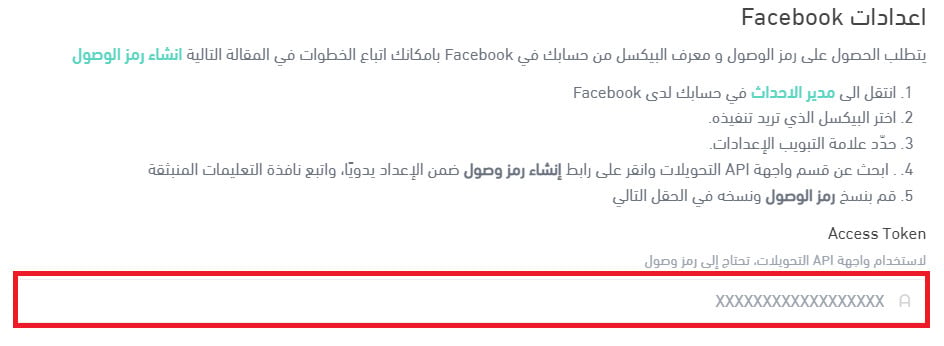
Once you have the token, copy it and paste it into this field.
Which events does Smart Observer listen for?
Smart Observer tracks content views, page view counts, newsletter sign-ups, subscription changes and, of course, purchases. It listens for a long list of events — here are the main ones.
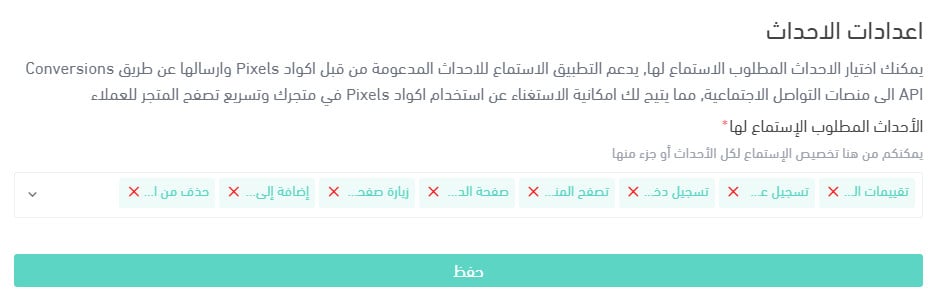
1. Customer reviews
2. New customer registration
3. Customer sign-in
4. Purchase
5. Product browsing
6. Checkout page
7. Product page visit
8. Add to cart
9. Page visit [Verify: this list item is cut off in the Arabic — it says 'visiting a page' but never says which page.]
How do I view campaign performance and tracking reports?
From your dashboard on each ad platform, where you can review both campaign performance and customer behaviour.
Does Smart Observer store any information about store customers?
No. No customer information is stored in the app. The data goes directly to the merchant's own accounts on the social platforms.
How do I delete the Smart Observer app from my store?
1. From the side menu of your dashboard, click (Installed apps).

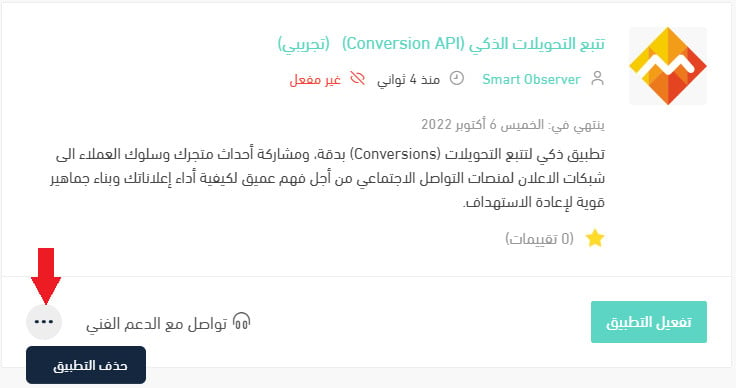
2. On the all apps page, find the Smart Observer app, click the (...) icon, then click (Delete app), as shown below.
Ad platforms can only optimize against what they can see. Server-side tracking closes the gap that ad blockers and cookie limits leave behind — which is exactly the gap your campaign budget is being spent into.