What is Shipa delivery?
Shipa delivery is a technology-driven logistics platform that manages the entire delivery process end to end. Through its digital capabilities, Shipa provides individuals, medium-sized businesses, and large enterprises with the tools, services, and expertise needed to simplify logistics operations.
Shipa delivery is part of the broader Shipa technology solutions ecosystem, enabling seamless integration with e-commerce stores, global shipping services, and last-mile delivery solutions, ensuring smooth selling and shipping experiences.
📌 Article overview
- How to connect the Shipa delivery app
- Managing the Shipa delivery app
How to connect the Shipa delivery app
- From the main menu, click All, then under Support Tools, select App Store.
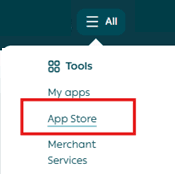
- Search for Shipa Delivery using the search field.

- From the Shipa Delivery app page, click Install.

- The app will appear under My Apps once installation is complete.
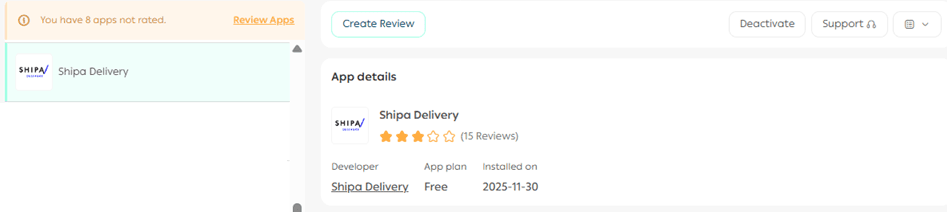
For more details, see the guide on managing store apps.
Shipping rates
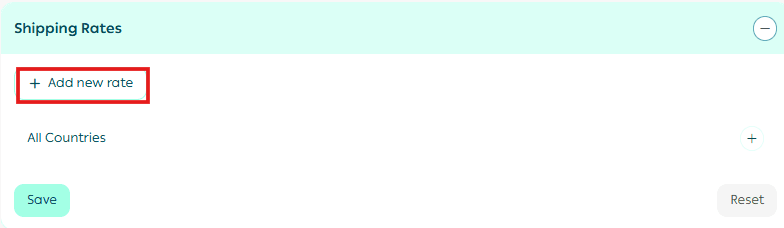
To add shipping rates:
- In the Shipping Rates section, click Add New Rate.
- Enter the shipping prices for the required cities and regions.
- Enter the merchant shipping cost to help calculate and display your store’s shipping profit margins.
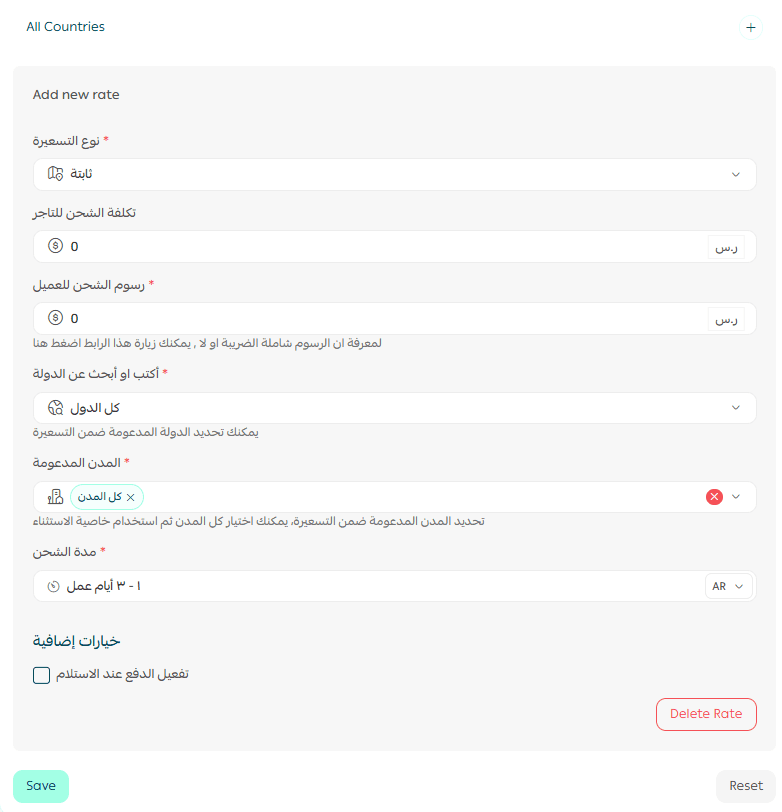
For more details, see the guide on setting shipping costs for direct integrations.
Deleting the app
To remove the Shipa delivery app from your store:
- From App Actions, click More.
- Select Delete App.

For more details about available services, pricing, and delivery coverage, please refer to the Shipa Delivery app documentation.