Tired of typing your card details every time you top up your store balance?
Card saving lets you keep a mada card on file in your Salla account and top up your balance with it in a couple of clicks. You can add the card on its own from your billing settings, or save it as you go while adding balance. In this guide, you'll learn both ways to save a mada card and what the limits are.
To save a mada card in Salla, open the wallet and invoices page from your dashboard, go to the credit cards section under billing settings, and add a new card. You can also save the card while topping up your store balance. Two saved cards is the limit.
📌 Article overview
- How to save a mada card
- How to top up your balance and save the card at the same time
- Frequently asked questions
👣 How to save a mada card
1. From the dashboard home page, click (Wallet and invoices).

2. Under (Billing settings), click (Credit cards).
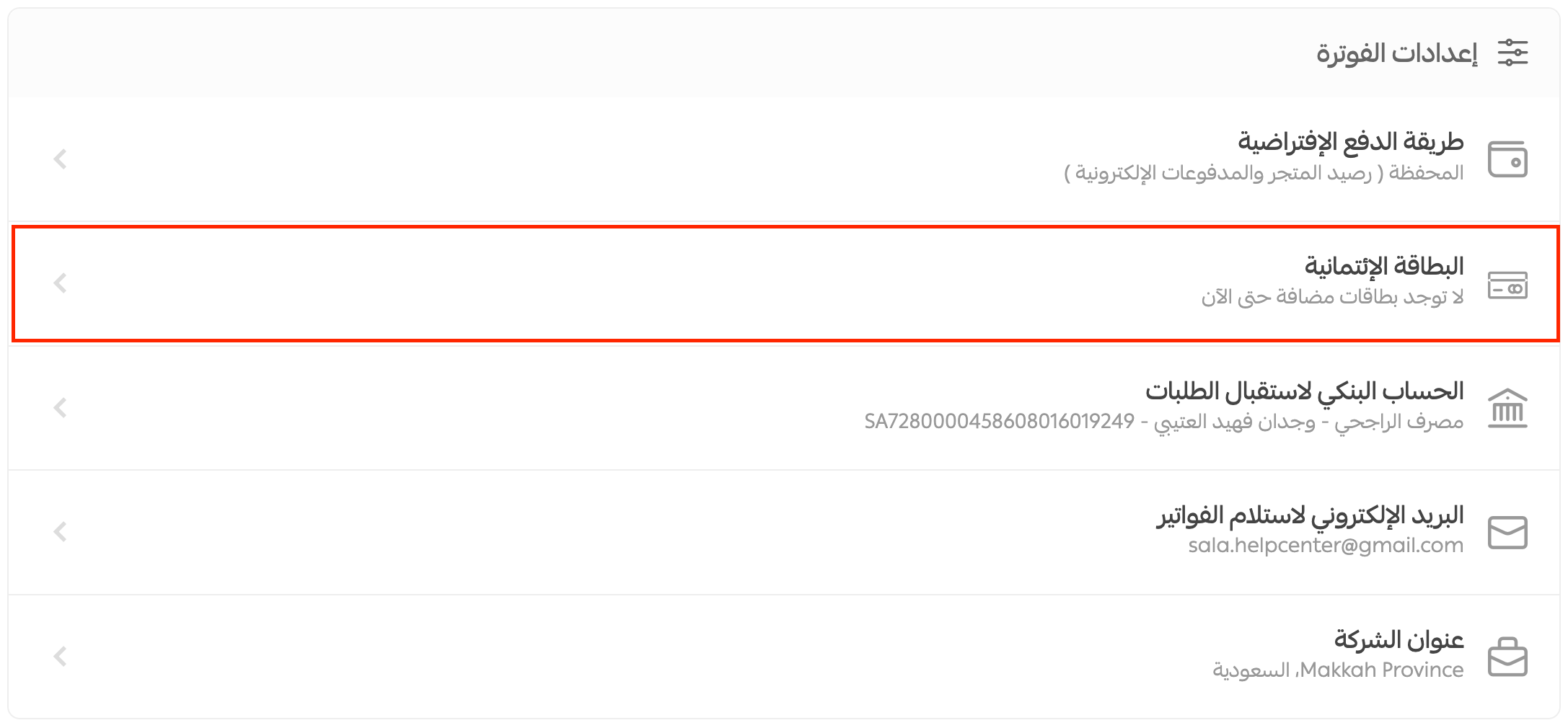
3. Click (Add a new card).
4. Fill in the new card's details, tick (I agree to the terms and conditions and the usage agreement), then click (Save).
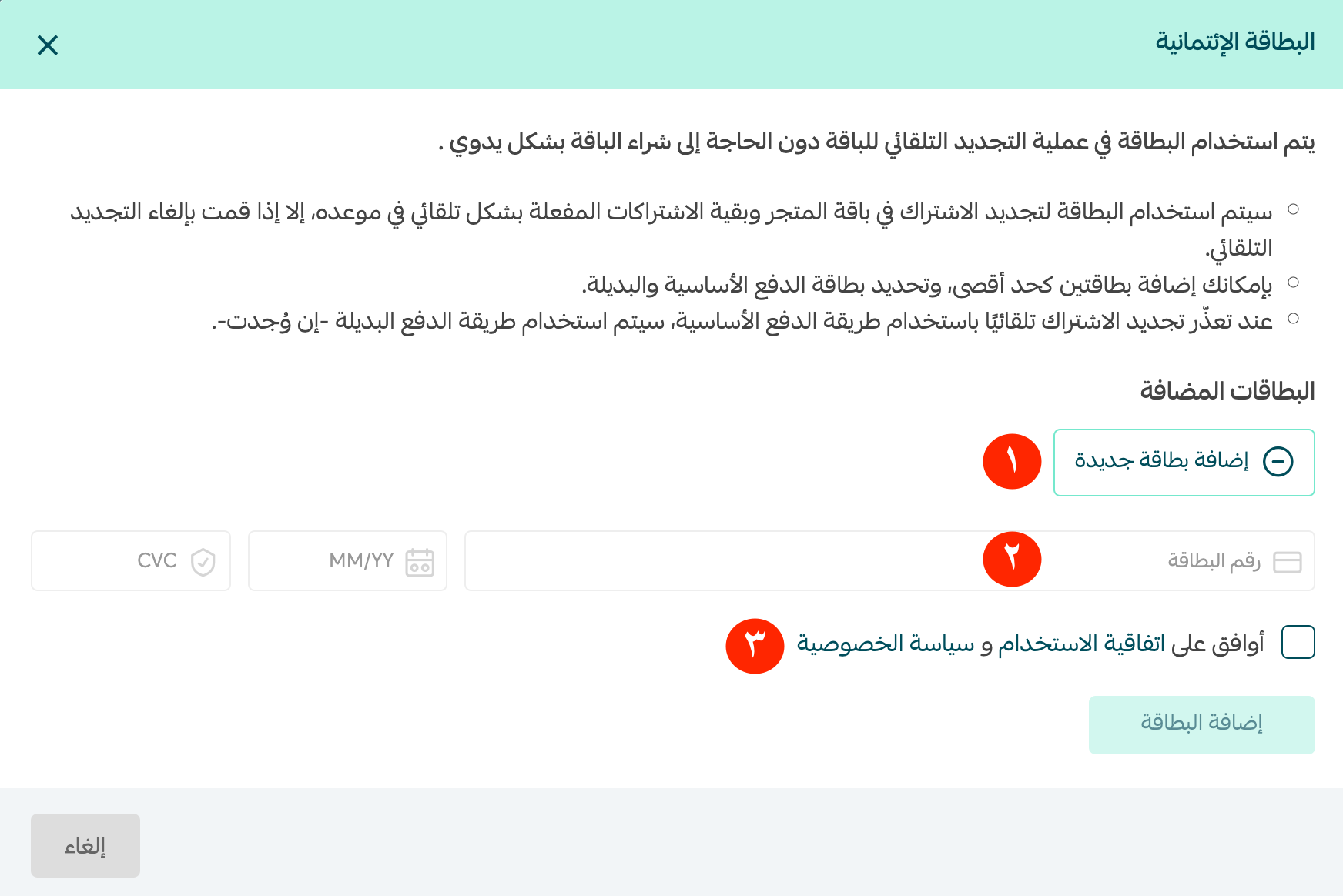
The card is now saved to your account and ready for your next payment.
❓ Frequently asked questions
How do I add balance and save the card at the same time?
1. From the dashboard home page, click (Wallet and invoices).

2. In the (Store balance) box, click (Add balance).
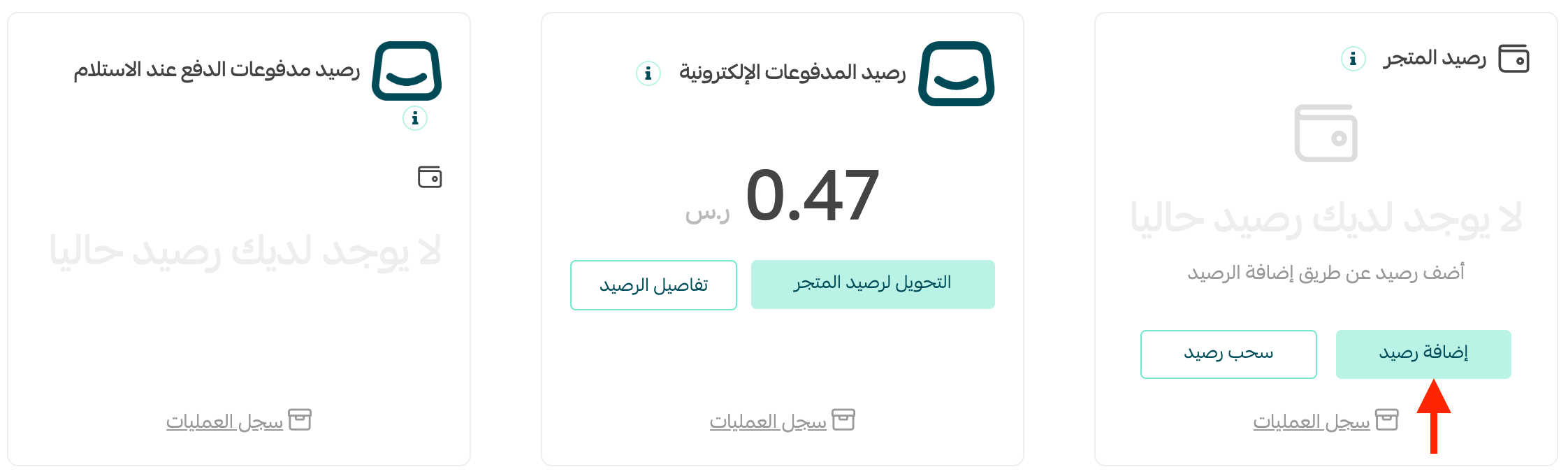
3. Set the amount under (Add the required amount), enter your card details, and turn on (Save cards in the wallet).
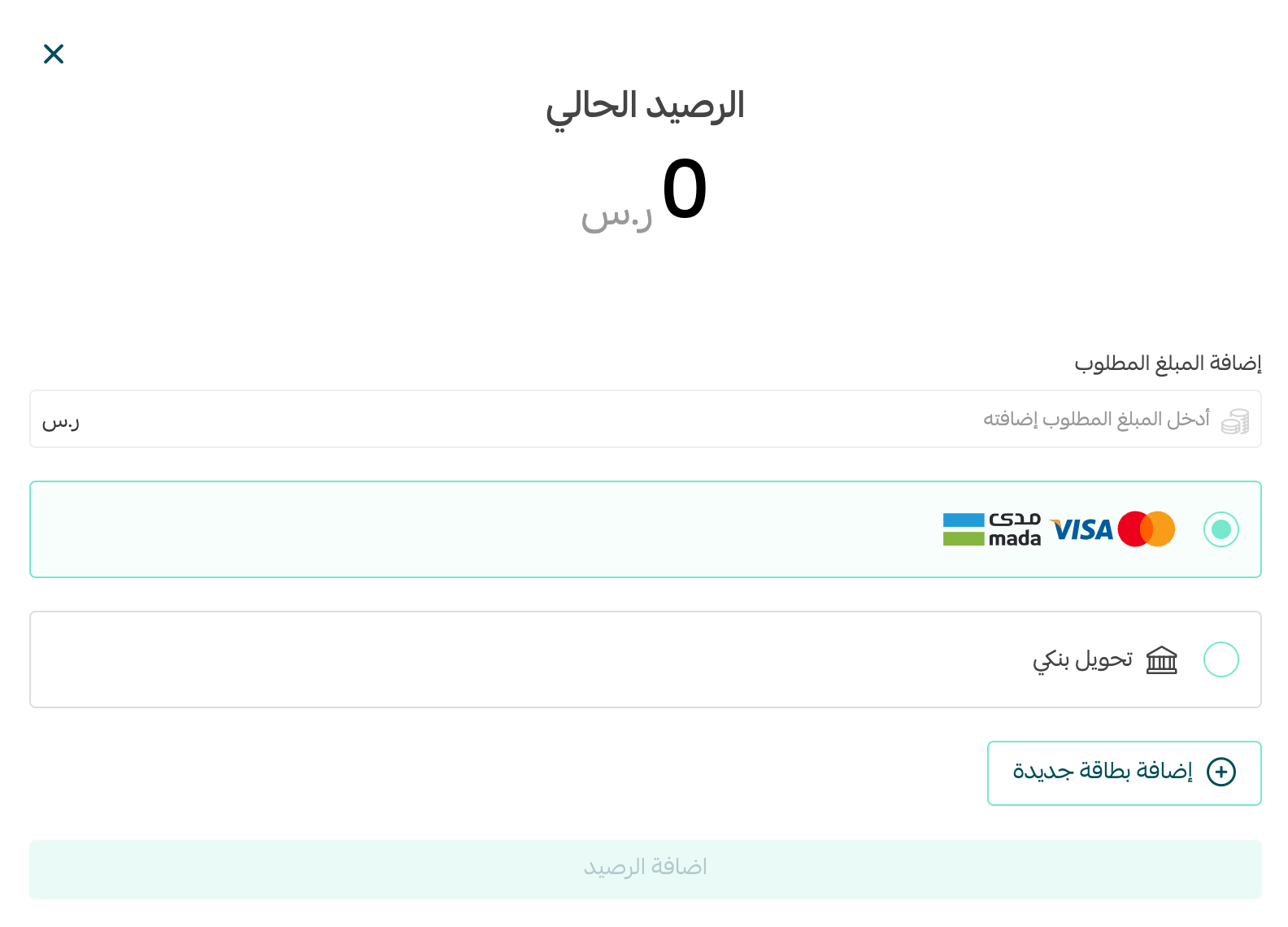
4. Click (Add balance). The card is saved and your balance is topped up in one go.
Can I add more than two cards?
No. Once two cards are saved you cannot add another one. Delete one of them first, then add the new card.
What is a saved card used for?
It stays on your account so you can pay with it again without re-entering the details, which is what makes topping up your store balance quick.
Do I have to agree to anything to save a card?
Yes. When you add a card from the billing settings, you tick (I agree to the terms and conditions and the usage agreement) before the card can be saved.
📝 Important notes
Two saved cards is the cap, so if you rotate cards regularly, delete the one you no longer use before adding a replacement.
Saving a card is a small setup step that removes a recurring bit of friction — worth doing once so a low balance never holds up your store.