Apple Support is Apple’s official service for providing technical assistance and customer support for its products and services. The goal of Apple Support is to help users resolve technical issues, understand platform requirements, and access the right resources—while maintaining a high standard of privacy, security, and user experience.
This guide explains how to contact Apple Developer Support by phone, step by step.
Ways to contact Apple Support
You can reach Apple Support using the method that best suits your needs:
- Phone (Call Back)
Speak directly with an Apple support specialist for immediate assistance.
Submit your inquiry and receive a written response from Apple Support.
- Live Chat
Chat in real time with an Apple support agent for quick guidance.
Steps to request Apple Support via phone call
1️⃣ Open the Apple Developer website
Go to the official Apple Developer Program website and click Account.

2️⃣ Sign in with your Apple ID
Log in using an active Apple ID associated with your developer account.

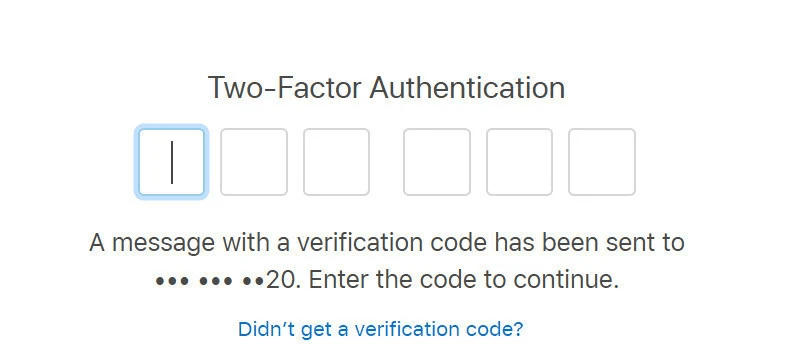
3️⃣ Enter the verification code
You may be asked to enter a verification code sent to the phone number linked to your Apple ID.
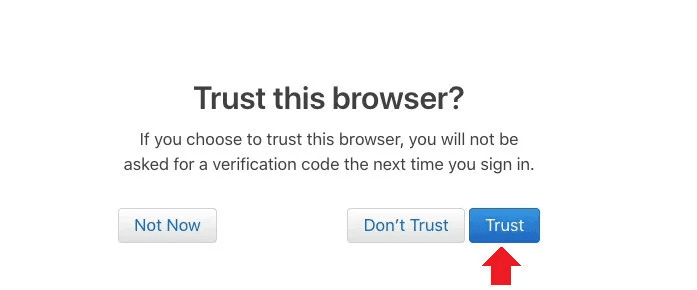
4️⃣ Trust the browser
When prompted, select Trust to continue using the current browser.
5️⃣ Open the support section
After logging in, your Apple Developer account dashboard will appear.
Scroll to the bottom of the page and click Contact Us to reach Apple Support.

6️⃣ Select the support category
From the support categories related to your developer account, choose: Membership and Account

This option is used for issues related to developer program enrollment, account status, and membership verification.
7️⃣ Choose the issue type
You’ll see a list of common issue categories, such as:
- D-U-N-S Number
Use this if you’re facing issues entering or verifying your D-U-N-S number.
- Program Enrollment
For questions about enrolling as an Individual or Organization in the Apple Developer Program.

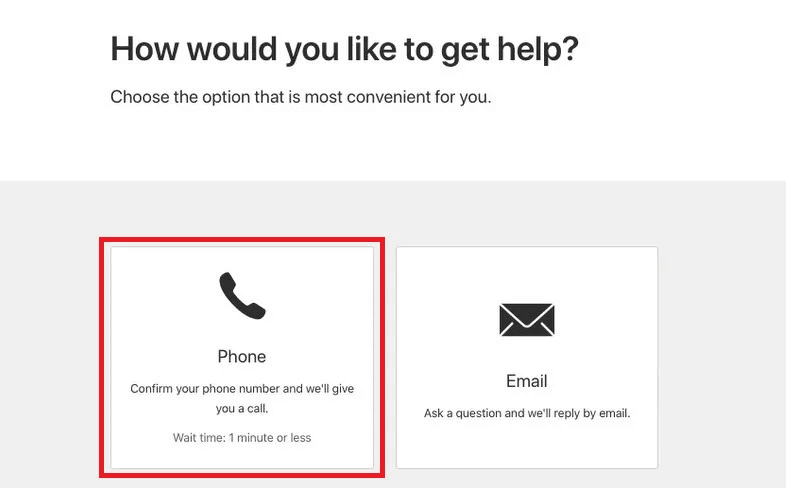
8️⃣ Choose phone support
On the “How would you like to get help?” page, select Phone (if available).
📌 Phone support availability depends on Apple’s working hours.
- Typically (Saudi Arabia time): Monday to Friday, 10:00 AM – 6:00 PM
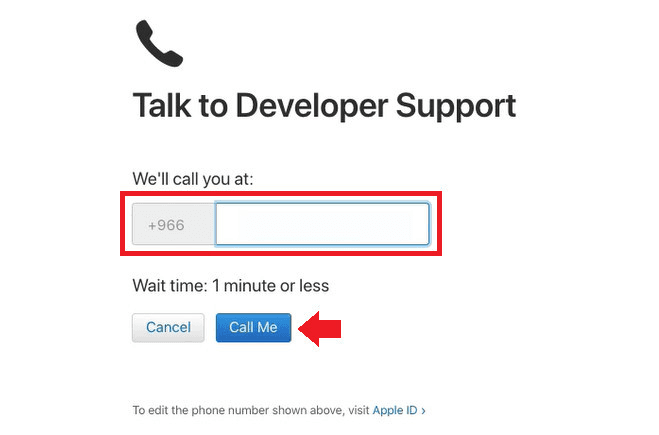
9️⃣ Enter your phone number
Provide the phone number you want Apple Support to call, then click Call Me.
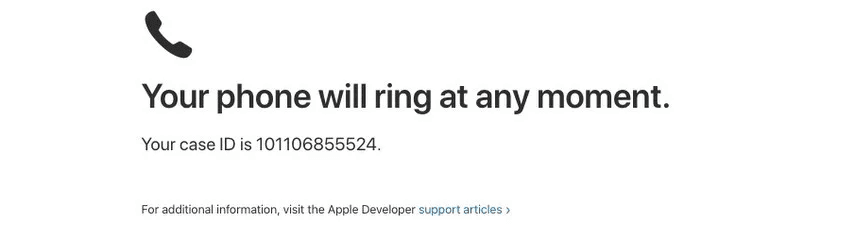
🔟 Receive the call
A confirmation message will appear stating:
“Your phone will ring at any moment”, along with a Case ID.
1️⃣1️⃣ Answer the call
When you receive the call:
- You’ll hear an automated message
- Press 1 to speak to a support representative immediately
- Your call will then be transferred to an Apple Support agent
Frequently Asked Questions
Can I try again if the first call attempt fails?
Yes. If the first attempt fails, it’s recommended to wait for the system to retry automatically—usually 10–15 minutes later.
Apple generally allows up to three call attempts per day.
If you reach the daily limit, try again after several hours or the next day.
What if I tried multiple times and still couldn’t connect?
Apple limits the number of call requests per day.
If multiple attempts fail, the automated system may block additional requests temporarily.
In this case, wait and try again on a later day.
Can I receive the call on a phone number different from the Apple ID number?
Yes, but Apple may ask additional verification questions to confirm your identity.
⚠️ Apple is extremely strict about account security and privacy. If the caller is not the account holder, support may be refused.
If a translator is involved, the account owner must be present on the same call.
What if I press “1” but the automated system doesn’t detect it?
Restart your phone and try again.
In some cases, the phone may not transmit keypad tones correctly. Restarting usually resolves the issue.
What verification questions might Apple ask during enrollment calls?
Common questions include:
- What is your first and last name?
→ Answer using the account holder’s registered name
- What is your Enrollment ID?
→ Provide the Enrollment ID shown in Membership Details
- What is your work email address?
→ Use the email listed in your developer account
- What is your company phone number?
→ Provide the phone number listed in your account details
- What is your position in the company?
→ Answer: Owner / Authorized Representative
- Do you have legal authority to sign agreements on behalf of the company?
→ Answer: Yes
- Do you plan to publish apps on the App Store or outside the App Store?
→ Answer: On the App Store
Additional standard questions may be asked.
If you don’t understand a question, feel free to say:
- “Sorry, could you repeat the question?”
- “Sorry, I couldn’t hear you clearly.”
What languages are supported by Apple Developer Support?
Currently, Arabic is not supported for Apple Developer Program support. Communication is available in English only.
If needed, you may use a translator.
How should I explain my issue to Apple Support?
Describe your case clearly and include:
- A brief explanation of the issue
- Your company name
- Your Case ID or Enrollment ID (if available)
Clear and concise explanations help Apple resolve issues faster.