Does every order status change in your store reach the customer, or only the ones someone remembers to send?
Moatmt Bot connects your Salla store to WhatsApp so customers hear from you the moment something changes. It fires an instant notification when an order status is updated, and it lets you send more than one message and write the wording yourself, which is what turns a routine update into something a customer actually reads and replies to. In this guide, you'll learn how to install Moatmt Bot, activate it with your account credentials, and customize the message for each order status.
Moatmt Bot is a Salla App Store app for instant WhatsApp communication with your customers. It sends notifications when an order status changes or any update happens, and it supports multiple, fully customizable messages. You install it, copy your account ID and access code from your Moatmt account, then activate the app and save your message text.
📌 Article overview
- What Moatmt Bot does
- How to install and connect Moatmt Bot
- How to activate Moatmt Bot and customize your messages
- Frequently asked questions
🎯 What is Moatmt Bot?
Moatmt Bot is a WhatsApp messaging app for stores that would rather tell customers what is happening than field the same "where is my order?" question all day. When an order status changes, or when any update happens, the notification goes out immediately. You can also send several messages and write each one in your own voice, which keeps engagement up instead of training customers to ignore you.
🚀 How to install and connect Moatmt Bot
1. From the main menu of your store dashboard, click (Installed apps).

2. From the Salla App Store banner, click (Browse the Salla App Store).

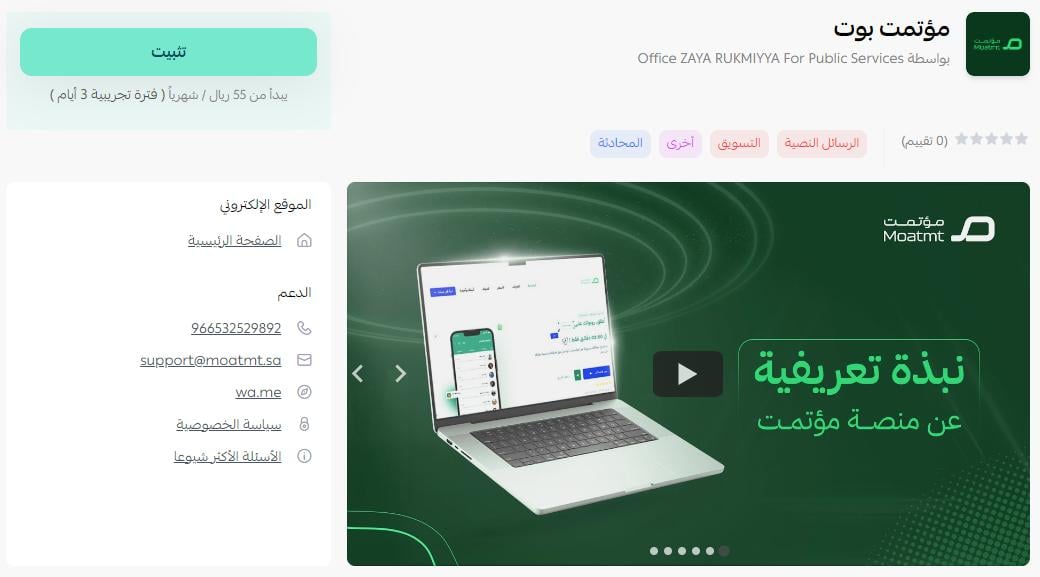
3. On the Moatmt Bot app page, click (Install).
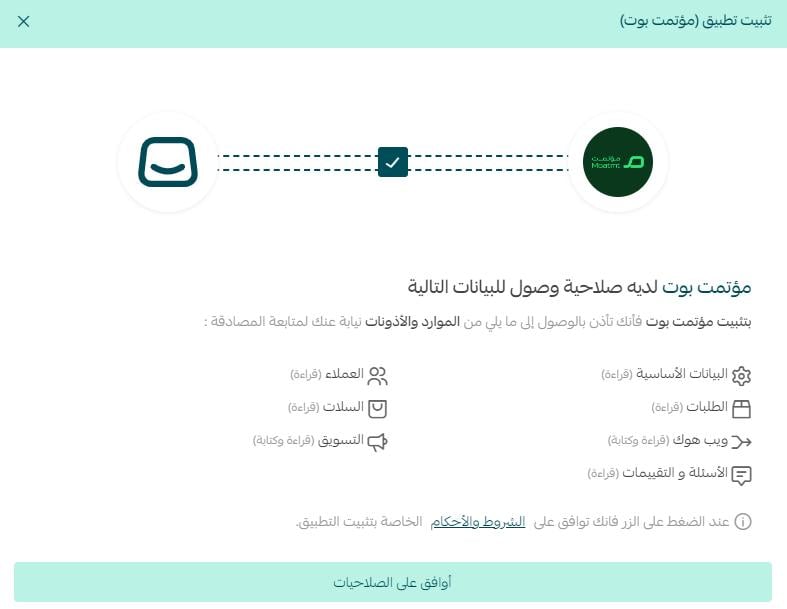
4. Review the permissions the app asks for, then click (Agree to permissions).
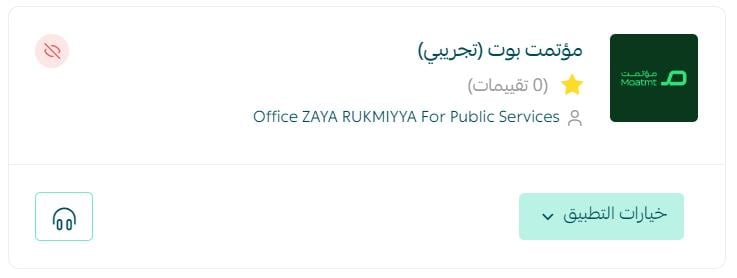
Moatmt Bot is now installed on your store.
The Moatmt Bot team then sends you a WhatsApp message containing the activation details you will enter in the app settings.
👣 How to activate Moatmt Bot and customize your messages
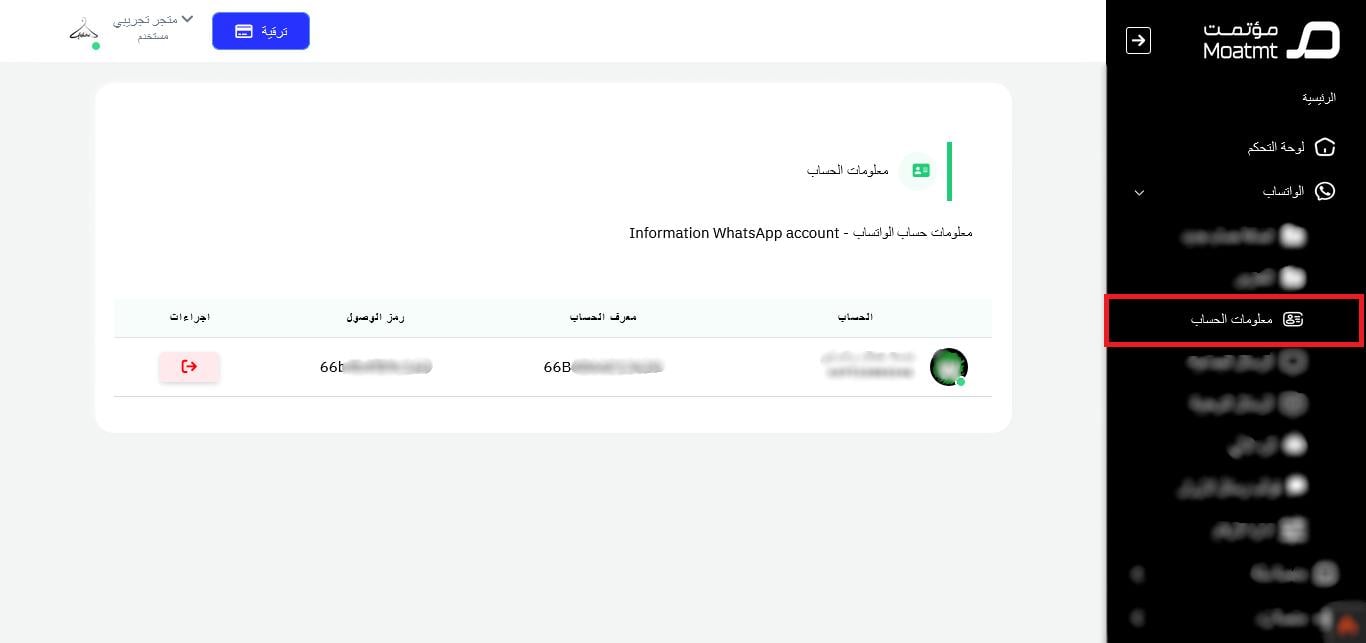
5. On your Moatmt account page, click (Account information) and copy both the account ID and the access code.
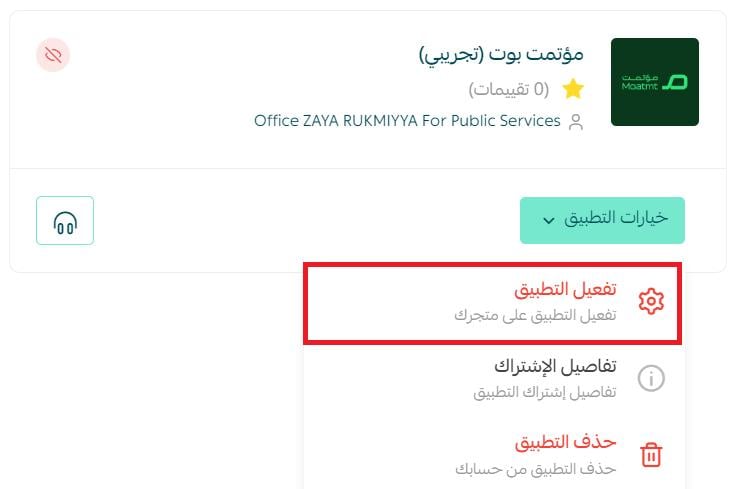
6. On the installed apps page, find the Moatmt Bot app, click (App options), then click (Activate app).
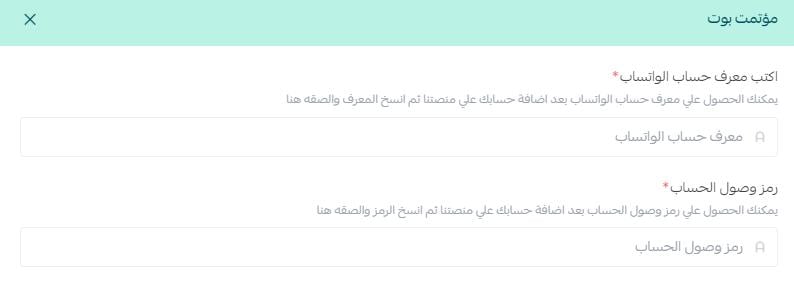
7. Enter the ID number and access code for your Moatmt account, the ones you copied in the previous step.
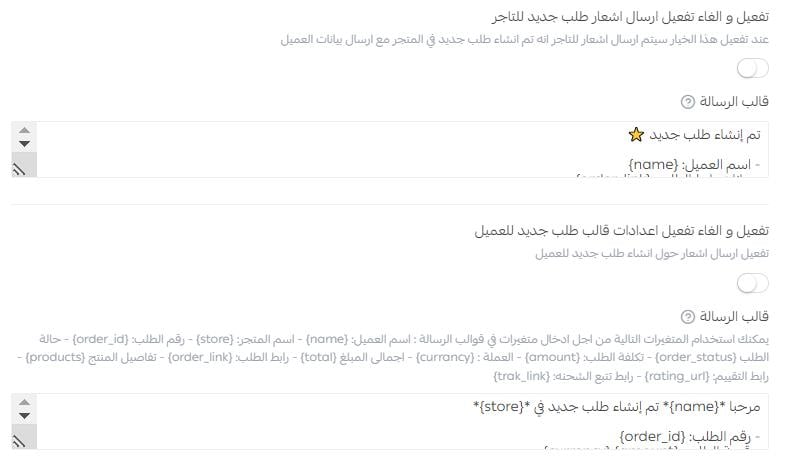
8. Turn on the WhatsApp messages you want, write the wording for each order status, then click (Save).
📝 Important notes
- The app only starts sending once the account ID and access code are entered, so keep the WhatsApp message from the Moatmt Bot team.
- Each order status has its own message, and you can rewrite any of them and save again at any time.
- For more on installing, activating, and removing apps, read Managing your store apps.
❓ Frequently asked questions
How do I remove the Moatmt Bot app from my store?
1. From the main menu of your store dashboard, click (Installed apps).
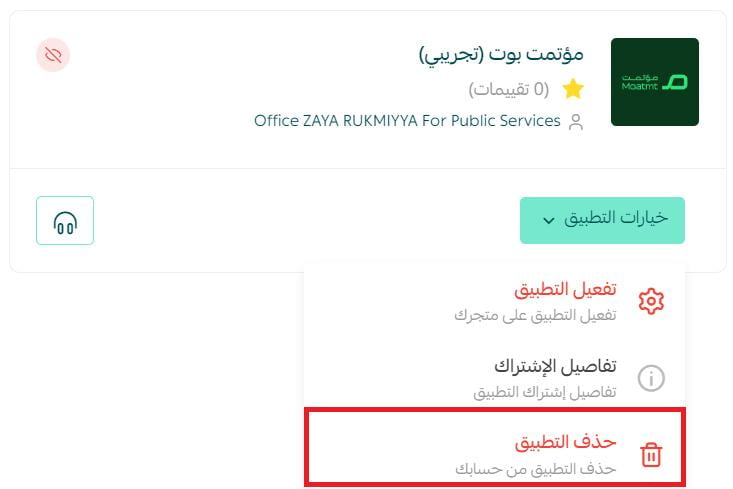
2. On the all apps page, find Moatmt Bot, click (App options), then click (Delete app).
Where do I find my account ID and access code?
Open your Moatmt account page and click (Account information). Both values are shown there, ready to copy into the app settings.
Can I send more than one message to a customer?
Yes. Moatmt Bot supports multiple messages, and you can customize the text of each one.
When does a customer get a notification?
Instantly, when the status of their order changes or when any other update happens on it.
Customers rarely complain about hearing too much from a store. They leave when they hear nothing. Moatmt Bot makes the update automatic.