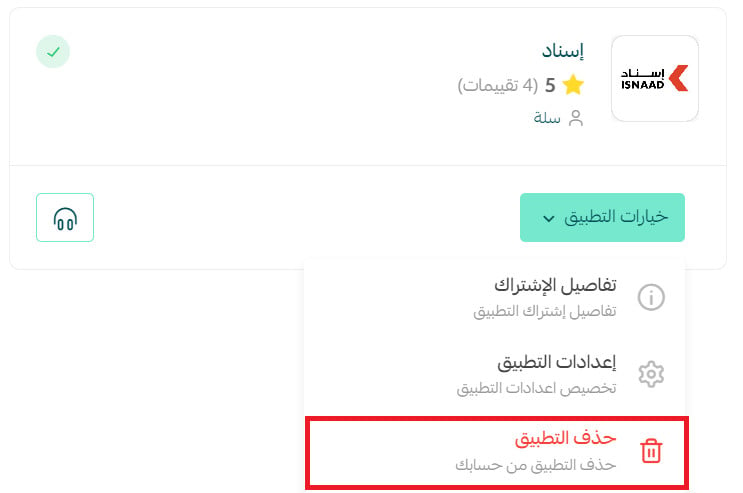
What is Esnad?
Esnad is your trusted logistics partner, offering a range of services using the latest technologies. We integrate with your online store to automatically receive customer orders, manage inventory, and handle order processing and delivery with speed and professionalism. We also provide data dashboards and reports to help you make informed decisions.
Steps to integrate with Esnad:
1. From the control panel's side menu, click on (Installed Apps).

2. From the installed apps, click (Browse Salla App Store) from the Salla App Store banner.

3. From the Esnad app,click (Install). Click (install).
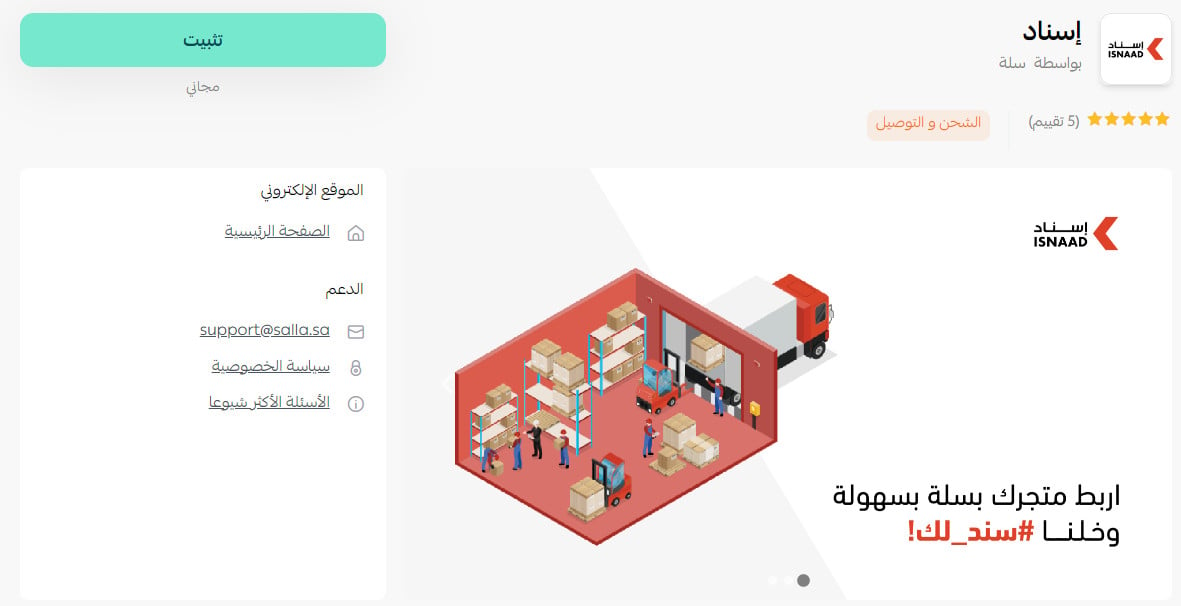
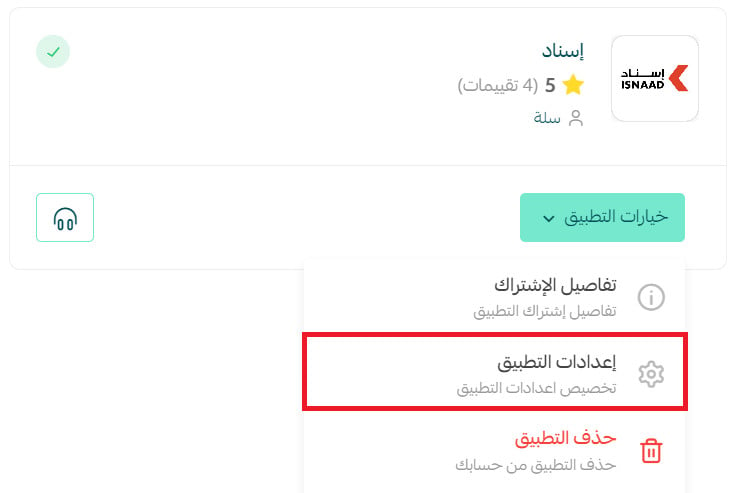
4. From the installed apps page, click (App Options) then (App Settings) from the Esnad app card.
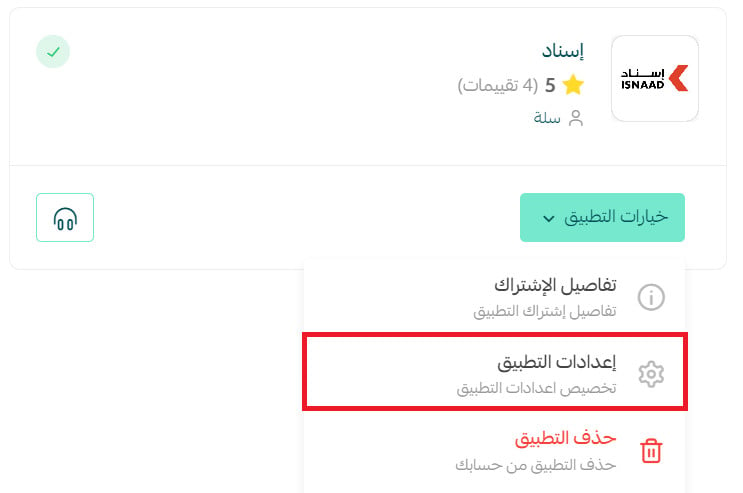
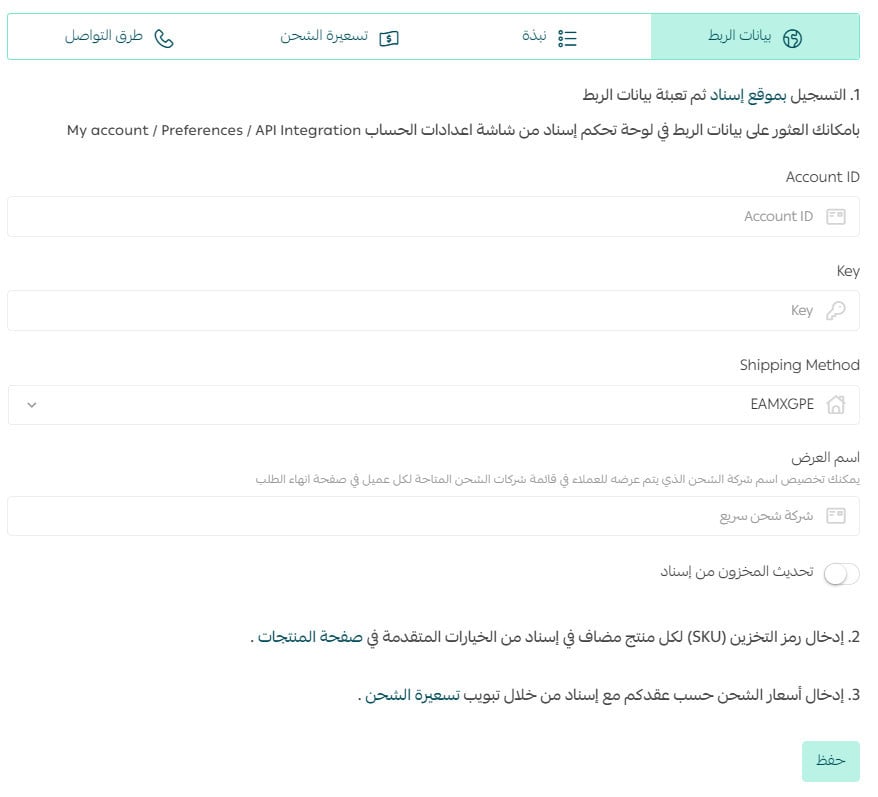
5. In the (Integration Data) tab, enter your Esnad account details and click Save.
Frequently Asked Questions
How can I set up shipping rates on Esnad?
1. From the control panel's side menu, click on (Installed Apps).

2. From the All Apps page, click (App Options) then (App Settings) from the Esnad app.
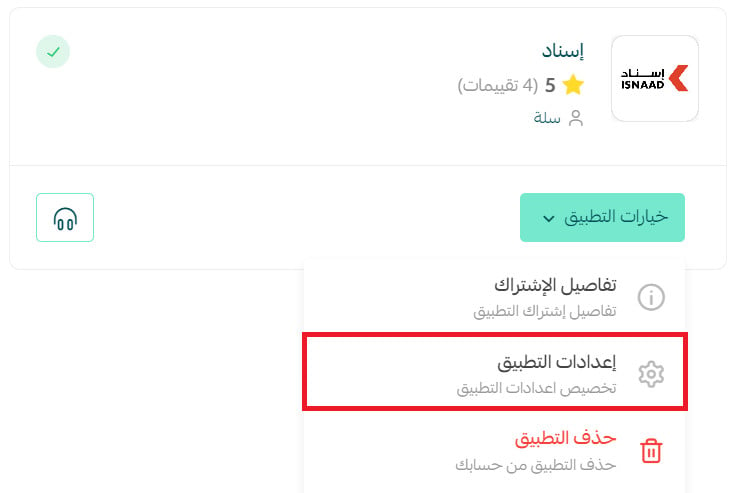
3. In the (Shipping Rates) tab, enter shipping rates for the desired cities and regions.
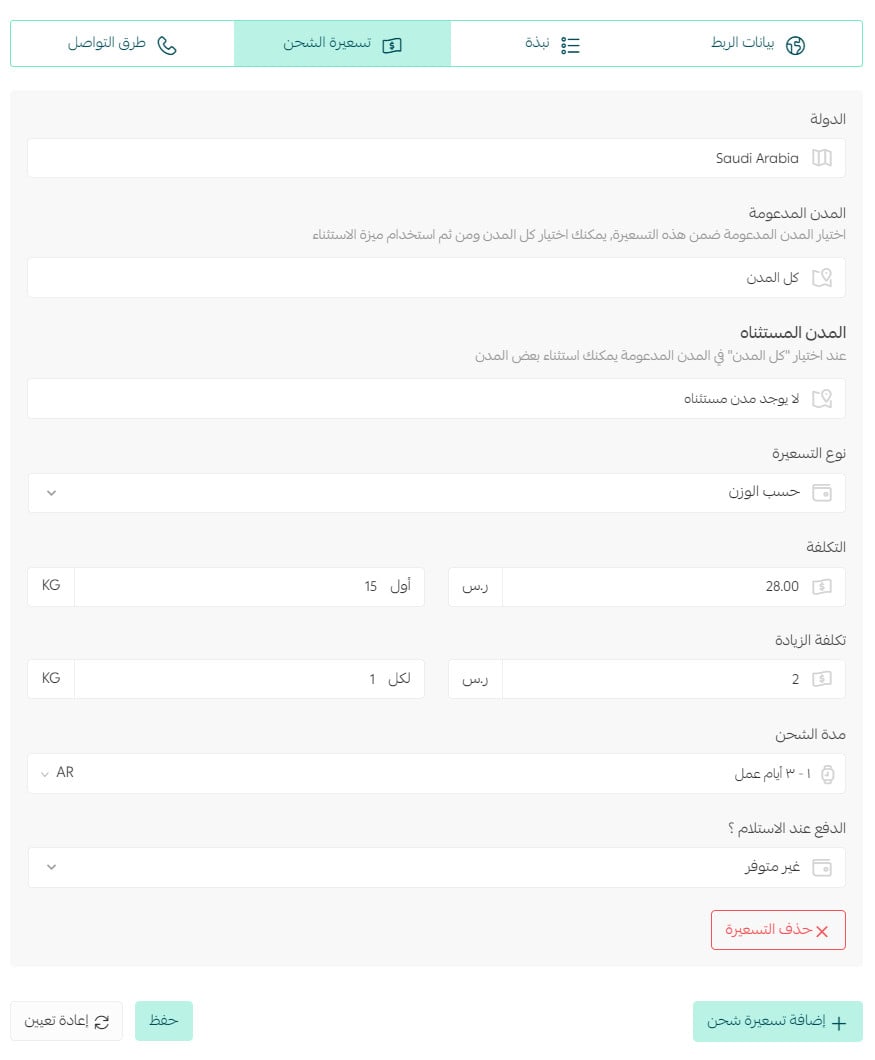
For more details onshipping and delivery settings
How can I temporarily disable the Esnad app in my store?
1. From the control panel's side menu, click on (Installed Apps).
2. From the All Apps page, click (App Options) then (App Settings) from the Esnad app.
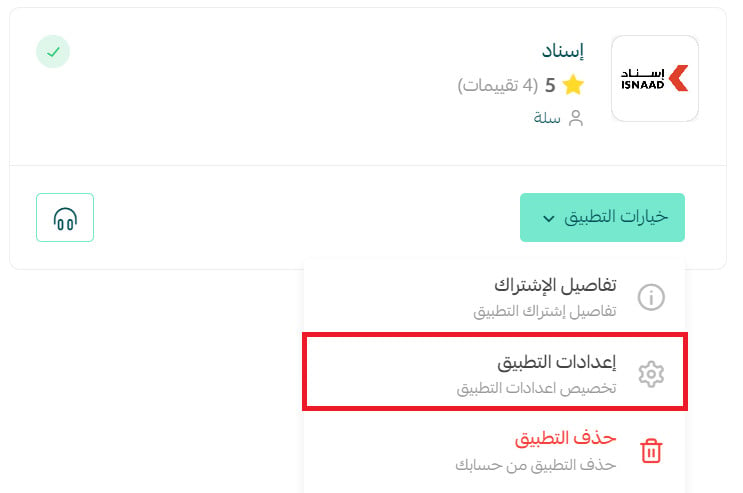
3. Enable or disable the shipping company option.
How can I delete the Esnad app from my store?
1. From the control panel's side menu, click on (Installed Apps).
2. From the All Apps page, click (App Options) then click (Delete App) from the Esnad app.