Want your store's payouts to reach your bank account in minutes instead of days?
The instant transfer system moves money between banks within minutes using an alternate identifier — your mobile number, national ID number, or email address — instead of a full account number or IBAN. That means fewer typing errors for your customers and faster bank transfers to your store. In this guide, you'll learn how to add an alternate identifier to your bank account on Salla and how it appears to your customers.
To activate instant transfers on Salla, add a bank account to your store, turn on the alternate identifier option, choose the identifier you prefer (mobile number, ID number, or email), enter it, and click save. Your instant transfer details then appear automatically on your store's checkout page.
📌 Article overview
- What the instant transfer system is
- How to add an alternate identifier for instant transfers
- Frequently asked questions
What is the instant transfer system?
It is a fast interbank transfer service that completes payments in a short time using identifiers other than the account number or IBAN — such as a mobile number, national ID number, or email address. Customers who pay by bank transfer can send the amount without copying long account details.
👣 How to add an alternate identifier for instant transfers
1. Add a new bank account to your store. For the full steps, see (Setting up your bank account).
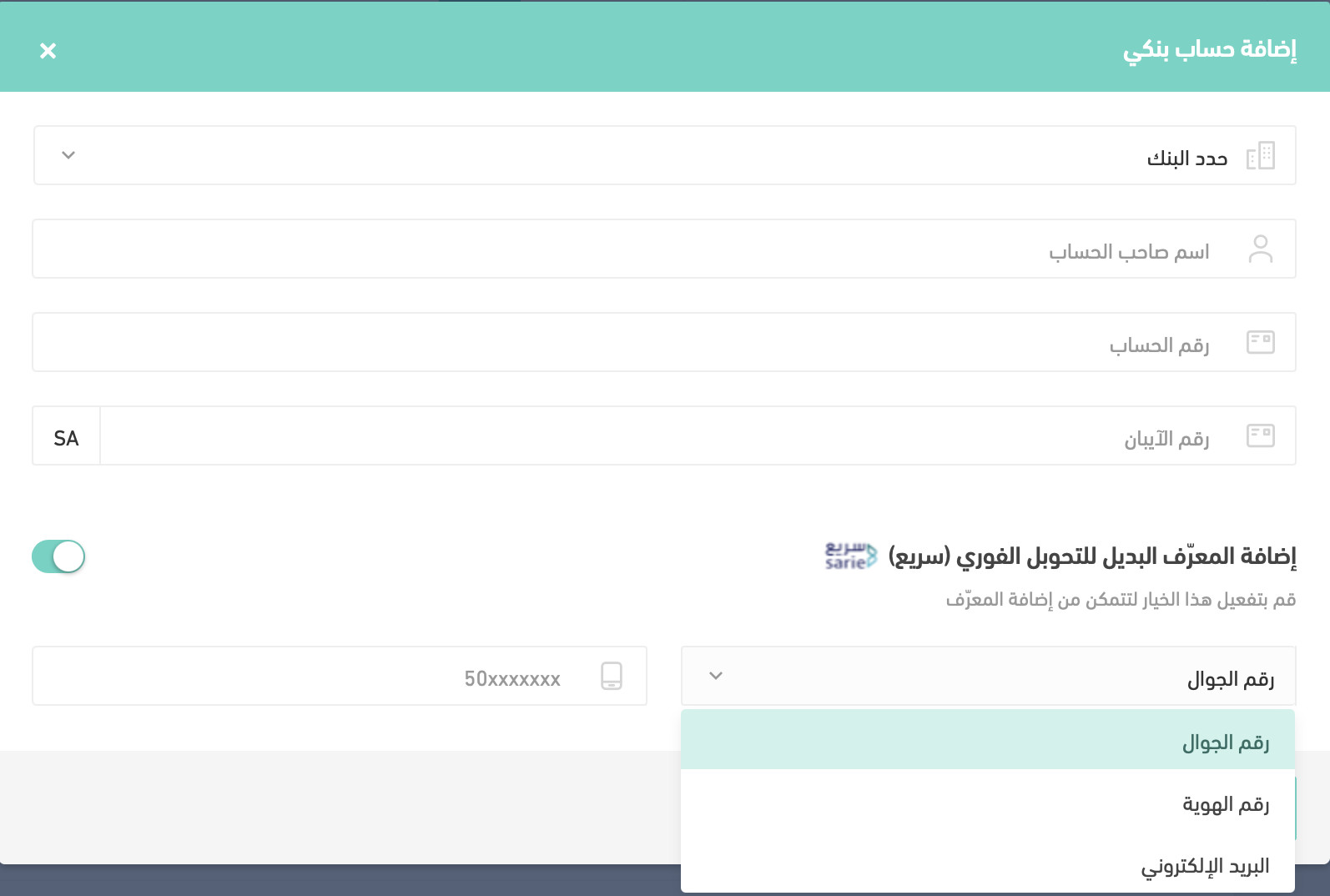
2. Turn on the (Add alternate identifier) option.
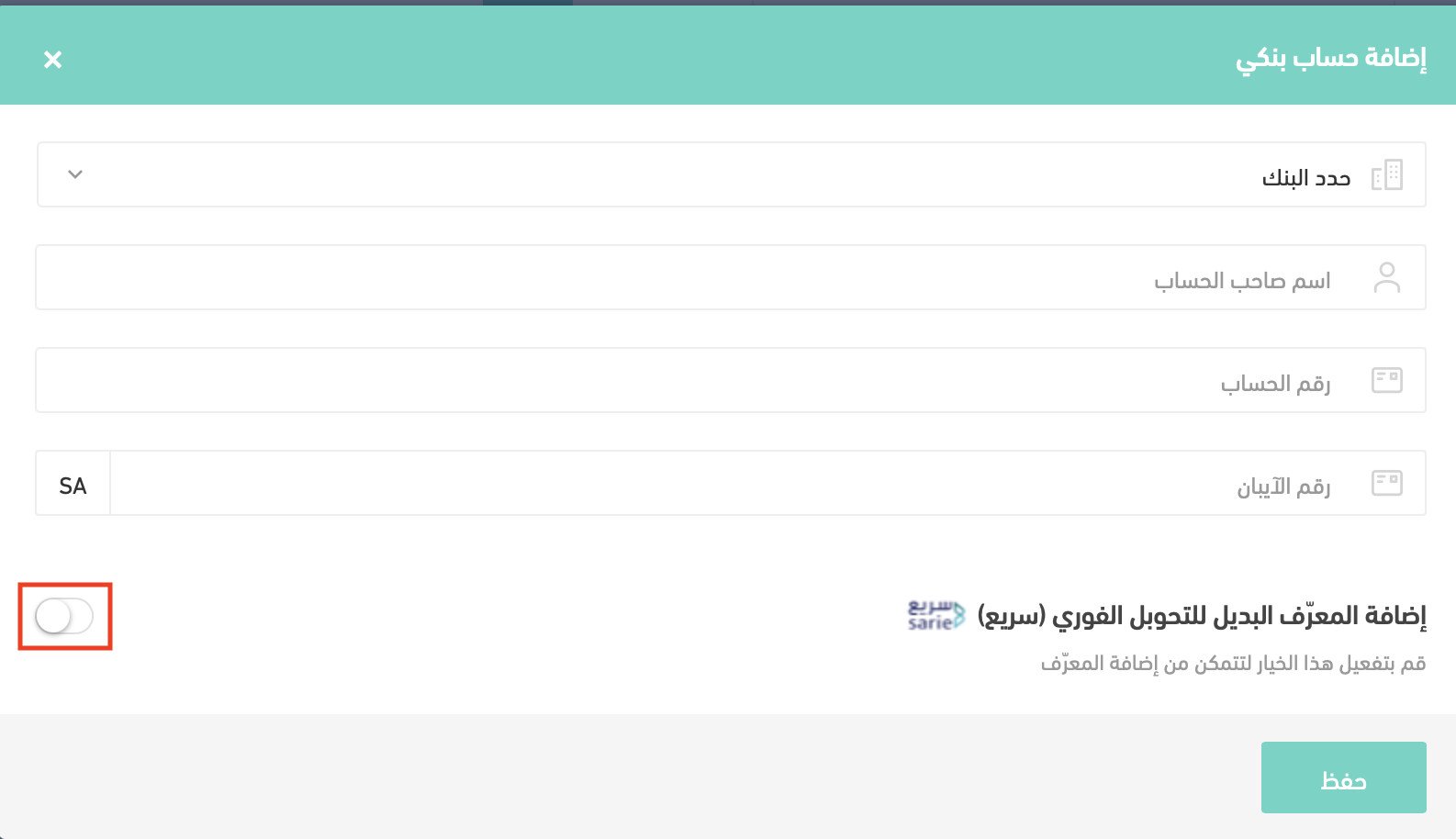
3. Choose the alternate identifier you prefer — mobile number, ID number, or email — enter it, then click (Save).
Frequently asked questions
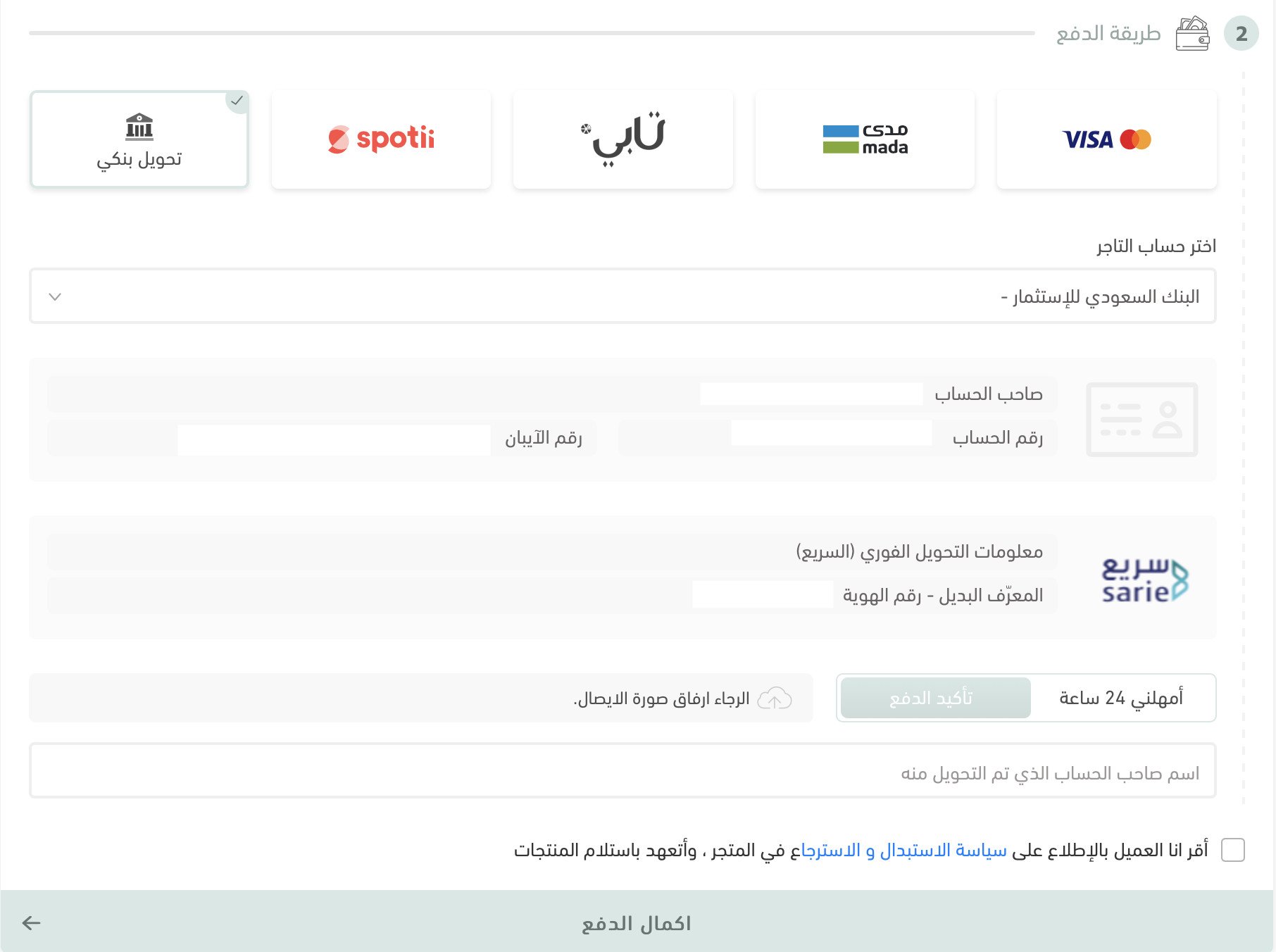
❓ How does the alternate identifier appear in my store?
Your instant transfer details appear automatically on the checkout page of your store, so customers see them when they choose to pay by bank transfer.
❓ Can I disable the alternate identifier?
Yes. Click the alternate identifier option again to turn it off.
❓ Can I add an alternate identifier to a bank account I added earlier?
Yes. Open the bank account you want to update, turn on the option, enter the alternate identifier, then click (Save).
With instant transfers enabled, paying by bank transfer becomes faster and less error-prone — a small setup step that removes real friction at checkout.