Running several coupons at once and losing track of which ones are still active — or how well each one is performing?
Salla gives you a set of coupon management options that keep your discount campaigns under control: a clear status for every coupon, search and filtering to find the one you need, and exportable statistics to measure results. In this guide, you'll learn how to check coupon statuses, search and filter your coupons, and export coupon statistics.
To manage your coupons on Salla, open (Marketing tools) from the main menu, then click (Discount coupons). The page shows each coupon's status — active, expired, or closed. Use (Filter) to search and narrow the list, and open a coupon's statistics to export them as an Excel file.
📌 Article overview
- Check the status of a discount coupon
- Search and filter coupons
- Export discount coupon statistics
🎯 Check the status of a discount coupon
1. From the main menu of your dashboard, click (Marketing tools).

2. From the marketing tools page, click (Discount coupons).

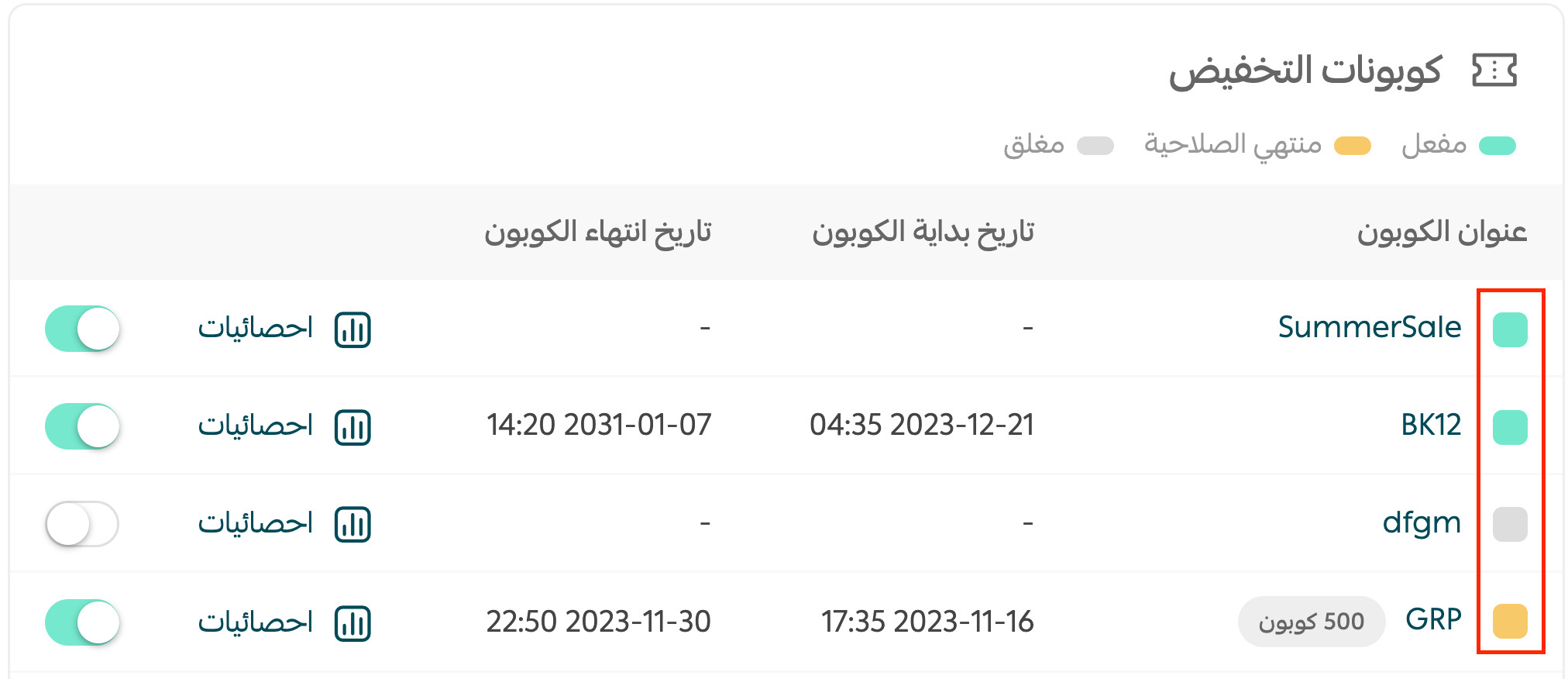
3. The status of each coupon is shown clearly: active, expired, or closed.

As shown here:
🔍 Search and filter coupons
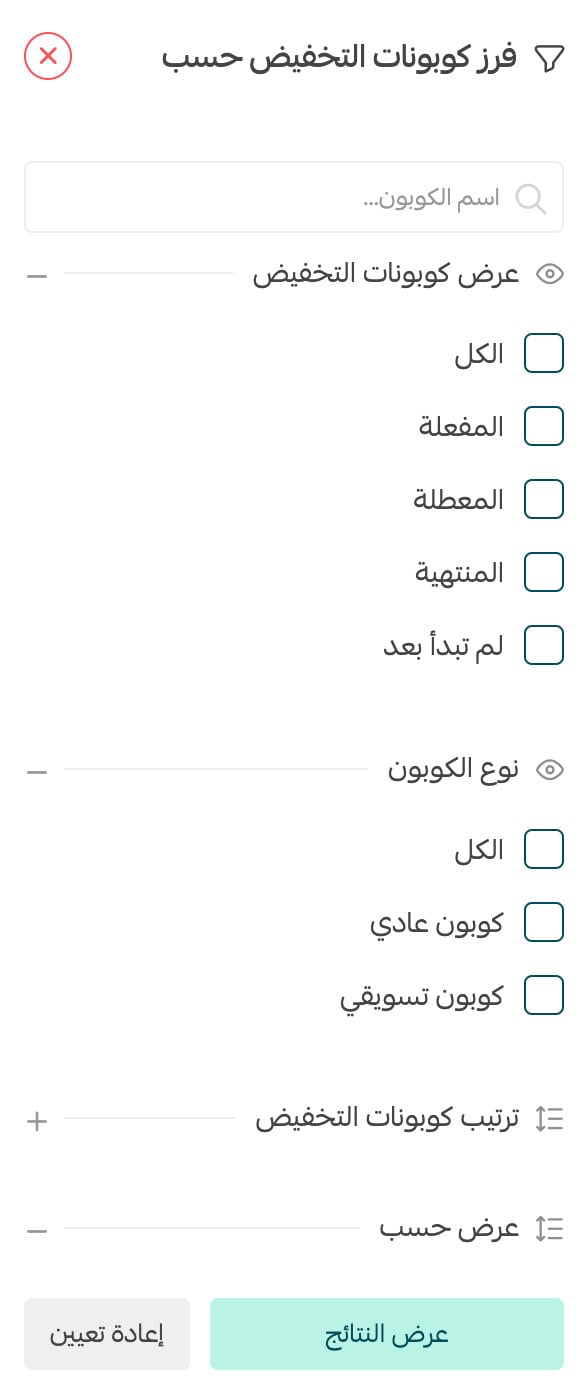
This feature lets you find a specific coupon by name, and filter the coupon list by the criteria you choose.
1. From the marketing tools page, click (Discount coupons).
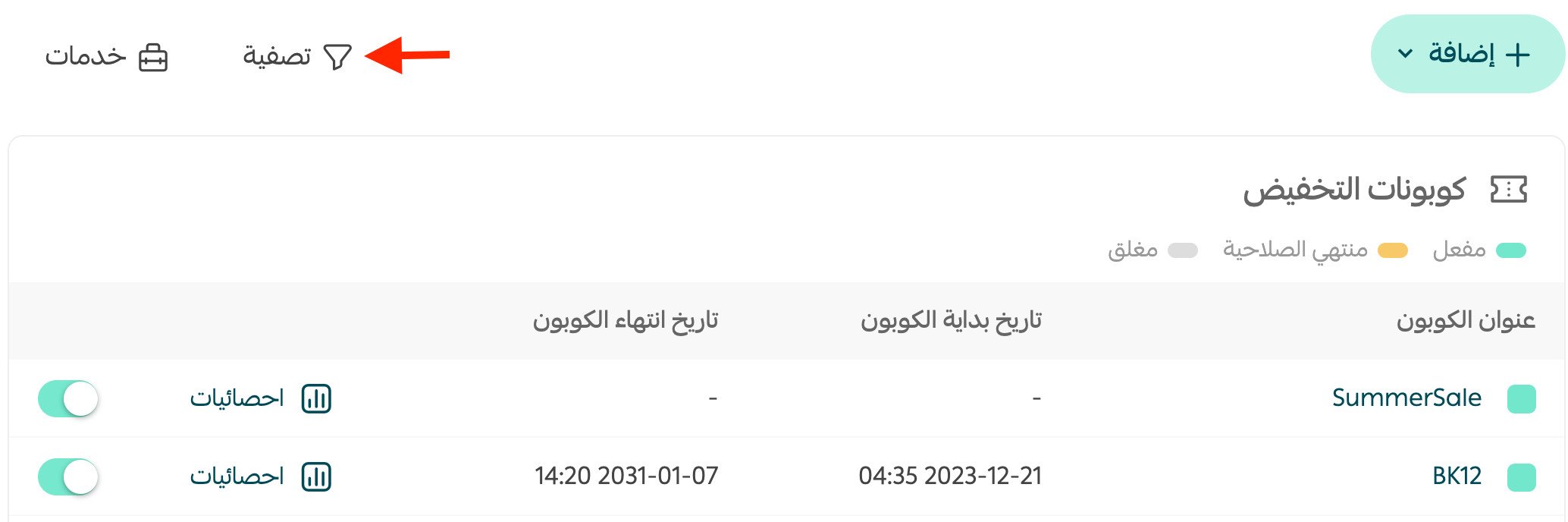
2. From the coupons page, click (Filter).
3. Set your filtering conditions, then click (Show results).
📊 Export discount coupon statistics
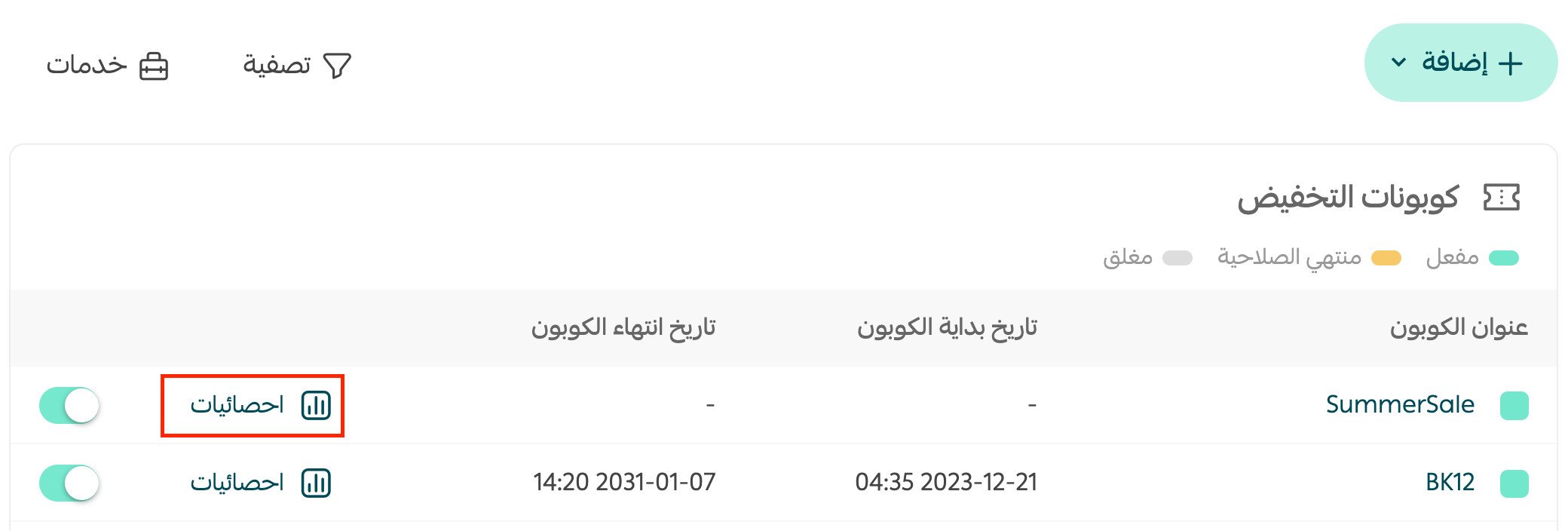
1. From the coupons page, click (Statistics) on the coupon whose results you want to export.
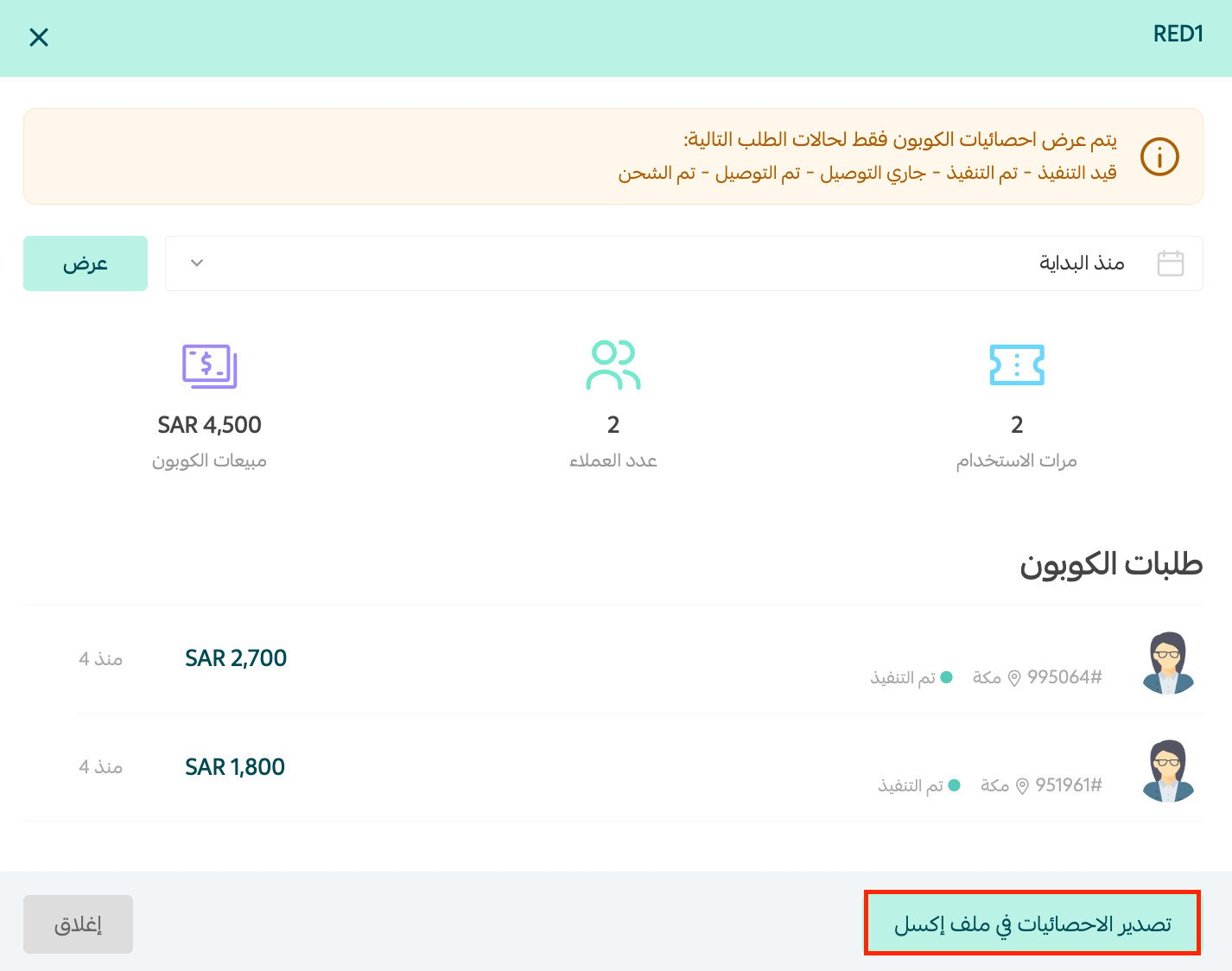
2. From the coupon's page, click (Export statistics to an Excel file) — an Excel file with the coupon's statistics downloads.
📝 Important notes
Coupon statistics are shown only for orders in these statuses: in progress, completed, being delivered, delivered, and shipped.
❓ Frequently asked questions
What do the coupon statuses mean?
Active means the coupon is currently usable by customers, expired means its validity period has ended, and closed means it is no longer available for use.
Can I search for one specific coupon?
Yes. From the coupons page, search by the coupon's name, or click (Filter) to narrow the list by the criteria you set.
Which orders count toward a coupon's statistics?
Only orders in the following statuses: in progress, completed, being delivered, delivered, and shipped.
For more details, see creating a new coupon.
Keep an eye on your coupon statuses and export the numbers regularly — the coupons worth repeating are the ones whose results you actually measured.