How many hesitant shoppers leave your store simply because nobody answered their one question?
Plenty of customers want a specific detail that the product description does not cover, and that is your opening to reach out, settle their concerns, and convince them to go ahead with the order. The Zaboon Back app gives you unlimited WhatsApp messages for exactly that, plus custom WhatsApp templates for things like abandoned cart reminders or announcing new products. In this guide, you'll learn how to set up the Zaboon Back integration on your Salla store, what the app can do for your sales, and how to remove it if you stop using it.
To connect Zaboon Back, open (My installed apps) in your Salla dashboard, browse the Salla App Store, and install the Zaboon Back app as a trial or on a paid plan. Review the permissions and click (Grant permission), and the app is ready to use on your store.
📌 Article overview
- What is Zaboon Back?
- How to set up the Zaboon Back integration
- Frequently asked questions
🎯 What is Zaboon Back?
Zaboon Back is a WhatsApp app for talking to the customers who are still on the fence. It gives you an unlimited number of WhatsApp messages so you can answer questions the product page does not cover, and it lets you build custom WhatsApp templates — abandoned cart reminders, new product announcements, and whatever else fits your store.
🚀 How to set up the Zaboon Back integration
1. From the side menu of your dashboard, click (My installed apps).

2. From the Salla App Store banner, click (Browse Salla App Store).

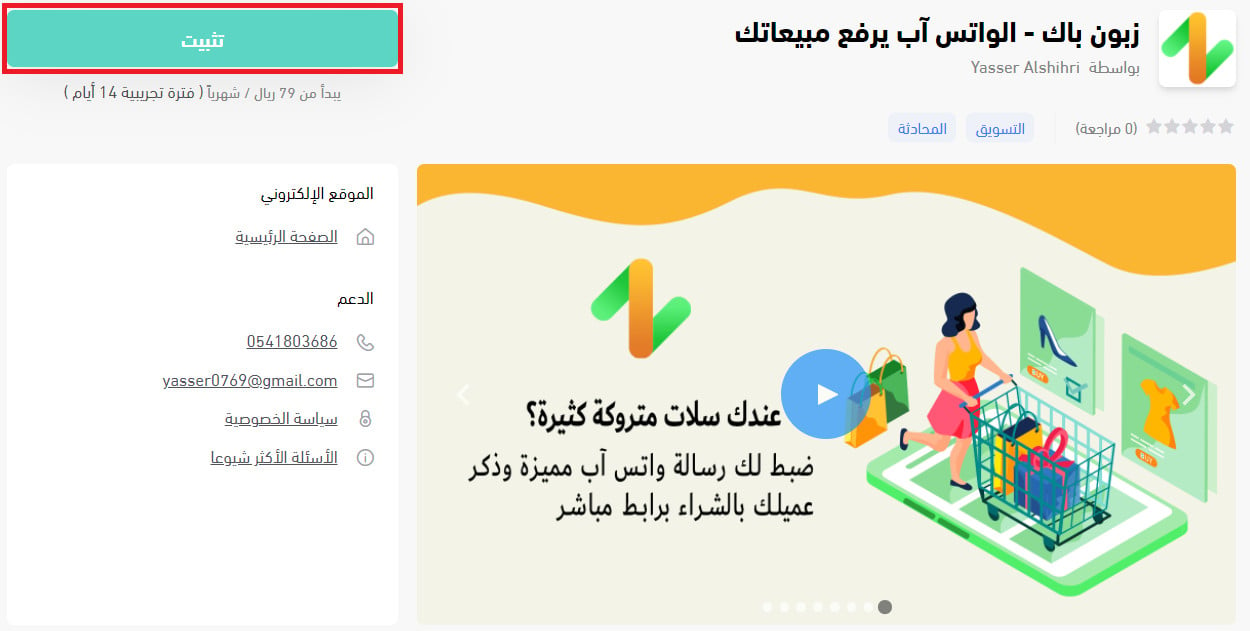
3. From the Zaboon Back - WhatsApp raises your sales app page, click (Install) to install a trial version.
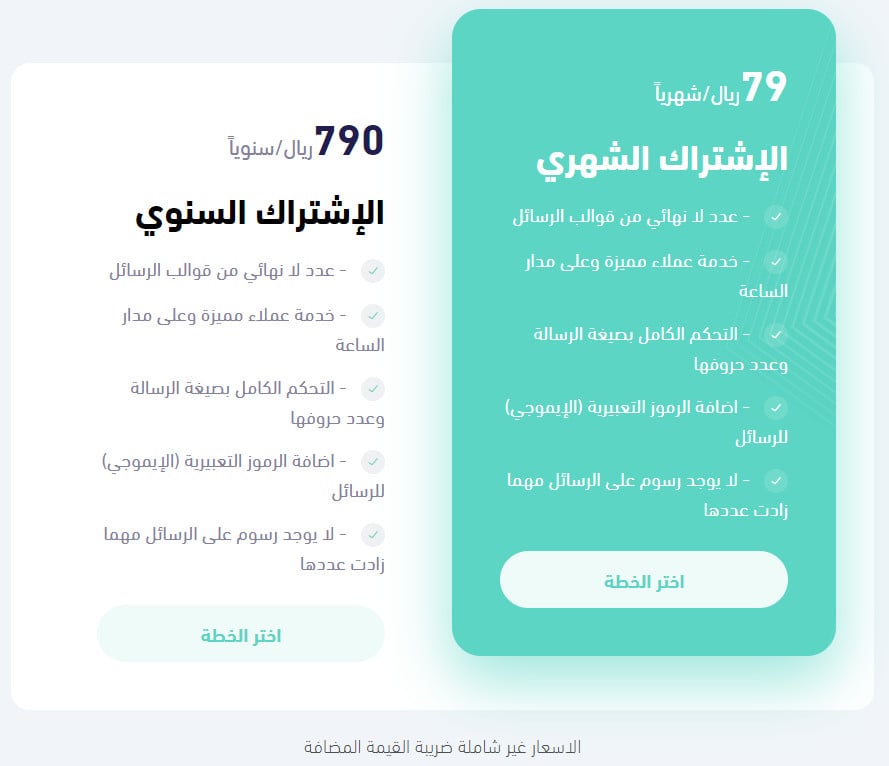
Or scroll to the bottom of the app page, click (Choose plan) on the plan that fits your needs, and complete the payment.
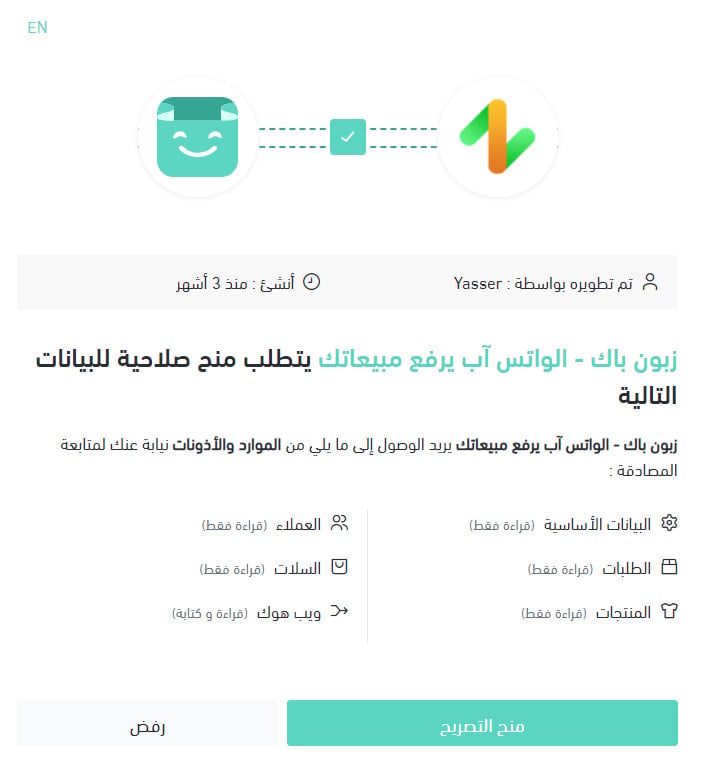
4. Review the permissions the app asks for, then click (Grant permission).
Zaboon Back is now installed on your store.
For more details, see managing my store apps.
❓ Frequently asked questions
How will Zaboon Back raise my sales?
Zaboon Back has long experience with online stores on Salla and with marketing them. The most effective way it found to win back a hesitant customer who left a cart without buying is to contact them personally, remind them, and answer their questions and concerns — which lifted the rate from 7% to 12% per month.
Do I pay extra for every new template or message?
No. You can add an unlimited number of templates and send an unlimited number of messages. Prepare the template, start the conversation, and grow your sales.
Is there a detailed walkthrough of the service?
Yes. There is a YouTube video called (Zaboon Back) that explains the service in detail.
Can I use the service from a computer or a phone?
Yes, especially if WhatsApp is linked to your computer. You can then use it on 4 computers and your phone at the same time.
How do I remove the Zaboon Back app from my store?
1. From the side menu of your dashboard, click (My installed apps).

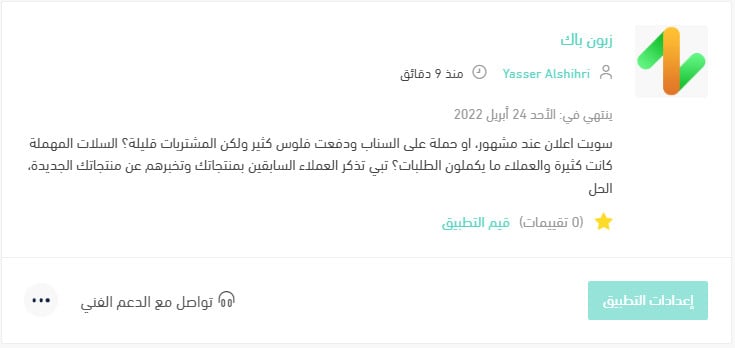
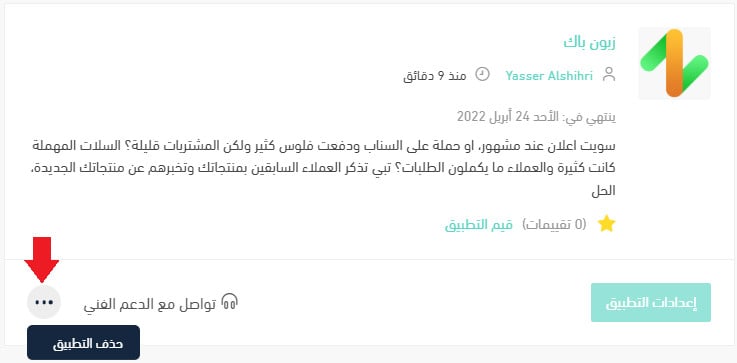
2. On the all apps page, find Zaboon Back, click the (...) icon, then click (Delete app), as shown below.
The customer who almost bought is the cheapest sale you will ever make — one message is often all that stands between the cart and the order.