Would your customers read an order update faster on WhatsApp than in their inbox?
Most shoppers open WhatsApp within minutes and email whenever they get around to it. The Wasilah WhatsApp integration turns your store's WhatsApp number into a sending gateway, so notifications, verification codes, abandoned cart reminders, shipment tracking links and automated bulk replies all reach customers on the channel they actually check. You install it from the Salla App Store, activate it, and connect it to your Wasilah account with an API token. In this guide, you'll learn how to set it up and how to keep your number safe.
To connect Wasilah WhatsApp, open (My installed apps) in your dashboard, click (Browse Salla App Store), and install the Wasilah WhatsApp app. Grant it permission, click (Activate app), then enter the API token and device ID from your Wasilah account and choose which messages to send.
📌 Article overview
- What is Wasilah WhatsApp?
- How to connect Wasilah WhatsApp to your Salla store
- Frequently asked questions
🎯 What is Wasilah WhatsApp?
Wasilah WhatsApp is an app that turns your store's WhatsApp account into a gateway for sending messages to customers: notifications, verification codes, abandoned cart messages, shipment tracking links, and automated bulk replies. The app also exports the phone numbers from your conversations.
🚀 How to connect Wasilah WhatsApp to your Salla store
1. From the side menu of your dashboard, click (My installed apps).

2. From the Salla App Store banner, click (Browse Salla App Store).

3. From the Wasilah WhatsApp app page, click (Install).
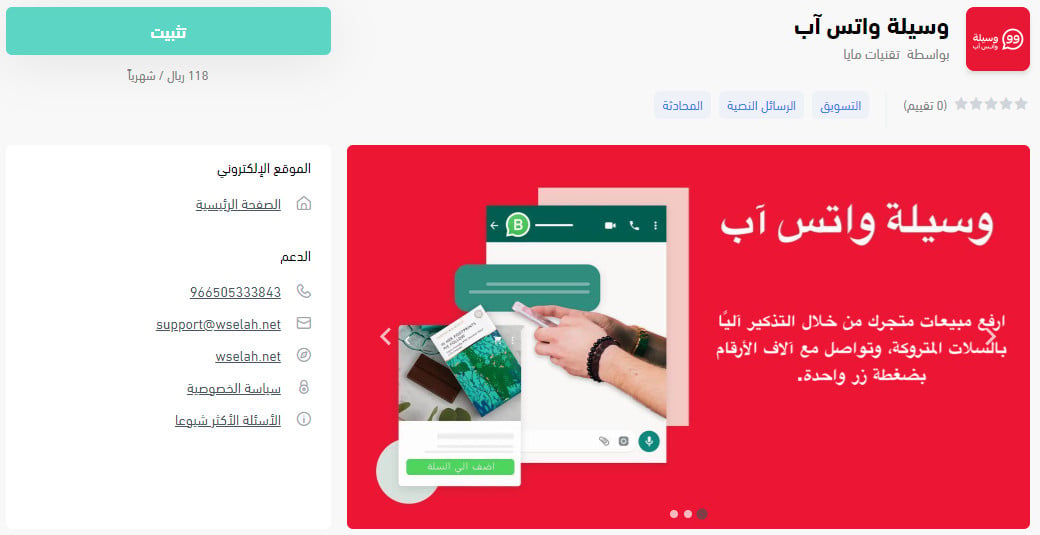
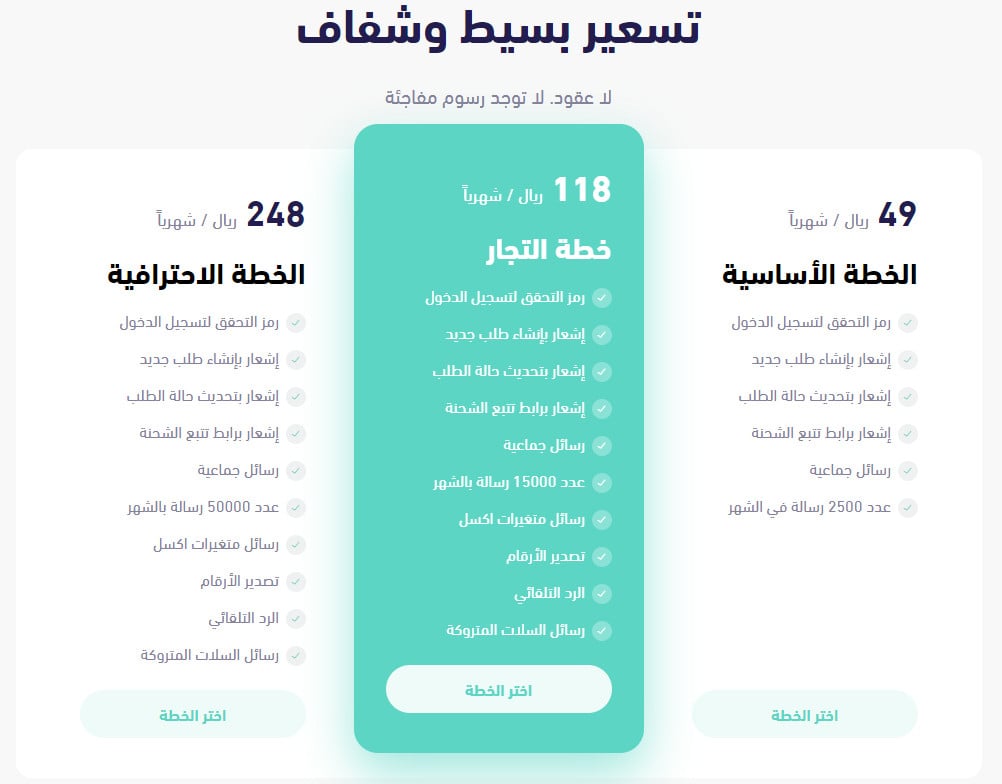
Or compare the app's plans, pick the one that fits your business, and click (Choose plan).
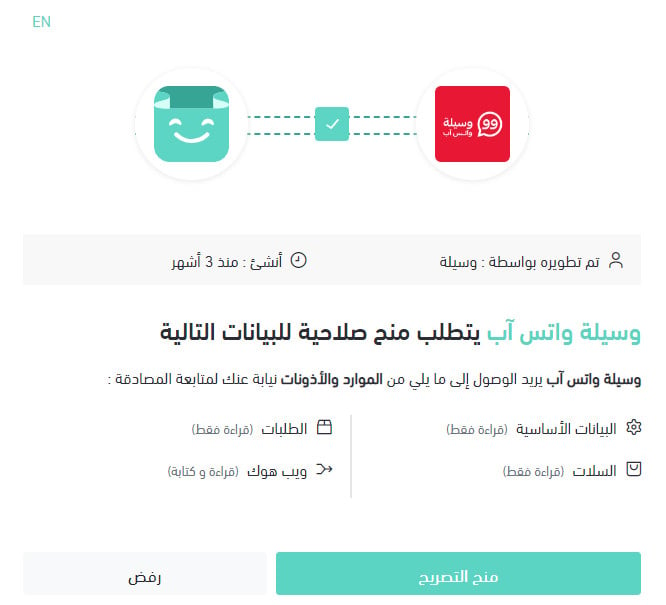
4. Review the permissions the app asks for, then click (Grant permission).
The app is installed on your store. One step is left: activating it.
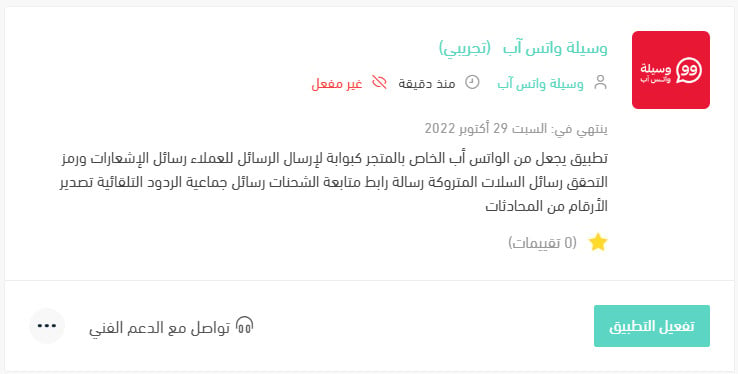
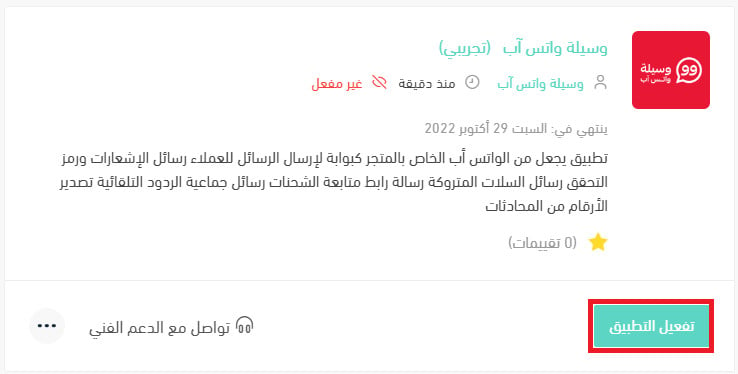
5. Click (Activate app).
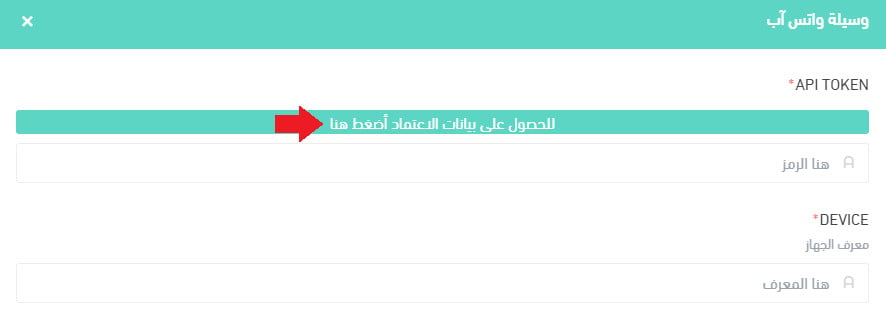
6. On the activation page, click (Click here) to get your credentials.
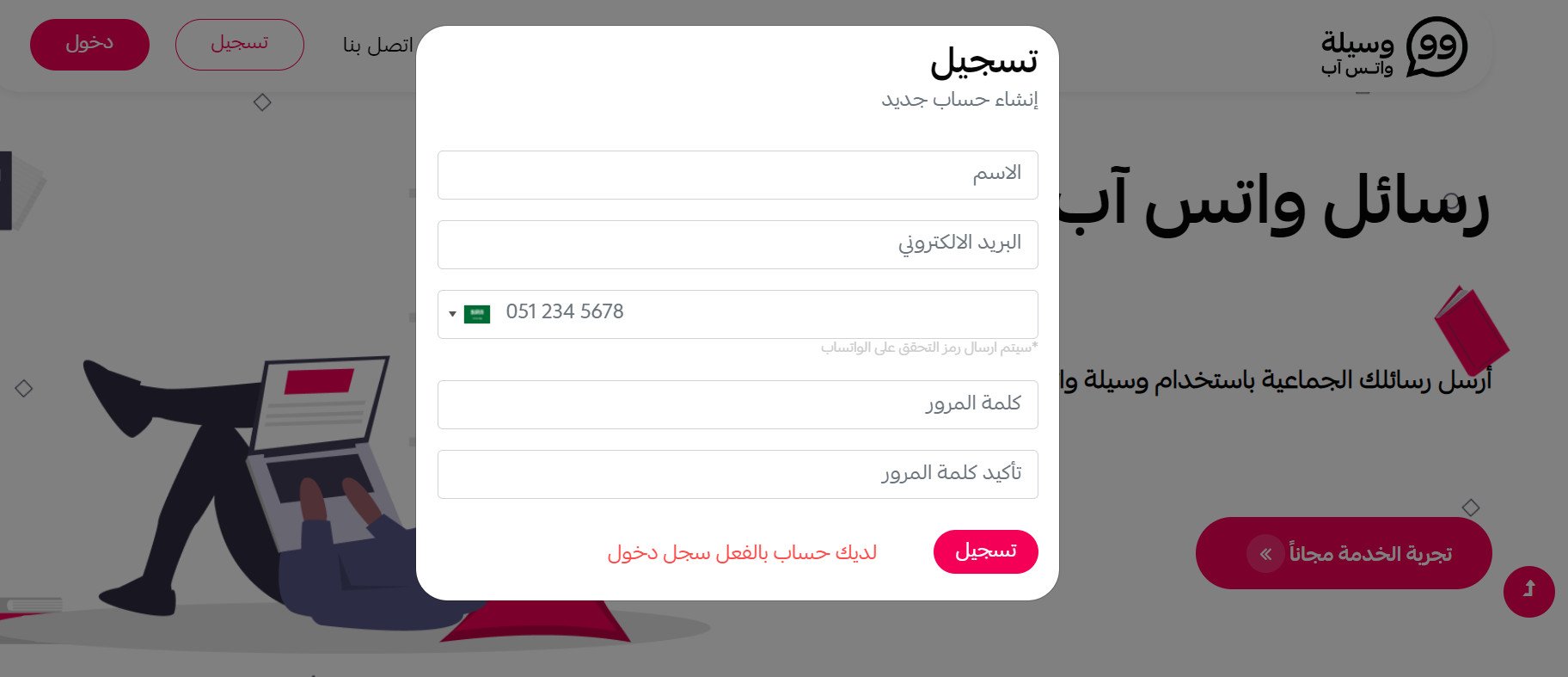
If you do not have a Wasilah account yet, enter the details it asks for to create one, then click (Register).
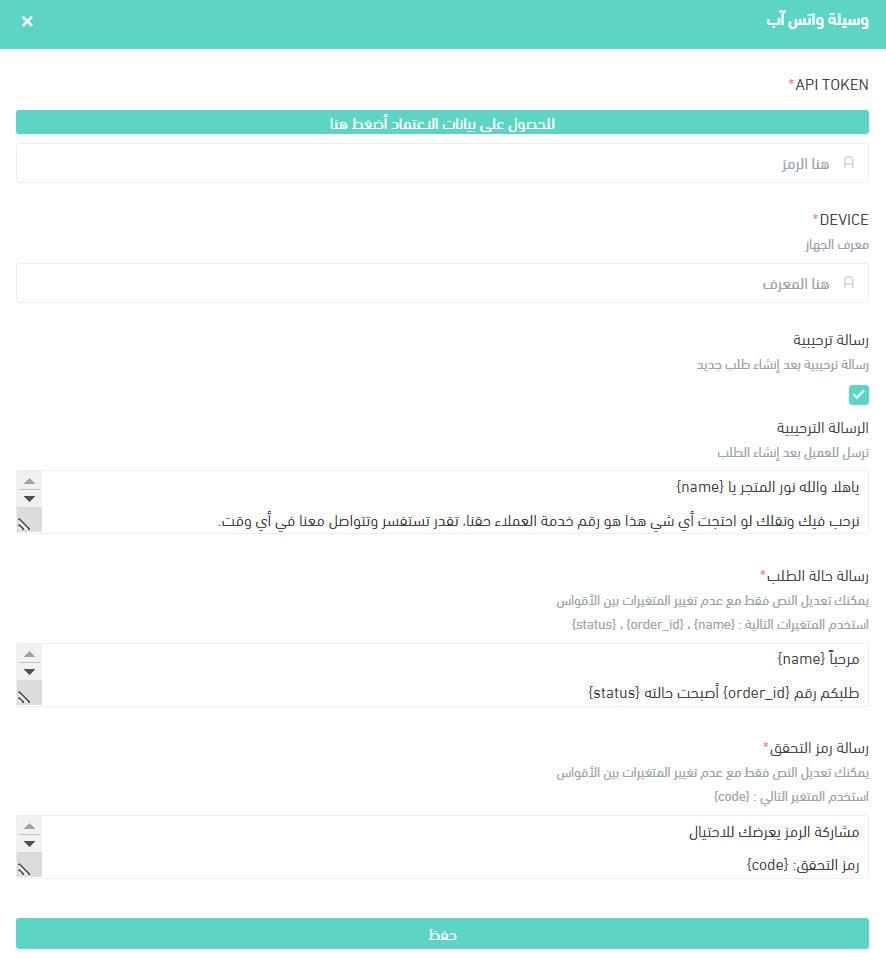
7. Enter the API token and the device ID from your Wasilah account, choose the messages you want to send to customers, then click (Save).
For more details, read managing my store's apps.
❓ Frequently asked questions
Is the service made for desktop or for mobile?
The sending service works on any device with an internet browser.
Can I send thousands of messages at once?
You can, but be careful. Sending to numbers you have never contacted, or to people with no interest in what you are sending, puts your number at risk of being blocked by WhatsApp. The service is meant for talking to your own customers, and you can send them your business news and offers even when the list is large.
Can I send from more than one WhatsApp number on a single subscription?
Yes, you can send from any WhatsApp number you want, within the limits of the plan you subscribed to.
How stable is the Wasilah WhatsApp service?
The provider says it has made stability and safety its priority, and guarantees:
- 99.9% server stability.
- Technical support around the clock, every day of the week.
- Continuous updates to the service.
How do I protect my number from being blocked by WhatsApp?
To avoid being blocked, the provider recommends the following:
1. Use a number that is already active in conversations with other people, not one you just activated.
2. Avoid sending at random.
3. Send to numbers you have contacted before, to recipients who are interested in what you send, or at least where the message itself is not intrusive.
4. Build up your daily volume gradually: start small, then raise the amount you send each day.
5. Do not send more than 5,000 messages a day.
6. The platform uses several mechanisms to space messages out, and the provider recommends using the optional time interval on the sending page.
7. Stop a running send manually from time to time, using the stop button in the sending log.
8. Do not attach many links to your content.
9. Reply quickly to incoming messages. Talking with other people counts in your number's favor.
10. Use the (Send from Excel) feature on the site with different variables, which helps you avoid being blocked.
11. Remember that the more reports filed against your sending number, the higher the chance it gets blocked.
Following these points should give you trouble-free sending. The provider notes that it cannot guarantee you will never be blocked and takes no responsibility for it, but if your number is blocked, contact the provider for help getting the block removed.
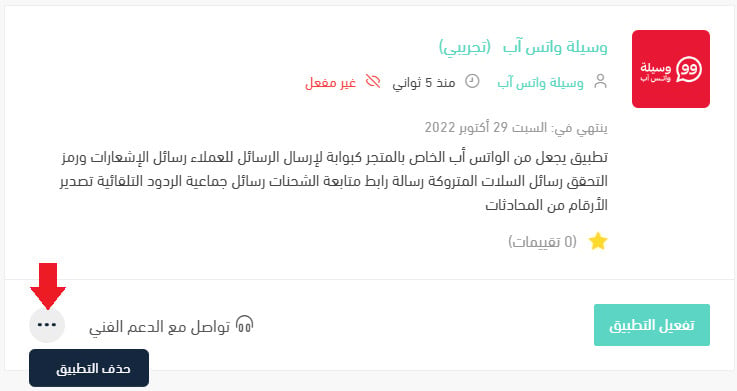
How do I delete the Wasilah app from my store?
1. From the side menu of your dashboard, click (My installed apps).

2. On the all apps page, find the Wasilah app, click the (...) icon, then click (Delete app), as shown below.
📝 Important notes
The service and the sending guidance above come from the app provider, not from Salla. Sending limits and blocking decisions are WhatsApp's, so build your volume slowly and message people who expect to hear from you.
WhatsApp gets read; that is exactly why it is easy to abuse. Treat the number as an asset worth protecting and it will keep working for your store.