Article overview
Quick answer: Install the TABEX logistics app from the Salla App Store, review its permissions, and grant access. After installation, use the app options to set shipping rates, activate the app, configure its display name and default waybill settings, or remove it from your store.
What is TABEX logistics?
TABEX is described as a logistics company that provides storage, packaging, and delivery services to tens of thousands of companies and individuals. [Verify: Confirm the company’s current services, operating areas, eligibility, and customer-count claim with TABEX.]
Connect the TABEX logistics app
- From the side menu in the Salla dashboard, select Installed Apps.

- On the Salla App Store banner, select Browse Salla App Store.

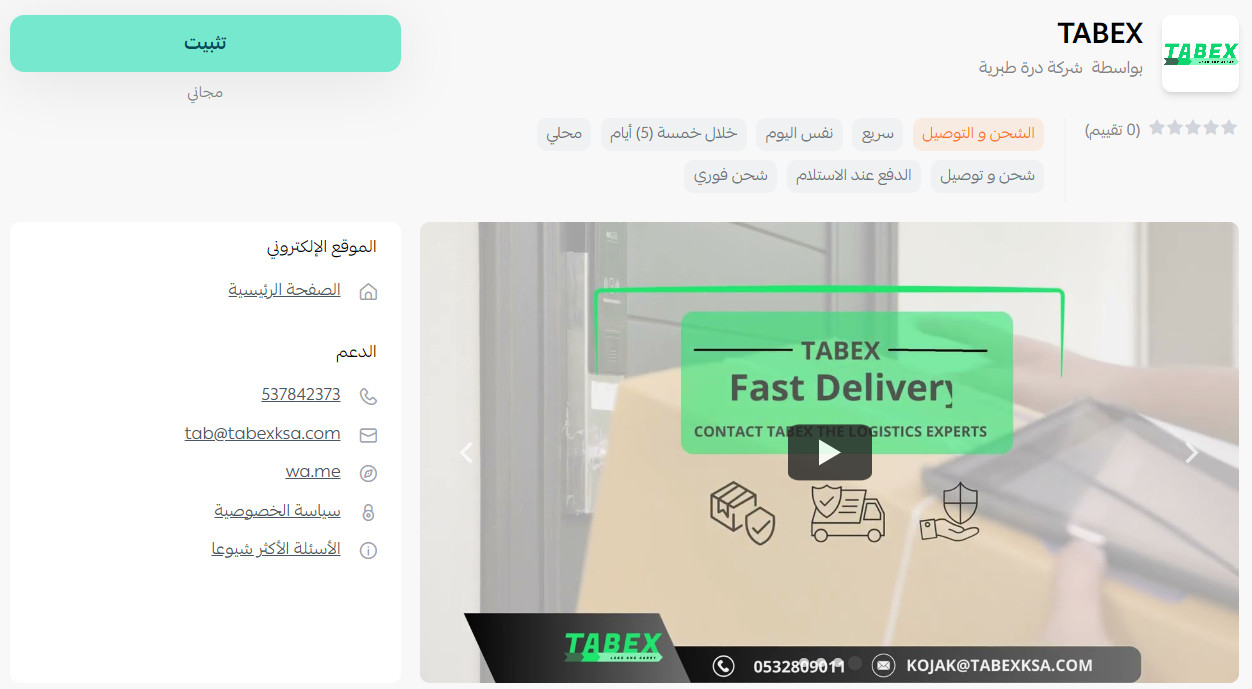
- On the TABEX app page, select Install.
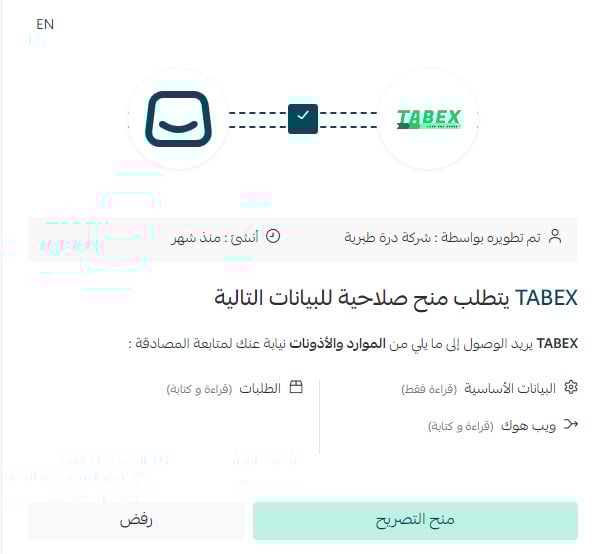
- Review the requested permissions, then select Grant permission.
The TABEX app is now installed on your store.
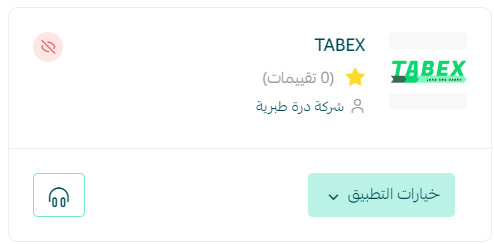
For more information, see Manage your store apps.
Frequently asked questions
How do I set shipping rates in the TABEX app?
- From the side menu in the Salla dashboard, select Installed Apps.

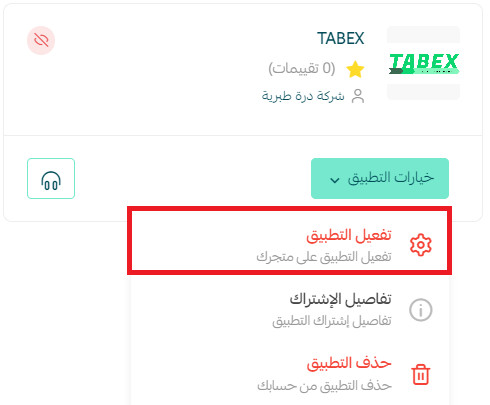
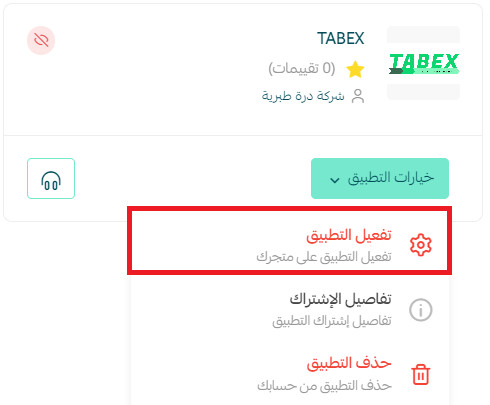
- On the All Apps page, locate TABEX, select App options, then select Activate app.
- Open the Shipping rates tab and enter the rates for the required cities and regions.
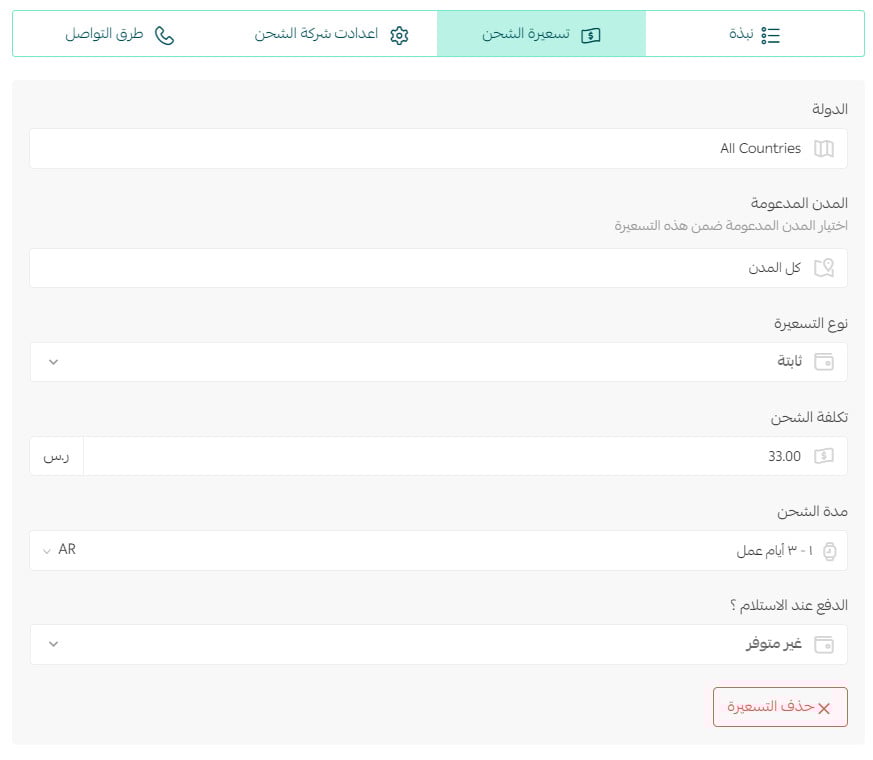
For more information, see Shipping and delivery option settings.
How do I activate the TABEX app on my store?
- From the side menu in the Salla dashboard, select Installed Apps.
- On the All Apps page, locate TABEX and select App options. [Verify: The source omits the name of the next button in this activation step. Confirm the required selection in the current interface.]
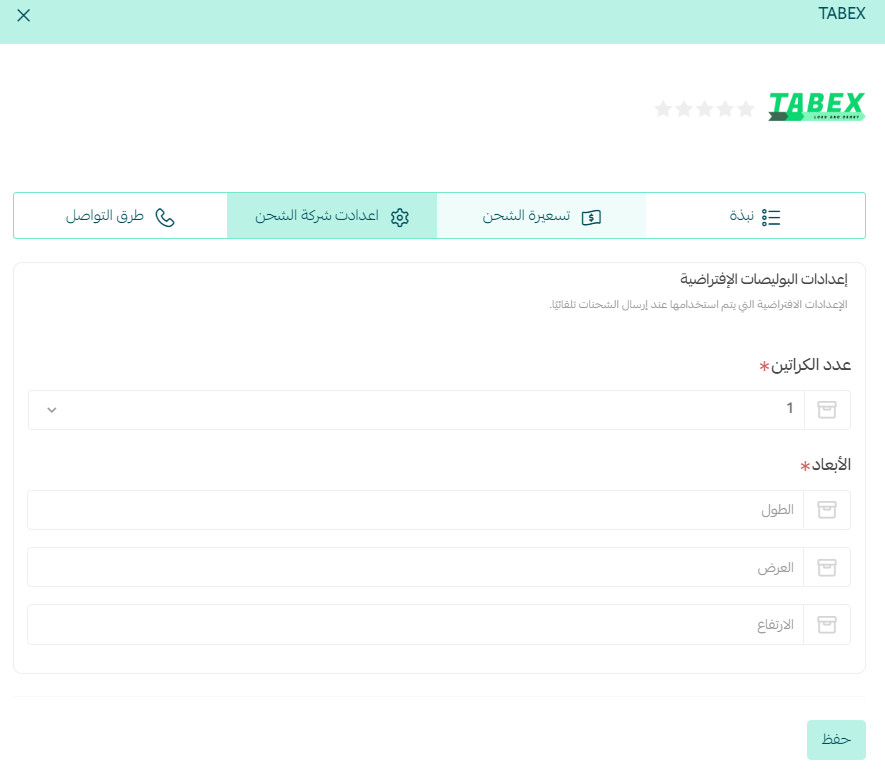
- Enter the shipping options, including the display name and default waybill settings.
How do I remove the TABEX app from my store?
- From the side menu in the Salla dashboard, select Installed Apps.
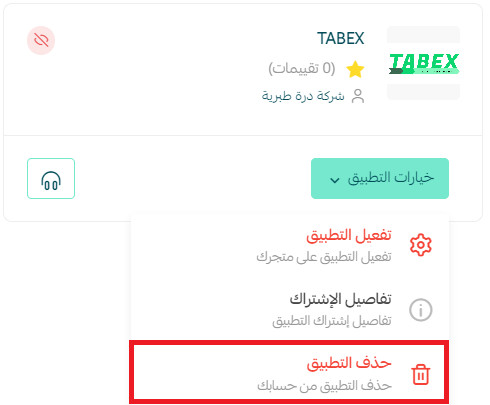
- On the All Apps page, locate TABEX, select the three-dot menu (...), then select Delete app.
Which logistics services does TABEX provide?
The source lists storage, packaging, and delivery. [Verify: Confirm current service availability, coverage areas, prices, operational requirements, and service-level terms directly with TABEX.]