How many customer messages are you answering by hand across WhatsApp, Instagram, and email every day?
Social Bot is a customer service automation platform that brings all your social channels and WhatsApp into one place, connects your online store to WhatsApp, and automates the sales conversations that happen there. Connecting Social Bot to your Salla store is done through the Salla App Store. In this guide, you'll learn what Social Bot does, how to install and connect it, how to get the App_ID it needs, and how to remove the app if you stop using it.
To connect Social Bot to your Salla store, open (My installed apps), click (Browse Salla App Store), and install the Social Bot app. Choose a plan, complete payment, then grant the app the permissions it requests. Finally, paste your App_ID into the field on the page that opens and click (Send).
📌 Article overview
- What is Social Bot?
- How to connect Social Bot to your store
- How to get your App_ID
- Frequently asked questions
🎯 What is Social Bot?
Social Bot is a platform for automating customer service across every social channel. It lets you connect your social accounts and WhatsApp, link your online store to WhatsApp, and automate your sales through WhatsApp conversations.
🚀 How to connect Social Bot to your store
1. From the side menu of your dashboard, click (My installed apps).

2. From the Salla App Store banner, click (Browse Salla App Store).

3. From the Social Bot app page, click (Install).
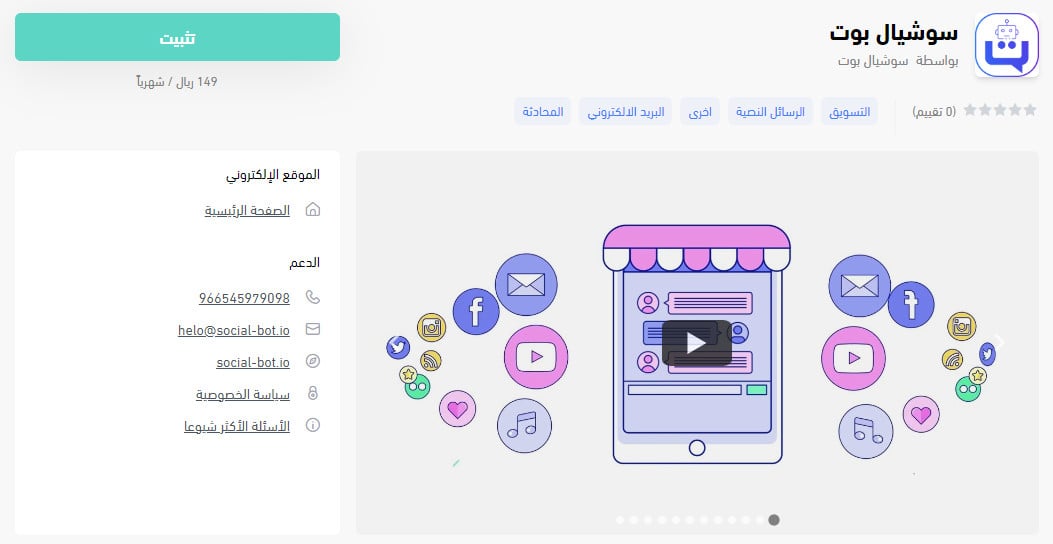
Then choose the plan that fits your business.
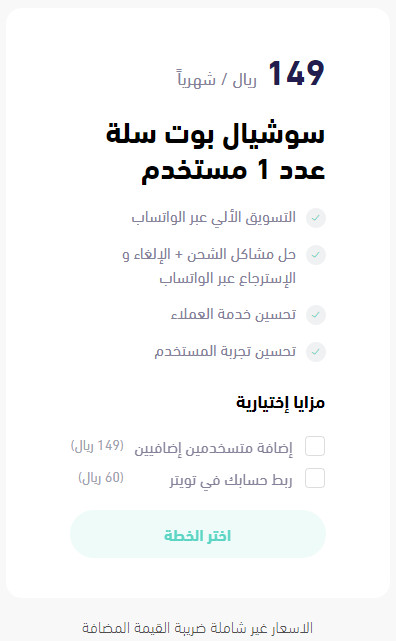
Complete your payment details and click (Confirm payment).
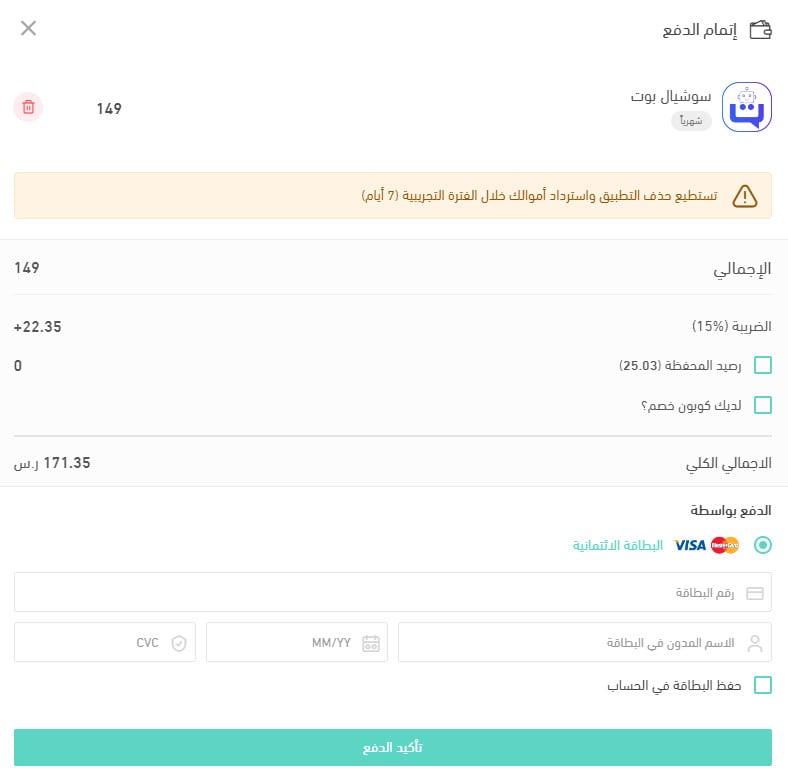
4. Review the permissions the app requests, then click (Grant permission).
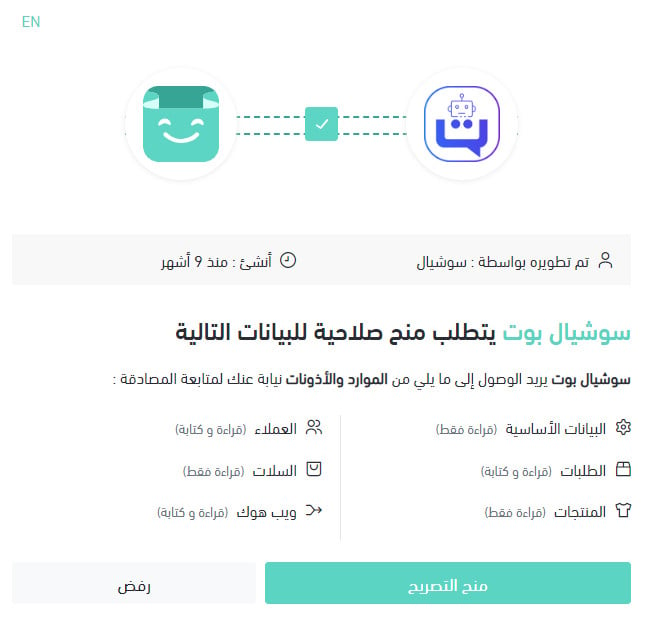
The Social Bot app is now installed on your store.
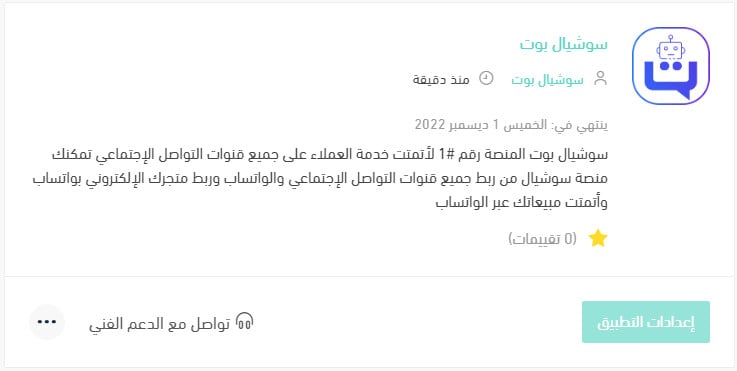
5. A new page opens. Paste your App_ID into the field provided and click (Send).
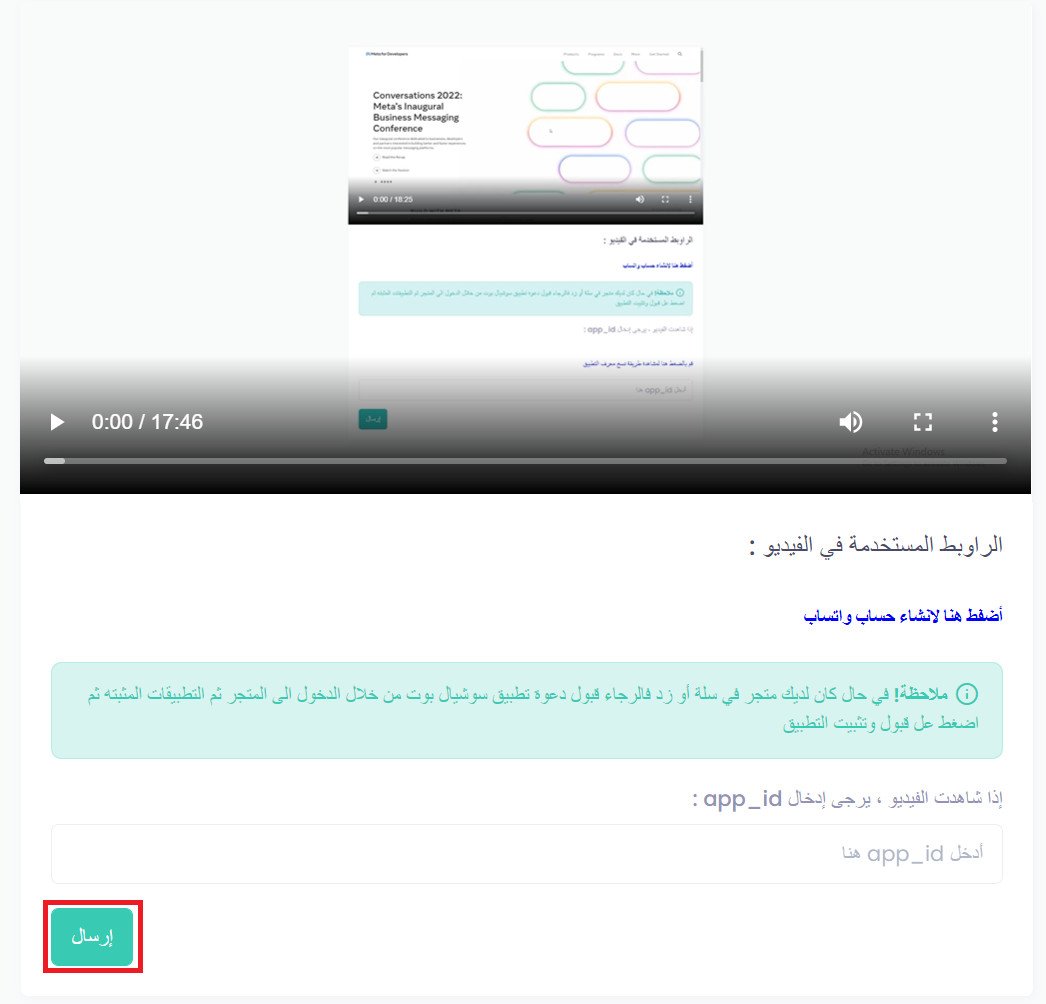
👣 How to get your App_ID
Getting your App_ID runs through Facebook Business, and the walkthrough video covers these steps. [Verify: the Arabic article points merchants to an explainer video, but no video is embedded in the source — confirm the video URL before publishing.]
1. Create a Facebook account if you don't have one yet.
2. Wait two hours if the Facebook account is new.
3. Change your Facebook account language to Arabic.
4. Create a Facebook developer account.
5. Confirm the email address of your Facebook Business Manager.
6. Fill in your company details in the business account.
7. Verify your business.
8. Connect your WhatsApp number.
9. Connect that number in Social Bot.
For more details, see managing my store's apps.
❓ Frequently asked questions
What do I get from connecting my store to Social Bot?
1. Your online store, WhatsApp, Telegram, every social channel, and email in one place.
2. Abandoned cart recovery through retargeting messages on WhatsApp.
3. Fewer cancelled cash-on-delivery orders, through order confirmation messages.
4. Better customer service and technical support for your store.
5. Retargeting messages and a loyalty program over WhatsApp.
6. A smart chatbot connected to your store, WhatsApp, and all social channels.
7. Reports covering every conversation and every support agent.
8. Customer satisfaction ratings for your support.
9. Transferring conversations between agents and departments, among other features.
Are there fees on incoming or outgoing WhatsApp messages?
Yes, incoming and outgoing WhatsApp messages carry fees. Your first 1,000 conversations each month are free, incoming or outgoing. Conversations are also free whenever the customer reaches you by tapping a WhatsApp contact button on your website, your social pages, or any other link that opens WhatsApp.
Once the 1,000 free conversations are used up and a customer messages you without going through a WhatsApp button, you pay only for the first message they send. After that, you can reply free of charge for 24 hours.
The cost of that first message is 0.073125 halalas. [Verify: the source gives the price as 0.073125 halalas and elsewhere calls the monthly free allowance "1,000 hours" instead of 1,000 conversations — confirm both the unit and the amount with the app provider.]
Can I reply from the WhatsApp app?
No. Conversations can only be answered from the Social Bot platform.
Does the platform support Arabic?
Yes. The platform supports all languages, not only Arabic.
Can I cancel my subscription and payment if the service doesn't suit me?
Yes. You can cancel at any time by contacting technical support and asking to end the subscription.
Can I connect my accounting software or an external app such as Excel?
Yes. Any program can be connected to Social Bot — contact the support team to set it up.
How do I remove the Social Bot app from my store?
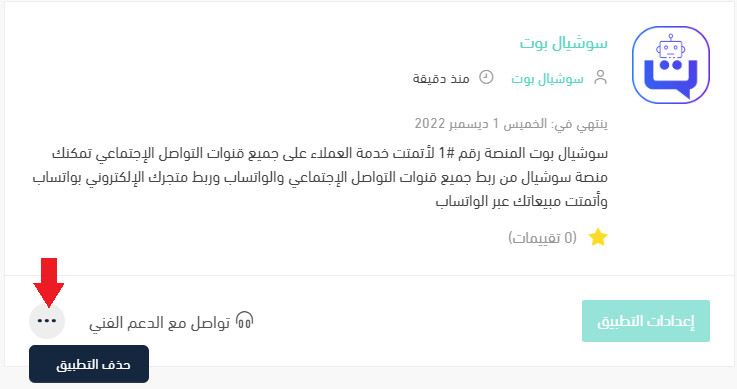
1. From the side menu of your dashboard, click (My installed apps).

2. From the all apps page, find the Social Bot app, click the (...) icon, then click (Delete app), as shown in the image.
With every channel landing in one inbox and the routine replies automated, your team spends its time on the conversations that actually need a person.