How many of your visitors leave without ever seeing the offer that would have won them over?
NotiMoney is a Salla app that puts live notifications in front of the people browsing your store — offer announcements, activity prompts, and nudges that shorten the gap between looking and buying. You install it from the Salla App Store, set a password for the account it creates for you, then build campaigns from the NotiMoney dashboard. In this guide, you'll learn what the app does, how to install and connect it, how to launch your first campaign, and how to remove it.
NotiMoney is a notification app you add from the Salla App Store. Install it, grant the permissions it asks for, and set a password for the account it creates automatically. From the NotiMoney dashboard you then pick a campaign type, customize it, and publish notifications to your store's visitors.
📌 Article overview
- What NotiMoney is
- How to connect NotiMoney to your Salla store
- Frequently asked questions
- How to delete the app
🎯 What is NotiMoney?
NotiMoney helps you lift store sales by sending notifications to your visitors, prompting them to decide sooner and showing them the offers you are running.
🚀 How to connect NotiMoney to your Salla store
1. From the dashboard side menu, click (Installed apps).

2. On the Salla App Store banner, click (Browse the Salla App Store).

3. On the NotiMoney app page, click (Install).
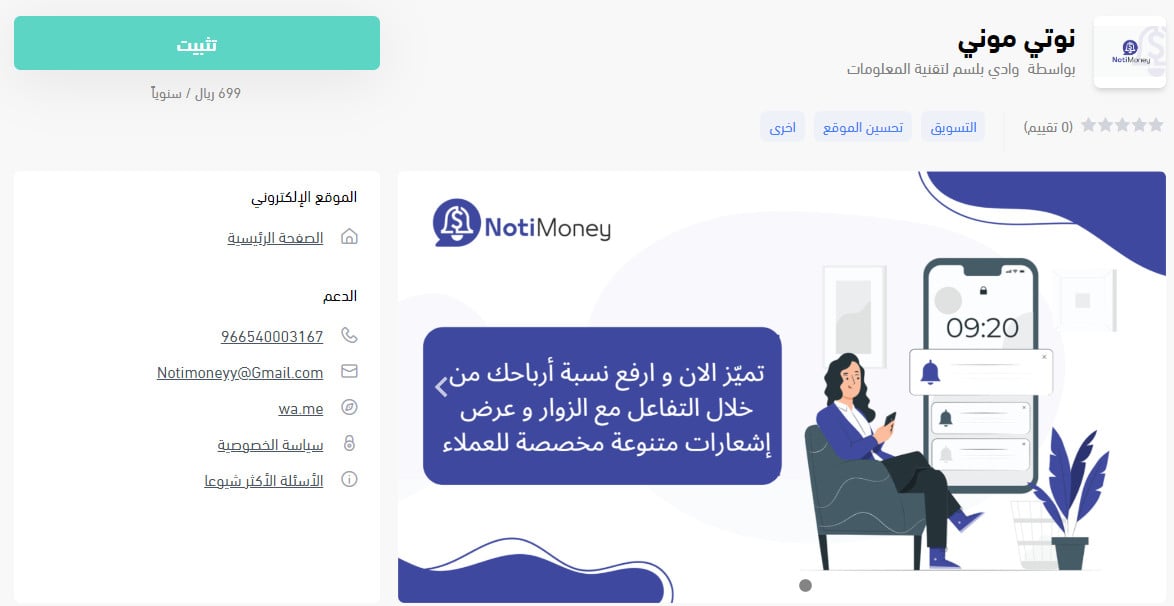
4. Review the permissions the app requests, then click (Grant permission).

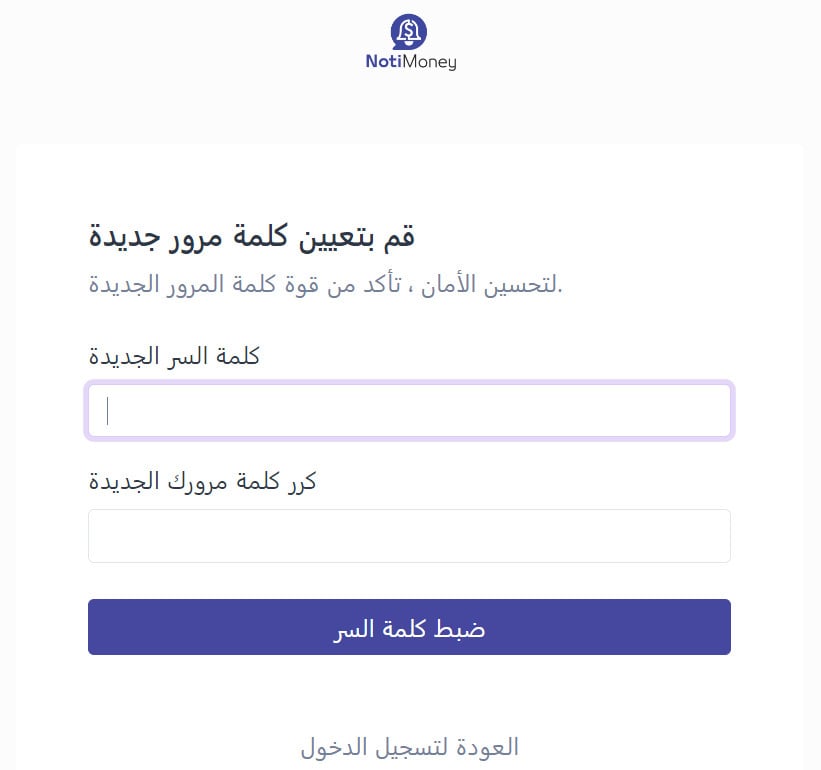
5. An account is created for your store on NotiMoney automatically, and you are taken to a page where you set its password. Enter the password, confirm it, then click (Set password).
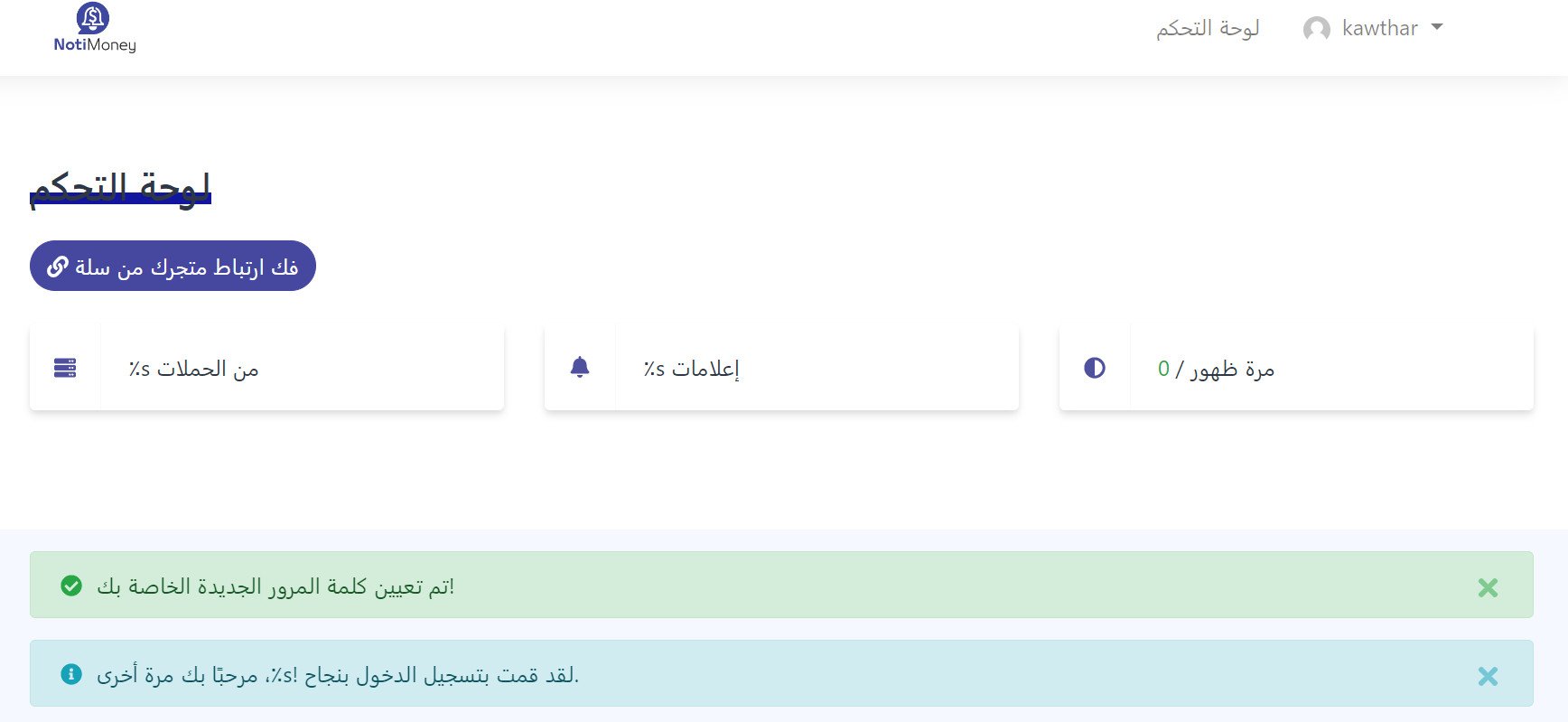
6. The account home page opens, and you can start creating a campaign on NotiMoney.
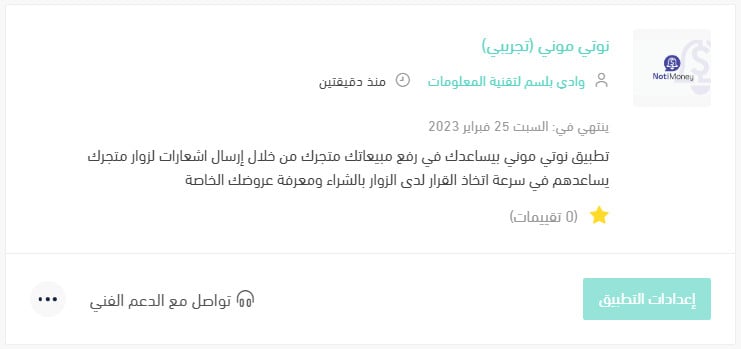
The NotiMoney app is now installed on your store, and it appears in your installed apps like this:
For more on managing your store's apps.
❓ Frequently asked questions
What are the main features of NotiMoney?
- Higher sales. The app gives you several ways to interact with a visitor and encourage them to buy, turning browsers into customers.
- A full dashboard. Choose between different notifications and alerts to match the offer you are running or to capture a visitor as a lead.
- Your branding, kept intact. Branding is one of the things that matters most in e-commerce, so you can change the design to match your store's identity.
- Statistics. You see the numbers you need to make the right call and lift your conversion rate.
- 24-hour support. A team is on hand to answer any question.
How do I get started with NotiMoney?
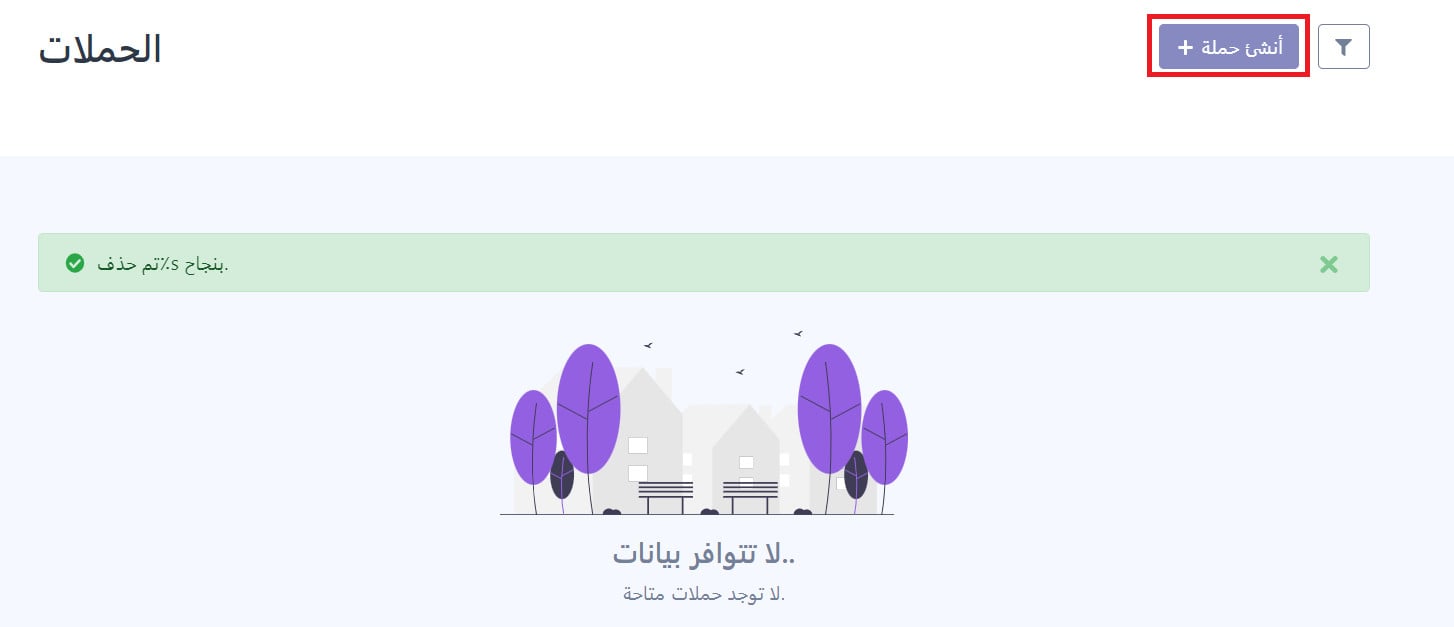
1. Sign in to your NotiMoney account, go to the campaigns page, then click (Create campaign).
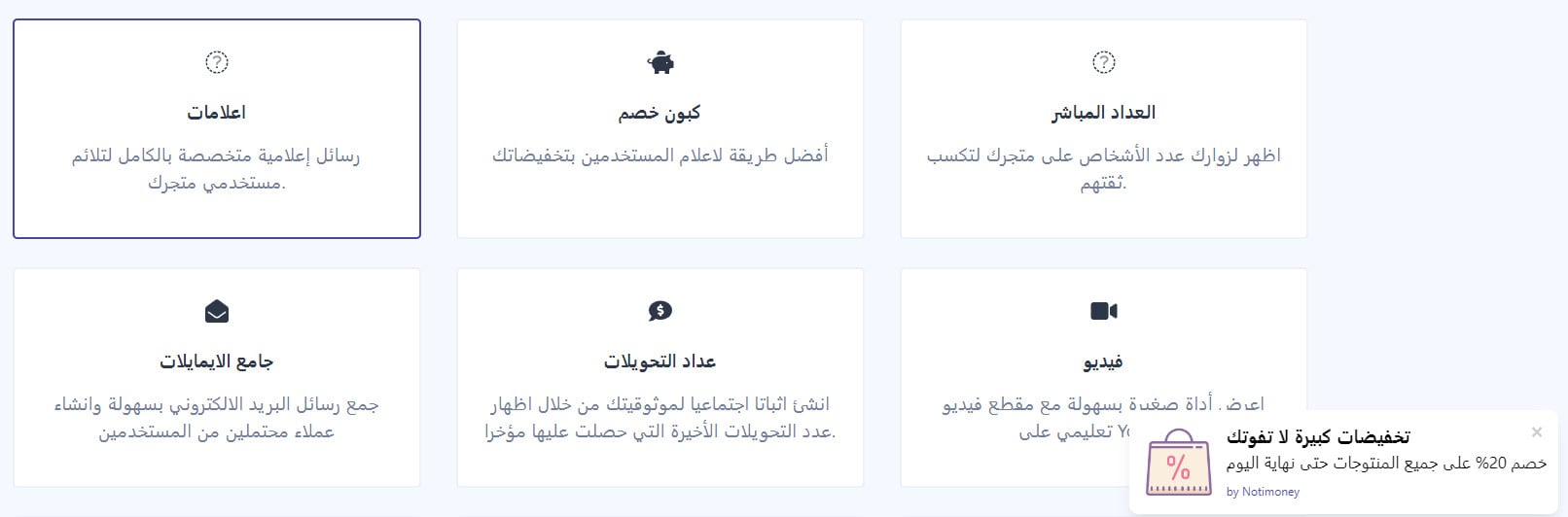
2. Choose the campaign type.
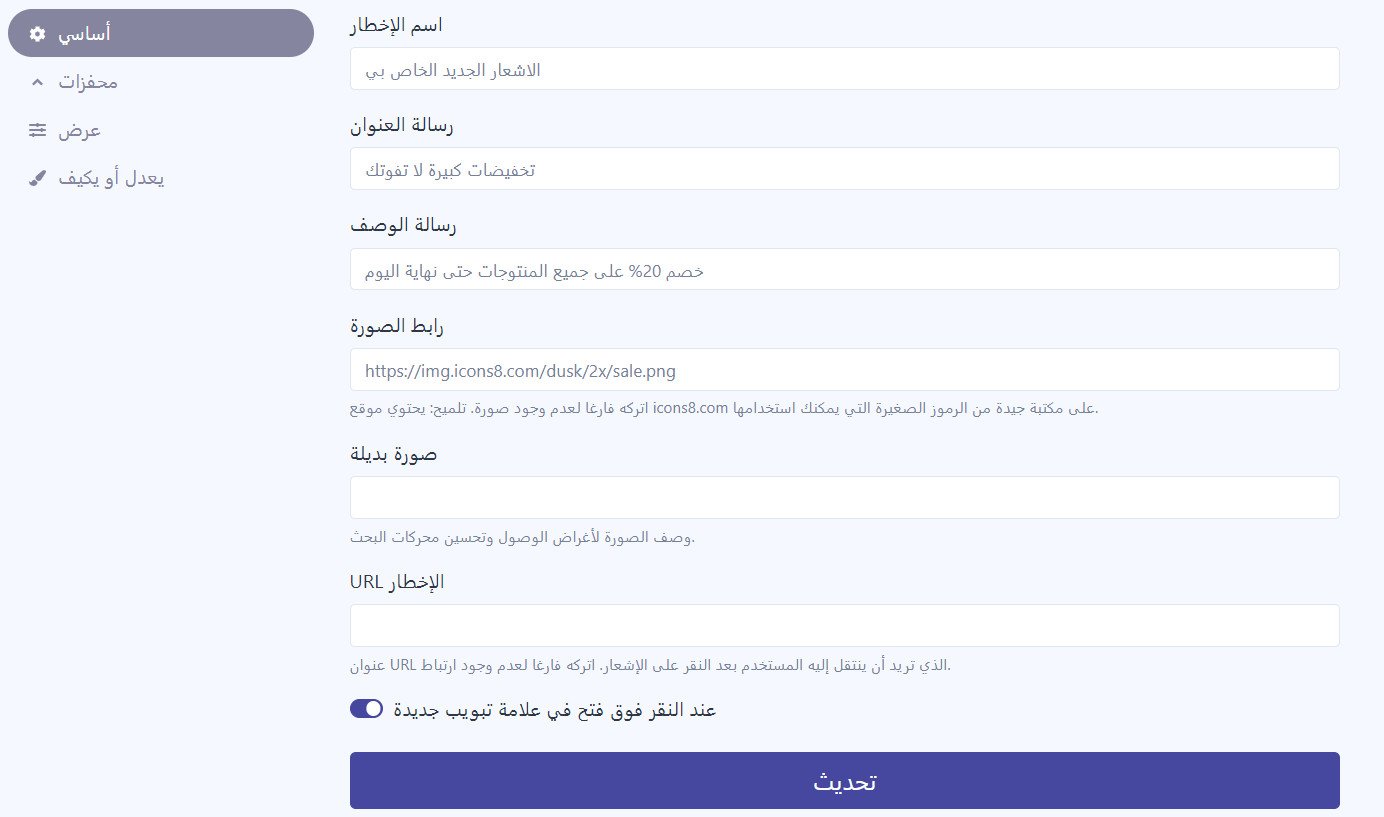
3. Customize the campaign the way you want it, then click (Update).
Do I need to create a NotiMoney account first?
No. The account is created for your store during installation. All you do is set its password at step 5.
Where do I build and edit campaigns?
In the NotiMoney dashboard, not in your Salla dashboard. Salla handles the connection; the campaigns themselves live on the campaigns page of your NotiMoney account.
How do I delete the NotiMoney app from my store?
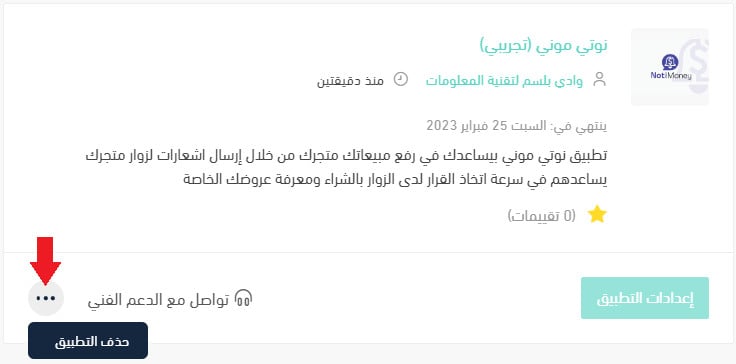
1. From the dashboard side menu, click (Installed apps).

2. On the all apps page, find the NotiMoney app, click the (...) icon, then click (Delete app), as shown in the image.
📝 Important notes
Installing the app is only half the setup — nothing reaches your visitors until you create a campaign in the NotiMoney dashboard.
Deleting the app stops the notifications on your storefront, so pause or review your live campaigns before you remove it.
Visitors rarely announce that they are about to leave. A well-timed notification is how you get a word in before they do.