Do you know where shoppers hesitate, rage-click, or give up on your store?
Sales reports tell you the outcome; they never tell you what happened on the page. The Microsoft Clarity integration is a free analytics tool that records how customers interact with your store — mouse movement, clicks, scrolling — and turns it into heat maps and session recordings you can watch. Setup takes minutes and the reports are unlimited. In this guide, you'll learn how to create a Clarity account, set up a project, and connect it to your Salla store.
Connecting Microsoft Clarity takes three stages. Create a Clarity account, add a new project for your store URL and copy its tracking code, then install the Clarity app from the Salla App Store, activate it, and paste the code in. Clarity starts collecting data as soon as the app is saved.
📌 Article overview
- What is Microsoft Clarity?
- How to connect Microsoft Clarity to your Salla store
- Frequently asked questions
🎯 What is Microsoft Clarity?
Microsoft Clarity is a free analytics tool that shows you how customers interact with your website or online store. It is free forever and easy to use, and because setup and installation are quick, you get unlimited reports and traffic data within minutes.
🚀 How to connect Microsoft Clarity to your Salla store
The Clarity integration is done in three stages:
- Create a Clarity account.
- Create a new project and copy its tracking code.
- Install the Clarity app and activate it.
Stage one: create a Clarity account
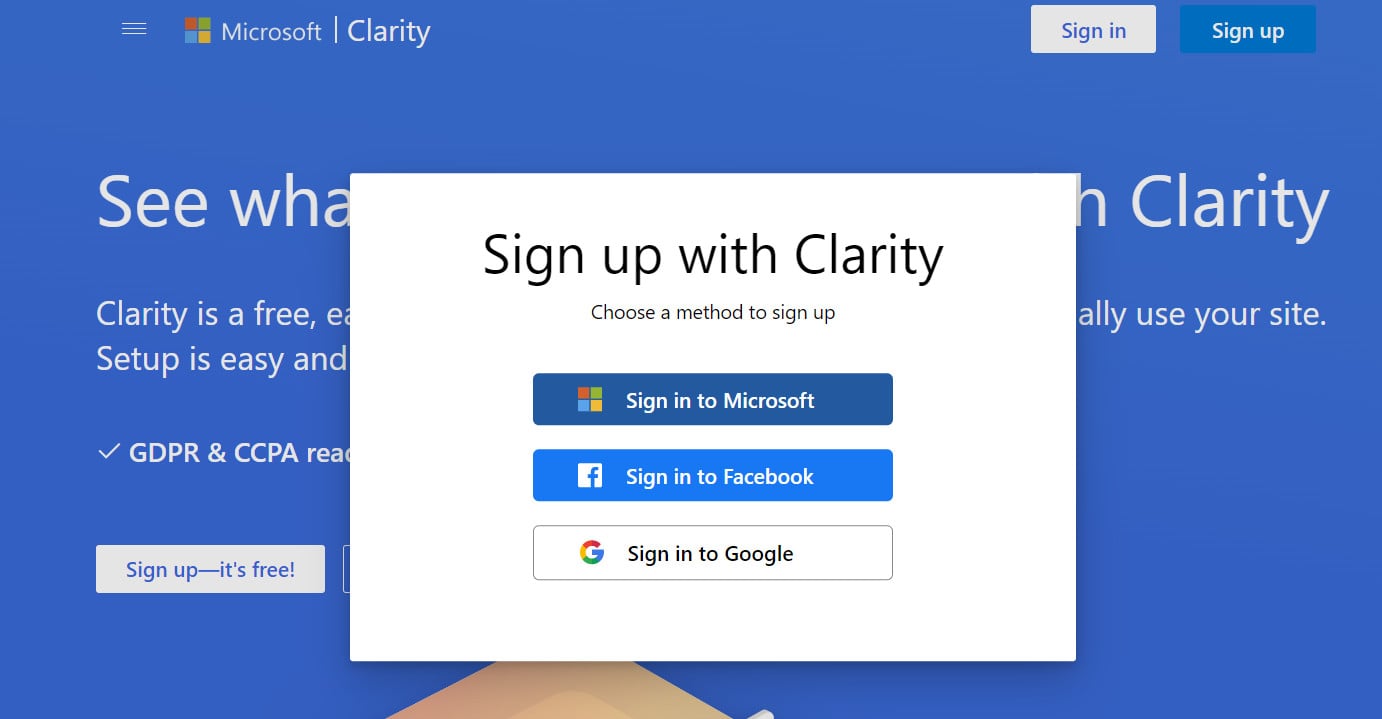
1. From the Microsoft Clarity home page, choose the sign-up method you prefer.
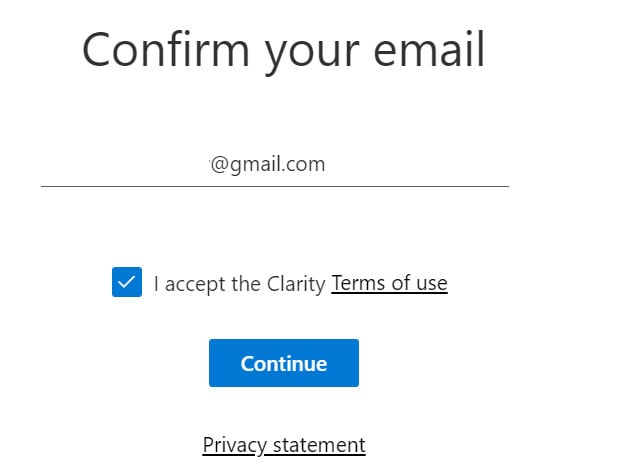
2. Confirm your email address by clicking (Continue).
Stage two: create a new project and copy its tracking code
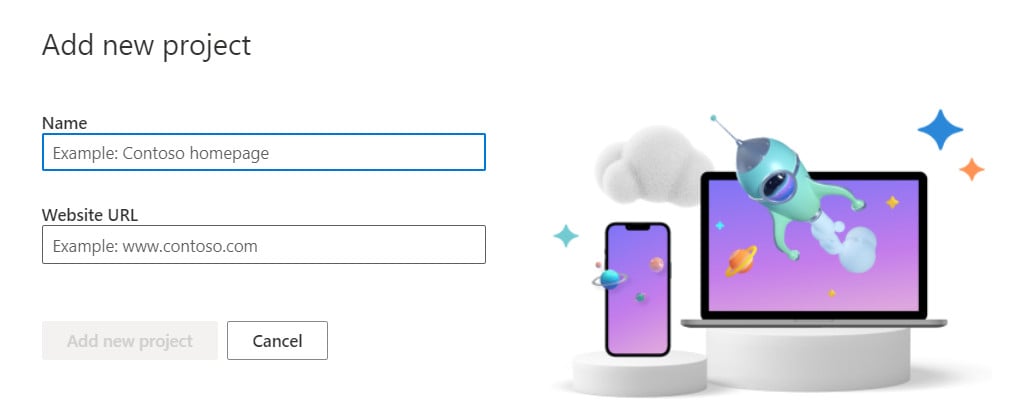
1. From your Microsoft Clarity account, click (Add new Project).

2. Enter the details it asks for (the project name and your store URL), then click (Add new Project).
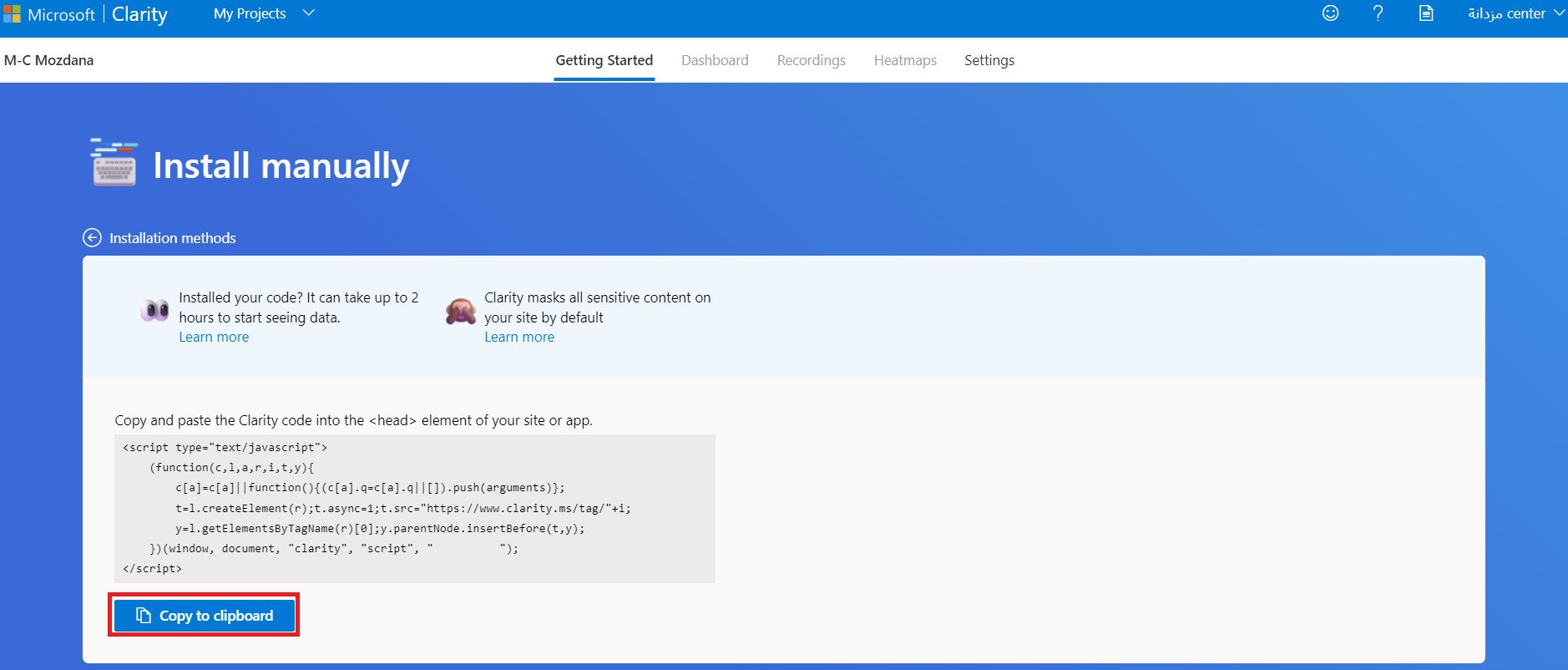
3. On the (Getting Started) tab, click (Get tracking code).
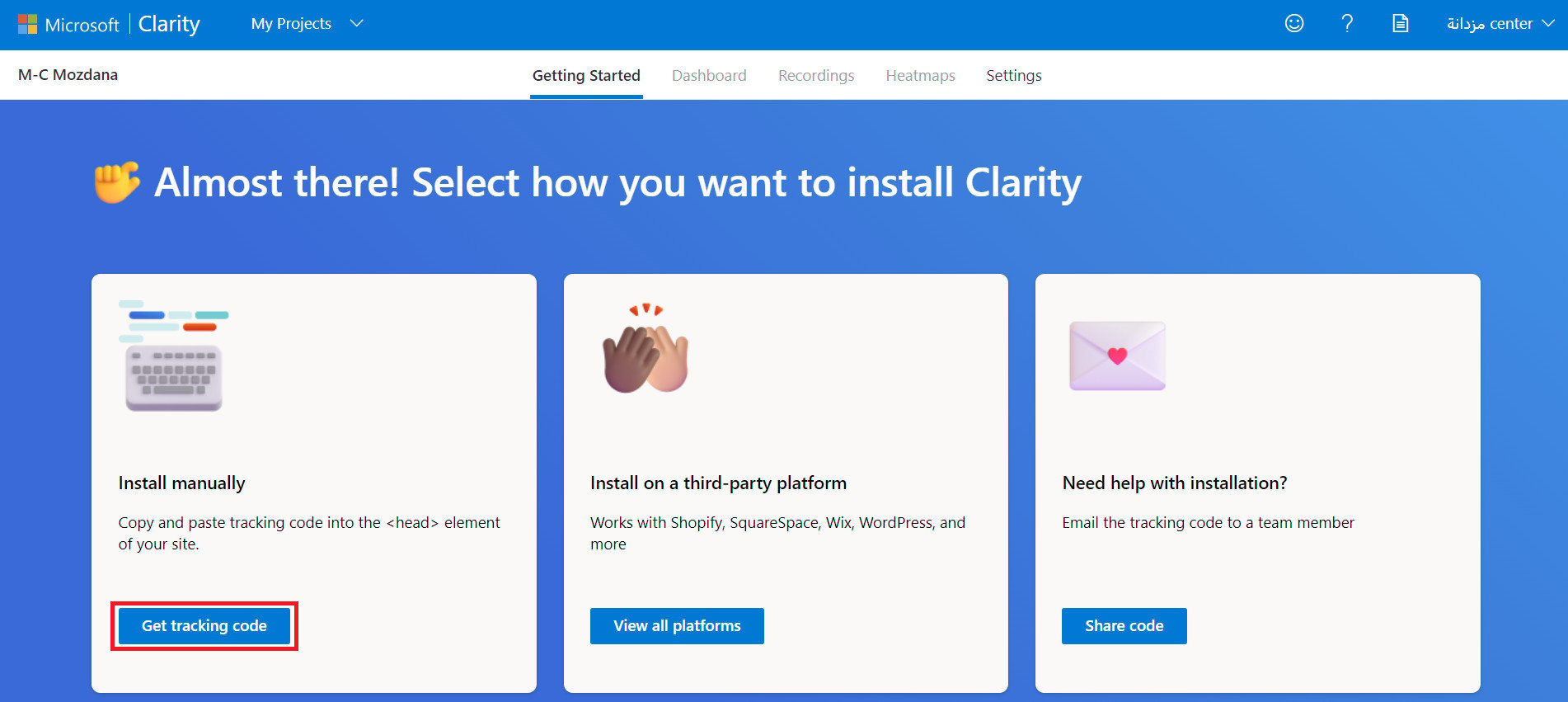
To copy the tracking code, click (Copy to clipboard).
Stage three: install the Clarity app and activate it
1. From the side menu of your dashboard, click (My installed apps).

2. From the Salla App Store banner, click (Browse Salla App Store).

3. From the Clarity app page, click (Install).
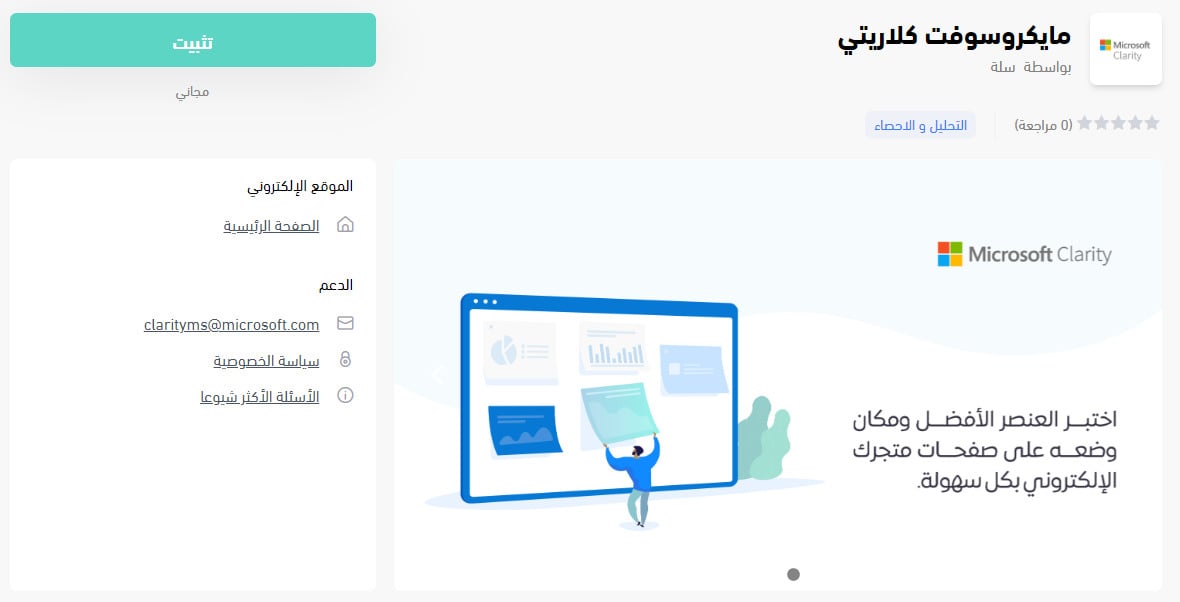
The app is now installed on your store.
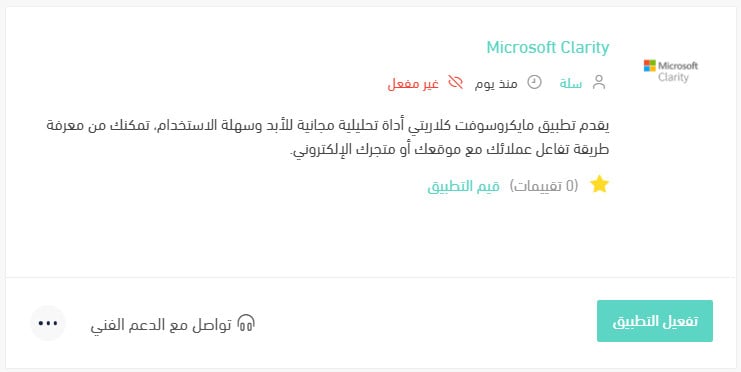
4. Click (Activate app).
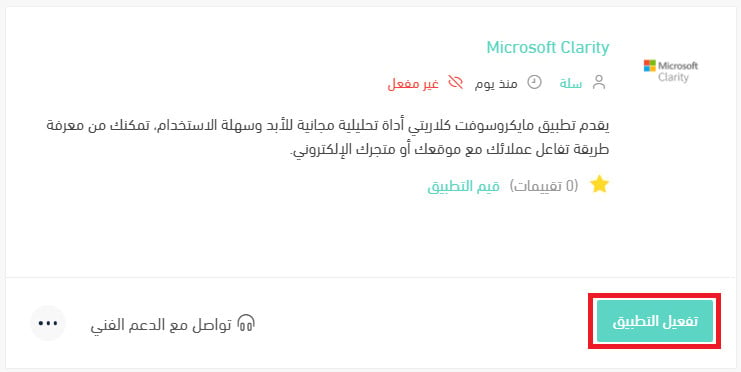
5. Paste the code you copied in the last step of stage two into the code extraction field, click (Extract), then click (Save).
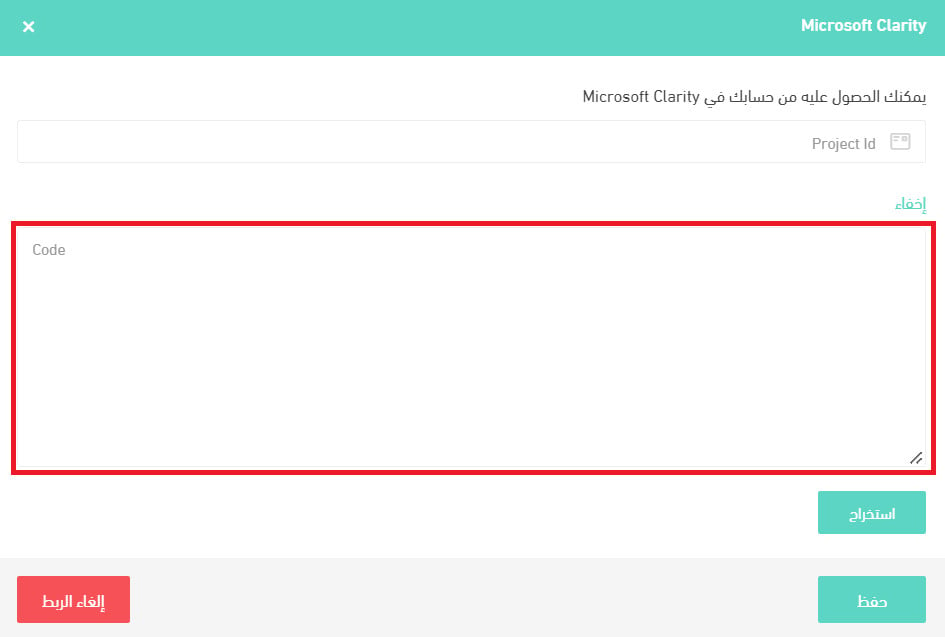
That's it — Microsoft Clarity is now active on your store.
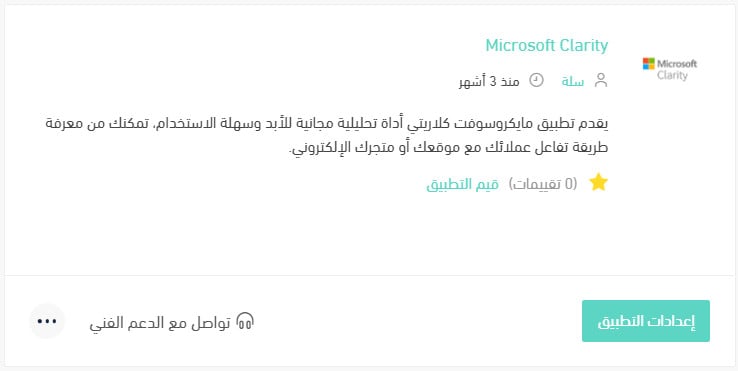
For more details, read managing my store's apps.
❓ Frequently asked questions
What do I get from connecting Microsoft Clarity?
Clarity gives you several features that help you understand how your customer behaves, including:
- Build heat maps of visitor movement on your site in minutes, from the data you already have.
- See the most visited elements on your page.
- Break your customers into segments by the type of clicks they make on your store, and by the devices and browsers their visits come from.
- Connect the app to Google Analytics for more data and more reports.
Will Microsoft Clarity slow my site down?
No. Your visitors will not notice any difference in site speed or performance. The Clarity JavaScript is asynchronous, so it does not delay page loading.
What data does Clarity collect?
Clarity captures user interactions on your store, such as how a page is displayed and what the visitor does on it — mouse movement, clicks, scrolling, and so on. Microsoft also publishes a summary of the data fields it collects. [Verify: the Arabic points to that summary without linking to it, so no destination could be confirmed offline.]
I already have a project on Microsoft Clarity. Where do I find its code?
1. From the projects page on Microsoft Clarity, click (Settings) on the project whose code you want to copy.
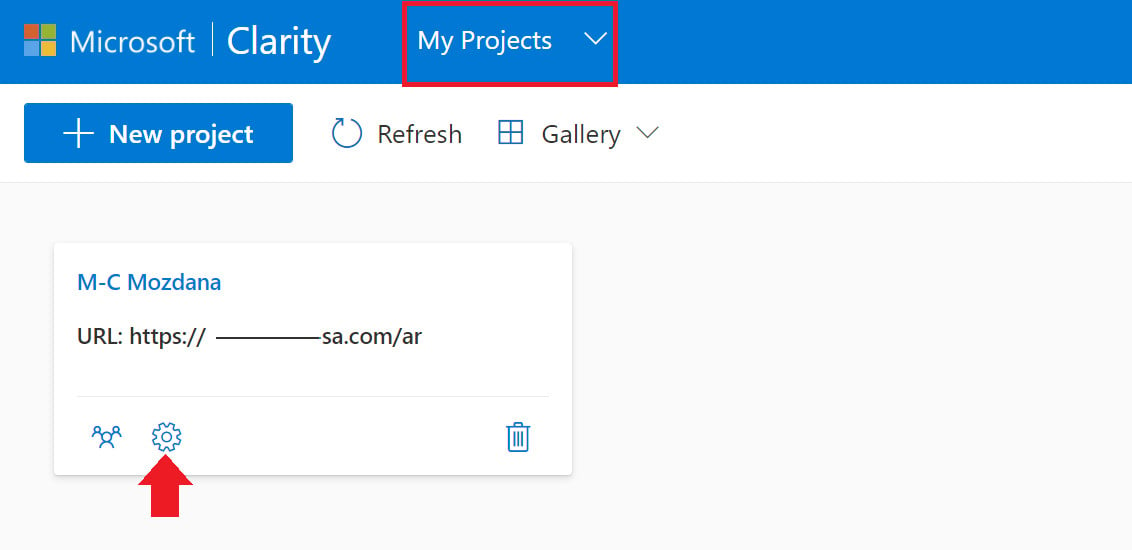
2. On the settings page, copy the (Project ID).
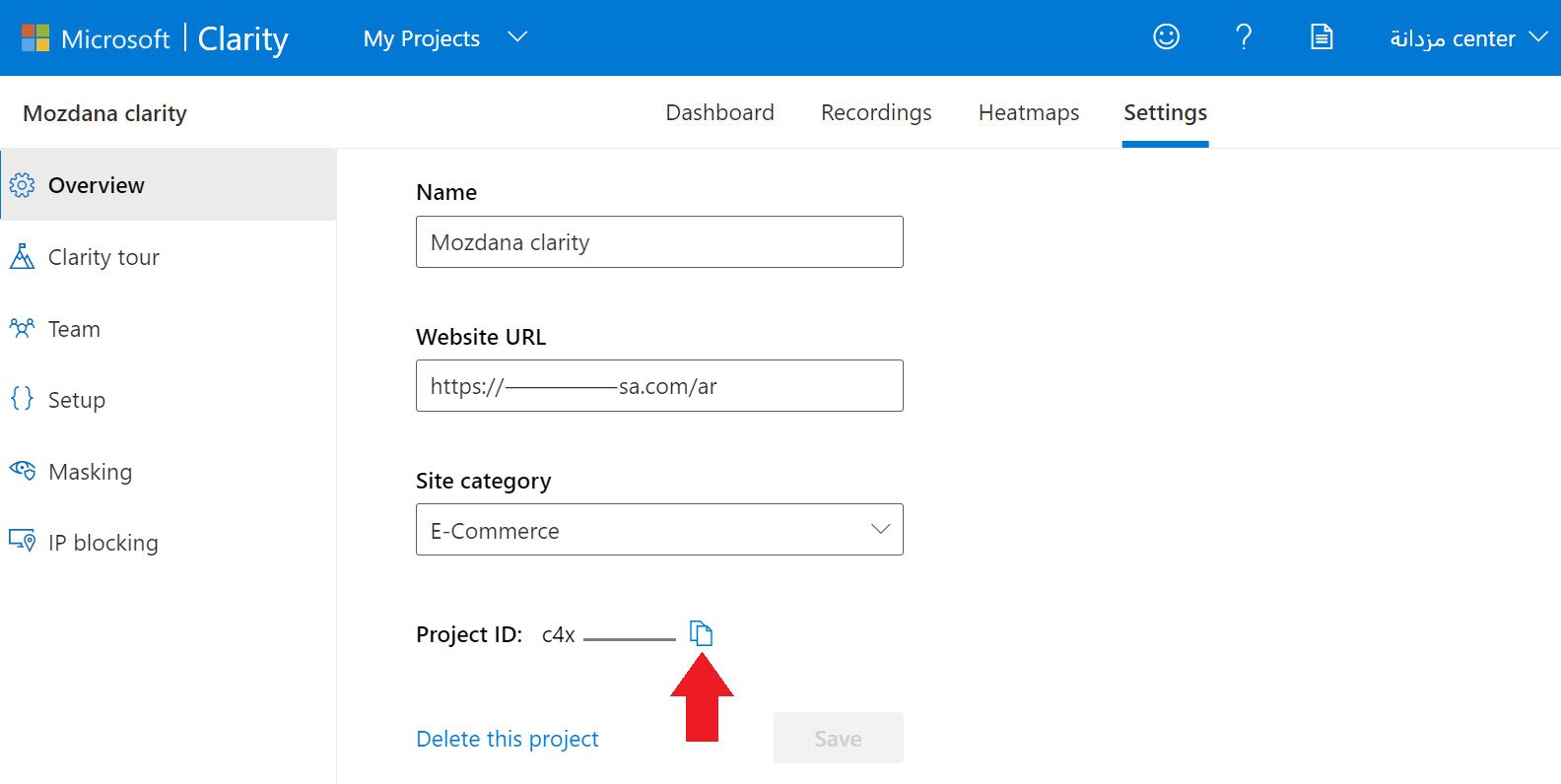
3. On the Microsoft Clarity app settings page in your dashboard, paste the code into the box shown, then click (Save).

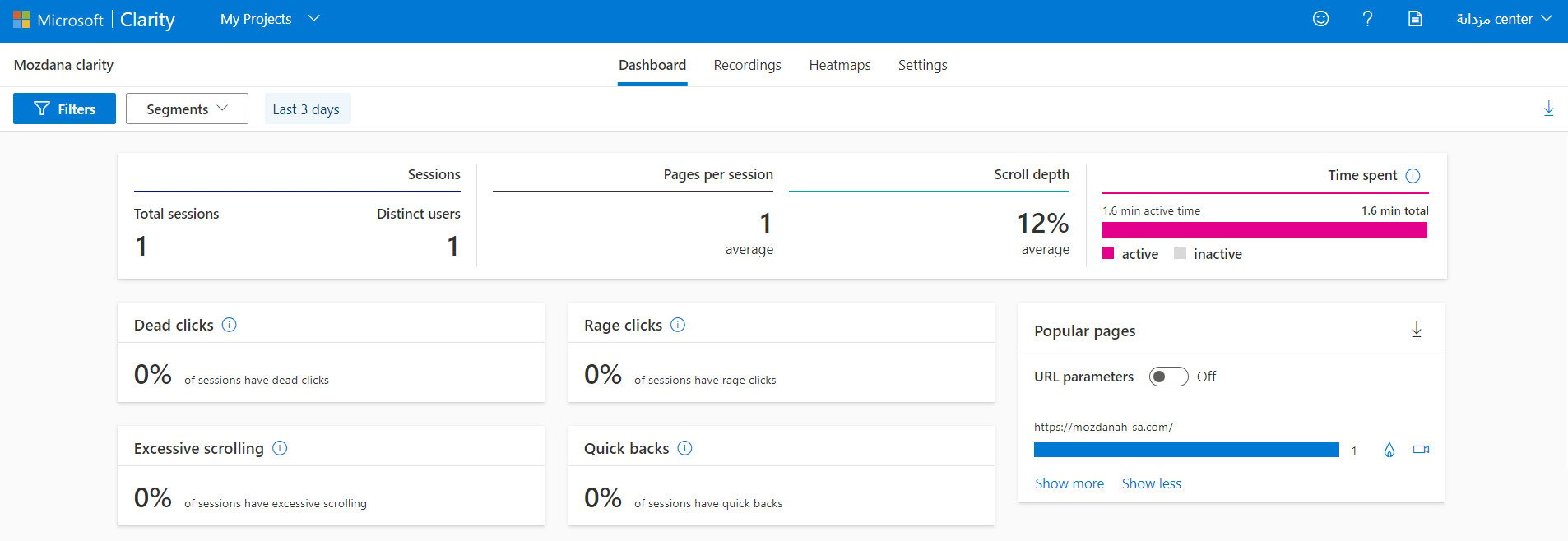
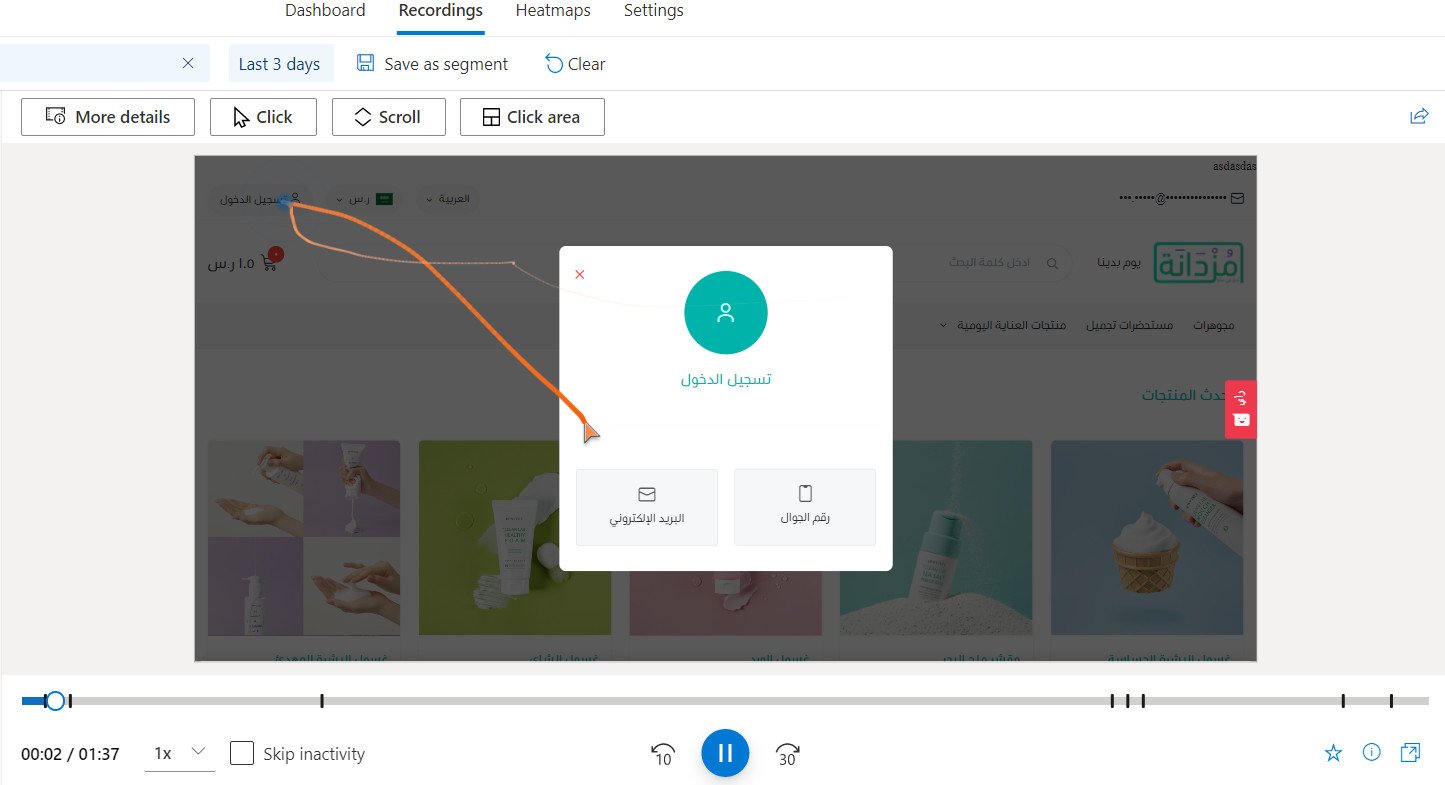
How do I view my project results on Microsoft Clarity?
Clarity gives you several ways to review user activity, including the general statistics:
And the session recordings:
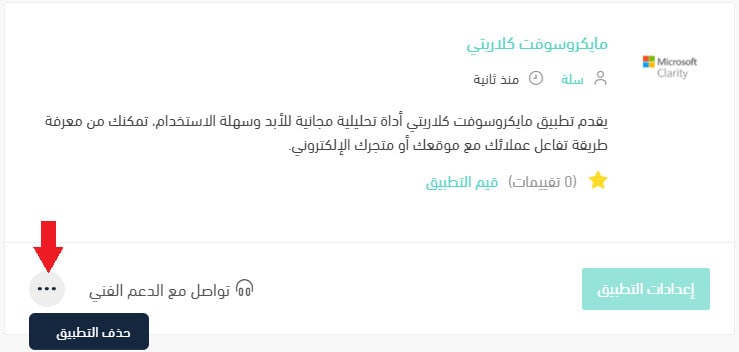
How do I delete the Clarity app from my store?
1. From the side menu of your dashboard, click (My installed apps).

2. On the all apps page, find the Clarity app, click the (...) icon, then click (Delete app), as shown below.
📝 Important notes
Installing the app is not enough on its own. Clarity only starts collecting data once you activate the app and save your tracking code.
Watching a handful of real sessions usually teaches you more about your store than a week of staring at conversion numbers.