How many of the carts your customers abandoned last month ever came back?
Manjam Al Thahab turns the carts your customers filled and walked away from into completed sales. It also gives you a clear read on why they left, what needs fixing, and which changes are worth making. The Manjam Al Thahab integration connects your Salla store to the service through the Salla App Store, and installing the app creates your account automatically. In this guide, you'll learn how to install and authorize the app, why merchants use it, and how to remove it.
To connect Manjam Al Thahab to your Salla store, open (Installed apps) from your dashboard's side menu, click (Browse Salla App Store), and install the Manjam Al Thahab app. Review the permissions the app requests, then click (Grant permission). The app is now installed on your store.
📌 Article overview
- What is Manjam Al Thahab?
- Do you need an account first?
- How to connect Manjam Al Thahab to your store
- Frequently asked questions
🎯 What is Manjam Al Thahab?
Manjam Al Thahab works on the abandoned carts your customers left behind and converts them into successful sales. Alongside the recovery work, it shows you why shoppers dropped out, what improvements they need, and which changes you should make.
📝 Do you need an account before connecting?
No. When you install the Manjam Al Thahab app from the Salla App Store, a new account is created for you automatically. If you already have one, contact their technical support to activate that account on your Salla store instead.
Check your store's email inbox for the link to your account dashboard and your default password.
🚀 How to connect Manjam Al Thahab to your store
1. From your dashboard's side menu, click (Installed apps).

2. From the Salla App Store banner, click (Browse Salla App Store).

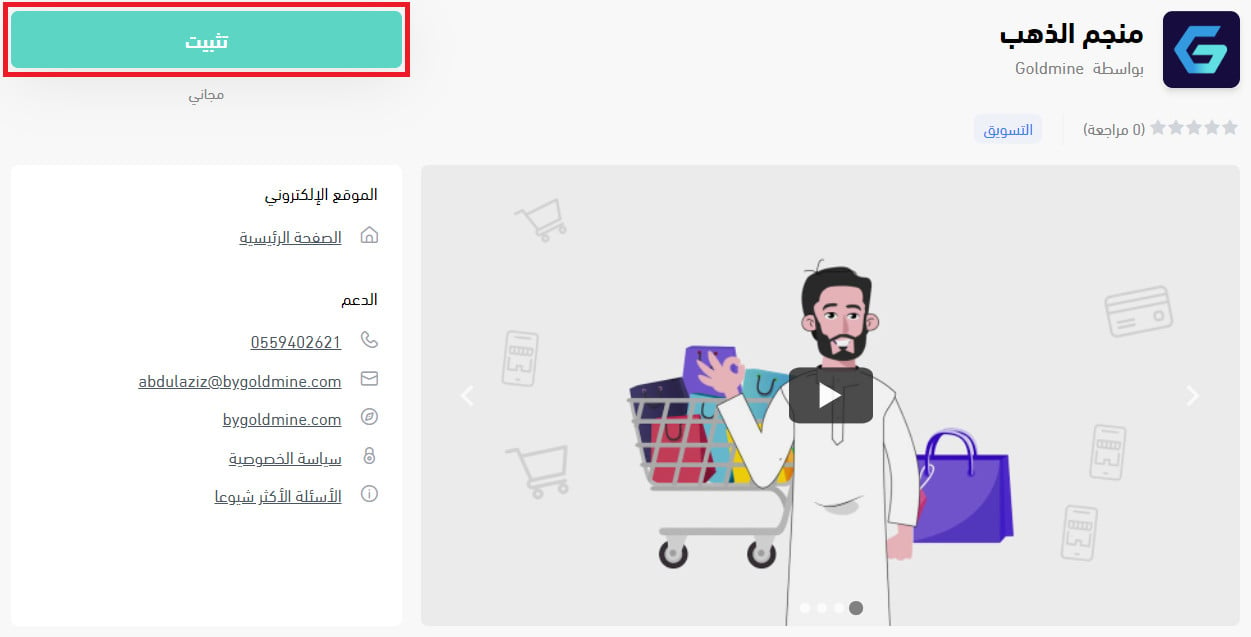
3. On the Manjam Al Thahab app page, click (Install).
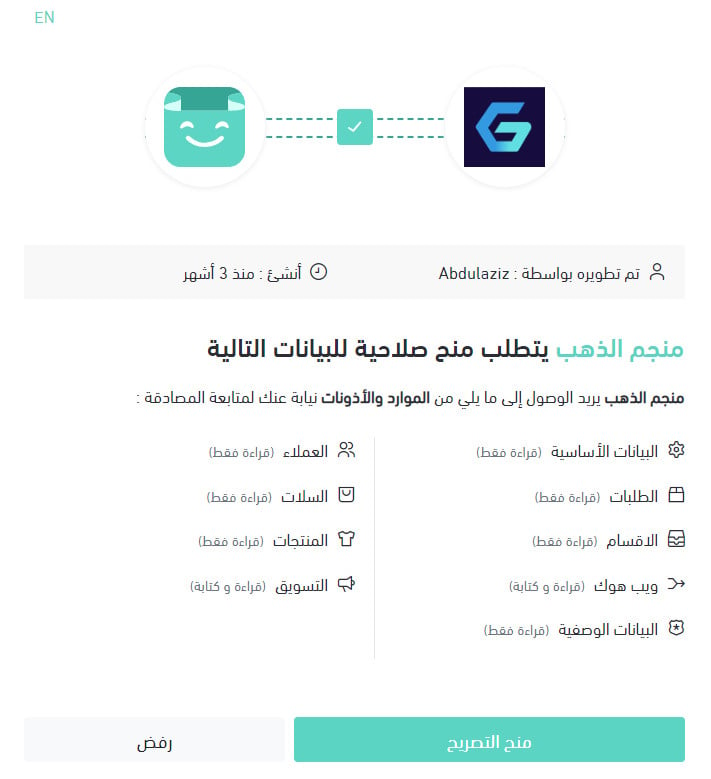
4. Review the permissions the app requests, then click (Grant permission).
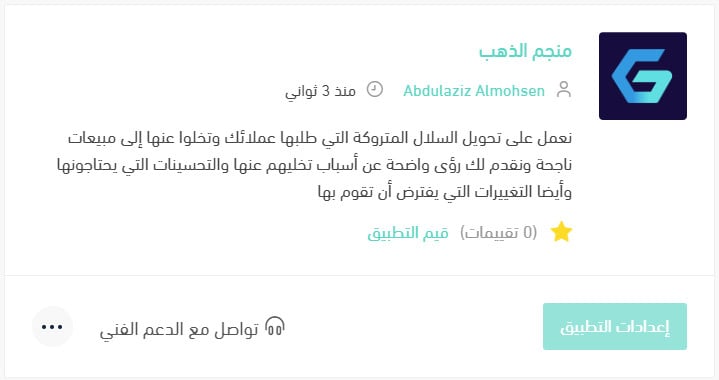
The Manjam Al Thahab app is now installed on your store.
For more details, see managing my store's apps.
❓ Frequently asked questions
Why should I install the Manjam Al Thahab app?
- Every customer problem is analyzed and ranked as major or minor, then sorted by name and type and laid out for you in a clear, detailed dashboard.
- Each abandoned cart gets its own coupon, with the coupon value tied to the purchase amount.
- The team is made up of real people who talk to each of your customers individually and respond to their specific problem.
- You pay for what you use, so you only pay once you've seen the results and the benefit.
- The service also includes help with your store's marketing strategy from specialist marketing experts.
How do I remove the Manjam Al Thahab app from my store?
1. From your dashboard's side menu, click (Installed apps).

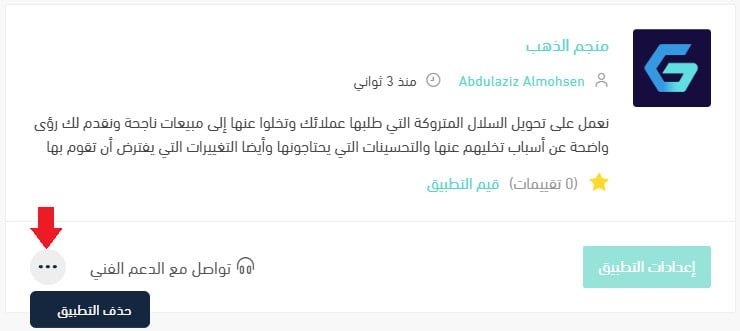
2. On the all apps page, find the Manjam Al Thahab app, click the (...) icon, then click (Delete app), as shown in the image.
Where do I sign in to my Manjam Al Thahab account?
Your account is created when you install the app. Check your store's email for the dashboard link and your default password, then sign in there.
Do I have to pay before I see results?
No. Payment is based on usage, so you pay after you've seen what the service recovered for your store.
Abandoned carts are customers who already chose your products. Recovering even a share of them is usually cheaper than finding new buyers, which is exactly what this integration is built to do.