How many customers fill their cart, then disappear without a word?
WhatsApp is where most of your customers already are, which makes it the fastest place to win an abandoned cart back. The Kartat WhatsApp app connects your Salla store to WhatsApp and sends abandoned cart reminders, order status updates, and promotional campaigns automatically, without you touching a thing. In this guide, you'll learn how to install the app, choose a plan, what it can do for your store, and how to remove it.
Kartat WhatsApp is a Salla app that automates WhatsApp messaging for your store. It sends abandoned cart reminders, order status alerts, and bulk promotional campaigns. Install it from the Salla App Store, pick a plan, complete payment, and grant the permissions it requests. Your account details then arrive by WhatsApp.
📌 Article overview
- What the Kartat WhatsApp app does
- How to install Kartat WhatsApp in your store
- Frequently asked questions
🚀 How to install the Kartat WhatsApp app
1. From the side menu of your dashboard, click (Installed apps).

2. From the Salla App Store banner, click (Browse the Salla App Store).

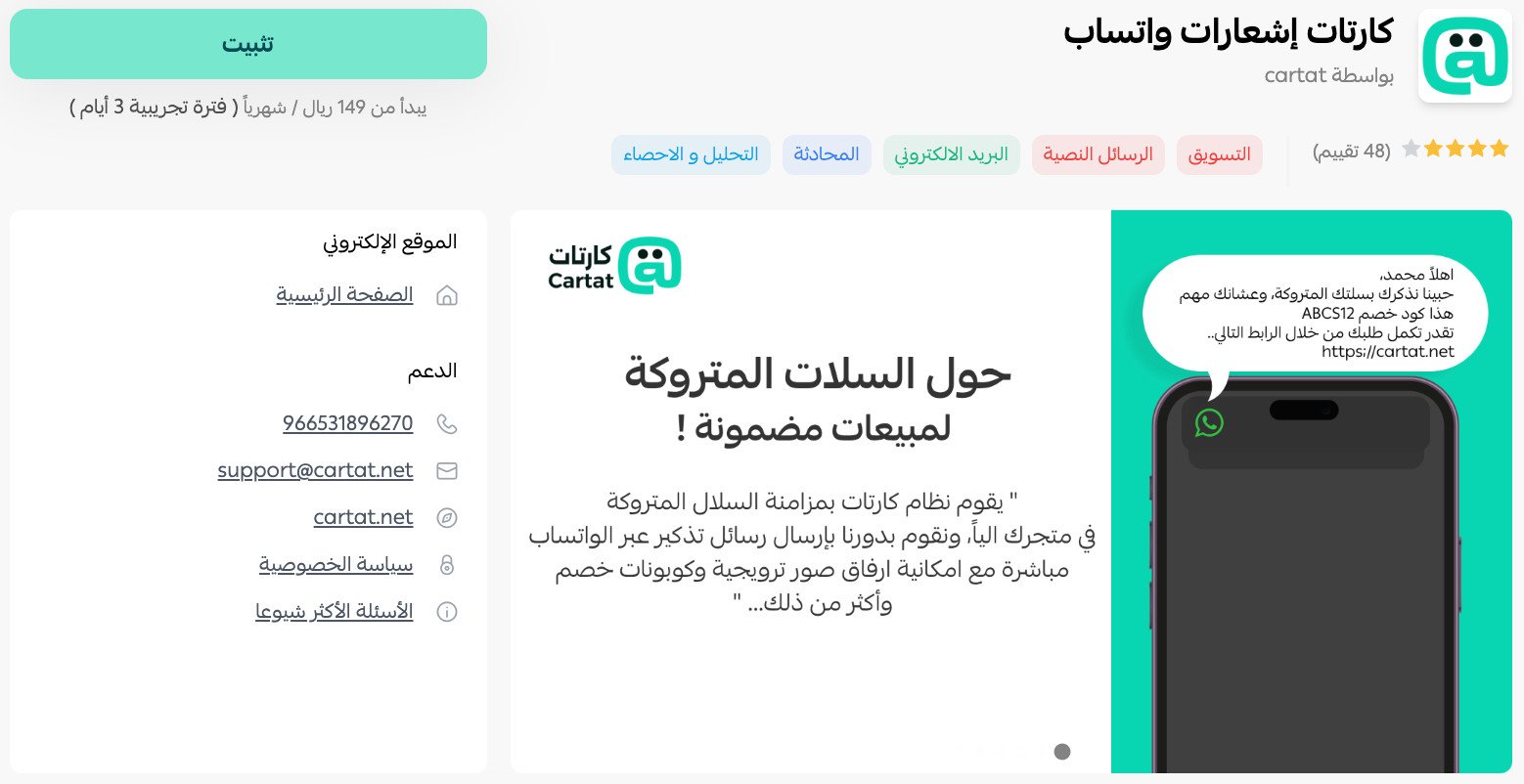
3. On the Kartat WhatsApp app page, click (Install).
4. Pick the plan that matches the size and nature of your business, then click (Choose plan).
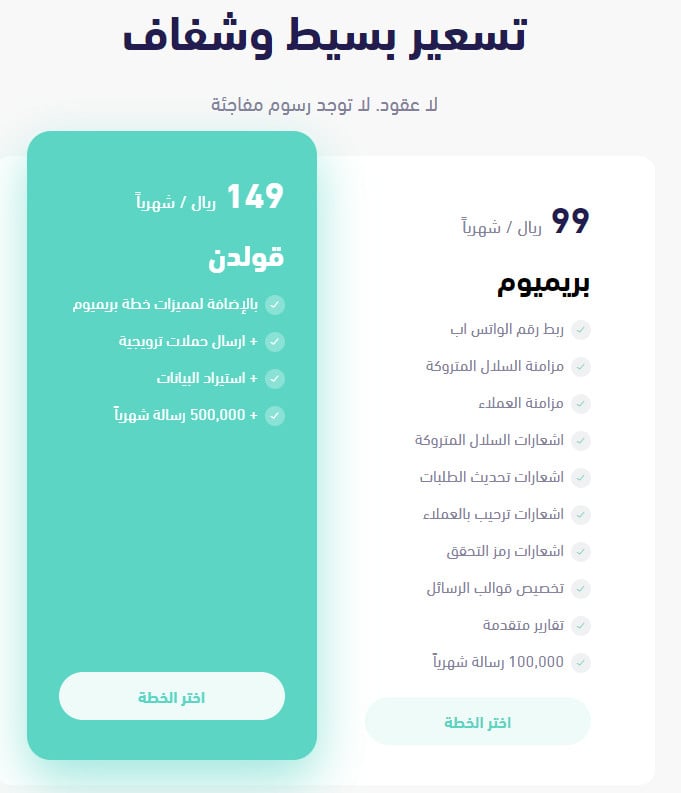
Then complete the payment.
📝 Important notes
You can delete the app and get your money back within a 7-day trial period.

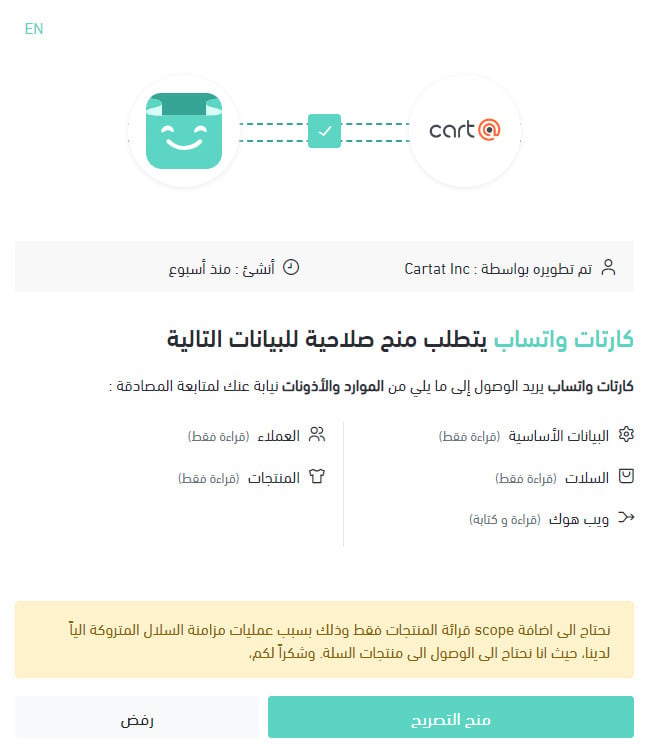
5. Review the permissions the app asks for, then click (Grant permission).
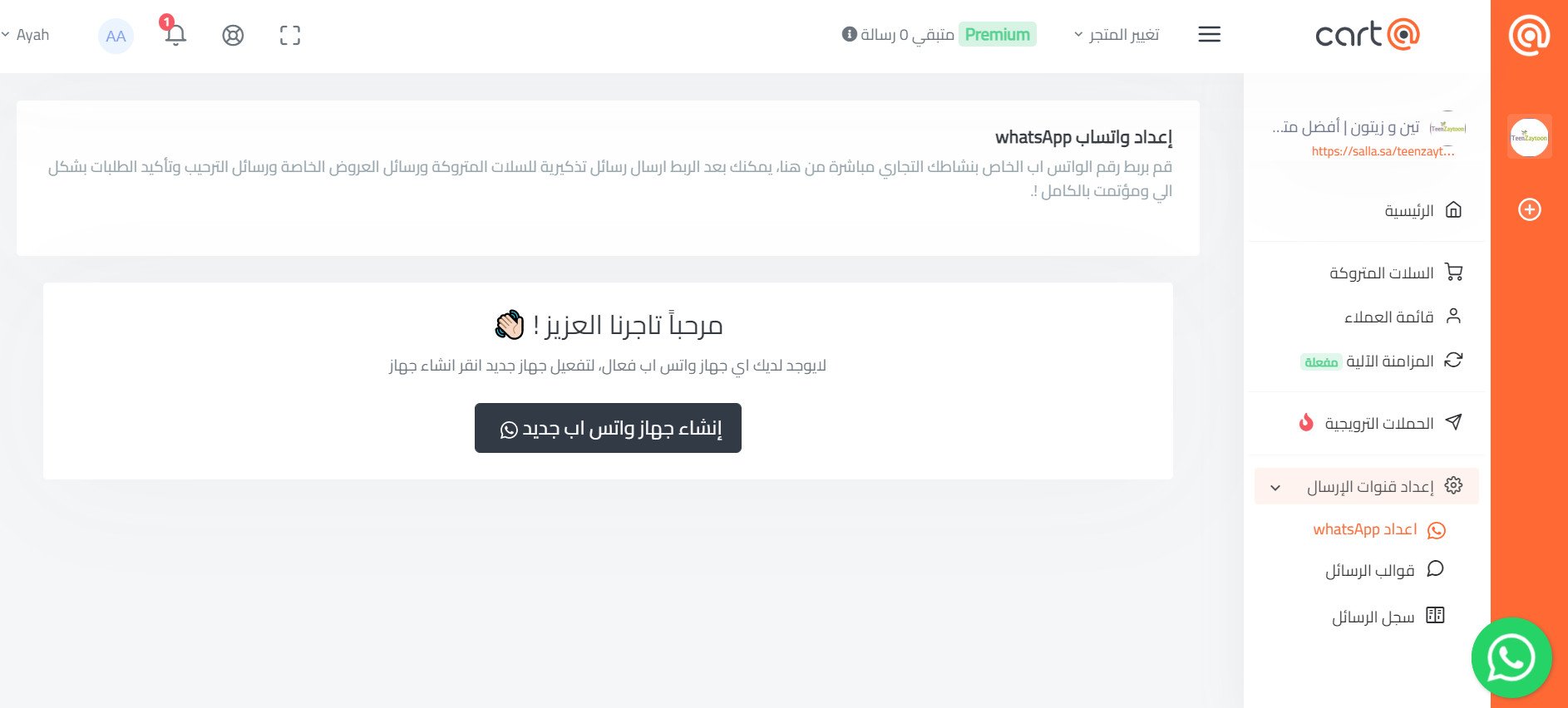
6. Once the app is installed, a new account is created for you and its details are sent to your WhatsApp number, so you can sign in.
The merchant dashboard home page looks like this:
The Kartat WhatsApp app is now installed, and it appears in your installed apps like this:
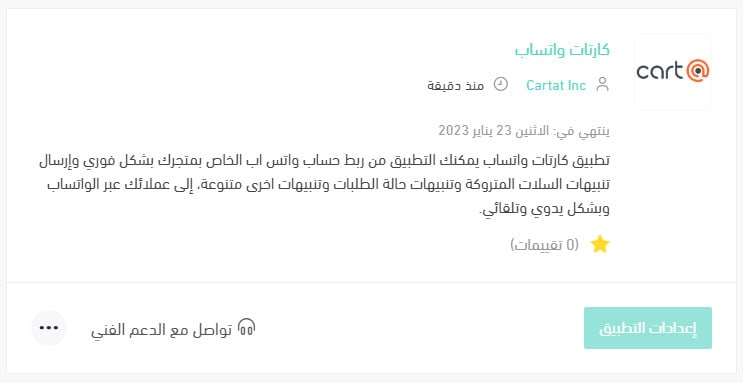
For more details, see managing your store apps.
❓ Frequently asked questions
What are the main services Kartat WhatsApp offers?
1. Connect your store's WhatsApp account instantly, with no approval to wait for.
2. Customize message templates however you like, including variables such as customer name, order number, and shipment number.
3. Send abandoned cart reminders to your customers over WhatsApp, with the message text under your control.
4. Send automatic order alerts over WhatsApp, such as when an order status changes or a shipping waybill is issued.
5. Run bulk promotional campaigns, with no limit on how many customers you import.
6. Sync your abandoned cart list and customer list automatically or manually.
7. See reports on how many customers come back after leaving a cart.
8. See read reports for the messages sent to your customers over WhatsApp.
How do I remove the Kartat WhatsApp app from my store?
1. From the side menu of your dashboard, click (Installed apps).

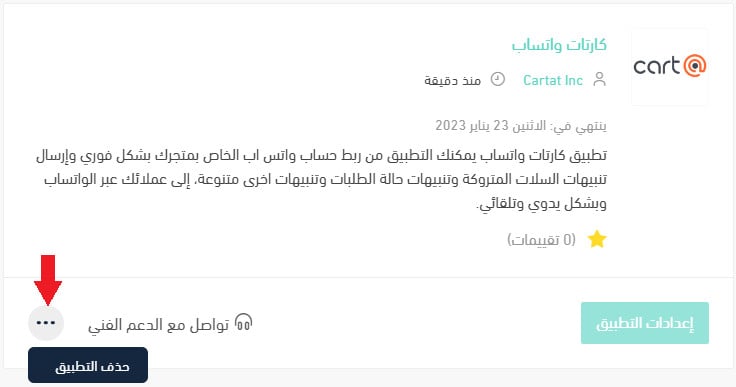
2. On the all apps page, find the Kartat WhatsApp app, click the (...) icon, then click (Delete app), as shown below.
When do I receive my Kartat WhatsApp sign-in details?
After installation, Kartat WhatsApp creates an account for you and sends the sign-in details to your WhatsApp number.
An abandoned cart is not a lost sale yet. A single well-timed WhatsApp message often brings the customer back, and automating it means you never miss the window.