Want to connect your store operations with a cloud accounting and resource-planning system?
HAL Accounting and ERP is described as a cloud system for small and medium-sized businesses, covering accounting, inventory, customer relationships, projects, and human resources. In this guide, you'll learn how to install HAL, review its stated capabilities, upgrade your subscription, check subscription dates, and remove the app.
To connect HAL Accounting to Salla, install the app, choose the plan that fits your business, complete payment, and grant the requested permissions. The HAL account page then opens and the app is ready for activation. You can later review subscription details or select a different plan from the app's options menu.
📌 Article overview
- What HAL Accounting and ERP does
- How to install HAL on Salla
- Stated benefits and system modules
- How to upgrade or review your subscription
- How to remove the app
💡 What is HAL Accounting and ERP?
HAL is a cloud accounting and enterprise resource planning system intended to help small and medium-sized businesses manage operations. The source lists accounting, inventory management, customer relationship management, project management, and human resources among its supported areas.
🚀 How to connect HAL Accounting to Salla
1. From the dashboard side menu, click (Installed apps).

2. From the Salla App Store banner, click (Browse the Salla App Store).

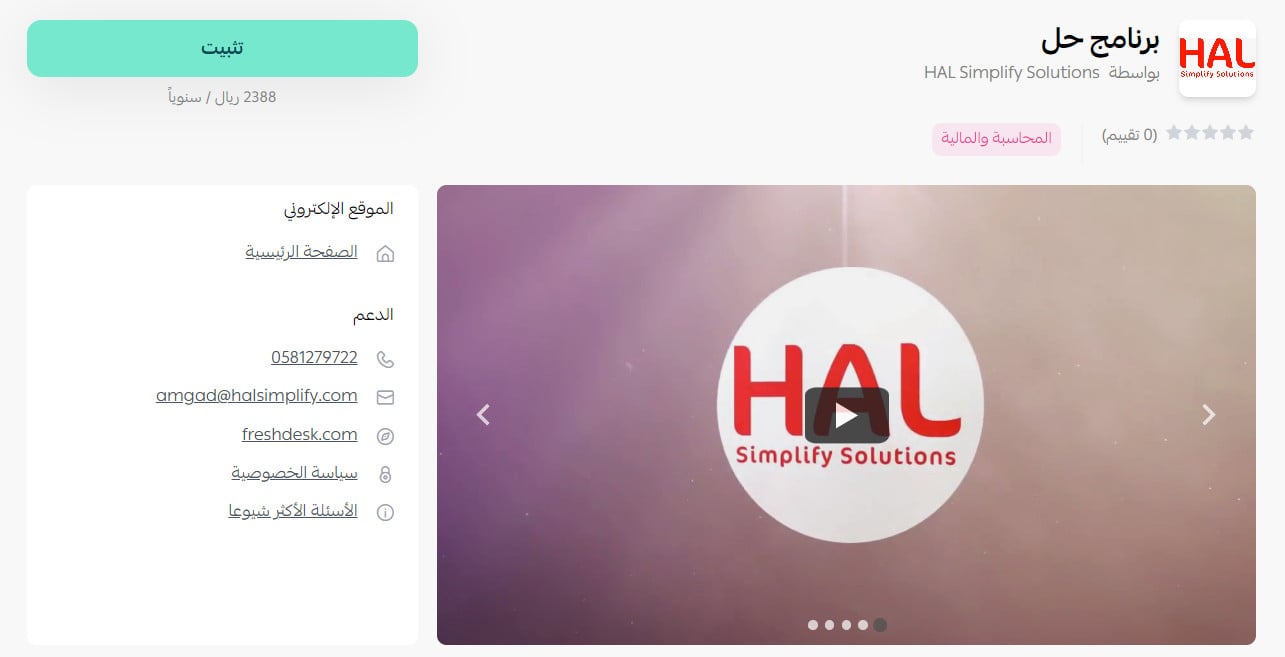
3. On the HAL Accounting app page, click (Install). [Verify: the source app URL differs from the current public Salla App Store result for HAL Accounting.]
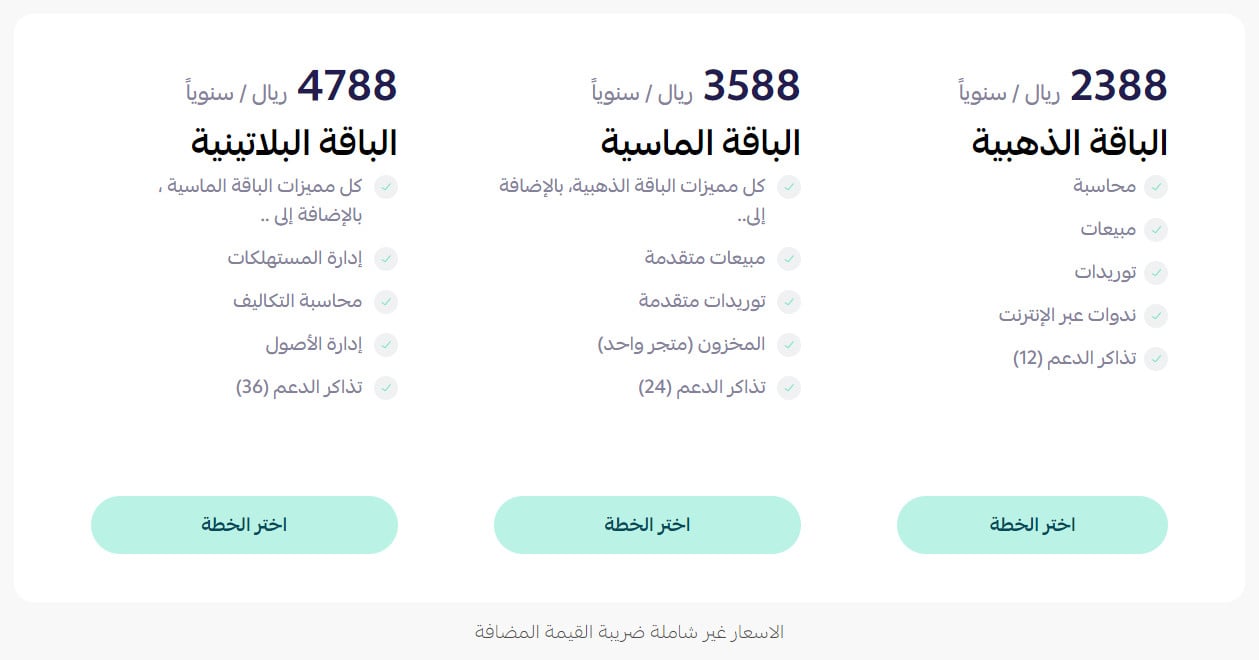
4. Choose the plan that fits the size of your business.
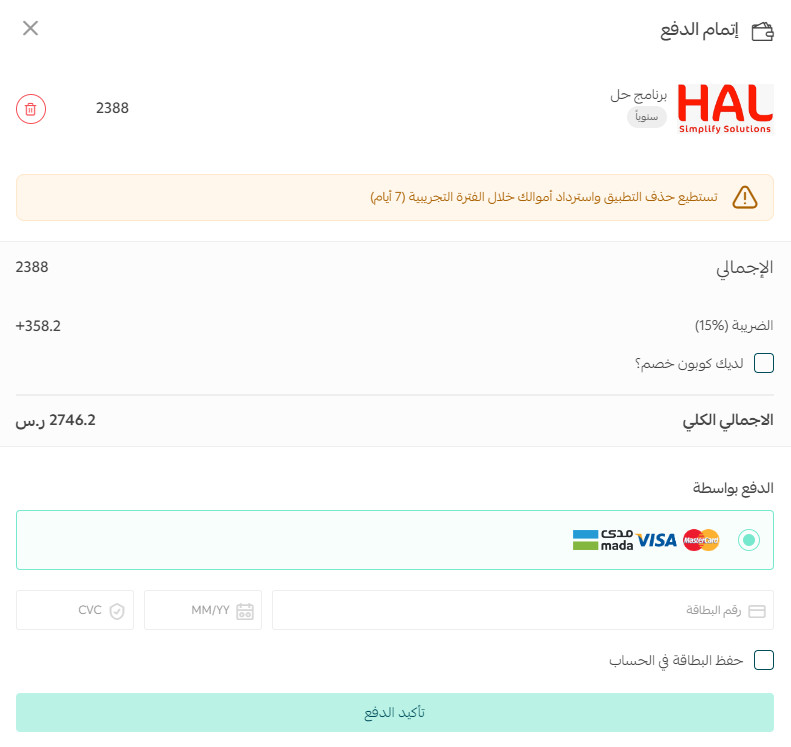
Enter the payment details, then click (Confirm payment).
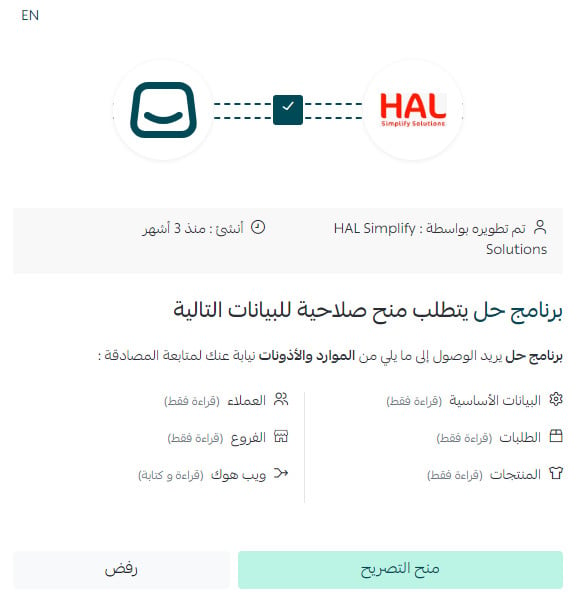
5. Review the requested permissions, then click (Grant permission).
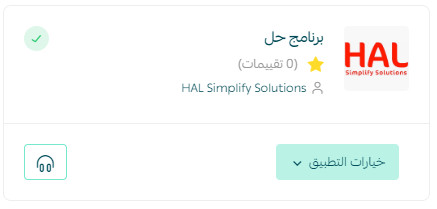
HAL is now installed on your store and ready for activation.
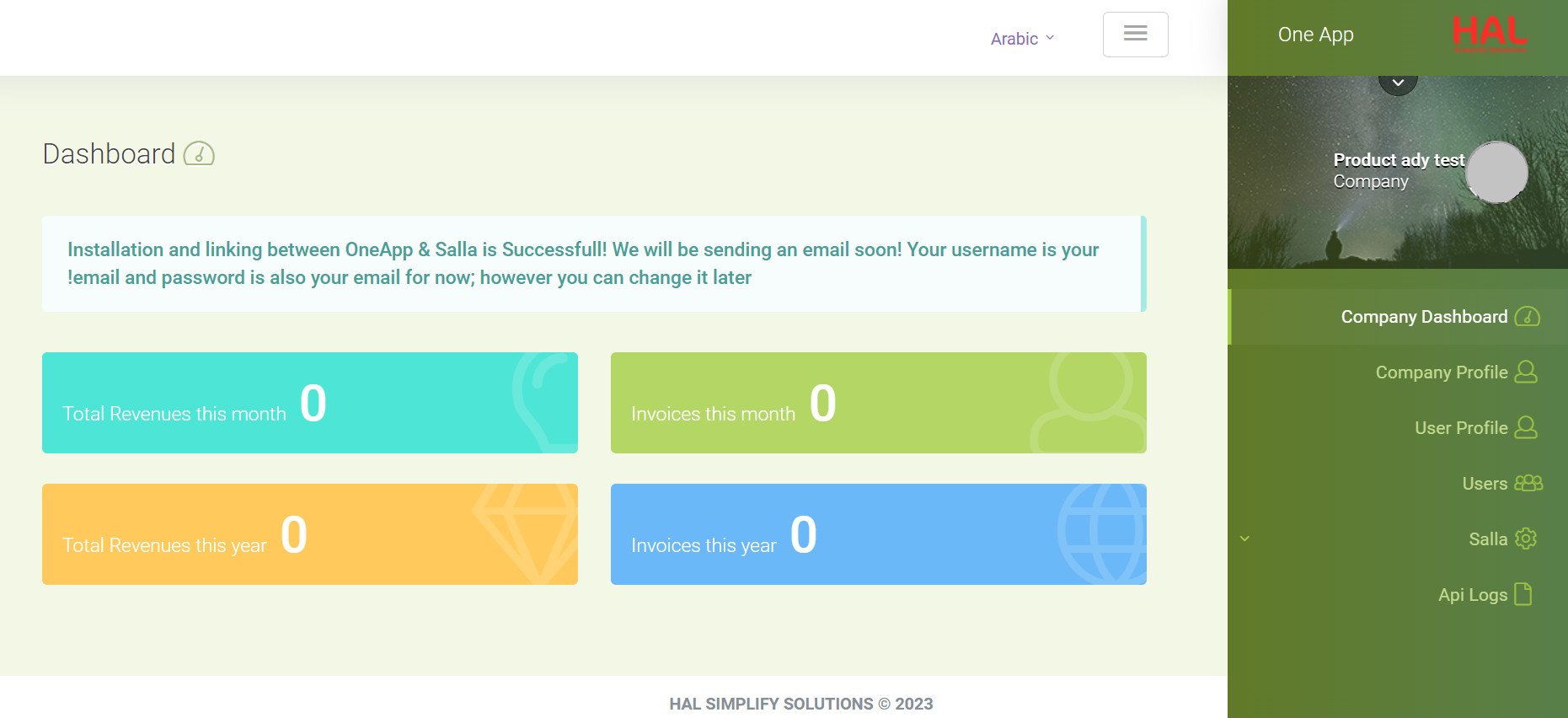
Your HAL account home page appears as shown below.
For more details, see managing your store apps.
❓ Frequently asked questions about HAL Accounting
What benefits does the source associate with HAL?
The source lists:
Operational efficiency: Automating processes intended to support productivity.
Business visibility: A consolidated data view intended to support decisions and performance monitoring.
Lower infrastructure costs: Cloud delivery that may reduce the need for on-premises hardware, servers, and software maintenance.
Standards and regulatory support: Tools intended to help businesses meet accounting, tax, and HR requirements.
[Verify: confirm the current automation scope, data model, hosting, security, availability, support, compliance certifications, supported regulations, and measurable cost or productivity outcomes.]
Which modules does HAL include?
The source describes these modules:
1. Accounting: A system intended to manage business financial needs.
2. Inventory management: Stock-level tracking intended to support product availability.
3. Customer relationship management: Customer, lead, and sales tracking.
4. Project management: Planning and execution tracking against time and budget.
5. Human resources: Employee administration, including payroll, benefits, and training.
[Verify: confirm which modules, fields, workflows, integrations, and plan levels are currently supported.]
Can I upgrade my HAL subscription?
Yes.
1. From the dashboard side menu, click (Installed apps).

2. On the all apps page, find HAL, click the (...) icon, then click (Subscription details).
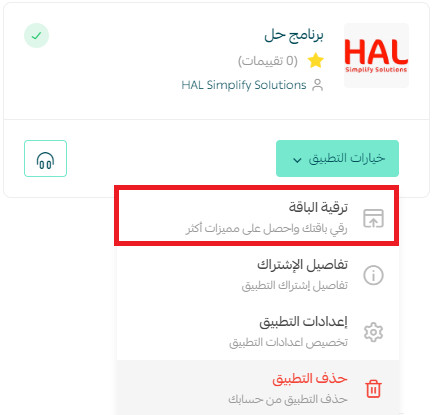
3. Select the plan you want, then complete payment.
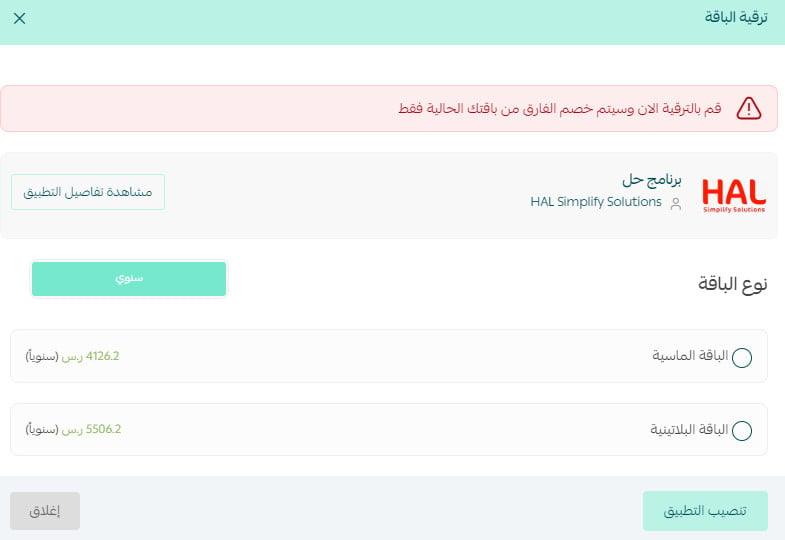
[Verify: confirm current plan names, features, prices, taxes, billing cycles, upgrade timing, proration, and cancellation or refund terms.]
Can I review my HAL subscription details?
Yes.
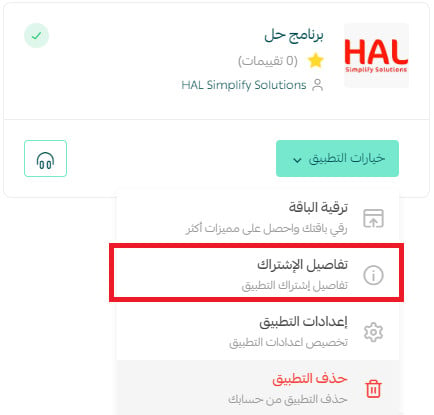
1. From the dashboard side menu, click (Installed apps).
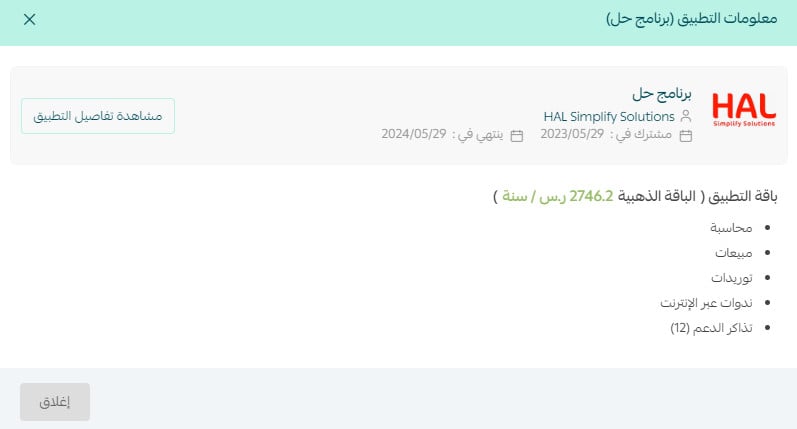
2. On the all apps page, find HAL, click the (...) icon, then click (Subscription details).
The page shows the subscription start and end dates.
How do I remove HAL from my store?
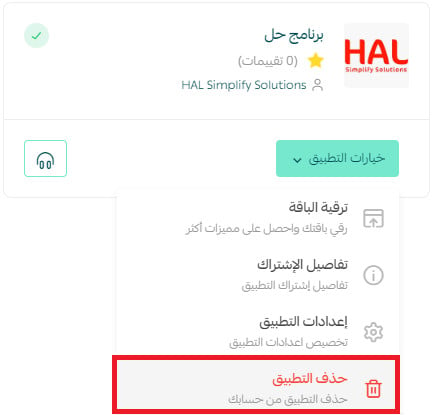
1. From the dashboard side menu, click (Installed apps).
2. On the all apps page, find HAL, click the (...) icon, then click (Delete app).
📝 Important notes
Confirm the current app listing, integration scope, synchronization direction and timing, supported modules, security, compliance, plans, and pricing before publication.
Before removing the app, confirm what happens to synchronized records, outstanding subscriptions, access permissions, and retained data.