Where do your customers keep the invoices and loyalty cards you give them?
Most of them end up lost in a camera roll. The Greenbill integration gives shoppers one place to store invoices, loyalty cards, and special offers, so they can come back to them whenever they want — and gives you the customer data behind a smarter loyalty program. In this guide, you'll learn what Greenbill offers, how to install and connect it to your Salla store, and how to remove it.
To connect Greenbill, open (My installed apps) from your dashboard side menu, click (Browse Salla App Store), and install the Greenbill app or choose the plan that suits your store. Grant the permissions it requests, then finish setting up your Greenbill account.
📌 Article overview
- What is Greenbill?
- What does Greenbill offer?
- How to connect Greenbill to your store
- Frequently asked questions
🎯 What is Greenbill?
Greenbill is an app your customers use to keep invoices, loyalty cards, and special offers in one place, so they can find them and use them at any time.
✅ What does Greenbill offer?
1. A smart marketing program built on customer data.
2. Loyalty programs and ratings that bring customers into your decisions.
3. Data analysis to guide how you develop your products.
4. A loyalty system carrying your own brand.
5. A loyalty system with multiple options to fit what you need.
🚀 How to connect Greenbill to your store
1. From the side menu of your dashboard, click (My installed apps).

2. From the Salla App Store banner, click (Browse Salla App Store).

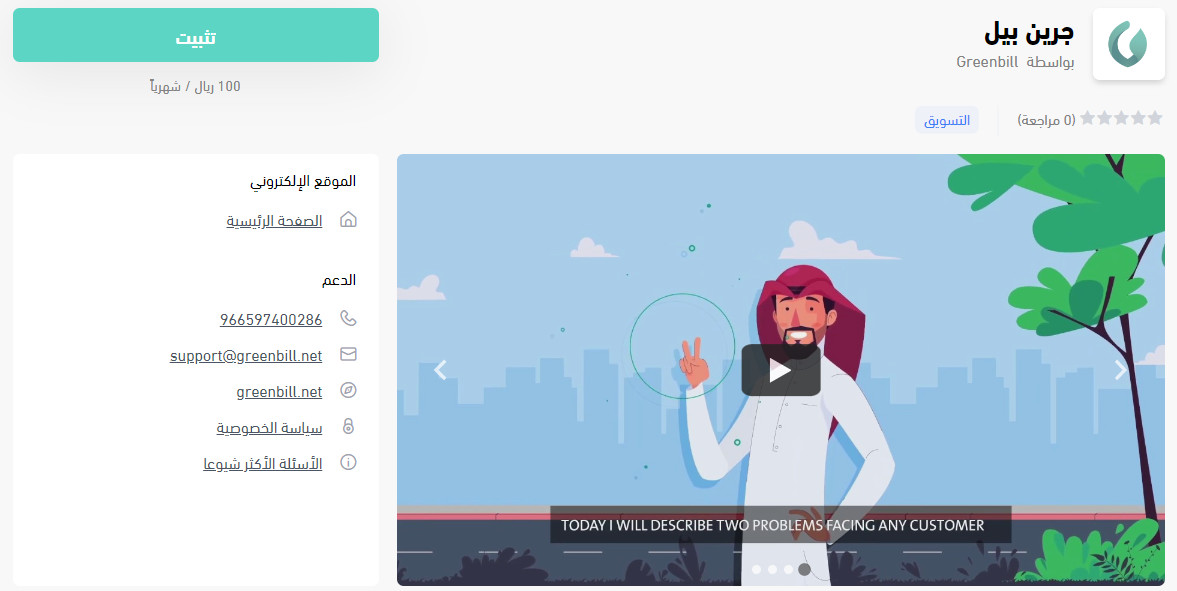
3. On the Greenbill app page, click (Install).
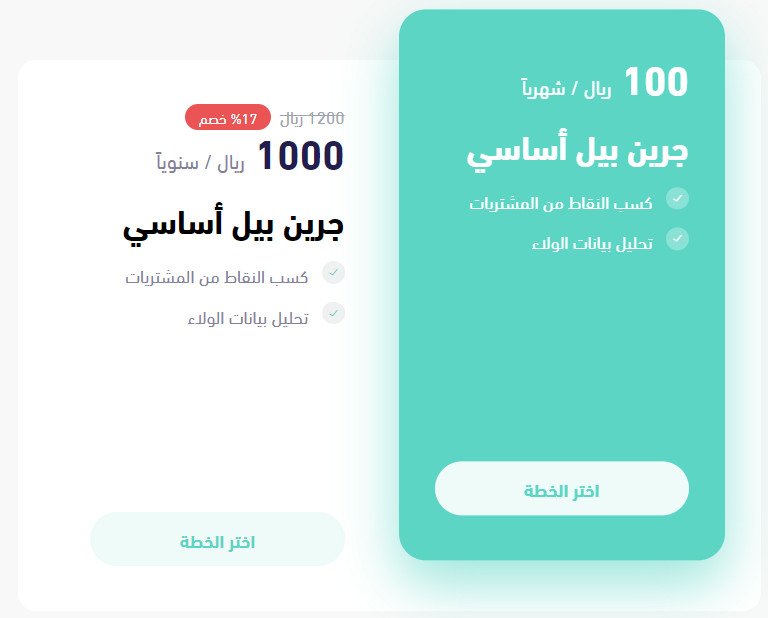
Or pick the plan that fits your store and click (Choose plan).
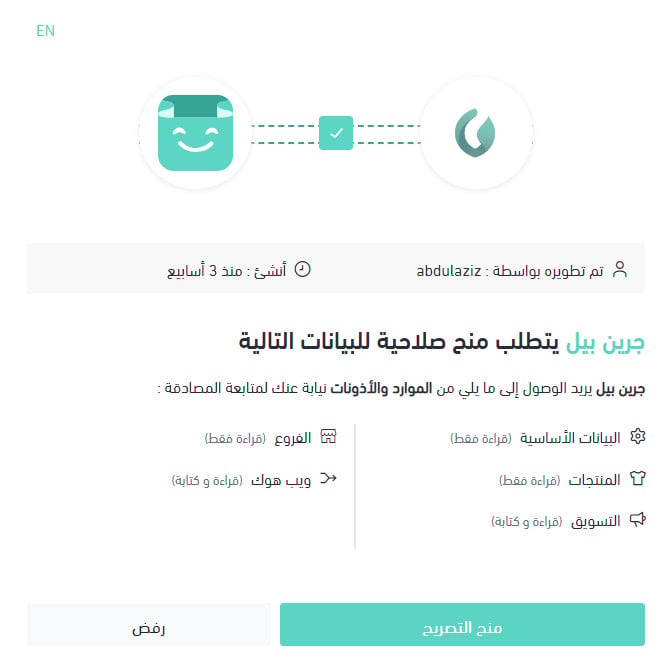
4. Check the permissions the app requests, then click (Grant permission).
5. Finish setting up your Greenbill account.
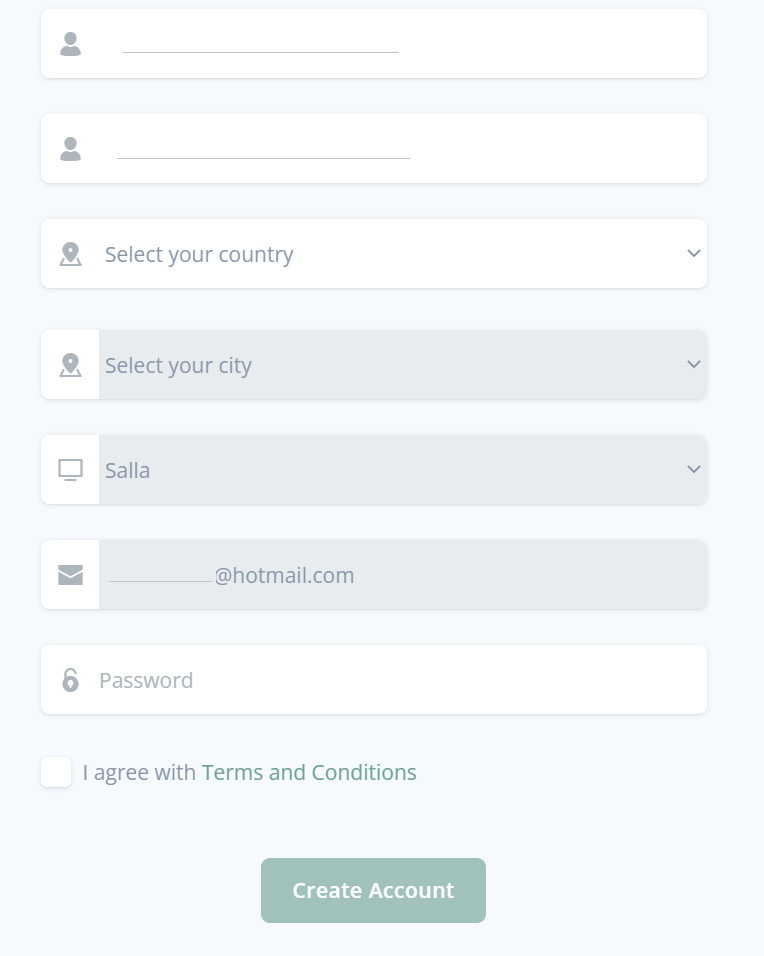
Your account page then looks like this:
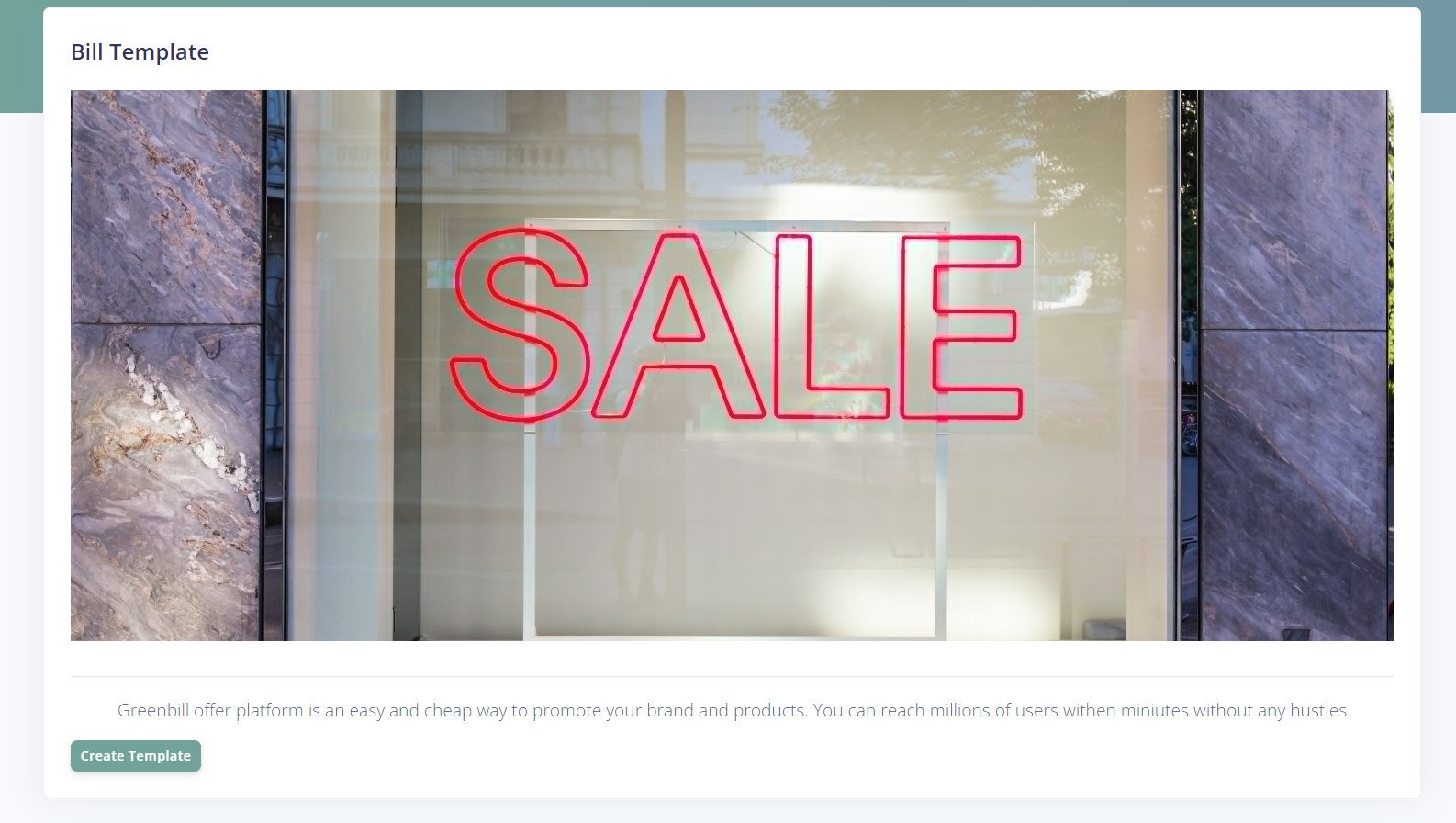
The Greenbill app is now installed on your store, and it appears in your installed apps like this:
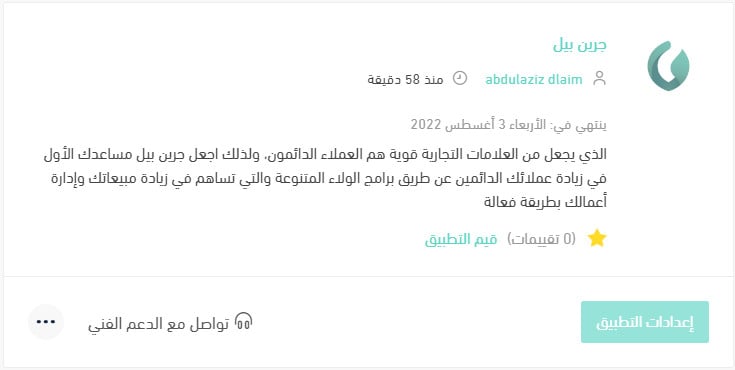
For more details, see managing my store apps.
❓ Frequently asked questions
How do I remove the Greenbill app from my store?
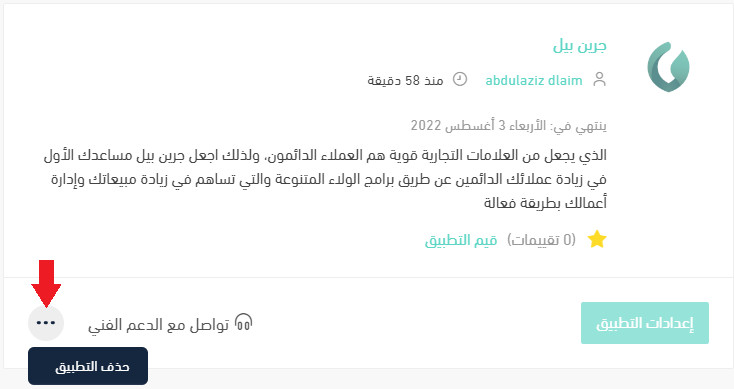
1. From the side menu of your dashboard, click (My installed apps).

2. On the all apps page, find the Greenbill app, click (...), then click (Delete app), as shown in the image.
Who uses the Greenbill app, me or my customers?
Your customers. They use it to keep their invoices, loyalty cards, and special offers in one place and come back to them whenever they want.
Do I have to choose a paid plan to install Greenbill?
You can click (Install) on the app page, or pick the plan that fits your store and click (Choose plan).
Do I need to set anything up after granting permission?
Yes. After you grant permission, finish setting up your Greenbill account. Once that is done, the app appears in your installed apps.
Can I brand the loyalty program as my own?
Yes. Greenbill's loyalty system carries your brand, and it offers several options so you can match it to what your store needs.