How much of your week goes into issuing invoices one at a time?
Invoicing is the kind of admin that quietly eats a morning and has to be right every single time. The Faras Invoicing integration issues your invoices for you, manually or automatically, and sends them to the customer once it is connected to your Salla store. The invoices meet the Zakat, Tax and Customs Authority requirements, and everything is stored in the cloud where you can export it whenever you need it. In this guide, you'll learn how to install Faras Invoicing on your store and finish setting it up.
To connect Faras Invoicing, open (My installed apps) in your Salla dashboard, click (Browse Salla App Store), open the Faras Invoicing app page, and click (Install). Review the permissions and click (Grant permission). Then follow the instructions sent to the email address registered with Salla to finish signing up for the service.
📌 Article overview
- What is the Faras Invoicing app?
- What you get from connecting Faras Invoicing
- How to install Faras Invoicing on your Salla store
- Frequently asked questions
🎯 What is the Faras Invoicing app?
Faras Invoicing is a service that lets you issue your invoices easily, either by hand or automatically. It also connects to your online store through the available integration tools, such as the API.
✅ What you get from connecting Faras Invoicing
- Issue your invoices automatically and send them to the customer, once the app is connected to your Salla store.
- Stay compliant with the Zakat, Tax and Customs Authority requirements.
- Keep everything in cloud storage, with your data exportable at any time.
🚀 How to install Faras Invoicing on your Salla store
1. From the side menu of your dashboard, click (My installed apps).

2. From the Salla App Store banner, click (Browse Salla App Store).

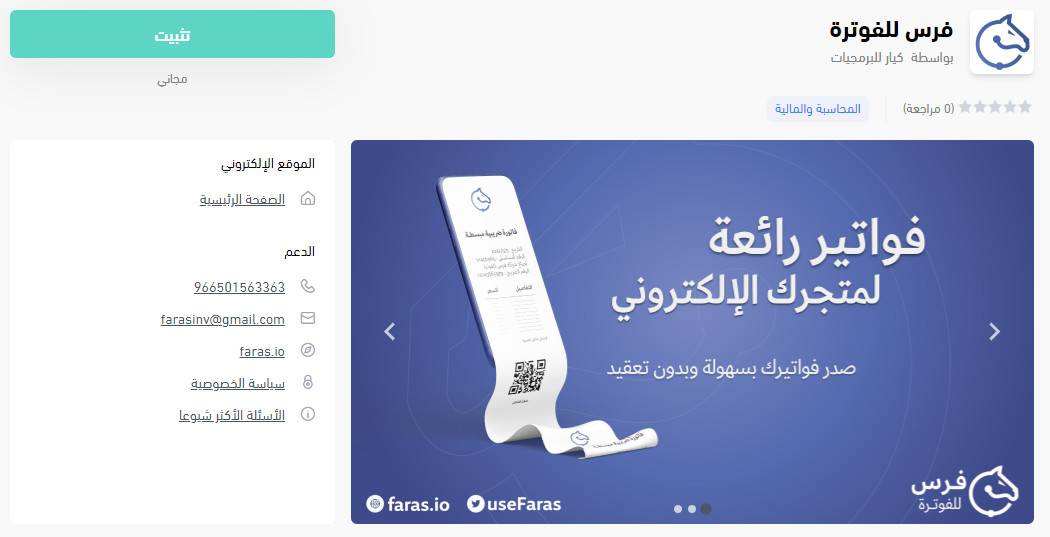
3. From the Faras Invoicing app page, click (Install).
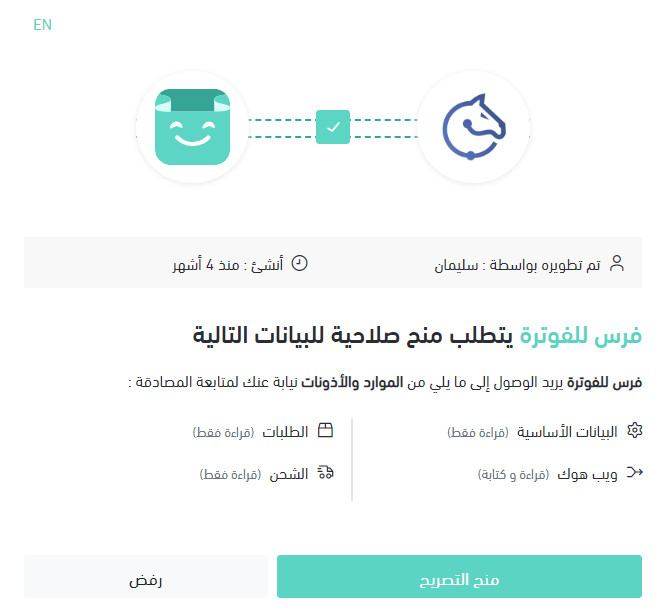
4. Read the permissions Faras needs to reach your store's resources, then click (Grant permission).
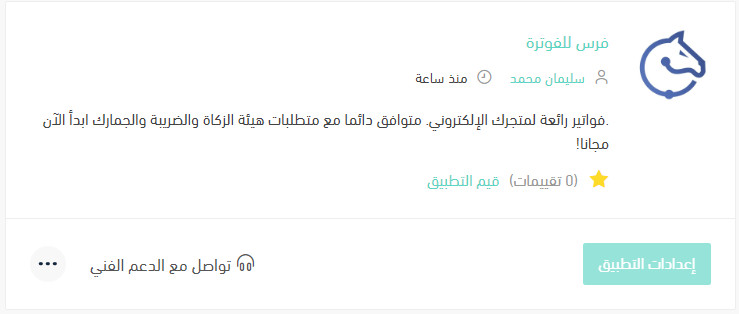
The app is now installed on your store.
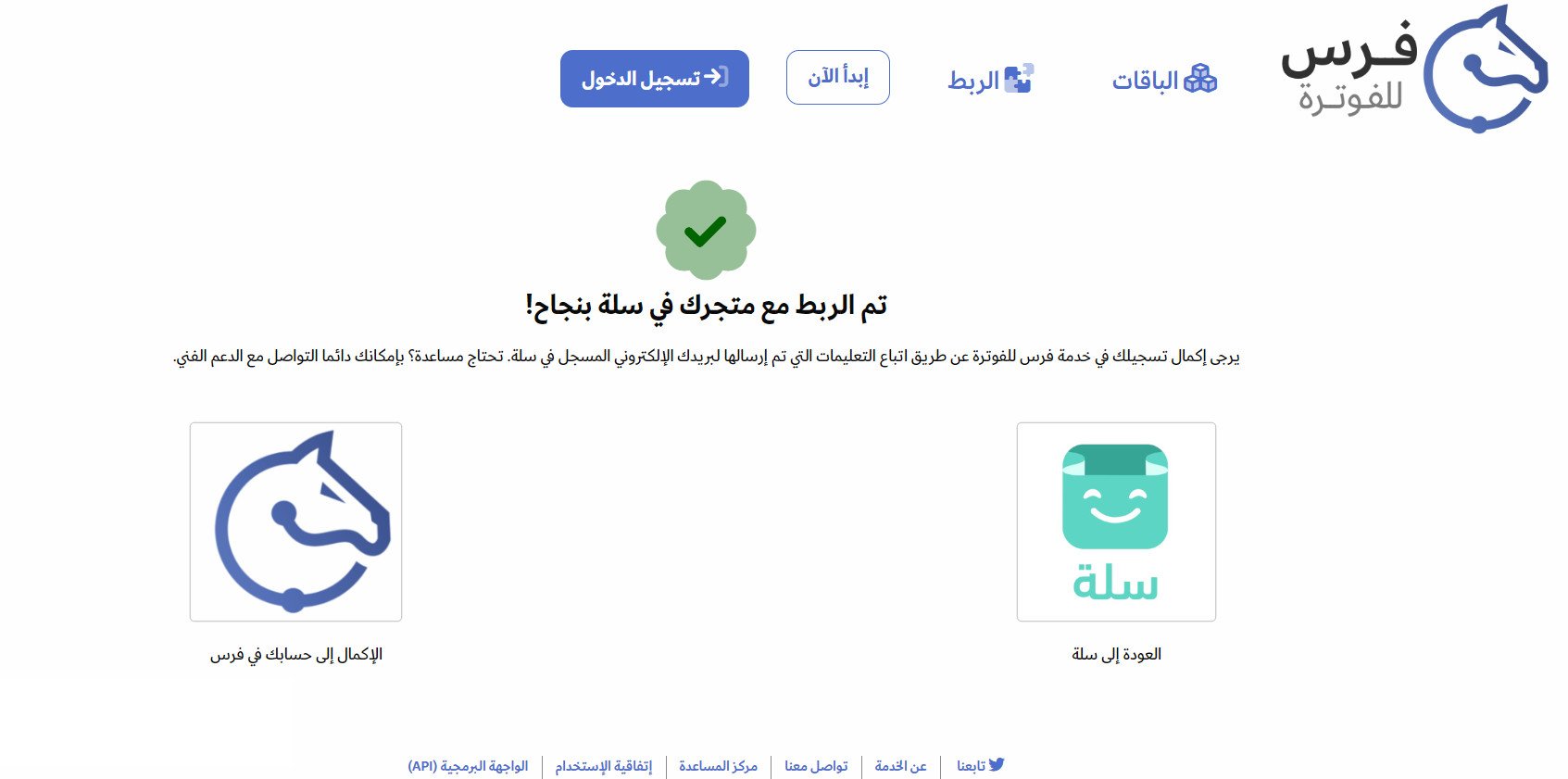
To finish signing up for the Faras Invoicing service, follow the instructions sent to the email address registered with Salla.
For more details, read managing my store's apps.
❓ Frequently asked questions
Is installing the app enough to start issuing invoices?
No. After you grant permission, you still need to complete your registration for the service by following the instructions sent to the email address registered with Salla.
Are Faras invoices compliant with tax requirements?
Yes. The service meets the requirements of the Zakat, Tax and Customs Authority.
Can I export my invoice data?
Yes. Your data is kept in cloud storage and can be exported at any time.
How do I delete the Faras app from my store?
1. From the side menu of your dashboard, click (My installed apps).

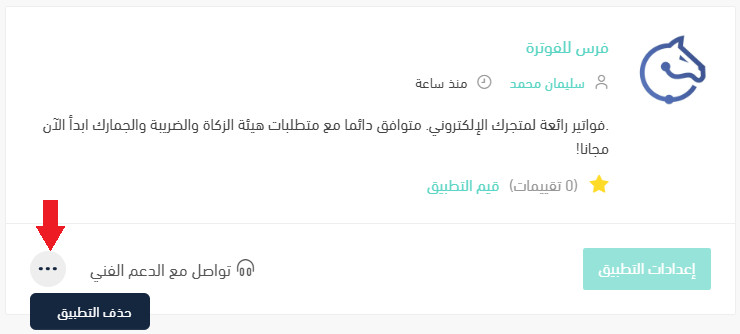
2. On the all apps page, find the Faras app, click (...), then click (Delete app).
📝 Important notes
The sign-up email goes to the address registered with Salla, not to any other address you use with the app. Check that inbox if the invoices do not start arriving.
Invoicing is the part of the business that has to be correct every time, so it is a good candidate for automating early.