Visitors are landing on your store every day — but do you know what they click, how far they scroll, and where they give up?
Keeping the traffic you already earn starts with understanding it. When you connect Crazy Egg to your Salla store, you get heatmaps and visitor reports that show what people love about your site and what makes them leave — so you can adjust accordingly and improve your SEO along the way. In this guide, you'll learn what Crazy Egg is, how to create an account, and how to connect it to your store.
To connect Crazy Egg to your Salla store, sign up at crazyegg.com and copy the tracking code from the Google Tag Manager setup option. Then, in your Salla dashboard, open the Crazy Egg app's settings from the Salla App Store, paste the tracking code, and click (Activate connection).
📌 Article overview
- What is Crazy Egg?
- Stage one: sign up for Crazy Egg
- Stage two: connect Crazy Egg to your Salla store
- Frequently asked questions
What is Crazy Egg?
Crazy Egg is one of the best-known tools for website analysis — and, by extension, for improving your SEO. To keep the traffic coming to your site, you need to learn more about what visitors like about it, and what makes them leave, then make your adjustments accordingly.
🚀 How to connect Crazy Egg
The connection happens in two stages:
1. Sign up on the Crazy Egg website.
2. Connect Crazy Egg to your Salla store.
Stage one: sign up for Crazy Egg
1. Go to the Crazy Egg website, type your store's URL, then click (Show me my Heatmap) to see your site's heatmap through a free trial.

2. Enter your store's email address, then click (Sign up with Email).

3. Enter a password for your Crazy Egg account, check the box to accept the terms of use — after reading them — then click (Continue).

4. Choose the plan that fits your business and enter your payment details. Note that all plans are free for a full month.

5. Once registration is complete, sign in to your Crazy Egg account and click (Install Crazy Egg).

6. From the setup page, click (Google Tag Manager).

7. To copy the tracking code, click (copy to clipboard).

Stage two: connect Crazy Egg to your Salla store
1. From the side menu of your dashboard, click (Installed apps).

2. From the Salla App Store banner, click (Browse the Salla App Store).

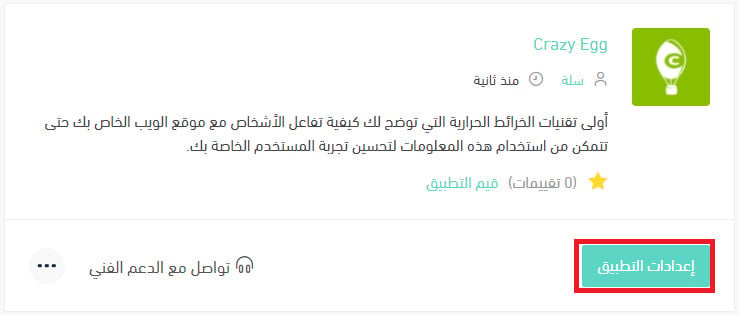
3. From the Crazy Egg app, click (App settings).
📝 Important notes
Install the app first if it isn't already on your store. For details, see installing an app from the Salla App Store.
4. Paste the tracking code you copied from the Crazy Egg platform in stage one, then click (Activate connection).

Frequently asked questions
❓ What can heatmap recordings do for my store?
Heatmap recordings
1. Recordings let you watch real users interact with your website — your chance to be the sharpest observer of your own site.
2. They show you where visitors get stuck and what you can do to improve their experience. You can record entire user sessions and easily find the recordings you need with the recordings filter.
❓ What are the main Crazy Egg tools?
- Heatmap
Shows what's hot and what's not — essentially a graphical picture of everywhere users clicked on your site. It lets you see what draws interest and what doesn't, so you can make changes that increase conversions.
- Scrollmap
The scrollmap shows how far down the page people scroll and helps pinpoint where visitors leave.
Every Crazy Egg snapshot includes reports that reveal how your site's visitors behave:
1. All individual clicks, segmented by different criteria (referral sources, search terms, and more) to show how different types of users behave.
2. How far users scroll. Why does that matter? It shows you where you lose the user's attention, so you can make the right changes to the sections that have problems.
- Overlay
The overlay report shows the number of clicks on each element of your page.
- Confetti
With confetti, you can break down every click on your site by referral source, search term, and more.
❓ How do I use Crazy Egg to improve my site's SEO?
The better you understand your audience, the more likely you are to serve content that fits their needs exactly. Crazy Egg helps you:
- Decide on the ideal content structure and length
Some studies show longer content ranks better on Google — the average first-page result runs about 1,890 words. But sometimes longer content is the answer, and other times short, concise writing gets better results. It depends on your business and on what matters most to your audience.
- Word count
Heatmaps show you where most visitors bounce — revealing whether you need to shorten your content, organize it better, or make certain parts more engaging.
- Improve your internal link structure
Internal links are often neglected in favor of external ones, yet they can work wonders for SEO.
- Use the scrollmap to improve image and CTA placement
Some studies show content with images gets up to 94% more views. Image placement is an important part of the user experience — optimize where your visuals sit, not to mention their quality and colors.