What if your product were already sitting a few minutes away from your customer when they hit buy?
Cloud Shelf is a cloud-branch service you can connect to your Salla store: your stock is stored in dark stores close to your customers, orders are picked and delivered quickly, and all your sales channels are managed from one place. In this guide, you'll learn how to connect Cloud Shelf to your store, how to set its shipping rates, and what the service covers — cities, delivery times, storage, and returns.
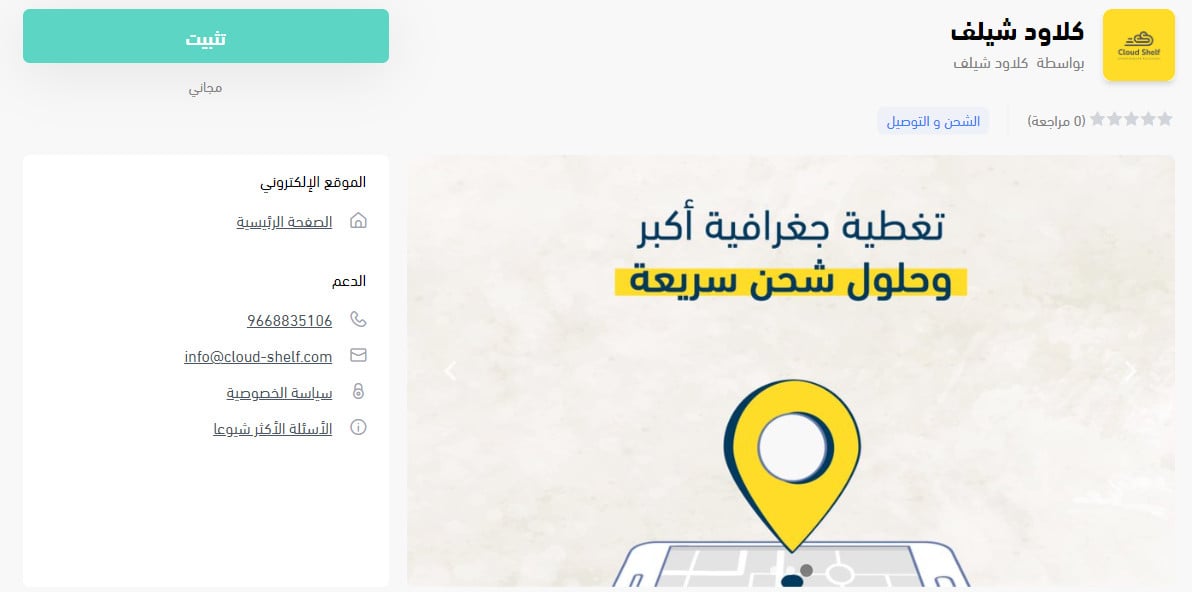
To connect Cloud Shelf to Salla, open (Installed apps) from your dashboard side menu, click (Browse the Salla App Store), open the Cloud Shelf app page, and click (Install). Review the permissions the app asks for, click (Grant permission), and your store is linked to your Cloud Shelf account.
📌 Article overview
- What Cloud Shelf is
- How to connect Cloud Shelf to your store
- Frequently asked questions
🎯 What Cloud Shelf is
Cloud Shelf runs cloud branches that keep your product at the closest possible point to your customer, get it delivered fast, and bring all your sales channels together in one place.
🚀 How to connect Cloud Shelf to your store
1. From the side menu of your dashboard, click (Installed apps).

2. On the Salla App Store banner, click (Browse the Salla App Store).

3. On the Cloud Shelf app page, click (Install).
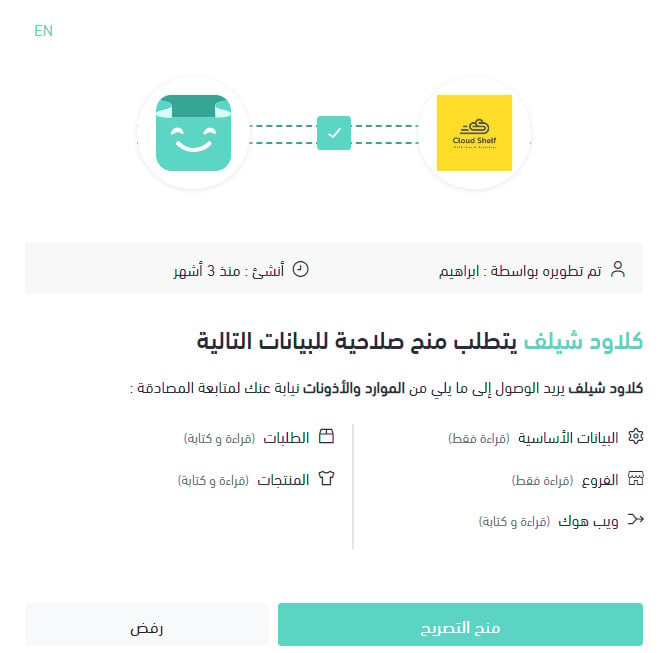
4. Review the permissions the app is asking for, then click (Grant permission).
Your Salla store is now linked to your Cloud Shelf account.
For more detail, see Managing my store's apps.
❓ Frequently asked questions
How do I set Cloud Shelf shipping rates?
1. From the side menu of your dashboard, click (Installed apps).

2. On the all apps page, find the Cloud Shelf app and click (App settings).
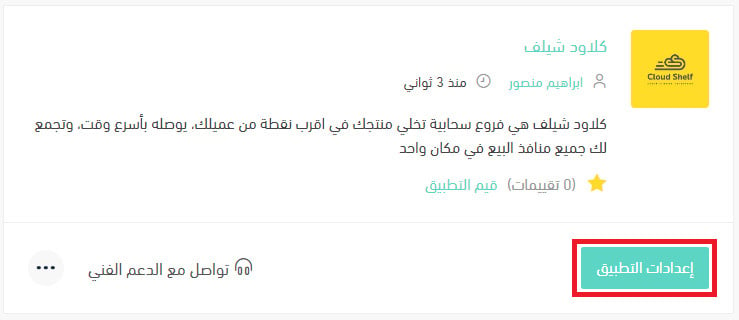
3. On the (Shipping rates) tab, enter the rates for the cities and regions you want to cover.
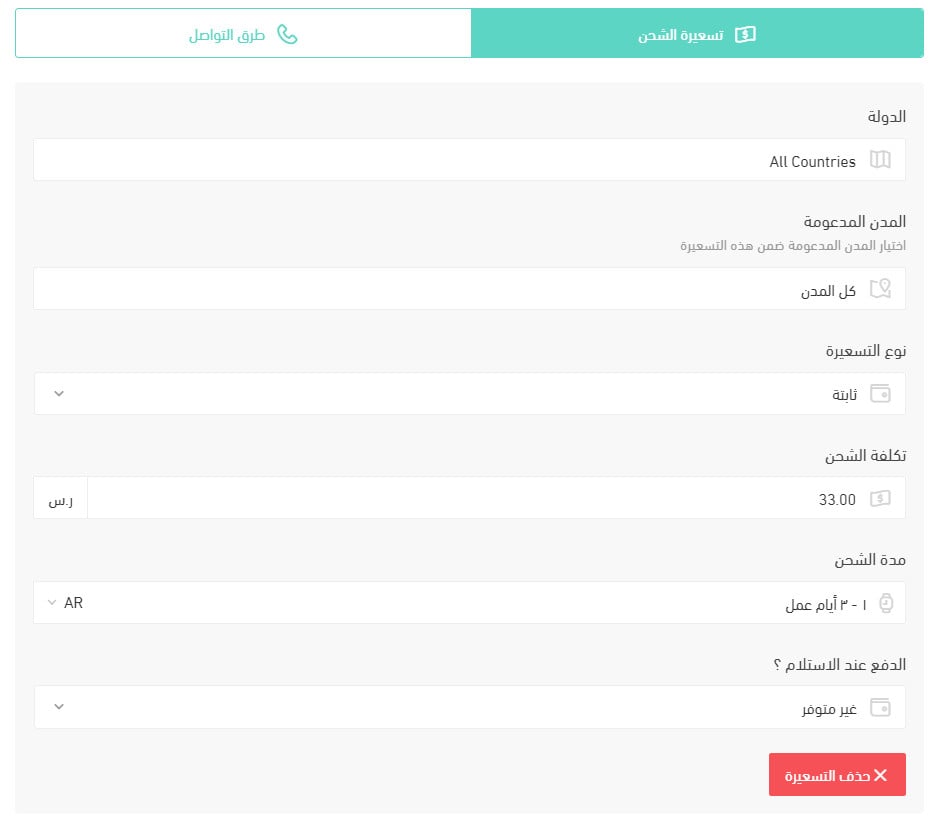
For more detail, see Shipping and delivery option settings.
How do I switch an app off temporarily in my store?
1. From the side menu of your dashboard, click (Installed apps).
2. On the all apps page, find the Cloud Shelf app and click (App settings).
3. Turn the option (Hide the shipping company from the checkout page) on or off.
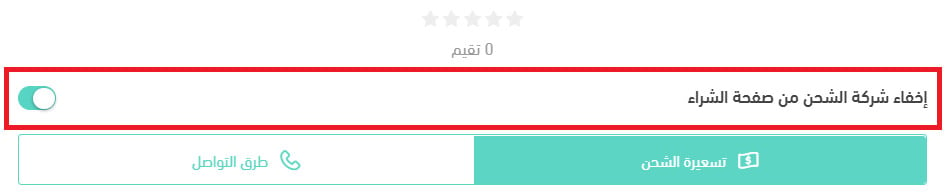
How do I remove the Cloud Shelf app from my store?
1. From the side menu of your dashboard, click (Installed apps).
2. On the all apps page, find the Cloud Shelf app, click the (...) icon, then click (Delete app), as shown below.
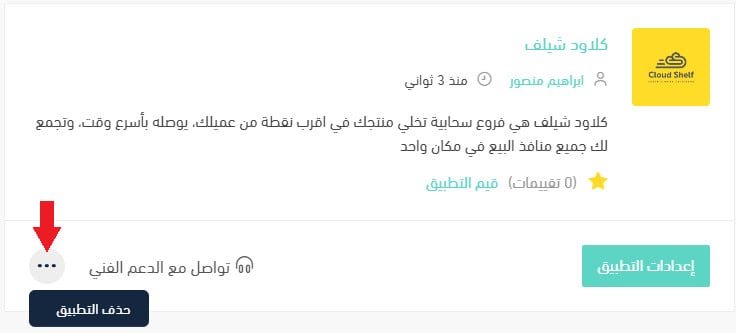
Which cities are supported for merchant pickup?
Riyadh, for now.
Which cities are supported for customer shipping and delivery?
Riyadh and Buraydah.
How does signing up and connecting work?
Sign the contract, send in your products, then activate the connection.
How are payments settled?
Monthly, with a report and an invoice.
When is the best time to contact the company's customer service?
From 8 AM to 12 midnight.
Do I get a report on amounts and stock levels?
Yes — both are tracked in real time.
How is an order sent to the company?
Automatically, with no manual step on your side.
Is there shipment tracking?
Yes, through the Cloud Shelf portal.
If a shipment has more than one carton, does each carton get its own waybill?
Each order is handled separately.
How is a customer's address changed after the waybill has been issued?
Cloud Shelf handles it — the store doesn't need to step in.
Do you deliver within the same city, and between cities?
Delivery is within the city.
Is there door-to-door pickup and delivery?
No — delivery runs from the dark store to the customer.
Do you support international shipping?
No.
Who do I contact if there's a problem with a shipment?
Cloud Shelf contacts the store immediately.
Can I ship liquid products?
Yes — dry, chilled, and frozen goods are all handled.
What is the maximum number of cartons per shipment?
There is no limit.
Can I ship valuables, and are they insured?
No.
Is there a two-hour delivery service?
Delivery takes under 60 minutes.
What areas are covered inside and outside the city?
Every district of Riyadh and every district of Buraydah.
Does fast delivery cover restaurants and food?
Yes, Cloud Shelf serves restaurants.
Do you offer chilled shipping, and at what temperature?
Yes. [Verify: the Arabic answers "yes" but never gives the temperature range in the vehicles.]
Do you offer storage, picking, and packing?
Yes — an order is prepared in under 120 seconds, across dry, chilled, and frozen storage.
What are the minimum and maximum shipping weights?
There is no minimum. [Verify: the Arabic never states a maximum weight.]
Is cash on delivery available, and what does it cost?
Yes, at no extra cost. [Verify: the Arabic question also asks about card payment but the answer does not cover it.]
How is the shipping or delivery price calculated?
A flat rate within each supported city.
How soon does a driver come for a home pickup?
There is no pickup service — delivery only.
Can an order be returned, and what does it cost, if the customer never received it?
If the order was not received, the return is free. If the customer returns it after receiving it, it is charged as a delivery.
What happens if a shipment is delayed or damaged, and who pays?
Cloud Shelf covers any damage to the product or the shipment.
How long does delivery inside the merchant's city take?
Under an hour.
Fast delivery is only worth promising if the stock is already close to the customer. If most of your orders land in Riyadh or Buraydah, connect the app, set your rates, and let the dark stores do the running.