Are your parcels sitting with you longer than they should before they reach the customer?
Al Naqel Al Mahali is a last-mile transport and delivery company, and connecting it to your Salla store puts parcel delivery on a dependable footing. The Al Naqel Al Mahali integration is installed from the Salla App Store, so you set it up once and your orders start moving through the carrier. In this guide, you'll learn what the company does, how to connect it, how to set your shipping rates, and how to disable or remove the app.
To connect Al Naqel Al Mahali, open (My installed apps) in your dashboard, click (Browse Salla App Store), and install the app. Review the permissions and grant access, then wait for the approval email sent to your store's address. Once approved, your Salla store and carrier account are linked.
📌 Article overview
- What is Al Naqel Al Mahali?
- How to connect Al Naqel Al Mahali to your store
- Frequently asked questions
🎯 What is Al Naqel Al Mahali?
Al Naqel Al Mahali launched as a strategic partner in the transport and delivery field, working on last-mile delivery with a steady, reliable approach.
🚀 How to connect Al Naqel Al Mahali to your store
1. From the side menu of your dashboard, click (My installed apps).

2. From the Salla App Store banner, click (Browse Salla App Store).

3. From the Al Naqel Al Mahali app page, click (Install).
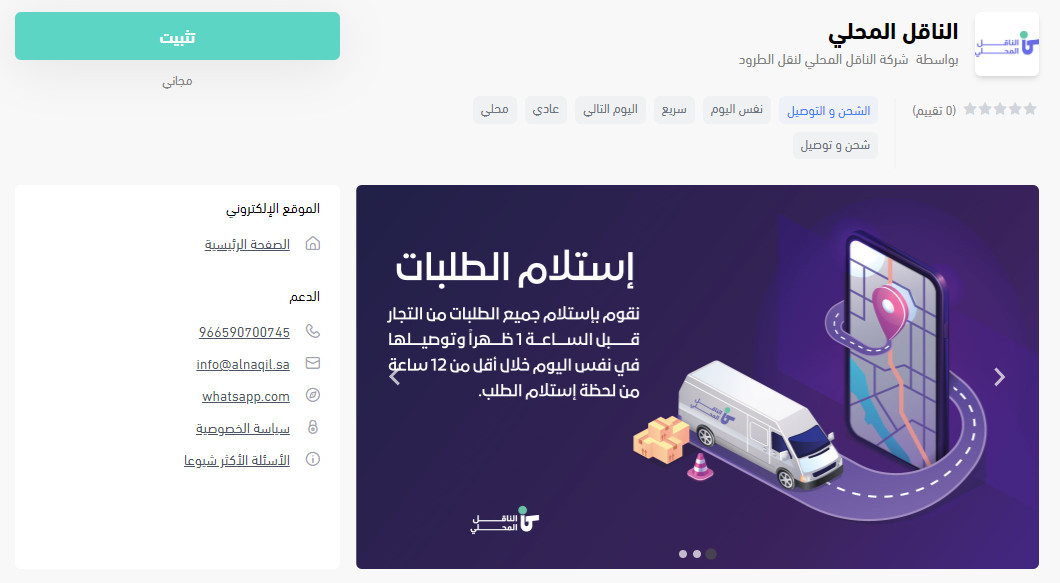
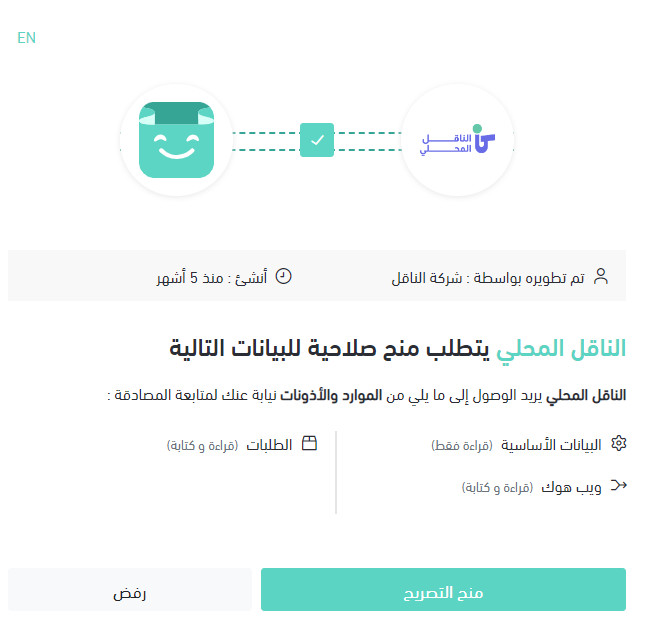
4. Review the permissions the app requests, then click (Grant permission).
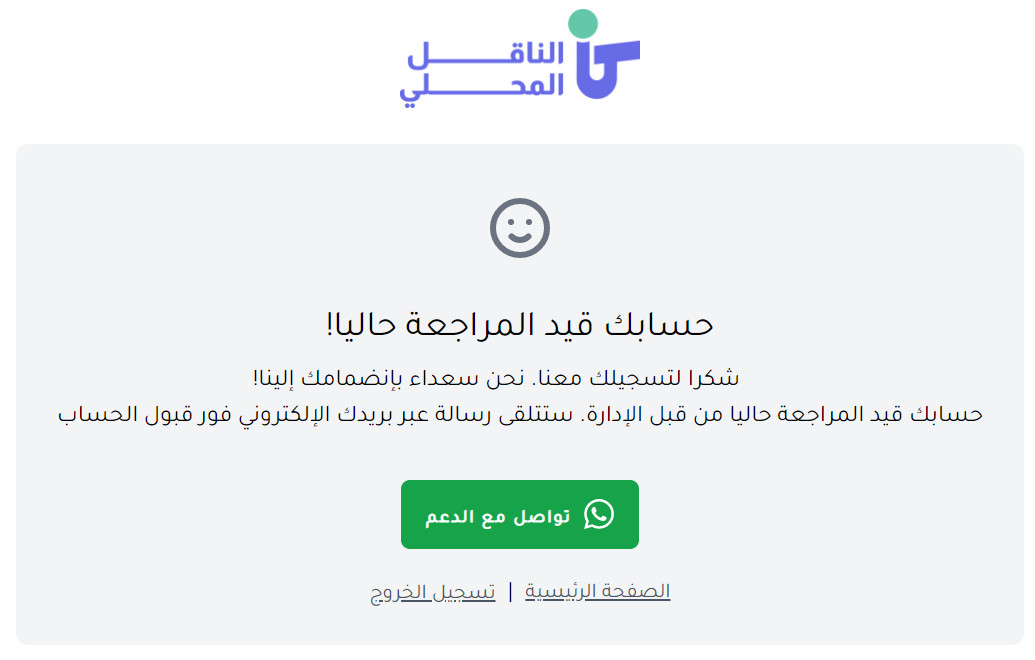
Give it a little time. Your account goes under review, and a message confirming approval arrives at your store's email address.
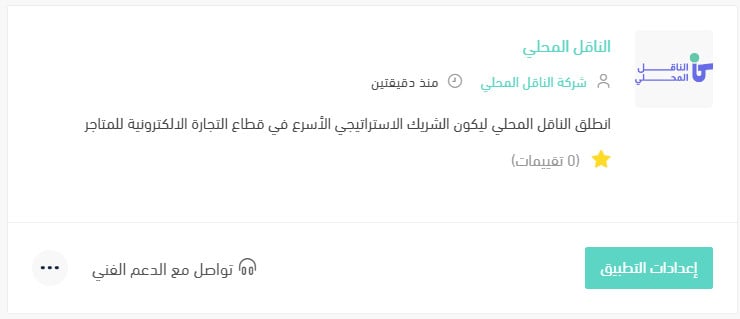
Your Salla store is now connected to your Al Naqel Al Mahali account.
For more details, see managing my store's apps.
❓ Frequently asked questions
How do I set up my shipping rates on Al Naqel Al Mahali?
1. From the side menu of your dashboard, click (My installed apps).

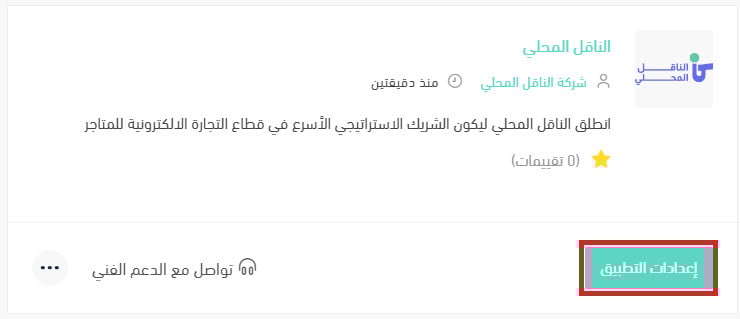
2. From the all apps page, find the Al Naqel Al Mahali app and click (App settings).
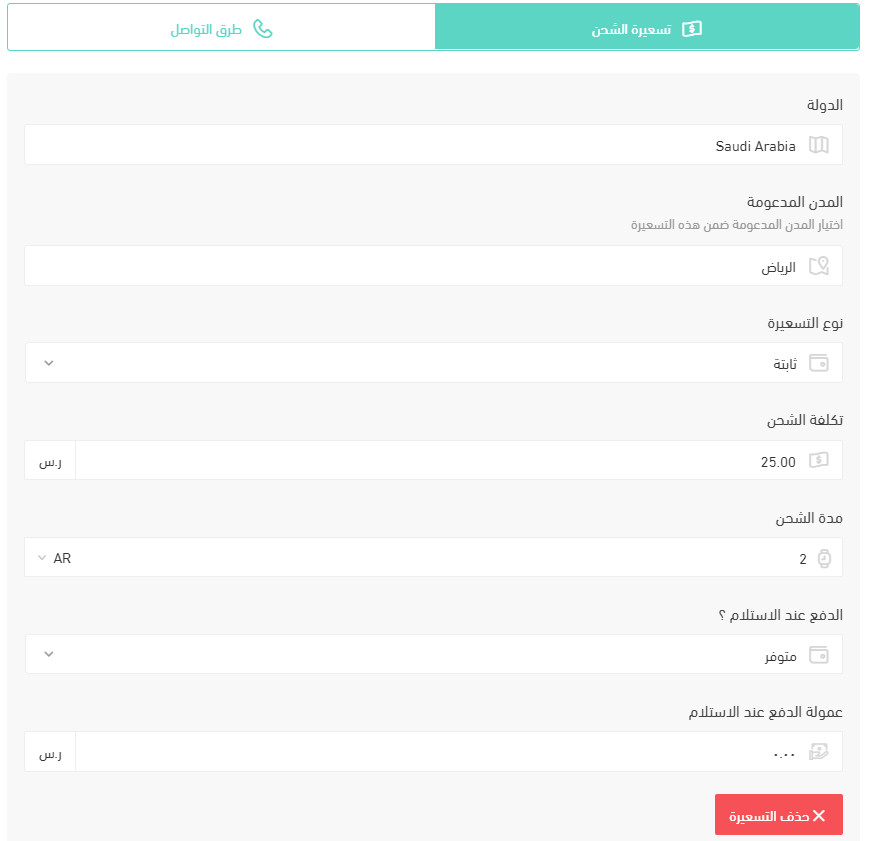
3. From the (Shipping rates) tab, enter the rates for the cities and regions you need.
For more details, see shipping and delivery options settings.
How do I temporarily disable the app in my store?
1. From the side menu of your dashboard, click (My installed apps).
2. From the all apps page, find the Al Naqel Al Mahali app and click (App settings).
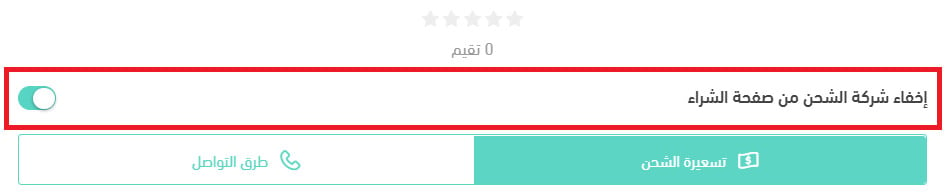
3. Turn the (Hide the shipping company from the checkout page) option on or off.
How do I remove the Al Naqel Al Mahali app from my store?
1. From the side menu of your dashboard, click (My installed apps).
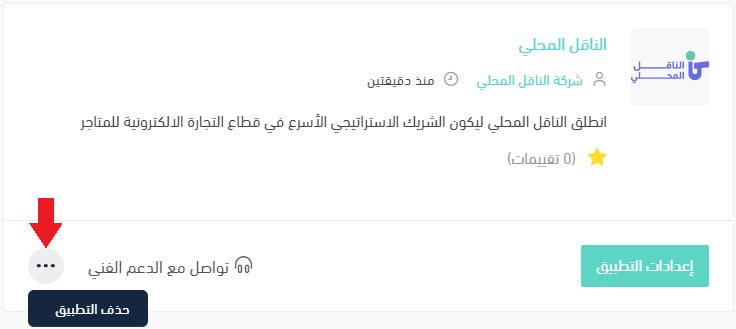
2. From the all apps page, find the Al Naqel Al Mahali app, click the (...) icon, then click (Delete app), as shown in the image.
Once the carrier is approved and your rates are in, last-mile delivery runs from the same dashboard you already manage orders in — no separate carrier portal to keep in sync.