Can your courier reach every region you sell to, and collect the cash when it gets there?
Coverage and collection are the two things that decide whether a shipping partner actually fits your store. The AJEX Logistics integration connects your Salla store to a delivery network that covers all regions of the Kingdom, delivers to residential and commercial addresses, and collects cash on delivery. You install it from the Salla App Store and set your own shipping rates by city. In this guide, you'll learn how to connect AJEX to your store, price your shipping, and what the company covers.
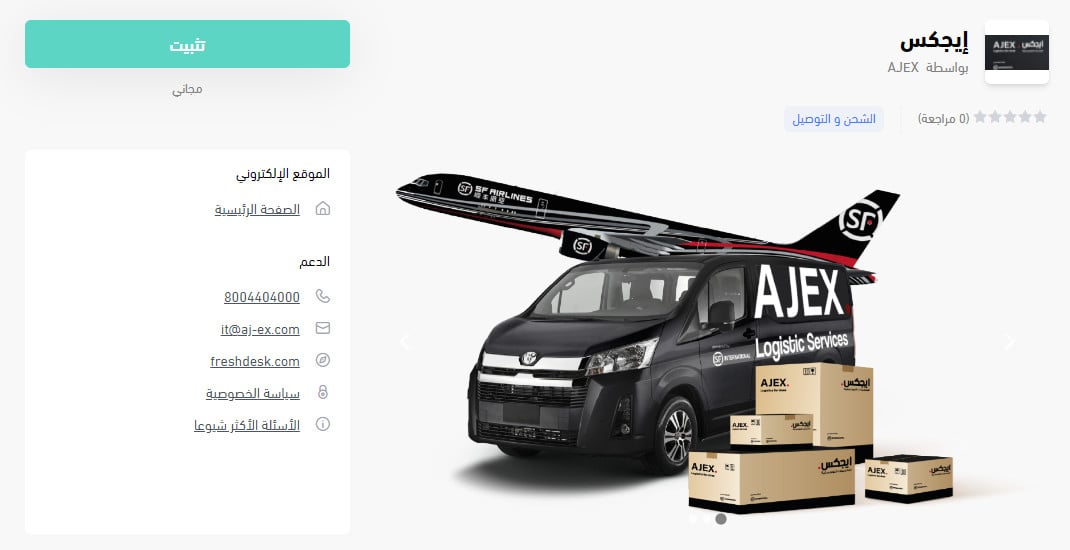
To connect AJEX, open (My installed apps) in your Salla dashboard, click (Browse Salla App Store), open the AJEX Logistics app page, and click (Install). Review the permissions and click (Grant permission). Your Salla store is then linked to your AJEX account.
📌 Article overview
- What is AJEX Logistics?
- How to connect AJEX to your Salla store
- Frequently asked questions
🎯 What is AJEX Logistics?
AJEX runs a strong delivery network in Saudi Arabia, built around distribution for e-commerce businesses. You can rely on it to deliver in residential or commercial areas and to collect payment on delivery.
AJEX is a joint venture between Ajlan & Bros Holding and its global partner SF Express, a leader in logistics and distribution in China.
🚀 How to connect AJEX to your Salla store
1. From the side menu of your dashboard, click (My installed apps).

2. From the Salla App Store banner, click (Browse Salla App Store).

3. From the AJEX Logistics app page, click (Install).
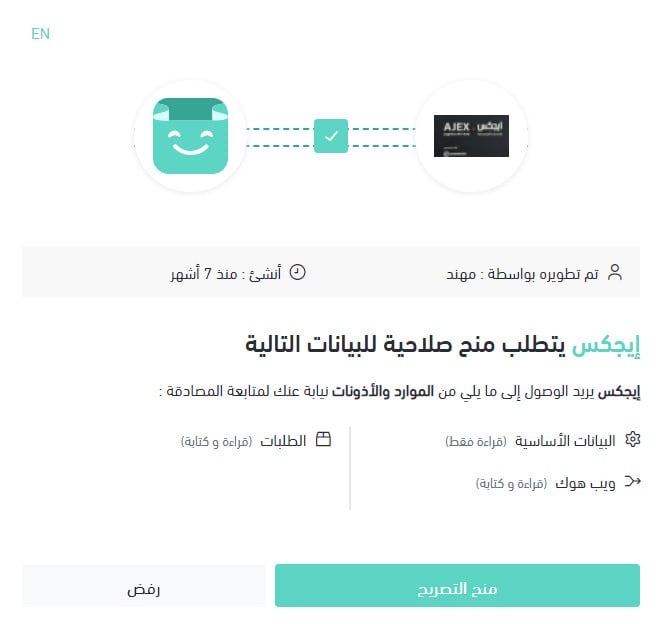
4. Review the permissions the app asks for, then click (Grant permission).
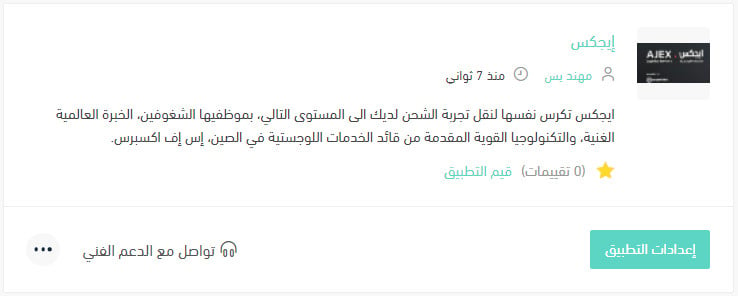
Your Salla store is now linked to your AJEX account.
For more details, read managing my store's apps.
❓ Frequently asked questions
How do I set up shipping rates for AJEX?
1. From the side menu of your dashboard, click (My installed apps).

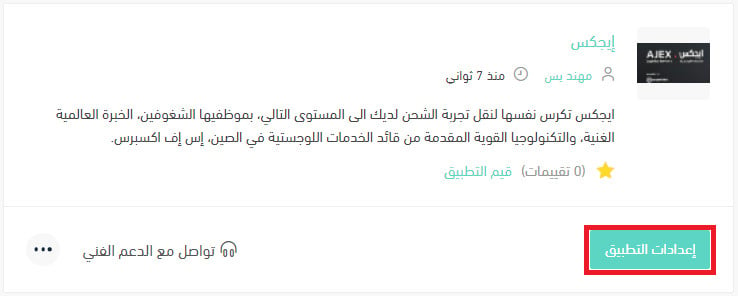
2. On the all apps page, find the AJEX app and click (App settings).
3. Open the (Shipping rates) tab and enter your rates for the cities and regions you want to serve.
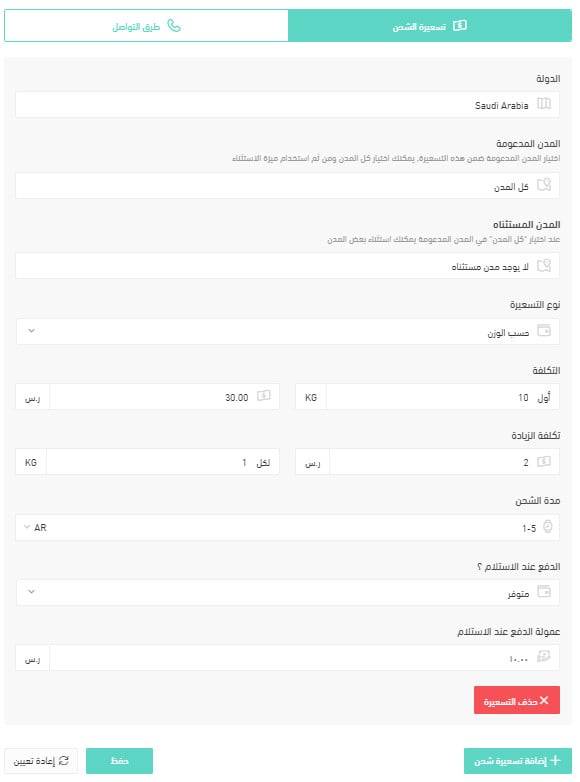
For more details, read shipping and delivery option settings.
How do I hide AJEX at checkout without removing it?
1. From the side menu of your dashboard, click (My installed apps).
2. On the all apps page, find the AJEX app and click (App settings).
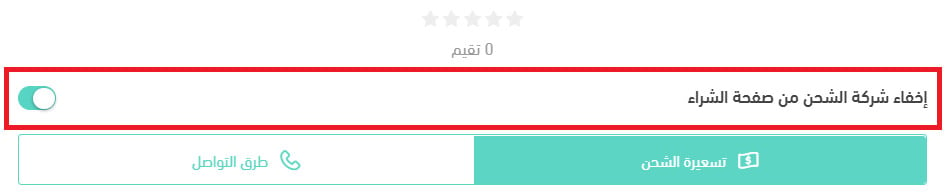
3. Turn the (Hide the shipping company from the checkout page) option on or off. [Verify: the Arabic asks how to disable an app temporarily but answers with this checkout-visibility toggle, which hides the courier rather than pausing the app.]
How do I remove the AJEX app from my store?
1. From the side menu of your dashboard, click (My installed apps).
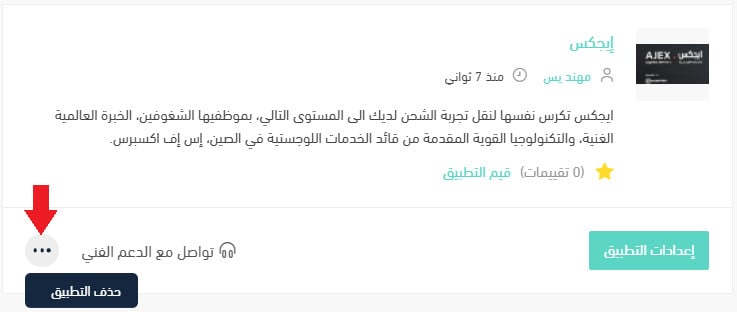
2. On the all apps page, find the AJEX app, click the (...) icon, then click (Remove app), as shown below.
What AJEX covers
Which cities are supported for merchant pickup?
All regions of the Kingdom.
Which cities are supported for customer shipping and delivery?
All regions of the Kingdom.
How does contracting and connecting work?
Through the sales managers.
How are amounts settled?
As agreed with the merchant.
When is the best time to contact the company's customer service?
Sunday to Thursday, 8 am to 9 pm.
Does the merchant get a report of amounts and stock, where stock data is available?
Yes.
How is an order sent to the company?
By contacting customer service or the store's account manager.
Does the company have a shipment tracking system?
Yes.
How does the waybill work?
The waybill is created on the AJEX platform.
If a shipment contains more than one box, does each box get its own waybill, or do they travel in one box under a single waybill?
They are packed into a single box.
How do I change a customer's address after the waybill has been issued?
Create a new waybill number.
Do you ship within the same city, and do you ship between cities?
Yes to both.
Do you offer door-to-door pickup and delivery?
Yes.
Does the company support international shipping, and which countries do you ship to?
Not currently supported.
How do I get in touch when there is a problem with a shipment?
Through customer service.
Can I ship liquid products?
Yes, that is allowed.
What is the maximum number of boxes I can ship at one time?
There is no set number.
Can I ship valuable products, are they insured, and what is the insurance limit?
Yes, under the terms stated in the contract. [Verify: the insurance limit is not given, and is left to the contract.]
Do you offer two-hour delivery?
Not currently available.
What are the delivery limits inside and outside the city?
Delivery covers all regions of the Kingdom.
Does two-hour delivery cover restaurants or food?
It is not available.
Do you offer refrigerated shipping, and what temperature do your vehicles hold?
No. [Verify: the vehicle temperature half of the question is not answered.]
Do you offer storage, preparation, and packaging?
Yes, those are available.
Is cash on delivery available, what does it cost, and is card payment available?
Yes, it is available, on the terms of the agreed contract. [Verify: the cost of cash on delivery and whether card payment is available are not answered.]
How is the shipping or delivery price calculated?
By weight and delivery range.
If a courier is available for home pickup, when does the courier come?
Two days from when the order is created.
Is there a return service if the customer does not receive the goods, and what does it cost?
Yes, it is available, free of charge.
If a shipment is delayed or the products are damaged, what happens and who covers the cost?
It follows the agreed contract.
How long does delivery take inside the merchant's city, and how long does shipping take?
One day. [Verify: the Arabic gives a single figure for a question that asks about two separate durations.]
A courier that reaches every region is only half the decision. Set your rates and agree your contract terms up front, and the rest of the shipping flow runs itself.