Many store owners struggle to organize their app interface, especially the top bar and navigation tabs. When these elements aren’t clear or well-structured, users can feel lost, which affects engagement and conversions.
By customizing the Top Bar and Tabs using the default app template, you gain full control over your logo, navigation buttons, and product categories, creating a cleaner interface, smoother browsing experience, and higher interaction across your app.
Designing the top bar & tabs using the default template
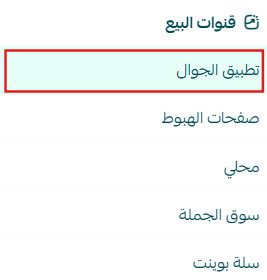
1. Open the App Maker
From the main menu, click (Store & Sales Channels), then select (Mobile App).
2. Access Top Bar & Tabs Settings
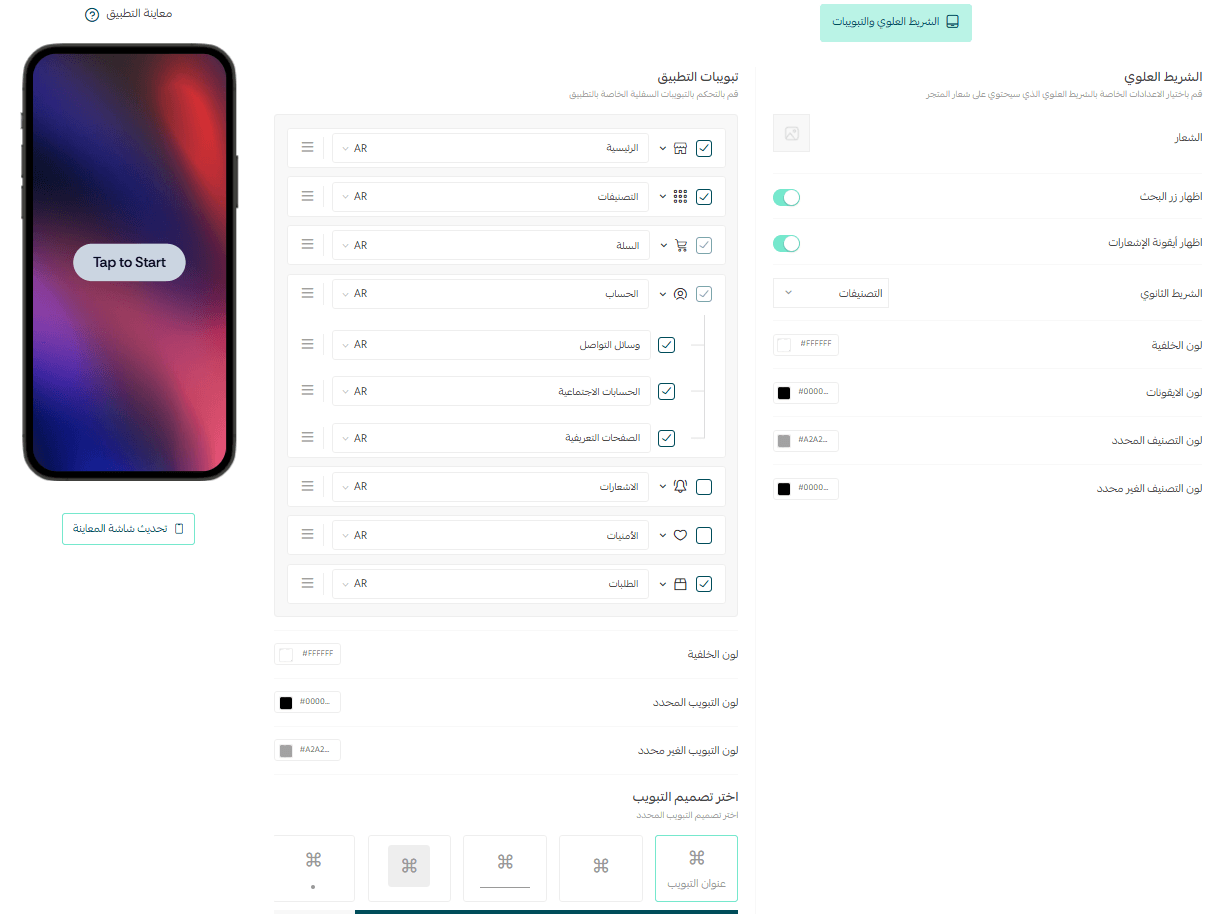
From the app design section, select the (Top Bar & Tabs) tab.
Top Bar
The Top Bar appears at the top of the app screen and defines the overall look and functionality of your app’s header. It includes the following elements:
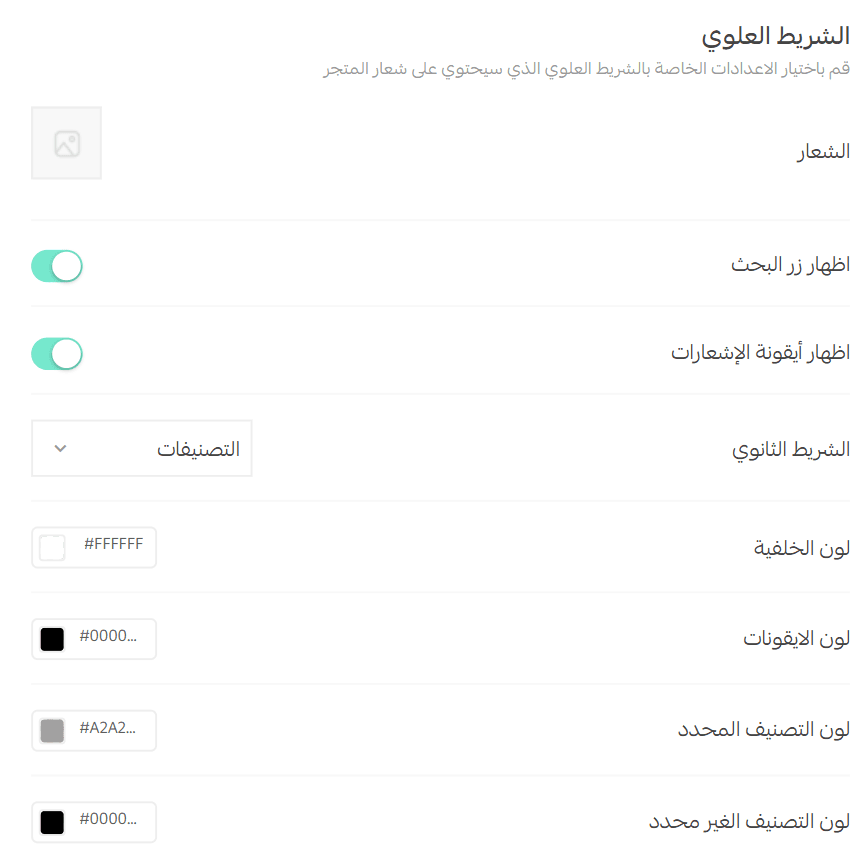
Store Logo
Upload or replace your store logo.
- You can choose a larger logo size and reduce empty spacing around it
- This ensures the logo appears clear, prominent, and visually balanced in the top bar

Search & Notifications Buttons
Enable or disable the visibility of:
- Search button
- Notifications icon
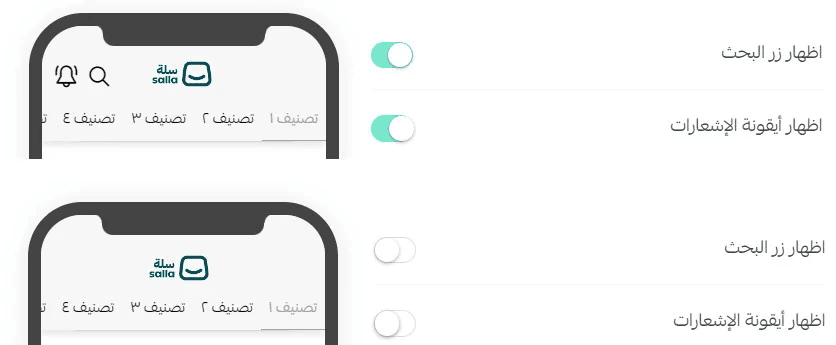
These icons appear at the top of the app and allow customers to quickly search for products or view updates, as shown in the app preview.
Categories (Secondary Bar)
Customize the secondary navigation bar, which appears directly below the store logo.
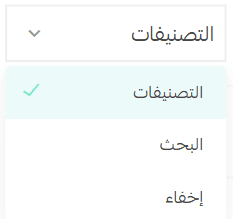
From this section, you can choose how navigation elements are displayed by:
- Showing or hiding the categories bar
- Showing or hiding the search bar
- Adjusting the layout to match your app’s design style
Available Layout Options
You can choose from three different layout options, each offering a distinct navigation experience.
Below is the visual difference between the three options, helping you select the layout that best fits your store structure and customer behavior.
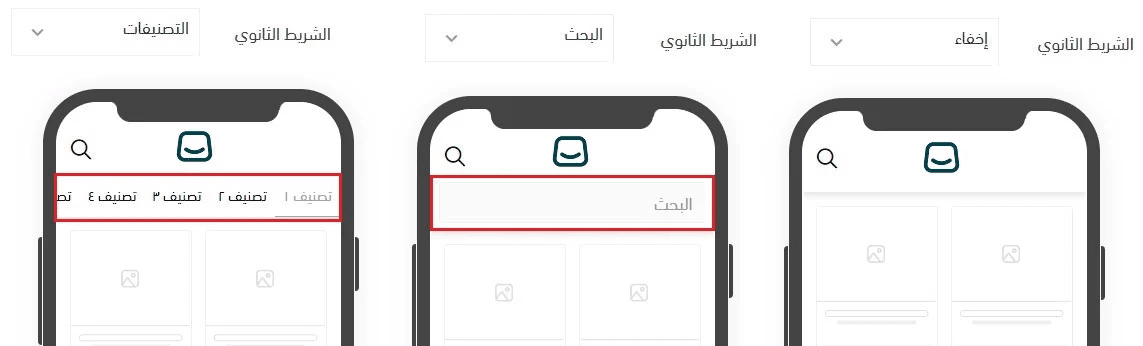
Final Result in Your App
Once configured, the top bar and tabs will appear in your app exactly as selected, providing a clear, intuitive navigation experience that helps customers find products faster and interact with your store more easily.