Do you have your own drivers, or a courier you already work with outside the shipping companies Salla lists?
You can add them to your store yourself. When you add a delivery rep on Salla, you give customers another shipping option at checkout, and you decide exactly which countries and cities that rep covers, how their pricing works, and what the customer pays. It is the right setup for a store with its own drivers or a local courier arrangement. In this guide, you'll learn how to add a delivery rep or an external shipping company, what each field on the form means, how the three pricing types differ, and how to hide or delete a shipping company later.
You add a shipping rep from Store settings. Open Shipping and delivery options, click Show delivery reps, then click Add a delivery rep or shipping company. Enter the country, supported cities, pricing type, shipping fee shown to the customer, and delivery time, then click Save.
📌 Article overview
- How to add a delivery rep or external shipping company
- What each field on the form means
- The three pricing types explained
- Frequently asked questions
👣 How to add a delivery rep or external shipping company
1. From the side menu in your dashboard, click (Store settings).

2. On the Store settings page, click (Shipping and delivery options).

3. On the shipping and delivery page, click (Show delivery reps).

4. Under private delivery reps and shipping companies, click (Add a delivery rep or shipping company).

5. Enter the details, then click (Save).
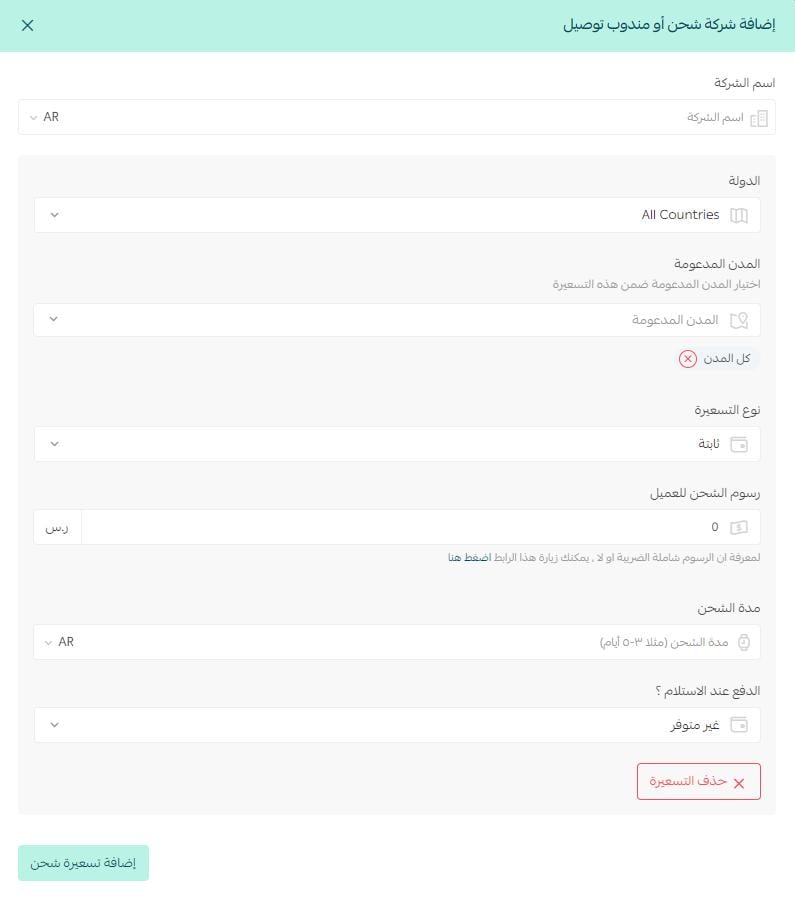
🎯 What each field means
Field |
What it means |
Country |
The country the company covers. |
Supported cities |
The cities the company covers. You can select more than one. |
Pricing type |
How your store is billed by the company: a flat rate, by weight, or by distance. |
Shipping fee for the customer |
The shipping cost the customer sees. |
Delivery time |
How long it takes for the product to reach the customer. |
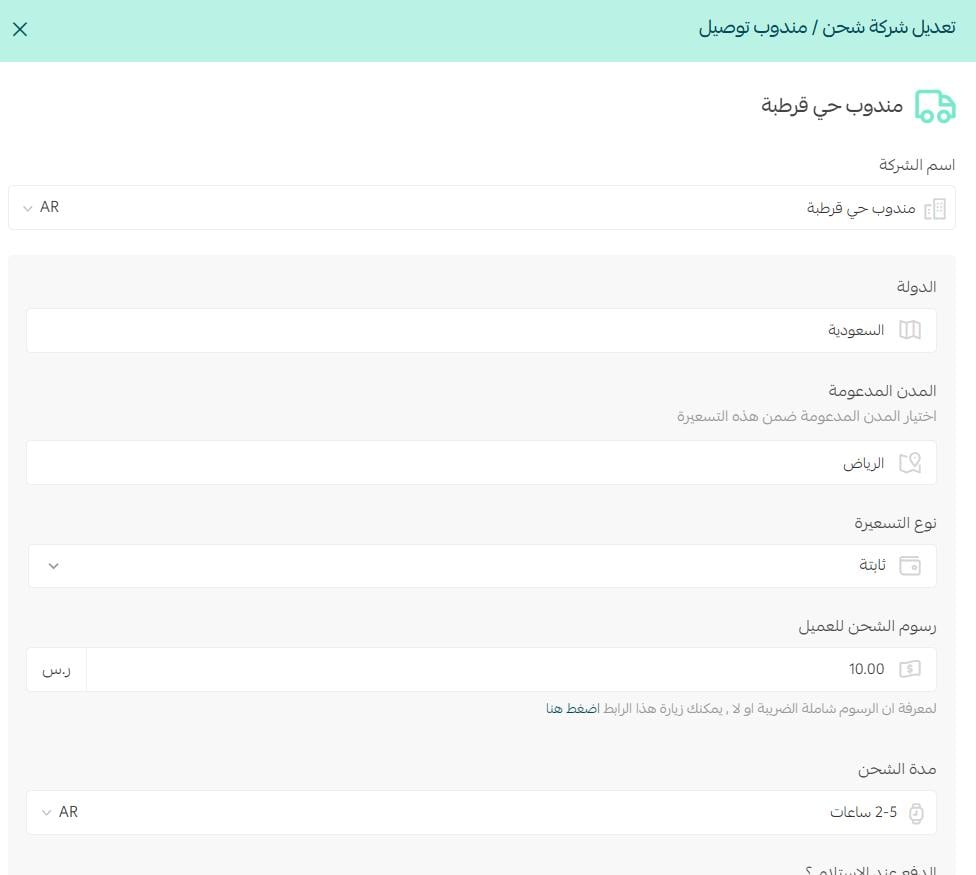
💡 Example: a delivery rep covering Qurtubah district in Riyadh only.
❓ Frequently asked questions
What is the difference between flat rate, weight-based, and distance-based pricing?
These are the three pricing types you can choose from:
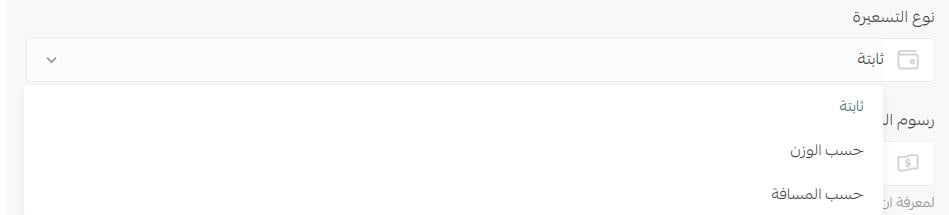
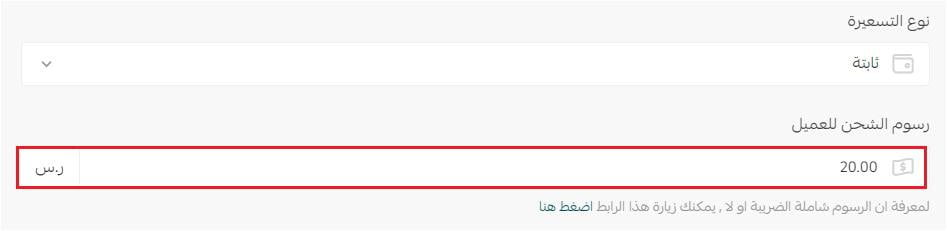
Flat rate
You enter the shipping cost as one fixed amount, like this:
Pricing by weight
For example:
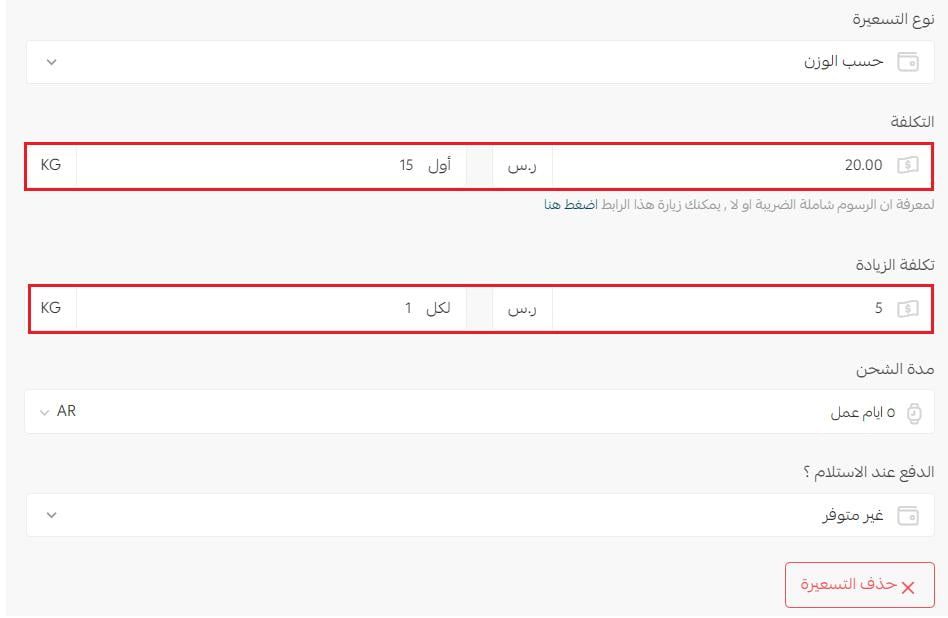
Cost
The first 15 kg cost SAR 20 to ship.
Cost per extra unit
SAR 5 for every 1 kg above the initial 15 kg.
Pricing by distance
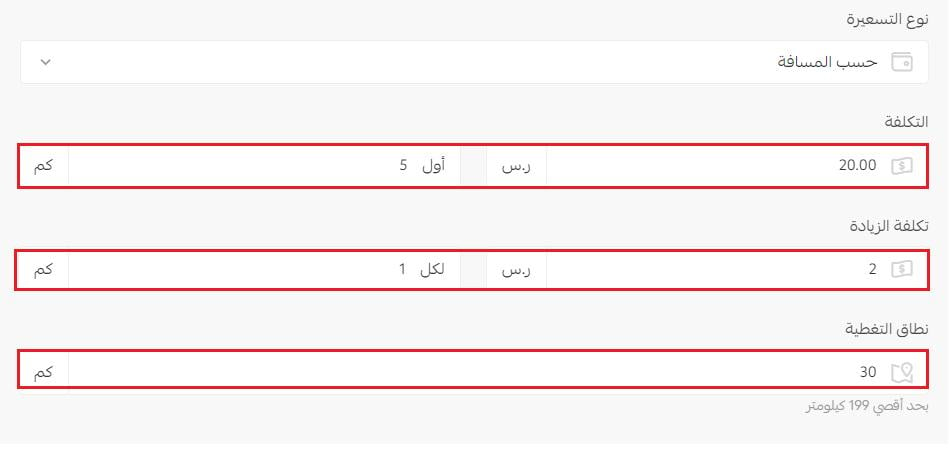
Cost
The first 5 km cost SAR 20 to ship.
Cost per extra unit
SAR 2 for every 1 km above the initial 5 km.
Coverage range
The area the shipping company covers.
How do I temporarily disable a shipping company in my store?
1. On the shipping and delivery options page, under private delivery reps and shipping companies, click (Show delivery reps).

2. On the private delivery reps and shipping companies page, turn the (Hide the shipping company from the checkout page) option on or off.

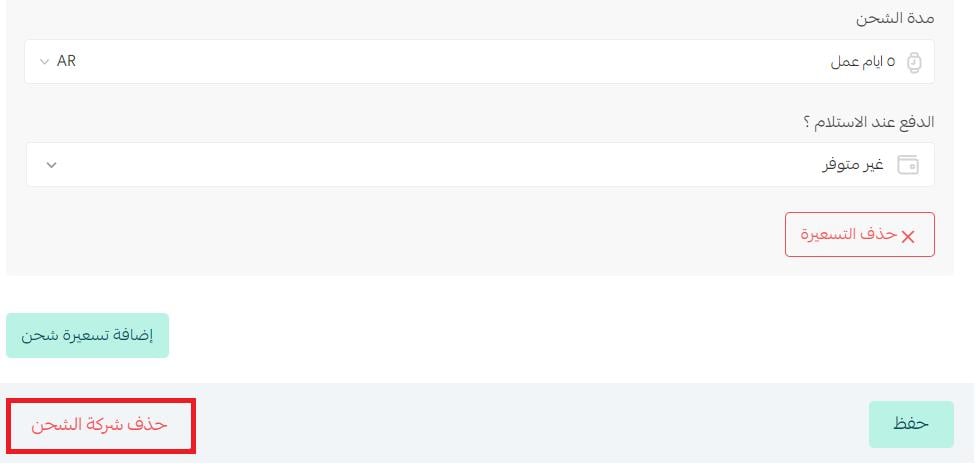
How do I delete a shipping company from my store?
1. On the shipping and delivery options page, under private delivery reps and shipping companies, click the name of the rep or external company.

2. At the bottom of the rep or company page, click (Delete shipping company).
Can I assign one rep to a single city or district?
Yes. You choose the country and the supported cities for each rep, so you can set one up for a specific area and price it on its own terms.
Your own drivers are often faster and cheaper than a national courier on short routes. Add them as reps, scope each one to the cities they actually serve, and let the checkout page show the option that fits the order.