Would you spot a fake Salla email before you clicked it?
Digital fraud has grown fast and become far more sophisticated, and part of it is aimed at breaking into your store's information and privacy. At Salla we take the security of our merchants' accounts seriously and apply the highest security standards to protect them. The other half of the job is yours: being careful about how and with whom you share your own data is what keeps fraud attempts away from your store. In this guide, you'll learn the practical checks that stop digital fraud attempts before they reach your data.
Check the sender's full email address, not just the display name. Inspect a link's domain before you click it. Never share your Salla login details or a verification code with anyone, including anyone claiming to be from Salla. Use a long, complex password and keep two-factor authentication on.
📌 Article overview
- Being careful with email
- Checking where a link really goes
- Never sharing your personal information
- Verifying who is calling you
- Spotting fake social media pages
- Handling any suspicious link
- Using strong passwords
- Two-step verification
- Reviewing your accounts regularly
- Keeping up with the latest threats
- Frequently asked questions
1. Be careful how you respond to email
Avoid engaging with emails that arrive from an untrusted domain in the sender's address. An untrusted email is one that is not on the domain of the platform or the organization contacting you. A trusted email is on the organization's official domain, such as email you receive from Salla on the trusted domain (@salla.sa).
https://youtube.com/shorts/RWk5DYKv1qk?si=cUxnOMhsJU59__YU
To avoid falling into a phishing trap, always verify the sender's identity. In many suspicious emails, attackers can forge the sender address so it looks like it comes from a trusted source. To confirm the sender is genuinely who they claim to be, click the arrow next to the sender's name in the email to see the full address. Make sure that address matches the official email address of the company or person sending it, and do not rely on the display name alone.
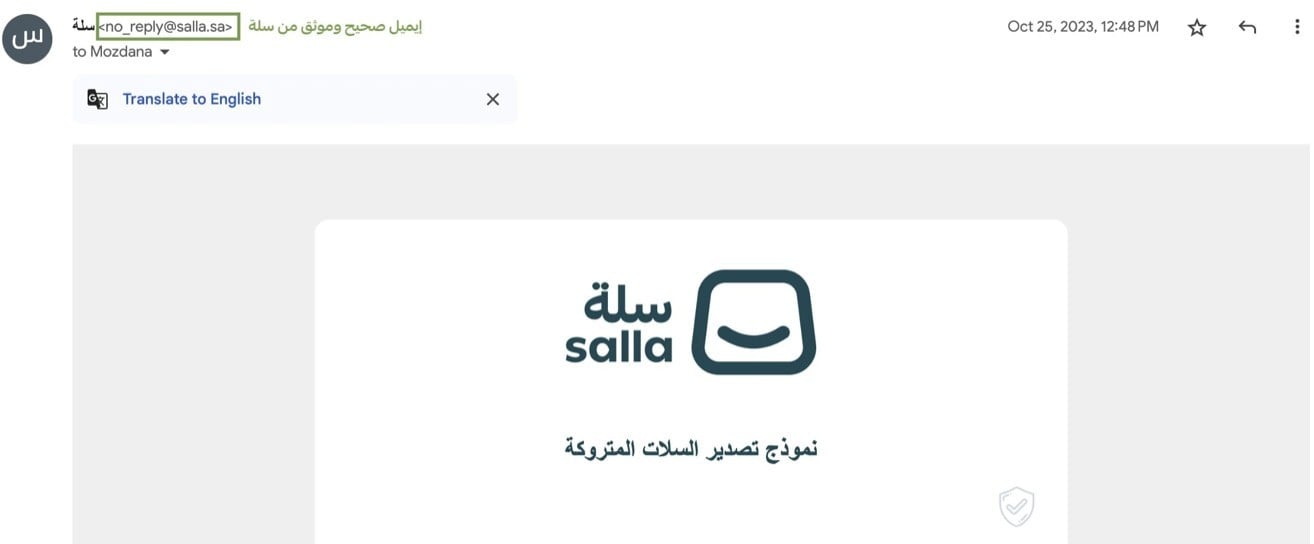
💡 Example of fake emails that arrive from an untrusted domain and may contain links or attachments designed to steal your information.
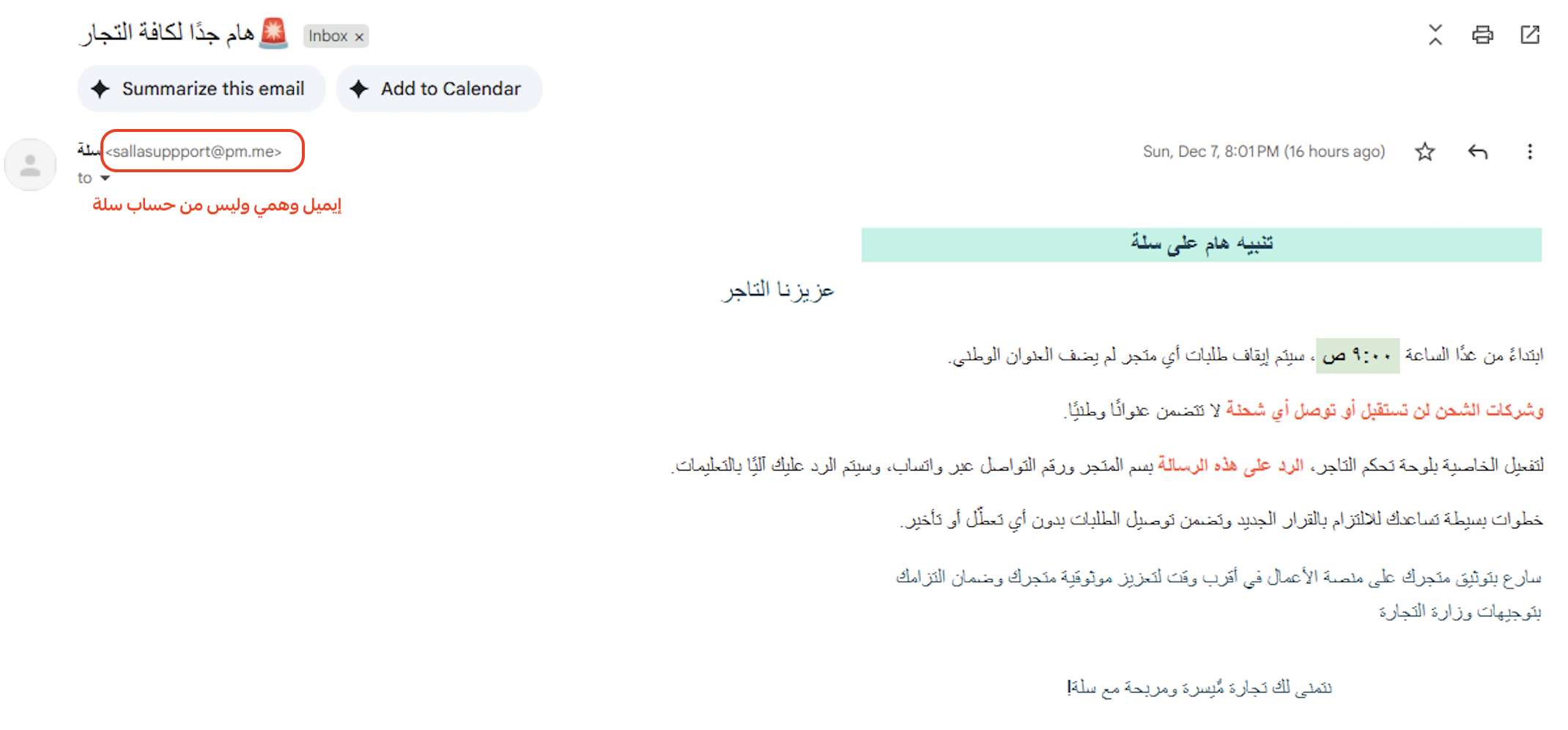
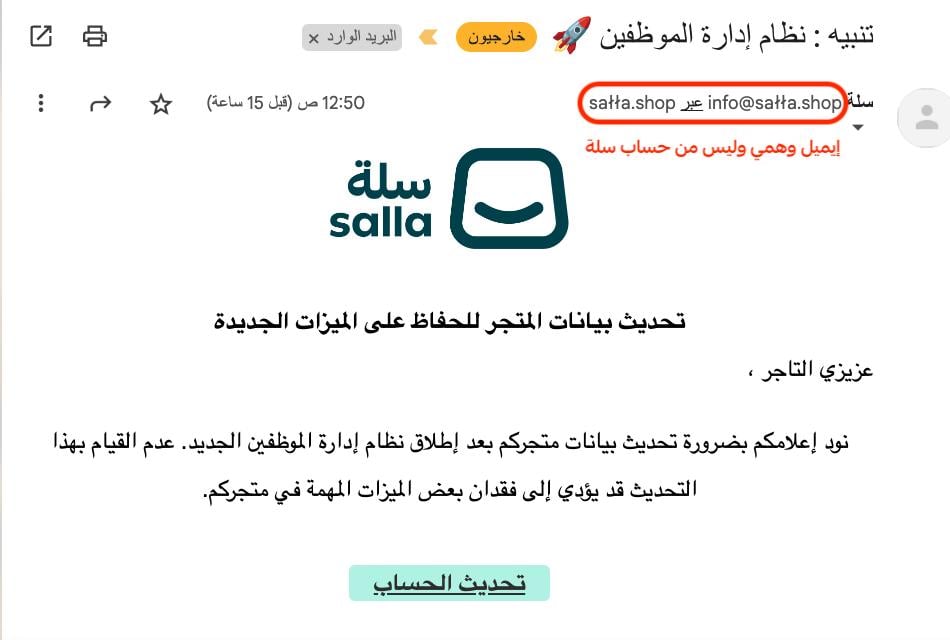
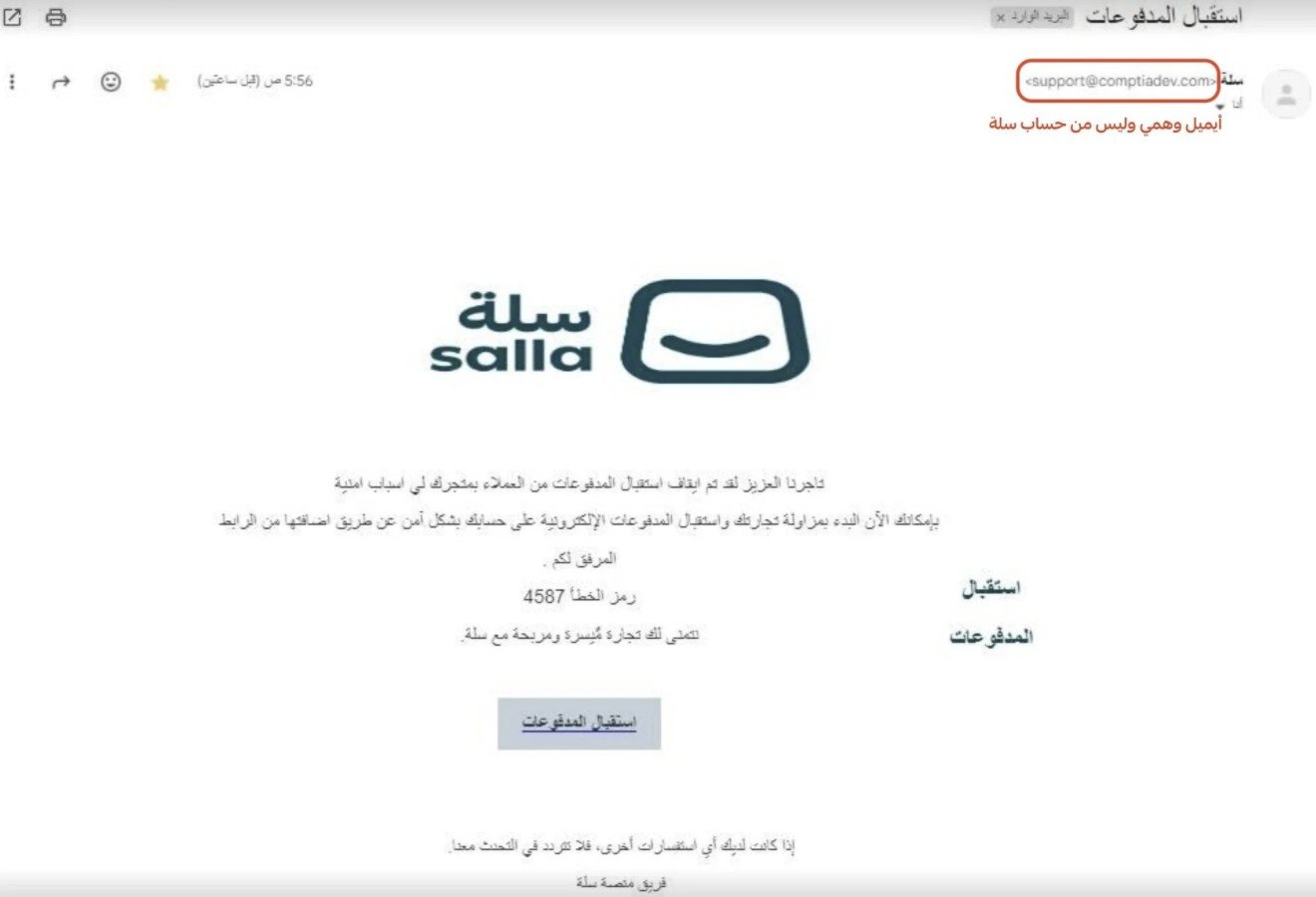
🎬 Watch out for fake emails before they catch you. Watch the video to learn how to protect your account right away.
2. Check where a link really comes from
Before you click any link you have been sent, whether by email or through social media, confirm it is trustworthy and check the name of the source. Review the sender's email address.
Example of a trusted link from Salla: salla.sa/payment | salla.com/shipping
Example of an untrusted link: sala.co/payment | sallasaudi.online/shipping
When you open a website from a link in an email, make sure the site is secure. Check that the address starts with "https://" and that a padlock icon appears in the address bar. That tells you the connection to the site is encrypted and secure. Be wary too of sites whose addresses closely resemble the real ones, since these can be phishing attempts.
🎬 Before you click any link, make sure it is safe and trustworthy. Watch the video to learn how to tell a fake link apart and protect your account.
3. Never share your personal information
Take care never to share personal information such as your Salla account details or your bank account details, and never pass on codes sent to you by phone or email. Salla will not ask you for your store login credentials, and will not ask you to share the verification code sent to your mobile.
🎬 Do not leave a door open to a breach. Watch the video and learn what you should never share.
4. Verify who is calling you
Before you share any personal information over the phone, verify the identity of the caller and confirm that the reason for the call is genuine.
🎬 Do not share your OTP. Watch the video to find out why.
5. Watch out for fake pages on social media
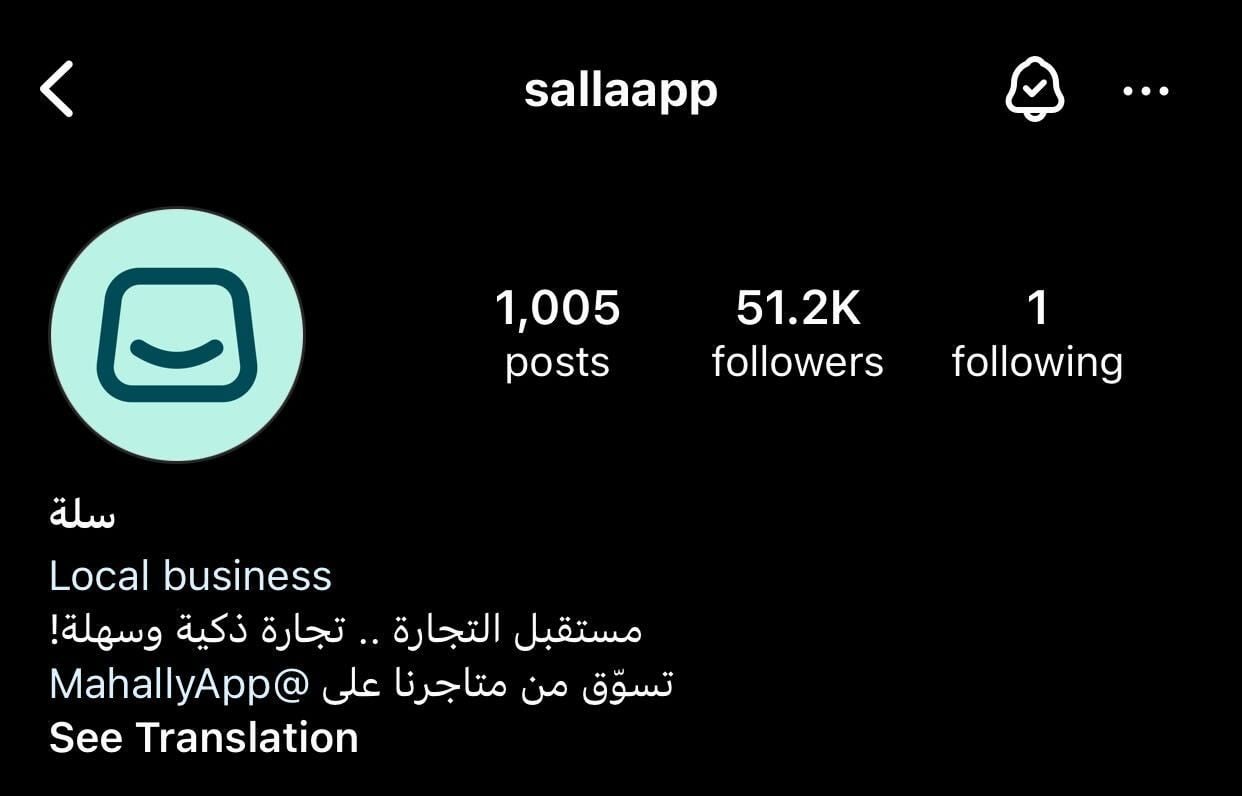
Some people set up fake Salla accounts on social media. Dealing with these fake pages can cost you your data and the security of your store and your business.
An example of a fake page using Salla's name:
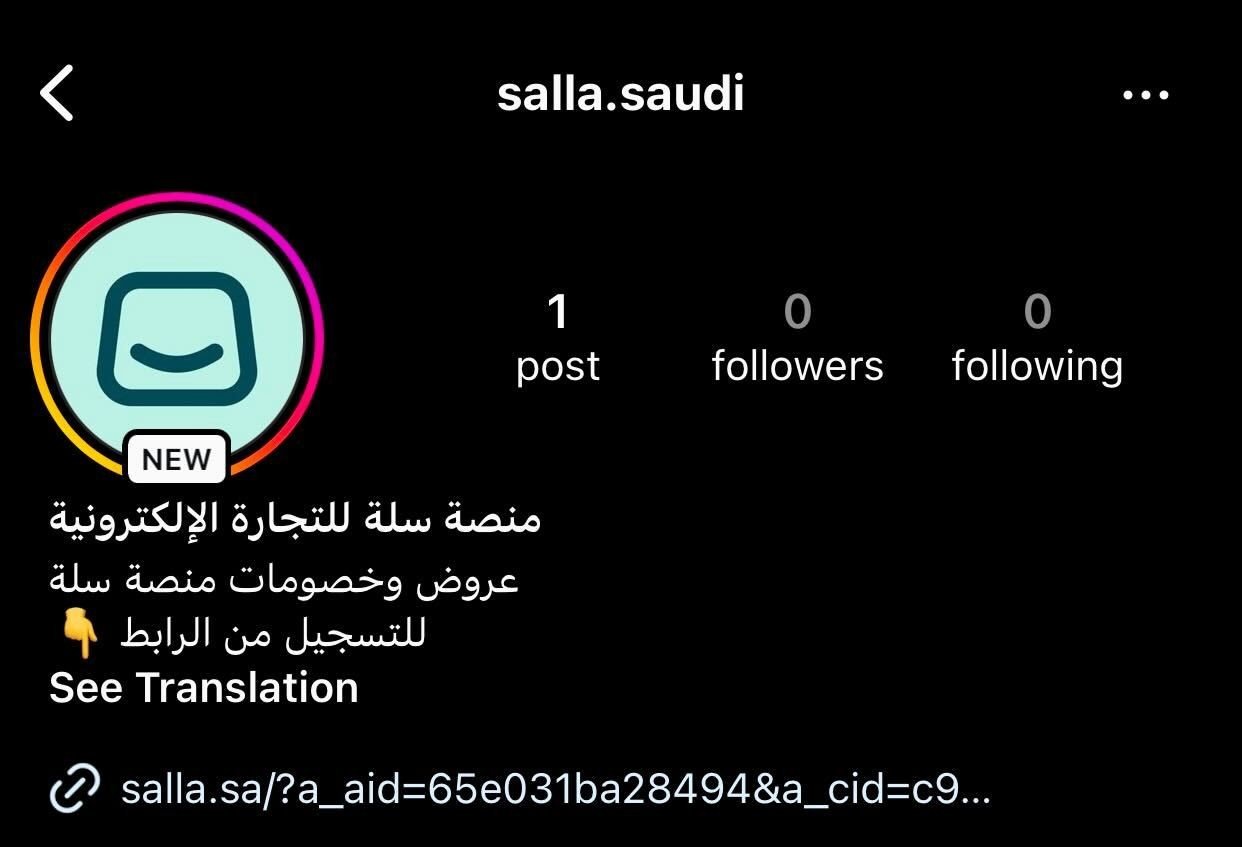
Salla's official page, by contrast, looks like this:
6. How to handle a suspicious link
Always be careful when you receive emails containing suspicious links or attachments. Those links may be an attempt to steal your personal information or install malicious software on your device. When you have any doubt about a message, do not click the links in it. Open your browser and type the site address in manually instead, or use a search engine to reach it.
Phishing messages often contain spelling or grammatical mistakes, urgent language or threats, or unusual demands such as updating your personal details immediately. Always check the content of a message before you reply to it. If it looks suspicious, try contacting the sender through another channel to confirm the request is genuine.
If you have already clicked an untrusted link, or entered information into a link that may be fraudulent, we recommend changing your account password on the Salla platform.
🎬 Before you click any link, make sure it is safe and trustworthy. Watch the video to learn how to tell a fake link apart and protect your account.
7. Use strong passwords for your accounts
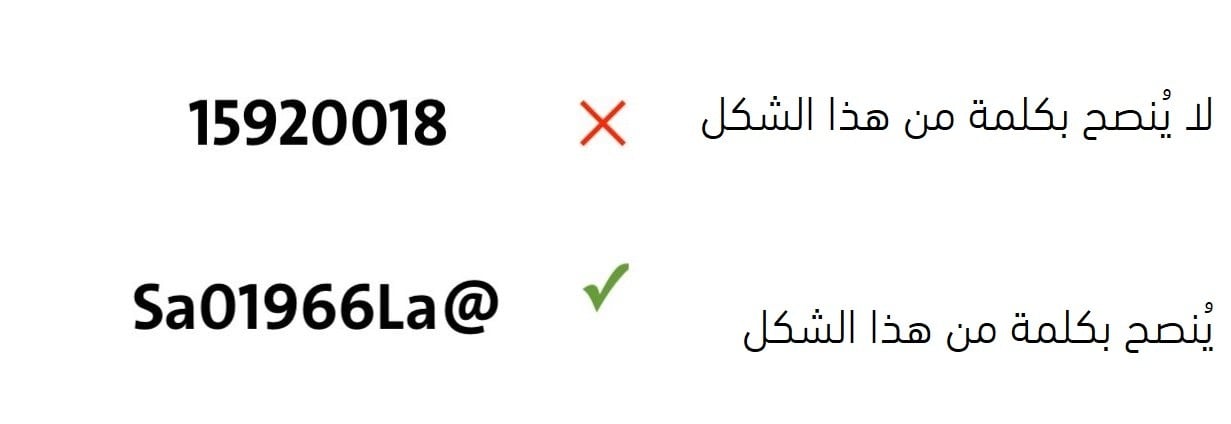
One of the basic steps in protecting your accounts is choosing strong, complex passwords. A password should contain a mix of uppercase and lowercase letters, numbers, and special characters such as (! @ # $ % ^ & * ( ) - _ +). Avoid using personal information such as birth dates or family names, and use passwords longer than 12 characters. The more complex and the longer the password, the harder it is for an attacker to break.
8. Two-step verification
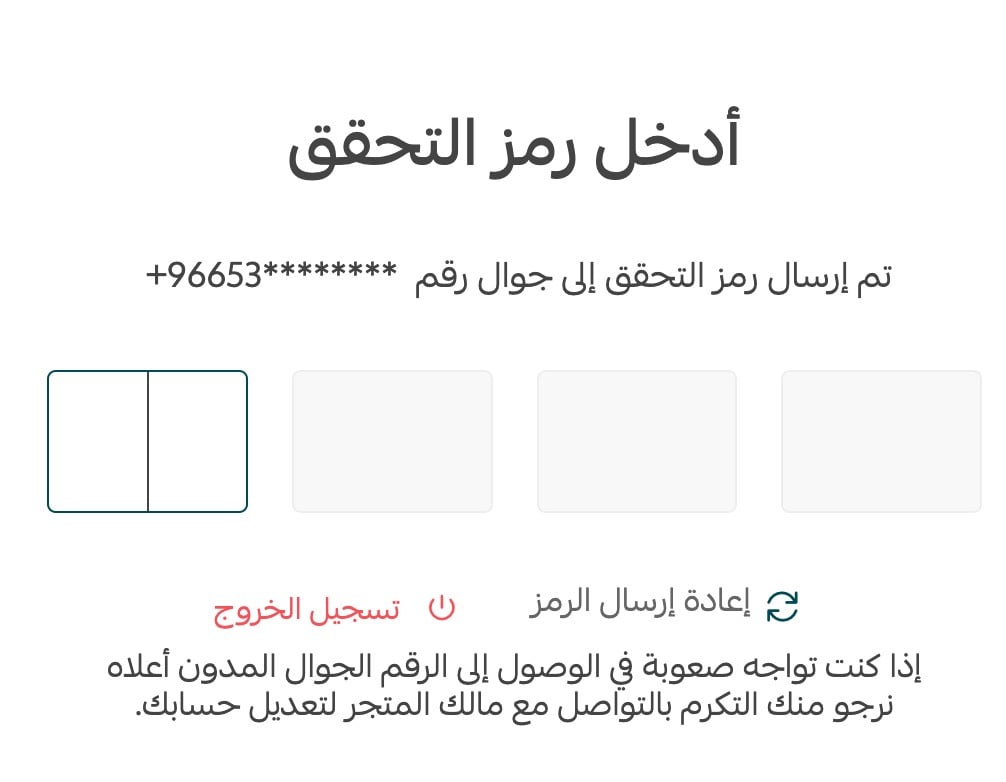
To raise the level of security, we have made two-factor authentication a mandatory step when signing in to the Salla store dashboard. A verification code is sent to your phone number or your email to confirm the login.
Even if your password is compromised, two-factor authentication can still protect your account effectively. With the feature enabled, signing in requires an additional step, such as entering a code sent to your phone. That makes it very difficult for an attacker to reach your accounts even if they have your password.
9. Review your accounts regularly
Review your accounts periodically to make sure there is no unfamiliar or unauthorized activity. If you notice anything suspicious, change your passwords immediately and contact technical support if you need to. Regular reviews let you detect any attempted breach early and act on it.
10. Keep learning about the latest threats
The digital world changes constantly, so stay informed about the latest threats and techniques in cybersecurity. A good grasp of the risks helps you take effective preventive measures to protect yourself and your devices.
📝 Important notes
Salla wants to draw your attention to fraud attempts we have observed recently that impersonate Salla and target our merchants and our valued customers. These messages contain false content about problems that do not exist. We confirm that such messages are not from Salla.
❓ Frequently asked questions
Will Salla ever ask me for my password or verification code?
No. Salla will not ask you for your store login credentials, and will not ask you to share the verification code sent to your mobile. Anyone who does is not from Salla.
How do I tell a real Salla email from a fake one?
By the domain, not the display name. Genuine Salla email comes from the @salla.sa domain. Click the arrow next to the sender's name to see the full address and check it matches.
What should I do if I already clicked a suspicious link?
Change your Salla account password straight away, review your account for any unfamiliar activity, and contact technical support if you need help.
Can I turn off two-factor authentication?
No. Two-factor authentication is a mandatory step when signing in to the Salla store dashboard, with a code sent to your phone number or your email.
What counts as a strong password?
More than 12 characters, mixing uppercase and lowercase letters, numbers, and special characters, and containing no personal information such as birth dates or family names.
If you have any questions, do not hesitate to contact us through the usual channels. We are always glad to answer them.
Read more about contacting Salla.
We wish you safe and profitable trading.