Do visitors land on your store and leave again within seconds?
Design is usually the reason. Shoppers form their first impression of a store in a fraction of a second, and that impression decides whether they browse on or close the tab. Your theme controls how your products are presented, how easy the store is to move around, and how confident someone feels clicking (Add to cart) — which is why choosing the right theme for your Salla store is one of the highest-return decisions you make early on. In this guide, you'll learn what a theme actually controls, the seven checks to run before you buy one, and how to install and customize a theme in your dashboard.
Choosing a Salla theme comes down to seven checks: your budget, buying from the Theme Store, the features you genuinely need, your industry, design quality, page speed on mobile, and a simple checkout. Preview any theme on your own store before you install it, then customize it from your dashboard.
📌 Article overview
- What store design and a theme actually cover
- Why the right theme matters
- Seven steps to choosing the right theme
- Theme examples on Salla
- How to change your store's theme
- Frequently asked questions
What store design and a theme actually cover
Store design is everything that puts your products in front of a shopper and moves them toward a sale. Salla gives you a complete storefront with an easy-to-use interface and the e-commerce tools that support selling, so you are not building the basics yourself.
A theme is the template that sits on top of that: a set of elements, features and refinements that decide how your store looks and how it feels to browse. Navigation, layout, color schemes and the overall aesthetic all come from the theme you pick.
Why the right theme matters
It carries your brand personality
Brand personality is the set of human traits people attach to your brand. For example:
- Sophistication
- Excitement
- Playfulness
- Sincerity
- Ruggedness
Your theme is what makes those traits visible, and a store that looks like its brand attracts the customers who share that personality.
It defines the shopping experience
The theme sets navigation, layout, colors and overall aesthetics — in other words, the experience a customer has while moving through your store, reading your content and searching for products.
A good experience brings people back. A frustrating one shows up as a high bounce rate.
🚀 Seven steps to choosing the right theme for your store
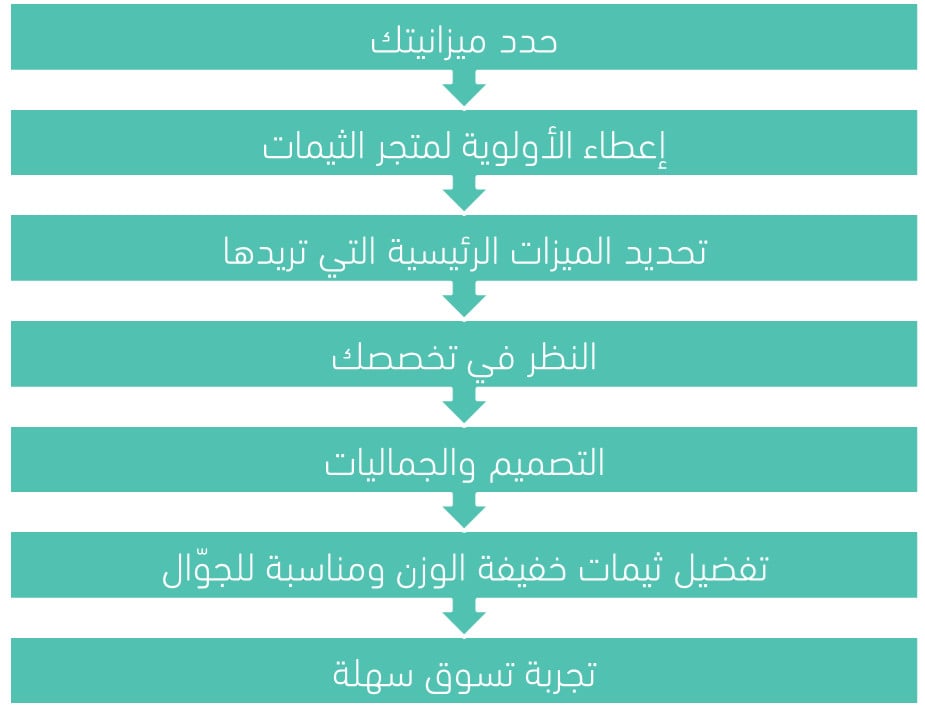
1. Set your budget
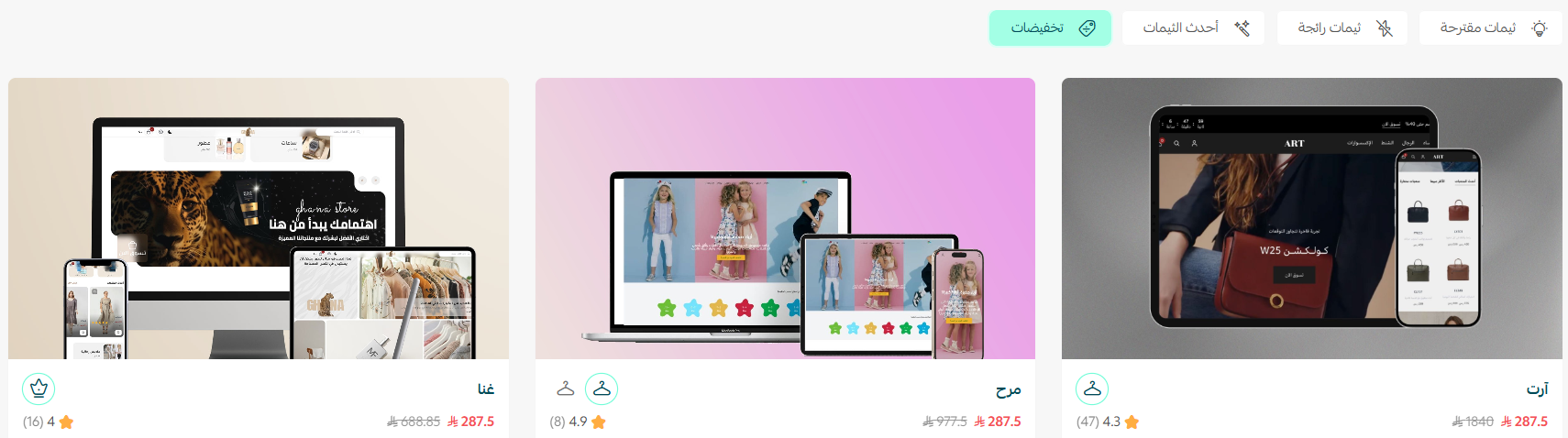
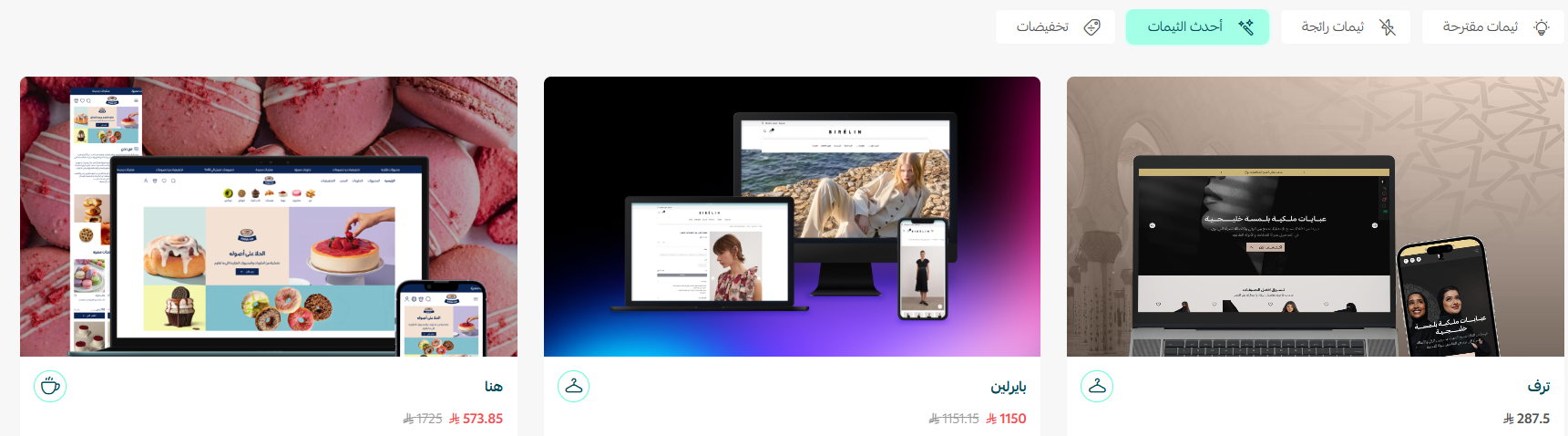
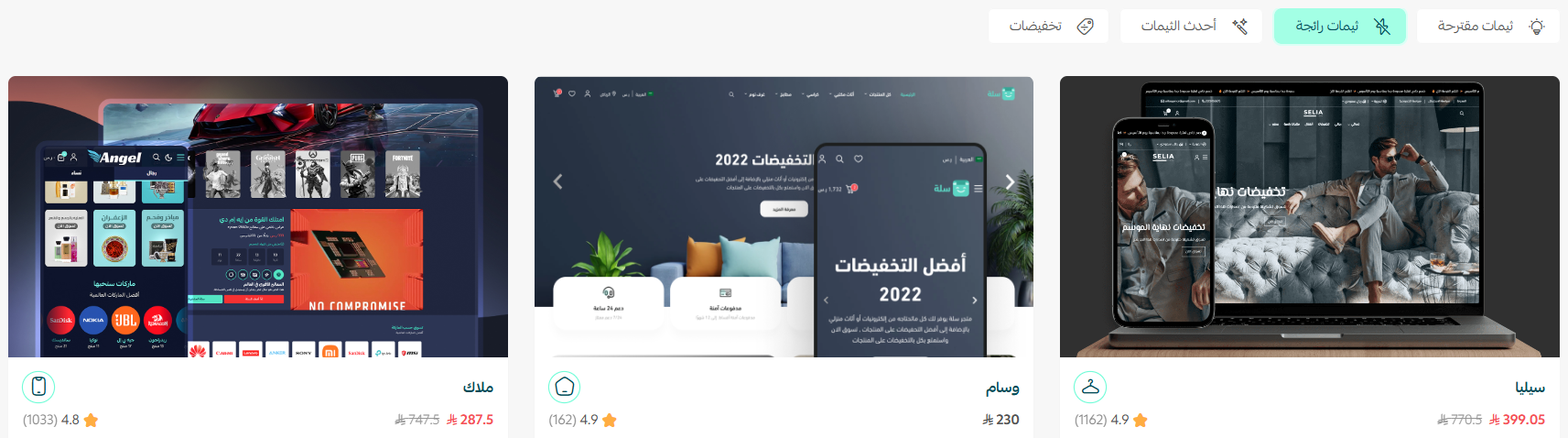
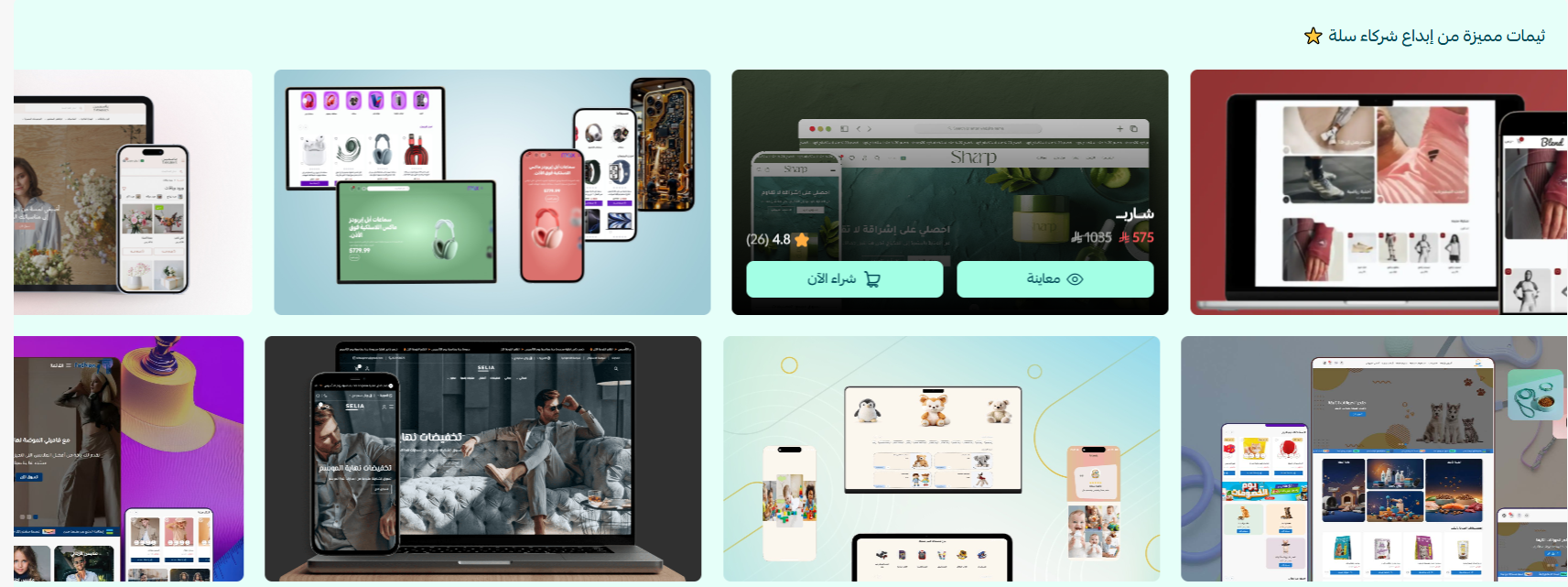
Stores run on very different budgets, so start by deciding how much you are willing to spend on a theme. Prices vary with what you are looking at:
1. Discounted theme offers
2. The newest paid themes and themes built by Salla partners
3. Trending themes
4. Themes from third-party developers, which usually cost more
2. Start with the Theme Store
Buy from the Theme Store whenever you can. Every theme submitted to it is reviewed carefully, so you know you are installing something safe and well built.
The second reason is what happens after the purchase: themes in the Theme Store come with regular updates and proper support.
For more details, see managing the Theme Store and your store design.
3. Decide which features you actually need
The shortcut to the right theme is knowing which features and functions your store depends on, and confirming a theme has them before you pay. A theme that already covers most of your list saves you development costs later.
💡 Example: if you sell digital cards, gift cards and discount codes, the Raqami theme is built for exactly that. See how to activate the Raqami theme.
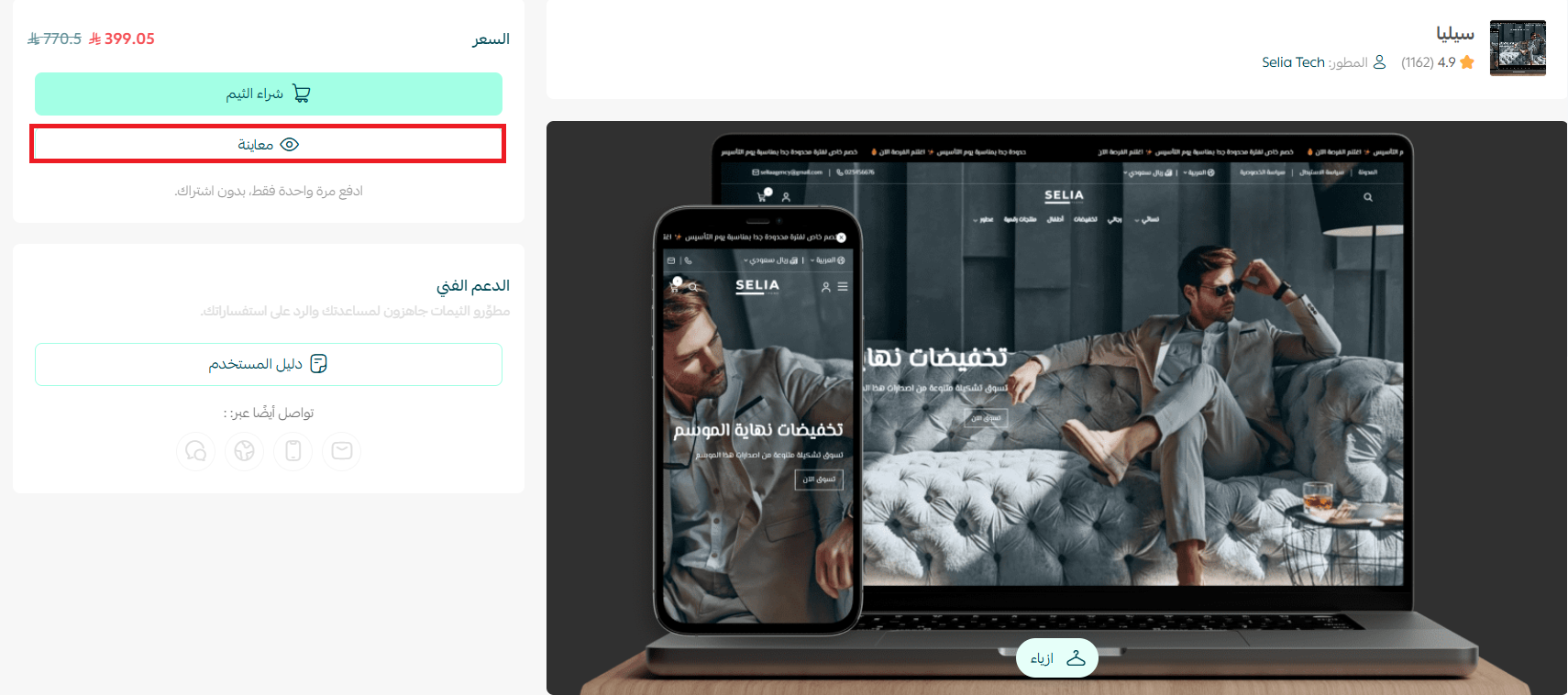
To see what a theme includes, preview it on your own store and look at how your products sit inside it.
For more details, see managing the Theme Store and your store design.
4. Match the theme to your industry
Most themes are designed with a particular kind of business in mind, so check that the one you like fits your category.
💡 Example: a store selling electronics and accessories cannot comfortably run on a theme designed for fine art. The electronics store needs many categories and advanced search; the art store needs neither, and gains more from a quieter layout.
5. Judge the design and aesthetics
Winning a share of e-commerce spending means attracting shoppers and then keeping them on your store. Attracting them is largely an SEO job — keyword research and the rest. Keeping them is design.
Salla themes give you a head start with:
- An attractive storefront
- Color palettes that match your brand
- A simple, readable interface
For more details, see customizing your store design.
For more details, see building a homepage that increases your sales.
6. Prefer lightweight, mobile-friendly themes
Speed affects search rankings, conversions and bounce rate, so a fast, lightweight theme is worth more than a heavy one with extra decoration. Lightweight themes are also deliberately simple: their job is to help a customer navigate and do the thing they came to do.
Every theme currently in the Theme Store is lightweight and performs to the same standard.
7. Keep the checkout simple
A complicated checkout is one of the biggest reasons shoppers abandon their cart, so an easy payment flow should be near the top of your list. Check that the theme you choose keeps it short.
Every theme supported in Salla handles both immediate and deferred payment options.

For more details, see managing payment methods and activating electronic payments.
Theme examples on Salla
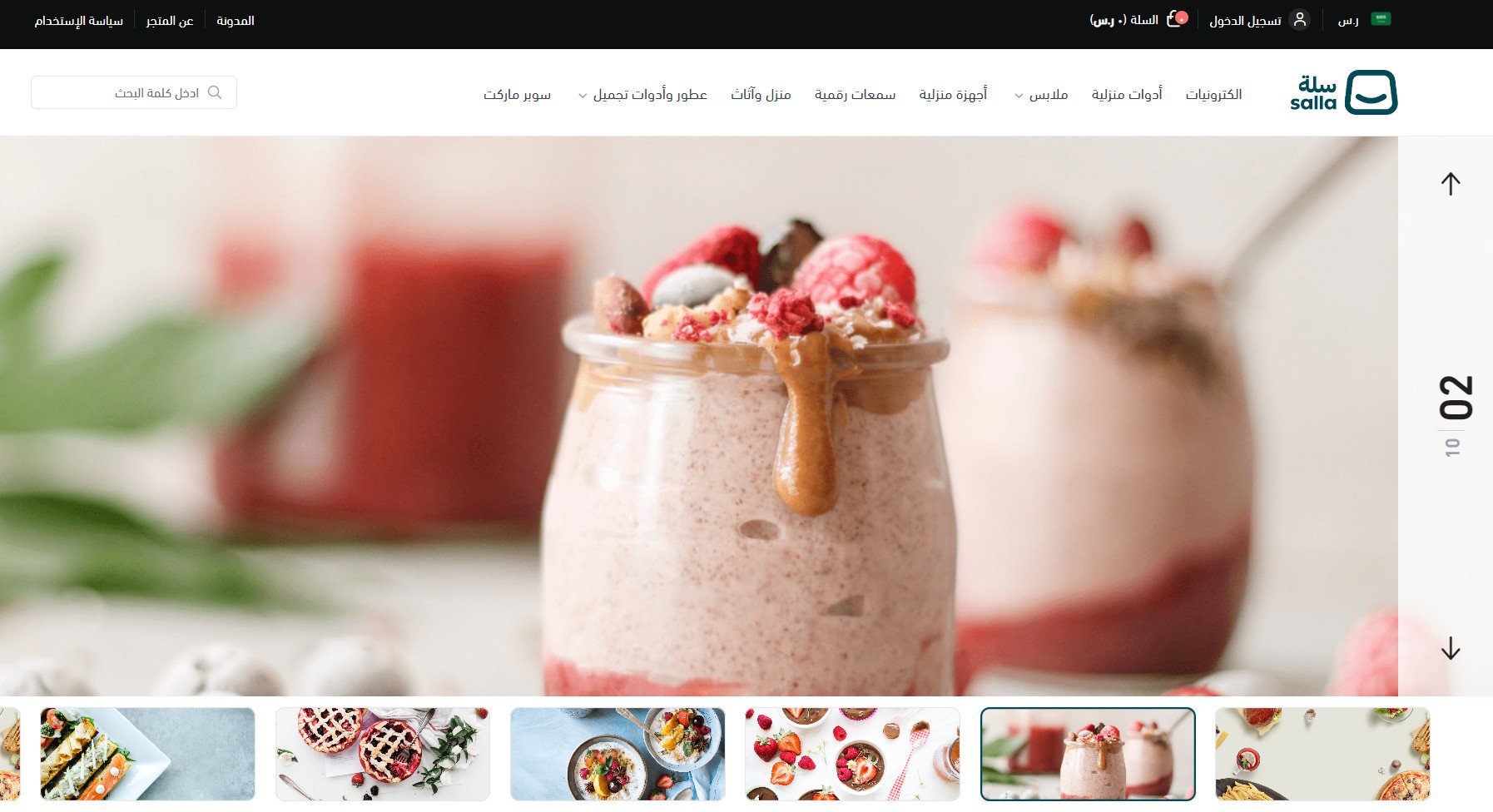
Mokhtalef — paid theme
Built around exclusive, carefully designed elements, with illustrative imagery inside the theme components and extensive changes to both the product details page and the homepage.
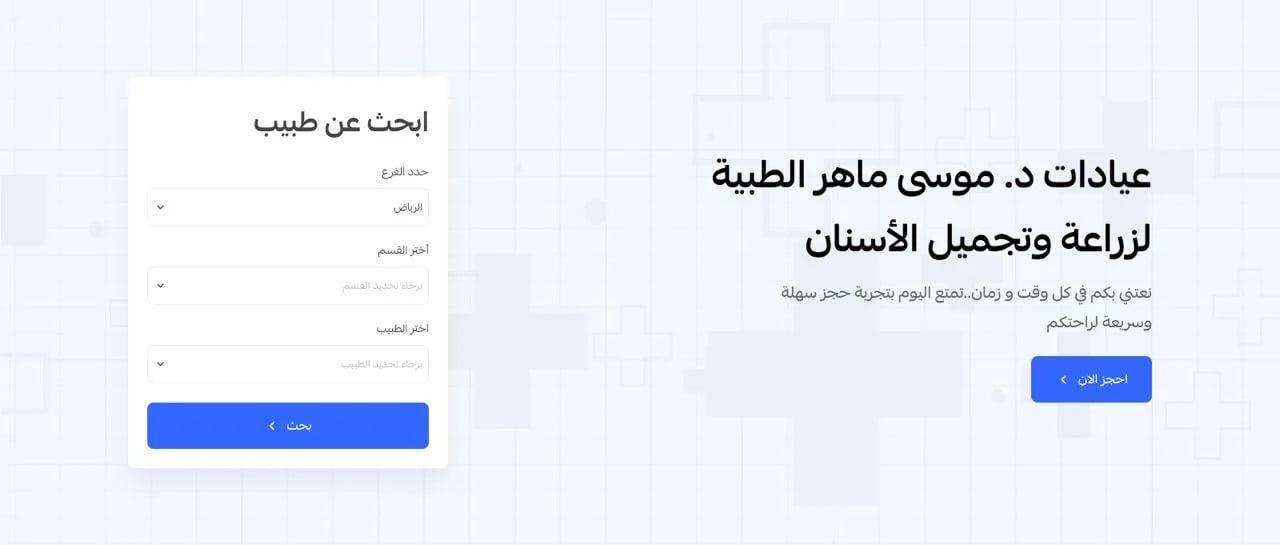
Maweed — paid theme
Designed for appointment-based businesses. It includes components for certificates, articles and the kind of information practitioners like to share with their patients.
It also offers a "nearest available appointment" feature, so customers can see the times that suit them at a glance.
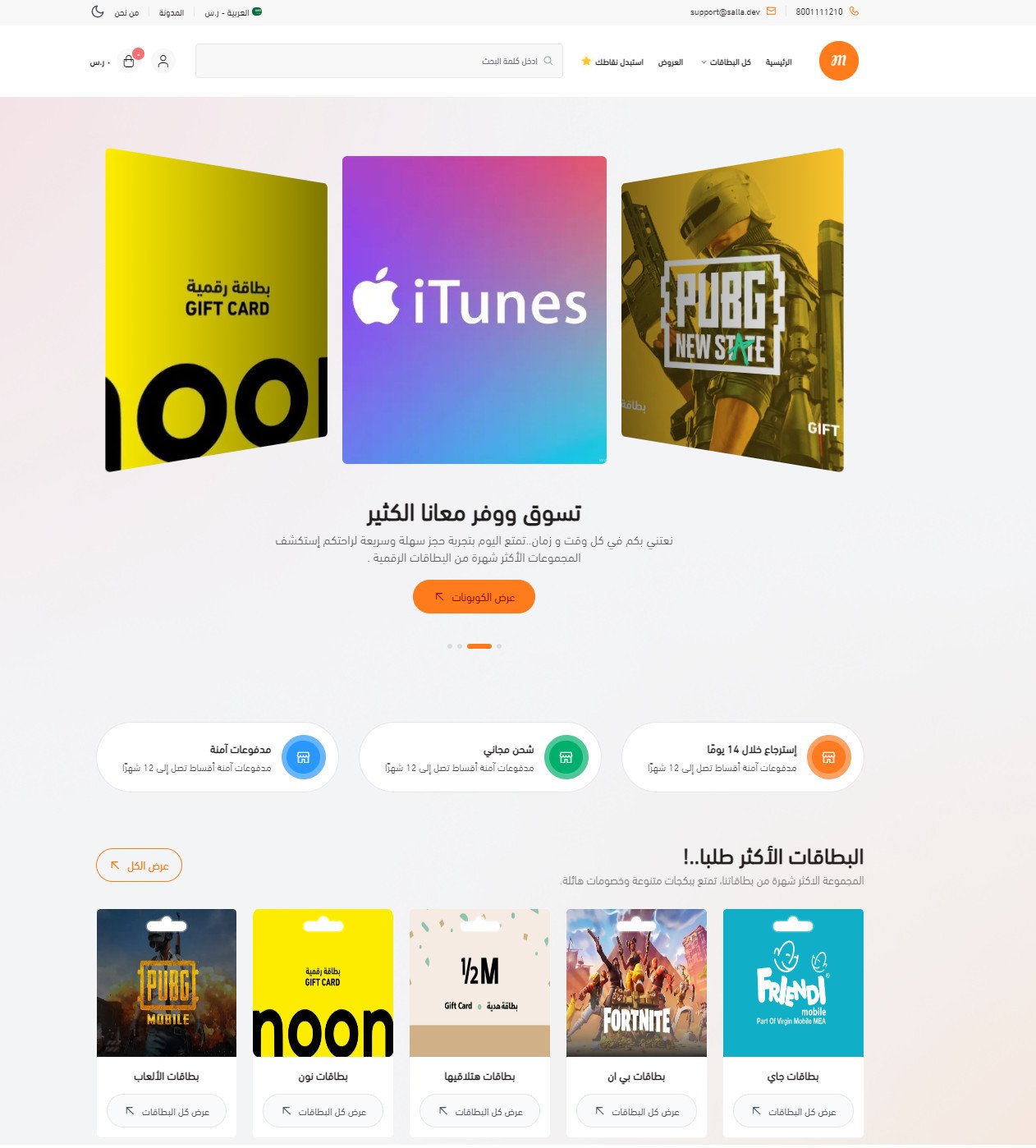
Raqami — paid theme
Built specifically for stores selling digital cards, gift cards and discount codes. It adds a dedicated section where customers can quickly reach every card they have bought before.
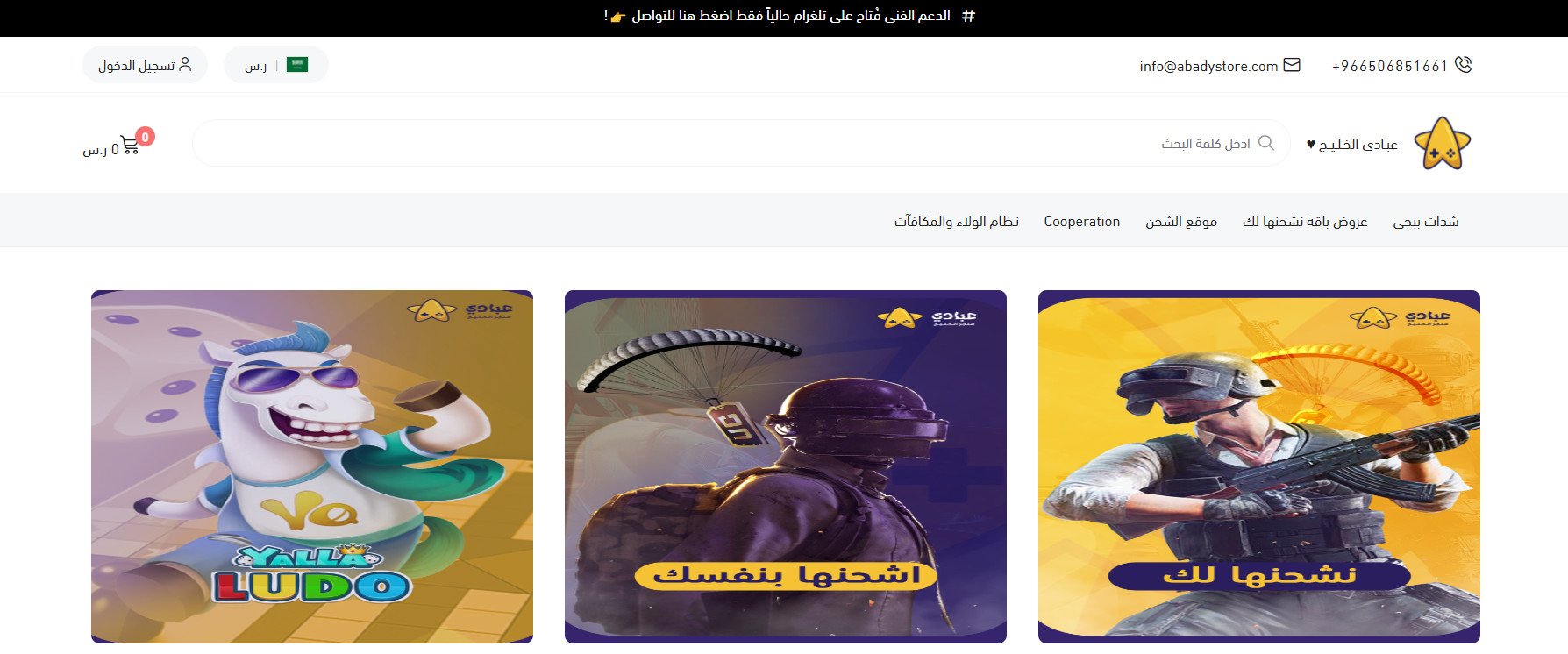
Numo — paid theme
Supports multiple languages, translation and switching element direction, plus tools you won't find in the free themes: a slogan banner, an animated image slider and featured products.
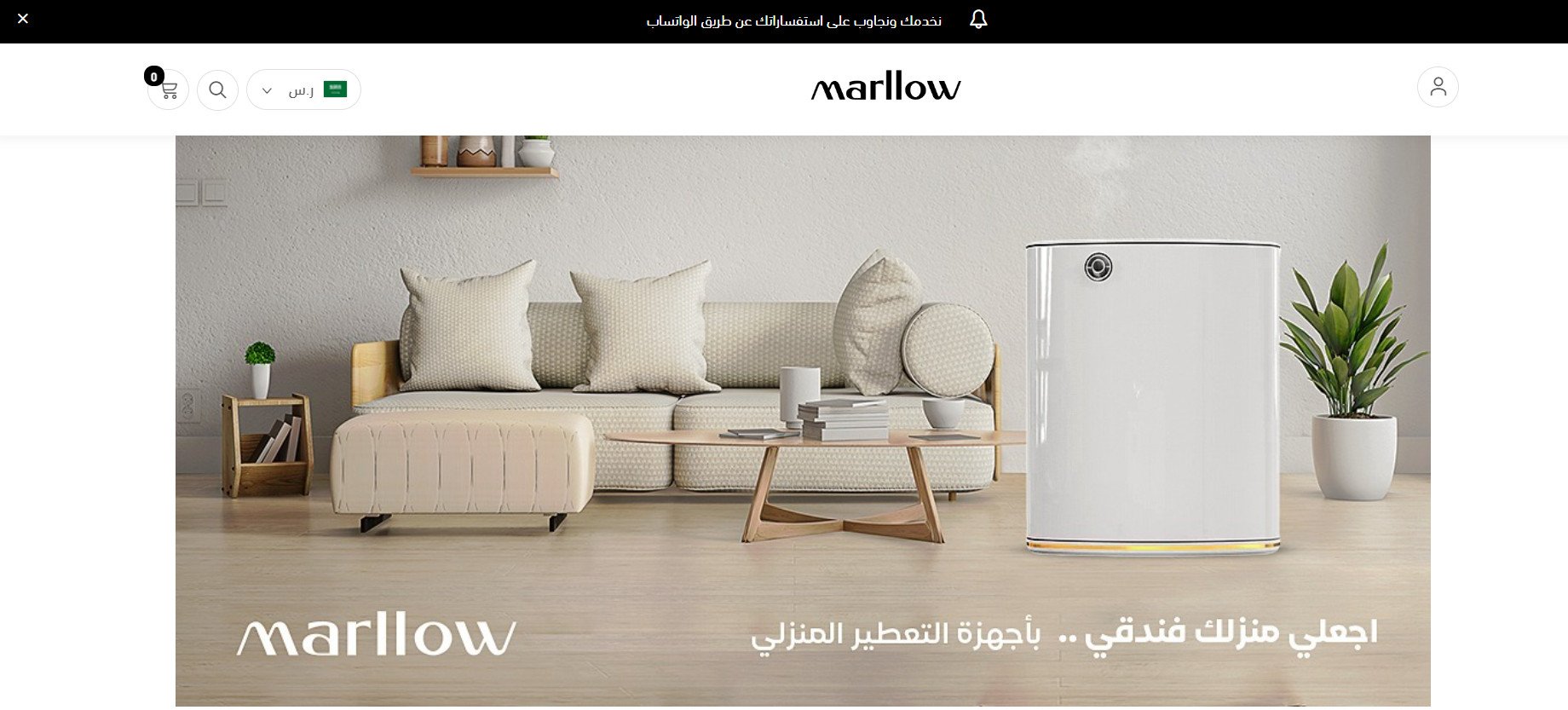
Raed — paid theme
Full multilingual support, a customizable footer menu, and the option to add JavaScript to control your store design. It also adds enhanced animated images, quick links to different store sections, enhanced square images, brands, and animated products with a background.
👣 How to change your store's theme in Salla
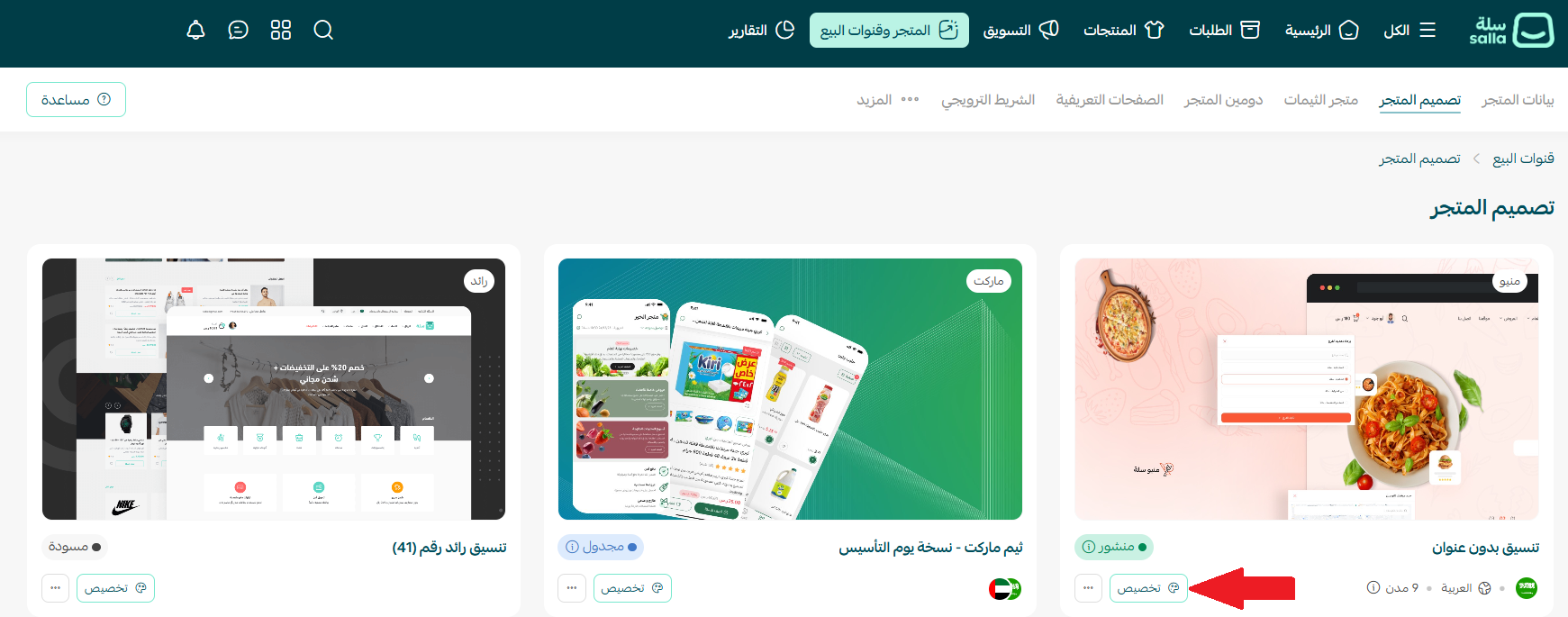
1. From the main menu, click (Store and sales channels), then click (Store design).
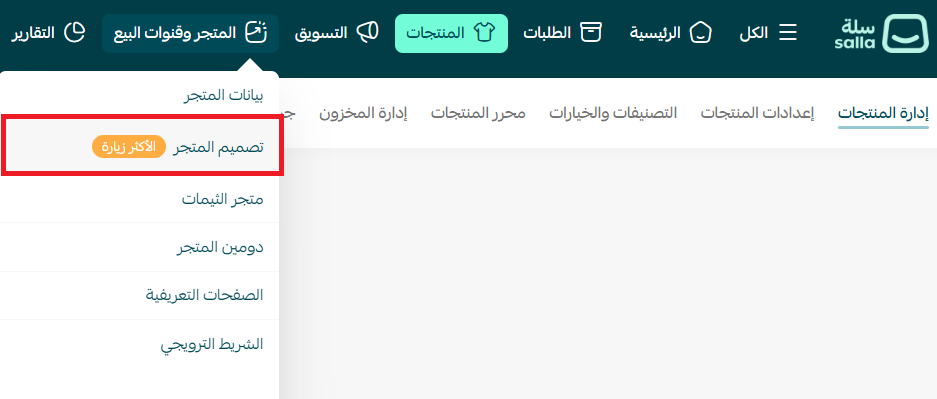
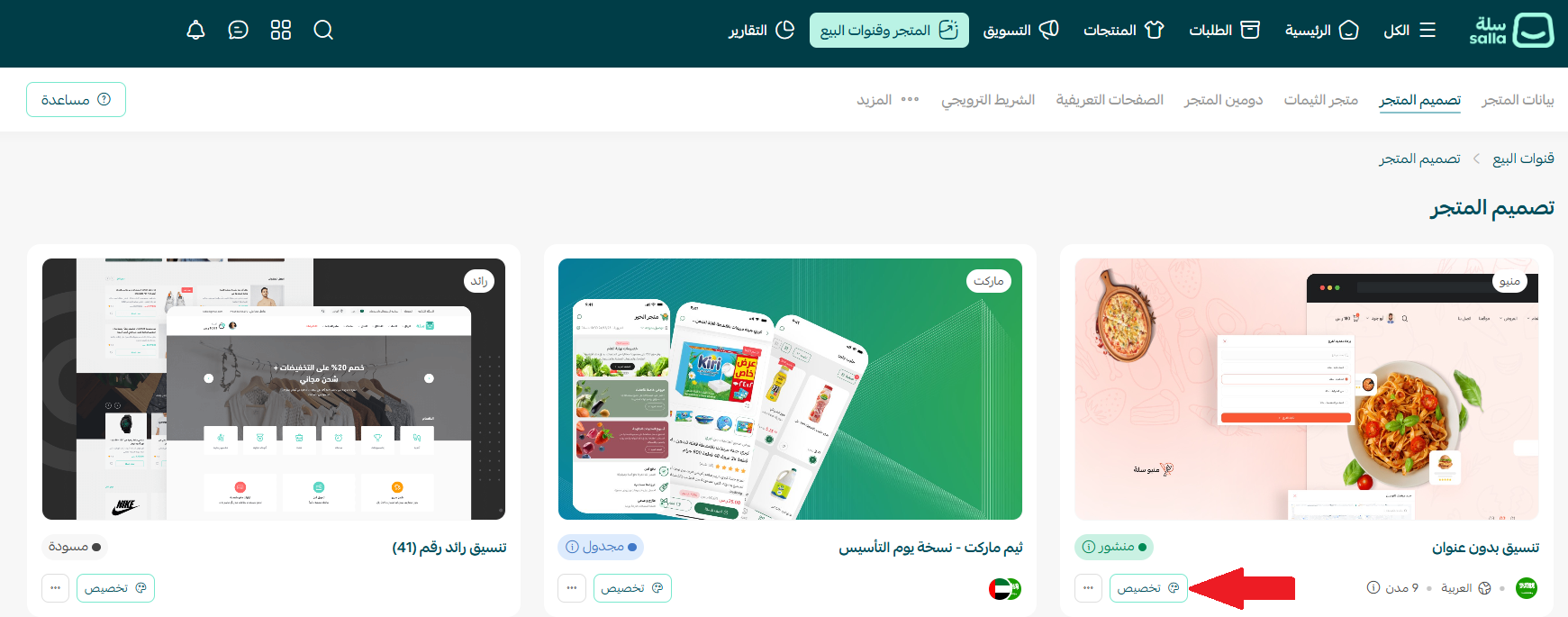
2. Choose the design you want to change, then click (Customize).
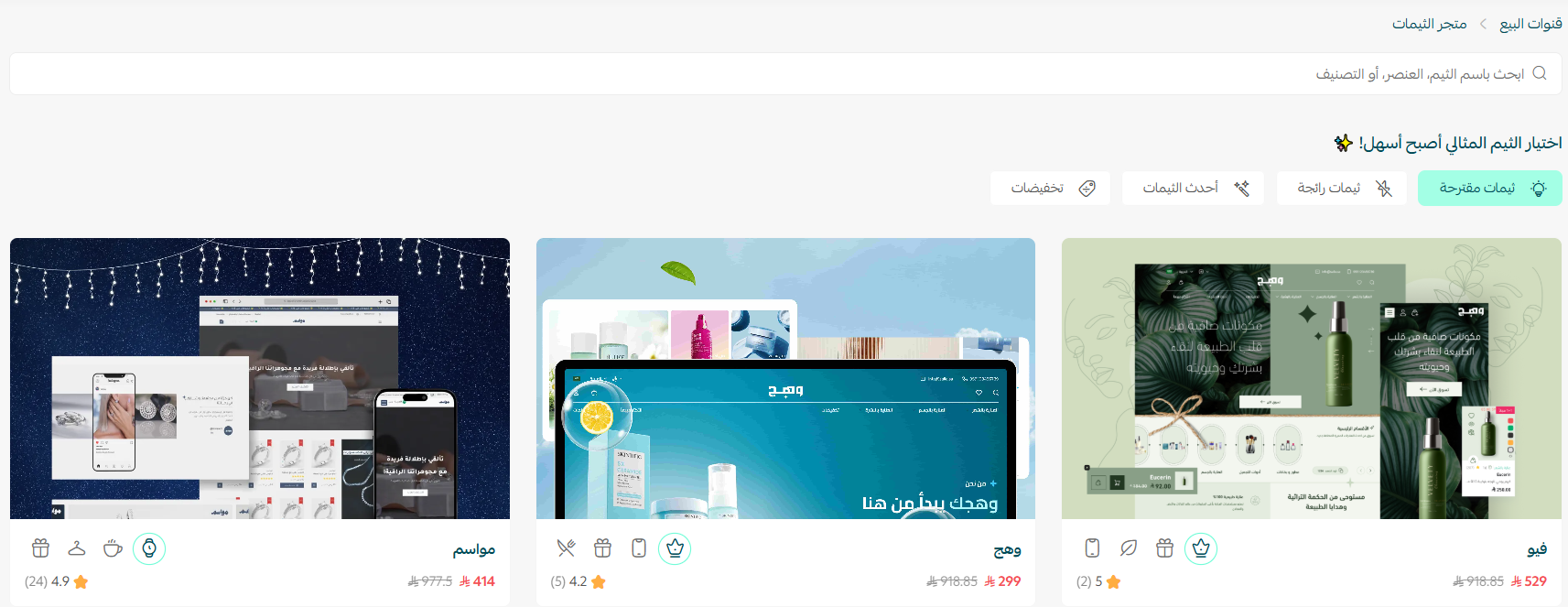
3. Browse the Theme Store to buy a new theme and install it on your store.
4. Once the theme is installed, open it from the store design page and click (Customize) to adjust it to your needs.
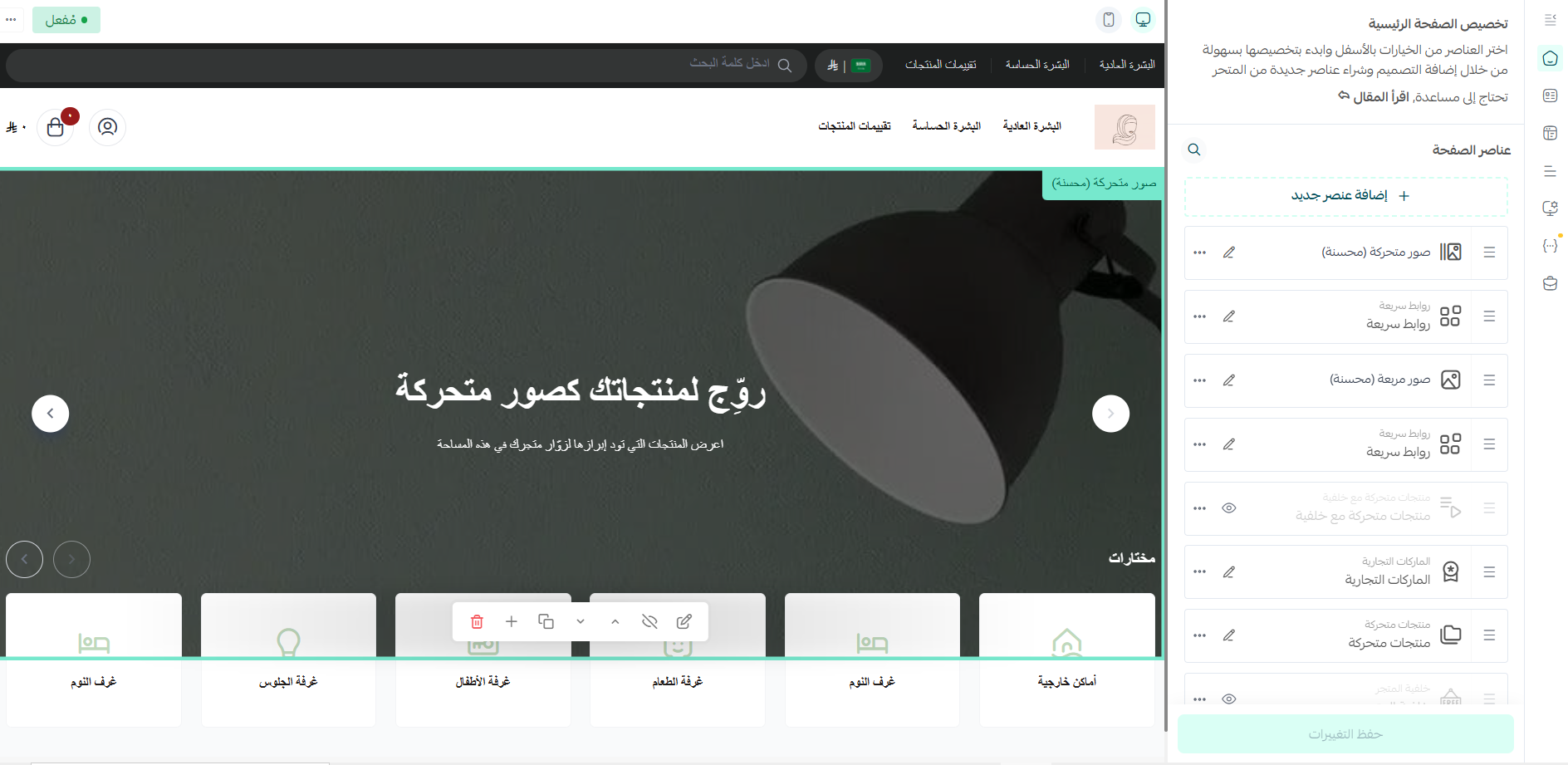
5. Preview how your store will look with the theme applied, directly from the customization page.
For more details, see managing the Theme Store and your store design.
📝 Important notes
Preview a theme on your own store before you buy it. A layout that looks right in a demo can behave differently once your own catalog is in it.
Themes from third-party developers usually cost more than themes published in the Theme Store, and support and update terms can differ.
Additional learning resources
Store design has a direct effect on the shopping experience: it shapes the first impression, how long someone stays, and whether they decide to buy. Enroll in the store design and optimization course from Salla Academy, presented by Mohammed Albadr.
Frequently asked questions
❓ Where do I change my store's theme?
From the main menu, click (Store and sales channels), then (Store design). Pick the design you want to change and click (Customize).
❓ Should I buy a theme from the Theme Store or from an outside developer?
Start with the Theme Store. Every theme there is reviewed before it is published, and it comes with regular updates and support. Third-party developers usually charge more.
❓ Can I see how a theme looks on my store before I install it?
Yes. Preview the theme on your own store to see how your products and pages sit inside it, and preview again from the customization page after installing.
❓ Do Salla themes slow my store down?
Every theme currently in the Theme Store is lightweight and performs to the same standard, so speed should not be the deciding factor between them.
❓ Which theme suits a store selling digital and gift cards?
The Raqami theme is built for digital cards, gift cards and discount codes, and adds a section where customers can find every card they have purchased.
A theme is not decoration — it is the first thing a shopper judges and the last thing standing between them and the checkout. Pick one that fits your budget, your category and your feature list, preview it on your own catalog, then spend your time customizing rather than switching.