WhatsShare — WhatsApp notifications and abandoned carts
An abandoned cart is a customer who already decided they wanted something and then stopped. A well-timed WhatsApp reminder is often all it takes to bring them back. WhatsShare connects your Salla store to WhatsApp and sends automatic notifications and abandoned cart reminders, with tools to customize your messages, follow order statuses, and run automated replies — without needing your phone connected to the internet. In this guide, you'll learn how to connect the WhatsShare app and how to manage it.
To connect WhatsShare on Salla, click All in the main menu, open the App Store from the helper tools section, and search for the app. Click Install on the WhatsShare app page, choose your plan, review the requested permissions, click Go to payment, and complete the payment.
📌 Article overview
- How to connect the WhatsShare app
- How to manage the WhatsShare app
- Frequently asked questions
🚀 How to connect the WhatsShare app
1. From the main menu, click (All), then from the helper tools section click (App Store).

2. Search for the app using the search field.

3. From the WhatsShare app page, click (Install).
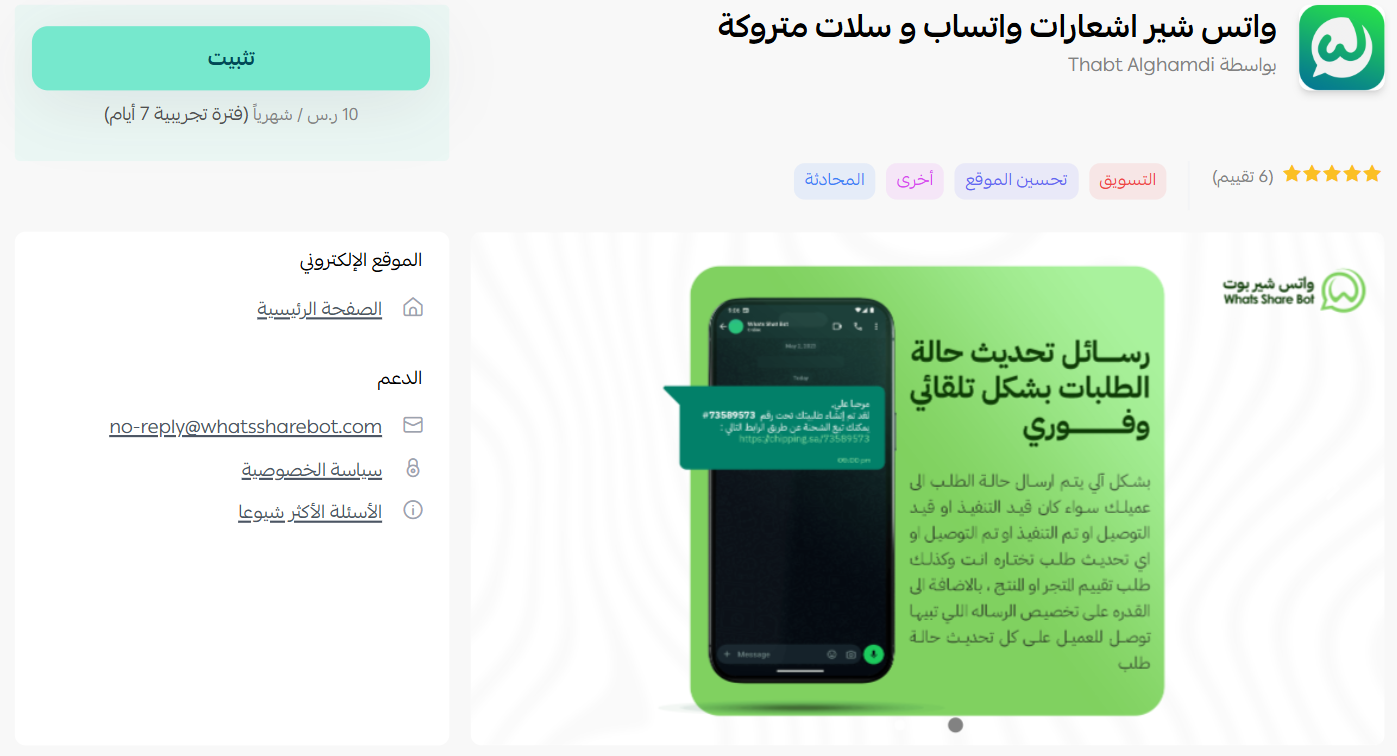
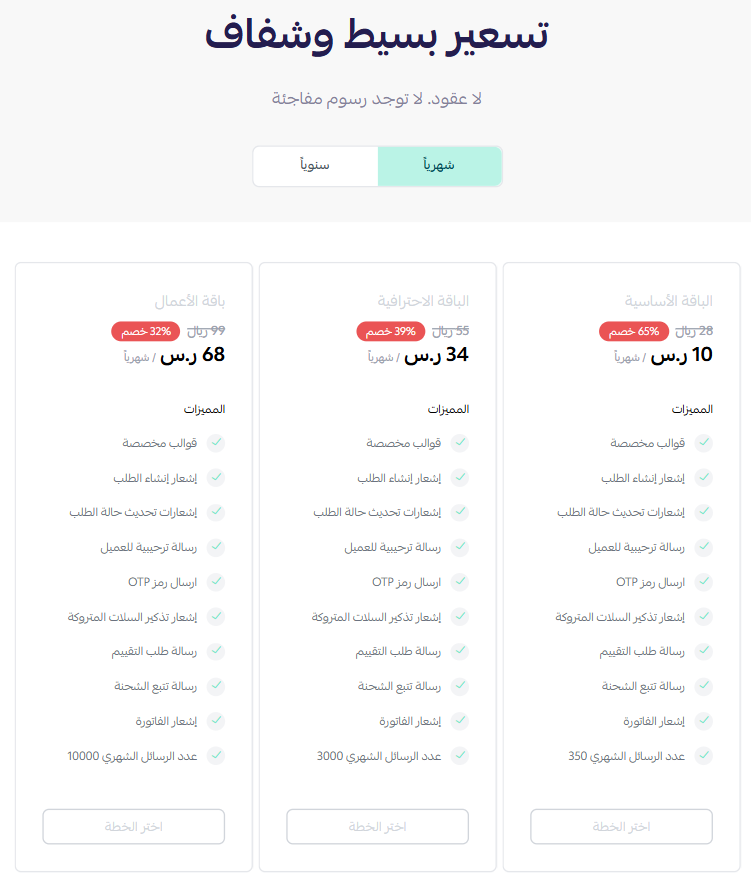
4. Choose the plan that fits your business to continue with the installation.
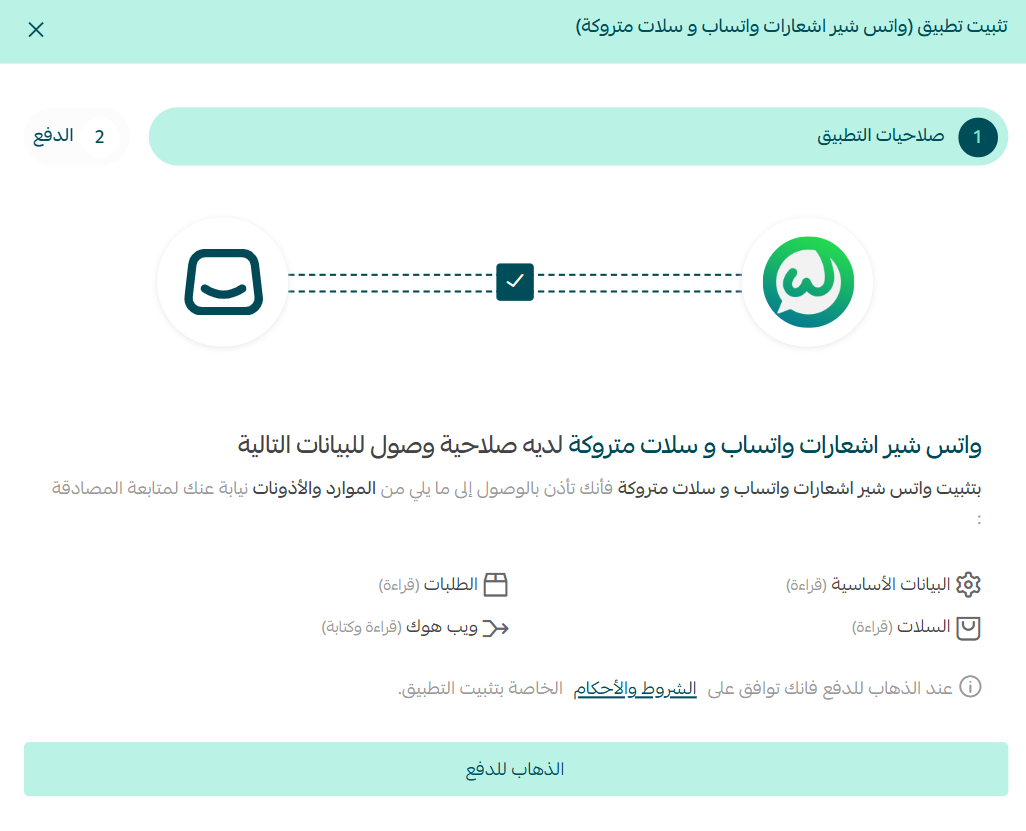
5. Review the requested permissions, then click (Go to payment).
6. Complete the payment to activate the app's features.
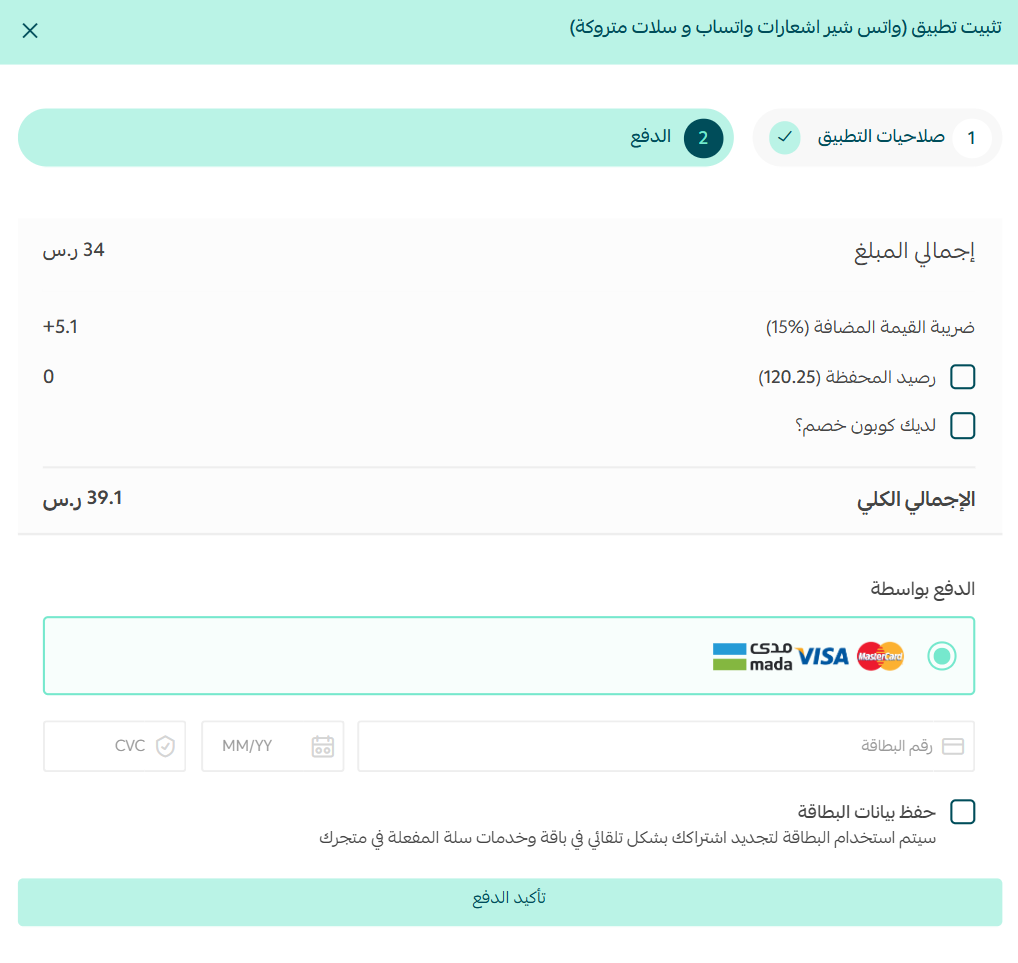
The WhatsShare app is now installed on your store.
🚀 How to manage the WhatsShare app
Removing the app
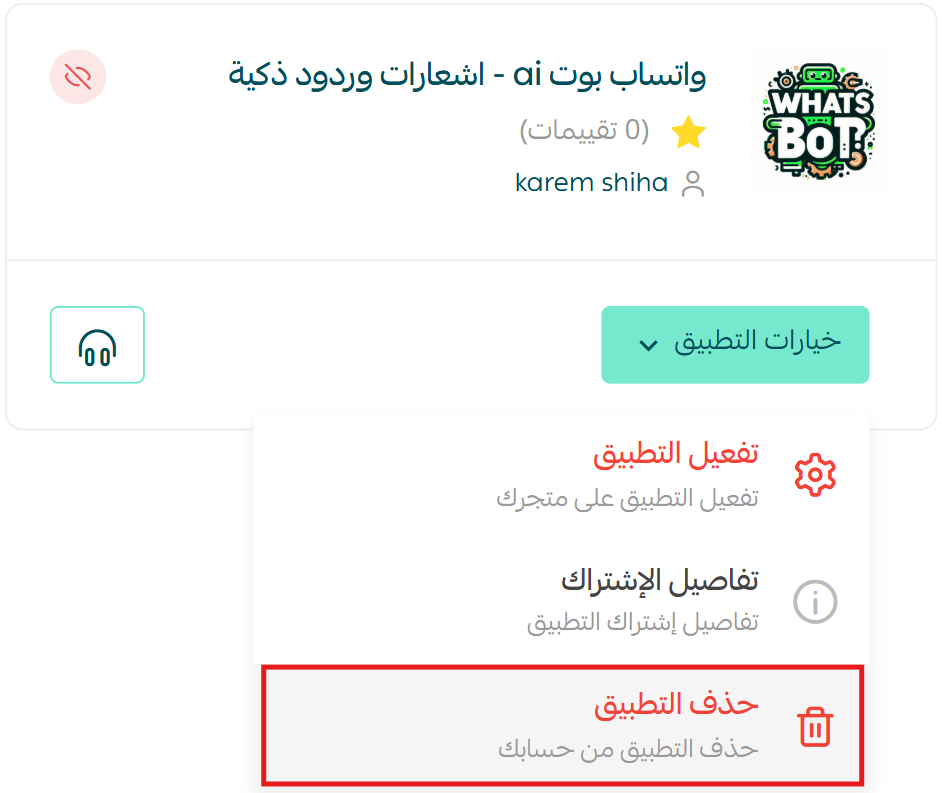
From the WhatsShare app, click (App options), then click (Delete app).
Frequently asked questions
❓ Does my phone need to stay connected to the internet?
No. WhatsShare sends notifications and replies without requiring your phone to be online.
❓ What can WhatsShare send?
Automatic notifications and abandoned cart reminders, with tools to customize the message text, track order statuses, and enable automated replies.
❓ How do I remove the app?
Open the app, click App options, then click Delete app.
For more detail, see the WhatsShare site.
Abandoned cart recovery pays for itself faster than almost any other automation, because the customer already wanted the product. Get the timing and tone of that first message right and the rest mostly takes care of itself.