


Your customers read WhatsApp within minutes. They may never open your email.
That gap is why order updates so often go unnoticed and abandoned carts stay abandoned. WhatsApp One connects your Salla store to WhatsApp and sends those messages for you, on the channel people actually check. In this guide, you will learn how to install WhatsApp One, log in to its platform, link your WhatsApp number, and remove the app if you need to.
WhatsApp One connects your Salla store to WhatsApp and sends key customer messages automatically. Once you install the app and link your WhatsApp number, it can message customers when an order is created, when an order status changes, or when a cart is abandoned, using editable ready-made templates.
📌 Article overview
- How to install the WhatsApp One app
- How to log in and link your WhatsApp number
- Frequently asked questions
🚀 How to install the WhatsApp One app
1. From the main menu, click (All), then under helper tools click (App Store).

2. Search for the app using the search field.

3. On the WhatsApp One app page, click (Install).
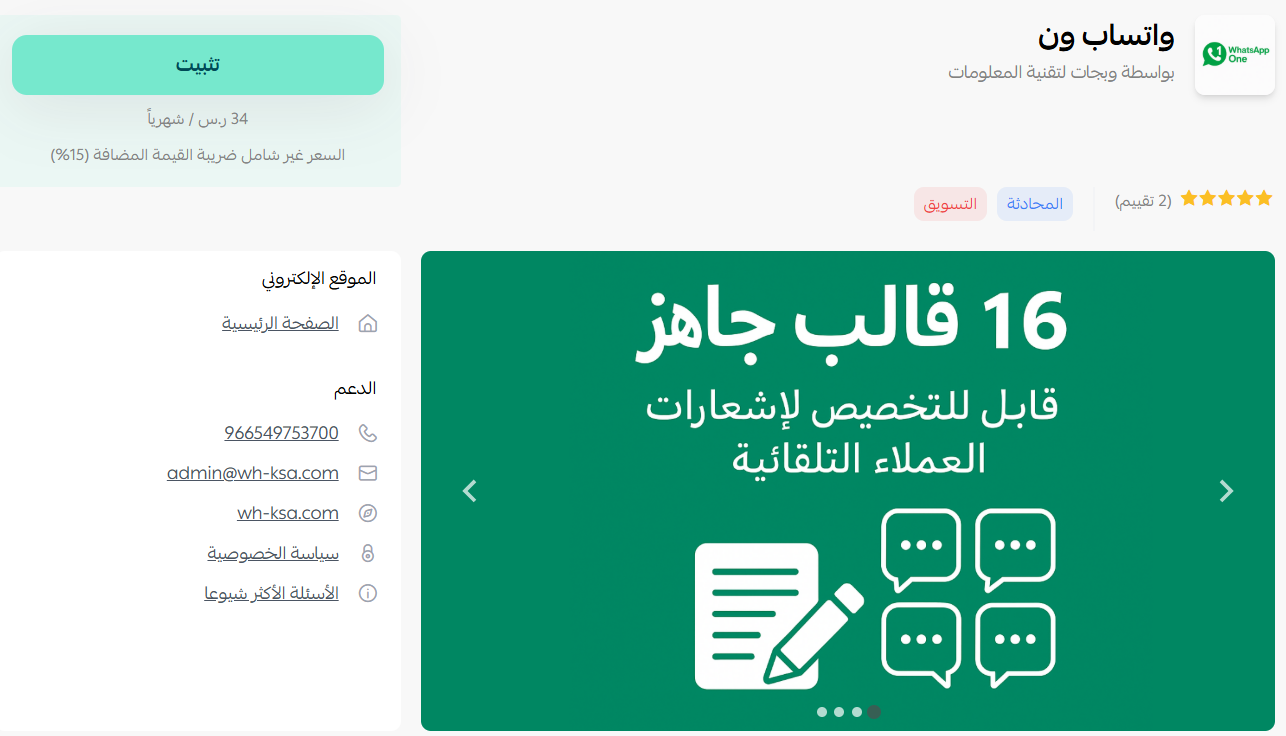
4. Choose the plan that suits your business to continue with the installation.

5. Complete the payment to activate the app features.
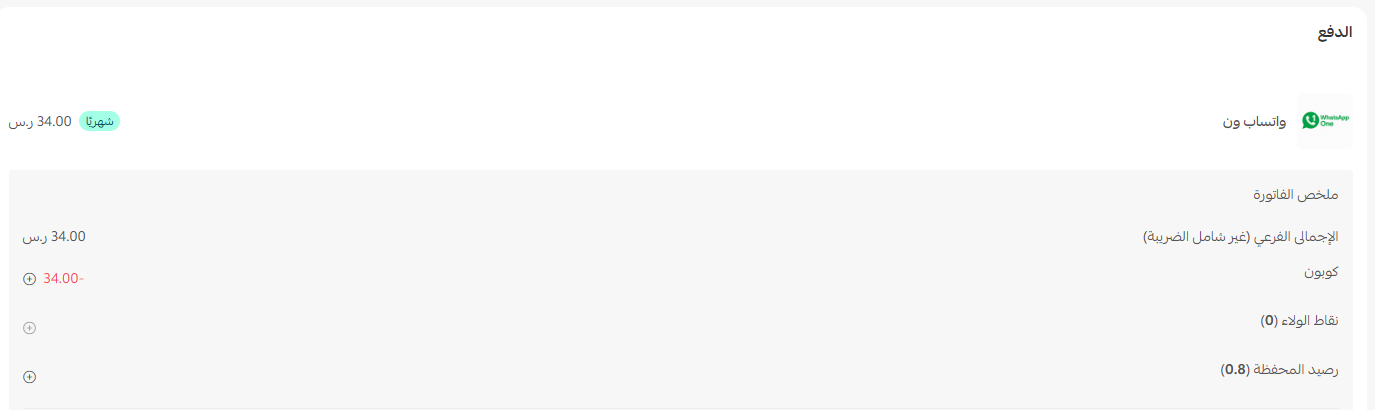
WhatsApp One is now installed and ready to message your customers directly.
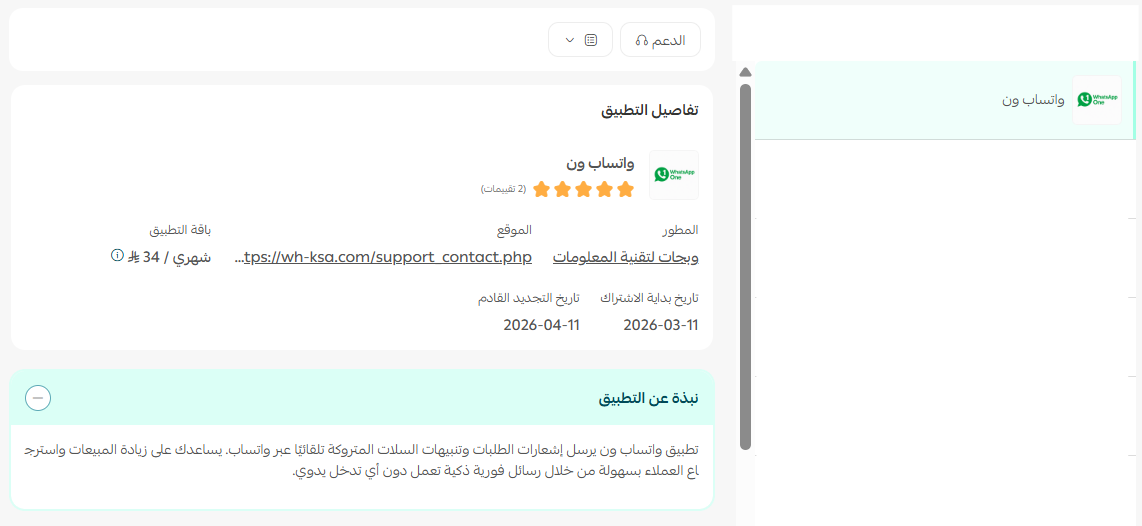
Once the installation is complete, you will receive an email with your login details. Click (Log in).
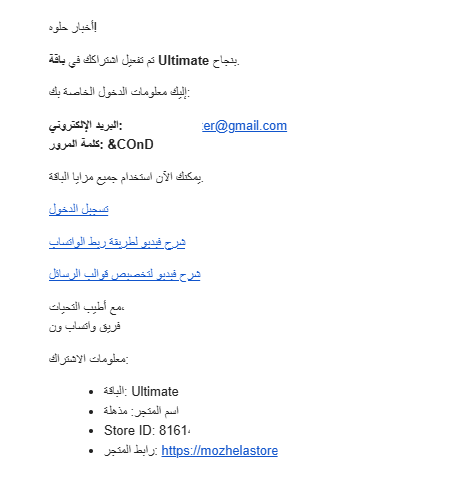
Log in and link your WhatsApp number
1. Sign in to the WhatsApp One platform with the credentials sent to your email.

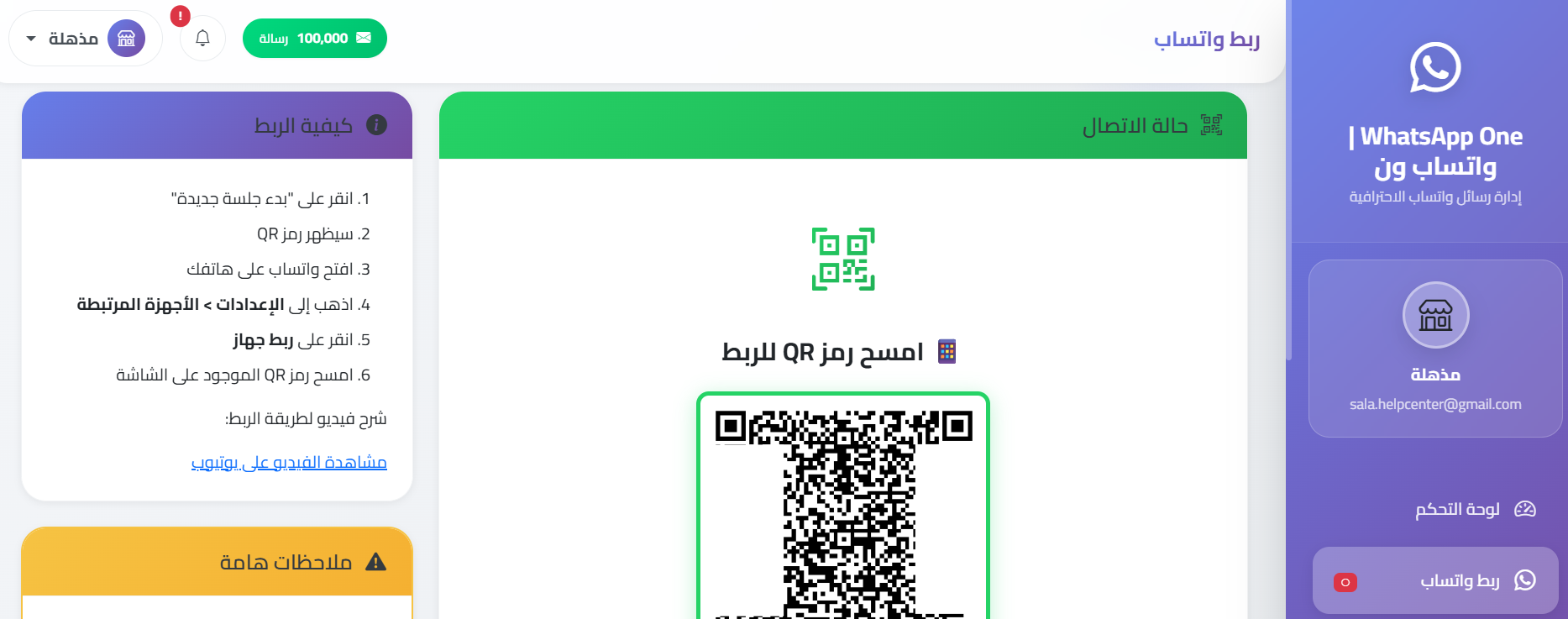
2. From the WhatsApp One dashboard menu, click (Link WhatsApp) and scan the QR code with your phone.
📝 Important notes
No messages go out until the WhatsApp number is linked. Installing the app is only half the setup.
Frequently asked questions
❓ Which messages does WhatsApp One send automatically?
Messages triggered when an order is created, when an order status changes, and when a cart is abandoned.
❓ Can I change the wording of those messages?
Yes. The app ships with ready-made templates that you can edit and customize.
❓ How do I connect my WhatsApp number?
In the WhatsApp One dashboard, click (Link WhatsApp) and scan the QR code with the phone that holds the number.
❓ How do I remove the WhatsApp One app from my store?
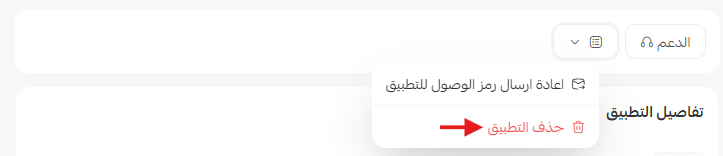
From the WhatsApp One app, click ( ) and click (Cancel subscription).
Order updates that actually get read reduce support messages and rescue carts that would otherwise go cold. For more details, see the WhatsApp One FAQ.