Late deliveries can cost you customer trust and even completed orders. That’s why Salla offers Careem express delivery, enabling ultra-fast delivery within just two hours in Riyadh, Jeddah, and Madinah.
This integration ensures secure, on-time delivery and gives your customers a premium checkout experience that boosts satisfaction and increases conversions.
📌Article overview
- Careem express delivery activation requirements
- How to enable Careem as a shipping provider
- Order flow with Careem
- Frequently asked questions
Careem express delivery activation requirements
Before enabling Careem, make sure your orders meet the following conditions:
- Shipment weight must not exceed 20 kg
- Delivery distance must not exceed 15 km
- Cash on delivery is not supported
Note: Careem express delivery is currently available only for stores in Saudi Arabia.
How to enable Careem shipping
Follow these steps to activate Careem in your store:
- From the main menu, click All
- Select Shipping
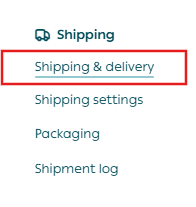
3. Open the Shipping tab

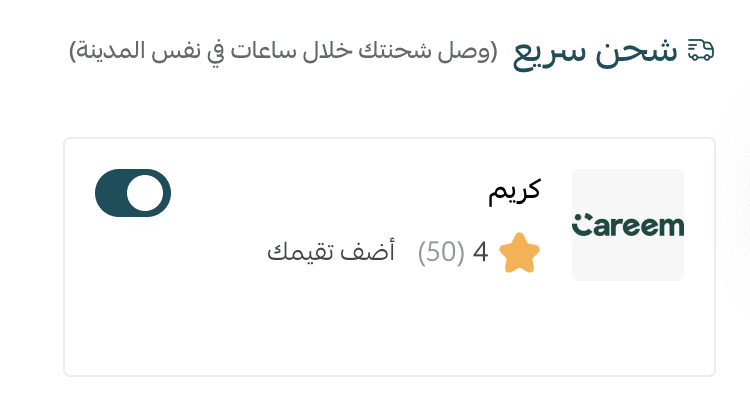
4. Enable Careem
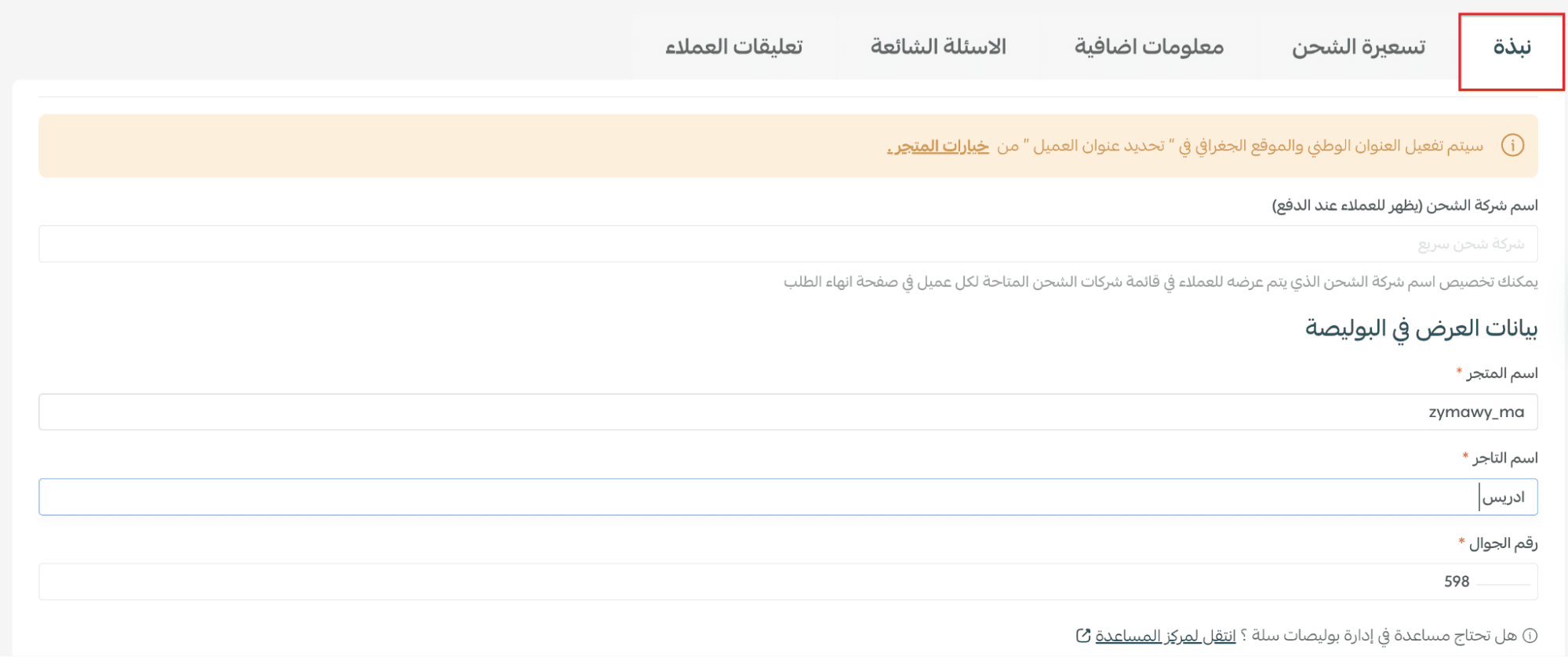
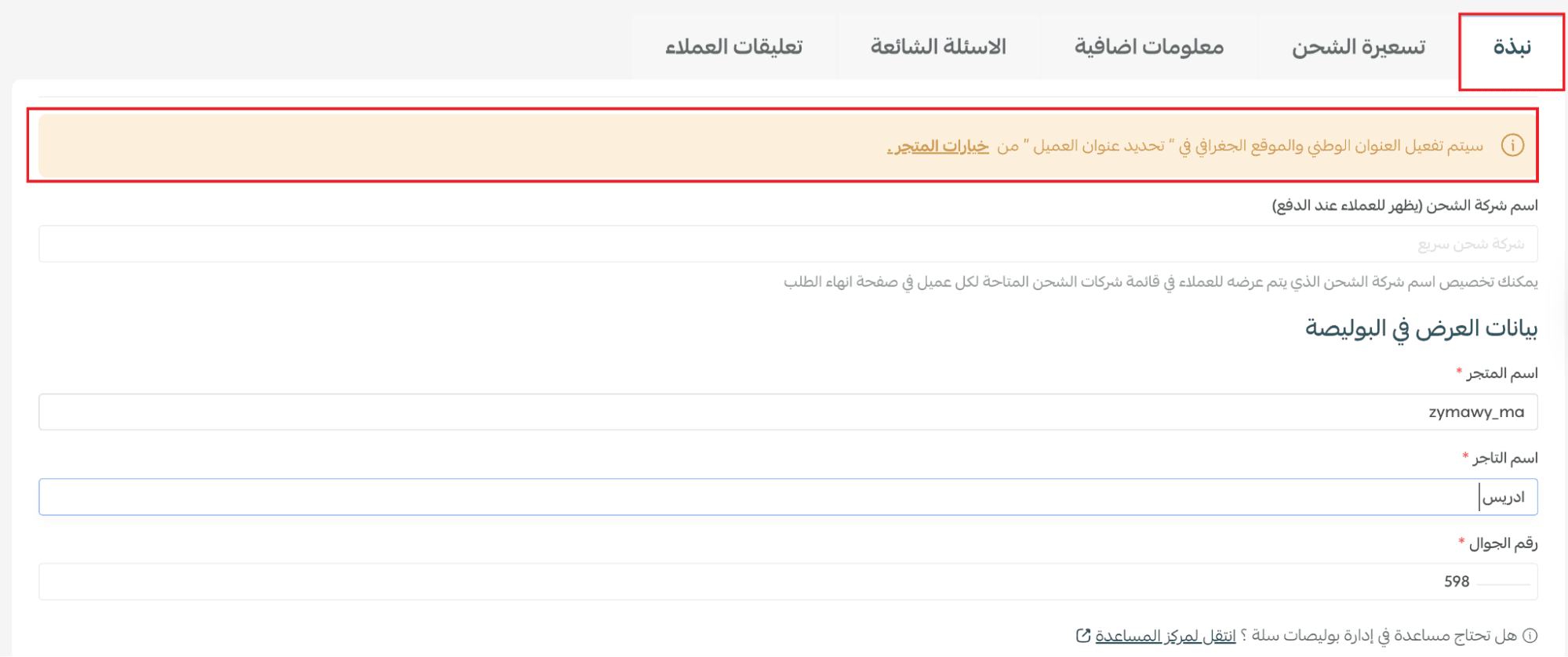
5. From the Overview tab, enter the display information for the shipping label, then click Save
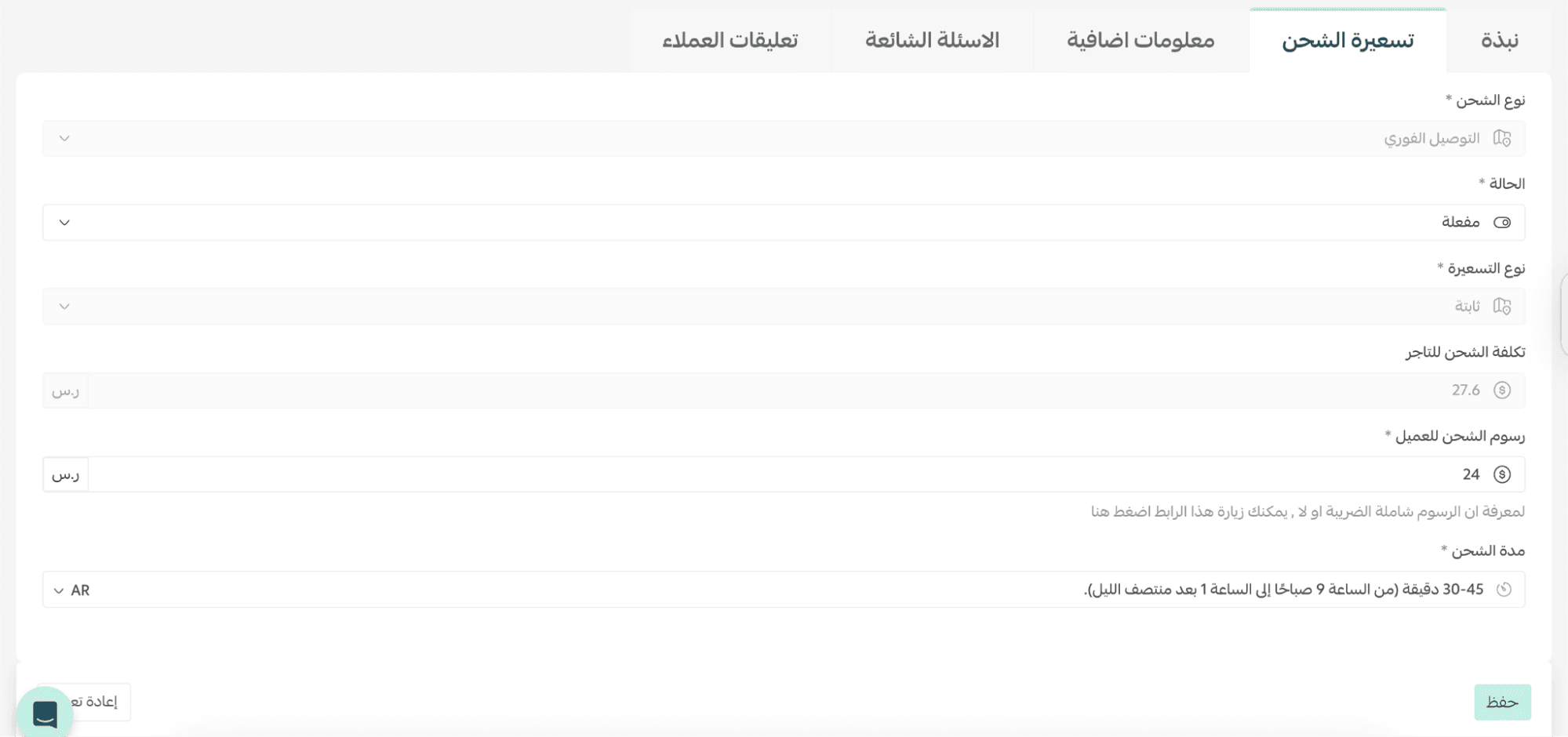
6. From the Shipping Pricing tab, configure:
- Shipping type
- Shipping fees
- Pricing method
- Merchant cost
- Customer cost
- Estimated delivery time
7. To display Careem at checkout:
- Go to Shipping Settings
- Enable Accept express delivery orders

Careem will now appear as a delivery option on the checkout page.

Important note: If the merchant does not request a courier within 15 minutes, the order will be automatically cancelled due to time expiration.

Order flow with Careem
You can view express orders in two ways:
- From the dashboard homepage under Express Orders
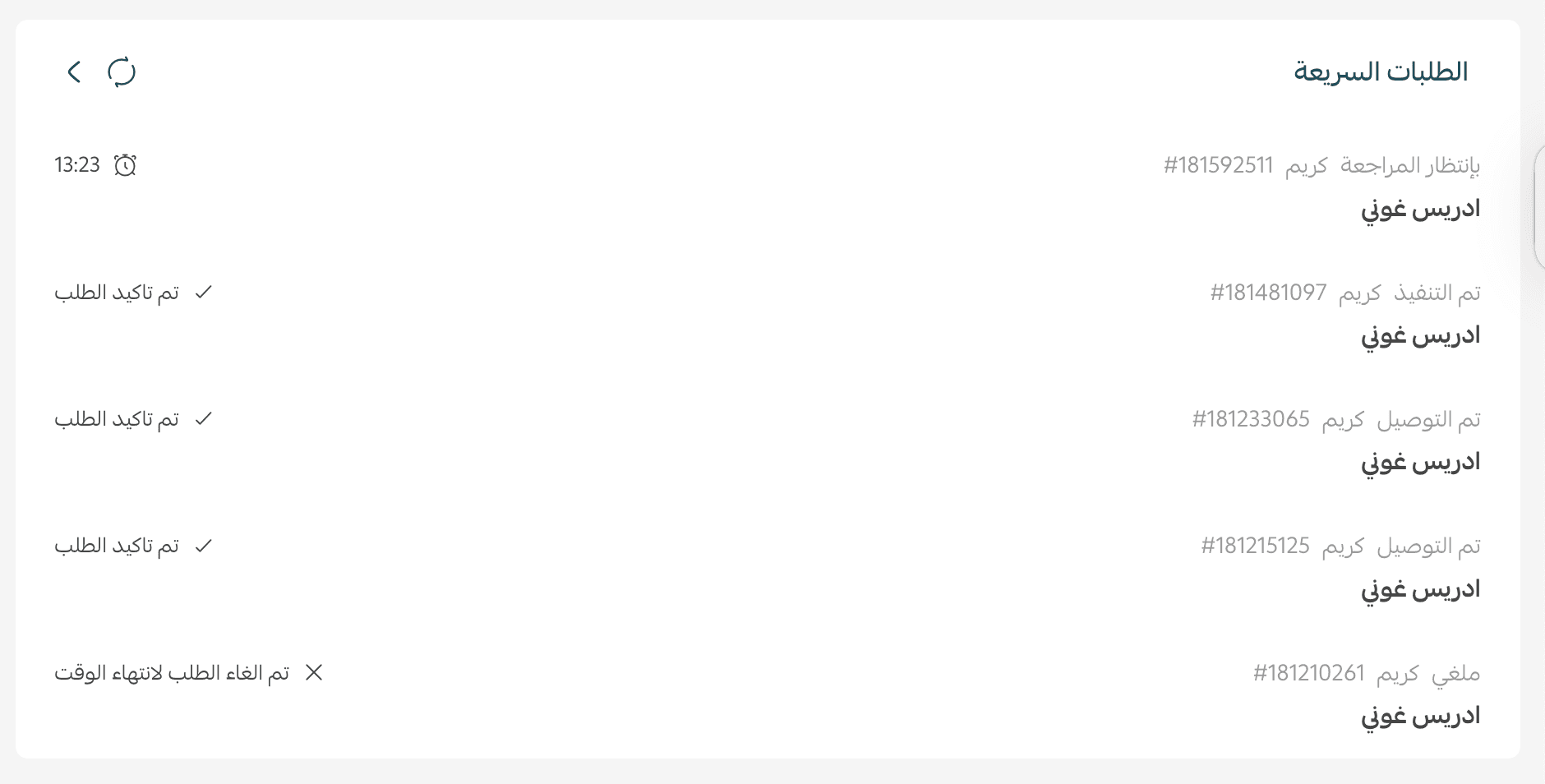
- From the Orders page
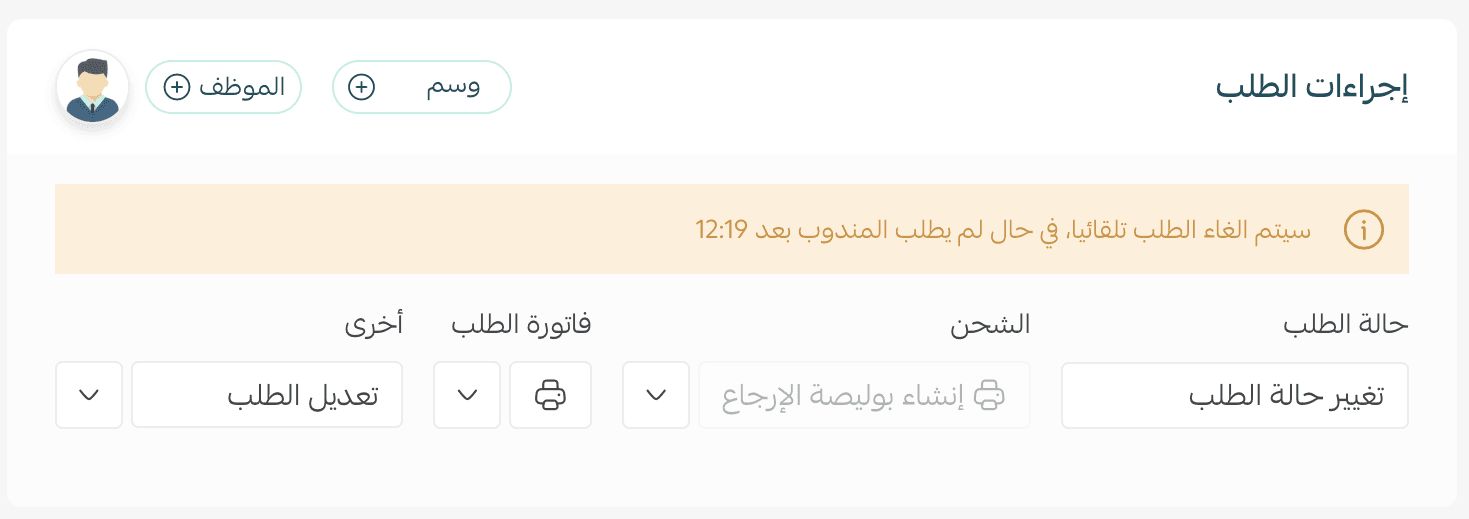
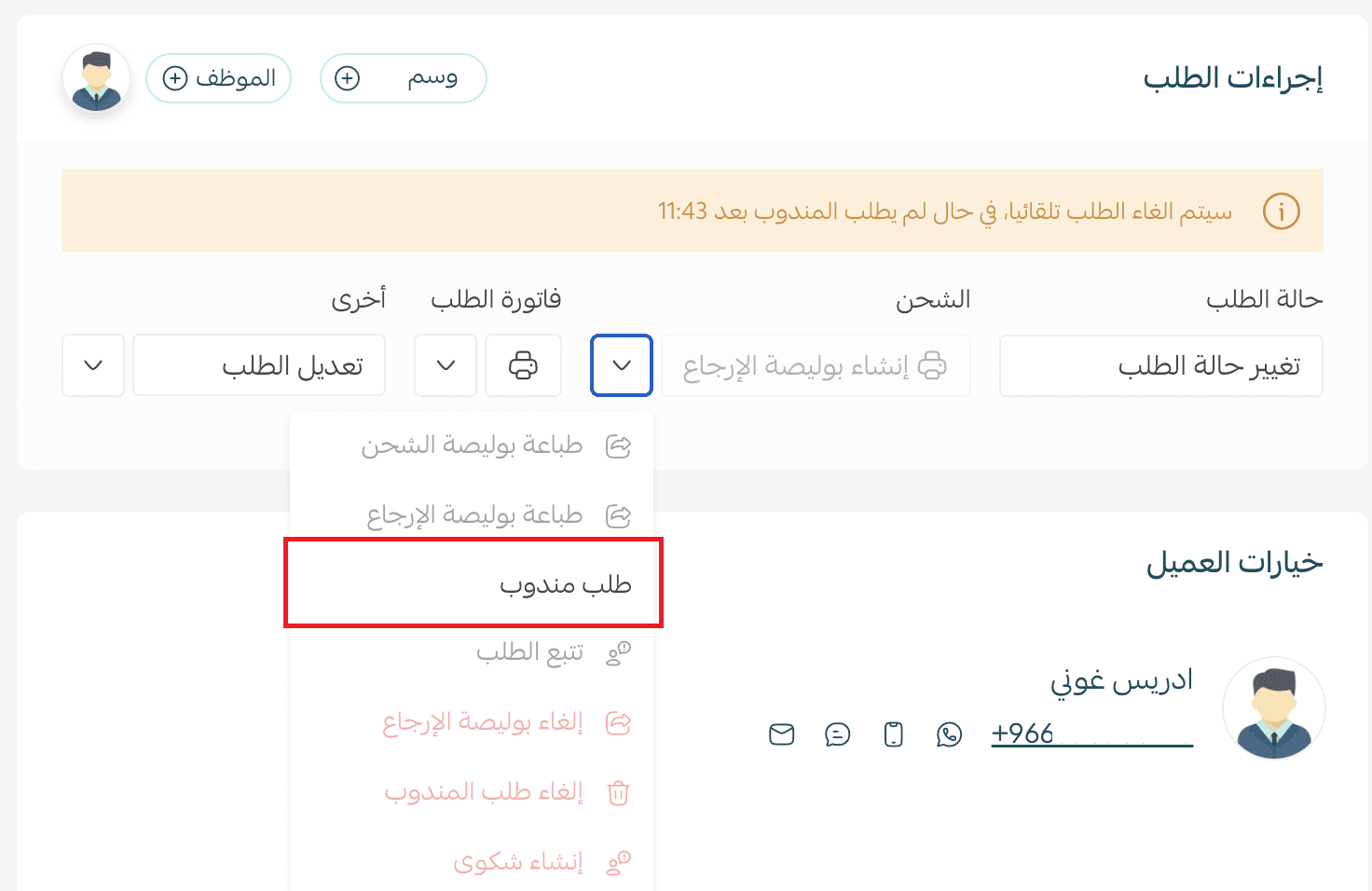
From the order details page, under Order Actions, click Request Courier.
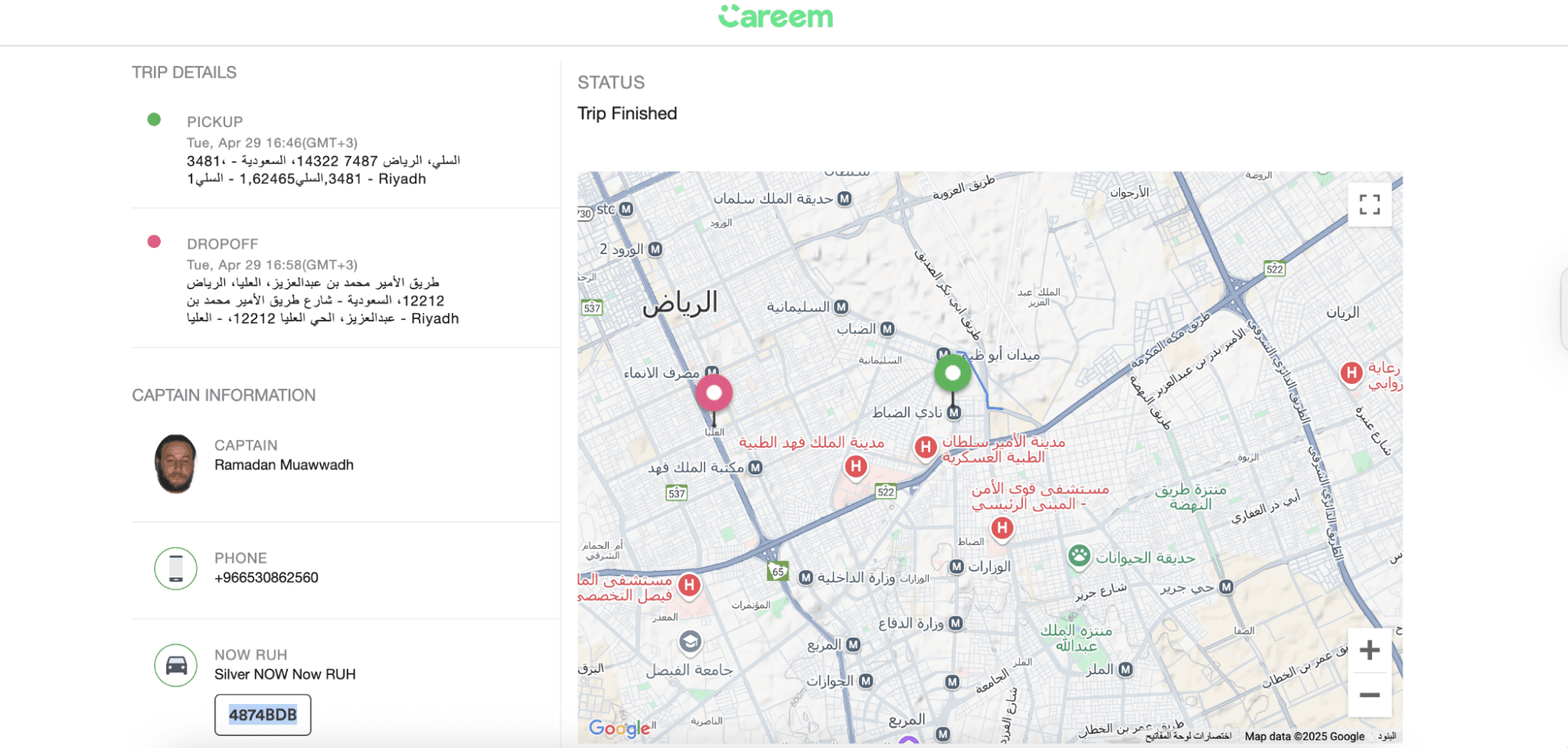
Once the courier is requested, the button will change to Track Order.
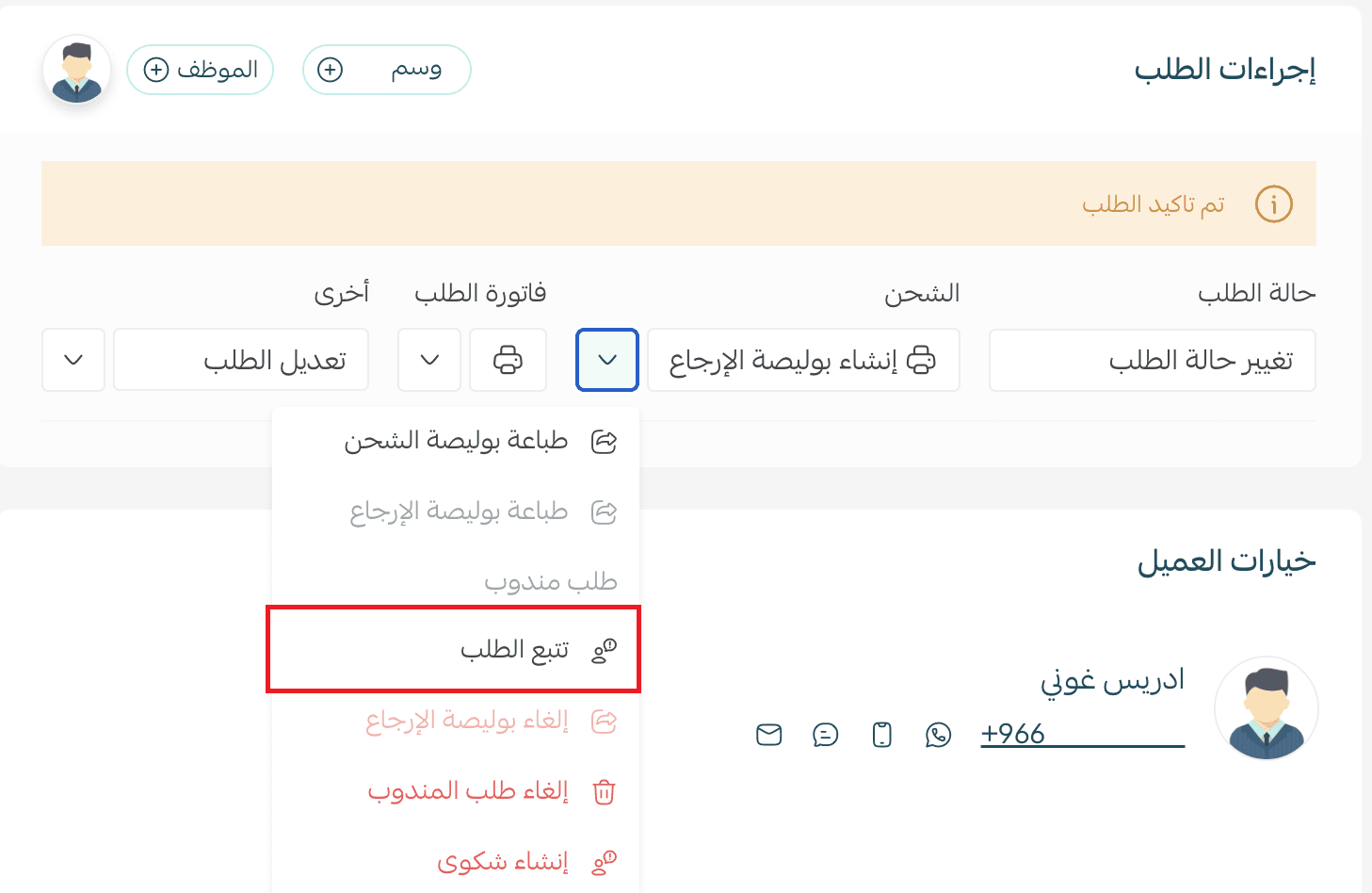
Click Track Order to be redirected to Careem’s tracking page for real-time shipment updates.
Frequently asked questions
When is Careem available for my order?
Careem will appear only if all of the following conditions are met:
- The merchant and customer addresses are within supported cities (Riyadh, Jeddah, Madinah)
- Shipment weight does not exceed 20 kg
- Delivery distance does not exceed 15 km
- Order time is between 9:00 AM and 1:30 AM
What is the expected delivery time?
Delivery typically takes 45 minutes to 1.5 hours, depending on distance within the city.
Which cities are currently supported?
- Riyadh
- Jeddah
- Madinah
When is the courier usually assigned?
A courier is usually assigned within 90 seconds of requesting delivery and arrives within 10 to 25 minutes.
Do I need to print a shipping label?
No. Careem orders are processed fully digitally, with no label printing required.
What is the latest time I can request a courier?
The last courier request time is 1:30 AM. After this time, Careem will no longer appear at checkout to ensure successful fulfillment.
Can I change the customer address after assigning a courier?
No. Once the courier is assigned, the delivery location cannot be modified.
Is cash on delivery supported?
No. Cash on delivery is currently not available with Careem.
What happens if the courier is delayed or the order is cancelled?
Please contact support via email. The issue will be reviewed and followed up accordingly.
What happens if delivery fails?
The order will be returned to the merchant, and the base delivery fee will be applied.
How long does the courier wait for the customer?
The courier waits 10 minutes before returning the order to the merchant if the customer is unreachable.
Are damaged items compensated?
Careem does not provide compensation for damaged items. Proper packaging is strongly recommended before dispatch.
How can I enable national address and map location selection?
You can enable location selection in one of two ways:
- From Careem’s Display Information page, click the customer location prompt
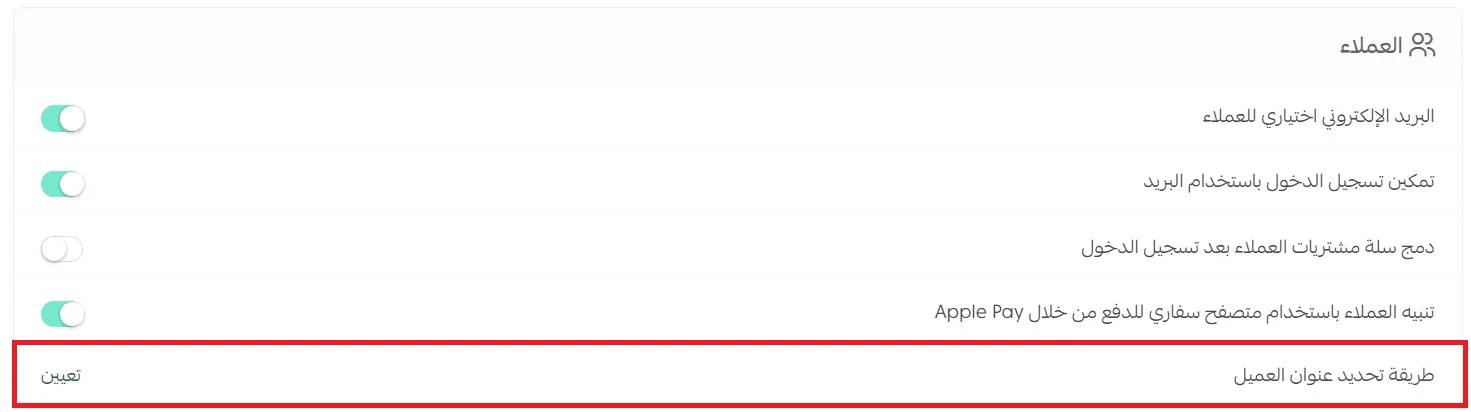
- Or go to Store Settings, then Store Options, and under Customers, configure address selection preferences
For more details, refer to: How to enable customer location selection on the map