You can now accept donations directly from landing pages without redirecting customers to external pages or requiring additional complex steps.
The new donation experience is designed to be clear, fast, and compatible with different purchase display methods, with built-in validation of the donation amount before completing the order, ensuring a reliable experience for both merchants and donors.
This improved flow reduces friction in the donation journey and helps increase completion rates through a simple interface and consistent behavior across all devices.
📌 Article overview
- Objectives of the new donation experience
- How the donation experience works in landing pages
- Display methods for donation products
- Practical use cases
- FAQs
Objectives of the new donation experience
The donation experience inside landing pages aims to:
- Enable direct donations from the landing page
- Require a valid donation amount before completing the order
- Support all purchase display methods with consistent behavior
- Reduce the number of steps needed to complete a donation
- Increase conversion rates and completed donations
How the donation experience works in landing pages
When a donation product is activated on a landing page, the customer is required to enter a donation amount (either predefined or custom).
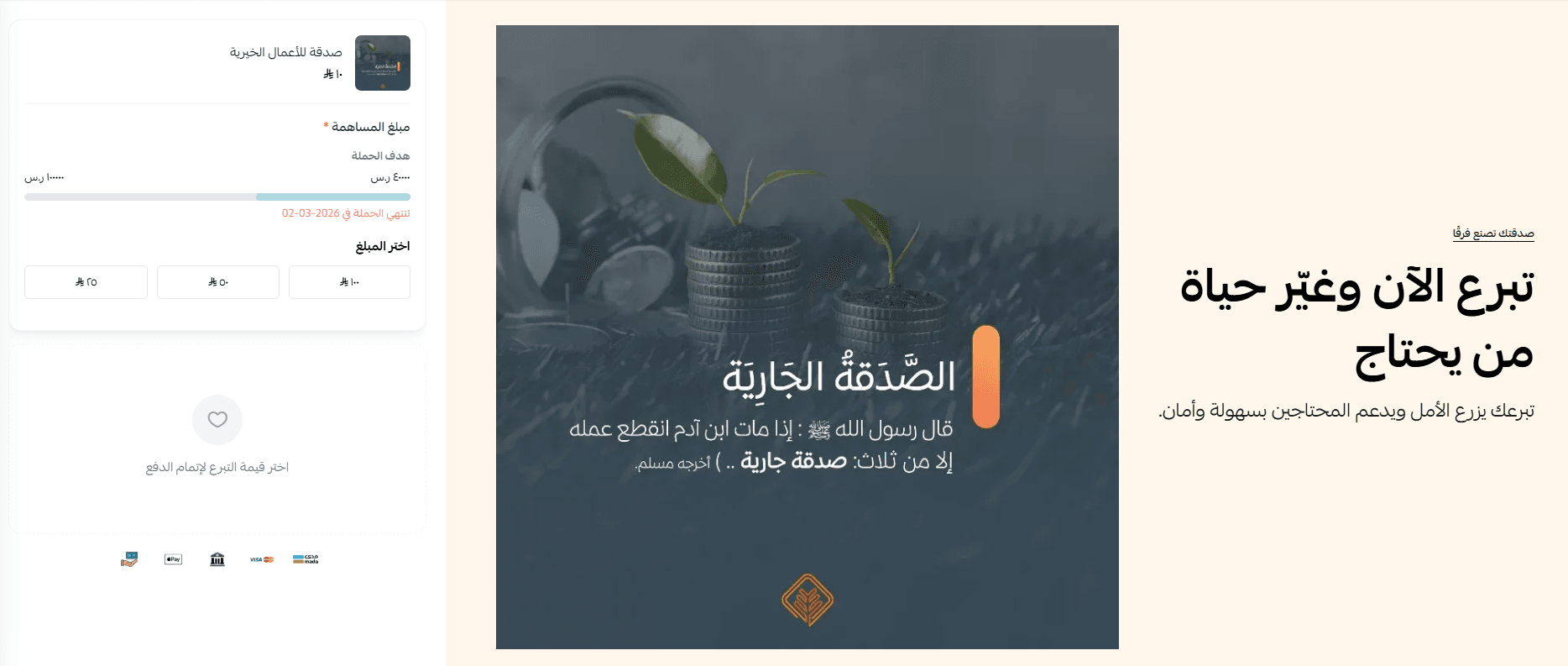
Notes:
- The user cannot proceed to checkout without entering a valid amount
- The amount is validated instantly
- Clear error messages are shown if any issue occurs
Display methods for donation products in landing pages
The donation experience supports three main display methods. You can choose the most suitable one based on your page design and customer behavior.
- Fixed donation element at the top
The donation element appears fixed at the top of the landing page (on desktop) and remains visible during scrolling without affecting page content.
Benefits:
- Keeps the donation option visible at all times
- Reduces the number of clicks
- Ideal for campaigns where donation is the main goal
2. Standalone donation element inside the page
The donation element appears as a separate section inside the landing page content and moves with the page while scrolling.
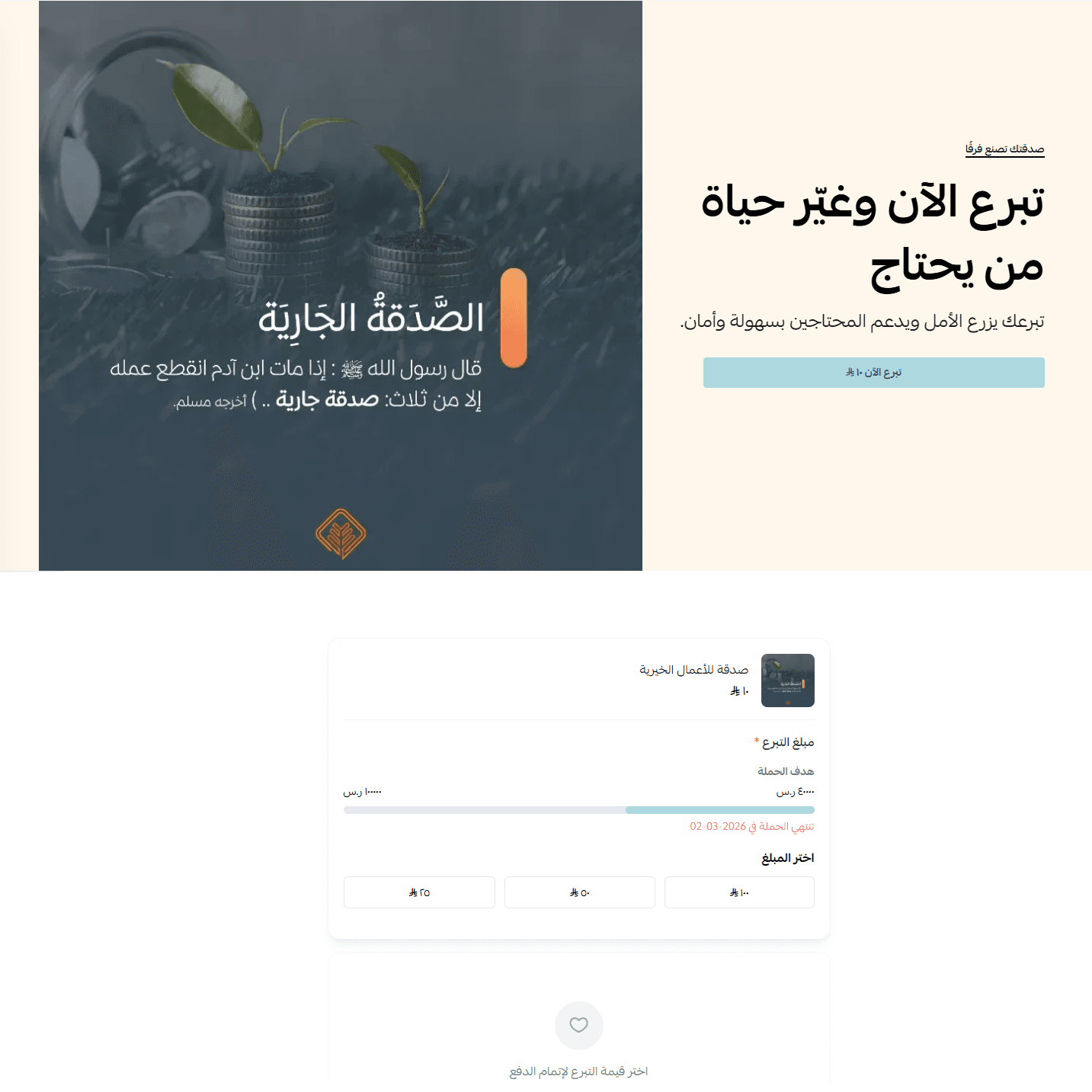
Benefits:
- Suitable for pages with storytelling or informational content
- Gives the customer time to decide
- Does not disrupt browsing
3. Donation via side sheet
When the user clicks Donate now

A side pop-up opens with the donation experience without leaving the landing page.
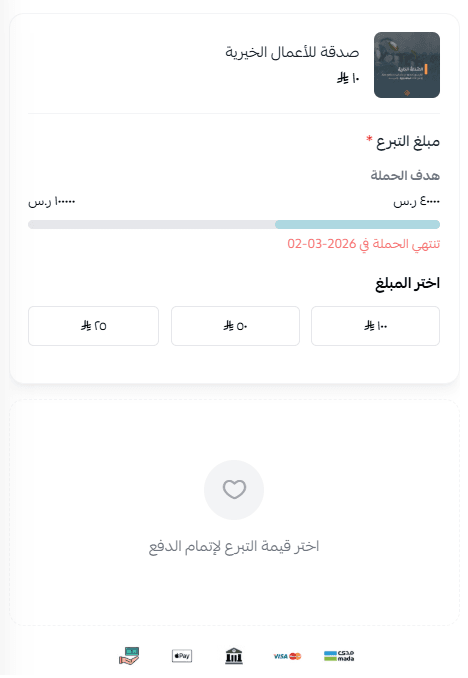
Benefits:
- Preserves the page context
- Provides an interactive and smooth experience
- Suitable for both mobile and desktop
Practical use cases
- Instant donation campaigns (quick response)
When to use: For campaigns that require fast donations, such as emergency relief or temporary initiatives.
Implementation:
- Use a fixed donation element at the top
- Show predefined donation amounts + custom amount option
- Add a clear message like: “Your donation makes a difference now”
- Story-driven donation campaigns
When to use: When there is a story, report, or content the customer needs to read before donating.
Implementation:
- Use a standalone donation element after the story/content
- Connect the content clearly to the donation goal
- Highlight the Donate Now button without interrupting reading
- Mobile-focused donation campaigns
When to use: If most visitors are coming from mobile devices or shared links.
Implementation:
- Use the side sheet experience automatically on mobile
- Minimize steps as much as possible
- Keep the main action button clear and easy to access
- Flexible donation amount campaigns
When to use: When targeting donors with different financial capacities.
Implementation:
- Provide multiple suggested donation amounts (low, medium, high)
- Allow a custom amount option
- Ensure amount validation is enabled before proceeding
Frequently asked questions
Can a donation be completed without entering an amount?
No, a valid donation amount must be entered before completing the order.
Can I use predefined and custom amounts together?
Yes, you can display fixed amounts alongside a custom amount option.
Are shipping options shown?
No shipping options or unrelated features are displayed.
Does this update affect existing pages?
No, unless you manually update the page and enable the new donation experience.
Is the experience mobile-friendly?
Yes, it always opens as a side sheet on mobile.
Tip: To increase donation rates, reduce steps, highlight the donation button, and use clear messaging that encourages users to complete the process without hesitation.
✅ Start now by enabling the enhanced donation experience on your landing pages and offer your customers a clearer, faster, and more reliable donation journey.