Many merchants struggle to track refunds and returned amounts in an organized way, which can lead to accounting confusion and delays in reconciling financial records.
That’s why Credit Notes are essential, they help you document refunded transactions clearly and keep your store’s finances accurate and compliant.
In this article, you’ll learn what a credit note is, how to access it inside your Salla dashboard, and when it gets issued.
📌 Article overview
- What is a credit note?
- Managing credit notes in your store
- Frequently asked questions
What is a credit note?
A credit note is an official document available inside Wallet & Invoices, issued to record refunded amounts resulting from:
- Returned products
- Cancelled purchases
- Sales refunds (returns and reimbursements)
If a tax invoice was originally issued and later adjusted to reduce the payable amount, a credit note is used to document that correction properly.
For more details, you can refer to the official website of the Zakat, Tax and Customs Authority (ZATCA).
Managing credit notes in Salla
To view and manage credit notes in your store:
- From the main menu, go to All
Under Settings & Tools, click Payment Methods
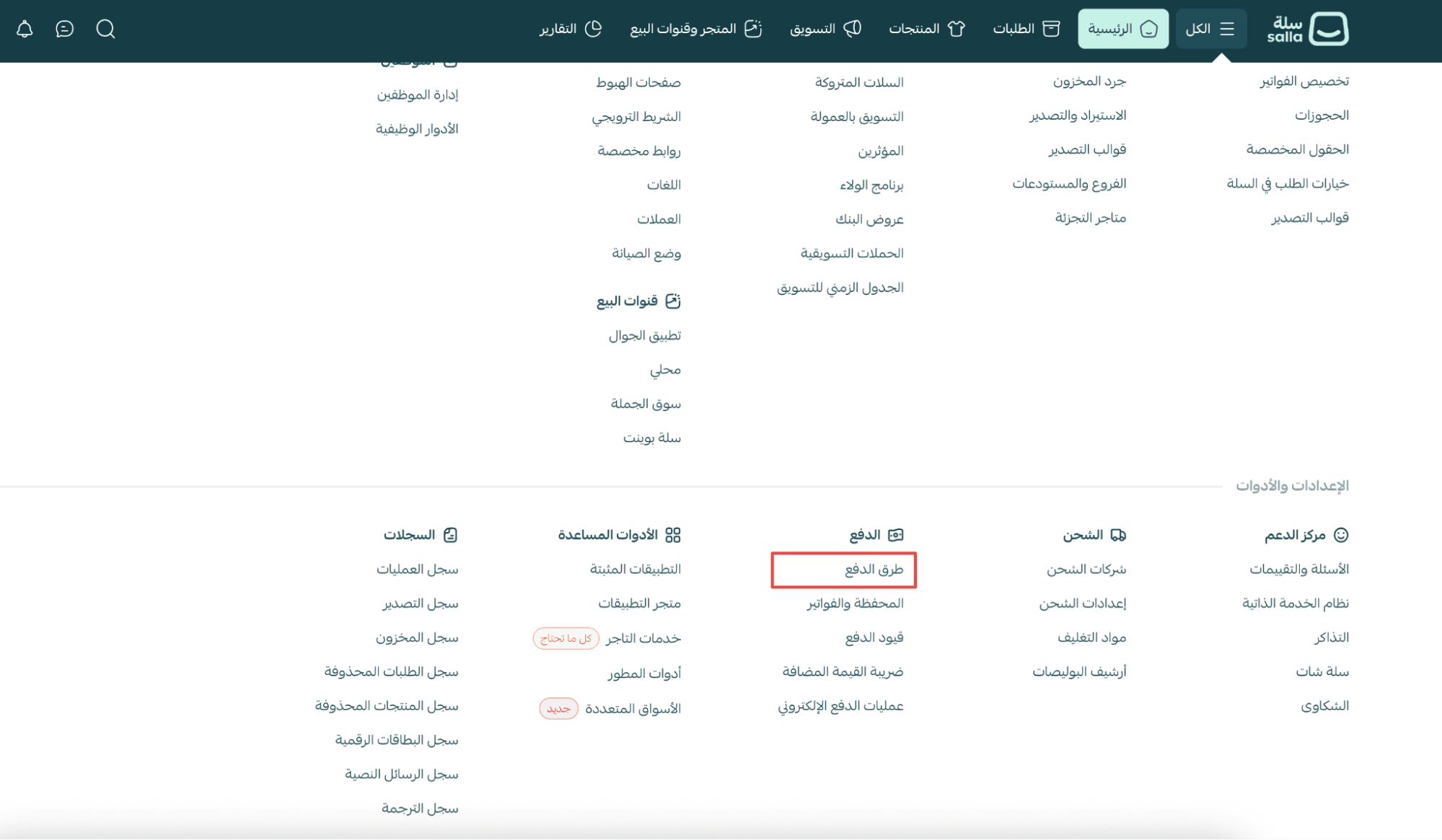
2. Scroll down to the Wallet & Invoices section
3. Under Purchase Invoices, click the Credit Note tab

All credit note documents for refunded transactions will appear there.

Printing a credit note
- To print a credit note, click on its number
- The document will open in a printable format.
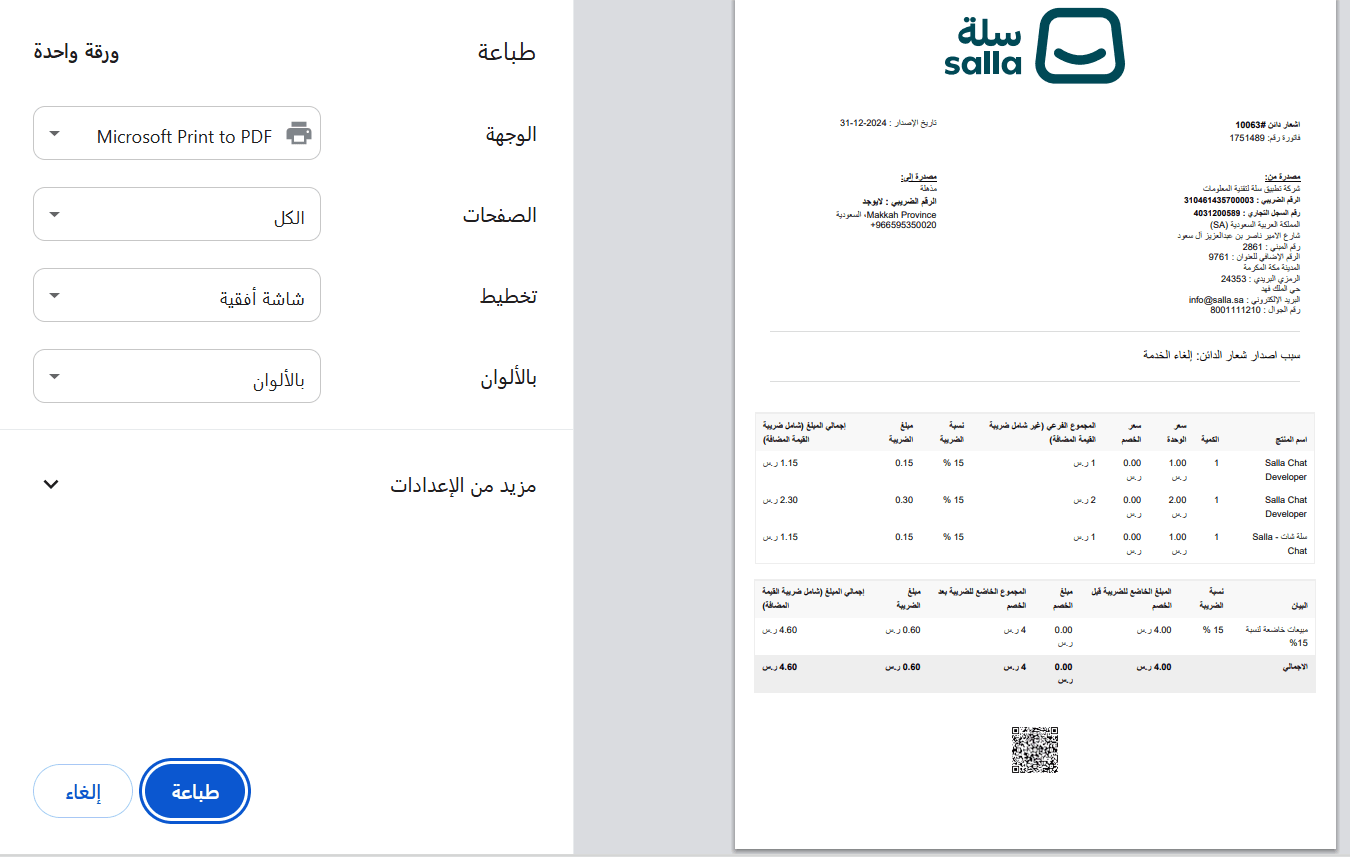
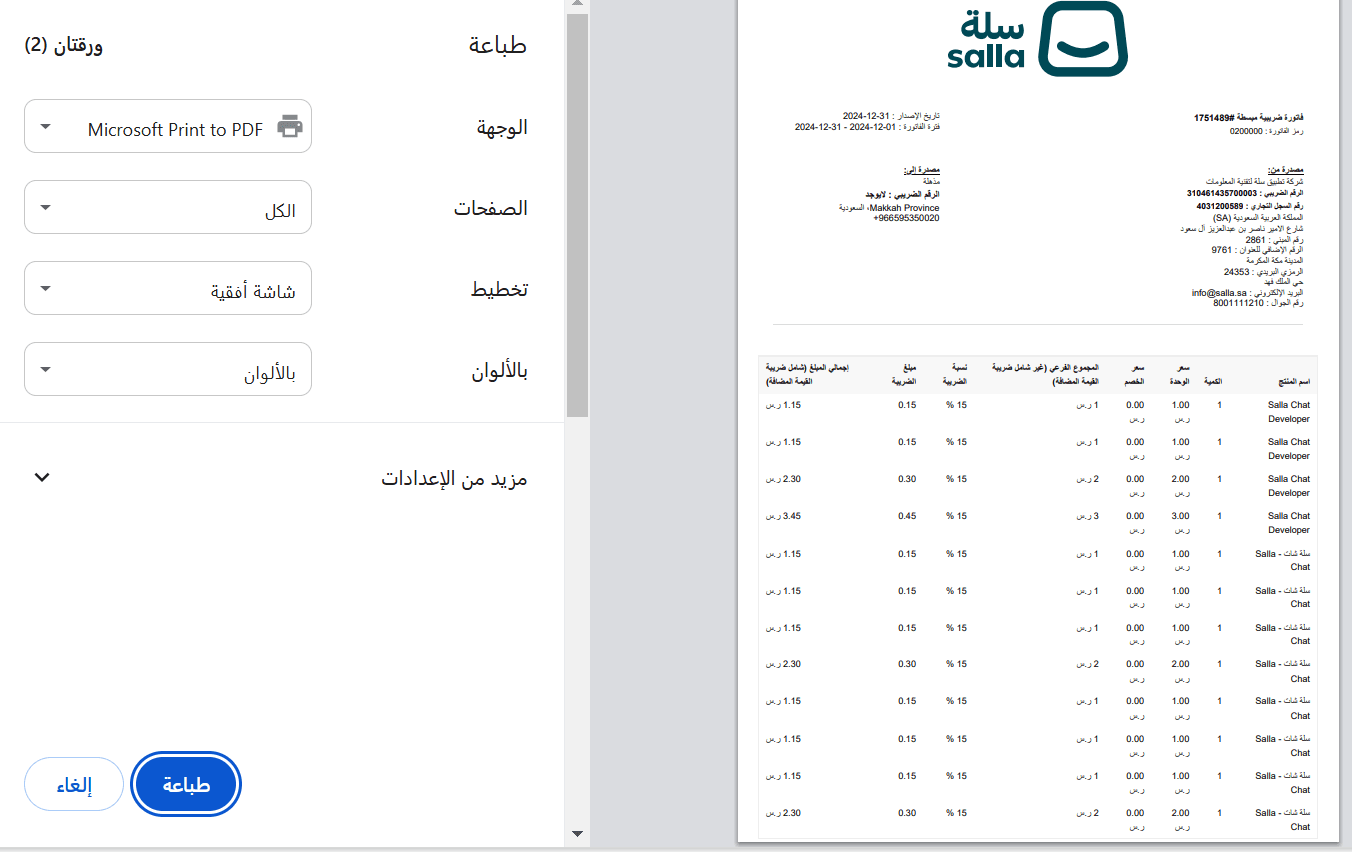
Printing the related invoice
- To print the original invoice linked to the credit note, click the invoice number
- It will open with full invoice details.
Frequently asked questions
When is a credit note issued?
A credit note is issued at the end of each month if a merchant cancels one of Salla’s paid services, such as:
- Cancelling an insurance policy
- Removing an app during the 7-day trial period
The credit note documents the cancellation and updates the payable amount accordingly.
Do I need to enable anything to receive credit notes?
No. Credit notes appear automatically inside:
- Wallet & Invoices → Purchase Invoices
No activation is required.
What services generate a credit note when cancelled?
Any purchase of Salla products or services made through electronic payment methods may generate a credit note if refunded or cancelled.
🎯 Keep your store’s financial records clear and compliant by regularly reviewing Credit Notes inside Wallet & Invoices.